keyless DODGE JOURNEY 2013 1.G Owner's Manual
[x] Cancel search | Manufacturer: DODGE, Model Year: 2013, Model line: JOURNEY, Model: DODGE JOURNEY 2013 1.GPages: 630
Page 249 of 630
Turning ParkView® On Or Off — With Touch
Screen Radio
1. Turn the Radio on.
2. Press the “More” soft-key.
3. Press the “Settings” soft-key.
4. Press the “Safety & Driving Assistance” soft-key.
5. Press the check box soft key next to “Parkview®
Backup Camera” to enable/disable.
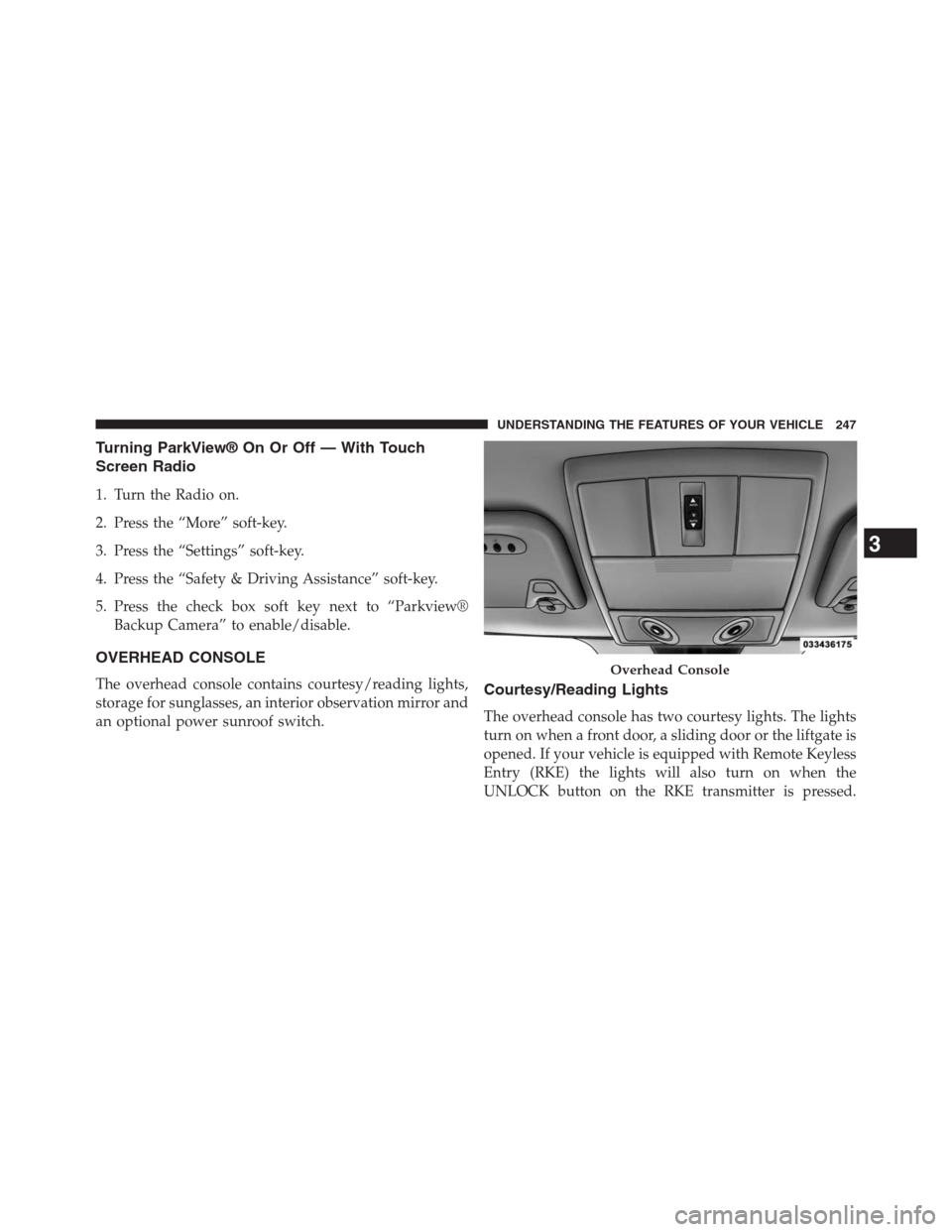
OVERHEAD CONSOLE
The overhead console contains courtesy/reading lights,
storage for sunglasses, an interior observation mirror and
an optional power sunroof switch.Courtesy/Reading Lights
The overhead console has two courtesy lights. The lights
turn on when a front door, a sliding door or the liftgate is
opened. If your vehicle is equipped with Remote Keyless
Entry (RKE) the lights will also turn on when the
UNLOCK button on the RKE transmitter is pressed.
Overhead Console
3
UNDERSTANDING THE FEATURES OF YOUR VEHICLE 247
Page 261 of 630
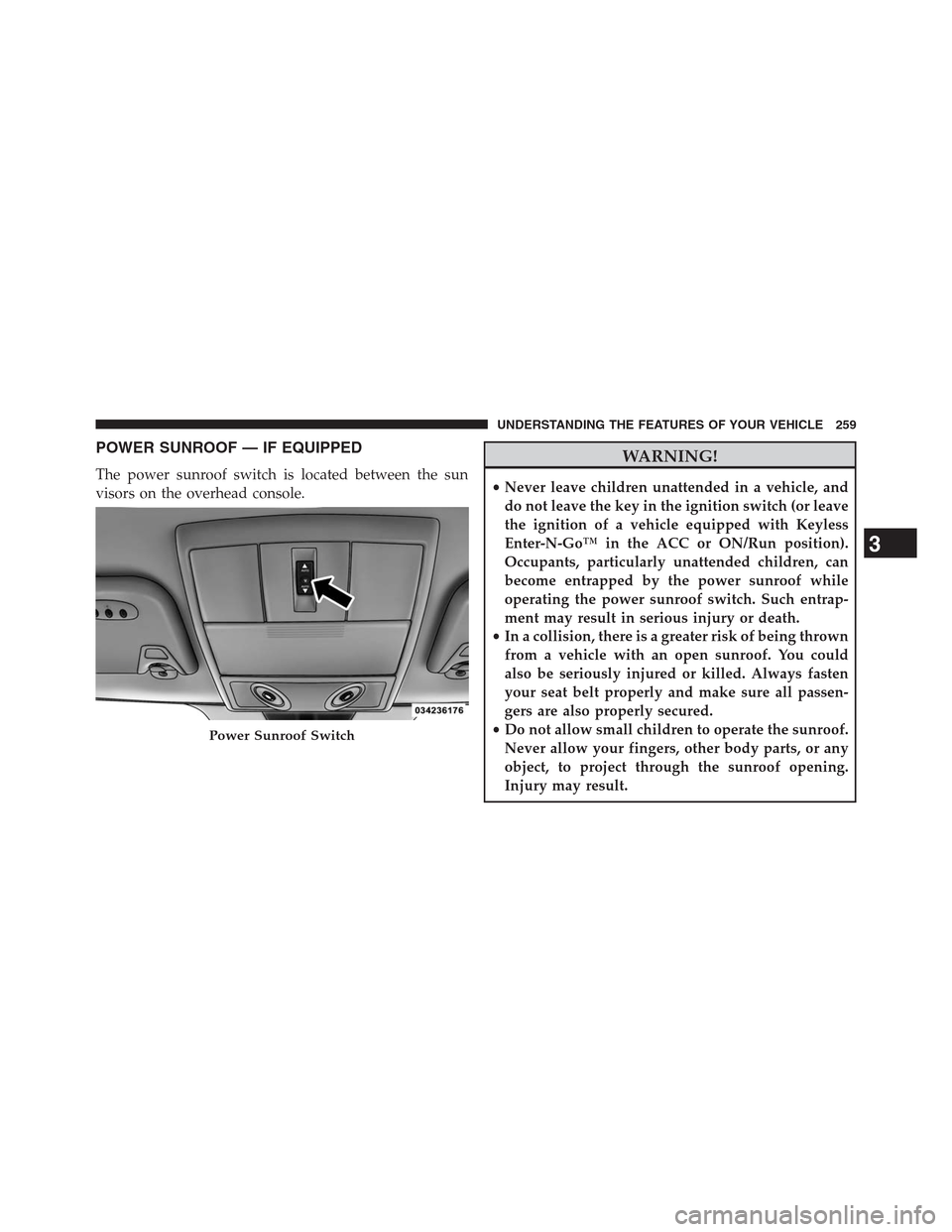
POWER SUNROOF — IF EQUIPPED
The power sunroof switch is located between the sun
visors on the overhead console.
WARNING!
•Never leave children unattended in a vehicle, and
do not leave the key in the ignition switch (or leave
the ignition of a vehicle equipped with Keyless
Enter-N-Go™ in the ACC or ON/Run position).
Occupants, particularly unattended children, can
become entrapped by the power sunroof while
operating the power sunroof switch. Such entrap-
ment may result in serious injury or death.
•In a collision, there is a greater risk of being thrown
from a vehicle with an open sunroof. You could
also be seriously injured or killed. Always fasten
your seat belt properly and make sure all passen-
gers are also properly secured.
•Do not allow small children to operate the sunroof.
Never allow your fingers, other body parts, or any
object, to project through the sunroof opening.
Injury may result.
Power Sunroof Switch
3
UNDERSTANDING THE FEATURES OF YOUR VEHICLE 259
Page 309 of 630
![DODGE JOURNEY 2013 1.G Owners Manual •Key Not Detected
•Press Brake Pedal and Push Button to Start
•Service Keyless System
•Turn Signal On (with a continuous warning chime if
the vehicle is driven more than 1 mile [1.6 km] with
e](/img/12/5646/w960_5646-308.png "DODGE JOURNEY 2013 1.G Owners Manual •Key Not Detected
•Press Brake Pedal and Push Button to Start
•Service Keyless System
•Turn Signal On (with a continuous warning chime if
the vehicle is driven more than 1 mile [1.6 km] with
e")
•Key Not Detected
•Press Brake Pedal and Push Button to Start
•Service Keyless System
•Turn Signal On (with a continuous warning chime if
the vehicle is driven more than 1 mile [1.6 km] with
either turn signal on)
•Lamp Out (with vehicle graphic showing which of the
4 turn signals is/are out).
•Key Battery Low (with a single chime)
•
Left/Right Front Door Ajar (one or more doors open, with
a single chime if speed is above 1 mph [1.6 km/ h]).
•Low Washer Fluid (with a single chime)
•
Low Tire Pressure (with a single chime). Refer to infor-
mation on “Tire Pressure” and “Tire Pressure Monitor”
in “Starting And Operating”
•Service TPM System (with a single chime). Refer to
information on “Tire Pressure Monitor” in “Starting
And Operating”.
•Channel # Transmit
•Channel # Training
•Channel # Trained
•Clearing Channels
•Channels Cleared
•Did Not Train
•Check Gascap (refer to “Adding Fuel” in “Starting
And Operating”)
•Oil Change Due (with a single chime)
4
UNDERSTANDING YOUR INSTRUMENT PANEL 307
Page 323 of 630
•Hill Start Assist — If Equipped
Touch the Hill Start Assist soft-key to change this display.
When this feature is selected, the Hill Start Assist (HSA)
system is active. Refer to “Electronic Brake Control
System” in “Starting And Operating” for system function
and operating information. To make your selection, touch
the Hill Start Assist soft-key and select ON or OFF. Then
touch the arrow back soft-key.
Lights
•Illuminated Approach
Touch the Illuminated Approach soft-key to change this
display. When this feature is selected, the headlights will
activate and remain on for 0, 30, 60, or 90 seconds when
the doors are unlocked with the Remote Keyless Entry
(RKE) transmitter. To change the Illuminated Approach
status, touch the 0, 30, 60 or 90 soft-key. Then touch the
arrow back soft-key.•Headlights With Wipers
Touch the Headlights With Wipers soft-key to change this
display. When this feature is selected, and the headlight
switch is in the AUTO position, the headlights will turn
on approximately 10 seconds after the wipers are turned
on. The headlights will also turn off when the wipers are
turned off if they were turned on by this feature. To make
your selection, touch the Headlights With Wipers soft-
key and select ON or OFF. Then touch the arrow back
soft-key.
•Auto High Beams “SmartBeams™”
Touch the Auto High Beams soft-key to change this display.
When this feature is selected, the high beam headlights will
deactivate automatically under certain conditions. To make
your selection, touch the Auto High Beams soft-key and
select ON or OFF. Then touch the arrow back soft-key. Refer
to “Lights/SmartBeam™ — If Equipped” in “Understand-
ing The Features Of Your Vehicle” for further information.
4
UNDERSTANDING YOUR INSTRUMENT PANEL 321
Page 324 of 630
•Daytime Running Lights – If Available
Touch the Daytime Running Lights soft-key to change
this display. When this feature is selected, the headlights
will turn on whenever the engine is running. To make
your selection, touch the Daytime Running Lights soft-
key and select ON or OFF. Then touch the arrow back
soft-key.
•Steering Directed Lights – If Equipped
Touch the Steering Directed Lights soft-key to change this
display. When this feature is selected, the headlights turn
relative to a change in direction of the steering wheel. To
make your selection, touch the Steering Directed Lights
soft-key and select ON or OFF. Then touch the arrow
back soft-key.•Flash Lights With Lock
Touch the Flash Headlights With Lock soft-key to change
this display. When this feature is selected, the headlights
will flash when the doors are locked or unlocked with the
Remote Keyless Entry (RKE) transmitter. This feature
may be selected with or without the sound horn on lock
feature selected. To make your selection, touch the Flash
Headlights With Lock soft-key and select ON or OFF.
Then touch the arrow back soft-key.
Doors & Locks
•Auto Unlock On Exit
Touch the Auto Unlock On Exit soft-key to change this
display. When this feature is selected, all doors will
unlock when the vehicle is stopped and the transmission
is in the PARK or NEUTRAL position and the driver’s
door is opened. To make your selection, touch the Auto
Unlock On Exit soft-key and select ON or OFF. Then
touch the arrow back soft-key.
322 UNDERSTANDING YOUR INSTRUMENT PANEL
Page 325 of 630
•Flash Lights With Lock
Touch the Flash Lights With Lock soft-key to change this
display. When this feature is selected, the front and rear
turn signals will flash when the doors are locked or
unlocked with the Remote Keyless Entry (RKE) transmit-
ter. To make your selection, touch the Flash Lights With
Lock soft-key and select ON or OFF. Then touch the
arrow back soft-key.
•Sound Horn With Remote Start
Touch the Sound Horn With Remote Start soft-key to
change this display. When this feature is selected, the
horn will sound when the remote start is activated. To
make your selection, touch the Sound Horn With Remote
Start soft-key and select ON or OFF. Then touch the
arrow back soft-key.•Sounds Horn With Lock
Touch the Sounds Horn With Lock soft-key to change this
display. When this feature is selected, the horn will chirp
when the doors are locked or unlocked with the Remote
Keyless Entry (RKE) transmitter. To make your selection,
touch the Sounds Horn With Lock soft-key and select ON
or OFF. Then touch the arrow back soft-key.
•Remote Door Unlock Order
Touch the Remote Door Unlock Order soft-key to change
this display. When Unlock Driver Door Only On 1st Press
is selected, only the driver’s door will unlock on the first
press of the Remote Keyless Entry (RKE) transmitter
UNLOCK button. When Unlock Driver Door Only On 1st
Press is selected, you must press the RKE transmitter
UNLOCK button twice to unlock the passenger’s doors.
When Unlock All Doors On 1st Press is selected, all of the
doors will unlock on the first press of the RKE transmitter
UNLOCK button.
4
UNDERSTANDING YOUR INSTRUMENT PANEL 323
Page 326 of 630
NOTE:If the vehicle is equipped with Keyless Enter-
N-Go (Passive Entry) and the EVIC is programmed to
Unlock All Doors On 1st Press, all doors will unlock no
matter which Passive Entry equipped door handle is
grasped. If Unlock Driver Door Only On 1st Press is
programmed, only the driver ’s door will unlock when
the driver ’s door is grasped. With Passive Entry, if
Unlock Driver Door Only On 1st Press is programmed,
touching the handle more than once will only result in
the driver ’s door opening. If Unlock Driver Door Only
On 1st Press is selected, once the driver door is opened,
the interior door lock/unlock switch can be used to
unlock all the doors (or use the RKE transmitter).•Passive Entry (Keyless Enter-N-Go)
Touch the Passive Entry soft-key to change this display.
This feature allows you to lock and unlock the vehicle’s
door(s) without having to press the RKE transmitter lock
or unlock buttons. To make your selection, touch the
Passive Entry soft-key and select ON or OFF. Then touch
the arrow back soft-key. Refer to “Keyless Enter-N-Go” in
“Things To Know Before Starting Your Vehicle”.
Heated Seats
•Auto Heated Seats
Touch the Auto Heated Seats soft-key to change this
display. When temperatures are above 80° F (26.7° C) the
driver vented seat will turn on. To make your selection,
touch the Auto Heated Seats soft-key and select ON or
OFF. Then touch the arrow back soft-key.
324 UNDERSTANDING YOUR INSTRUMENT PANEL
Page 336 of 630
•Headlight Illumination On Approach
When this feature is selected, the headlights will activate
and remain on for 0, 30, 60, or 90 seconds when the doors
are unlocked with the Remote Keyless Entry (RKE)
transmitter. To change the Illuminated Approach status,
touch the + or - soft-key to select your desired time
interval. Touch the back arrow soft-key to return to the
previous menu.
•Headlights With Wipers — If Equipped
When this feature is selected, and the headlight switch is
in the AUTO position, the headlights will turn on ap-
proximately 10 seconds after the wipers are turned on.
The headlights will also turn off when the wipers are
turned off if they were turned on by this feature. To make
your selection, touch the Headlights With Wipers softkey,
until a check-mark appears next to setting, showing that
setting has been selected. Touch the back arrow soft-key
to return to the previous menu.•Auto Dim High Beams “SmartBeam™” —
If Equipped
When this feature is selected, the high beam headlights
will deactivate automatically under certain conditions. To
make your selection, touch the Auto High Beams softkey,
until a check-mark appears next to setting, showing that
setting has been selected. Touch the back arrow soft-key
to return to the previous menu. Refer to “Lights/ Smart-
Beam™ — If Equipped” in “Understanding The Features
Of Your Vehicle” for further information.
•Daytime Running Lights – If Available
When this feature is selected, the headlights will turn on
whenever the engine is running. To make your selection,
touch the Daytime Running Lights soft-key, until a
check-mark appears next to setting, showing that setting
has been selected. Touch the back arrow soft-key to
return to the previous menu.
334 UNDERSTANDING YOUR INSTRUMENT PANEL
Page 337 of 630
•Steering Directed Lights – If Equipped
When this feature is selected, the headlights turn relative
to a change in direction of the steering wheel. To make
your selection, touch the Steering Directed Lights softkey,
until a check-mark appears next to setting, showing that
setting has been selected. Touch the back arrow soft-key
to return to the previous menu.
•Flash Headlights With Lock
When this feature is selected, the headlights will flash
when the doors are locked or unlocked with the Remote
Keyless Entry (RKE) transmitter. This feature may be
selected with or without the sound horn on lock feature
selected. To make your selection, touch the Flash Head-
lights with Lock soft-key, until a check-mark appears next
to setting, showing that setting has been selected. Touch the
back arrow soft-key to return to the previous menu.
Doors & Locks
After pressing the Doors & Locks soft-key the following
settings will be available.
•Auto Unlock On Exit
When this feature is selected, all doors will unlock when
the vehicle is stopped and the transmission is in the
PARK or NEUTRAL position and the driver’s door is
opened. To make your selection, touch the Auto Unlock
On Exit soft-key, until a check-mark appears next to
setting, showing that setting has been selected. Touch the
back arrow soft-key to return to the previous menu.
4
UNDERSTANDING YOUR INSTRUMENT PANEL 335
Page 338 of 630
•Flash Headlight With Lock
When this feature is selected, the headlights will flash
when the doors are locked or unlocked with the Remote
Keyless Entry (RKE) transmitter. To make your selection,
touch the Flash Lights With Lock soft-key, until a check-
mark appears next to setting, showing that setting has
been selected. Touch the back arrow soft-key to return to
the previous menu.
•Sound Horn With Lock
When this feature is selected, the horn will sound when
the remote start is activated. To make your selection,
touch the Sound Horn With Lock soft-key, until a check-
mark appears next to setting, showing that setting has
been selected. Touch the back arrow soft-key to return to
the previous menu.•Sound Horn With Remote Start
When this feature is selected, the horn will sound when
the remote start is activated. To make your selection,
touch the Sound Horn With Remote Start soft-key, until a
check-mark appears next to setting, showing that setting
has been selected. Touch the back arrow soft-key to
return to the previous menu.
•1st Press Of Key Fob Unlocks
When Unlock Driver Door Only On 1st Press is selected,
only the driver’s door will unlock on the first press of the
Remote Keyless Entry (RKE) transmitter UNLOCK but-
ton. When Driver Door 1st Press is selected, you must
press the RKE transmitter UNLOCK button twice to
unlock the passenger’s doors. When Unlock All Doors
On 1st Press is selected, all of the doors will unlock on the
first press of the RKE transmitter UNLOCK button.
336 UNDERSTANDING YOUR INSTRUMENT PANEL