instrument panel DODGE JOURNEY 2013 1.G Owners Manual
[x] Cancel search | Manufacturer: DODGE, Model Year: 2013, Model line: JOURNEY, Model: DODGE JOURNEY 2013 1.GPages: 630
Page 3 of 630
TABLE OF CONTENTSSECTIONPAGE
1
INTRODUCTION.............................................................3
2
THINGS TO KNOW BEFORE STARTING YOUR VEHICLE.............................9
3
UNDERSTANDING THE FEATURES OF YOUR VEHICLE............................109
4
UNDERSTANDING YOUR INSTRUMENT PANEL..................................289
5
STARTING AND OPERATING.................................................387
6
WHAT TO DO IN EMERGENCIES..............................................497
7
MAINTAINING YOUR VEHICLE...............................................523
8
MAINTENANCE SCHEDULES.................................................585
9
IF YOU NEED CONSUMER ASSISTANCE........................................593
10
INDEX....................................................................605
1
2
3
4
5
6
7
8
9
10
Page 8 of 630
WARNINGS AND CAUTIONS
This Owners Manual containsWARNINGSagainst oper-
ating procedures that could result in a collision or bodily
injury. It also containsCAUTIONSagainst procedures that
could result in damage to your vehicle. If you do not read
this entire Owners Manual, you may miss important
information. Observe all Warnings and Cautions.
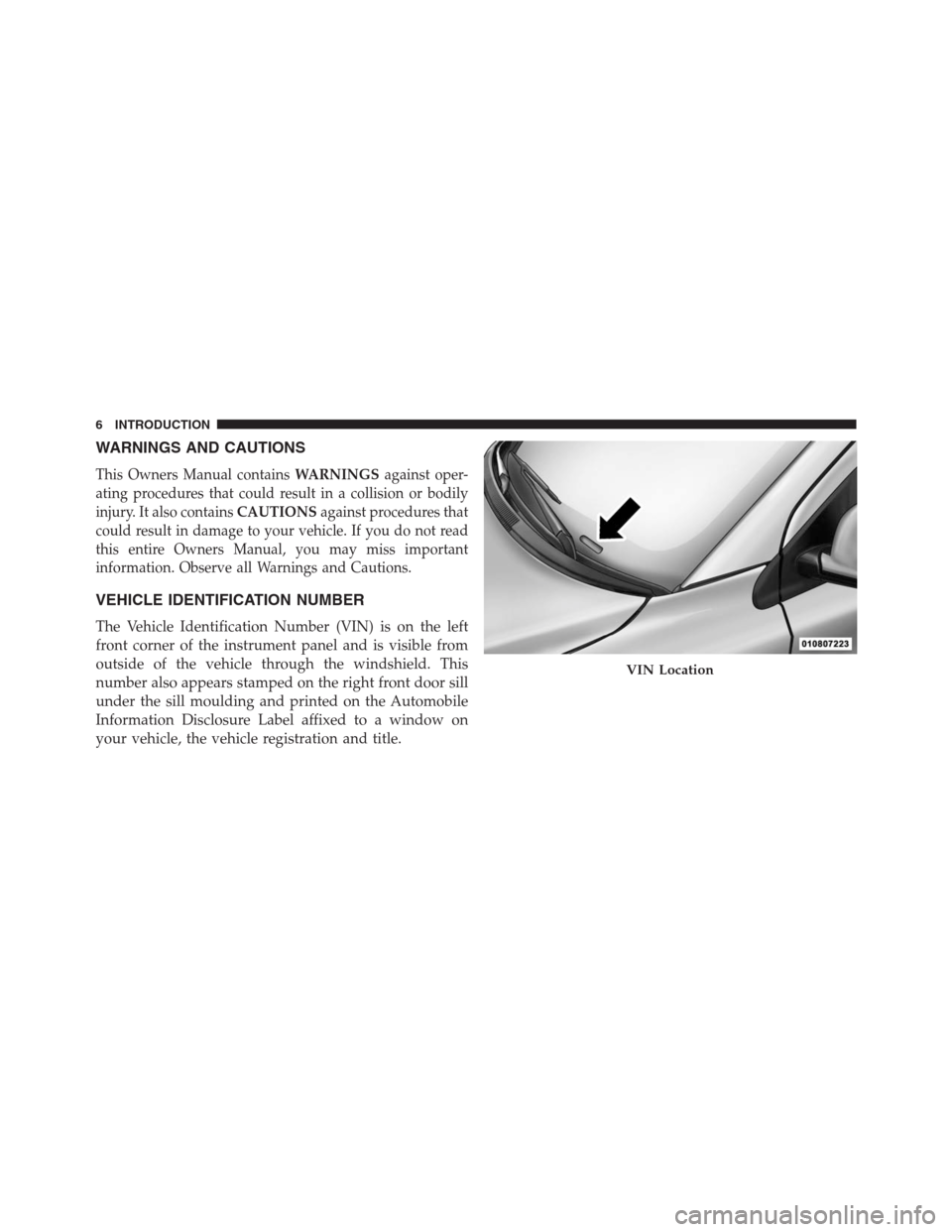
VEHICLE IDENTIFICATION NUMBER
The Vehicle Identification Number (VIN) is on the left
front corner of the instrument panel and is visible from
outside of the vehicle through the windshield. This
number also appears stamped on the right front door sill
under the sill moulding and printed on the Automobile
Information Disclosure Label affixed to a window on
your vehicle, the vehicle registration and title.
VIN Location
6 INTRODUCTION
Page 16 of 630
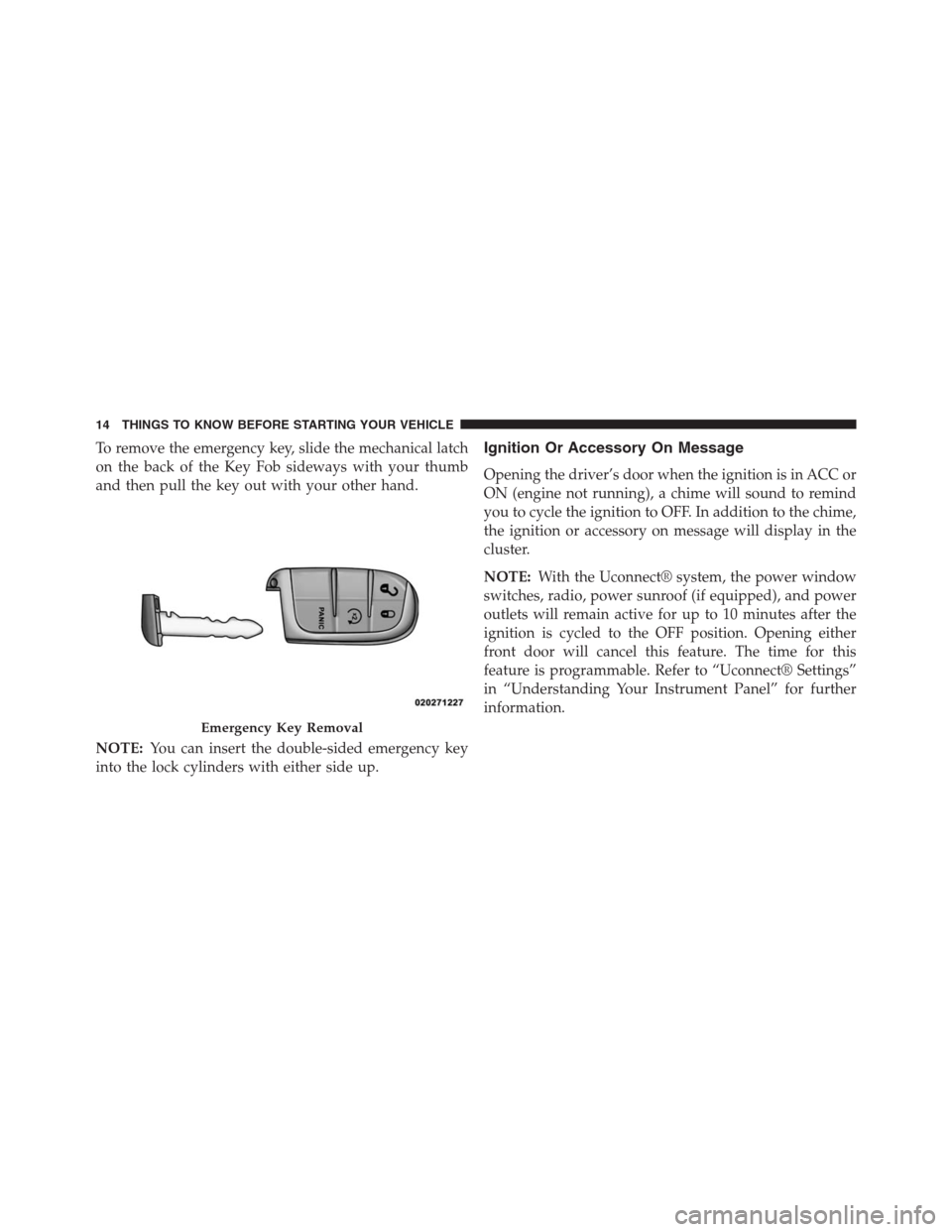
To remove the emergency key, slide the mechanical latch
on the back of the Key Fob sideways with your thumb
and then pull the key out with your other hand.
NOTE:You can insert the double-sided emergency key
into the lock cylinders with either side up.Ignition Or Accessory On Message
Opening the driver’s door when the ignition is in ACC or
ON (engine not running), a chime will sound to remind
you to cycle the ignition to OFF. In addition to the chime,
the ignition or accessory on message will display in the
cluster.
NOTE:With the Uconnect® system, the power window
switches, radio, power sunroof (if equipped), and power
outlets will remain active for up to 10 minutes after the
ignition is cycled to the OFF position. Opening either
front door will cancel this feature. The time for this
feature is programmable. Refer to “Uconnect® Settings”
in “Understanding Your Instrument Panel” for further
information.
Emergency Key Removal
14 THINGS TO KNOW BEFORE STARTING YOUR VEHICLE
Page 25 of 630
To Unlock The Doors And Liftgate
Press and release the UNLOCK button on the RKE
transmitter once to unlock the driver’s door or twice
within five seconds to unlock all doors and liftgate. The
turn signal lights will flash to acknowledge the unlock
signal. The illuminated entry system will also turn on.
If the vehicle is equipped with Passive Entry, refer to
“Keyless Enter-N-Go™” under “Things To Know Before
Starting Your Vehicle” for further information.
Remote Key Unlock, Driver Door/All Doors 1st Press
This feature lets you program the system to unlock either
the driver’s door or all doors on the first press of the
UNLOCK button on the RKE transmitter. To change the
current setting, refer to “Uconnect® Settings” in “Under-
standing Your Instrument Panel” for further information.
Flash Lights With Remote Key
This feature will cause the turn signal lights to flash when
the doors are locked or unlocked with the RKE transmitter.
This feature can be turned on or turned off. To change the
current setting, refer to “Uconnect® Settings” in “Under-
standing Your Instrument Panel” for further information.
Turn Headlights On With Remote Key Unlock
This feature activates the headlights for up to 90 seconds
when the doors are unlocked with the RKE transmitter.
The time for this feature is programmable on vehicles
equipped through Uconnect® . To change the current
setting, refer to “Uconnect® Settings” in “Understanding
Your Instrument Panel” for further information.
2
THINGS TO KNOW BEFORE STARTING YOUR VEHICLE 23
Page 26 of 630
To Lock The Doors And Liftgate
Press and release the LOCK button on the RKE transmitter
to lock all doors and liftgate. The turn signal lights will flash
and the horn will chirp to acknowledge the signal.
If the vehicle is equipped with Passive Entry, refer to
“Keyless Enter-N-Go™” under “Things To Know Before
Starting Your Vehicle” for further information.
Sound Horn With Remote Key Lock
This feature will cause the horn to chirp when the doors
are locked with the RKE transmitter. This feature can be
turned on or turned off. To change the current setting,
refer to “Uconnect® Settings” in “Understanding Your
Instrument Panel” for further information.
Using The Panic Alarm
To turn the Panic Alarm feature on or off, press and hold
the PANIC button on the RKE transmitter for at least
one second and release. When the Panic Alarm is on, theheadlights will turn on, the park lights will flash, the
horn will pulse on and off, and the interior lights will
turn on.
The Panic Alarm will stay on for three minutes unless
you turn it off by either pressing the PANIC button a
second time or drive the vehicle at a speed of 15 mph
(24 km/h) or greater.
NOTE:
•The interior lights will turn off if you cycle the ignition
switch to the ACC or ON/RUN position while the
Panic Alarm is activated. However, the exterior lights
and horn will remain on.
•You may need to be less than 35 ft (11 m) from the
vehicle when using the RKE transmitter to turn off the
Panic Alarm due to the radio frequency noises emitted
by the system.
24 THINGS TO KNOW BEFORE STARTING YOUR VEHICLE
Page 32 of 630
The Remote Start Comfort System can be activated
and deactivated through the Uconnect Touch™ system.
For more information on Remote Start Comfort System
operation refer to “Uconnect Touch™ system/Uconnect
Touch™ Settings — Customer Programmable Features”
in “Understanding Your Instrument Panel”.
DOOR LOCKS
Manual Door Locks
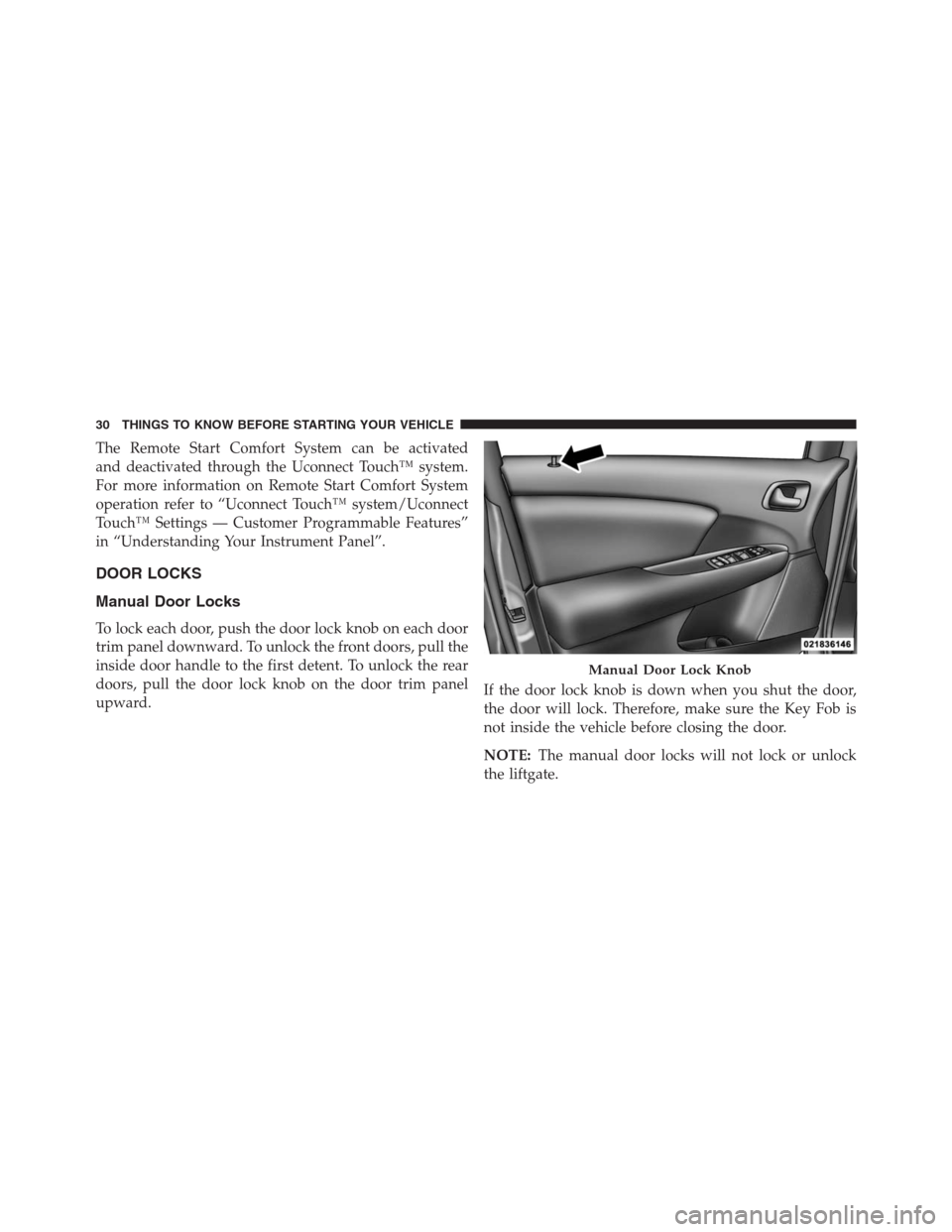
To lock each door, push the door lock knob on each door
trim panel downward. To unlock the front doors, pull the
inside door handle to the first detent. To unlock the rear
doors, pull the door lock knob on the door trim panel
upward.If the door lock knob is down when you shut the door,
the door will lock. Therefore, make sure the Key Fob is
not inside the vehicle before closing the door.
NOTE:The manual door locks will not lock or unlock
the liftgate.
Manual Door Lock Knob
30 THINGS TO KNOW BEFORE STARTING YOUR VEHICLE
Page 35 of 630
To change the current setting, refer to “Uconnect® Set-
tings” in “Understanding Your Instrument Panel” for
further information.
NOTE:Use the Automatic Unlock Doors On Exit feature
in accordance with local laws.
Child-Protection Door Lock System — Rear Doors
To provide a safer environment for small children riding
in the rear seats, the rear doors are equipped with a
Child-Protection Door Lock system.
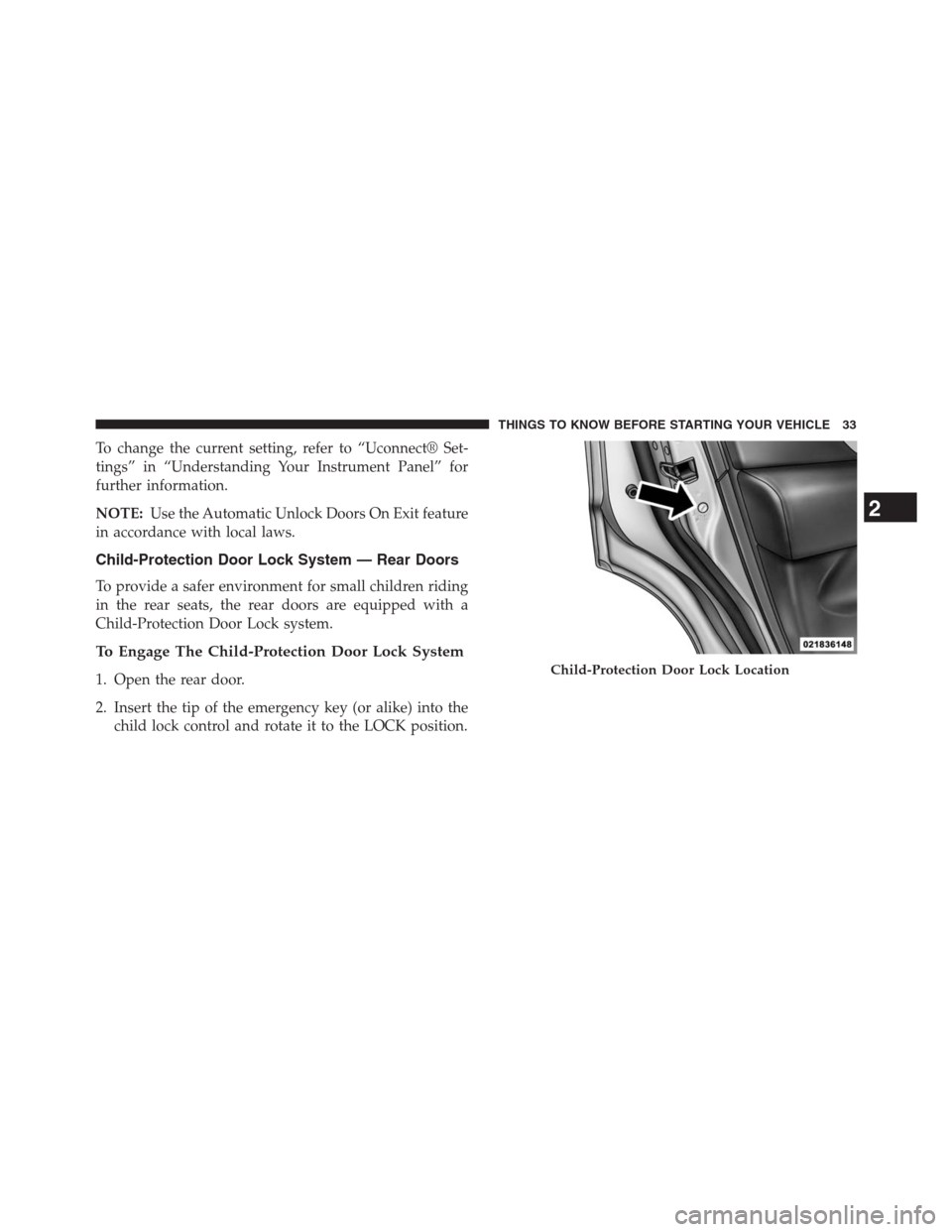
To Engage The Child-Protection Door Lock System
1. Open the rear door.
2. Insert the tip of the emergency key (or alike) into the
child lock control and rotate it to the LOCK position.Child-Protection Door Lock Location
2
THINGS TO KNOW BEFORE STARTING YOUR VEHICLE 33
Page 39 of 630

NOTE:If “Unlock All Doors 1st Press” is programmed
all doors will unlock when you grab hold of the driver ’s
front door handle. To select between “Unlock Driver
Door 1st Press” and “Unlock All Doors 1st Press”, refer to
“Electronic Vehicle Information Center (EVIC)/Personal
Settings (Customer-Programmable Features)” in “Under-
standing Your Instrument Panel” for further information.
To Unlock From The Passenger Side:
With a valid Passive Entry RKE transmitter within 5 ft
(1.5 m) of the passenger door handle, grab the front
passenger door handle to unlock all four doors and the
liftgate automatically.
NOTE:All doors and the liftgate will unlock when the
front passenger door handle is grabbed regardless of the
driver ’s door unlock preference setting (“Unlock Driver
Door 1st Press” or “Unlock All Doors 1st Press”).Preventing Inadvertent Locking Of Passive Entry RKE
Transmitter In Vehicle
To minimize the possibility of unintentionally locking a
Passive Entry RKE transmitter inside your vehicle, the
Passive Entry system is equipped with an automatic door
unlock feature which will function if there is no Key Fob
present in the ignition.
If one of the vehicle doors is open and the door panel
switch is used to lock the vehicle, once all open doors
have been closed the vehicle checks the inside and
outside of the vehicle for any valid Passive Entry RKE
transmitters. If one of the vehicle’s Passive Entry RKE
transmitters is detected inside the vehicle, and no other
valid Passive Entry RKE transmitters are detected out-
side the vehicle, the Passive Entry System automatically
unlocks all vehicle doors and chirps the horn three times
(on the third attempt ALL doors will lock and the Passive
Entry RKE transmitter can be locked in the vehicle).
2
THINGS TO KNOW BEFORE STARTING YOUR VEHICLE 37
Page 42 of 630
WINDOWS
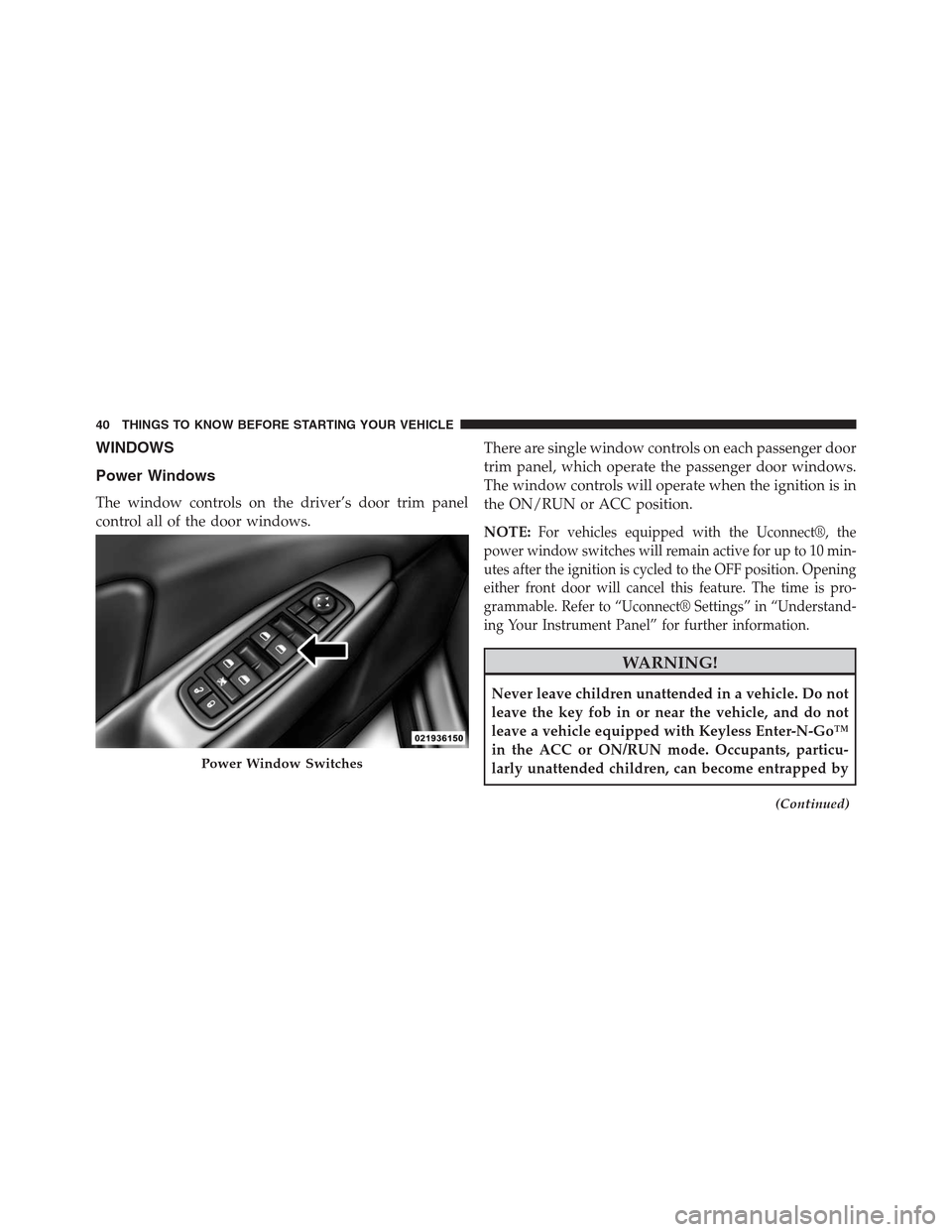
Power Windows
The window controls on the driver’s door trim panel
control all of the door windows.There are single window controls on each passenger door
trim panel, which operate the passenger door windows.
The window controls will operate when the ignition is in
the ON/RUN or ACC position.
NOTE:
For vehicles equipped with the Uconnect®, the
power window switches will remain active for up to 10 min-
utes after the ignition is cycled to the OFF position. Opening
either front door will cancel this feature. The time is pro-
grammable. Refer to “Uconnect® Settings” in “Understand-
ing Your Instrument Panel” for further information.
WARNING!
Never leave children unattended in a vehicle. Do not
leave the key fob in or near the vehicle, and do not
leave a vehicle equipped with Keyless Enter-N-Go™
in the ACC or ON/RUN mode. Occupants, particu-
larly unattended children, can become entrapped by
(Continued)
Power Window Switches
40 THINGS TO KNOW BEFORE STARTING YOUR VEHICLE
Page 50 of 630
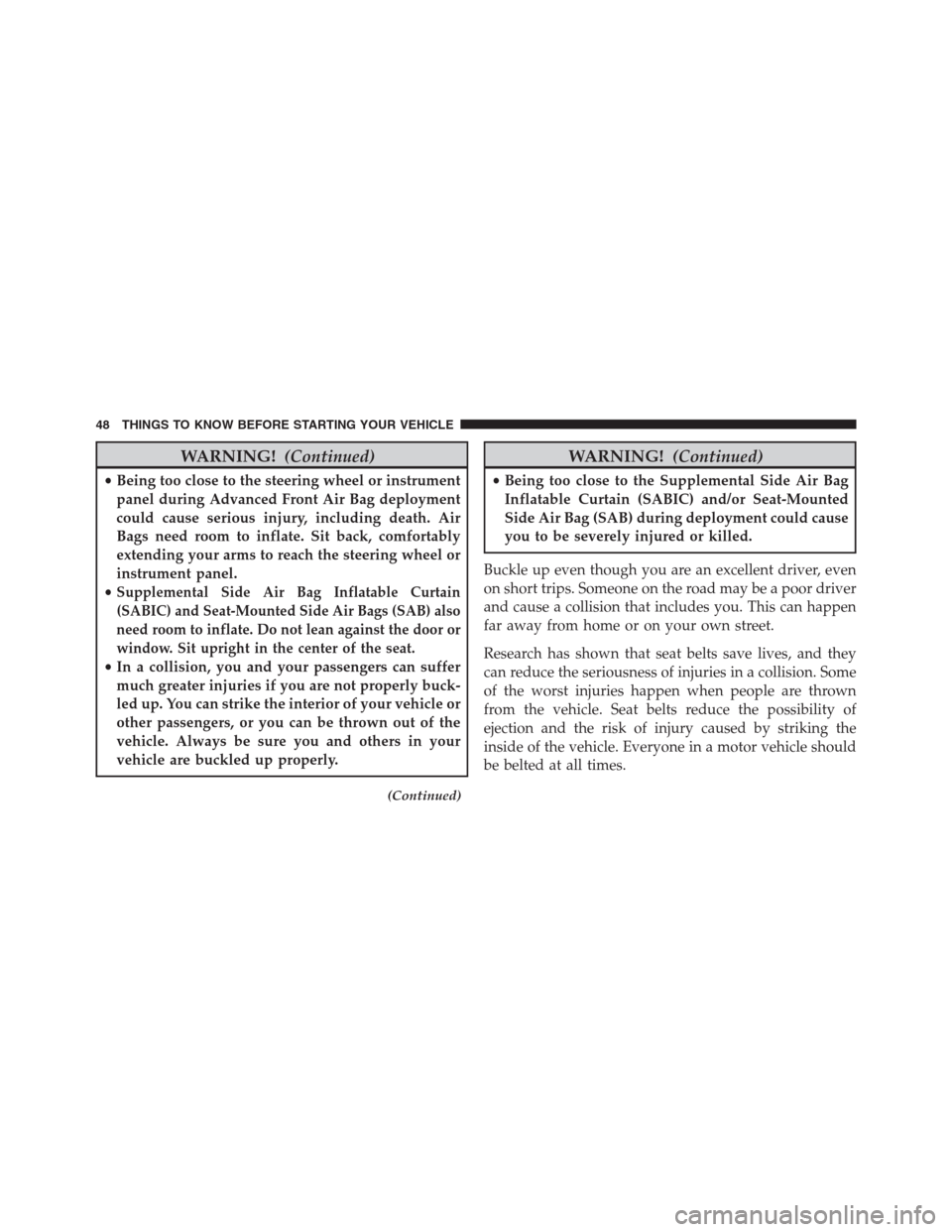
WARNING!(Continued)
•Being too close to the steering wheel or instrument
panel during Advanced Front Air Bag deployment
could cause serious injury, including death. Air
Bags need room to inflate. Sit back, comfortably
extending your arms to reach the steering wheel or
instrument panel.
•
Supplemental Side Air Bag Inflatable Curtain
(SABIC) and Seat-Mounted Side Air Bags (SAB) also
need room to inflate. Do not lean against the door or
window. Sit upright in the center of the seat.
•In a collision, you and your passengers can suffer
much greater injuries if you are not properly buck-
led up. You can strike the interior of your vehicle or
other passengers, or you can be thrown out of the
vehicle. Always be sure you and others in your
vehicle are buckled up properly.
(Continued)
WARNING!(Continued)
•Being too close to the Supplemental Side Air Bag
Inflatable Curtain (SABIC) and/or Seat-Mounted
Side Air Bag (SAB) during deployment could cause
you to be severely injured or killed.
Buckle up even though you are an excellent driver, even
on short trips. Someone on the road may be a poor driver
and cause a collision that includes you. This can happen
far away from home or on your own street.
Research has shown that seat belts save lives, and they
can reduce the seriousness of injuries in a collision. Some
of the worst injuries happen when people are thrown
from the vehicle. Seat belts reduce the possibility of
ejection and the risk of injury caused by striking the
inside of the vehicle. Everyone in a motor vehicle should
be belted at all times.
48 THINGS TO KNOW BEFORE STARTING YOUR VEHICLE