fuel DODGE JOURNEY 2015 1.G User Guide
[x] Cancel search | Manufacturer: DODGE, Model Year: 2015, Model line: JOURNEY, Model: DODGE JOURNEY 2015 1.GPages: 648
Page 309 of 648
ELECTRONIC VEHICLE INFORMATION CENTER
(EVIC)
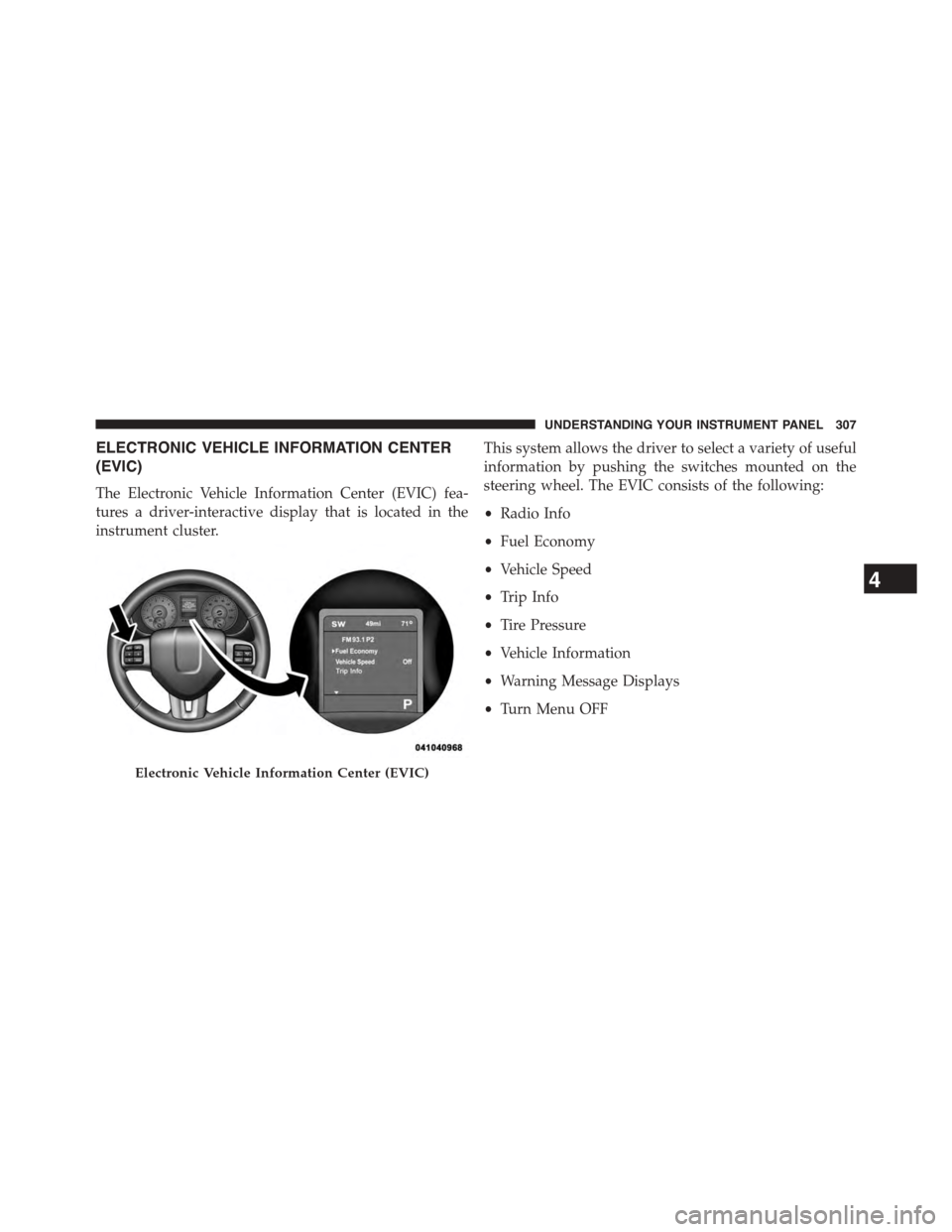
The Electronic Vehicle Information Center (EVIC) fea-
tures a driver-interactive display that is located in the
instrument cluster.
This system allows the driver to select a variety of useful
information by pushing the switches mounted on the
steering wheel. The EVIC consists of the following:
•Radio Info
•Fuel Economy
•Vehicle Speed
•Trip Info
•Tire Pressure
•Vehicle Information
•Warning Message Displays
•Turn Menu OFF
Electronic Vehicle Information Center (EVIC)
4
UNDERSTANDING YOUR INSTRUMENT PANEL 307
Page 312 of 648
•Unstored Messages Until RUN
These messages deal primarily with the Remote Start
feature. This message type is displayed until the ignition
is in the RUN state. Examples of this message type are
#Remote Start Aborted - Door Ajar#and#Push Brake
Pedal and Push Button to Start#.
•Five Second Unstored Messages
When the appropriate conditions occur, this type of mes-
sage takes control of the main display area for five seconds
and then returns to the previous screen. Examples of this
message type are#Memory System Unavailable - Not in
Park#and#Automatic High Beams On#.
The Reconfigurable Telltales section is divided into the
white telltales area on the right, amber telltales in the
middle, and red telltales on the left.
When the appropriate conditions exist, the EVIC displays
the following messages:
•Remote start aborted — Door ajar
•Remote start aborted — Hood ajar
•Remote start aborted — L/Gate ajar
•Remote start aborted — Fuel low
•Remote start disabled — Start Vehicle to Reset
•Remote start active — Push Start Button
•Vehicle Not in Park
•Key Left Vehicle
•Key Not Detected
•Push Brake Pedal and Push Button to Start
•Service Keyless System
310 UNDERSTANDING YOUR INSTRUMENT PANEL
Page 313 of 648
![DODGE JOURNEY 2015 1.G User Guide •Turn Signal On (with a continuous warning chime if
the vehicle is driven more than 1 mile [1.6 km] with
either turn signal on)
•Lamp Out (with vehicle graphic showing which of the
4 turn signals](/img/12/5650/w960_5650-312.png "DODGE JOURNEY 2015 1.G User Guide •Turn Signal On (with a continuous warning chime if
the vehicle is driven more than 1 mile [1.6 km] with
either turn signal on)
•Lamp Out (with vehicle graphic showing which of the
4 turn signals")
•Turn Signal On (with a continuous warning chime if
the vehicle is driven more than 1 mile [1.6 km] with
either turn signal on)
•Lamp Out (with vehicle graphic showing which of the
4 turn signals is/are out).
•Key Battery Low (with a single chime)
•Left/Right Front Door Ajar (one or more doors open,
with a single chime if speed is above 1 mph [1.6 km/ h])
•Low Washer Fluid (with a single chime)
•Low Tire Pressure (with a single chime). Refer to
information on “Tire Pressure” and “Tire Pressure
Monitor” in “Starting And Operating”
•Service TPM System (with a single chime). Refer to
information on “Tire Pressure Monitor” in “Starting
And Operating”
•Channel # Transmit
•Channel # Training
•Channel # Trained
•Clearing Channels
•Channels Cleared
•Did Not Train
•Check Gascap (refer to “Adding Fuel” in “Starting
And Operating”)
•Oil Change Due (with a single chime)
4
UNDERSTANDING YOUR INSTRUMENT PANEL 311
Page 314 of 648
EVIC White Indicators
This area will show reconfigurable white caution tell-
tales. These telltales include:
•Shift Lever Status
The shift lever status “P,R,N,D,L,5,4,3,2,1” are displayed
indicating the shift lever position. Telltales “5,4,3,2,1”
indicate the Autostick™ feature has been engaged and
the gear selected is displayed. For further information on
Autostick™ , refer to “Starting And Operating.”
•Electronic Speed Control ON
This light will turn on when the electronic
speed control is ON. For further information,
refer to “Electronic Speed Control” in “Under-
standing The Features Of Your Vehicle.”
•Electronic Speed Control SET
This light will turn on when the electronic
speed control is SET. For further information,
refer to “Electronic Speed Control” in “Under-
standing The Features Of Your Vehicle.”
EVIC Amber Indicators
This area will show reconfigurable amber caution tell-
tales. These telltales include:
•Low Fuel Light
When the fuel level reaches approximately 3.0 gal
(11.0 L) this light will turn on, and remain on until
fuel is added.
312 UNDERSTANDING YOUR INSTRUMENT PANEL
Page 318 of 648
Unless reset, this message will continue to display each
time you cycle the ignition to the ON/RUN position. To
turn off the message temporarily, push and release the
MENU button. To reset the oil change indicator system
(after performing the scheduled maintenance), perform
the following procedure:
1. Without pushing the brake pedal, push the ENGINE
START/STOP button and cycle the ignition to the
ON/RUN position (do not start the engine.)
2. Fully depress the accelerator pedal, slowly, three times
within 10 seconds.
3. Without pushing the brake pedal, push the ENGINE
START/STOP button once to return the ignition to the
OFF/LOCK position.
NOTE:If the indicator message illuminates when you
start the vehicle, the oil change indicator system did not
reset. If necessary, repeat this procedure.
Fuel Economy
Push and release the UP or DOWN button until “Fuel
Economy” displays highlighted in the EVIC and push the
SELECT button. The following Fuel Economy functions
will display in the EVIC:
•Average Fuel Economy
•Distance To Empty (DTE)
•Miles Per Gallon (MPG)
Average Fuel Economy
Shows the average fuel economy since the last reset.
When the fuel economy is reset, the display will read
“RESET” or show dashes for two seconds. Then, the
history information will be erased, and the averaging will
continue from the last fuel average reading before the
reset.
316 UNDERSTANDING YOUR INSTRUMENT PANEL
Page 319 of 648
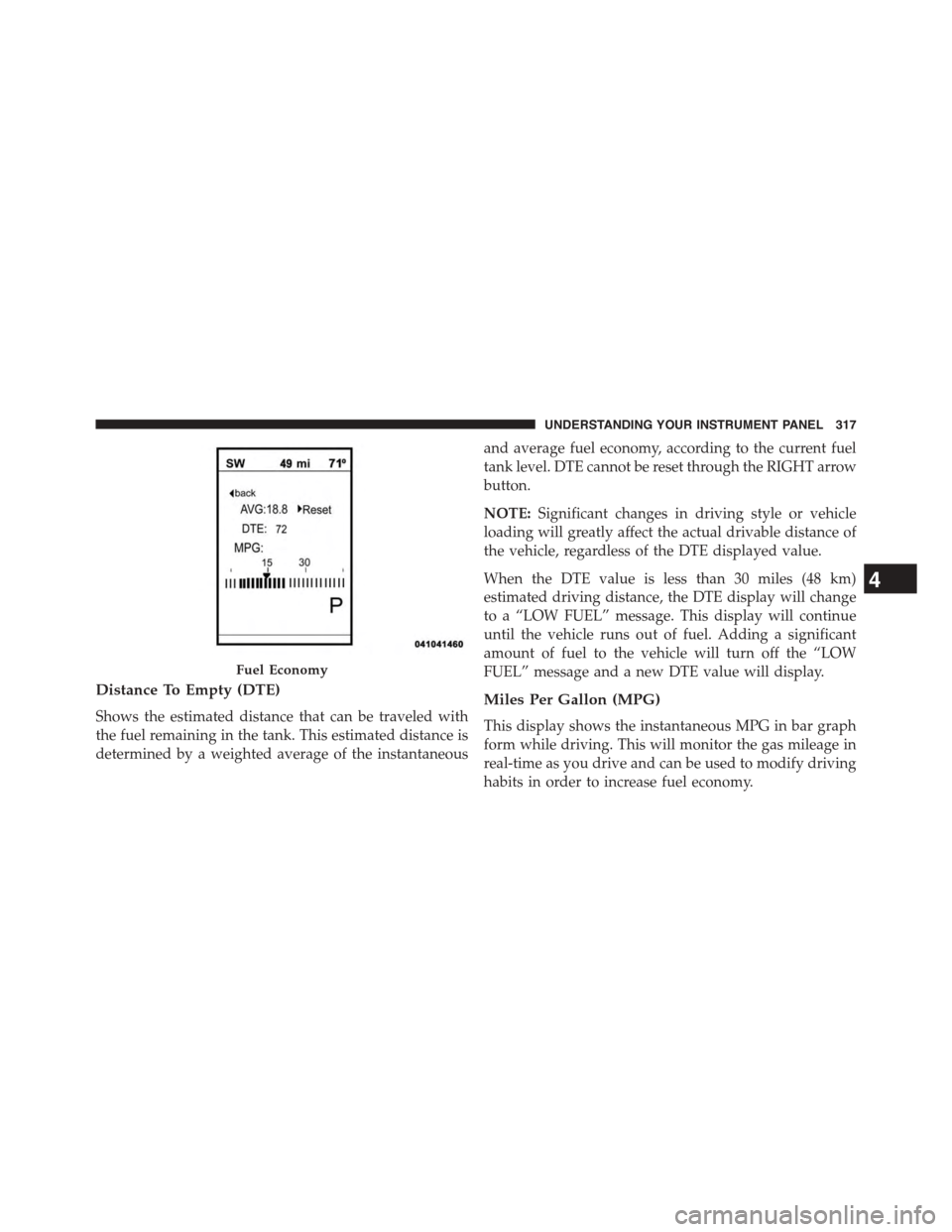
Distance To Empty (DTE)
Shows the estimated distance that can be traveled with
the fuel remaining in the tank. This estimated distance is
determined by a weighted average of the instantaneous
and average fuel economy, according to the current fuel
tank level. DTE cannot be reset through the RIGHT arrow
button.
NOTE:Significant changes in driving style or vehicle
loading will greatly affect the actual drivable distance of
the vehicle, regardless of the DTE displayed value.
When the DTE value is less than 30 miles (48 km)
estimated driving distance, the DTE display will change
to a “LOW FUEL” message. This display will continue
until the vehicle runs out of fuel. Adding a significant
amount of fuel to the vehicle will turn off the “LOW
FUEL” message and a new DTE value will display.
Miles Per Gallon (MPG)
This display shows the instantaneous MPG in bar graph
form while driving. This will monitor the gas mileage in
real-time as you drive and can be used to modify driving
habits in order to increase fuel economy.
Fuel Economy
4
UNDERSTANDING YOUR INSTRUMENT PANEL 317
Page 338 of 648
Cluster” button on the touchscreen, until a check-mark
appears next to the setting, showing that setting has been
selected. Press the back arrow button on the touchscreen
to return to the previous menu.
•Fuel Saver Display In Cluster — If Equipped
The “ECO” message is located in the instrument cluster
display, this message can be turned on or off. To make
your selection, press the “Fuel Saver Display” button on
the touchscreen, until a check-mark appears next to the
setting, showing that setting has been selected. Press the
back arrow button on the touchscreen to return to the
previous menu.
Clock
After pressing the Clock button on the touchscreen the
following settings will be available.
•Sync With GPS Time — If Equipped
When in this display, you may automatically have the
radio set the time. To change the Sync with GPS Time
setting press the “Sync with GPS Time” button on the
touchscreen until a check-mark appears next to the
setting, indicating that the setting has been selected. Press
the back arrow button on the touchscreen to return to the
previous menu.
•Set Time Hours
When in this display, you may adjust the hours. The
“Sync with GPS Time” button on the touchscreen must be
unchecked. To make your selection press the “+” or “–”
buttons on the touchscreen to adjust the hours up or
down. Press the back arrow button on the touchscreen to
return to the previous menu or press the “X” button on
the touchscreen to close out of the settings screen.
336 UNDERSTANDING YOUR INSTRUMENT PANEL
Page 381 of 648
12. Climate Control OFF Button
Press and release this button to turn the Climate Control
ON/OFF.
13. Driver Temperature Control Down Button
(Uconnect® 8.4 Only)
Provides the driver with independent temperature con-
trol. Push the button for cooler temperature settings.
NOTE:In Sync mode, this button will also automatically
adjust the passenger temperature setting at the same
time.
14. Driver Temperature Control Up Button (Uconnect®
8.4 Only)
Provides the driver with independent temperature con-
trol. Push the button for warmer temperature settings.
NOTE:In Sync mode, this button will also automatically
adjust the passenger temperature setting at the same time.
15. Temperature Control (Uconnect® 4.3 Only)
Press the driver or passenger temperature button on the
touchscreen to regulate the temperature of the air inside
the passenger compartment. Moving the temperature bar
into the red area, indicates warmer temperatures. Mov-
ing the temperature bar into the blue area indicates cooler
temperatures. Driver and passenger have independent
temperature control if Sync mode is not illuminated.
Climate Control Functions
A/C (Air Conditioning)
The Air Conditioning (A/C) button allows the operator
to manually activate or deactivate the air conditioning
system. When the air conditioning system is turned on,
cool dehumidified air will flow through the outlets into
the cabin. For improved fuel economy, press the A/C
button to turn off the air conditioning and manually
4
UNDERSTANDING YOUR INSTRUMENT PANEL 379
Page 395 of 648
Climate Control Functions
A/C (Air Conditioning)
The Air Conditioning (A/C) button allows the operator
to manually activate or deactivate the air conditioning
system. When the air conditioning system is turned on,
cool dehumidified air will flow through the outlets into
the cabin. For improved fuel economy, press the A/C
button to turn off the air conditioning and manually
adjust the blower and airflow mode settings. Also, make
sure to select only Panel, Bi-Level or Floor modes.
NOTE:If fog or mist appears on the windshield or side
glass, select Defrost mode and adjust blower speed if
needed.
MAX A/C
MAX A/C sets the control for maximum cooling perfor-
mance.
Press and release to toggle between MAX A/C and the
prior settings. The button on the touchscreen illuminates
when MAX A/C is ON.
In MAX A/C, the blower level and mode position can be
adjusted to desired user settings. Pressing other settings
will cause the MAX A/C operation to switch to the
selected setting and MAX A/C to exit.
Recirculation Control
When outside air contains smoke, odors, or
high humidity, or if rapid cooling is desired,
you may wish to recirculate interior air by
pressing the Recirculation control button. The
recirculation indicator will illuminate when this button is
selected. Push the button a second time to turn off the
Recirculation mode and allow outside air into the vehicle.
4
UNDERSTANDING YOUR INSTRUMENT PANEL 393
Page 407 of 648
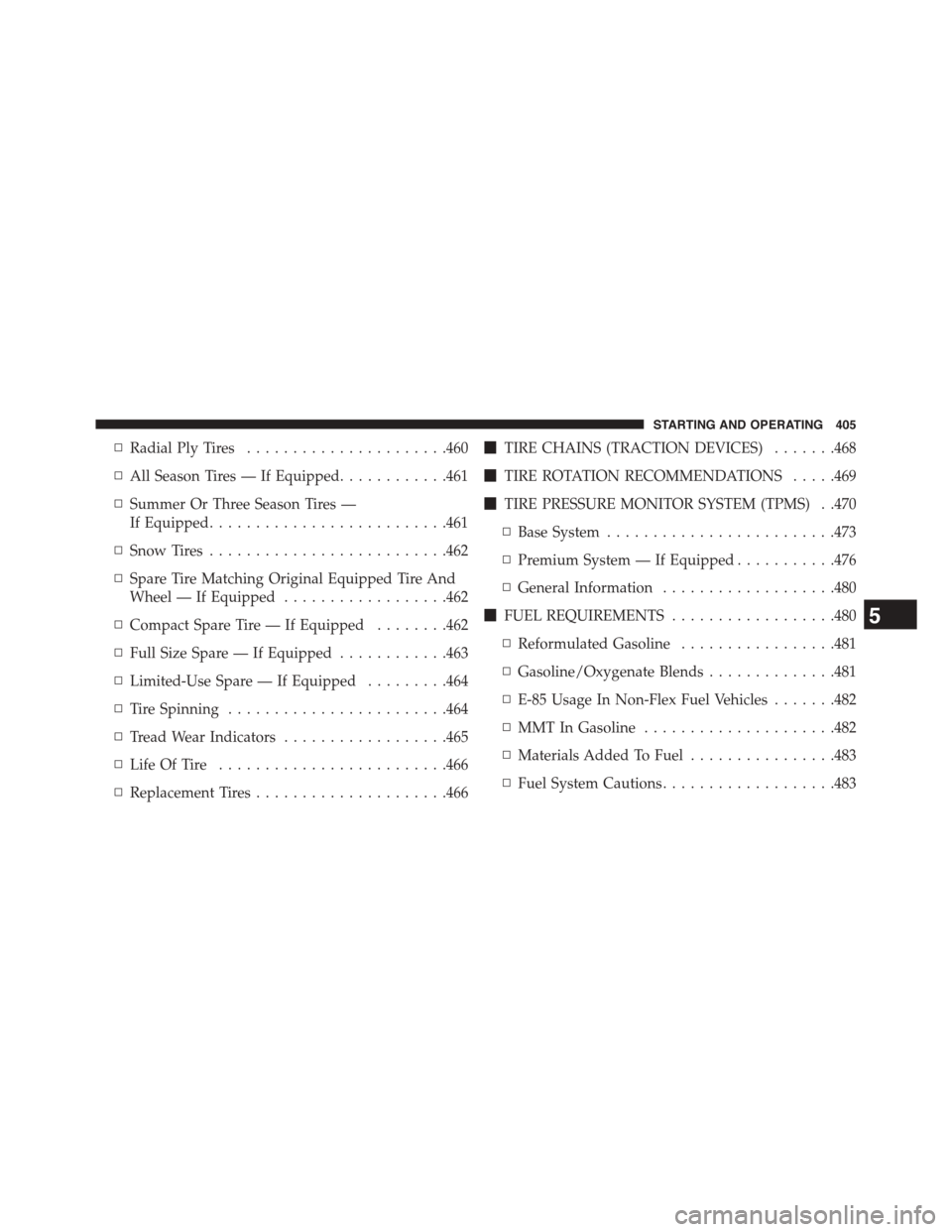
▫Radial Ply Tires......................460
▫All Season Tires — If Equipped............461
▫Summer Or Three Season Tires —
If Equipped..........................461
▫Snow Tires..........................462
▫Spare Tire Matching Original Equipped Tire And
Wheel — If Equipped..................462
▫Compact Spare Tire — If Equipped........462
▫Full Size Spare — If Equipped............463
▫Limited-Use Spare — If Equipped.........464
▫Tire Spinning........................464
▫Tread Wear Indicators..................465
▫Life Of Tire.........................466
▫Replacement Tires.....................466
!TIRE CHAINS (TRACTION DEVICES).......468
!TIRE ROTATION RECOMMENDATIONS.....469
!TIRE PRESSURE MONITOR SYSTEM (TPMS) . .470
▫Base System.........................473
▫Premium System — If Equipped...........476
▫General Information...................480
!FUEL REQUIREMENTS..................480
▫Reformulated Gasoline.................481
▫Gasoline/Oxygenate Blends..............481
▫E-85 Usage In Non-Flex Fuel Vehicles.......482
▫MMT In Gasoline.....................482
▫Materials Added To Fuel................483
▫Fuel System Cautions...................483
5
STARTING AND OPERATING 405