ECU DODGE JOURNEY 2015 1.G Owner's Manual
[x] Cancel search | Manufacturer: DODGE, Model Year: 2015, Model line: JOURNEY, Model: DODGE JOURNEY 2015 1.GPages: 648
Page 115 of 648
!GARAGE DOOR OPENER — IF EQUIPPED . . .253
▫Before You Begin Programming HomeLink® . .255
▫Programming A Rolling Code.............256
▫Programming A Non-Rolling Code.........258
▫Canadian/Gate Operator Programming......259
▫Using HomeLink®....................261
▫Security............................261
▫Troubleshooting Tips...................261
▫General Information....................262
!POWER SUNROOF — IF EQUIPPED........263
▫Opening Sunroof — Express..............264
▫Opening Sunroof — Manual Mode.........264
▫Closing Sunroof — Express...............265
▫Closing Sunroof — Manual Mode..........265
▫Pinch Protect Feature...................265
▫Venting Sunroof — Express..............265
▫Sunshade Operation....................266
▫Wind Buffeting.......................266
▫Sunroof Maintenance...................266
▫Ignition Off Operation..................266
!ELECTRICAL POWER OUTLETS...........266
!POWER INVERTER — IF EQUIPPED........271
▫Power Inverter Operation................272
!CUPHOLDERS........................273
!STORAGE............................274
▫Glove Compartment...................274
3
UNDERSTANDING THE FEATURES OF YOUR VEHICLE 113
Page 186 of 648
WARNING!(Continued)
laws, including laws regarding phone use. Your at-
tention should be focused on safely operating the
vehicle. Failure to do so may result in a collision
causing serious injury or death.
When you push the Uconnect® Voice Command
button, you will hear a beep. The beep is your signal
to give a command.
If no command is spoken the system will say one of two
responses:
•I didn’t understand
•I didn’t get that, etc.
If a command is not spoken a second time, the system
will respond with an error and give some direction as
what can be said based on the context you are in. After
three consecutive failures of a spoken command the VR
session will end.
Pushing the Uconnect® Voice Commandbutton
while the system is speaking is known as “barging in.”
The system will be interrupted, and after the beep, you
can say a command. This will become helpful once you
start to learn the options.
NOTE:At any time, you can say the words “Cancel” or
“Help.”
These commands are universal and can be used from any
menu. All other commands can be used depending upon
the active application.
When using this system, you should speak clearly and at
a normal speaking volume.
184 UNDERSTANDING THE FEATURES OF YOUR VEHICLE
Page 211 of 648
NOTE:
•The head restraints should only be removed by quali-
fied technicians, for service purposes only. If either of
the head restraints require removal, see your autho-
rized dealer.
•In the event of deployment of an Active Head Re-
straint, refer to “Occupant Restraints/Supplemental
Active Head Restraints (AHR)/Resetting Active Head
Restraints (AHR)” in “Things To Know Before Start-
ing” for further information.
WARNING!
•Do not place items over the top of the Active Head
Restraint, such as coats, seat covers or portable
DVD players. These items may interfere with the
operation of the Active Head Restraint in the event
of a collision and could result in serious injury or
death.
•Active Head Restraints may be deployed if they are
struck by an object such as a hand, foot or loose
cargo. To avoid accidental deployment of the Ac-
tive Head Restraint ensure that all cargo is secured,
as loose cargo could contact the Active Head Re-
straint during sudden stops. Failure to follow this
warning could cause personal injury if the Active
Head Restraint is deployed.
3
UNDERSTANDING THE FEATURES OF YOUR VEHICLE 209
Page 215 of 648
WARNING!
To prevent personal injury or damage to objects,
keep your head, arms, and objects out of the folding
path of the seatback.
4. Gently guide the seatback into the folded position.
To Unfold The Seat
Raise the seatback and lock it in place.
WARNING!
Be certain that the seatback is locked securely into
position. Otherwise, the seat will not provide the
proper stability for child seats and/or passengers. An
improperly latched seat could cause serious injury.
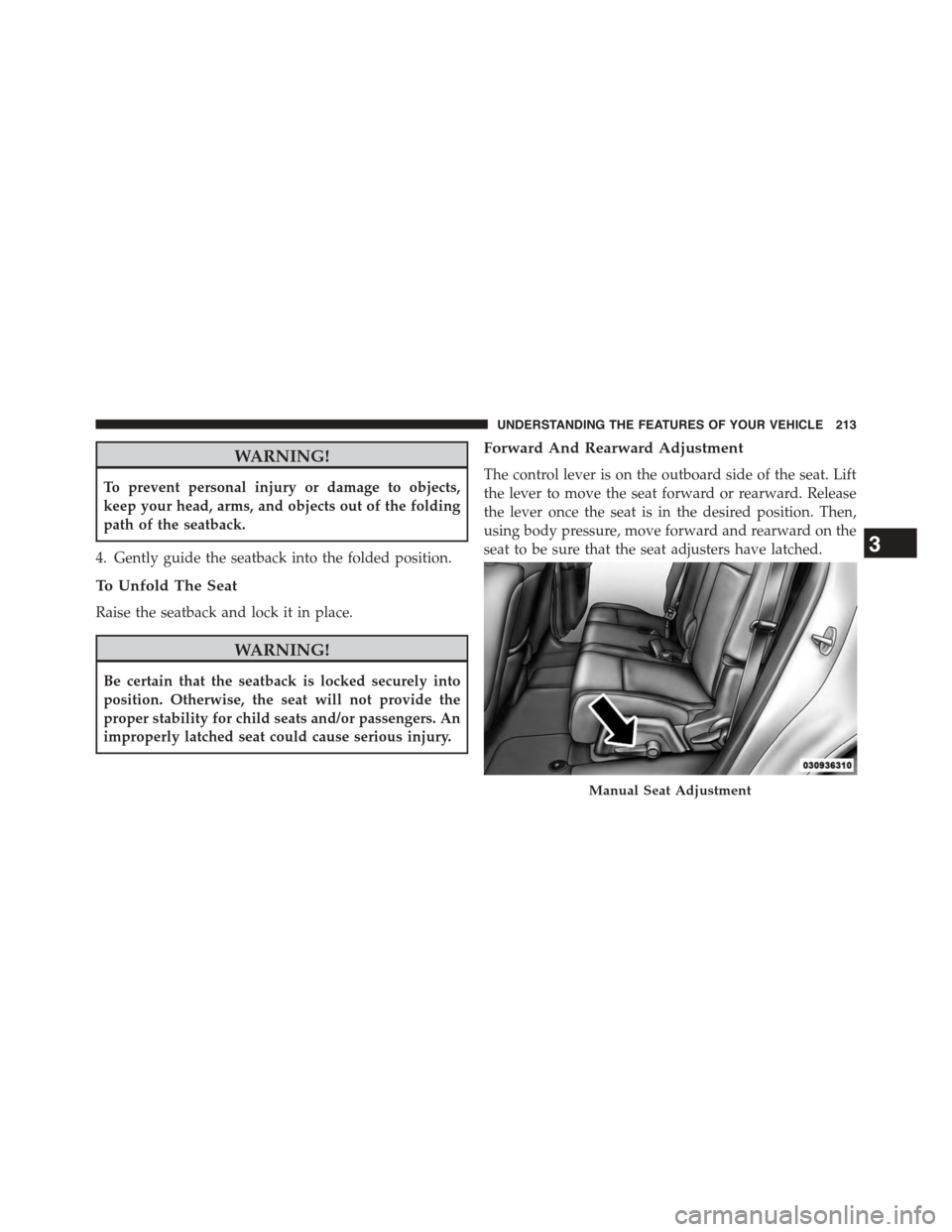
Forward And Rearward Adjustment
The control lever is on the outboard side of the seat. Lift
the lever to move the seat forward or rearward. Release
the lever once the seat is in the desired position. Then,
using body pressure, move forward and rearward on the
seat to be sure that the seat adjusters have latched.
Manual Seat Adjustment
3
UNDERSTANDING THE FEATURES OF YOUR VEHICLE 213
Page 218 of 648
WARNING!
Keep the latch clean and free of objects and be
certain that the seatback/armrest is locked securely
into position. Otherwise, the seat will not provide the
proper stability for child seats and/or passengers. An
improperly latched seat could cause serious injury.
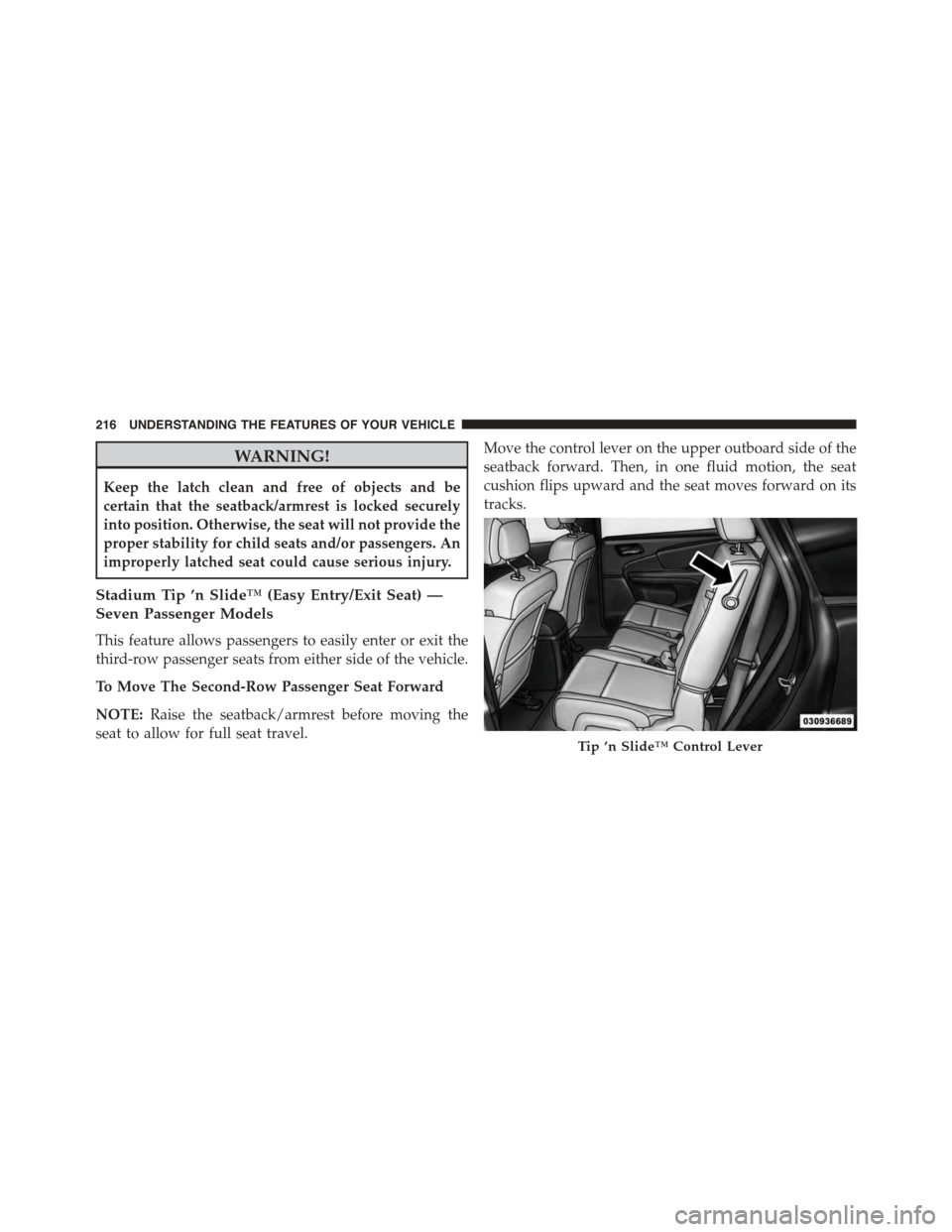
Stadium Tip ’n Slide™ (Easy Entry/Exit Seat) —
Seven Passenger Models
This feature allows passengers to easily enter or exit the
third-row passenger seats from either side of the vehicle.
To Move The Second-Row Passenger Seat Forward
NOTE:Raise the seatback/armrest before moving the
seat to allow for full seat travel.
Move the control lever on the upper outboard side of the
seatback forward. Then, in one fluid motion, the seat
cushion flips upward and the seat moves forward on its
tracks.
Tip ’n Slide™ Control Lever
216 UNDERSTANDING THE FEATURES OF YOUR VEHICLE
Page 220 of 648
WARNING!
Be certain that the seatback and seat are locked
securely into position. Otherwise, the seat will not
provide the proper stability for child seats and/or
passengers. An improperly latched seat could cause
serious injury.
50/50 Split Third-Row Passenger Seats With
Fold-Flat Feature — Seven Passenger Models
To provide additional storage area, each third-row pas-
senger seatback can be folded flat. This allows for ex-
tended cargo space and still maintains some rear seating
room if needed.
NOTE:Prior to folding the third-row passenger seat-
back, make sure the second-row passenger seatback is
not in a reclined position. This will allow the seatback to
fold easily.
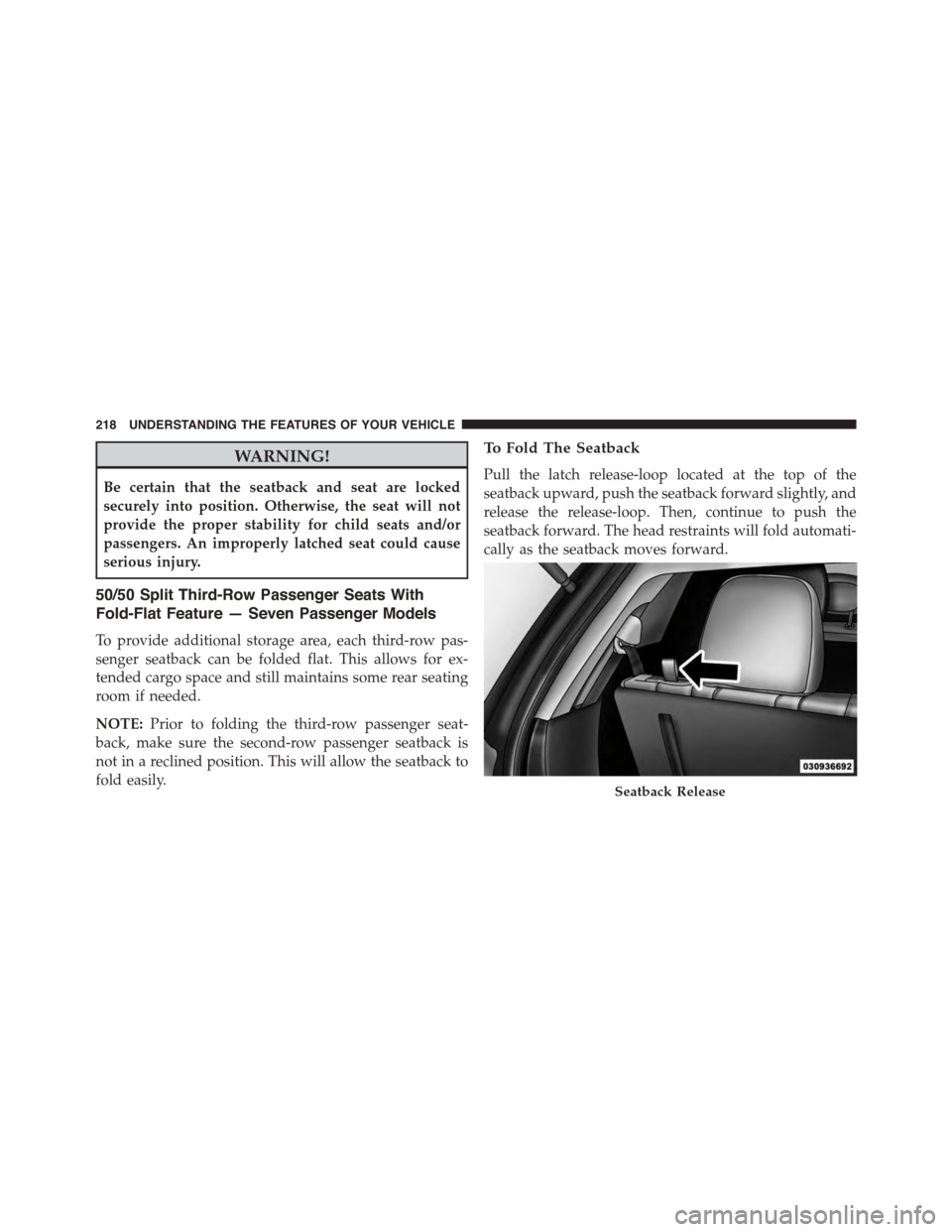
To Fold The Seatback
Pull the latch release-loop located at the top of the
seatback upward, push the seatback forward slightly, and
release the release-loop. Then, continue to push the
seatback forward. The head restraints will fold automati-
cally as the seatback moves forward.
Seatback Release
218 UNDERSTANDING THE FEATURES OF YOUR VEHICLE
Page 221 of 648
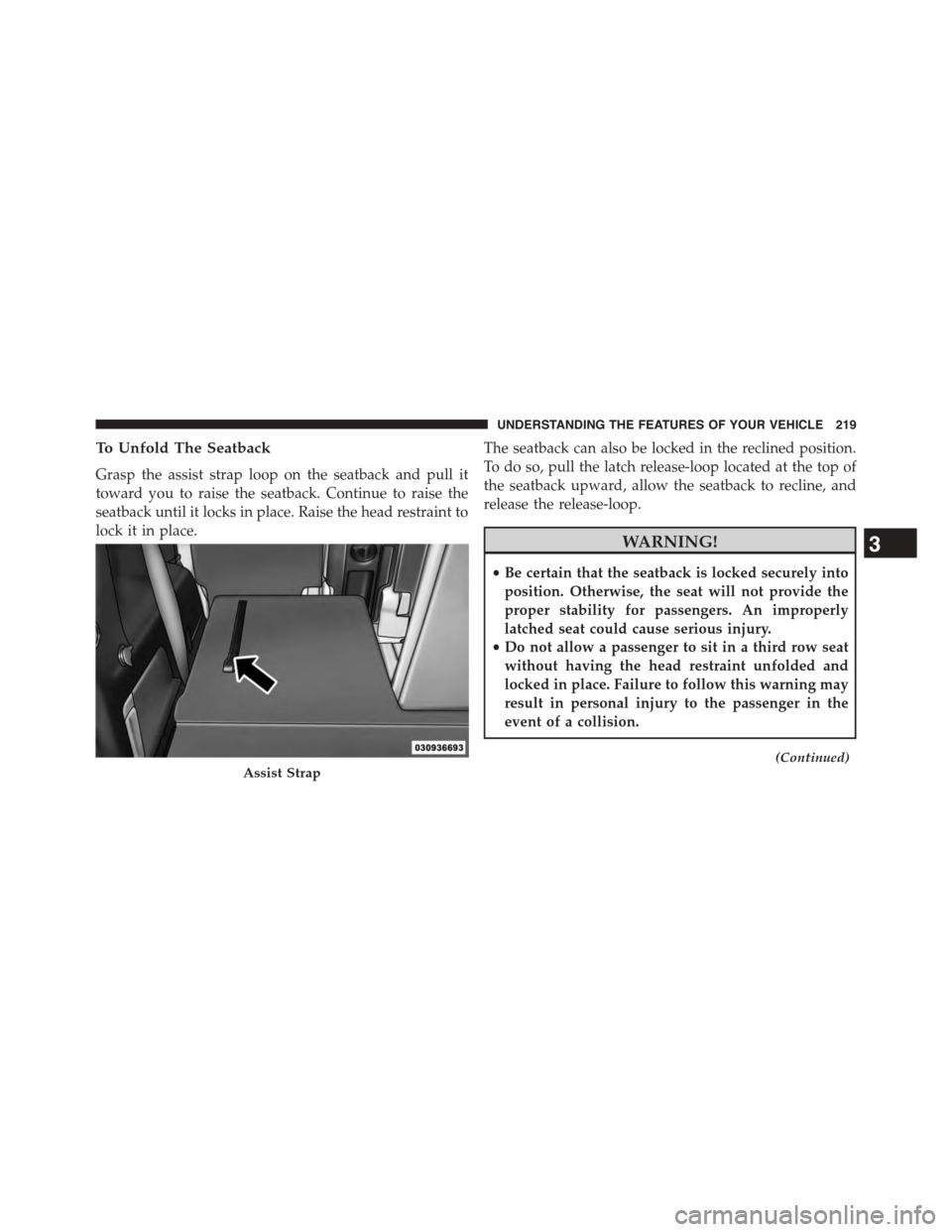
To Unfold The Seatback
Grasp the assist strap loop on the seatback and pull it
toward you to raise the seatback. Continue to raise the
seatback until it locks in place. Raise the head restraint to
lock it in place.
The seatback can also be locked in the reclined position.
To do so, pull the latch release-loop located at the top of
the seatback upward, allow the seatback to recline, and
release the release-loop.
WARNING!
•Be certain that the seatback is locked securely into
position. Otherwise, the seat will not provide the
proper stability for passengers. An improperly
latched seat could cause serious injury.
•Do not allow a passenger to sit in a third row seat
without having the head restraint unfolded and
locked in place. Failure to follow this warning may
result in personal injury to the passenger in the
event of a collision.
(Continued)Assist Strap
3
UNDERSTANDING THE FEATURES OF YOUR VEHICLE 219
Page 223 of 648
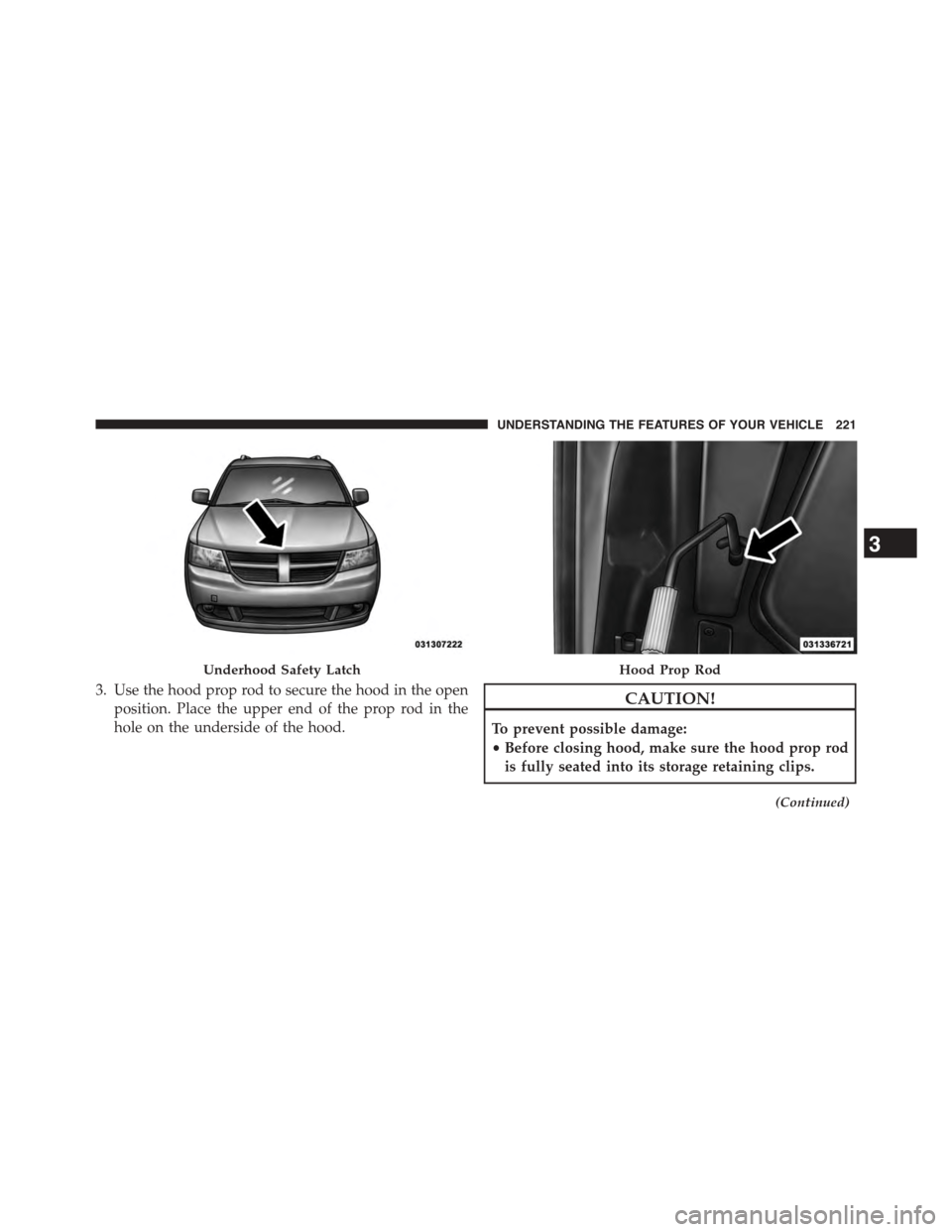
3. Use the hood prop rod to secure the hood in the open
position. Place the upper end of the prop rod in the
hole on the underside of the hood.
CAUTION!
To prevent possible damage:
•Before closing hood, make sure the hood prop rod
is fully seated into its storage retaining clips.
(Continued)
Underhood Safety LatchHood Prop Rod
3
UNDERSTANDING THE FEATURES OF YOUR VEHICLE 221
Page 255 of 648
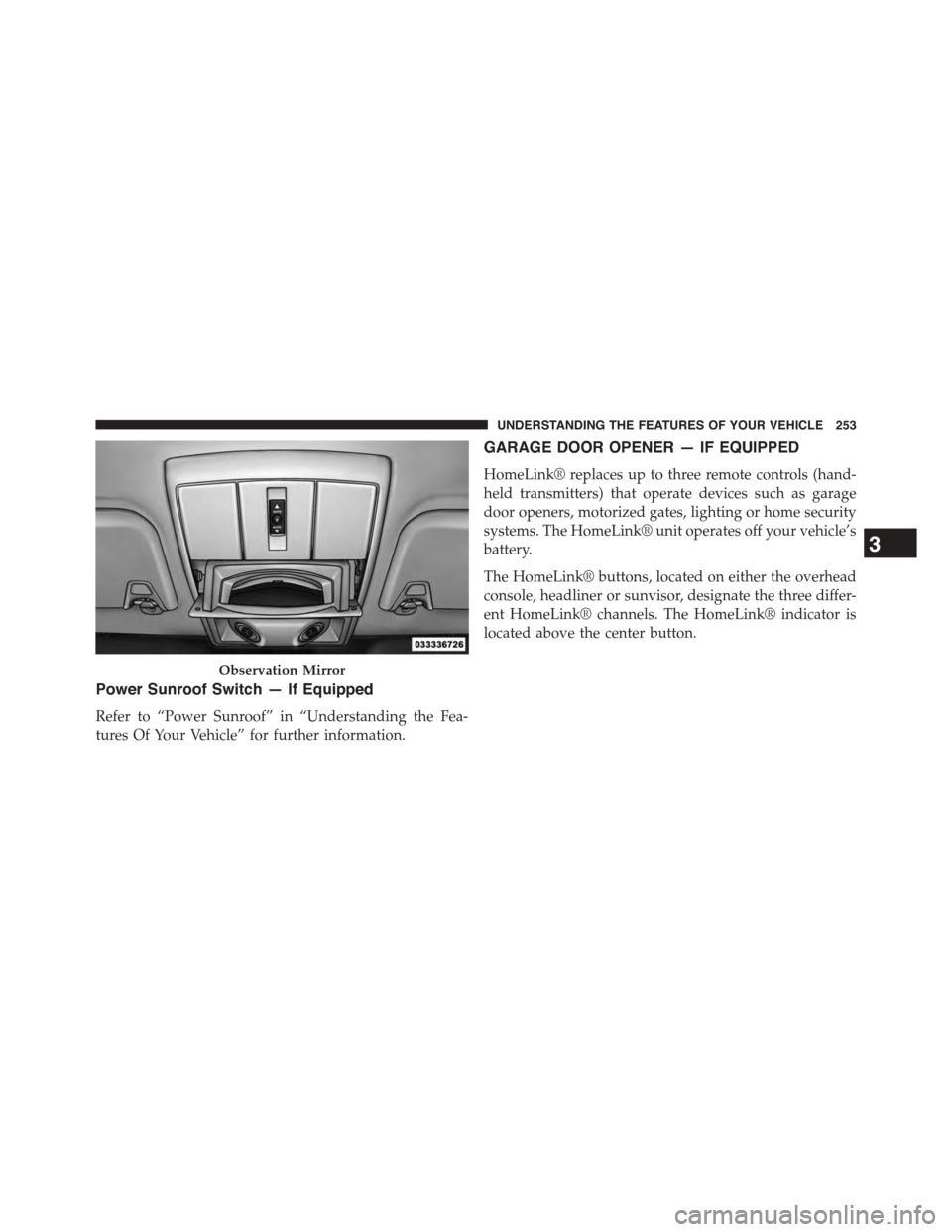
Power Sunroof Switch — If Equipped
Refer to “Power Sunroof” in “Understanding the Fea-
tures Of Your Vehicle” for further information.
GARAGE DOOR OPENER — IF EQUIPPED
HomeLink® replaces up to three remote controls (hand-
held transmitters) that operate devices such as garage
door openers, motorized gates, lighting or home security
systems. The HomeLink® unit operates off your vehicle’s
battery.
The HomeLink® buttons, located on either the overhead
console, headliner or sunvisor, designate the three differ-
ent HomeLink® channels. The HomeLink® indicator is
located above the center button.
Observation Mirror
3
UNDERSTANDING THE FEATURES OF YOUR VEHICLE 253
Page 256 of 648
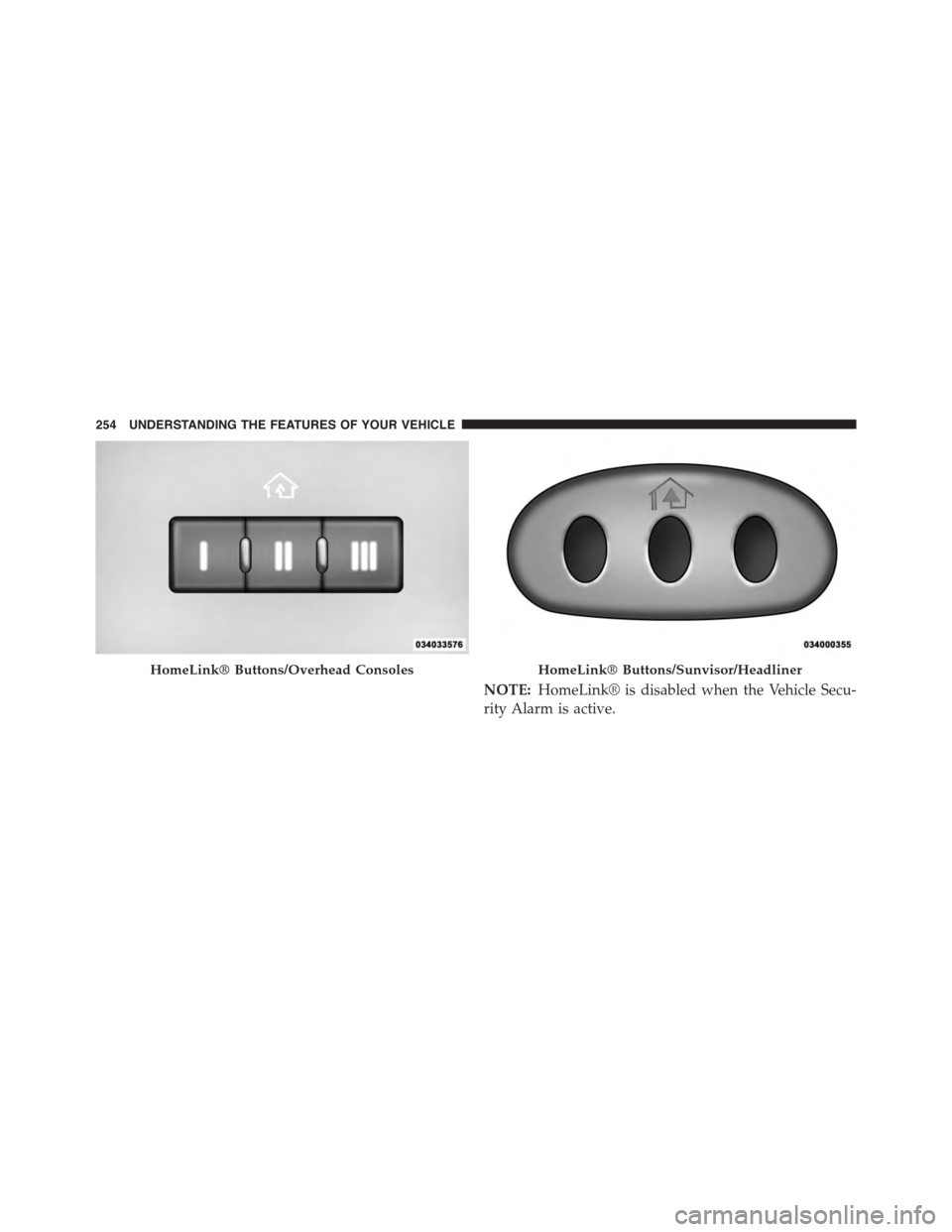
NOTE:HomeLink® is disabled when the Vehicle Secu-
rity Alarm is active.
HomeLink® Buttons/Overhead ConsolesHomeLink® Buttons/Sunvisor/Headliner
254 UNDERSTANDING THE FEATURES OF YOUR VEHICLE