headlights DODGE JOURNEY 2015 1.G Owner's Manual
[x] Cancel search | Manufacturer: DODGE, Model Year: 2015, Model line: JOURNEY, Model: DODGE JOURNEY 2015 1.GPages: 648
Page 342 of 648
make your selection, press the “Auto High Beams”
button on the touchscreen, until a check-mark appears
next to setting, showing that setting has been selected.
Press the back arrow button on the touchscreen to return
to the previous menu. Refer to “Lights/SmartBeam™ —
If Equipped” in “Understanding The Features Of Your
Vehicle” for further information.
•Daytime Running Lights — If Equipped
When this feature is selected, the headlights will turn on
whenever the engine is running. To make your selection,
press the “Daytime Running Lights” button on the touch-
screen, until a check-mark appears next to setting, show-
ing that setting has been selected. Press the back arrow
button on the touchscreen to return to the previous
menu.
•Steering Directed Headlights — If Equipped
When this feature is selected, the headlights turn relative
to a change in direction of the steering wheel. To make
your selection, press the “Steering Directed Lights” but-
ton on the touchscreen, until a check-mark appears next
to setting, showing that setting has been selected. Press
the back arrow button on the touchscreen to return to the
previous menu.
•Flash Lamps With Lock
When this feature is selected, the exterior lights will flash
when the doors are locked with the Remote Keyless
Entry (RKE) transmitter. This feature may be selected
with or without the sound horn on lock feature selected.
To make your selection, press the “Flash Lamps with
Lock” button on the touchscreen, until a check-mark
appears next to setting, showing that setting has been
selected. Press the back arrow button on the touchscreen
to return to the previous menu.
340 UNDERSTANDING YOUR INSTRUMENT PANEL
Page 343 of 648
Doors & Locks
After pressing the Doors & Locks button on the touch-
screen the following settings will be available.
•Auto Unlock On Exit
When this feature is selected, all doors will unlock when
the vehicle is stopped and the transmission is in the
PARK or NEUTRAL position and the driver’s door is
opened. To make your selection, press the “Auto Unlock
On Exit” button on the touchscreen, until a check-mark
appears next to setting, showing that setting has been
selected. Press the back arrow button on the touchscreen
to return to the previous menu.
•Auto Lock
When this feature is selected, all doors will lock auto-
matically when the vehicle reaches a speed of 15 mph
(24 km/h). To make your selection, press the “Auto
Lock” button on the touchscreen, until a check-mark
appears next to setting, indicating that the setting has
been selected. Press the back arrow button on the touch-
screen to return to the previous menu.
•Flash Headlights With Lock
When this feature is selected, the signal lights will flash
when the doors are locked with the Remote Keyless
Entry (RKE) transmitter. To make your selection, press
the “Flash Lights With Lock” button on the touchscreen,
until a check-mark appears next to setting, showing that
setting has been selected. Press the back arrow button on
the touchscreen to return to the previous menu.
•Sound Horn With Lock
When this feature is selected, the horn will sound when the
remote start is activated. To make your selection, press the
“Sound Horn With Lock” button on the touchscreen, until
a check-mark appears next to setting, showing that setting
has been selected. Press the back arrow button on the
touchscreen to return to the previous menu.
4
UNDERSTANDING YOUR INSTRUMENT PANEL 341
Page 346 of 648
after the ignition is cycled to OFF. Opening either front
door will cancel this feature. To change the Engine Off
Power Delay status press the “0 seconds,” “45 seconds,#
“5 minutes” or “10 minutes” button on the touchscreen.
Then press the back arrow button on the touchscreen.
•Headlight Off Delay
When this feature is selected, the driver can choose to
have the headlights remain on for 0, 30, 60, or 90 seconds
when exiting the vehicle. To change the Headlight Off
Delay status press the “+” or “–” button on the touch-
screen to select your desired time interval. Press the back
arrow button on the touchscreen to return to the previous
menu.
Compass Settings
After pressing the Compass Settings button on the touch-
screen the following settings will be available.
•Variance
Compass Variance is the difference between Magnetic
North and Geographic North. To compensate for the
differences the variance should be set for the zone where
the vehicle is driven, per the zone map. Once properly
set, the compass will automatically compensate for the
differences, and provide the most accurate compass
heading.
NOTE:Keep magnetic materials away from the top of the
instrument panel, such as iPod’s, Mobile Phones, Laptop
Computers and Radar Detectors. This is where the com-
pass module is located, and it can cause interference with
the compass sensor, and it may give false readings.
344 UNDERSTANDING YOUR INSTRUMENT PANEL
Page 581 of 648
Cleaning Interior Trim
Interior Trim should be cleaned starting with a damp
cloth, a damp cloth with MOPAR® Total Clean or equiva-
lent, then MOPAR® Spot & Stain Remover or equivalent
if absolutely necessary. Do not use harsh cleaners or
Armor All®. Use MOPAR® Total Clean or equivalent to
clean vinyl upholstery.
Cleaning Leather Upholstery
MOPAR® Total Clean or equivalent is specifically recom-
mended for leather upholstery.
Your leather upholstery can be best preserved by regular
cleaning with a damp soft cloth. Small particles of dirt
can act as an abrasive and damage the leather upholstery
and should be removed promptly with a damp cloth.
Stubborn soils can be removed easily with a soft cloth
and MOPAR® Total Clean or equivalent. Care should be
taken to avoid soaking your leather upholstery with any
liquid. Please do not use polishes, oils, cleaning fluids,
solvents, detergents, or ammonia-based cleaners to clean
your leather upholstery. Application of a leather condi-
tioner is not required to maintain the original condition.
WARNING!
Do not use volatile solvents for cleaning purposes.
Many are potentially flammable, and if used in
closed areas they may cause respiratory harm.
Cleaning Headlights
Your vehicle is equipped with plastic headlights and fog
lights that are lighter and less susceptible to stone break-
age than glass headlights.
Plastic is not as scratch resistant as glass and therefore
different lens cleaning procedures must be followed.
7
MAINTAINING YOUR VEHICLE 579
Page 625 of 648
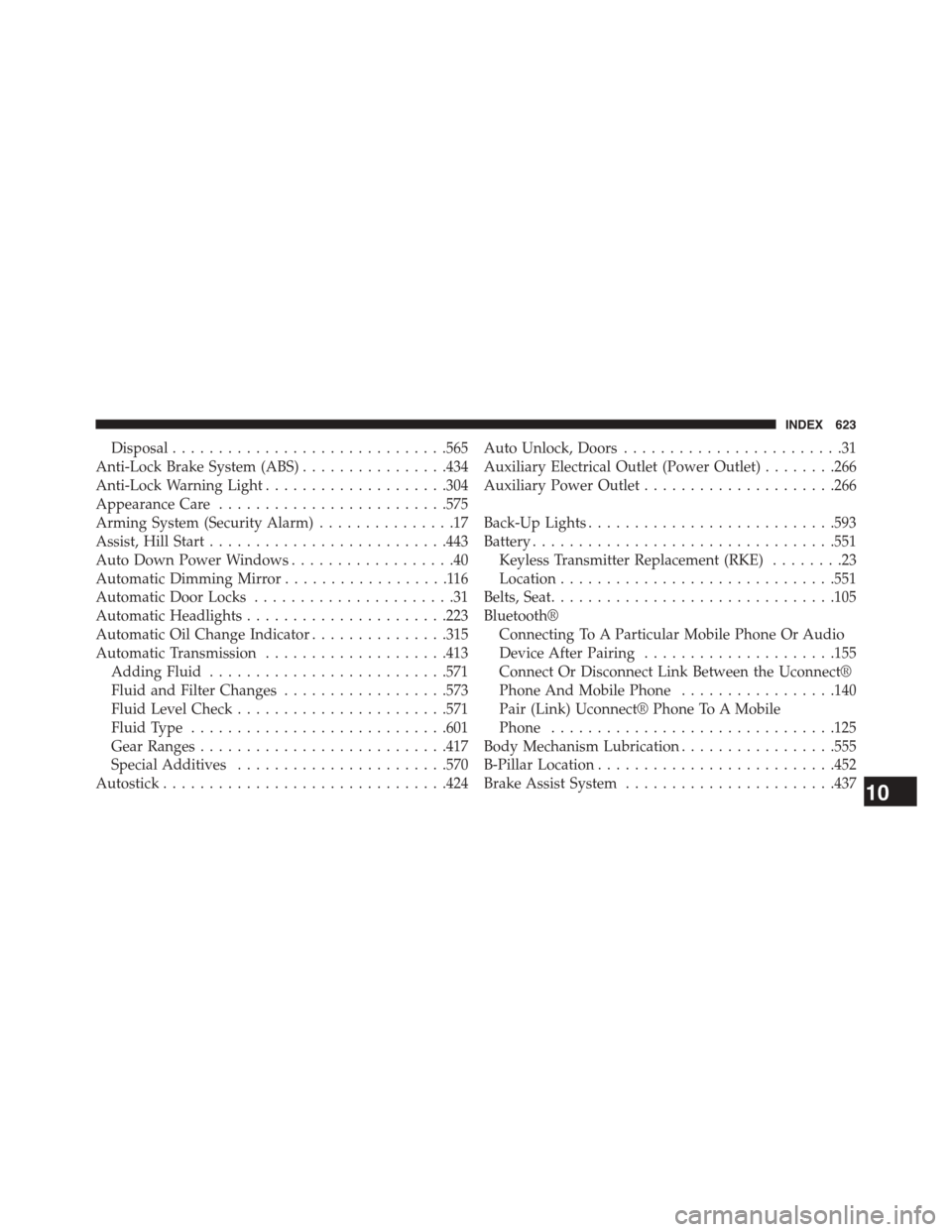
Disposal..............................565
Anti-Lock Brake System (ABS)................434
Anti-Lock Warning Light....................304
Appearance Care.........................575
Arming System (Security Alarm)...............17
Assist, Hill Start..........................443
Auto Down Power Windows..................40
Automatic Dimming Mirror..................116
Automatic Door Locks......................31
Automatic Headlights......................223
Automatic Oil Change Indicator...............315
Automatic Transmission....................413
Adding Fluid..........................571
Fluid and Filter Changes..................573
Fluid Level Check.......................571
Fluid Type............................601
Gear Ranges...........................417
Special Additives.......................570
Autostick...............................424
Auto Unlock, Doors........................31
Auxiliary Electrical Outlet (Power Outlet)........266
Auxiliary Power Outlet.....................266
Back-Up Lights...........................593
Battery.................................551
Keyless Transmitter Replacement (RKE)........23
Location..............................551
Belts, Seat...............................105
Bluetooth®
Connecting To A Particular Mobile Phone Or Audio
Device After Pairing.....................155
Connect Or Disconnect Link Between the Uconnect®
Phone And Mobile Phone.................140
Pair (Link) Uconnect® Phone To A Mobile
Phone...............................125
Body Mechanism Lubrication.................555
B-Pillar Location..........................452
Brake Assist System.......................43710
INDEX 623
Page 632 of 648
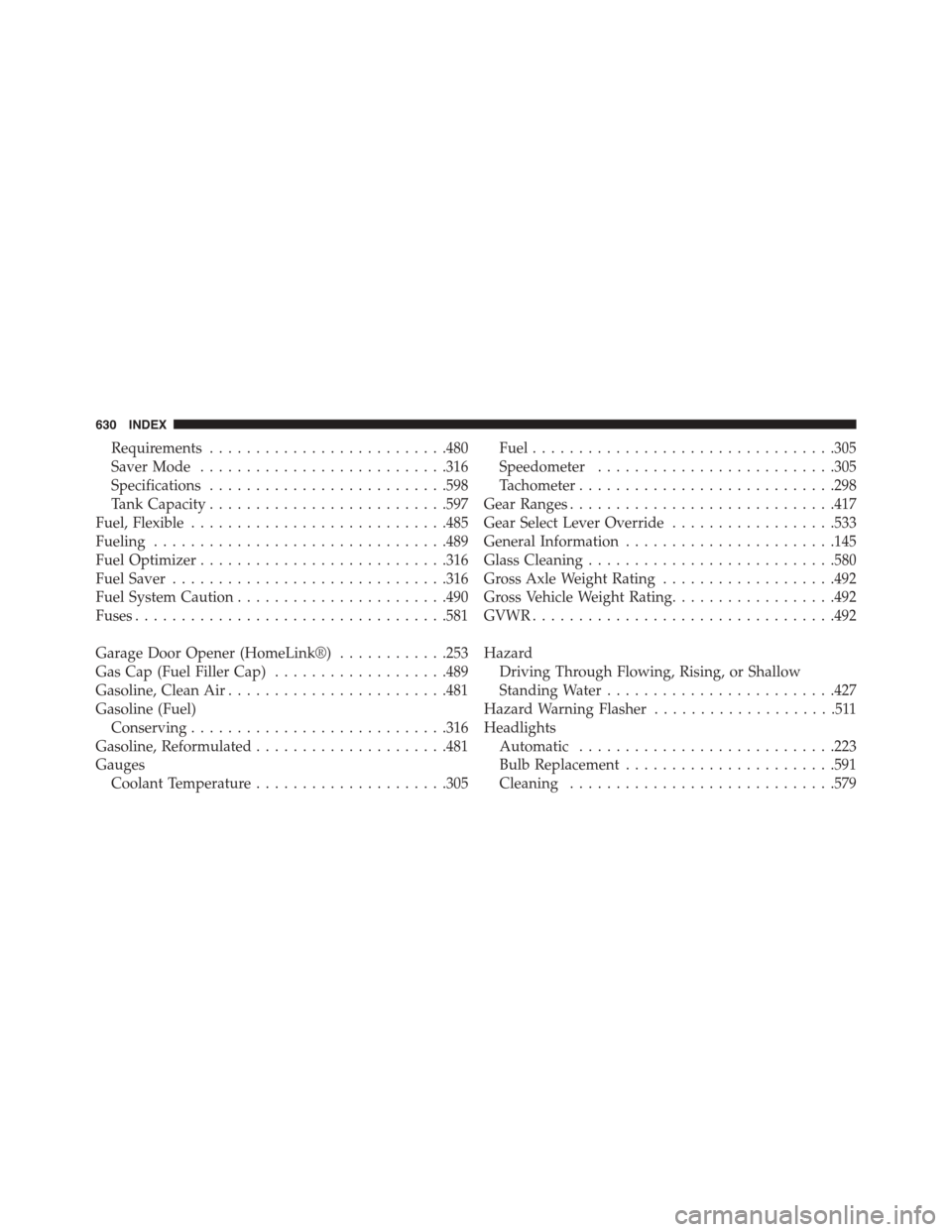
Requirements..........................480
Saver Mode...........................316
Specifications..........................598
Tank Capacity..........................597
Fuel, Flexible............................485
Fueling................................489
Fuel Optimizer...........................316
Fuel Saver..............................316
Fuel System Caution.......................490
Fuses..................................581
Garage Door Opener (HomeLink®)............253
Gas Cap (Fuel Filler Cap)...................489
Gasoline, Clean Air........................481
Gasoline (Fuel)
Conserving............................316
Gasoline, Reformulated.....................481
Gauges
Coolant Temperature.....................305
Fuel.................................305
Speedometer..........................305
Tachometer............................298
Gear Ranges.............................417
Gear Select Lever Override..................533
General Information.......................145
Glass Cleaning...........................580
Gross Axle Weight Rating...................492
Gross Vehicle Weight Rating..................492
GVWR.................................492
Hazard
Driving Through Flowing, Rising, or Shallow
Standing Water.........................427
Hazard Warning Flasher....................511
Headlights
Automatic............................223
Bulb Replacement.......................591
Cleaning.............................579
630 INDEX
Page 634 of 648
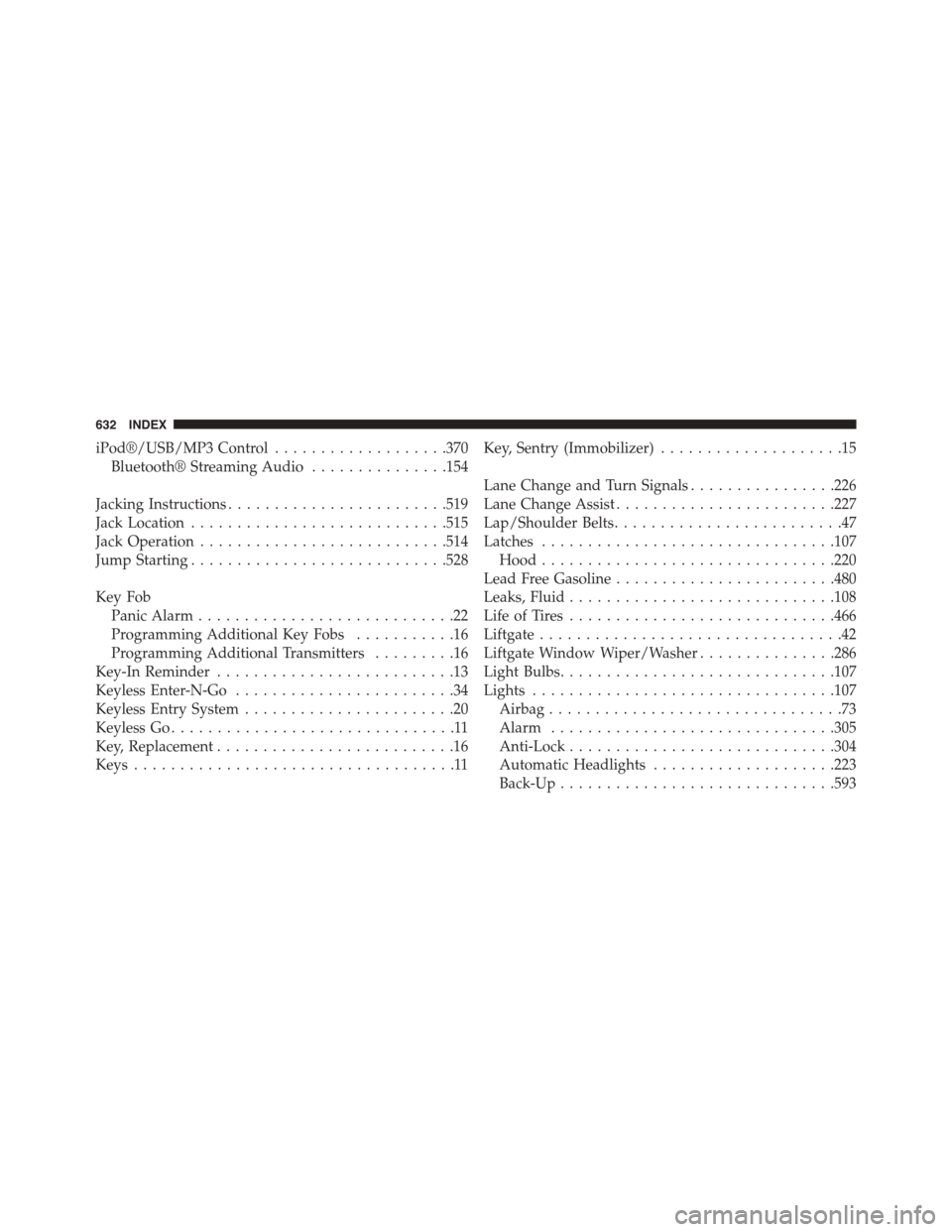
iPod®/USB/MP3 Control...................370
Bluetooth® Streaming Audio...............154
Jacking Instructions........................519
Jack Location............................515
Jack Operation...........................514
Jump Starting............................528
Key Fob
Panic Alarm............................22
Programming Additional Key Fobs...........16
Programming Additional Transmitters.........16
Key-In Reminder..........................13
Keyless Enter-N-Go........................34
Keyless Entry System.......................20
Keyless Go...............................11
Key, Replacement..........................16
Keys...................................11
Key, Sentry (Immobilizer)....................15
Lane Change and Turn Signals................226
Lane Change Assist........................227
Lap/Shoulder Belts.........................47
Latches................................107
Hood................................220
Lead Free Gasoline........................480
Leaks, Fluid.............................108
Life of Tires.............................466
Liftgate.................................42
Liftgate Window Wiper/Washer...............286
Light Bulbs..............................107
Lights.................................107
Airbag................................73
Alarm...............................305
Anti-Lock.............................304
Automatic Headlights....................223
Back-Up..............................593
632 INDEX
Page 635 of 648
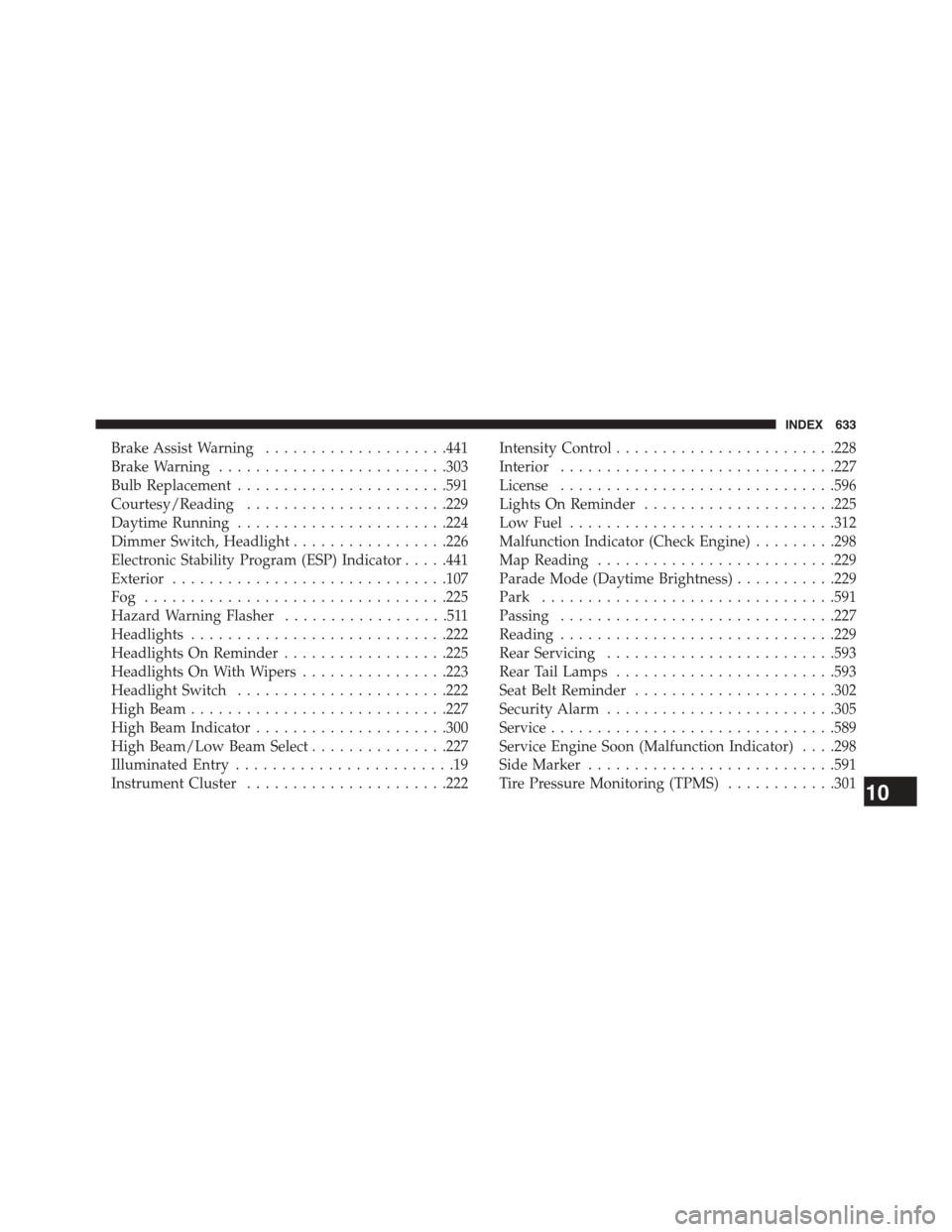
Brake Assist Warning....................441
Brake Warning.........................303
Bulb Replacement.......................591
Courtesy/Reading......................229
Daytime Running.......................224
Dimmer Switch, Headlight.................226
Electronic Stability Program (ESP) Indicator.....441
Exterior..............................107
Fog . . . . . . . . . . . . . . . . . . . . . . . . . . . . . . . ..225
Hazard Warning Flasher..................511
Headlights............................222
Headlights On Reminder..................225
Headlights On With Wipers................223
Headlight Switch.......................222
High Beam............................227
High Beam Indicator.....................300
High Beam/Low Beam Select...............227
Illuminated Entry........................19
Instrument Cluster......................222
Intensity Control........................228
Interior..............................227
License..............................596
Lights On Reminder.....................225
Low Fuel.............................312
Malfunction Indicator (Check Engine).........298
Map Reading..........................229
Parade Mode (Daytime Brightness)...........229
Park................................591
Passing..............................227
Reading..............................229
Rear Servicing.........................593
Rear Tail Lamps........................593
Seat Belt Reminder......................302
Security Alarm.........................305
Service...............................589
ServiceEngine Soon (Malfunction Indicator) . . . .298
Side Marker...........................591
Tire Pressure Monitoring (TPMS)............30110
INDEX 633