keyless entry DODGE JOURNEY 2015 1.G Owner's Manual
[x] Cancel search | Manufacturer: DODGE, Model Year: 2015, Model line: JOURNEY, Model: DODGE JOURNEY 2015 1.GPages: 648
Page 329 of 648
Doors & Locks
•Auto Unlock On Exit
Press the “Auto Unlock On Exit” button on the touch-
screen to change this display. When this feature is se-
lected, all doors will unlock when the vehicle is stopped
and the transmission is in the PARK or NEUTRAL
position and the driver’s door is opened. To make your
selection, press the “Auto Unlock On Exit” button on the
touchscreen and select “ON” or “OFF.” Then press the
back arrow button on the touchscreen.
•Auto Lock
When this feature is selected, all doors will lock auto-
matically when the vehicle reaches a speed of 15 mph
(24 km/h). To make your selection, press the “Auto
Lock” button on the touchscreen, until a check-mark
appears next to setting, indicating that the setting has
been selected. Press the back arrow button on the touch-
screen to return to the previous menu.
•Flash Lamps With Lock
Press the “Flash Lamps With Lock” button on the touch-
screen to change this display. When this feature is se-
lected, the exterior lamps will flash when the doors are
locked or unlocked with the Remote Keyless Entry (RKE)
transmitter. To make your selection, press the “Flash
Lights With Lock” button on the touchscreen and select
“ON” or “OFF.” Then press the back arrow button on the
touchscreen.
•Sound Horn With Remote Start
Press the “Sound Horn With Remote Start” button on the
touchscreen to change this display. When this feature is
selected, the horn will sound when the remote start is
activated. To make your selection, press the “Sound Horn
With Remote Start” button on the touchscreen and select
“ON” or “OFF.” Then press the back arrow button on the
touchscreen.
4
UNDERSTANDING YOUR INSTRUMENT PANEL 327
Page 330 of 648
•Sounds Horn With Lock
Press the “Sounds Horn With Lock” button on the
touchscreen to change this display. When this feature is
selected, the horn will chirp when the doors are locked or
unlocked with the Remote Keyless Entry (RKE) transmit-
ter. To make your selection, press the “Sounds Horn With
Lock” button on the touchscreen and select “ON” or
“OFF.” Then press the back arrow button on the touch-
screen.
•Remote Door Unlock Order
Press the “Remote Door Unlock Order” button on the
touchscreen to change this display. When Unlock Driver
Door Only On 1st Press is selected, only the driver’s door
will unlock on the first press of the Remote Keyless Entry
(RKE) transmitter UNLOCK button. When Unlock
Driver Door Only On 1st Press is selected, you must press
the RKE transmitter UNLOCK button twice to unlock the
passenger’s doors. When Unlock All Doors On 1st Press
is selected, all of the doors will unlock on the first press
of the RKE transmitter UNLOCK button.
NOTE:If the vehicle is equipped with Keyless Enter-N-
Go™ (Passive Entry) and the EVIC is programmed to
Unlock All Doors On 1st Press, all doors will unlock no
matter which Passive Entry equipped door handle is
grasped. If Unlock Driver Door Only On 1st Press is
programmed, only the driver ’s door will unlock when
the driver ’s door is grasped. With Passive Entry, if
Unlock Driver Door Only On 1st Press is programmed,
pressing the handle more than once will only result in the
driver ’s door opening. If Unlock Driver Door Only On
1st Press is selected, once the driver door is opened, the
interior door lock/unlock switch can be used to unlock
all the doors (or use the RKE transmitter).
328 UNDERSTANDING YOUR INSTRUMENT PANEL
Page 331 of 648
•Passive Entry (Keyless Enter-N-Go™)
Press the “Passive Entry” button on the touchscreen to
change this display. This feature allows you to lock and
unlock the vehicle’s door(s) without having to press the
RKE transmitter lock or unlock buttons. To make your
selection, press the “Passive Entry” button on the touch-
screen and select “ON” or “OFF.” Then press the back
arrow button on the touchscreen. Refer to “Keyless
Enter-N-Go™” in “Things To Know Before Starting Your
Vehicle”.
Auto-On Comfort & Remote Start
•Auto On Heated Seats — If Equipped
Press the “Auto On Heated Seats” button on the touch-
screen to change this display. When the temperatures are
below 40° F (4.4° C) the Driver ’s heated seat will turn on.
To make your selection, press the “Auto On Heated
Seats” button on the touchscreen and select “ON” or
“OFF.” Then press the back arrow button on the touch-
screen.
Engine Off Options
•Headlight Off Delay
Press the “Headlight Off Delay” button on the touch-
screen to change this display. When this feature is se-
lected, the driver can choose to have the headlights
remain on for 0, 30, 60, or 90 seconds when exiting the
vehicle. To change the Headlight Off Delay status, press
the “0,” “30,” “60” or “90” button on the touchscreen.
Then press the back arrow button on the touchscreen.
•Engine Off Power Delay
Press the “Engine Off Power Delay” button on the
touchscreen to change this display. When this feature is
selected, the power window switches, radio, Uconnect®
phone system (if equipped), DVD video system (if
4
UNDERSTANDING YOUR INSTRUMENT PANEL 329
Page 341 of 648
Lights
After pressing the Lights button on the touchscreen the
following settings will be available.
•Headlights Off Delay
When this feature is selected, it allows the adjustment of
the amount of time the headlights remain on after the
engine is shut off. To change the Headlights Off Delay
setting, press the “Headlights Off Delay” button on the
touchscreen, and choose either 0 sec, 30 sec, 60 sec or 90
seconds. A check-mark appears next to setting indicating
that the setting has been selected. Press the back arrow
button on the touchscreen to return to the previous
menu, or push the back button on the faceplate.
•Headlight Illumination On Approach
When this feature is selected, the headlights will activate
and remain on for 0, 30, 60, or 90 seconds when the doors
are unlocked with the Remote Keyless Entry (RKE)
transmitter. To change the Illuminated Approach status,
press the “+” or “–” button on the touchscreen to select
your desired time interval. Press the back arrow button
on the touchscreen to return to the previous menu.
•Headlights With Wipers — If Equipped
When this feature is selected, and the headlight switch is
in the AUTO position, the headlights will turn on ap-
proximately 10 seconds after the wipers are turned on.
The headlights will also turn off when the wipers are
turned off if they were turned on by this feature. To make
your selection, press the “Headlights With Wipers” but-
ton on the touchscreen, until a check-mark appears next
to setting, showing that setting has been selected. Press
the back arrow button on the touchscreen to return to the
previous menu.
•Auto Dim High Beams — If Equipped
When this feature is selected, the high beam headlights
will deactivate automatically under certain conditions. To
4
UNDERSTANDING YOUR INSTRUMENT PANEL 339
Page 342 of 648
make your selection, press the “Auto High Beams”
button on the touchscreen, until a check-mark appears
next to setting, showing that setting has been selected.
Press the back arrow button on the touchscreen to return
to the previous menu. Refer to “Lights/SmartBeam™ —
If Equipped” in “Understanding The Features Of Your
Vehicle” for further information.
•Daytime Running Lights — If Equipped
When this feature is selected, the headlights will turn on
whenever the engine is running. To make your selection,
press the “Daytime Running Lights” button on the touch-
screen, until a check-mark appears next to setting, show-
ing that setting has been selected. Press the back arrow
button on the touchscreen to return to the previous
menu.
•Steering Directed Headlights — If Equipped
When this feature is selected, the headlights turn relative
to a change in direction of the steering wheel. To make
your selection, press the “Steering Directed Lights” but-
ton on the touchscreen, until a check-mark appears next
to setting, showing that setting has been selected. Press
the back arrow button on the touchscreen to return to the
previous menu.
•Flash Lamps With Lock
When this feature is selected, the exterior lights will flash
when the doors are locked with the Remote Keyless
Entry (RKE) transmitter. This feature may be selected
with or without the sound horn on lock feature selected.
To make your selection, press the “Flash Lamps with
Lock” button on the touchscreen, until a check-mark
appears next to setting, showing that setting has been
selected. Press the back arrow button on the touchscreen
to return to the previous menu.
340 UNDERSTANDING YOUR INSTRUMENT PANEL
Page 343 of 648
Doors & Locks
After pressing the Doors & Locks button on the touch-
screen the following settings will be available.
•Auto Unlock On Exit
When this feature is selected, all doors will unlock when
the vehicle is stopped and the transmission is in the
PARK or NEUTRAL position and the driver’s door is
opened. To make your selection, press the “Auto Unlock
On Exit” button on the touchscreen, until a check-mark
appears next to setting, showing that setting has been
selected. Press the back arrow button on the touchscreen
to return to the previous menu.
•Auto Lock
When this feature is selected, all doors will lock auto-
matically when the vehicle reaches a speed of 15 mph
(24 km/h). To make your selection, press the “Auto
Lock” button on the touchscreen, until a check-mark
appears next to setting, indicating that the setting has
been selected. Press the back arrow button on the touch-
screen to return to the previous menu.
•Flash Headlights With Lock
When this feature is selected, the signal lights will flash
when the doors are locked with the Remote Keyless
Entry (RKE) transmitter. To make your selection, press
the “Flash Lights With Lock” button on the touchscreen,
until a check-mark appears next to setting, showing that
setting has been selected. Press the back arrow button on
the touchscreen to return to the previous menu.
•Sound Horn With Lock
When this feature is selected, the horn will sound when the
remote start is activated. To make your selection, press the
“Sound Horn With Lock” button on the touchscreen, until
a check-mark appears next to setting, showing that setting
has been selected. Press the back arrow button on the
touchscreen to return to the previous menu.
4
UNDERSTANDING YOUR INSTRUMENT PANEL 341
Page 344 of 648
•Sound Horn With Remote Start
When this feature is selected, the horn will sound when
the remote start is activated. To make your selection,
press the “Sound Horn With Remote Start” button on the
touchscreen, until a check-mark appears next to setting,
showing that setting has been selected. Press the back
arrow button on the touchscreen to return to the previous
menu.
•1st Press Of Key Fob Unlocks
When Unlock Driver Door Only On 1st Press is selected,
only the driver’s door will unlock on the first press of the
Remote Keyless Entry (RKE) transmitter UNLOCK but-
ton. When Driver Door 1st Press is selected, you must
press the RKE transmitter UNLOCK button twice to
unlock the passenger’s doors. When Unlock All Doors
On 1st Press is selected, all of the doors will unlock on the
first press of the RKE transmitter UNLOCK button.
NOTE:If the vehicle is programmed to Unlock All Doors
1st Press, all doors will unlock no matter which Passive
Entry equipped door handle is grasped. If Driver Door
1st Press is programmed, only the driver ’s door will
unlock when the driver ’s door is grasped. With Passive
Entry, if Driver Door 1st Press is programmed touching
the handle more than once will only result in the driver ’s
door opening. If driver door first is selected, once the
driver door is opened, the interior door lock/unlock
switch can be used to unlock all doors (or use RKE
transmitter).
•Passive Entry
This feature allows you to lock and unlock the vehicle’s
door(s) without having to press the Remote Keyless
Entry (RKE) transmitter lock or unlock buttons. To make
your selection, press the “Passive Entry” button on the
touchscreen, until a check-mark appears next to setting,
showing that setting has been selected. Press the back
342 UNDERSTANDING YOUR INSTRUMENT PANEL
Page 628 of 648
Coolant Pressure Cap (Radiator Cap)...........565
Cooling System...........................561
Adding Coolant (Antifreeze)...............563
Coolant Capacity.......................597
Coolant Level..........................561
Disposal of Used Coolant.................565
Drain, Flush, and Refill...................562
Inspection............................566
Points to Remember.....................566
Pressure Cap..........................565
Radiator Cap..........................565
Selection of Coolant (Antifreeze).............562
Corrosion Protection.......................575
Cupholders.............................273
Customer Assistance.......................613
Data Recorder, Event.......................75
Daytime Brightness, Interior Lights.............229
Daytime Running Lights....................224
Dealer Service............................545
Defroster, Rear Window.....................288
Defroster, Windshield......................106
Delay (Intermittent) Wipers..................230
Diagnostic System, Onboard.................543
Dimmer Switch, Headlight...................227
Dipsticks
Automatic Transmission..................571
Oil (Engine)...........................547
Power Steering.........................430
Disabled Vehicle Towing....................535
Disposal
Antifreeze (Engine Coolant)................565
Door Locks
Door Locks............................28
Key Fob . . . . . . . . . . . . . . . . . . . . . . . . . . . . . . .28
Remote...............................28
Remote Keyless Entry (RKE)................28
Door Locks, Automatic......................31
626 INDEX
Page 634 of 648
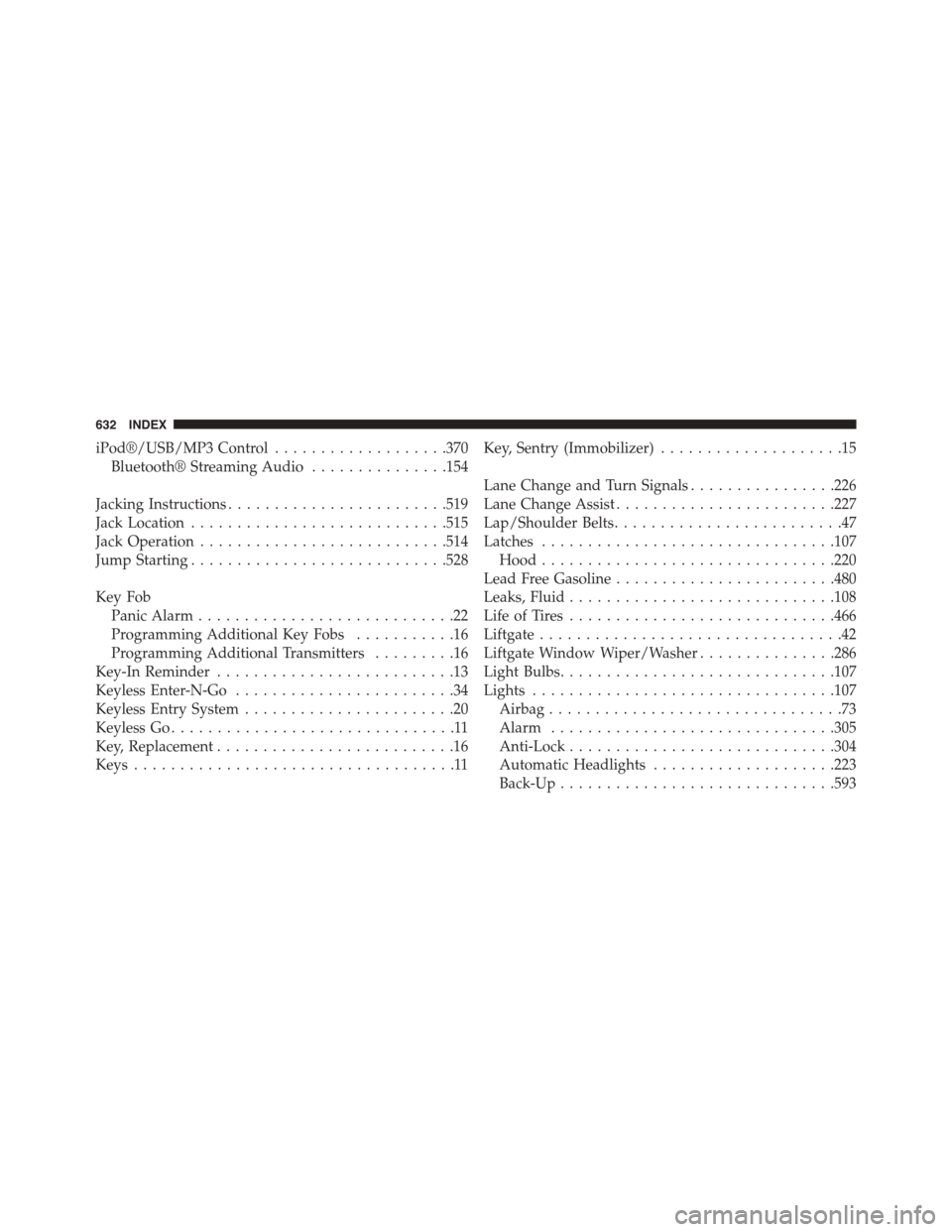
iPod®/USB/MP3 Control...................370
Bluetooth® Streaming Audio...............154
Jacking Instructions........................519
Jack Location............................515
Jack Operation...........................514
Jump Starting............................528
Key Fob
Panic Alarm............................22
Programming Additional Key Fobs...........16
Programming Additional Transmitters.........16
Key-In Reminder..........................13
Keyless Enter-N-Go........................34
Keyless Entry System.......................20
Keyless Go...............................11
Key, Replacement..........................16
Keys...................................11
Key, Sentry (Immobilizer)....................15
Lane Change and Turn Signals................226
Lane Change Assist........................227
Lap/Shoulder Belts.........................47
Latches................................107
Hood................................220
Lead Free Gasoline........................480
Leaks, Fluid.............................108
Life of Tires.............................466
Liftgate.................................42
Liftgate Window Wiper/Washer...............286
Light Bulbs..............................107
Lights.................................107
Airbag................................73
Alarm...............................305
Anti-Lock.............................304
Automatic Headlights....................223
Back-Up..............................593
632 INDEX
Page 638 of 648
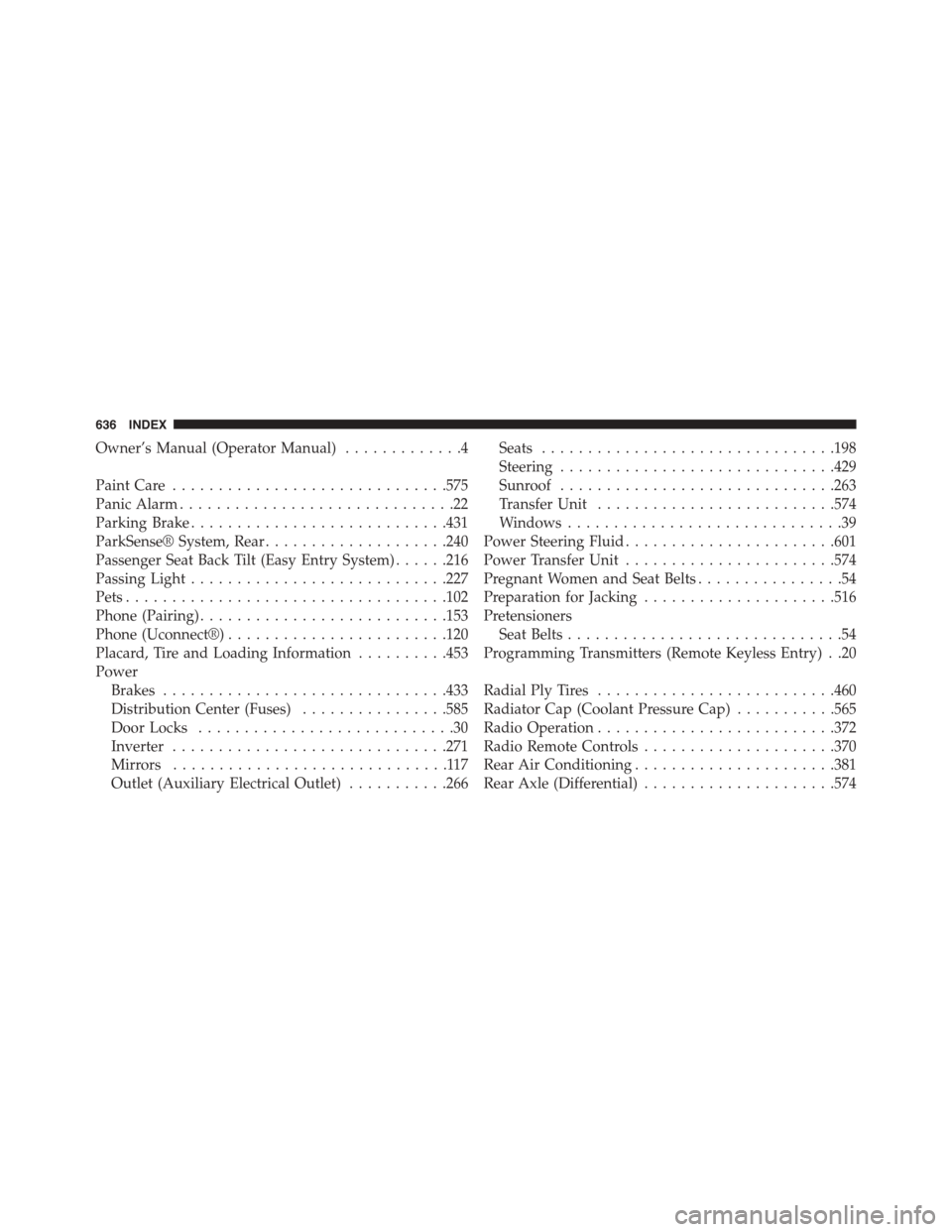
Owner’s Manual (Operator Manual).............4
Paint Care..............................575
Panic Alarm..............................22
Parking Brake............................431
ParkSense® System, Rear....................240
Passenger Seat Back Tilt (Easy Entry System)......216
Passing Light............................227
Pets...................................102
Phone (Pairing)...........................153
Phone (Uconnect®)........................120
Placard, Tire and Loading Information..........453
Power
Brakes...............................433
Distribution Center (Fuses)................585
Door Locks............................30
Inverter..............................271
Mirrors..............................117
Outlet (Auxiliary Electrical Outlet)...........266
Seats................................198
Steering..............................429
Sunroof..............................263
Transfer Unit..........................574
Windows..............................39
Power Steering Fluid.......................601
Power Transfer Unit.......................574
Pregnant Women and Seat Belts................54
Preparation for Jacking.....................516
Pretensioners
Seat Belts..............................54
Programming Transmitters (Remote Keyless Entry) . .20
Radial Ply Tires..........................460
Radiator Cap (Coolant Pressure Cap)...........565
Radio Operation..........................372
Radio Remote Controls.....................370
Rear Air Conditioning......................381
Rear Axle (Differential).....................574
636 INDEX