light DODGE JOURNEY 2015 1.G Owner's Manual
[x] Cancel search | Manufacturer: DODGE, Model Year: 2015, Model line: JOURNEY, Model: DODGE JOURNEY 2015 1.GPages: 648
Page 114 of 648
!TILT/TELESCOPING STEERING COLUMN . . .234
!HEATED STEERING WHEEL —
IF EQUIPPED.........................235
!ELECTRONIC SPEED CONTROL —
IF EQUIPPED.........................236
▫To Activate..........................237
▫To Set A Desired Speed.................237
▫To Deactivate........................238
▫To Resume Speed.....................238
▫To Vary The Speed Setting...............238
▫To Accelerate For Passing................239
!PARKSENSE® REAR PARK ASSIST — IF
EQUIPPED...........................240
▫ParkSense® Sensors....................240
▫ParkSense® Warning Display.............241
▫ParkSense® Display....................241
▫Enabling And Disabling ParkSense®........244
▫Service The ParkSense® Rear Park Assist
System.............................245
▫Cleaning The ParkSense® System..........245
▫ParkSense® System Usage Precautions.......246
!PARKVIEW® REAR BACK UP CAMERA — IF
EQUIPPED...........................248
!OVERHEAD CONSOLE..................250
▫Courtesy/Reading Lights................251
▫Sunglasses Storage....................252
▫Interior Observation Mirror..............252
▫Power Sunroof Switch — If Equipped.......253
11 2 U N D E R S TA N D I N G T H E F E AT U R E S O F Y O U R V E H I C L E
Page 116 of 648
▫Floor Console Storage..................275
▫Center Console Storage.................276
▫Flip ’n Stow™ Front Passenger Seat Storage —
If Equipped..........................278
▫Second-Row Passenger Seat Temporary Storage
Bin . . . . . . . . . . . . . . . . . . . . . . . . . . . . . . ..279
▫Second-Row Map Pocket And Grocery Retainers
— If Equipped.......................279
▫In-Floor Storage Bin With Removable Liner . . .279
!CARGO AREA FEATURES................280
▫Rechargeable Flashlight — If Equipped......280
▫Cargo Management System..............282
!REAR WINDOW FEATURES..............286
▫Rear Window Wiper/Washer.............286
▫Rear Window Defroster.................288
!ROOF LUGGAGE RACK — IF EQUIPPED . . . .289
11 4 U N D E R S TA N D I N G T H E F E AT U R E S O F Y O U R V E H I C L E
Page 117 of 648
MIRRORS
Inside Day/Night Mirror — If Equipped
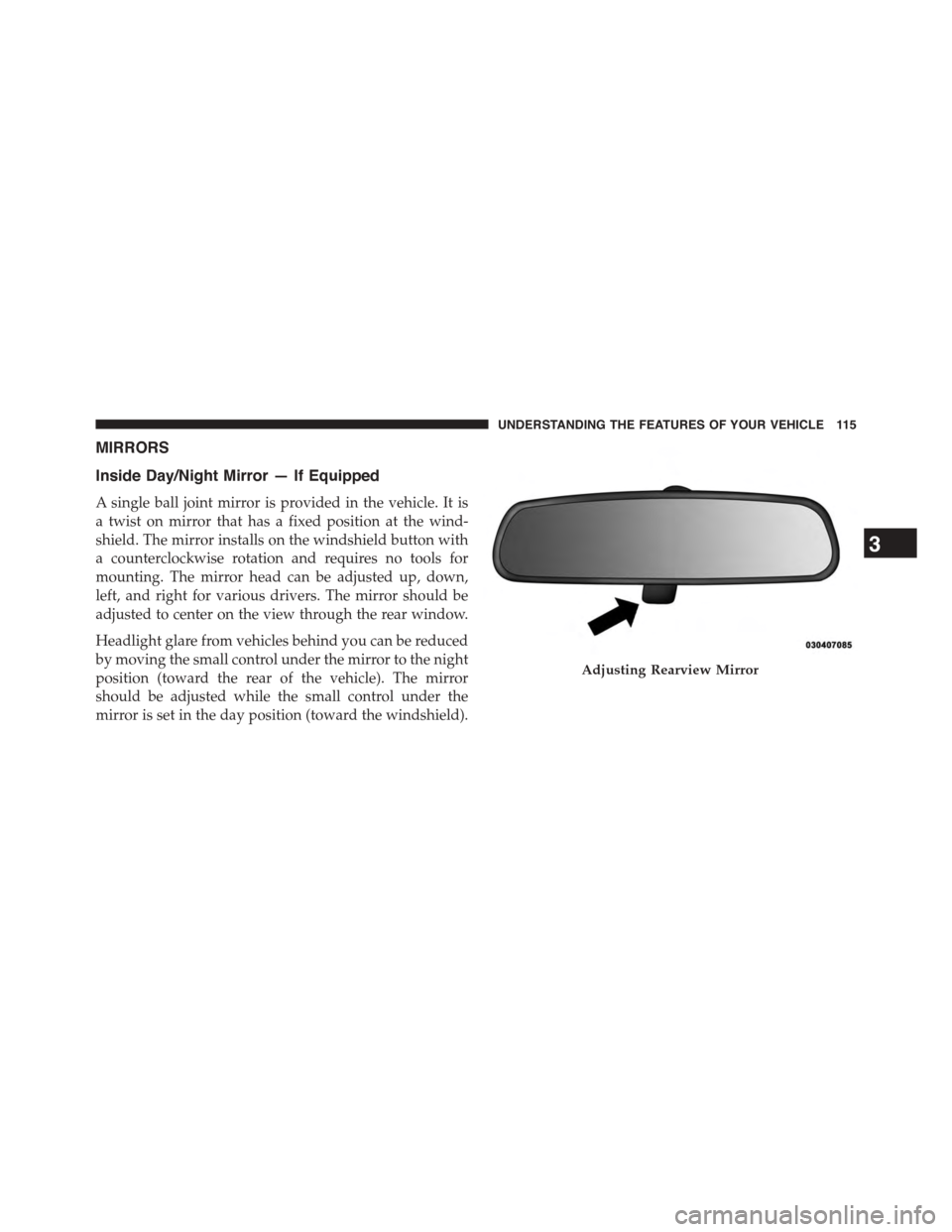
A single ball joint mirror is provided in the vehicle. It is
a twist on mirror that has a fixed position at the wind-
shield. The mirror installs on the windshield button with
a counterclockwise rotation and requires no tools for
mounting. The mirror head can be adjusted up, down,
left, and right for various drivers. The mirror should be
adjusted to center on the view through the rear window.
Headlight glare from vehicles behind you can be reduced
by moving the small control under the mirror to the night
position (toward the rear of the vehicle). The mirror
should be adjusted while the small control under the
mirror is set in the day position (toward the windshield).
Adjusting Rearview Mirror
3
UNDERSTANDING THE FEATURES OF YOUR VEHICLE 115
Page 118 of 648
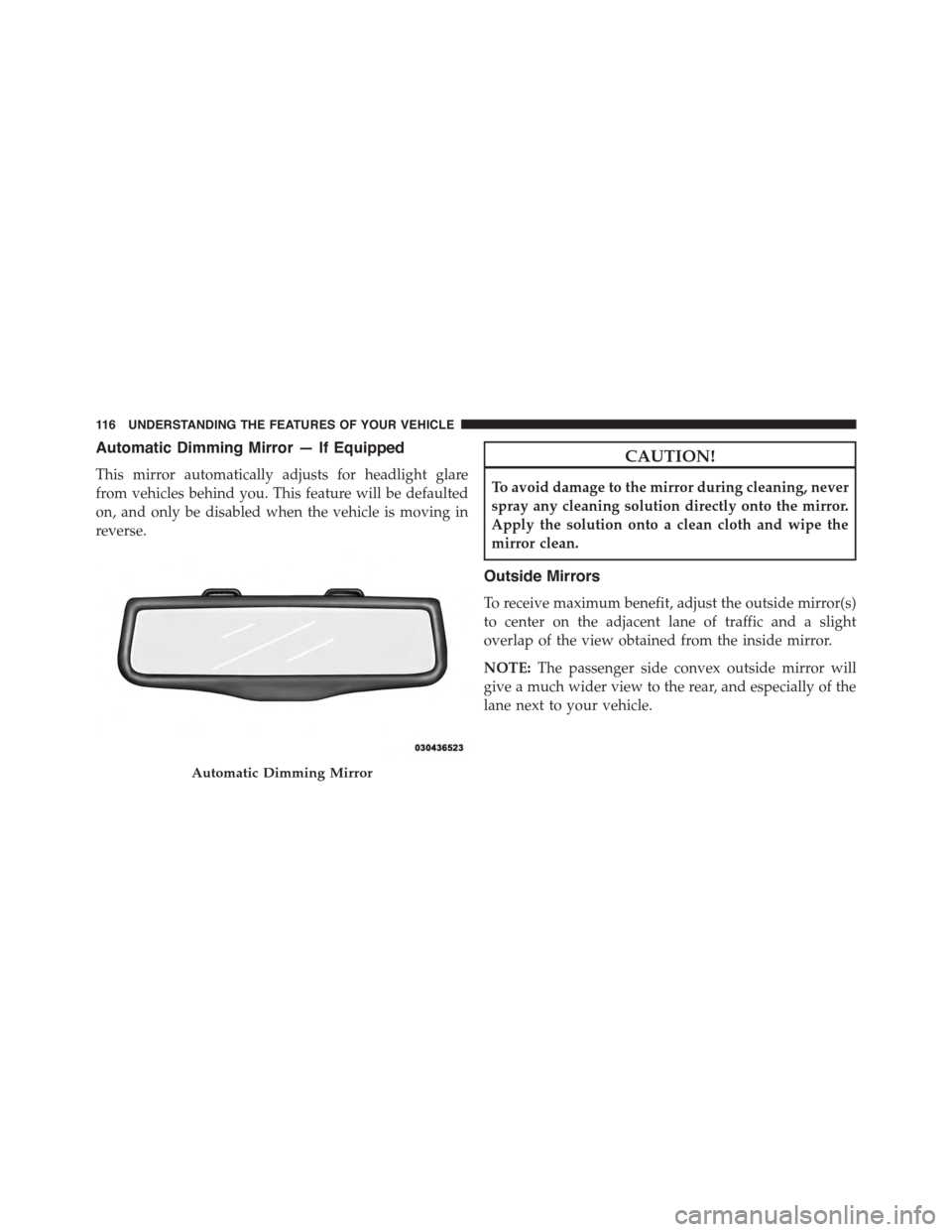
Automatic Dimming Mirror — If Equipped
This mirror automatically adjusts for headlight glare
from vehicles behind you. This feature will be defaulted
on, and only be disabled when the vehicle is moving in
reverse.
CAUTION!
To avoid damage to the mirror during cleaning, never
spray any cleaning solution directly onto the mirror.
Apply the solution onto a clean cloth and wipe the
mirror clean.
Outside Mirrors
To receive maximum benefit, adjust the outside mirror(s)
to center on the adjacent lane of traffic and a slight
overlap of the view obtained from the inside mirror.
NOTE:The passenger side convex outside mirror will
give a much wider view to the rear, and especially of the
lane next to your vehicle.
Automatic Dimming Mirror
11 6 U N D E R S TA N D I N G T H E F E AT U R E S O F Y O U R V E H I C L E
Page 120 of 648
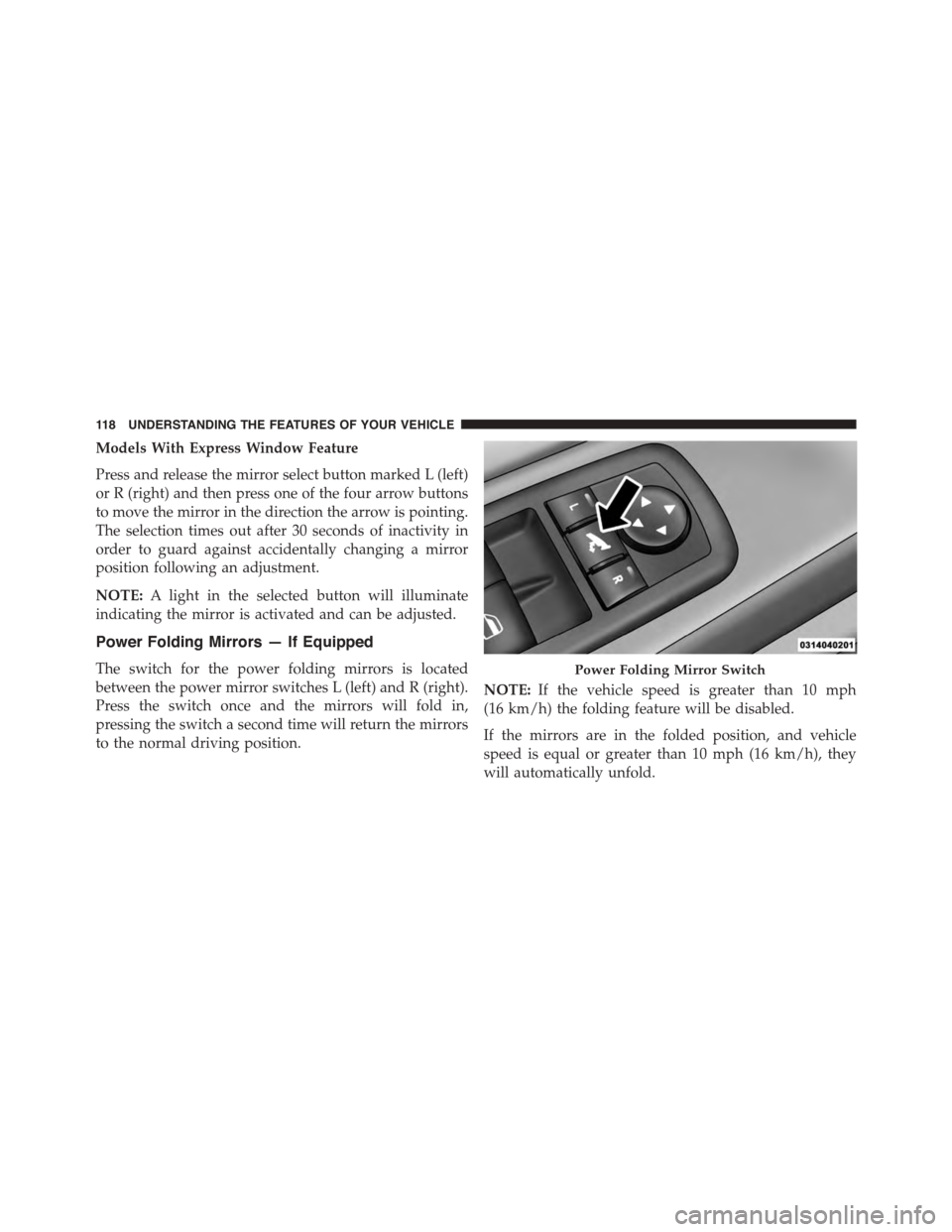
Models With Express Window Feature
Press and release the mirror select button marked L (left)
or R (right) and then press one of the four arrow buttons
to move the mirror in the direction the arrow is pointing.
The selection times out after 30 seconds of inactivity in
order to guard against accidentally changing a mirror
position following an adjustment.
NOTE:A light in the selected button will illuminate
indicating the mirror is activated and can be adjusted.
Power Folding Mirrors — If Equipped
The switch for the power folding mirrors is located
between the power mirror switches L (left) and R (right).
Press the switch once and the mirrors will fold in,
pressing the switch a second time will return the mirrors
to the normal driving position.
NOTE:If the vehicle speed is greater than 10 mph
(16 km/h) the folding feature will be disabled.
If the mirrors are in the folded position, and vehicle
speed is equal or greater than 10 mph (16 km/h), they
will automatically unfold.
Power Folding Mirror Switch
11 8 U N D E R S TA N D I N G T H E F E AT U R E S O F Y O U R V E H I C L E
Page 122 of 648
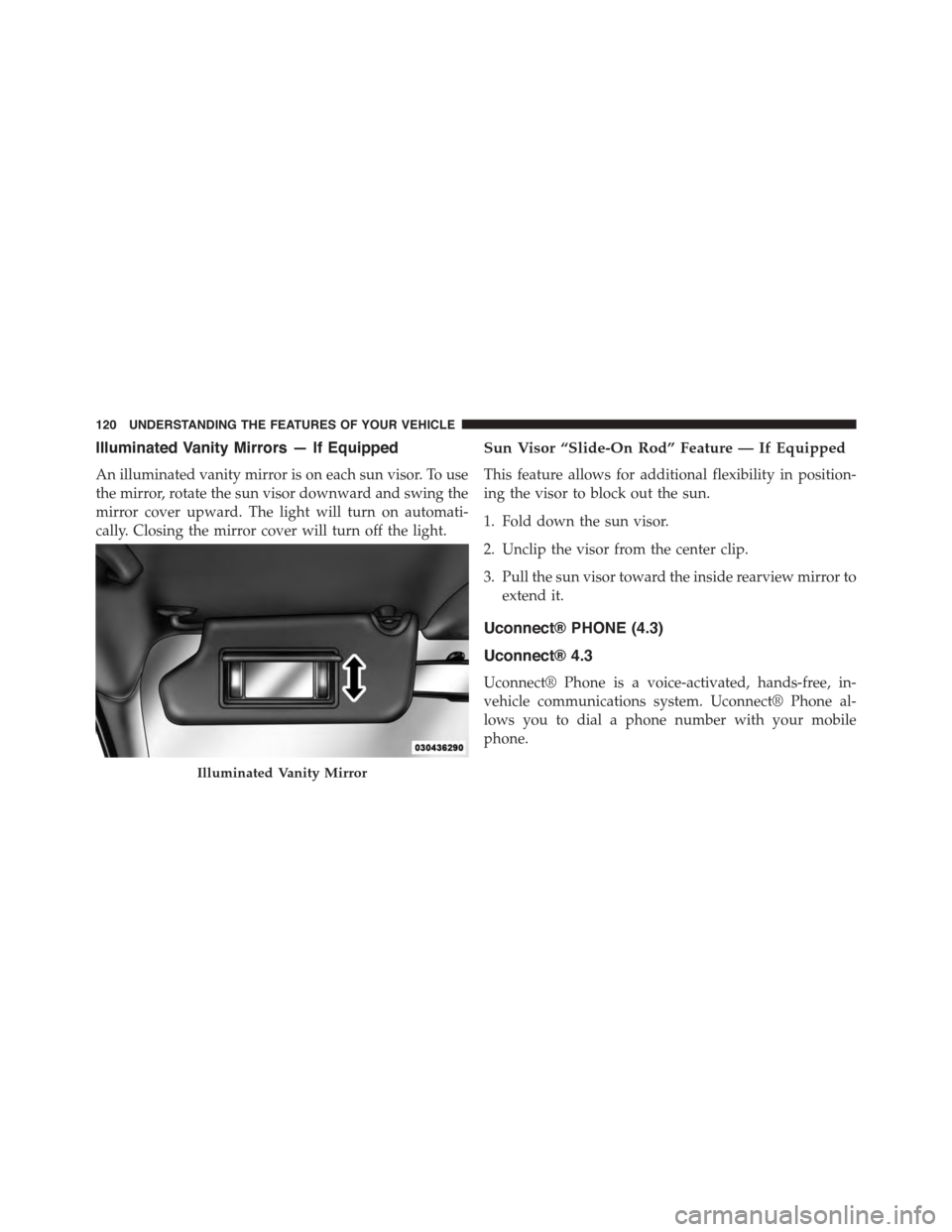
Illuminated Vanity Mirrors — If Equipped
An illuminated vanity mirror is on each sun visor. To use
the mirror, rotate the sun visor downward and swing the
mirror cover upward. The light will turn on automati-
cally. Closing the mirror cover will turn off the light.
Sun Visor “Slide-On Rod” Feature — If Equipped
This feature allows for additional flexibility in position-
ing the visor to block out the sun.
1. Fold down the sun visor.
2. Unclip the visor from the center clip.
3. Pull the sun visor toward the inside rearview mirror to
extend it.
Uconnect® PHONE (4.3)
Uconnect® 4.3
Uconnect® Phone is a voice-activated, hands-free, in-
vehicle communications system. Uconnect® Phone al-
lows you to dial a phone number with your mobile
phone.
Illuminated Vanity Mirror
120 UNDERSTANDING THE FEATURES OF YOUR VEHICLE
Page 137 of 648
Uconnect® Phone Features
Emergency Assistance
If you are in an emergency and the mobile phone is
reachable:
•Pick up the phone and manually dial the emergency
number for your area.
If the phone is not reachable and the Uconnect® Phone is
operational, you may reach the emergency number as
follows:
•Push thebutton to begin,
•After the “Listening” prompt and the following beep,
say “Emergency” and the Uconnect® Phone will in-
struct the paired mobile phone to call the emergency
number. This feature is supported in the U.S., Canada,
and Mexico.
NOTE:
•The emergency number dialed is based on the country
where the vehicle is purchased (911 for the U.S. and
Canada and 060 for Mexico). The number dialed may
not be applicable with the available mobile service and
area.
•The Uconnect® Phone does slightly lower your
chances of successfully making a phone call as to that
for the mobile phone directly.
WARNING!
Your phone must be turned on and connected to the
Uconnect® Phone to allow use of this vehicle feature
in emergency situations, when the mobile phone has
network coverage and stays connected to the
Uconnect® Phone.
3
UNDERSTANDING THE FEATURES OF YOUR VEHICLE 135
Page 168 of 648
2. After the “Listening” prompt and the following beep,
say “Dial Emergency” and the Uconnect® Phone will
instruct the paired mobile phone to call the emergency
number. This feature is supported in the U.S., Canada,
and Mexico.
NOTE:
•The Emergency call may also be initiated by using the
touchscreen.
•The emergency number dialed is based on the country
where the vehicle is purchased (911 for the U.S. and
Canada and 060 for Mexico). The number dialed may
not be applicable with the available mobile service and
area.
•The Uconnect® Phone does slightly lower your
chances of successfully making a phone call as to that
for the mobile phone directly.
WARNING!
Your phone must be turned on and connected to the
Uconnect® Phone to allow use of this vehicle feature
in emergency situations, when the mobile phone has
network coverage and stays connected to the
Uconnect® Phone.
Roadside Assistance/Towing Assistance
If you need roadside/towing assistance:
1. Push thebutton to begin.
2. After the “Listening” prompt and the following beep,
say “Roadside Assistance” or say “Towing Assis-
tance.”
166 UNDERSTANDING THE FEATURES OF YOUR VEHICLE
Page 205 of 648
While sitting in the seat, lift up on the bar located and
move the seat forward or rearward. Release the bar once
the desired position has been reached. Then, using body
pressure, move forward and rearward on the seat to be
sure that the seat adjusters have latched.
WARNING!
•Adjusting a seat while driving may be dangerous.
Moving a seat while driving could result in loss of
control which could cause a collision and serious
injury or death.
•Seats should be adjusted before fastening the seat
belts and while the vehicle is parked. Serious
injury or death could result from a poorly adjusted
seat belt.
Recliner Adjustment
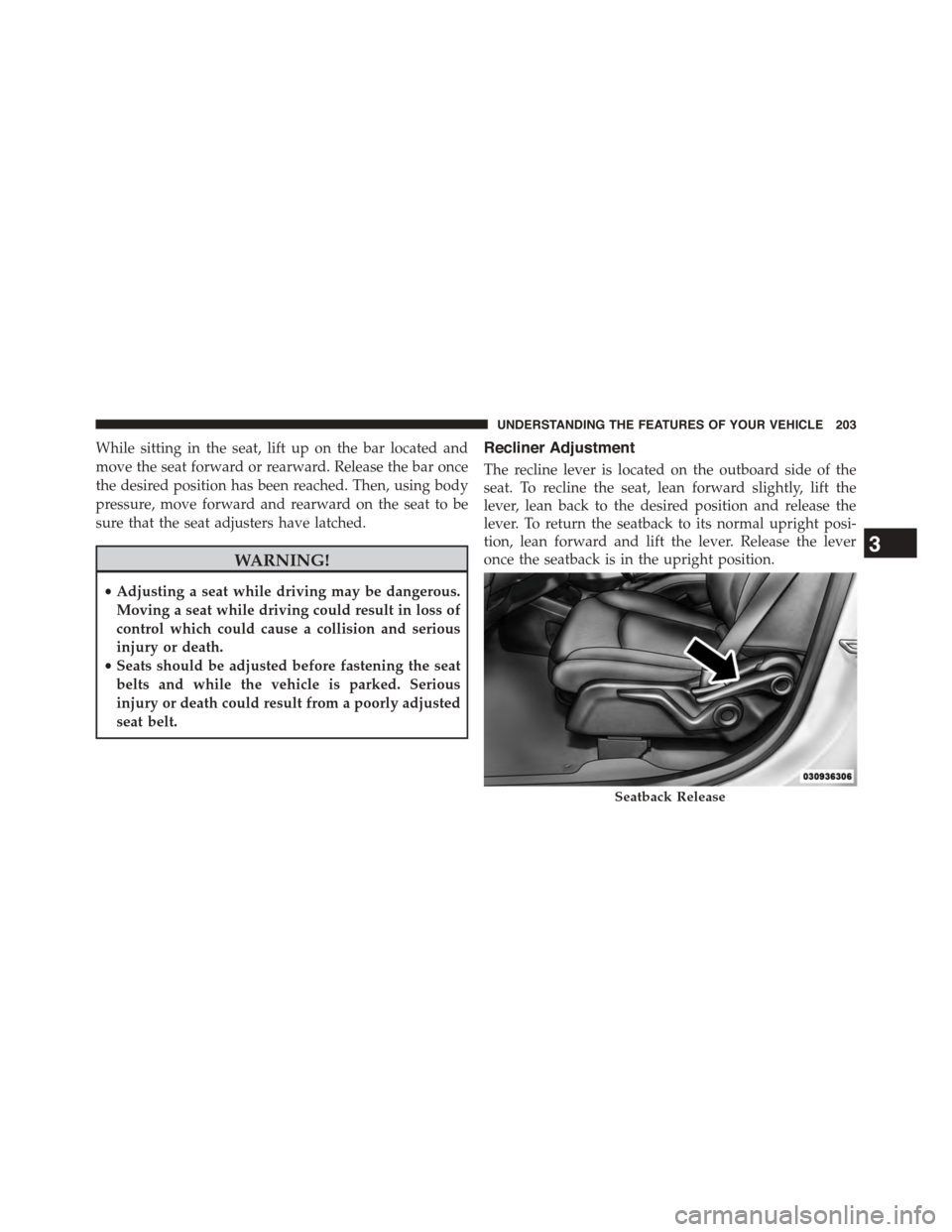
The recline lever is located on the outboard side of the
seat. To recline the seat, lean forward slightly, lift the
lever, lean back to the desired position and release the
lever. To return the seatback to its normal upright posi-
tion, lean forward and lift the lever. Release the lever
once the seatback is in the upright position.
Seatback Release
3
UNDERSTANDING THE FEATURES OF YOUR VEHICLE 203
Page 214 of 648
WARNING!(Continued)
•Do not allow people to ride in any area of your
vehicle that is not equipped with seats and seat
belts.
•Be sure everyone in your vehicle is in a seat and
using a seat belt properly.
•On seven passenger models, do not allow a passen-
ger to sit in a third row seat with the second row
seatback(s) folded flat. In a collision, the passenger
could slide underneath the seat belt and be seri-
ously or even fatally injured.
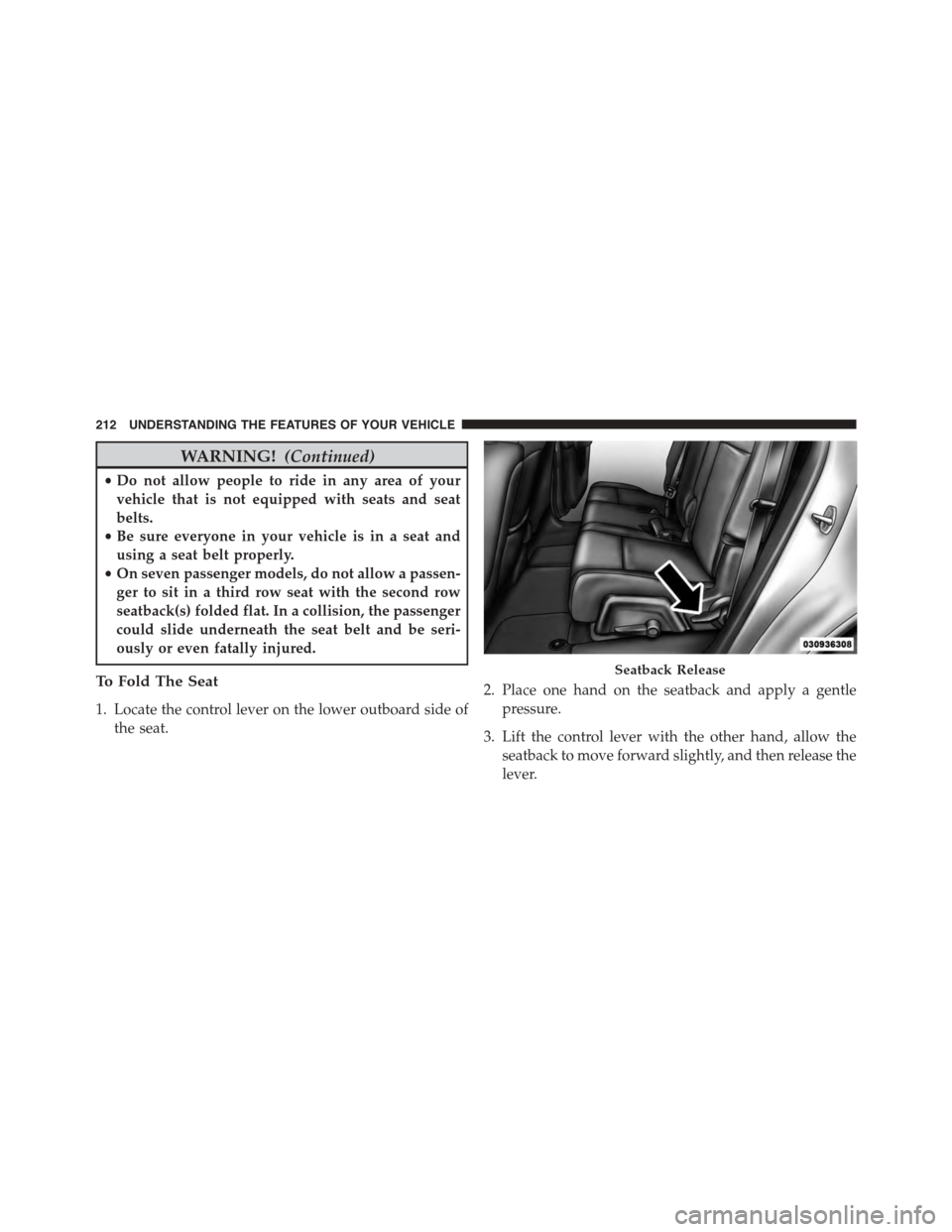
To Fold The Seat
1. Locate the control lever on the lower outboard side of
the seat.
2. Place one hand on the seatback and apply a gentle
pressure.
3. Lift the control lever with the other hand, allow the
seatback to move forward slightly, and then release the
lever.
Seatback Release
212 UNDERSTANDING THE FEATURES OF YOUR VEHICLE