radio DODGE JOURNEY 2015 1.G Owner's Guide
[x] Cancel search | Manufacturer: DODGE, Model Year: 2015, Model line: JOURNEY, Model: DODGE JOURNEY 2015 1.GPages: 648
Page 349 of 648
touchscreen, select the channels you would like to skip
followed by pressing the back arrow button on the
touchscreen.
•Subscription Information
New vehicle purchasers or lessees will receive a free
limited time subscription to SiriusXM Satellite Radio
with your radio. Following the expiration of the free
services, it will be necessary to access the information on
the Subscription Information screen in order to re-
subscribe.
Press the Subscription Info button on the touchscreen to
access the Subscription Information screen.
Write down the SIRIUS ID numbers for your receiver. To
reactivate your service, either call the number listed on
the screen or visit the provider online.
NOTE:SiriusXM Travel Link is a separate subscription.
Uconnect® MULTIMEDIA — VIDEO
ENTERTAINMENT SYSTEM (VES™) — IF
EQUIPPED
Your rear seat Video Entertainment System (VES™) is
designed to give your family years of enjoyment. You can
play your favorite CDs or DVDs, listen to audio over the
wireless headphones, or plug and play a variety of
standard video games or audio devices. Please review
this Owner’s Manual to become familiar with its features
and operation.
4
UNDERSTANDING YOUR INSTRUMENT PANEL 347
Page 350 of 648
Getting Started
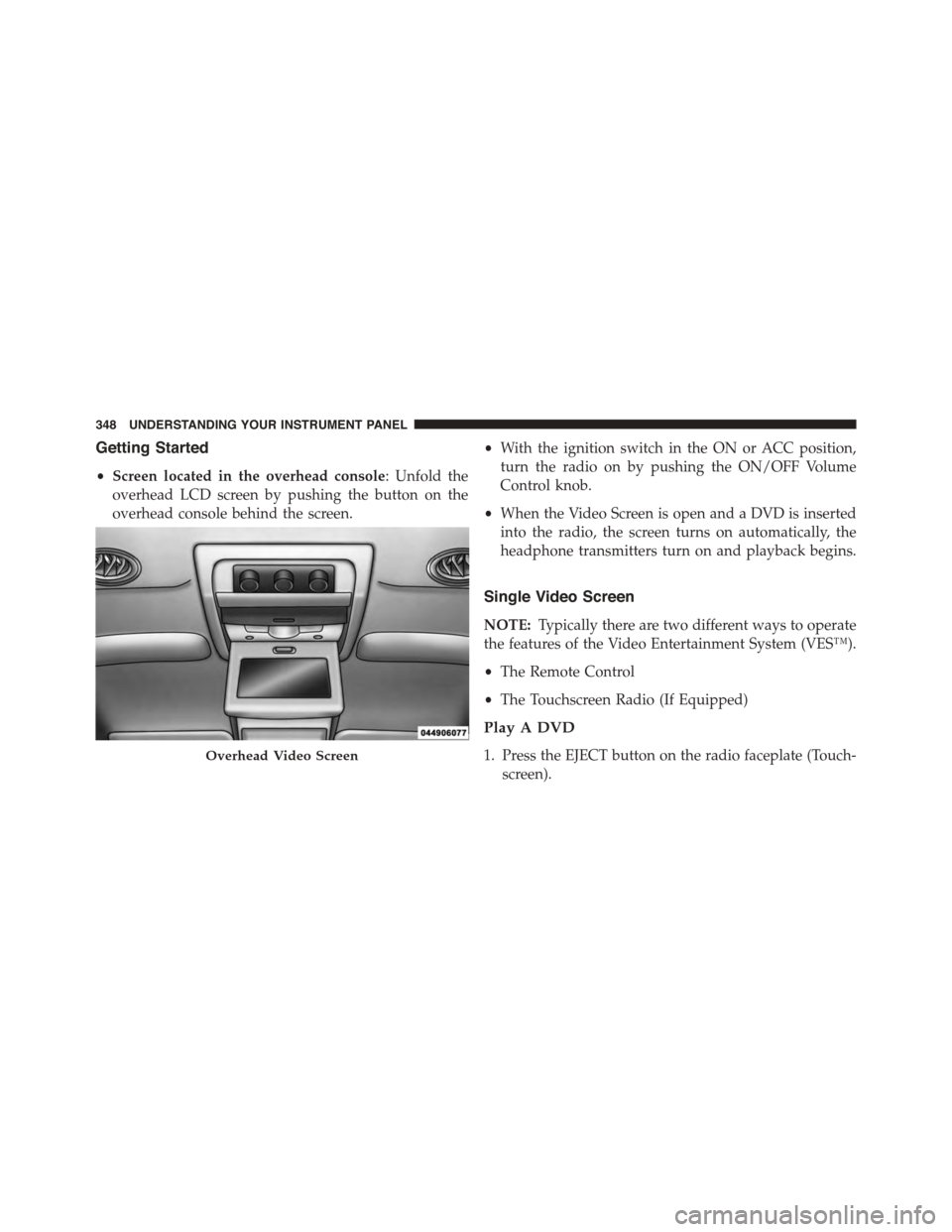
•Screen located in the overhead console: Unfold the
overhead LCD screen by pushing the button on the
overhead console behind the screen.
•With the ignition switch in the ON or ACC position,
turn the radio on by pushing the ON/OFF Volume
Control knob.
•When the Video Screen is open and a DVD is inserted
into the radio, the screen turns on automatically, the
headphone transmitters turn on and playback begins.
Single Video Screen
NOTE:Typically there are two different ways to operate
the features of the Video Entertainment System (VES™).
•The Remote Control
•The Touchscreen Radio (If Equipped)
Play A DVD
1. Press the EJECT button on the radio faceplate (Touch-
screen).
Overhead Video Screen
348 UNDERSTANDING YOUR INSTRUMENT PANEL
Page 351 of 648
2. Insert the DVD with the label facing up. The radio
automatically selects the appropriate mode after the
disc is recognized and displays the menu screen or
starts playing the first track.
3. Ensure the VES™ Remote Control and the Headphone
switch is on Channel 1.
Using The Remote Control
1. Push the MODE button on the Remote Control.
2. While looking at the video screen, highlight DISC by
either pushing Up/Down/Left/Right buttons or by
repeatedly pushing the MODE button, then push
ENTER on the Remote Control.
NOTE:The VES™ system will retain the last setting
when turned off.
Play Video Games
Connect the video game console to the Auxiliary RCA
input jacks located on the back of the center console.
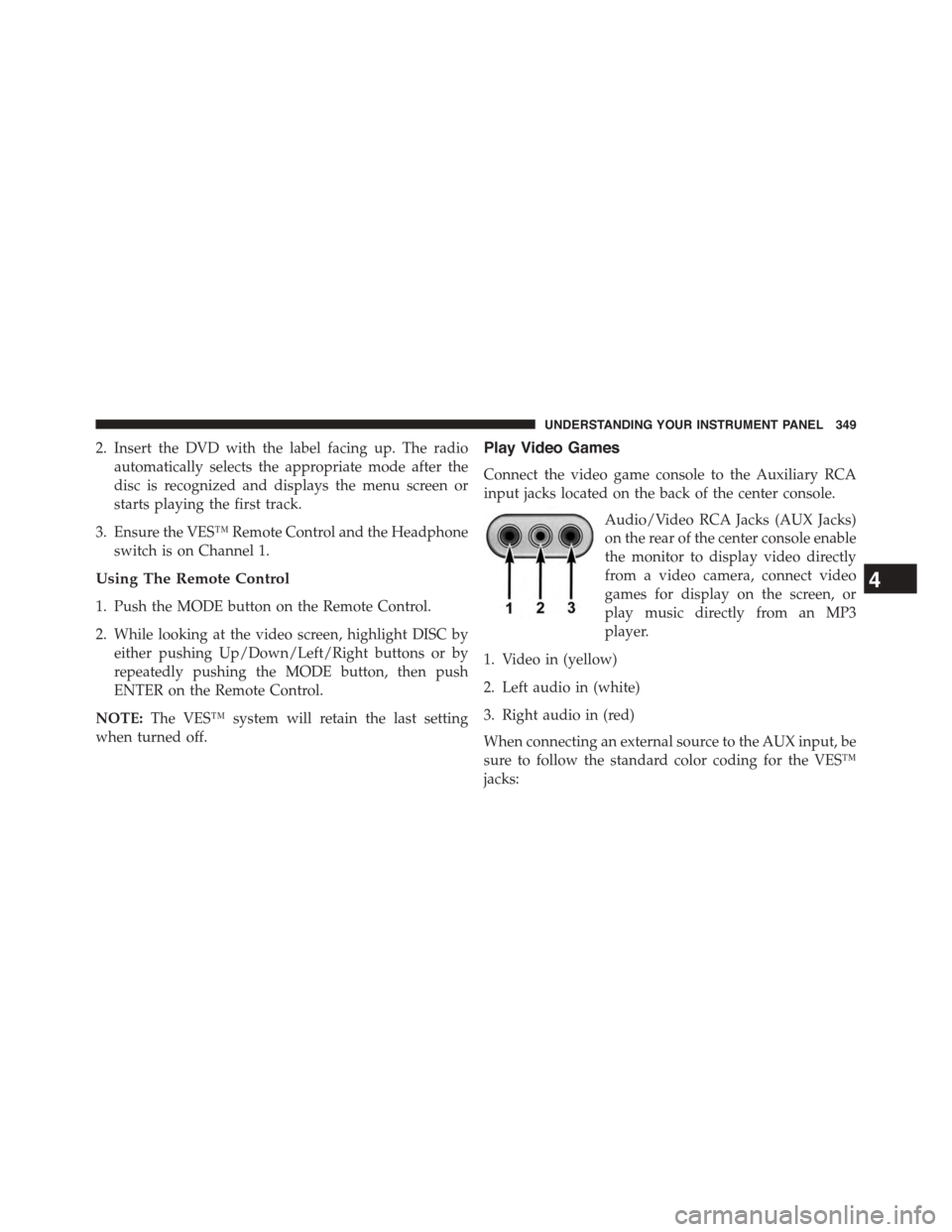
Audio/Video RCA Jacks (AUX Jacks)
on the rear of the center console enable
the monitor to display video directly
from a video camera, connect video
games for display on the screen, or
play music directly from an MP3
player.
1. Video in (yellow)
2. Left audio in (white)
3. Right audio in (red)
When connecting an external source to the AUX input, be
sure to follow the standard color coding for the VES™
jacks:
4
UNDERSTANDING YOUR INSTRUMENT PANEL 349
Page 352 of 648
NOTE:Certain high-end video games, such as Playsta-
tion3 and XBox360 will exceed the power limit of the
vehicle’s Power Inverter. Refer to the Power Inverter
section in your vehicle’s Owner’s Manual for more
information.
Ensure the remote control channel selector switch and
Headphone switch (IR channel) are the same number.
Using The Remote Control
1. Push the MODE button on the Remote Control.
2. While looking at the video screen, highlight VES AUX
2, by either pushing Up/Down/Left/Right buttons or
by repeatedly pushing the MODE button, then push
ENTER on the Remote Control.
Using The Touchscreen Radio Controls
1. Press the “MORE” button on the touchscreen.
2. Press the “Rear Entertainment” button on the touch-
screen to display the Rear Entertainment Controls.
3. If the Rear Entertainment is turned off, press the
“Power” button on the touchscreen.
4. Press the “1” or “2” button on the touchscreen for the
channel desired and press the “Source” button on the
touchscreen to select the desired mode.
Listen To An Audio Source On Channel 2 While A
Video Is Playing On Channel 1
Ensure the Remote Control and Headphone switch is on
Channel 2.
Using The Remote Control
1. Push the MODE button on the Remote Control and the
Mode Select Screen will display, unless a video is
playing then only a small banner will appear on the
bottom of the screen.
350 UNDERSTANDING YOUR INSTRUMENT PANEL
Page 353 of 648
2. While looking at the video screen, either press Up/
Down/Left/Right on the Remote Control to highlight
the desired audio source or repeatedly push the
MODE button on the remote until the desired audio
source appears on the screen.
Using The Touchscreen Radio Controls
1. Press the “MORE” button on the touchscreen.
2. Press the “Rear Entertainment” button on the touch-
screen to display the Rear Entertainment Controls.
3. If the Rear Entertainment is turned off, press the
“Power” button on the touchscreen.
4. Press the “1” or “2” button on the touchscreen for the
channel desired and press the “Source” button on the
touchscreen to select the desired mode.
Important Notes For Single Video Screen System
•VES™ is able to transmit two channels of stereo audio
simultaneously.
•In split screen mode the left side equates to Channel 1
and right side equates to Channel 2.
•If a video source is selected on Channel 1, then
Channel 2 is for audio only.
•When selecting a video source on Channel 1, the video
will display on the screen and the audio will be heard
on Channel 1 in the headphones.
•Audio can be heard through the headphones even
when the Video Screen is closed.
4
UNDERSTANDING YOUR INSTRUMENT PANEL 351
Page 354 of 648
Play A DVD Using The Touchscreen Radio
1. Insert the DVD with the label facing up. The radio
automatically selects the appropriate mode after the
disc is recognized and displays the menu screen or
starts playing the first track.
Using The Remote Control
1. Push the MODE button on the Remote Control.
2. While looking at the Video Screen, highlight DISC by
either pushing Up/Down/Left/Right buttons or by
repeatedly pushing the MODE button, then push
ENTER.
NOTE:
•The VES™ system will retain the last setting when
turned off.
•Viewing a DVD on the Touchscreen radio screen is not
available in some regions or locations, the vehicle must
be stopped, and the shift lever must be in the PARK
position for vehicles with automatic transmission. In
vehicles with manual transmission the parking brake
must be engaged even when the vehicle is parked.
Refer to local and state laws.
Using The Touchscreen Radio Controls
1. Press the “MORE” button on the touchscreen.
2. Press the “Rear Entertainment” button on the touch-
screen to display the Rear Entertainment Controls.
3. If the Rear Entertainment is turned off, press the
“Power” button on the touchscreen.
4. Press the “1” or “2” button on the touchscreen for the
channel desired and press the “Source” button on the
touchscreen to select the desired mode.
352 UNDERSTANDING YOUR INSTRUMENT PANEL
Page 356 of 648
switch is in the Channel 2, position the remote controls
the functionality of headphone Channel 2 (left side of
the screen).
5.!!– In radio modes, push to seek the next tunable
station. In disc modes, push and hold to fast forward
through the current audio track or video chapter. In
menu modes use to navigate in the menu.
6."/ Prev – In radio modes, push to select to the
previous station. In disc modes, push to advance to the
start of the current or previous audio track or video
chapter. In menu modes, use to navigate in the menu.
7. MENU – Push to return to the main menu of a DVD
disc, to select a satellite audio or video channel from
the Station list, or select playback modes (SCAN/
RANDOM for a CD).
8.!/$(Play/Pause) – Begin/resume or pause disc play.
9.▪(Stop) – Stops disc play.
10. PROG Up/Down – When listening to a radio mode,
pushing PROG Up selects the next preset and push-
ing PROG Down selects the previous preset stored in
the radio.
11. MUTE – Push to mute the headphone audio output
for the selected channel.
12. SLOW – Push to slow playback of a DVD disc. Push
play (!) to resume normal play.
13. STATUS – Push to display the current status.
14. MODE – Push to change the mode of the selected
channel. See the Mode Selection section of this
manual for details on changing modes.
15. SETUP – When in a video mode, push the SETUP
button to access the display settings (see the display
settings section) to access the DVD setup menu, select
the menu button on the radio. When a disc is loaded
in the DVD player (if equipped) and the VES™ mode
354 UNDERSTANDING YOUR INSTRUMENT PANEL
Page 357 of 648
is selected and the disc is stopped, push the SETUP
button to access the DVD Setup menu. (see the DVD
Setup Menu of this manual.)
16. BACK – When navigating in menu mode, push to
return to the previous screen. When navigating a
DVDs disc menu, the operation depends on the disc’s
contents.
17.##– In radio modes, push to seek to the previous
tunable station. In disc modes, push and hold to fast
rewind through the current audio track or video
chapter. In menu modes use to navigate in the menu.
18. ENTER – Push to select the highlighted option in a
menu.
19.$/ NEXT – In radio modes, push to select to the next
station. In disc modes, push to advance to the next
audio track or video chapter. In menu modes, use to
navigate in the menu.
4
UNDERSTANDING YOUR INSTRUMENT PANEL 355
Page 364 of 648
to the items called out by number, the remaining infor-
mation displays the current status of the source (such as
station frequency, name, preset or track number, song
title, artist name, album name, etc.).
1. Channel 1 Mode – Displays the current source for
Channel 1.
2. Channel 1 Audio Only/Mute — Audio: The audio
only icon is not used on Channel 1, in a single screen
system. Mute: when the Mute icon is displayed, the
audio for Channel 1 has been muted using the remote
control’s MUTE button.
3. Channel 2 Audio Only/Mute — Audio: Only in a
single screen system: The audio only icon is displayed
on Channel 2 when Channel 1 is in a video mode.
Mute: when the Mute icon is displayed, the audio for
Channel 2 has been muted using the remote control’s
MUTE button.
4. Channel 2 Mode — Displays the current source for
Channel 2.
5. Remote Locked Out—When the icon is displayed, the
remote control functions are disabled.
6. Clock — Displays the time.
7. Channel 1 Shared Status — When the icon is dis-
played, the audio for Channel 1 is also shared with the
radio and playing through the cabin speakers.
362 UNDERSTANDING YOUR INSTRUMENT PANEL
Page 371 of 648
Disc Errors
If the DVD player is unable to read the disc, a#Disc Error#
message is displayed on the Radio display and the disc is
automatically ejected. A dirty, damaged, or incompatible
disc format are all potential causes for a#Disc Error#
message.
If a disc has a damaged track which results in audible or
visible errors that persists for 2.0 seconds, the DVD player
will attempt to continue playing the disc by skipping
forward 1.0 to 3.0 seconds at a time. If the end of the disc
is reached, the DVD player will return to the beginning of
the disc and attempt to play the start of the first track.
The DVD player may shut down during extremely hot
conditions, such as when the vehicle’s interior temperature
is above 120°F (49°C). When this occurs, the DVD player
will display#High Temp#and will shut off the display until
a safe temperature is reached. This shutdown is necessary
to protect the optics of the DVD player.
Product Agreement
This product incorporates copyright protection technol-
ogy that is protected by U.S. patents and other intellec-
tual property rights. Use of this copyright protection
technology must be authorized by Macrovision, and is
intended for home or other limited viewing uses other-
wise authorized by Macrovision. Reverse engineering or
disassembly is prohibited.
Dolby® Digital and MLP Lossless Manufactured
under license from Dolby Laboratories.#Dolby,##MLP
Lossless,#and the double-D symbol are trademarks of
Dolby Laboratories. Confidential unpublished works.
Copyright 1992-1997 Dolby Laboratories. All rights
reserved.
4
UNDERSTANDING YOUR INSTRUMENT PANEL 369