sunroof DODGE JOURNEY 2016 1.G User Guide
[x] Cancel search | Manufacturer: DODGE, Model Year: 2016, Model line: JOURNEY, Model: DODGE JOURNEY 2016 1.GPages: 664
Page 268 of 664
Opening Sunroof — Express
Push the switch rearward and release it within one-half
second. The sunroof and sunshade will open automati-
cally from any position. The sunroof and sunshade will
open fully and stop automatically. This is called “Express
Open.” During Express Open operation, any other actua-
tion of the sunroof switch will stop the sunroof.
Opening Sunroof — Manual Mode
To open the sunroof, push and hold the switch rearward
to full open. Any release of the switch will stop the
movement. The sunroof and sunshade will remain in a
partially opened condition until the sunroof switch is
pushed again.
Closing Sunroof — Express
Push the switch forward and release it within one-half
second and the sunroof will close automatically from anyposition. The sunroof will close fully and stop automati-
cally. This is called “Express Close.” During Express
Close operation, any other actuation of the switch will
stop the sunroof.
Closing Sunroof — Manual Mode
To close the sunroof, push and hold the switch in the
forward position. Any release of the switch will stop the
movement and the sunroof will remain in a partially
closed condition until the sunroof switch is pushed again.
Sunroof Fully Closed
Push the switch forward and release to ensure that the
sunroof is fully closed.
Pinch Protect Feature
This feature will detect an obstruction in the opening of
the sunroof during Express Close operation. If an ob-
struction in the path of the sunroof is detected, the
266 UNDERSTANDING THE FEATURES OF YOUR VEHICLE
Page 269 of 664
sunroof will automatically retract. Remove the obstruc-
tion if this occurs. Next, push the switch forward and
release to Express Close.
Venting Sunroof — Express
Push and release the Vent button within one half second
and the sunroof will open to the vent position. This is
called “Express Vent” and it will occur regardless of
sunroof position. During Express Vent operation, any
movement of the switch will stop the sunroof.
Sunshade Operation
The sunshade can be opened manually. However, the
sunshade will open automatically as the sunroof opens.
NOTE:The sunshade cannot be closed if the sunroof is
open.
Wind Buffeting
Wind buffeting can be described as the perception of
pressure on the ears or a helicopter-type sound in the
ears. Your vehicle may exhibit wind buffeting with the
windows down, or the sunroof (if equipped) in certain
open or partially open positions. This is a normal occur-
rence and can be minimized. If the buffeting occurs with
the rear windows open, open the front and rear windows
together to minimize the buffeting. If the buffeting occurs
with the sunroof open, adjust the sunroof opening to
minimize the buffeting or open any window.
Sunroof Maintenance
Use only a nonabrasive cleaner and a soft cloth to clean
the glass panel.
3
UNDERSTANDING THE FEATURES OF YOUR VEHICLE 267
Page 270 of 664
Ignition Off Operation
The power sunroof switch will remain active for up to
approximately ten minutes after the ignition switch is
turned to the LOCK position. Opening either front door
will cancel this feature.
NOTE:Ignition Off time is programmable through the
Uconnect System. Refer to “Uconnect Settings/Customer
Programmable Features” in “Understanding Your Instru-
ment Panel” for further information.
POWER OUTLETS
A 12 Volt (13 Amp) power outlet is located in the center
console below the radio. The power outlet has power
available when the ignition in the ON/RUN or ACC
position. This power outlet will also operate a conventional cigar
lighter unit.
To preserve the heating element, do not
hold the lighter in the heating position.Front 12 Volt Power Outlet
268 UNDERSTANDING THE FEATURES OF YOUR VEHICLE
Page 348 of 664
equipped), power sunroof (if equipped), and power
outlets will remain active for up to 10 minutes after the
ignition is cycled to OFF. Opening either front door will
cancel this feature. To change the Engine Off Power
Delay status, press the “0 seconds,” “45 seconds,” “5
minutes” or “10 minutes” button on the touchscreen.
Then press the back arrow button on the touchscreen.
Compass Settings
•Variance
Press the Variance button on the touchscreen to change
this display. Compass Variance is the difference between
Magnetic North and Geographic North. To compensate
for the differences, the variance should be set for the zone
where the vehicle is driven, per the zone map. Once
properly set, the compass will automatically compensate
for the differences, and provide the most accurate com-
pass heading. NOTE:
Keep magnetic materials away from the top of the
instrument panel, such as iPod’s, Mobile Phones, Lap-
tops and Radar Detectors. This is where the compass
module is located, and it can cause interference with the
compass sensor, and it may give false readings.
Compass Variance Map
346 UNDERSTANDING YOUR INSTRUMENT PANEL
Page 361 of 664
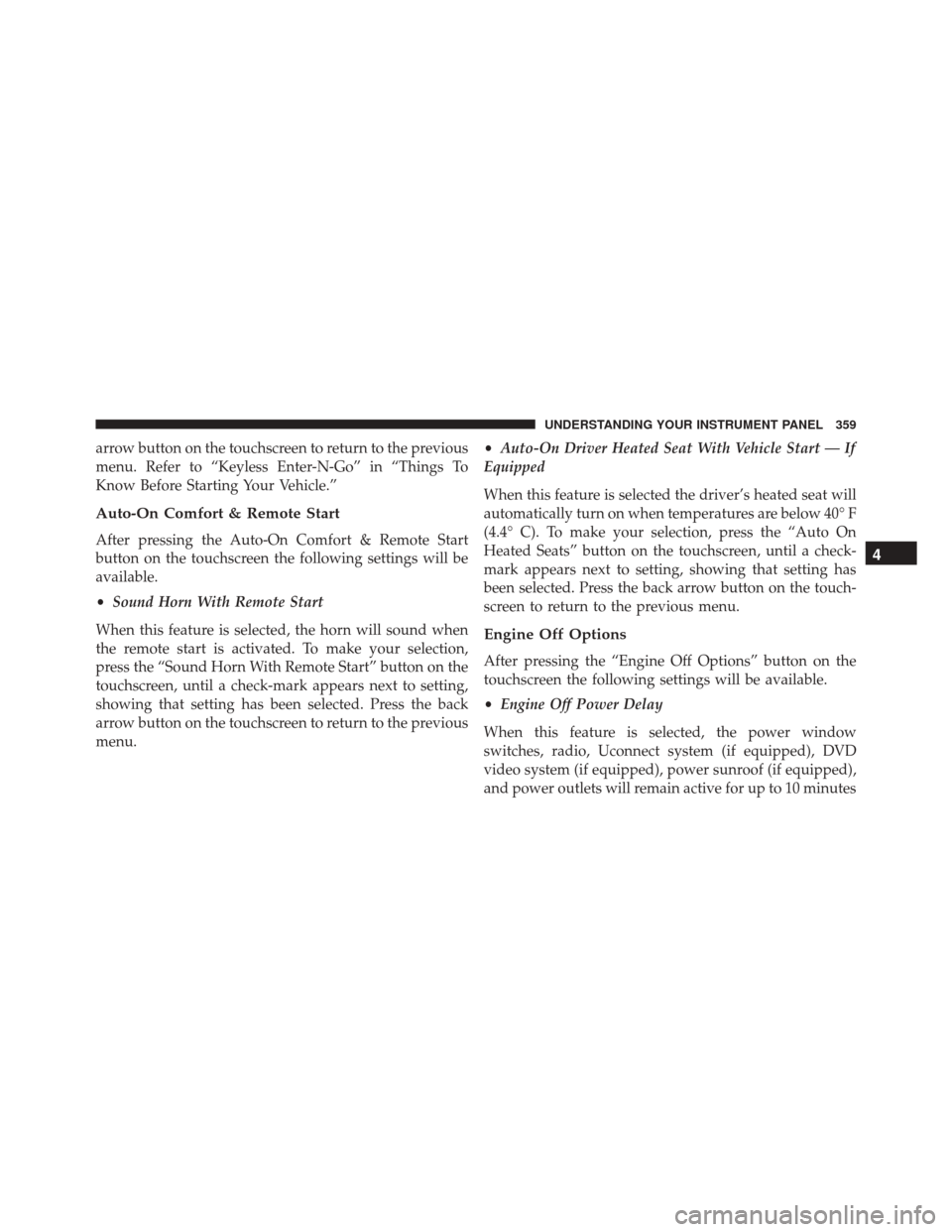
arrow button on the touchscreen to return to the previous
menu. Refer to “Keyless Enter-N-Go” in “Things To
Know Before Starting Your Vehicle.”
Auto-On Comfort & Remote Start
After pressing the Auto-On Comfort & Remote Start
button on the touchscreen the following settings will be
available.
•Sound Horn With Remote Start
When this feature is selected, the horn will sound when
the remote start is activated. To make your selection,
press the “Sound Horn With Remote Start” button on the
touchscreen, until a check-mark appears next to setting,
showing that setting has been selected. Press the back
arrow button on the touchscreen to return to the previous
menu. •
Auto-On Driver Heated Seat With Vehicle Start — If
Equipped
When this feature is selected the driver’s heated seat will
automatically turn on when temperatures are below 40° F
(4.4° C). To make your selection, press the “Auto On
Heated Seats” button on the touchscreen, until a check-
mark appears next to setting, showing that setting has
been selected. Press the back arrow button on the touch-
screen to return to the previous menu.
Engine Off Options
After pressing the “Engine Off Options” button on the
touchscreen the following settings will be available.
• Engine Off Power Delay
When this feature is selected, the power window
switches, radio, Uconnect system (if equipped), DVD
video system (if equipped), power sunroof (if equipped),
and power outlets will remain active for up to 10 minutes
4
UNDERSTANDING YOUR INSTRUMENT PANEL 359
Page 608 of 664
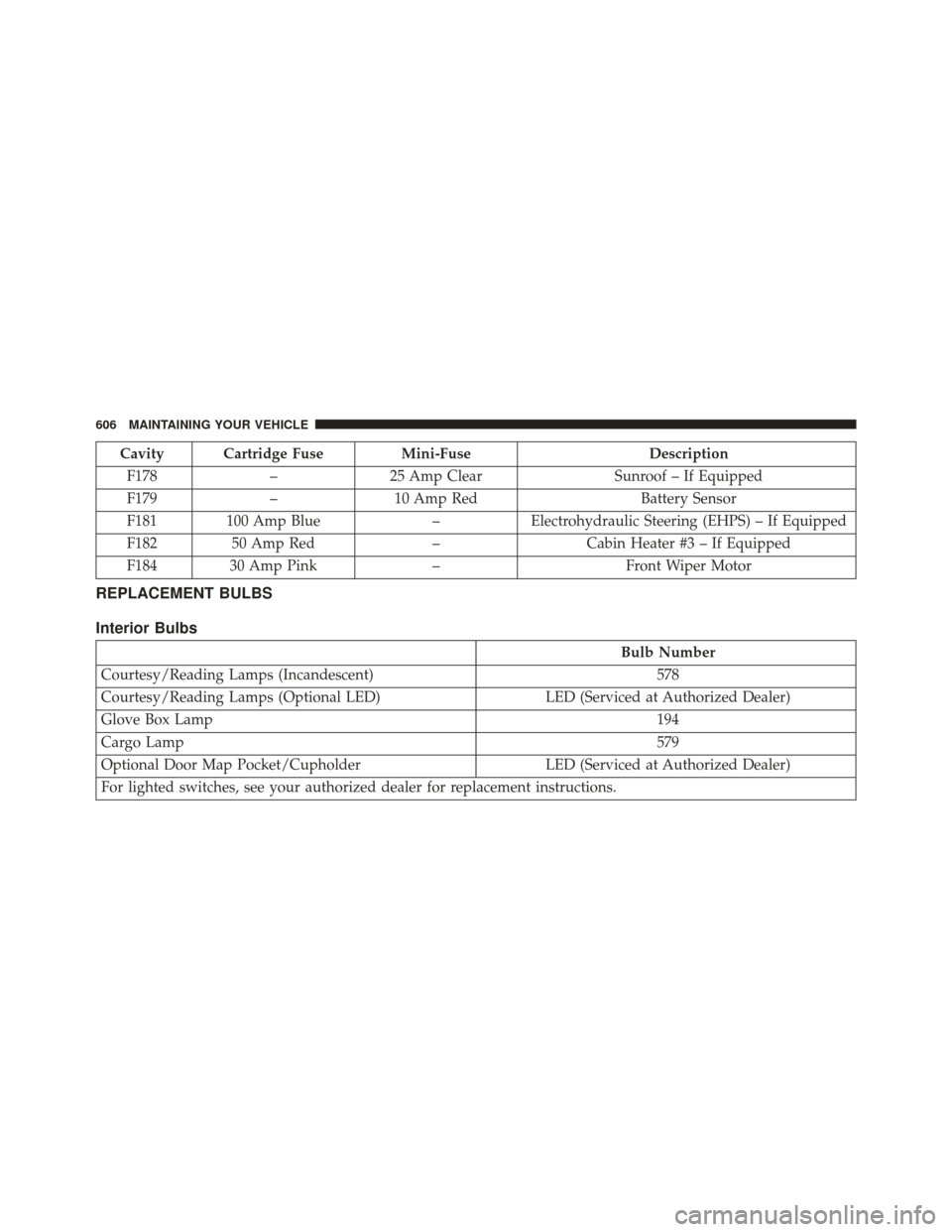
Cavity Cartridge FuseMini-FuseDescription
F178 –25 Amp Clear Sunroof – If Equipped
F179 –10 Amp Red Battery Sensor
F181 100 Amp Blue –Electrohydraulic Steering (EHPS) – If Equipped
F182 50 Amp Red –Cabin Heater #3 – If Equipped
F184 30 Amp Pink –Front Wiper Motor
REPLACEMENT BULBS
Interior Bulbs
Bulb Number
Courtesy/Reading Lamps (Incandescent) 578
Courtesy/Reading Lamps (Optional LED) LED (Serviced at Authorized Dealer)
Glove Box Lamp 194
Cargo Lamp 579
Optional Door Map Pocket/Cupholder LED (Serviced at Authorized Dealer)
For lighted switches, see your authorized dealer for replacement instructions.
606 MAINTAINING YOUR VEHICLE
Page 654 of 664
Distribution Center (Fuses)................602
Door Locks ............................31
Inverter ............................. .272
Mirrors ............................. .121
Outlet (Auxiliary Electrical Outlet) ...........268
Seats ............................... .199
Steering .......................... .444, 445
Sunroof ............................. .264
Transfer Unit ......................... .592
Windows ..............................41
Power Seats Down .............................. .200
Forward ............................. .200
Rearward ............................ .200
Up ................................ .200
Power Steering Fluid ...................... .618
Power Transfer Unit ....................592, 618
Pregnant Women And Seat Belts ...............57
Preparation For Jacking .....................534 Pretensioners
Seat Belts ..............................57
Programming Transmitters (Remote Keyless Entry) . .21
Radial Ply Tires ......................... .478
Radiator Cap (Coolant Pressure Cap) ...........583
Radio Frequency General Information ............15, 18, 26, 29, 40
Radio Operation ......................... .387
Radio Remote Controls .....................385
Rear Air Conditioning ...................397, 411
Rear Axle (Differential) .....................591
Rear Camera ........................... .250
Rear Cupholder ......................... .274
Rear Drive Assembly ...................... .591
Rear Liftgate .............................44
Rear ParkSense System .....................242
Rear Seat, Folding .....................213, 220
Rear Window Defroster .....................290
652 INDEX