change time DODGE JOURNEY 2017 1.G User Guide
[x] Cancel search | Manufacturer: DODGE, Model Year: 2017, Model line: JOURNEY, Model: DODGE JOURNEY 2017 1.GPages: 510
Page 196 of 510
2. Push and hold the desired HomeLink button until theindicator light begins to flash after 20 seconds. Do not
release the button.
3. Without releasing the button, proceed with “Program-
ming A Non-Rolling Code” step 2 and follow all remain-
ing steps.
Canadian/Gate Operator Programming
For programming transmitters in Canada/United States
that require the transmitter signals to “time-out” after
several seconds of transmission:
Canadian radio frequency laws require transmitter signals
to time-out (or quit) after several seconds of transmission,
which may not be long enough for HomeLink to pick up
the signal during programming. Similar to this Canadian
law, some U.S. gate operators are designed to time-out in
the same manner.
It may be helpful to unplug the device during the cycling
process to prevent possible overheating of the garage door
or gate motor.
1. Cycle the ignition to the ON/RUN position. 2. Place the hand-held transmitter 1 to 3 inches (3 to 8 cm)
away from the HomeLink button you wish to program
while keeping the HomeLink indicator light in view.
3. Continue to push and hold the HomeLink button while you push and release (“cycle”) your hand-held trans-
mitter every two seconds until HomeLink has success-
fully accepted the frequency signal. The indicator light
will flash slowly and then rapidly when fully trained.
4. Watch for the HomeLink indicator to change flash rates. When it changes, it is programmed. It may take up to 30
seconds or longer in rare cases. The garage door may
open and close while you are programming.
5. Push and hold the programmed HomeLink button and observe the indicator light.
NOTE: •If the indicator light stays on constantly, programming
is complete and the garage door/device should acti-
vate when the HomeLink button is pushed.
• To program the two remaining HomeLink buttons,
repeat each step for each remaining button. DO NOT
erase the channels.
194 UNDERSTANDING THE FEATURES OF YOUR VEHICLE
Page 247 of 510
Unless reset, this message will continue to display each
time you cycle the ignition to the ON/RUN position. To
turn off the message temporarily, push and release theUP
arrow button. To reset the oil change indicator sys-
tem (after performing the scheduled maintenance), per-
form the following procedure:
1. Without pushing the brake pedal, push and release the ENGINE START/STOP button and cycle the ignition to
the ON/RUN position (do not start the engine).
2. Fully push the accelerator pedal, slowly, three times within 10 seconds.
3. Without pushing the brake pedal, push and release the ENGINE START/STOP button once to return the igni-
tion to the OFF/LOCK position.
NOTE: If the indicator message illuminates when you start
the vehicle, the oil change indicator system did not reset. If
necessary, repeat this procedure.
Fuel Economy
Push and release the UPorDOWNarrow button
until “Fuel Economy” displays highlighted in the In-
strument Cluster Display and push the RIGHT
ar-
row button. The following Fuel Economy functions will
display in the Instrument Cluster Display:
• Average Fuel Economy
• Distance To Empty (DTE)
• Instantaneous Fuel Economy
Average Fuel Economy
Shows the average fuel economy since the last reset. When
the fuel economy is reset, the display will read “RESET” or
show dashes for two seconds. Then, the history informa-
tion will be erased, and the averaging will continue from
the last fuel average reading before the reset.
Fuel Economy
4
UNDERSTANDING YOUR INSTRUMENT PANEL 245
Page 248 of 510
Distance To Empty (DTE)
Shows the estimated distance that can be traveled with the
fuel remaining in the tank. This estimated distance is
determined by a weighted average of the instantaneous
and average fuel economy, according to the current fuel
tank level. DTE cannot be reset through theRIGHT
arrow button.
NOTE:Significant changes in driving style or vehicle
loading will greatly affect the actual drivable distance of
the vehicle, regardless of the DTE displayed value.
When the DTE value is less than 30 miles (48 km) estimated
driving distance, the DTE display will change to a “LOW
FUEL” message. This display will continue until the ve-
hicle runs out of fuel. Adding a significant amount of fuel
to the vehicle will turn off the “LOW FUEL” message and
a new DTE value will display.
Instantaneous Fuel Economy
This display shows the instantaneous MPG or L/ 100 km in
bar graph form while driving. This will monitor the gas
mileage in real-time as you drive and can be used to
modify driving habits in order to increase fuel economy.
Vehicle Speed
Push and release the UPorDOWNarrow button
until “Vehicle Speed” displays highlighted in the Instru-
ment Cluster Display. Push the RIGHT
arrow button
to display the current speed in MPH or km/h. Pushing
the RIGHT
arrow button a second time will toggle
the unit of measure between MPH or km/h.
NOTE: Changing the unit of measure in the Vehicle Speed
menu will not change the unit of measure in the Instrument
Cluster Display.
246 UNDERSTANDING YOUR INSTRUMENT PANEL
Page 254 of 510
NOTE:
•FCA or your dealer may contact you directly regarding
software updates.
• To help further improve vehicle security and minimize
the potential risk of a security breach, vehicle owners
should:
• Routinely check www.driveuconnect.com/software-
update to learn about available Uconnect software
updates.
• Only connect and use trusted media devices (e.g.
personal mobile phones, USBs, CDs).
Privacy of any wireless and wired communications cannot
be assured. Third parties may unlawfully intercept infor-
mation and private communications without your consent.
For further information, refer to “Onboard Diagnostic
System (OBD II) Cybersecurity” in “Maintaining Your
Vehicle”.UCONNECT SETTINGS
The Uconnect system uses a combination of buttons on the
touchscreen and buttons on the faceplate located on the
center of the instrument panel that allows you to access
and change the customer programmable features.
Buttons On The Faceplate
Buttons on the faceplate are located on the left and right
side of the Radio 4.3 screen. In addition, there is a Scroll/
Enter control knob located on the right side of the Climate
Controls in the center of the instrument panel. Turn the
control knob to scroll through menus and change settings
(i.e., 30, 60, 90), push the center of the control knob one or
more times to select or change a setting (i.e., ON, OFF).
Buttons On The Touchscreen
Buttons on the touchscreen are accessible on the Radio
Touchscreen.
CAUTION!
Do not attach any object to touchscreen, doing so can
result in damage to the touchscreen.
252 UNDERSTANDING YOUR INSTRUMENT PANEL
Page 255 of 510
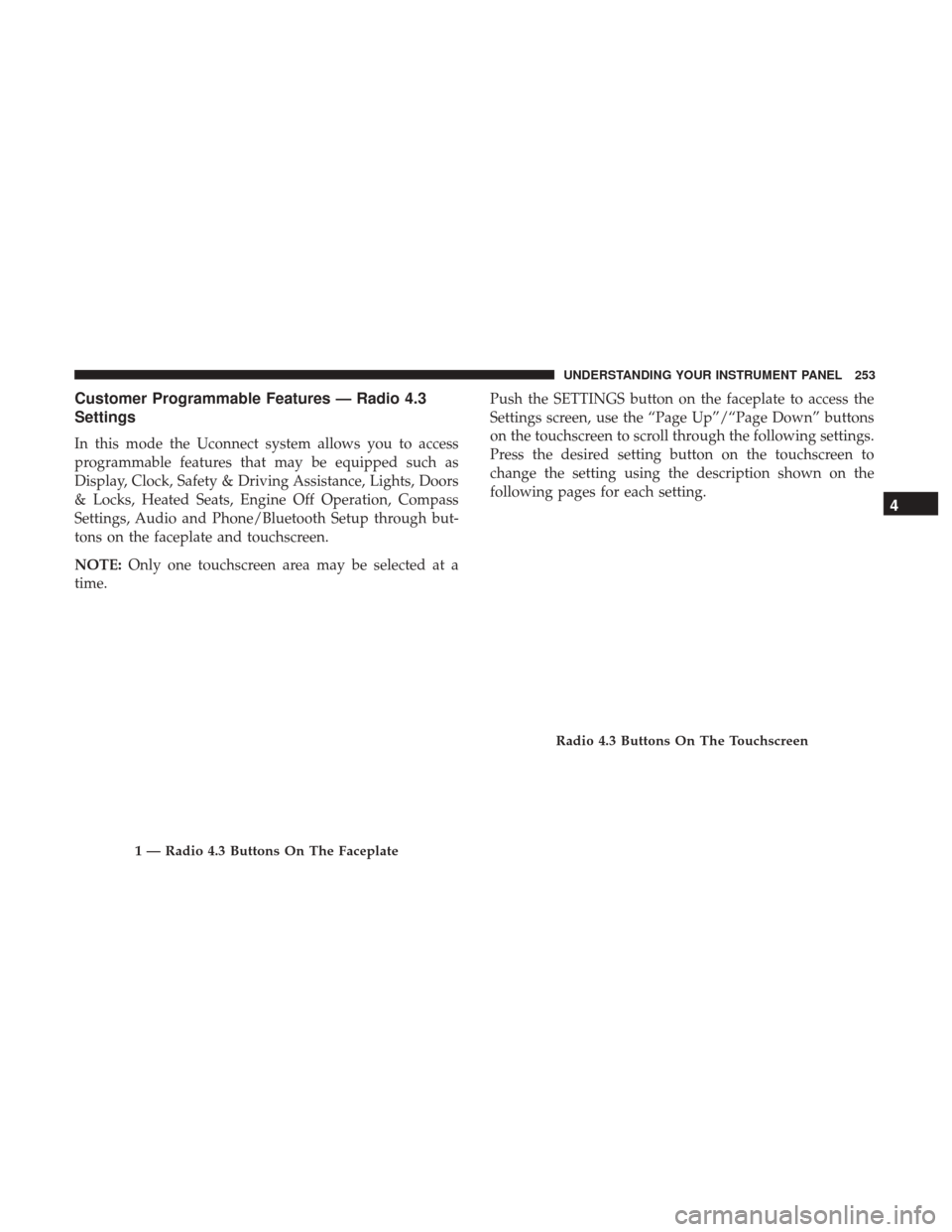
Customer Programmable Features — Radio 4.3
Settings
In this mode the Uconnect system allows you to access
programmable features that may be equipped such as
Display, Clock, Safety & Driving Assistance, Lights, Doors
& Locks, Heated Seats, Engine Off Operation, Compass
Settings, Audio and Phone/Bluetooth Setup through but-
tons on the faceplate and touchscreen.
NOTE:Only one touchscreen area may be selected at a
time. Push the SETTINGS button on the faceplate to access the
Settings screen, use the “Page Up”/“Page Down” buttons
on the touchscreen to scroll through the following settings.
Press the desired setting button on the touchscreen to
change the setting using the description shown on the
following pages for each setting.
1 — Radio 4.3 Buttons On The Faceplate
Radio 4.3 Buttons On The Touchscreen
4
UNDERSTANDING YOUR INSTRUMENT PANEL 253
Page 259 of 510
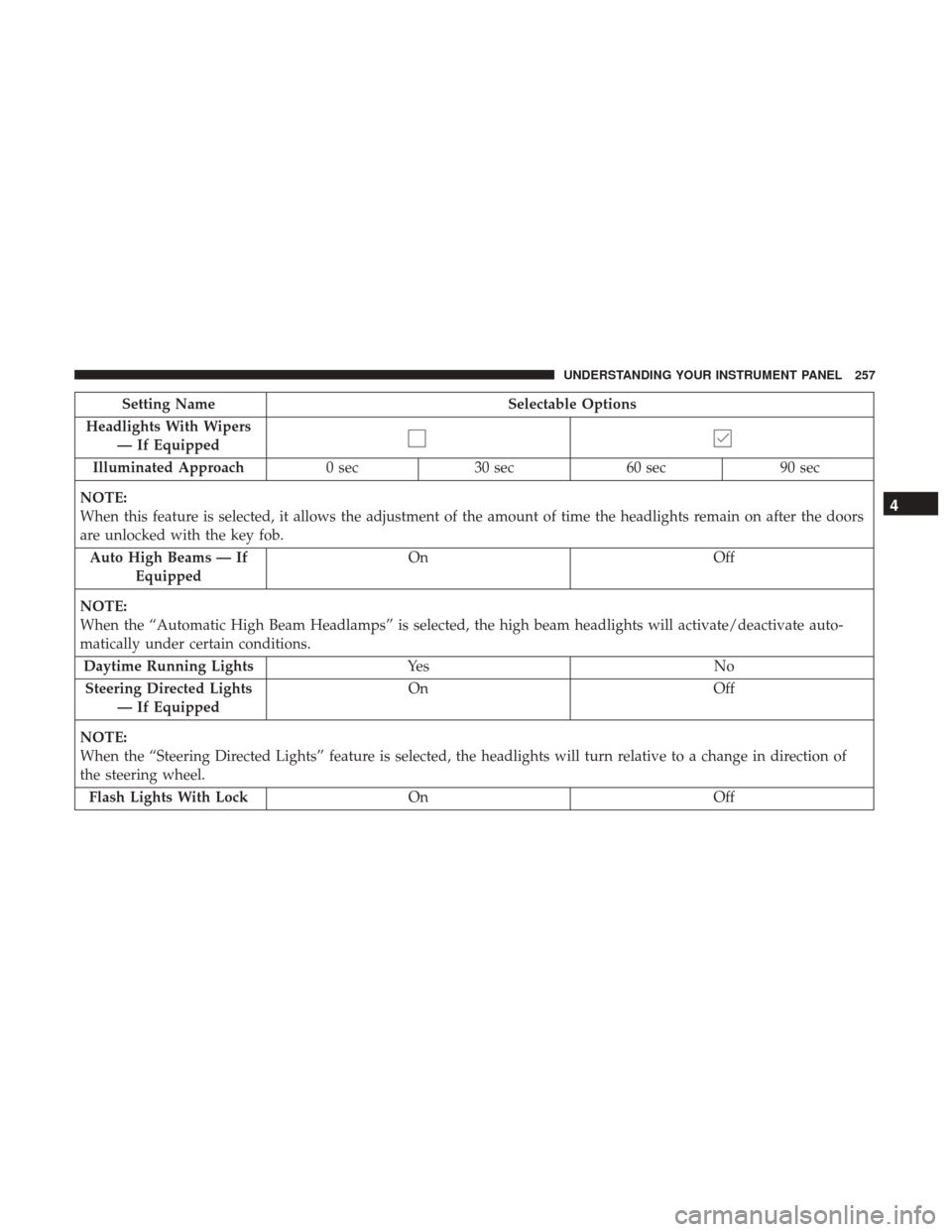
Setting NameSelectable Options
Headlights With Wipers — If Equipped
Illuminated Approach 0 sec30 sec 60 sec 90 sec
NOTE:
When this feature is selected, it allows the adjustment of the amount of time the headlights remain on after the doors
are unlocked with the key fob. Auto High Beams — If Equipped On
Off
NOTE:
When the “Automatic High Beam Headlamps” is selected, the high beam headlights will activate/deactivate auto-
matically under certain conditions. Daytime Running Lights Ye sN o
Steering Directed Lights — If Equipped On
Off
NOTE:
When the “Steering Directed Lights” feature is selected, the headlights will turn relative to a change in direction of
the steering wheel. Flash Lights With Lock OnOff
4
UNDERSTANDING YOUR INSTRUMENT PANEL 257
Page 273 of 510
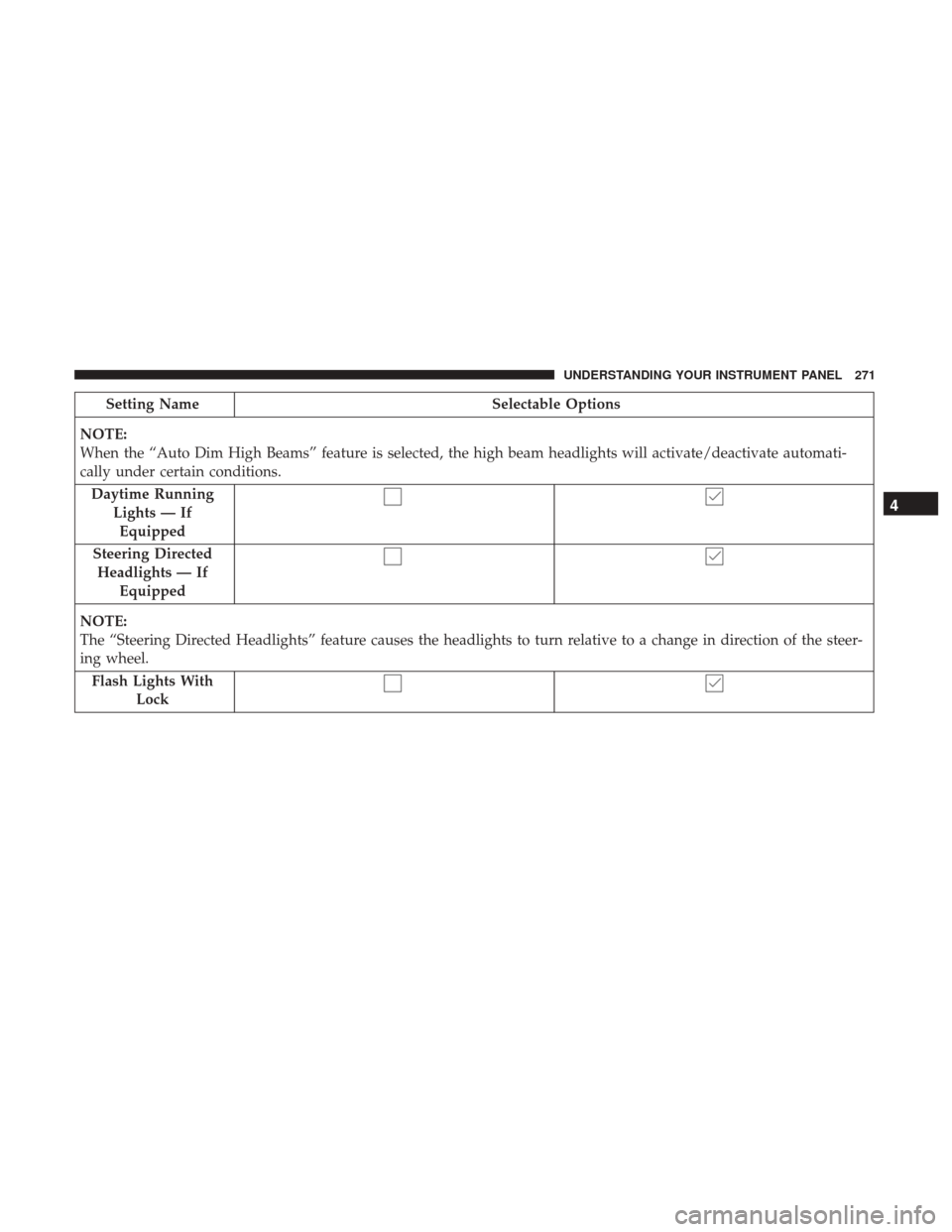
Setting NameSelectable Options
NOTE:
When the “Auto Dim High Beams” feature is selected, the high beam headlights will activate/deactivate automati-
cally under certain conditions. Daytime Running Lights — IfEquipped
Steering Directed Headlights — If Equipped
NOTE:
The “Steering Directed Headlights” feature causes the headlights to turn relative to a change in direction of the steer-
ing wheel. Flash Lights With Lock
4
UNDERSTANDING YOUR INSTRUMENT PANEL 271
Page 298 of 510
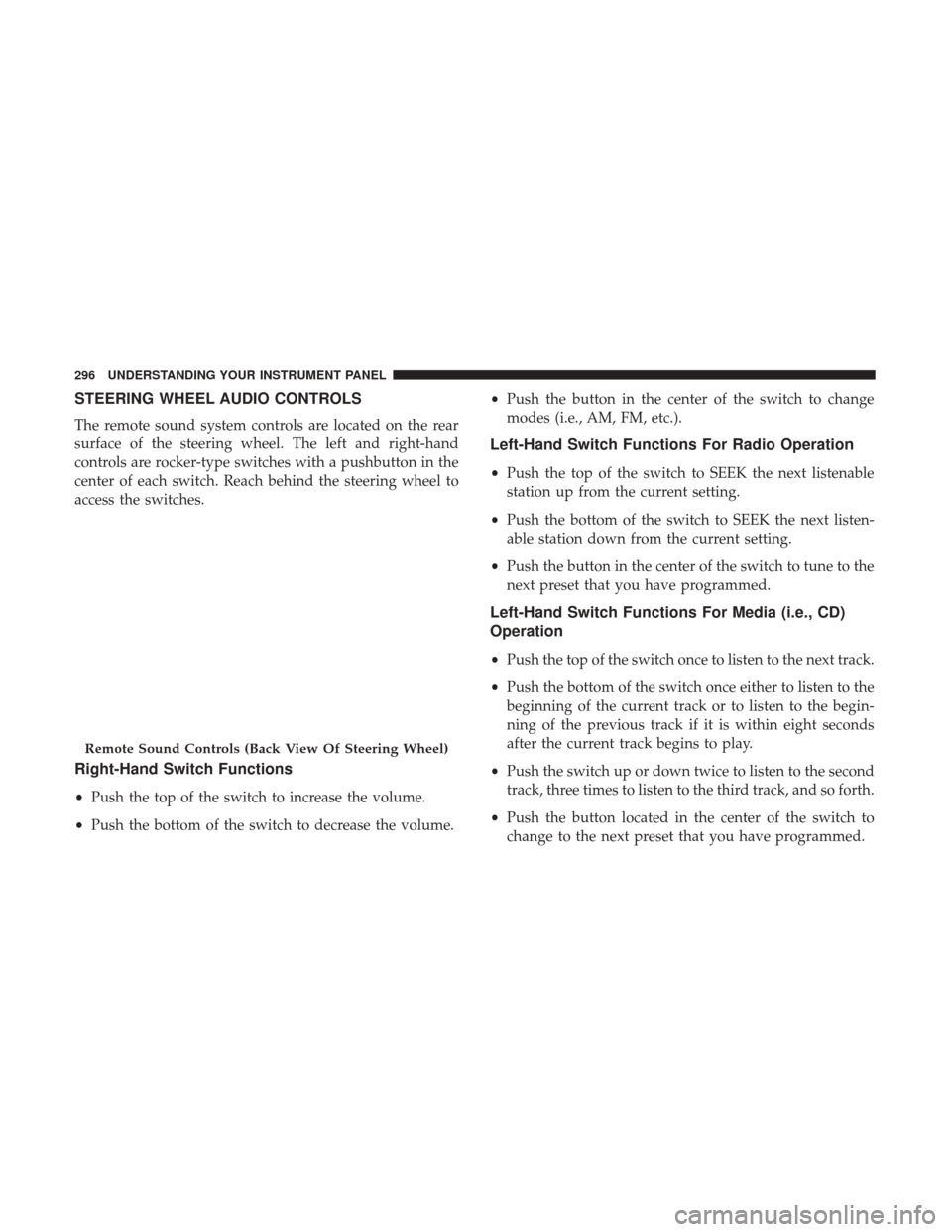
STEERING WHEEL AUDIO CONTROLS
The remote sound system controls are located on the rear
surface of the steering wheel. The left and right-hand
controls are rocker-type switches with a pushbutton in the
center of each switch. Reach behind the steering wheel to
access the switches.
Right-Hand Switch Functions
•Push the top of the switch to increase the volume.
• Push the bottom of the switch to decrease the volume. •
Push the button in the center of the switch to change
modes (i.e., AM, FM, etc.).
Left-Hand Switch Functions For Radio Operation
• Push the top of the switch to SEEK the next listenable
station up from the current setting.
• Push the bottom of the switch to SEEK the next listen-
able station down from the current setting.
• Push the button in the center of the switch to tune to the
next preset that you have programmed.
Left-Hand Switch Functions For Media (i.e., CD)
Operation
• Push the top of the switch once to listen to the next track.
• Push the bottom of the switch once either to listen to the
beginning of the current track or to listen to the begin-
ning of the previous track if it is within eight seconds
after the current track begins to play.
• Push the switch up or down twice to listen to the second
track, three times to listen to the third track, and so forth.
• Push the button located in the center of the switch to
change to the next preset that you have programmed.
Remote Sound Controls (Back View Of Steering Wheel)
296 UNDERSTANDING YOUR INSTRUMENT PANEL
Page 315 of 510
MAX A/C
MAX A/C sets the control for maximum cooling perfor-
mance.
Press and release to toggle between MAX A/C and the
prior settings. The button on the touchscreen illuminates
when MAX A/C is ON.
In MAX A/C, the blower level and mode position can be
adjusted to desired user settings. Pressing other settings
will cause the MAX A/C operation to switch to the selected
setting and MAX A/C to exit.
Recirculation ControlWhen outside air contains smoke, odors, or high
humidity, or if rapid cooling is desired, you may
wish to recirculate interior air by pressing the
Recirculation control button. The recirculation
indicator will illuminate when this button is selected. Push
the button a second time to turn off the Recirculation mode
and allow outside air into the vehicle. NOTE:
In cold weather, use of Recirculation mode may
lead to excessive window fogging. The Recirculation mode
is not allowed in Defrost mode to improve window clear-
ing operation. Recirculation will be disabled automatically
if this mode is selected. Attempting to use Recirculation
while in this mode will cause the LED in the control button
to blink and then turn off.
Automatic Temperature Control (ATC)
Automatic Operation
1. Push the AUTO button on the faceplate, or press the button on the touchscreen (4), on the Automatic Tem-
perature Control (ATC) Panel.
2. Next, adjust the temperature you would like the system to maintain by adjusting the driver and passenger
temperature buttons on the touchscreen or buttons on
the faceplate. Once the desired temperature is dis-
played, the system will achieve and automatically main-
tain that comfort level.
3. When the system is set up for your comfort level, it is not necessary to change the settings. You will experience
the greatest efficiency by simply allowing the system to
function automatically.
4
UNDERSTANDING YOUR INSTRUMENT PANEL 313
Page 329 of 510
NOTE:If the ignition is left in the ACC or RUN (engine not
running) position and the transmission is in PARK, the
system will automatically time out after 30 minutes of
inactivity and the ignition will switch to the OFF position.
ENGINE START/STOP Button Functions — With
Driver ’s Foot OFF The Brake Pedal (In PARK Or
NEUTRAL Position)
The ENGINE START/STOP button operates similar to an
ignition switch. It has four positions, OFF, ACC, RUN and
START. To change the ignition positions without starting
the vehicle and use the accessories, follow these steps:
• Starting with the ignition in the OFF position.
• Push the ENGINE START/STOP button once to place
the ignition to the ACC position (instrument cluster
display will display “ACC”).
• Push the ENGINE START/STOP button a second time to
place the ignition to the RUN position (instrument
cluster display will display “ON/RUN”).
• Push the ENGINE START/STOP button a third time to
return the ignition to the OFF position (instrument
cluster display will display “OFF”).
Extreme Cold Weather (Below –22°F Or 30°C)
To ensure reliable starting at these temperatures, use of an
externally powered electric engine block heater (available
from your authorized dealer) is recommended.
If Engine Fails To Start
WARNING!
• Never pour fuel or other flammable liquid into the
throttle body air inlet opening in an attempt to start
the vehicle. This could result in flash fire causing
serious personal injury.
• Do not attempt to push or tow your vehicle to get it
started. Vehicles equipped with an automatic trans-
mission cannot be started this way. Unburned fuel
could enter the catalytic converter and once the
engine has started, ignite and damage the converter
and vehicle.
• If the vehicle has a discharged battery, booster cables
may be used to obtain a start from a booster battery
or the battery in another vehicle. This type of start
can be dangerous if done improperly. Refer to
“Jump-Starting” in “What To Do In Emergencies” for
further information.
5
STARTING AND OPERATING 327