reset DODGE JOURNEY 2019 Owner's Manual
[x] Cancel search | Manufacturer: DODGE, Model Year: 2019, Model line: JOURNEY, Model: DODGE JOURNEY 2019Pages: 524, PDF Size: 5.29 MB
Page 427 of 524
same (shared) mode, a VES icon will be visible on the
radio’s display for that channel, and the shared icon will be
visible on the VES screen. When in shared mode, the same
audio source is heard in the shared headphone channel 1 or
channel 2.
If the radio functions (FM, AM, or SAT) are in the shared
mode with the VES, only the radio is able to control the
radio functions. In this case, VES can share the radio mode,
but not change stations until the radio mode is changed to
a mode that is different from the VES selected radio mode.
When shared, the radio has priority for all radio modes
(FM, AM). The VES has the ability to switch tuner (AM/
FM), SEEK, TUNE, and recall presets in radio modes as
long as it is not in shared mode.
When in shared disc both the radio and the VES have
control of the video functions. The VES has the ability to
control the following video modes:
NOTE:
•CD: Ability to Fast Forward, Rewind, and Track Up/
Down.
The VES can even control radio modes or video modes
while the radio is turned off. The VES can access the radio modes or disc modes by navigating to those modes on the
VES and activating a radio mode or disc mode.
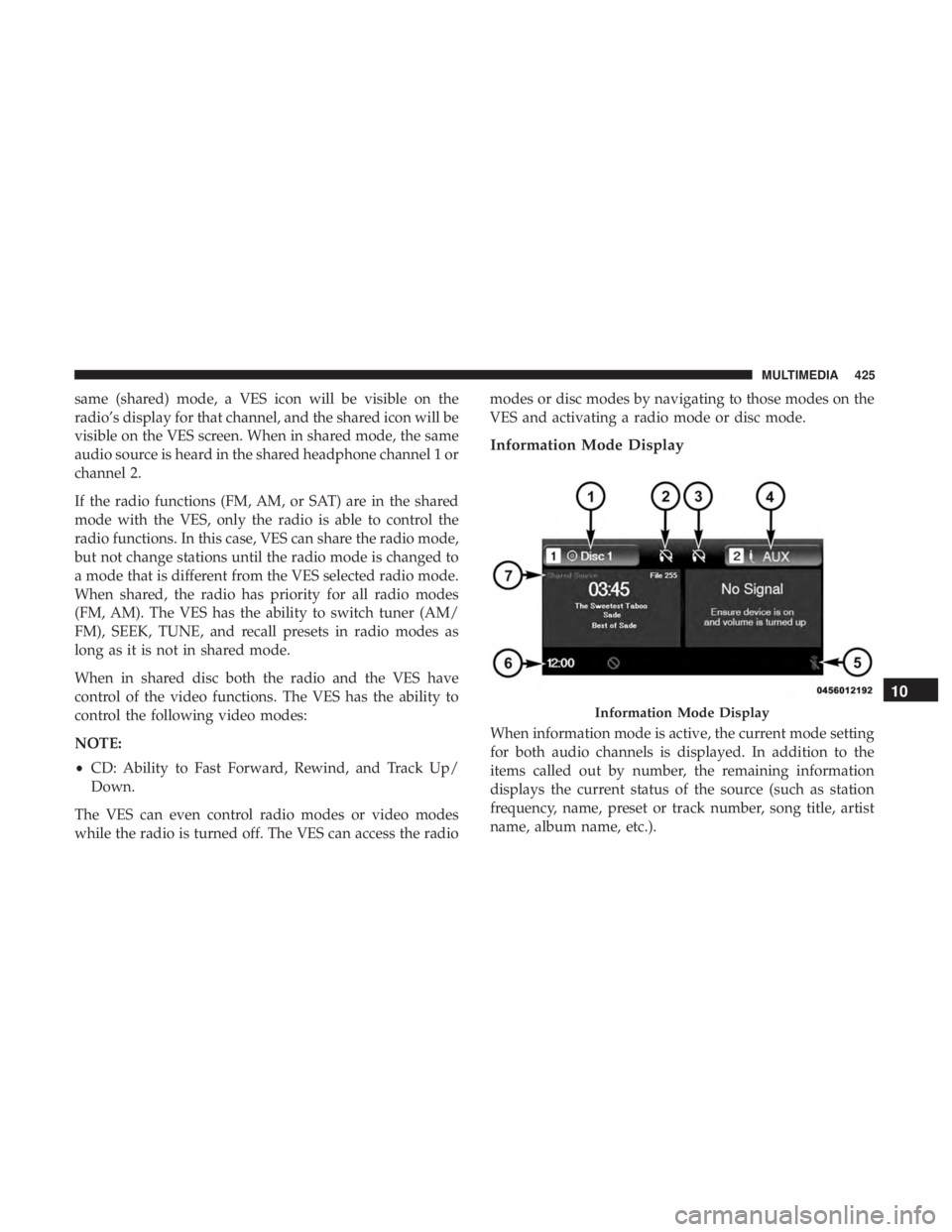
Information Mode Display
When information mode is active, the current mode setting
for both audio channels is displayed. In addition to the
items called out by number, the remaining information
displays the current status of the source (such as station
frequency, name, preset or track number, song title, artist
name, album name, etc.).
Information Mode Display
10
MULTIMEDIA 425
Page 430 of 524
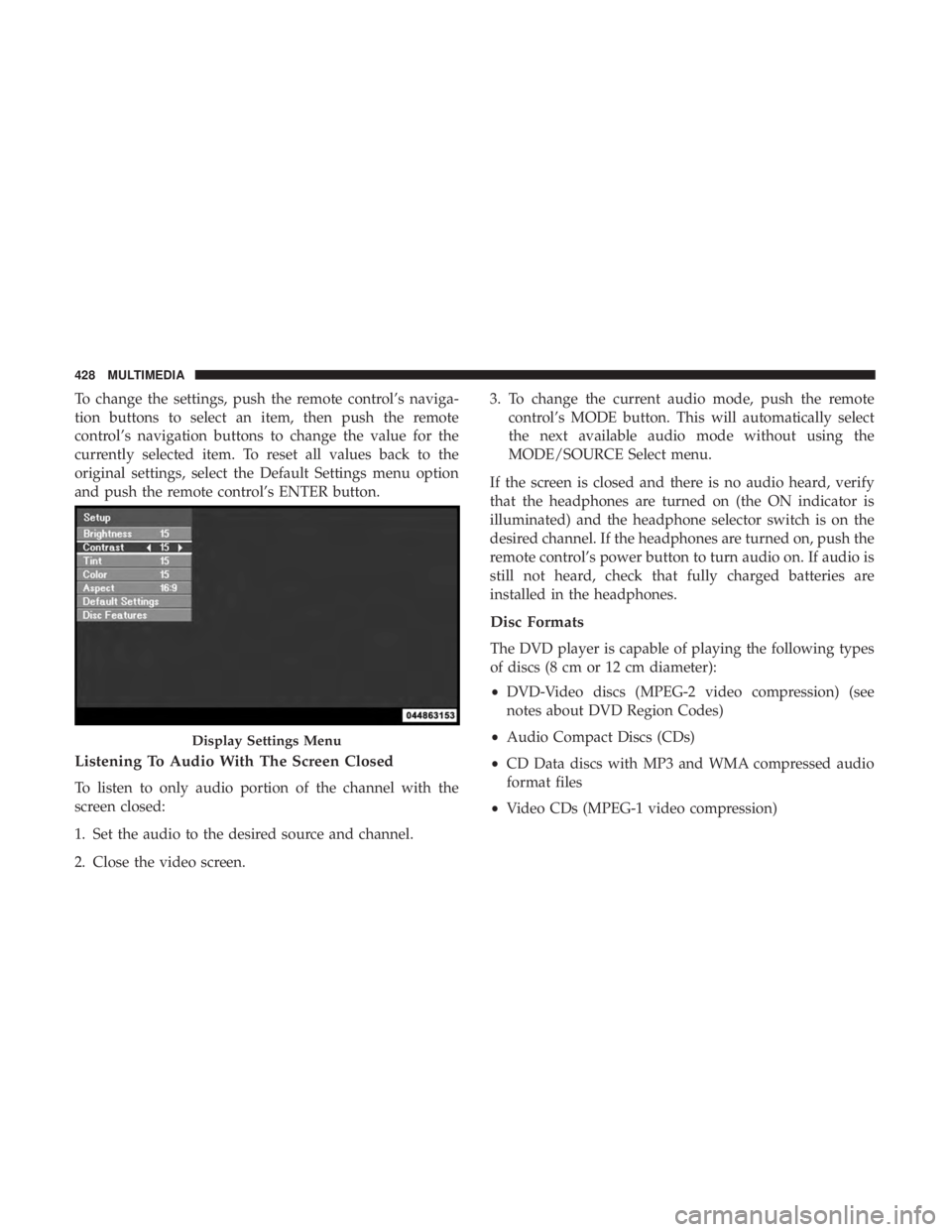
To change the settings, push the remote control’s naviga-
tion buttons to select an item, then push the remote
control’s navigation buttons to change the value for the
currently selected item. To reset all values back to the
original settings, select the Default Settings menu option
and push the remote control’s ENTER button.
Listening To Audio With The Screen Closed
To listen to only audio portion of the channel with the
screen closed:
1. Set the audio to the desired source and channel.
2. Close the video screen.3. To change the current audio mode, push the remote
control’s MODE button. This will automatically select
the next available audio mode without using the
MODE/SOURCE Select menu.
If the screen is closed and there is no audio heard, verify
that the headphones are turned on (the ON indicator is
illuminated) and the headphone selector switch is on the
desired channel. If the headphones are turned on, push the
remote control’s power button to turn audio on. If audio is
still not heard, check that fully charged batteries are
installed in the headphones.
Disc Formats
The DVD player is capable of playing the following types
of discs (8 cm or 12 cm diameter):
• DVD-Video discs (MPEG-2 video compression) (see
notes about DVD Region Codes)
• Audio Compact Discs (CDs)
• CD Data discs with MP3 and WMA compressed audio
format files
• Video CDs (MPEG-1 video compression)
Display Settings Menu
428 MULTIMEDIA
Page 440 of 524
•Automatic download and update of a phone book, if
supported, begins as soon as the Bluetooth wireless
phone connection is made to the Uconnect Phone, for
example, after you start the vehicle.
• A maximum of 2,000 entries per phone will be down-
loaded and updated every time a phone is connected to
the Uconnect Phone.
• Depending on the maximum number of entries down-
loaded, there may be a short delay before the latest
downloaded names can be used. Until then, if available,
the previously downloaded phonebook is available for
use.
• Only the phonebook of the currently connected mobile
phone is accessible.
• This downloaded phonebook cannot be edited or de-
leted on the Uconnect Phone. These can only be edited
on the mobile phone. The changes are transferred and
updated to Uconnect Phone on the next phone connec-
tion.
Emergency And Towing Assistance
The 911/Help numbers can only be altered. These can not
be deleted or the names can not be changed. To change the 911/Help number, follow these steps:
1. Press the “Phonebook” button on the touchscreen from
the Phone main screen.
2. Press the “911/Help” button on the touchscreen. Press the appropriate listing to alter, Emergency for example.
3. Once Emergency is pressed, the “Edit” button on the touchscreen appears. Press the “Edit” button on the
touchscreen and you will be given the choice to Edit
Number or Reset to Default.
4. Follow the on-screen prompts to complete the task.
Phone Call Features
The following features can be accessed through the
Uconnect Phone if the feature(s) are available on your
mobile service plan. For example, if your mobile service
plan provides three-way calling, this feature can be ac-
cessed through the Uconnect Phone. Check with your
mobile service provider for the features that you have.
Ways To Initiate A Phone Call
Listed below are all the ways you can initiate a phone call
with Uconnect Phone.
• Redial
438 MULTIMEDIA
Page 462 of 524
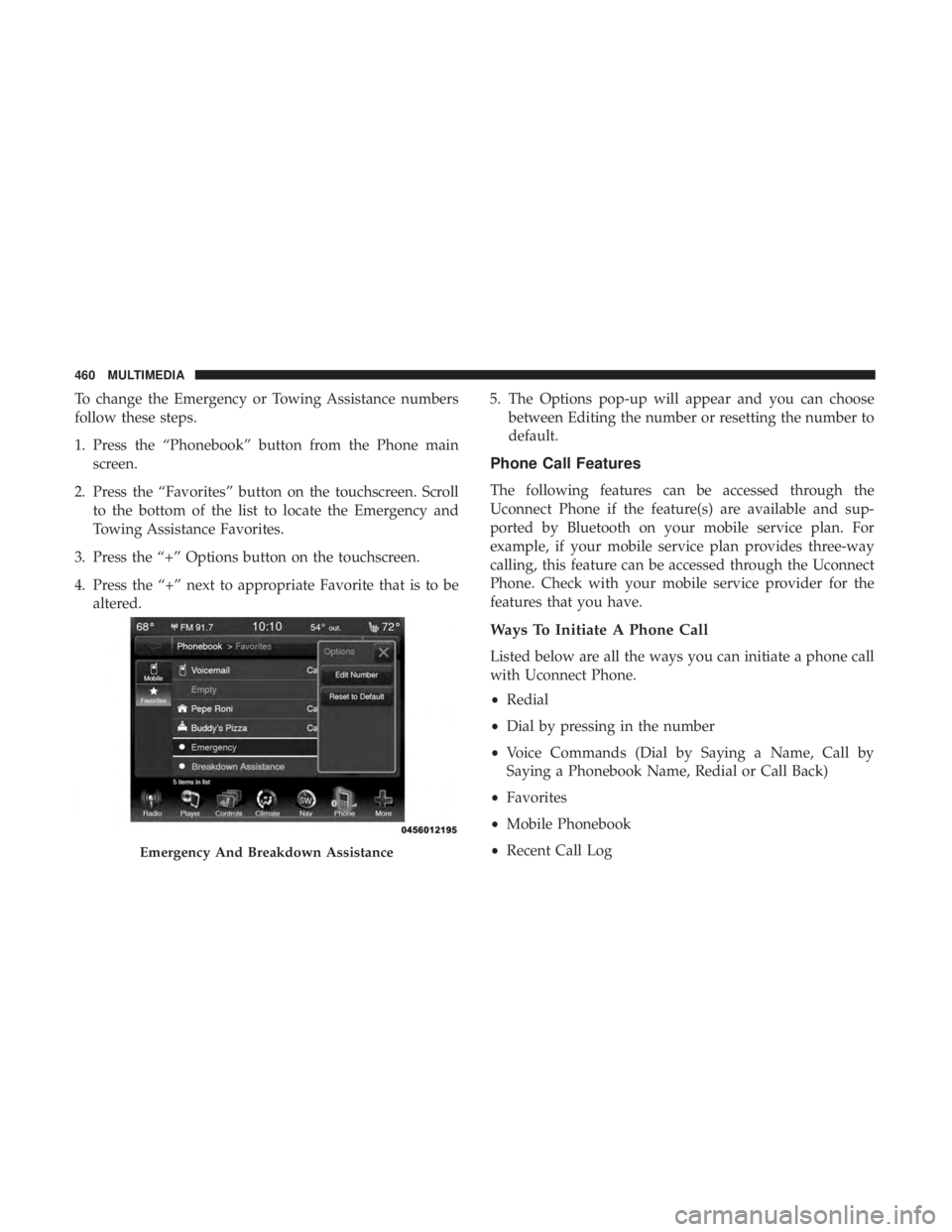
To change the Emergency or Towing Assistance numbers
follow these steps.
1. Press the “Phonebook” button from the Phone mainscreen.
2. Press the “Favorites” button on the touchscreen. Scroll to the bottom of the list to locate the Emergency and
Towing Assistance Favorites.
3. Press the “+” Options button on the touchscreen.
4. Press the “+” next to appropriate Favorite that is to be altered. 5. The Options pop-up will appear and you can choose
between Editing the number or resetting the number to
default.
Phone Call Features
The following features can be accessed through the
Uconnect Phone if the feature(s) are available and sup-
ported by Bluetooth on your mobile service plan. For
example, if your mobile service plan provides three-way
calling, this feature can be accessed through the Uconnect
Phone. Check with your mobile service provider for the
features that you have.
Ways To Initiate A Phone Call
Listed below are all the ways you can initiate a phone call
with Uconnect Phone.
•Redial
• Dial by pressing in the number
• Voice Commands (Dial by Saying a Name, Call by
Saying a Phonebook Name, Redial or Call Back)
• Favorites
• Mobile Phonebook
• Recent Call Log
Emergency And Breakdown Assistance
460 MULTIMEDIA
Page 473 of 524
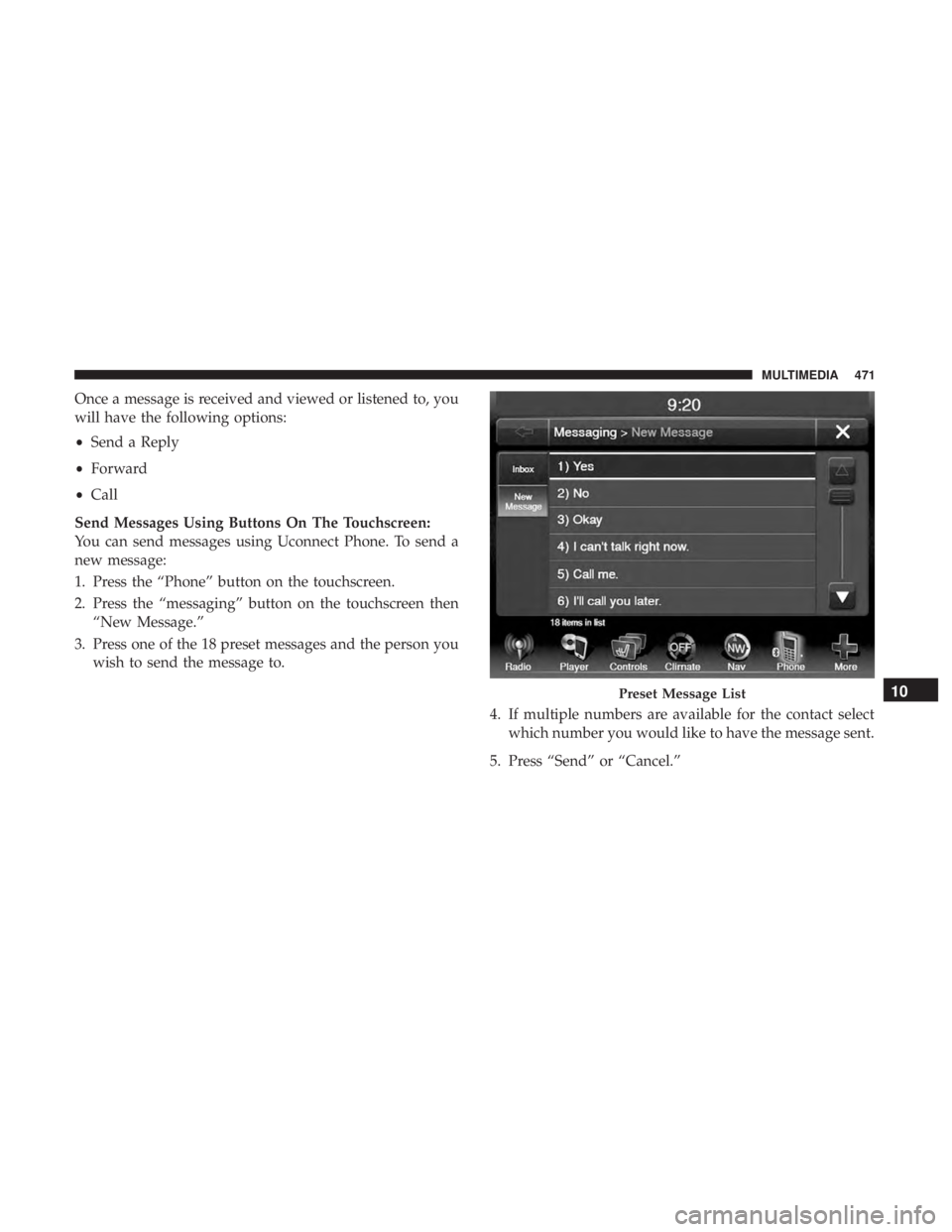
Once a message is received and viewed or listened to, you
will have the following options:
•Send a Reply
• Forward
• Call
Send Messages Using Buttons On The Touchscreen:
You can send messages using Uconnect Phone. To send a
new message:
1. Press the “Phone” button on the touchscreen.
2. Press the “messaging” button on the touchscreen then “New Message.”
3. Press one of the 18 preset messages and the person you wish to send the message to.
4. If multiple numbers are available for the contact selectwhich number you would like to have the message sent.
5. Press “Send” or “Cancel.”
Preset Message List10
MULTIMEDIA 471
Page 474 of 524
Send Messages Using Voice Commands:
1. Push the Phone
button.
2. After the “Listening” prompt and the following beep,say “Send message to John Smith mobile.”
3. After the system prompts you for what message you want to send, say the message you wish to send or say
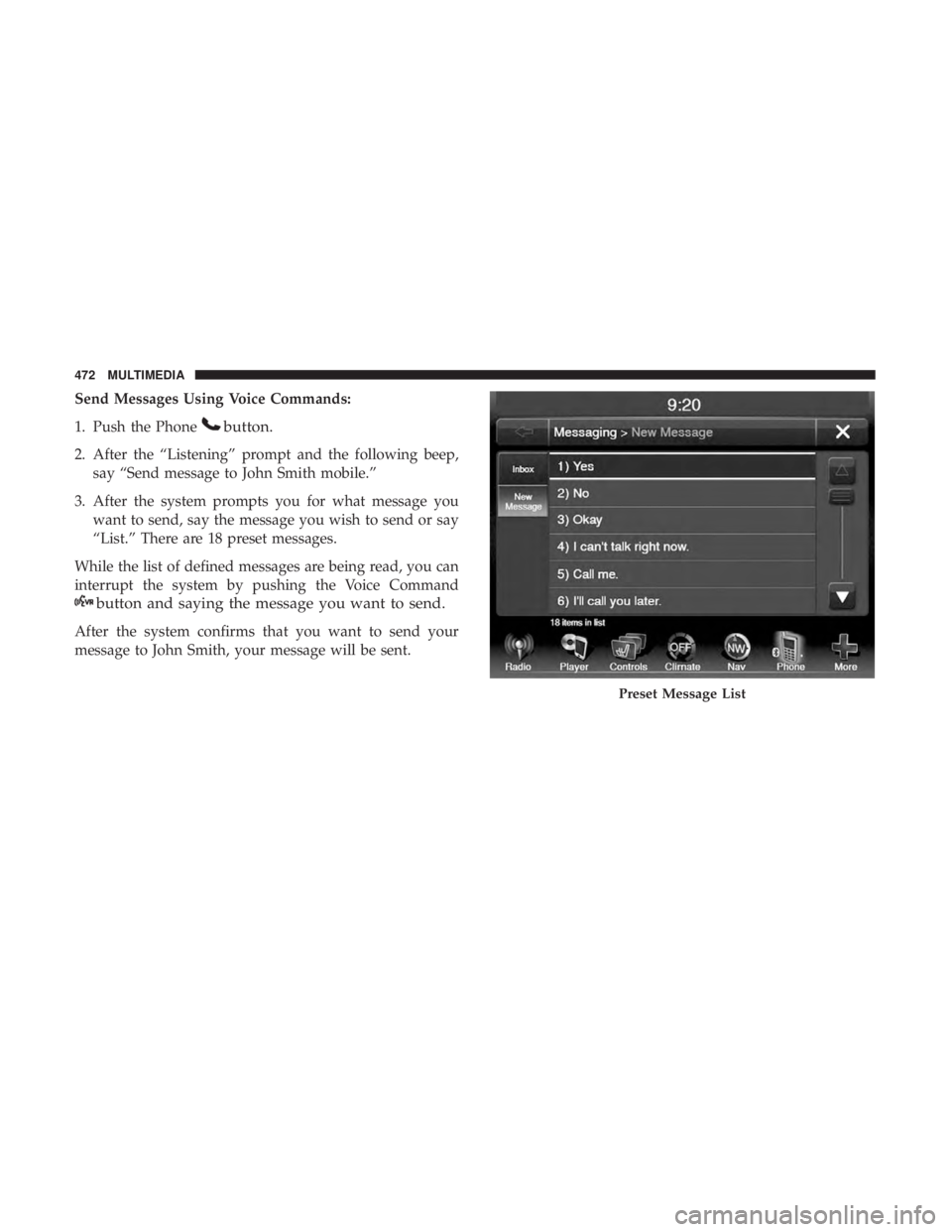
“List.” There are 18 preset messages.
While the list of defined messages are being read, you can
interrupt the system by pushing the Voice Command
button and saying the message you want to send.
After the system confirms that you want to send your
message to John Smith, your message will be sent.
Preset Message List
472 MULTIMEDIA
Page 475 of 524
List of Preset Messages:
1. Yes.
2. No.
3. Okay.
4. I can’t talk right now.
5. Call me.
6. I’ll call you later.
7. I’m on my way.
8. Thanks.
9. I’ll be late.
10. I will be
11. See you in
12. Stuck in traffic.
13. Start without me.14. Where are you?
15. Are you there yet?
16. I need directions.
17. I’m lost.
18. See you later.
Bluetooth Communication Link
Mobile phones have been found to lose connection to the
Uconnect Phone. When this happens, the connection can
generally be re-established by switching the mobile phone
OFF/ON. Your mobile phone is recommended to remain in
Bluetooth ON mode.
Power-Up
After switching the ignition key from OFF to either the ON
or ACC position, or after a language change, you must wait
at least 15 seconds prior to using the system.10
MULTIMEDIA 473
Page 508 of 524
Break-In Recommendations.................233
Checking Oil Level ...................... .320
Compartment ....................... .318, 319
Compartment Identification .................319
Coolant (Antifreeze) ...................331, 382
Cooling .............................. .331
Exhaust Gas Caution ...................223, 378
Fails To Start ........................... .232
Flooded, Starting ........................ .232
Fuel Requirements ....................... .375
Jump Starting .......................... .300
Oil ........................... .322, 381, 382
Oil Filler Cap ....................... .318, 323
Oil Filter .............................. .324
Oil Reset ............................. .139
Oil Selection ........................ .322, 381
Oil Synthetic ........................... .324
Overheating ........................... .303
Starting ........................... .229, 230
Engine Oil Viscosity ........................ .323
Engine Oil Viscosity Chart ....................323
Enhanced Accident Response Feature .........198, 309
Ethanol ............................. .376, 378
Exhaust Gas Cautions ....................223, 378
Exhaust System ....................... .223, 329Exterior Lights
...................... .63, 64, 226
Filters Air Cleaner ............................ .324
Air Conditioning ........................ .101
Engine Oil ......................... .324, 382
Engine Oil Disposal ...................... .324
Flashers ................................ .278
Hazard Warning ........................ .278
Turn Signals ..................... .66, 154, 226
Flash-To-Pass ..............................64
Flexible Fuel Vehicles Cr
uising Range ......................... .380
Engine Oil ............................ .380
Fuel Requirements ....................378, 379
Maintenance ........................... .380
Replacement Parts ....................... .380
Starting .............................. .380
Flooded Engine Starting ..................... .232
Floor Console ............................ .122
Fluid, Brake ............................. .384
Fluid Capacities ........................... .381
Fluid Leaks .............................. .226
Fluid Level Checks Automatic Transmission ................338, 339
506 INDEX
Page 510 of 524
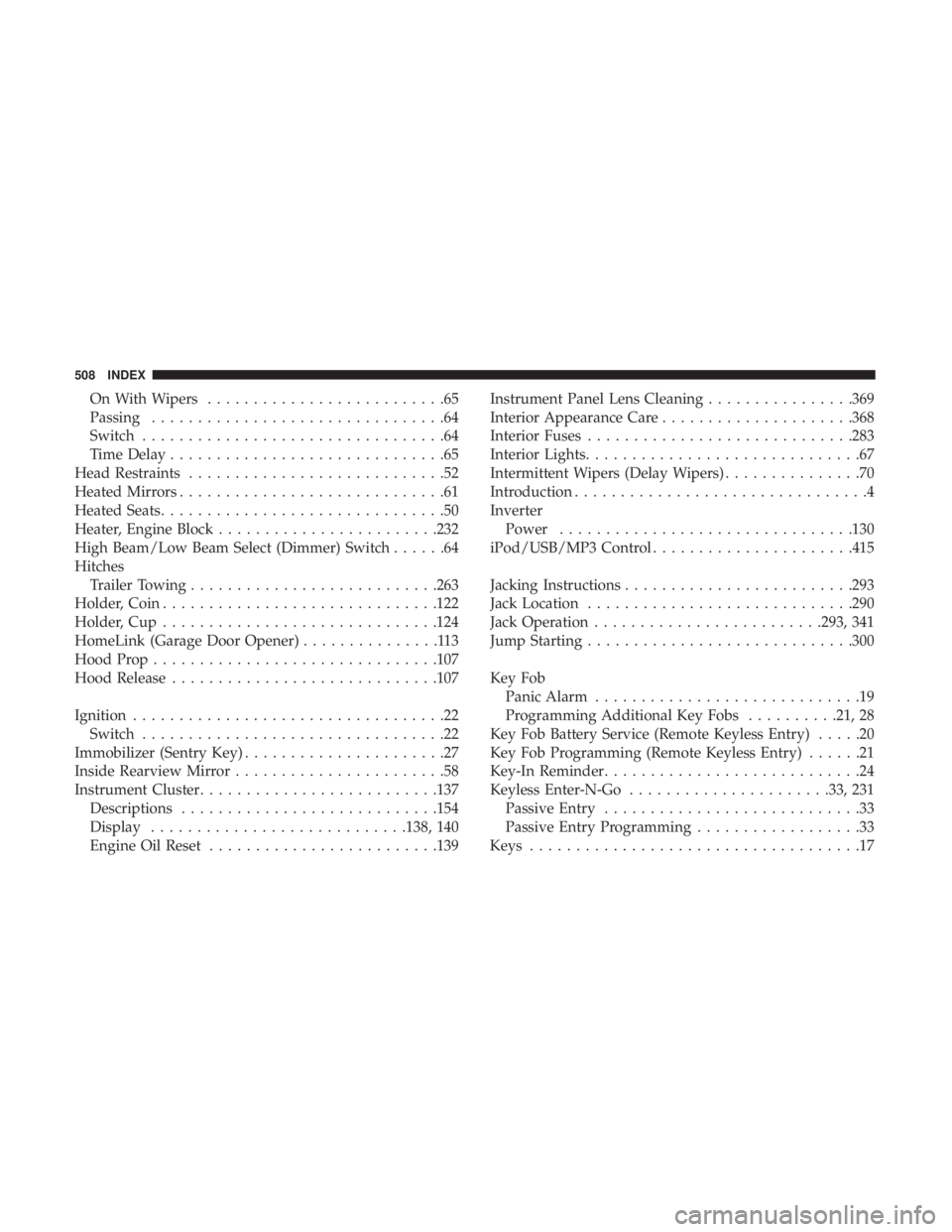
On With Wipers..........................65
Passing ................................64
Switch .................................64
Time Delay ..............................65
Head Restraints ............................52
Heated Mirrors .............................61
Heated Seats ...............................50
Heater, Engine Block ....................... .232
High Beam/Low Beam Select (Dimmer) Switch ......64
Hitches Trailer Towing .......................... .263
Holder, Coin ............................. .122
Holder, Cup ............................. .124
HomeLink (Garage Door Opener) ...............113
Hood Prop .............................. .107
Hood Release ............................ .107
Ignition ..................................22
Switch .................................22
Immobilizer (Sentry Key) ......................27
Inside Rearview Mirror .......................58
Instrument Cluster ......................... .137
Descriptions ........................... .154
Display ........................... .138, 140
Engine Oil Reset ........................ .139Instrument Panel Lens Cleaning
................369
Interior Appearance Care .....................368
Interior Fuses ............................ .283
Interior Lights ..............................67
Intermittent Wipers (Delay Wipers) ...............70
Introduction ................................4
Inverter Power ............................... .130
iPod/USB/MP3 Control ..................... .415
Jacking Instructions ........................ .293
Jack Location ............................ .290
Jack Operation ........................ .293, 341
Jump Starting ............................ .300
Key Fob Panic Alarm .............................19
Programming Additional Key Fobs ..........21, 28
Key Fob Battery Service (Remote Keyless Entry) .....20
Key Fob Programming (Remote Keyless Entry) ......21
Key-In Reminder ............................
24
Keyless Enter-N-Go ..................... .33, 231
Passive Entry ............................33
Passive Entry Programming ..................33
Keys ....................................17
508 INDEX
Page 513 of 524
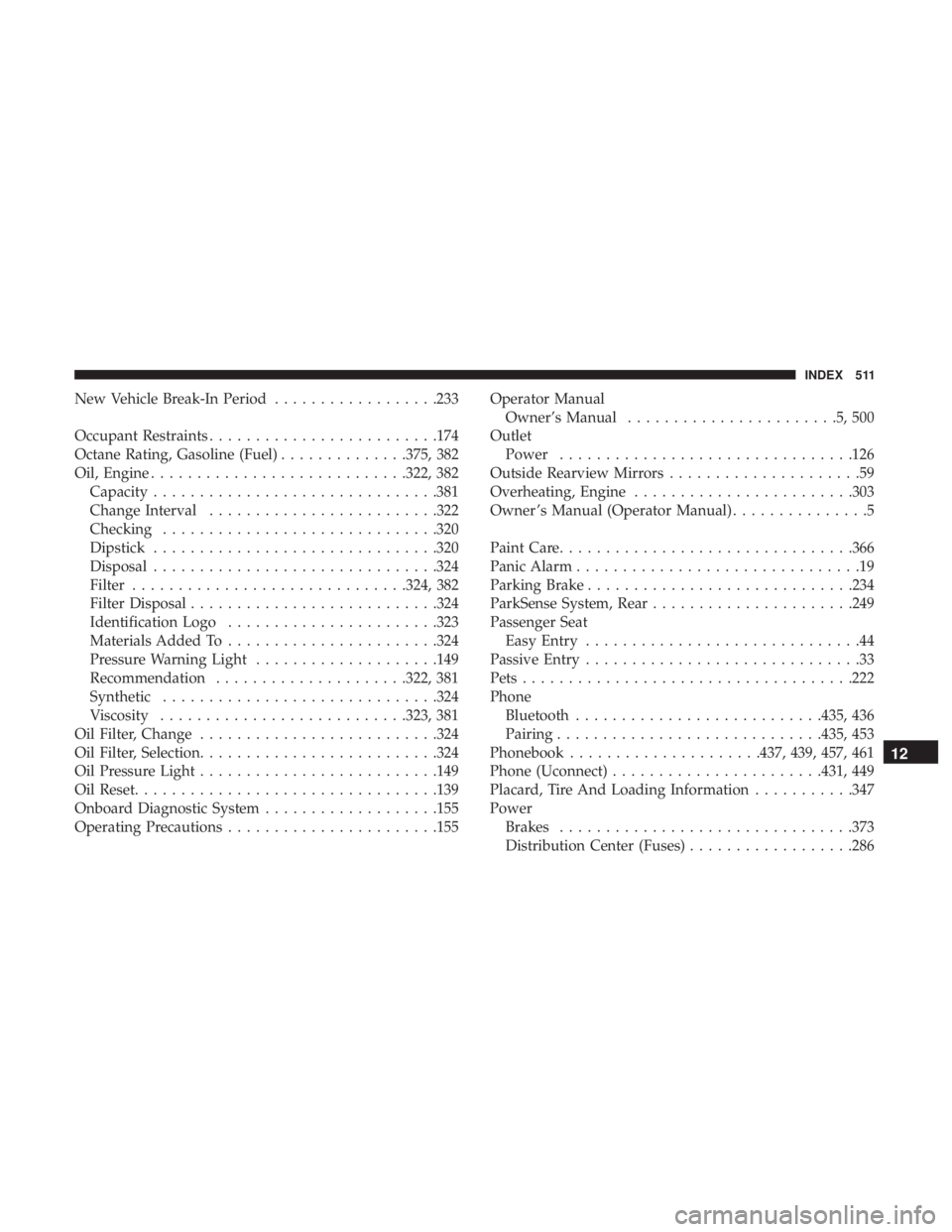
New Vehicle Break-In Period..................233
Occupant Restraints ........................ .174
Octane Rating, Gasoline (Fuel) ..............375, 382
Oil, Engine ........................... .322, 382
Capacity .............................. .381
Change Interval ........................ .322
Checking ............................. .320
Dipstick .............................. .320
Disposal .............................. .324
Filter ............................. .324, 382
Filter Disposal .......................... .324
Identification Logo ...................... .323
Materials Added To ...................... .324
Pressure Warning Light ....................149
Recommendation .....................322, 381
Synthetic ............................. .324
Viscosity .......................... .323, 381
Oil Filter, Change ......................... .324
Oil Filter, Selection ......................... .324
Oil Pressure Light ......................... .149
Oil Reset ................................ .139
Onboard Diagnostic System ...................155
Operating Precautions ...................... .155Operator Manual
Owner’s Manual .......................5,500
Outlet Power ............................... .126
Outside Rearview Mirrors .....................59
Overheating, Engine ....................... .303
Owner ’s Manual (Operator Manual) ...............5
Paint Care ............................... .366
Panic Alarm ...............................19
Parking Brake ............................ .234
ParkSense System, Rear ..................... .249
Passenger Seat Easy Entry ..............................44
Passive Entry ..............................33
Pets ................................... .222
Phone Bluetooth .......................... .435,
436
Pairing ............................ .435, 453
Phonebook .....................437, 439, 457, 461
Phone (Uconnect) ...................... .431, 449
Placard, Tire And Loading Information ...........347
Power Brakes ............................... .373
Distribution Center (Fuses) ..................286
12
INDEX 511