towing DODGE JOURNEY 2019 Owner's Guide
[x] Cancel search | Manufacturer: DODGE, Model Year: 2019, Model line: JOURNEY, Model: DODGE JOURNEY 2019Pages: 524, PDF Size: 5.29 MB
Page 351 of 524
(5) Determine the combined weight of luggage and
cargo being loaded on the vehicle. That weight may not
safely exceed the available cargo and luggage load
capacity calculated in Step 4.
(6) If your vehicle will be towing a trailer, load from
your trailer will be transferred to your vehicle. Consult
this manual to determine how this reduces the available
cargo and luggage load capacity of your vehicle.
Metric Example For Load Limit
For example, if “XXX” amount equals 635 kg and there will
be five 68 kg passengers in your vehicle, the amount of
available cargo and luggage load capacity is 295 kg (635-
340 (5x68) = 295 kg) as shown in step 4.NOTE:
•
If your vehicle will be towing a trailer, load from your
trailer will be transferred to your vehicle. The following
table shows examples on how to calculate total load,
cargo/luggage, and towing capacities of your vehicle
with varying seating configurations and number and
size of occupants. This table is for illustration purposes
only and may not be accurate for the seating and load
carry capacity of your vehicle.
• For the following example, the combined weight of
occupants and cargo should never exceed 865 lbs
(392 kg).
8
SERVICING AND MAINTENANCE 349
Page 360 of 524
Summer tires do not contain the all season designation or
mountain/snowflake symbol on the tire sidewall. Use
Summer tires only in sets of four; failure to do so may
adversely affect the safety and handling of your vehicle.
WARNING!
Do not use Summer tires in snow/ice conditions. You
could lose vehicle control, resulting in severe injury or
death. Driving too fast for conditions also creates the
possibility of loss of vehicle control.
Snow Tires
Some areas of the country require the use of snow tires
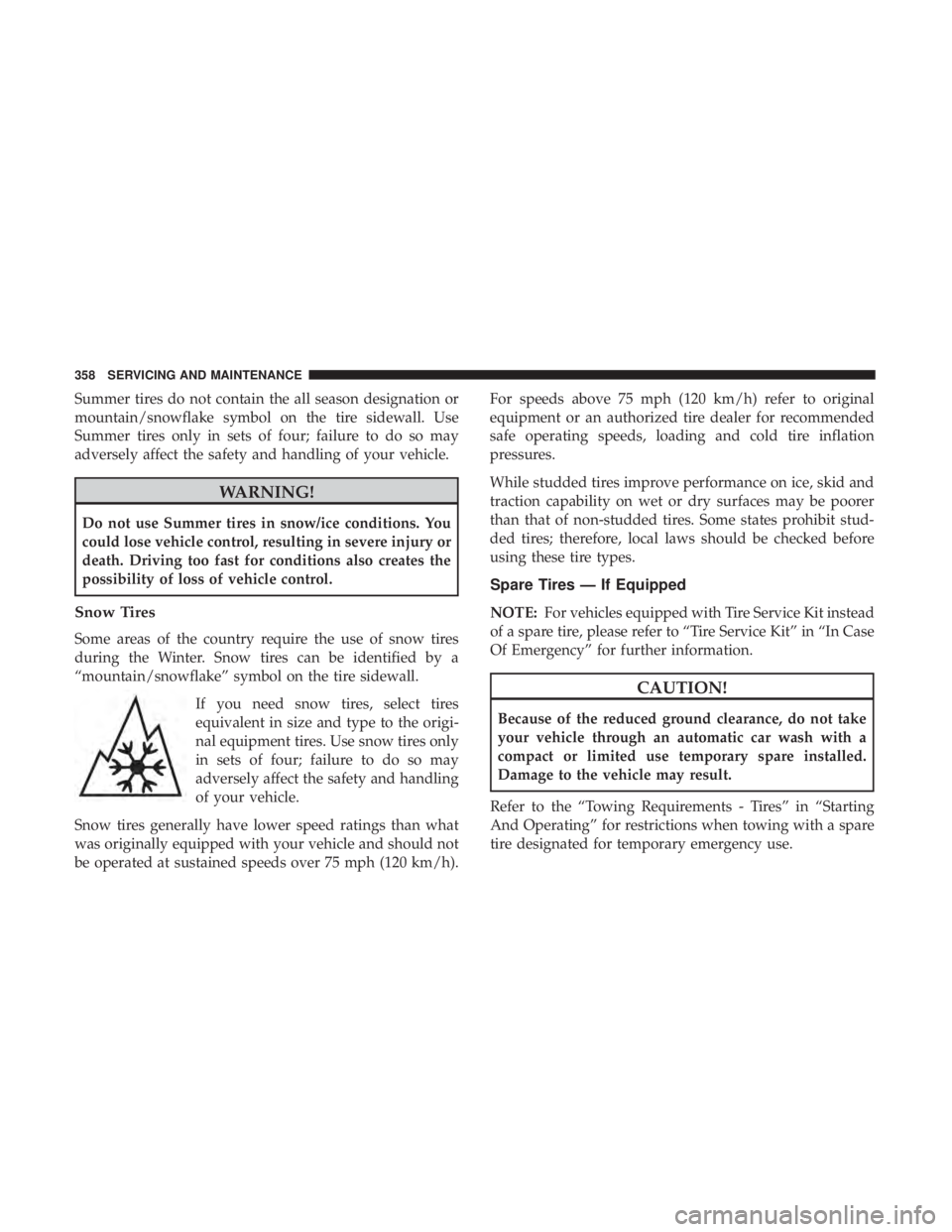
during the Winter. Snow tires can be identified by a
“mountain/snowflake” symbol on the tire sidewall.If you need snow tires, select tires
equivalent in size and type to the origi-
nal equipment tires. Use snow tires only
in sets of four; failure to do so may
adversely affect the safety and handling
of your vehicle.
Snow tires generally have lower speed ratings than what
was originally equipped with your vehicle and should not
be operated at sustained speeds over 75 mph (120 km/h). For speeds above 75 mph (120 km/h) refer to original
equipment or an authorized tire dealer for recommended
safe operating speeds, loading and cold tire inflation
pressures.
While studded tires improve performance on ice, skid and
traction capability on wet or dry surfaces may be poorer
than that of non-studded tires. Some states prohibit stud-
ded tires; therefore, local laws should be checked before
using these tire types.
Spare Tires — If Equipped
NOTE:
For vehicles equipped with Tire Service Kit instead
of a spare tire, please refer to “Tire Service Kit” in “In Case
Of Emergency” for further information.
CAUTION!
Because of the reduced ground clearance, do not take
your vehicle through an automatic car wash with a
compact or limited use temporary spare installed.
Damage to the vehicle may result.
Refer to the “Towing Requirements - Tires” in “Starting
And Operating” for restrictions when towing with a spare
tire designated for temporary emergency use.
358 SERVICING AND MAINTENANCE
Page 440 of 524
•Automatic download and update of a phone book, if
supported, begins as soon as the Bluetooth wireless
phone connection is made to the Uconnect Phone, for
example, after you start the vehicle.
• A maximum of 2,000 entries per phone will be down-
loaded and updated every time a phone is connected to
the Uconnect Phone.
• Depending on the maximum number of entries down-
loaded, there may be a short delay before the latest
downloaded names can be used. Until then, if available,
the previously downloaded phonebook is available for
use.
• Only the phonebook of the currently connected mobile
phone is accessible.
• This downloaded phonebook cannot be edited or de-
leted on the Uconnect Phone. These can only be edited
on the mobile phone. The changes are transferred and
updated to Uconnect Phone on the next phone connec-
tion.
Emergency And Towing Assistance
The 911/Help numbers can only be altered. These can not
be deleted or the names can not be changed. To change the 911/Help number, follow these steps:
1. Press the “Phonebook” button on the touchscreen from
the Phone main screen.
2. Press the “911/Help” button on the touchscreen. Press the appropriate listing to alter, Emergency for example.
3. Once Emergency is pressed, the “Edit” button on the touchscreen appears. Press the “Edit” button on the
touchscreen and you will be given the choice to Edit
Number or Reset to Default.
4. Follow the on-screen prompts to complete the task.
Phone Call Features
The following features can be accessed through the
Uconnect Phone if the feature(s) are available on your
mobile service plan. For example, if your mobile service
plan provides three-way calling, this feature can be ac-
cessed through the Uconnect Phone. Check with your
mobile service provider for the features that you have.
Ways To Initiate A Phone Call
Listed below are all the ways you can initiate a phone call
with Uconnect Phone.
• Redial
438 MULTIMEDIA
Page 445 of 524
Roadside Assistance/Towing Assistance
If you need roadside/towing assistance:
•Push the Phone
button to begin.
•After the “Listening” prompt and the following beep,
say “Roadside Assistance” or say “Towing Assistance.”
NOTE: The roadside/towing assistance number dialed is
based on the country where the vehicle is purchased
(1-800-521-2779 for U.S., 1-800-363-4869 for Canada, 55-14-
3454 for Mexico City and 1-800-712-3040 for outside
Mexico City in Mexico). Please refer to the FCA US LLC
24-Hour “Roadside Assistance” coverage details in the
Warranty Information Booklet and on the 24-Hour Road-
side Assistance Card.
Voice Mail Calling
To learn how to access your voice mail, refer to “Working
with Automated Systems.”
Working With Automated Systems
This method is used in instances where one generally has
to push numbers on the mobile phone keypad while
navigating through an automated telephone system. You can use your Uconnect Phone to access a voice mail
system or an automated service, such as a paging service or
automated customer service line. Some services require
immediate response selection. In some instances, that may
be too quick for use of the Uconnect Phone.
When calling a number with your Uconnect Phone that
normally requires you to enter in a touch-tone sequence on
your mobile phone keypad, you can utilize the touchscreen
or push the Voice Command
button and say the word
“Send” then the sequence you wish to enter. For ex-
ample, if required to enter your PIN followed with a
pound, (3746#),youcanpush the Voice Command
button and say, “Send3746#.”Saying “Send”
followed by a number, or sequence of numbers, is also
to be used for navigating through an automated cus-
tomer service center menu structure, and to leave a
number on a pager.
You can also send stored mobile phonebook entries as
tones for fast and easy access to voice mail and pager
entries. For example, if you previously created a Phone-
book entry and/or Last Name as “Voice Password,” then if
you push the Voice Command
button and say “Send
Voicemail Password,” the Uconnect Phone will then 10
MULTIMEDIA 443
Page 461 of 524

To Remove A Favorite
1. To remove a Favorite, select phonebook from the Phonemain screen.
2. Next select Favorites on the left side of the screen and then press the “+” Options button on the touchscreen.
3. Press the “+” next to the Favorite you would like to remove. 4. The Options pop-up will display, press “Remove from
Favs.”
Emergency And Towing Assistance
The Emergency and Towing Assistance Favorite numbers
can only be altered. These cannot be deleted and the names
cannot be changed.
Add From Mobile
Remove From Favorites10
MULTIMEDIA 459
Page 462 of 524
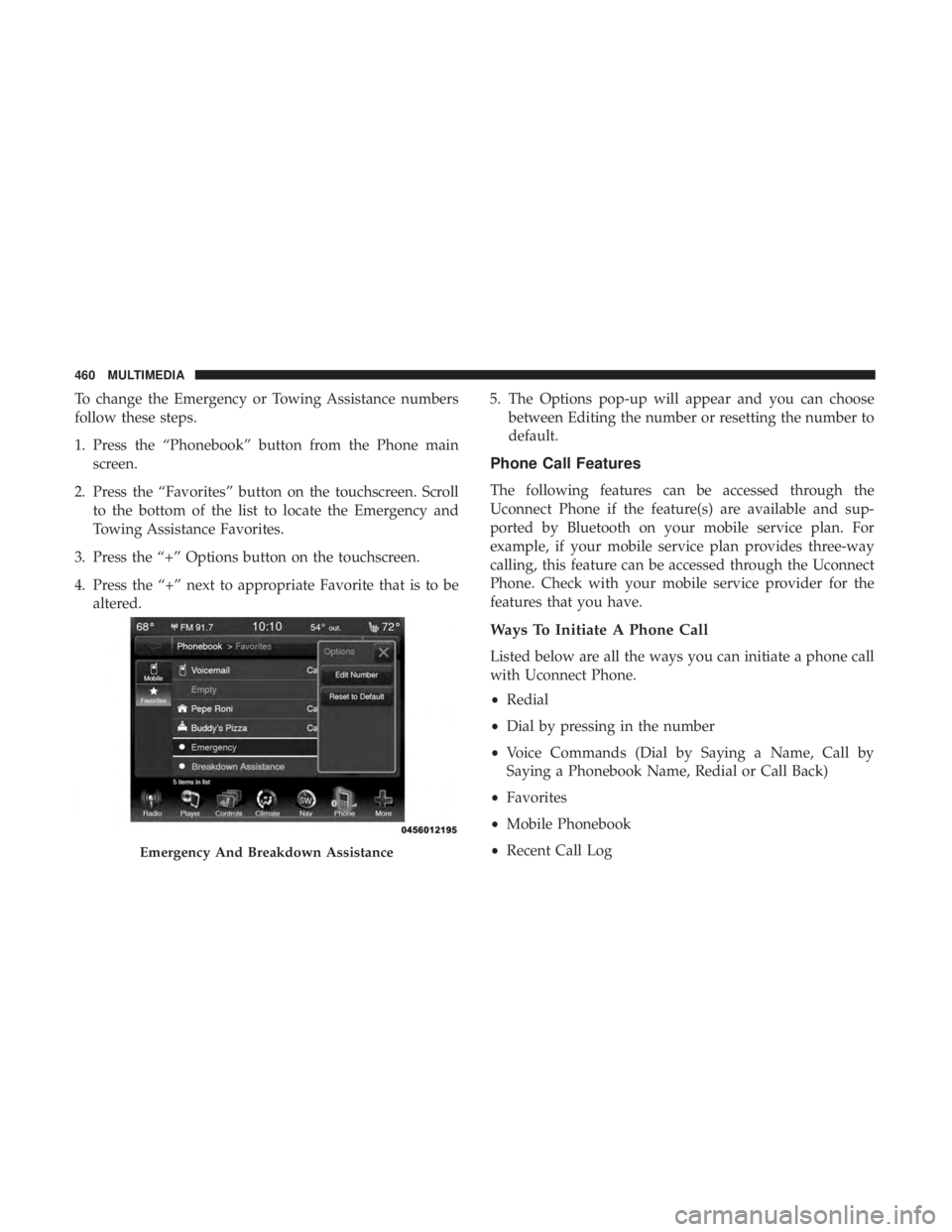
To change the Emergency or Towing Assistance numbers
follow these steps.
1. Press the “Phonebook” button from the Phone mainscreen.
2. Press the “Favorites” button on the touchscreen. Scroll to the bottom of the list to locate the Emergency and
Towing Assistance Favorites.
3. Press the “+” Options button on the touchscreen.
4. Press the “+” next to appropriate Favorite that is to be altered. 5. The Options pop-up will appear and you can choose
between Editing the number or resetting the number to
default.
Phone Call Features
The following features can be accessed through the
Uconnect Phone if the feature(s) are available and sup-
ported by Bluetooth on your mobile service plan. For
example, if your mobile service plan provides three-way
calling, this feature can be accessed through the Uconnect
Phone. Check with your mobile service provider for the
features that you have.
Ways To Initiate A Phone Call
Listed below are all the ways you can initiate a phone call
with Uconnect Phone.
•Redial
• Dial by pressing in the number
• Voice Commands (Dial by Saying a Name, Call by
Saying a Phonebook Name, Redial or Call Back)
• Favorites
• Mobile Phonebook
• Recent Call Log
Emergency And Breakdown Assistance
460 MULTIMEDIA
Page 467 of 524
WARNING!
Your phone must be turned on and connected to the
Uconnect Phone to allow use of this vehicle feature in
emergency situations, when the mobile phone has
network coverage and stays connected to the Uconnect
Phone.
Roadside Assistance/Towing Assistance
If you need roadside/towing assistance:
1. Push the Phone
button to begin.
2. After the “Listening” prompt and the following beep,say “Roadside Assistance” or say “Towing Assistance.”
NOTE: The roadside/towing assistance number dialed is
based on the country where the vehicle is purchased
(1-800-521-2779 for the U.S., 1-800-363-4869 for Canada,
55-14-3454 for Mexico City, and 1-800-712-3040 for outside
Mexico City in Mexico). Please refer to the FCA US LLC
24-Hour “Roadside Assistance” coverage details in the
Warranty Information Booklet.
Voice Mail Calling
To learn how to access your voice mail, refer to “Working
with Automated Systems.”
Working With Automated Systems
This method is used in instances where one generally has
to push numbers on the mobile phone keypad while
navigating through an automated telephone system.
You can use your Uconnect Phone to access a voice mail
system or an automated service, such as a paging service or
automated customer service line. Some services require
immediate response selection. In some instances, that may
be too quick for use of the Uconnect Phone.
When calling a number with your Uconnect Phone that
normally requires you to enter in a touch-tone sequence on
your mobile phone keypad, you can utilize the touchscreen
or push the Voice Command
button and say the word
“Send” then the sequence you wish to enter. For ex-
ample, if required to enter your PIN followed with a
pound, (3746#),youcanpush the Voice Command
button and say, “Send3746#.”Saying “Send”
followed by a number, or sequence of numbers, is also
to be used for navigating through an automated cus-
tomer service center menu structure, and to leave a
number on a pager. 10
MULTIMEDIA 465
Page 477 of 524
NOTE:
1. You can replace “John Smith” with any name in yourmobile or favorite phone book. You can also say “Send
a message to John Smith,” and the system will ask you
which phone number you want to send a message to for
John Smith.
2. You can replace “Mobile” with “Home,” “Work” or “Other.”
3. You can replace “Incoming Calls” with “Outgoing Calls” or “Missed Calls.”
4. You can replace “248 555 1212” with any phone number supported by your Mobile phone.
5. These commands can be used during a phone call after pushing the Uconnect Voice Command button on the
steering wheel. Please note the call will be muted while
the VR session is active.
6. Send dial tones for automated systems is available while a call is active. This is an example that uses a Phonebook
Record named “Voicemail Password.” 7. Storing Dial tones in contact names is possible but only
the first number encountered in a contact name will be
sent. For example, if there is a number stored in the
Home and Work numbers for the contact “Voicemail
password,” only the Home number will be sent.
8. If your phone does not support phonebook download or call log download over Bluetooth, then these commands
will return a response that the contact does not exist in
the phonebook.
9. Emergency and Towing assistance are contacts that have been pre-loaded in the phonebook. Commands such as
“Call Emergency” and “Call Towing Assistance” will
call the corresponding number stored with those con-
tacts.
NOTE: Available Voice Commands are shown in bold face
and underlined in the gray shaded boxes.
10
MULTIMEDIA 475
Page 507 of 524
Cruise Light............................. .154
Cupholders .......................... .124, 370
Customer Assistance ....................... .496
Customer Programmable Features ...............388
Cybersecurity ............................ .387
Daytime Brightness, Interior Lights ...............68
Daytime Running Lights ......................64
Dealer Service ............................ .322
Defroster, Windshield ....................... .224
Delay (Intermittent) Wipers ....................70
Diagnostic System, Onboard ...................155
Dimmer Switch Headlight ........................... .63, 64
Dipsticks Automatic Transmission ................338, 339
Oil (Engine) ........................... .320
Power Steering ......................... .245
Disabled Vehicle Towing .....................306
Disposal Antifreeze (Engine Coolant) .................334
Door Ajar ............................ .149, 150
Door Ajar Light ....................... .149, 150
Door Locks Automatic ..............................32 Doors
....................................31
Driver ’s Seat Back Tilt ........................39
Driving Through Flowing, Rising, Or Shallow Standing
Water ................................ .274
DVD Player (Video Entertainment System) .........415
E-85 Fuel ............................... .378
Electric Brake Control System Anti-Lock Brake System ....................160
Electronic Roll Mitigation ...................167
Electric Remote Mirrors .......................61
Electronic Brake Control System ................161
Electronic Stability Control (ESC) ...............163
Electronic Throttle Control Warning Light .........149
Emergency, In Case Of Freeing Vehicle When Stuck .................305
Hazard Warning Flasher ...................278
Jacking ........................... .290, 341
Jump
Starting .......................... .300
Towing ............................... .306
Emission Control System Maintenance ............156
Engine ................................. .318
Air Cleaner ............................ .324
Block Heater ........................... .232
12
INDEX 505
Page 510 of 524
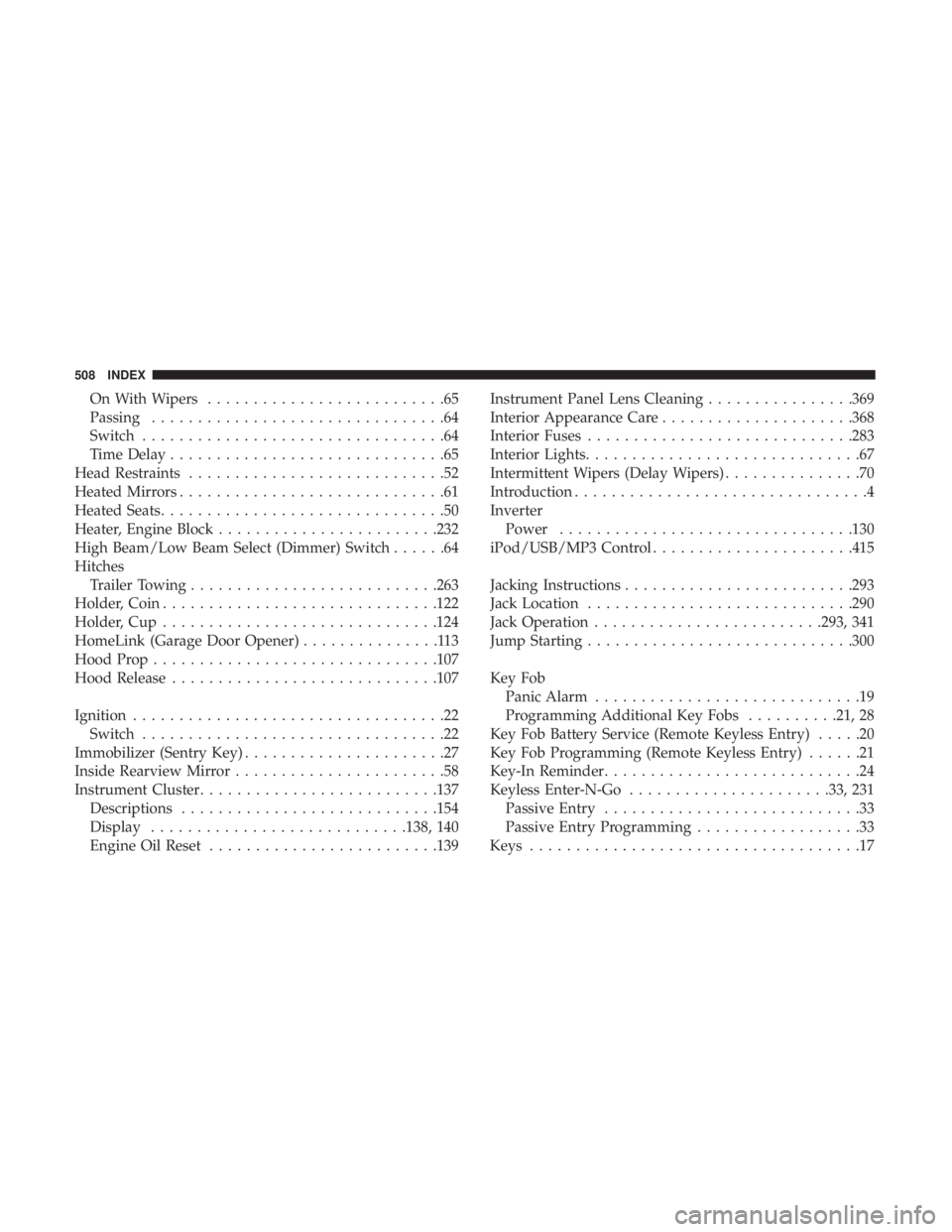
On With Wipers..........................65
Passing ................................64
Switch .................................64
Time Delay ..............................65
Head Restraints ............................52
Heated Mirrors .............................61
Heated Seats ...............................50
Heater, Engine Block ....................... .232
High Beam/Low Beam Select (Dimmer) Switch ......64
Hitches Trailer Towing .......................... .263
Holder, Coin ............................. .122
Holder, Cup ............................. .124
HomeLink (Garage Door Opener) ...............113
Hood Prop .............................. .107
Hood Release ............................ .107
Ignition ..................................22
Switch .................................22
Immobilizer (Sentry Key) ......................27
Inside Rearview Mirror .......................58
Instrument Cluster ......................... .137
Descriptions ........................... .154
Display ........................... .138, 140
Engine Oil Reset ........................ .139Instrument Panel Lens Cleaning
................369
Interior Appearance Care .....................368
Interior Fuses ............................ .283
Interior Lights ..............................67
Intermittent Wipers (Delay Wipers) ...............70
Introduction ................................4
Inverter Power ............................... .130
iPod/USB/MP3 Control ..................... .415
Jacking Instructions ........................ .293
Jack Location ............................ .290
Jack Operation ........................ .293, 341
Jump Starting ............................ .300
Key Fob Panic Alarm .............................19
Programming Additional Key Fobs ..........21, 28
Key Fob Battery Service (Remote Keyless Entry) .....20
Key Fob Programming (Remote Keyless Entry) ......21
Key-In Reminder ............................
24
Keyless Enter-N-Go ..................... .33, 231
Passive Entry ............................33
Passive Entry Programming ..................33
Keys ....................................17
508 INDEX