key battery DODGE JOURNEY 2020 User Guide
[x] Cancel search | Manufacturer: DODGE, Model Year: 2020, Model line: JOURNEY, Model: DODGE JOURNEY 2020Pages: 396, PDF Size: 25.53 MB
Page 303 of 396
MULTIMEDIA 301
the answer button on the touchscreen, or caller
ID box, to place the current call on hold and
answer the incoming call.
NOTE:
The Uconnect Phone compatible phones in the
ma
rket today do not support rejecting an
incoming call when another call is in progress.
Therefore, the user can only answer an
incoming call or ignore it.
Making A Second Call While Current Call Is In
Pr
ogress
To make a second call while you are currently on
a
call, push the Voice Command button and
say “Dial” or “Call” followed by the phone
n u
mber or phonebook entry you wish to call.
The first call will be on hold while the second call
is in progress. Or you can place a call on hold by
pressing the Hold button on the touchscreen,
then dial a number from the dial-pad, recent
calls or from the phonebooks. To go back to the
first call, refer to “Toggling Between Calls” in
this section. To combine two calls, refer to “Join
Calls” in this section. Toggling Between Calls
If two calls are in progress (one active and one
o
n
hold), push the Phone button until you
hear a single beep, indicating that the active
a n
d hold status of the two calls have switched.
Only one call can be placed on hold at a time.
Also you can press the Swap button on the
touchscreen, on the Phone main screen.
Join Calls
When two calls are in progress (one active and
o n
e on hold), press the Join Calls button on the
Phone main screen to combine all calls into a
Conference Call.
Call Termination
To end a call in progress, momentarily press the
E n
d button on the touchscreen or the Phone
button. Only the active call(s) will be terminated
a n
d if there is a call on hold, it will become the
new active call. If the active call is terminated by
the far end, a call on hold may not become
active automatically. This is cell
phone-dependent. Redial
1. P
ress the Redial button on the
t
ouchscreen, or push the Phone button
and after the “Listening” prompt and the
f o
llowing beep, say “Redial”.
2. T he Uconnect Phone will call the last
n
umber that was dialed from your mobile
phone.
Call Continuation
Call continuation is the progression of a phone
c a
ll on the Uconnect Phone after the vehicle
ignition key has been switched to OFF.
After the ignition is switched to OFF, a call
can continue on the Uconnect Phone either
until the call ends, or until the vehicle battery
condition dictates cessation of the call on the
Uconnect Phone and transfer of the call to
the mobile phone.
9
Page 305 of 396
MULTIMEDIA 303
the Voice Command button and say, “Send
3 7 4 6 #.” Saying “Send” followed by a number,
o r
sequence of numbers, is also to be used for
navigating through an automated customer
service center menu structure, and to leave a
number on a pager.
You can also send stored mobile phonebook
en
tries as tones for fast and easy access to
voice mail and pager entries. For example, if you
previously created a Phonebook entry and/or
Last Name as “Voice Password,” then if you
push the Voice Command button and say
“Send Voicemail Password,” the Uconnect
P h
one will then send the corresponding phone
number associated with the phonebook entry,
as tones over the phone.
NOTE:
The first number encountered for that
contact will be sent. All other numbers
entered for that contact will be ignored.
You may not hear all of the tones due to
mobile phone network configurations.
This is normal.
Some paging and voice mail systems have
system time out settings that are too short
and may not allow the use of this feature.
Pauses, wait or other characters that are
supported by some phones are not
supported over Bluetooth®. These additional
symbols will be ignored when dialing a
numbered sequence.
Barge In — Overriding Prompts
The Voice Command button can be used
when you wish to skip part of a prompt and
i s
sue your voice command immediately.
For example, if a prompt is asking “There are
t w
o numbers with the name John. Say the full
name” you could push the Voice Command
button and say, “John Smith” to select that
o p
tion without having to listen to the rest of the
voice prompt.
Voice Response Length
It is possible for you to choose between Brief
a n
d Detailed Voice Response Length.
1. P ush the MORE button on the faceplate,
t
hen press the Settings button on the
touchscreen.
2. P ress the Display button on the
t
ouchscreen, then scroll down to Voice
Response Length. 3. S
elect either “Brief” or “Detailed” by
p
ressing the box next to the selection.
A check-mark will appear to indicate your
s e
lection.
Phone And Network Status Indicators
Uconnect Phone will provide notification to
in
form you of your phone and network status
when you are attempting to make a phone call
using Uconnect Phone. The status is given for
network signal strength and phone battery
strength.
Dialing Using The Mobile Phone Keypad
You can dial a phone number with your mobile
p h
one keypad and still use the Uconnect Phone
(while dialing via the mobile phone keypad, the
user must exercise caution and take
precautionary safety measures). By dialing a
number with your connected Bluetooth® mobile
phone, the audio will be played through your
vehicle's audio system. The Uconnect Phone will
work the same as if you dial the number using a
voice command.
NOTE:
Certain brands of mobile phones do not send
t h
e dial ring to the Uconnect Phone to play it on
the vehicle audio system, so you will not hear it.
9
Page 338 of 396
336 MULTIMEDIA
Barge In — Overriding Prompts
The Voice Recognition button can be used
when you wish to skip part of a prompt and
i s
sue your voice command immediately.
For example, if a prompt is asking “There are
t w
o numbers with the name John. Say the full
name” you could push the Voice Recognition
button and say, “John Smith” to select that
option without having to listen to the rest of the
v o
ice prompt.
Voice Response Length
It is possible for you to choose between Brief
a n
d Detailed Voice Response Length.
1. P ress the Settings button on the
t
ouchscreen.
2. P ress the Voice button on the touchscreen,
t
hen scroll down to Voice Response Length.
3. S elect either “Brief” or “Detailed” by
p
ressing the box next to the selection.
A check mark will appear to indicate your
s e
lection. Phone And Network Status Indicators
Uconnect Phone will provide notification to
i
n
form you of your phone and network status
when you are attempting to make a phone call
using Uconnect Phone. The status is given for
network signal strength and phone battery
strength.
Dialing Using The Mobile Phone Keypad
You can dial a phone number with your mobile
p h
one keypad and still use the Uconnect Phone
(while dialing via the mobile phone keypad,
the user must exercise caution and take
p r
ecautionary safety measures). By dialing a
number with your connected Bluetooth® mobile
phone, the audio will be played through your
vehicle's audio system. The Uconnect Phone will
work the same as if you dial the number using a
voice command.
NOTE:
Certain brands of mobile phones do not send the
d i
al ring to the Uconnect Phone to play it on the
vehicle audio system, so you will not hear it.
Under this situation, after successfully dialing a
number the user may feel that the call did not go
through even though the call is in progress. Once
your call is answered, you will hear the audio.
Mute/Un-Mute (Mute ON/OFF)
When you mute the Uconnect Phone, you will
s
t
ill be able to hear the conversation coming
from the other party, but the other party will not
be able to hear you. To mute the Uconnect
Phone simply, press the Mute button on the
Phone main screen.
Advanced Phone Connectivity
Transfer Call To And From Mobile Phone
The Uconnect Phone allows ongoing calls to be
t r
ansferred from your mobile phone to the
Uconnect Phone without terminating the call.
To transfer an ongoing call from your connected
m o
bile phone to the Uconnect Phone or vice
versa, press the Transfer button on the Phone
main screen.
Connect Or Disconnect Link Between The
U c
onnect Phone And Mobile Phone
If you would like to connect or disconnect the
B l
uetooth® connection between a Uconnect
Phone paired mobile phone and the Uconnect
system, follow the instructions described in your
mobile phone User's Manual.
Page 342 of 396
340 MULTIMEDIA
Be careful of the ambient temperature. Using
the navigation system at extreme tempera -
tures can lead to malfunction or damage.
A ls
o note that the unit can be damaged by
strong vibration, metal objects, or by water
getting inside the unit. Notice
This navigation system can be used when the
i
g
nition key is turned to ON/RUN or ACC.
To preserve the battery, however, it should
be used with the engine running whenever
p o
ssible. Using the navigation system for a long
time with the engine switched off can cause the
battery to run down.
Map Data Information
Garmin® uses a combination of governmental
a n
d private data sources. Virtually all data
sources contain some inaccurate or incomplete
data. In some countries, complete and accurate
map information is either not available or is
prohibitively expensive.
Getting Started
To access the Navigation system, press the Nav
button on bottom of the screen.
Setting Up Your System
When using your navigation system for the first
t i
me, complete the following tasks:
1. Ac quire satellites.
2
. U nderstand the main menu. A
cquiring Satellites
The bars indicate satellite strength.
Go to an open area, away from tall buildings and
t r
ees.
Acquiring satellite signals can take a few
m i
nutes.
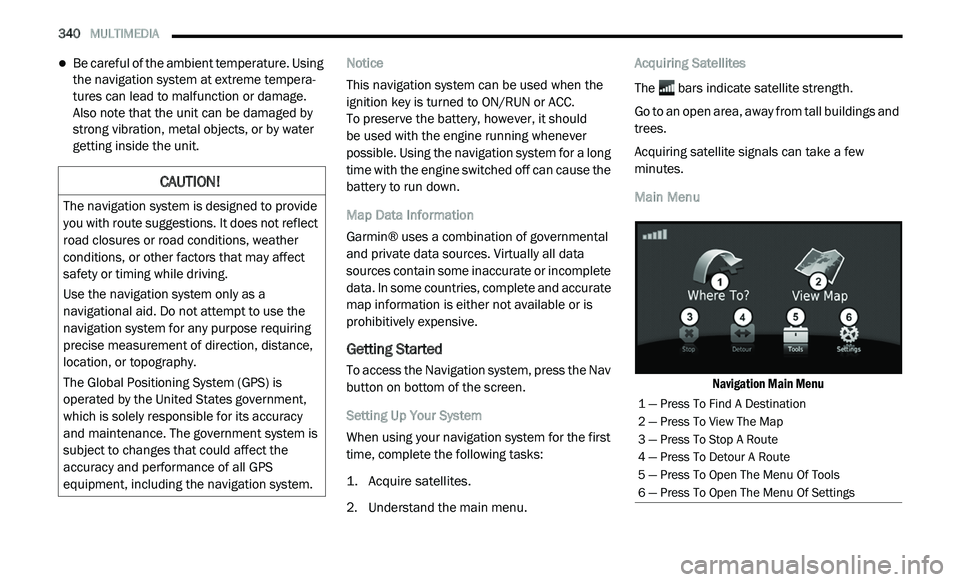
Main Menu
Navigation Main Menu
CAUTION!
The navigation system is designed to provide
you with route suggestions. It does not reflect
road closures or road conditions, weather
conditions, or other factors that may affect
safety or timing while driving.
Use the navigation system only as a
na
vigational aid. Do not attempt to use the
navigation system for any purpose requiring
precise measurement of direction, distance,
location, or topography.
The Global Positioning System (GPS) is
o p
erated by the United States government,
which is solely responsible for its accuracy
and maintenance. The government system is
subject to changes that could affect the
accuracy and performance of all GPS
equipment, including the navigation system.
1 — Press To Find A Destination
2 — Press To View The Map
3 — Press To Stop A Route
4 — Press To Detour A Route
5 — Press To Open The Menu Of Tools
6 — Press To Open The Menu Of Settings
Page 386 of 396
384
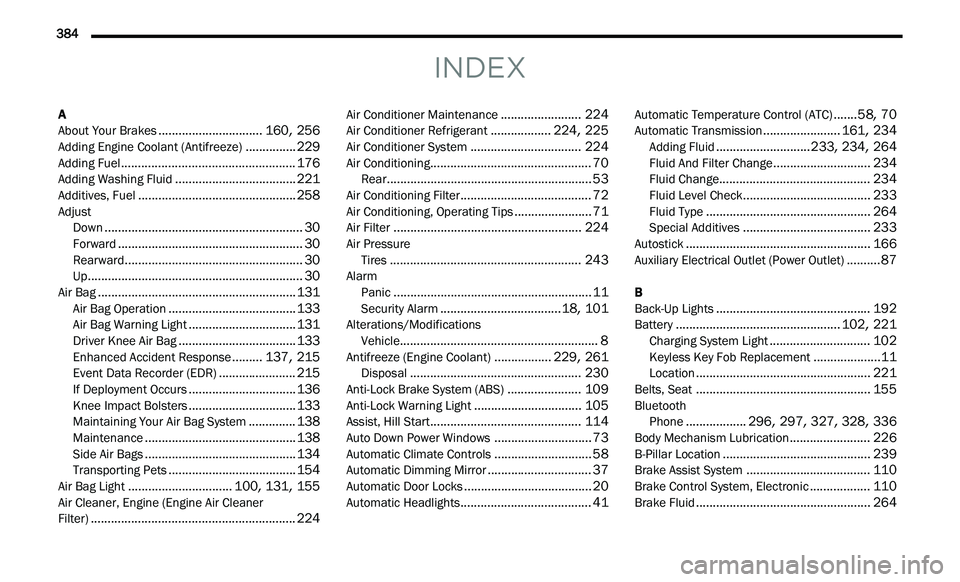
INDEX
A
About Your Brakes...............................160, 256Adding Engine Coolant (Antifreeze)...............229Adding Fuel....................................................176Adding Washing Fluid....................................221Additives, Fuel...............................................258Adjust
Down...........................................................30Forward.......................................................30Rearward.....................................................30Up................................................................30Air Bag...........................................................131Air Bag Operation......................................133Air Bag Warning Light................................131Driver Knee Air Bag...................................133Enhanced Accident Response.........137, 215Event Data Recorder (EDR).......................215If Deployment Occurs................................136Knee Impact Bolsters................................133Maintaining Your Air Bag System..............138Maintenance.............................................138Side Air Bags.............................................134Transporting Pets......................................154Air Bag Light...............................100, 131, 155Air Cleaner, Engine (Engine Air Cleaner
Filter).............................................................224
Air Conditioner Maintenance........................224Air Conditioner Refrigerant..................224, 225Air Conditioner System.................................224Air Conditioning................................................70Rear.............................................................53Air Conditioning Filter.......................................72Air Conditioning, Operating Tips.......................71Air Filter........................................................224Air Pressure Tires.........................................................243AlarmPanic...........................................................11Security Alarm....................................18, 101Alterations/ModificationsVehicle...........................................................8Antifreeze (Engine Coolant).................229, 261Disposal...................................................230Anti-Lock Brake System (ABS)......................109Anti-Lock Warning Light................................105Assist, Hill Start.............................................114Auto Down Power Windows.............................73Automatic Climate Controls.............................58Automatic Dimming Mirror...............................37Automatic Door Locks......................................20Automatic Headlights.......................................41
Automatic Temperature Control (ATC).......58, 70Automatic Transmission.......................161, 234Adding Fluid............................233, 234, 264Fluid And Filter Change.............................234Fluid Change.............................................234Fluid Level Check......................................233Fluid Type.................................................264Special Additives......................................233Autostick.......................................................166Auxiliary Electrical Outlet (Power Outlet)..........87
B
Back-Up Lights..............................................192Battery.................................................102, 221Charging System Light..............................102Keyless Key Fob Replacement....................11Location....................................................221Belts, Seat....................................................155BluetoothPhone..................296, 297, 327, 328, 336Body Mechanism Lubrication........................226B-Pillar Location............................................239Brake Assist System.....................................110Brake Control System, Electronic..................110Brake Fluid....................................................264
Page 390 of 396
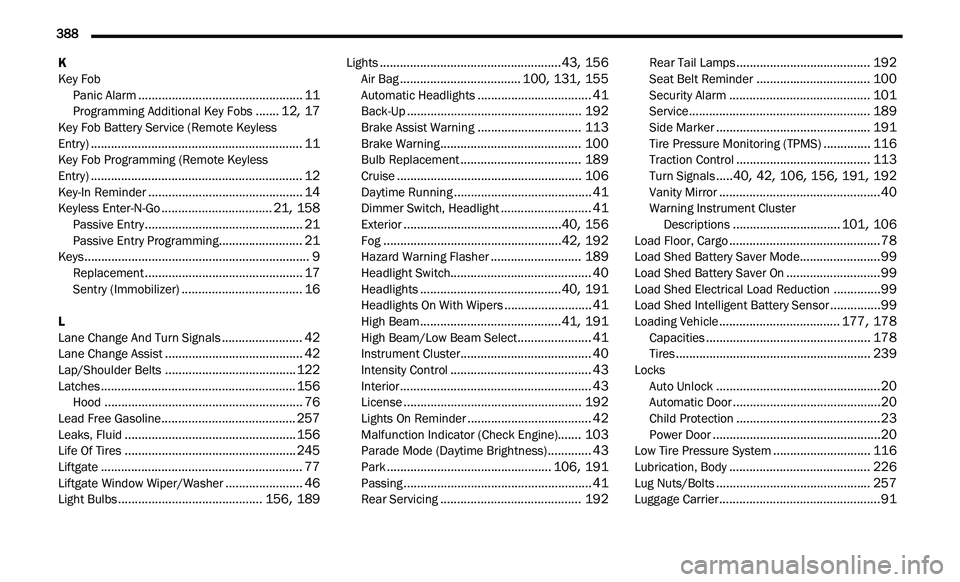
388
K
Key Fob
Panic Alarm
.................................................11Programming Additional Key Fobs.......12, 17Key Fob Battery Service (Remote Keyless
Entry)...............................................................11Key Fob Programming (Remote Keyless
Entry)...............................................................12Key-In Reminder..............................................14Keyless Enter-N-Go.................................21, 158Passive Entry...............................................21Passive Entry Programming.........................21Keys...................................................................9Replacement...............................................17Sentry (Immobilizer)....................................16
L
Lane Change And Turn Signals........................42Lane Change Assist.........................................42Lap/Shoulder Belts.......................................122Latches..........................................................156Hood...........................................................76Lead Free Gasoline........................................257Leaks, Fluid...................................................156Life Of Tires...................................................245Liftgate............................................................77Liftgate Window Wiper/Washer.......................46Light Bulbs...........................................156, 189
Lights......................................................43, 156Air Bag....................................100, 131, 155Automatic Headlights..................................41Back-Up....................................................192Brake Assist Warning...............................113Brake Warning..........................................100Bulb Replacement....................................189Cruise.......................................................106Daytime Running.........................................41Dimmer Switch, Headlight...........................41Exterior...............................................40, 156Fog.....................................................42, 192Hazard Warning Flasher...........................189Headlight Switch..........................................40Headlights..........................................40, 191Headlights On With Wipers..........................41High Beam..........................................41, 191High Beam/Low Beam Select......................41Instrument Cluster.......................................40Intensity Control..........................................43Interior.........................................................43License.....................................................192Lights On Reminder.....................................42Malfunction Indicator (Check Engine).......103Parade Mode (Daytime Brightness).............43Park.................................................106, 191Passing........................................................41Rear Servicing..........................................192
Rear Tail Lamps........................................192Seat Belt Reminder..................................100Security Alarm..........................................101Service......................................................189Side Marker..............................................191Tire Pressure Monitoring (TPMS)..............116Traction Control........................................113Turn Signals.....40, 42, 106, 156, 191, 192Vanity Mirror................................................40Warning Instrument Cluster
Descriptions................................101, 106Load Floor, Cargo.............................................78Load Shed Battery Saver Mode........................99Load Shed Battery Saver On............................99Load Shed Electrical Load Reduction..............99Load Shed Intelligent Battery Sensor...............99Loading Vehicle....................................177, 178Capacities.................................................178Tires..........................................................239Locks Auto Unlock.................................................20Automatic Door............................................20Child Protection...........................................23Power Door..................................................20Low Tire Pressure System.............................116Lubrication, Body..........................................226Lug Nuts/Bolts..............................................257Luggage Carrier................................................91