light DODGE MAGNUM 2008 1.G Owner's Manual
[x] Cancel search | Manufacturer: DODGE, Model Year: 2008, Model line: MAGNUM, Model: DODGE MAGNUM 2008 1.GPages: 482, PDF Size: 6.94 MB
Page 79 of 482

Lights
Have someone observe the operation of exterior lights
while you work the controls. Check turn signal and high
beam indicator lights on the instrument panel.
Door Latches
Check for positive closing, latching, and locking.
Fluid Leaks
Check area under vehicle after overnight parking for fuel,
engine coolant, oil, or other fluid leaks. Also, if gasoline
fumes are detected or if fuel, power steering fluid, or
brake fluid leaks are suspected, the cause should be
located and corrected immediately.
THINGS TO KNOW BEFORE STARTING YOUR VEHICLE 79
2
Page 82 of 482

NThings You Should Know About Your
UConnecttSystem....................107
NGeneral Information...................116
mSeats................................116
NManual Seats Ð If Equipped.............116
NPower Seats Ð If Equipped..............117
NPower Reclining Seats Ð If Equipped.......118
NLumbar Support Ð If Equipped...........119
NHead Restraints......................120
NHeated Seats Ð If Equipped.............120
NFolding Rear Seat.....................122
mTo Open And Close The Hood.............123
mLights...............................124NHeadlight Switch.....................124
NAutomatic Headlights Ð If Equipped.......125
NHeadlights On With Wipers (Available With
Auto Headlights Only).................126
NHeadlight Time Delay..................126
NDaytime Running Lights Ð If Equipped.....127
NLights-On Reminder...................127
NFog Lights Ð If Equipped...............127
NMulti-Function Lever...................127
NOverhead Console Map/Reading Lights.....128
NInterior Lights.......................129
mWindshield Wipers And Washers............130
NIntermittent Wiper System...............131
82 UNDERSTANDING THE FEATURES OF YOUR VEHICLE
Page 83 of 482

NMist Feature.........................131
NWindshield Washers...................132
NHeadlights On With Wipers (Available With
Auto Headlights Only).................132
NAdding Washer Fluid..................133
mTilt/Telescoping Steering Column...........134
mAdjustable Pedals Ð If Equipped...........135
mElectronic Speed Control..................136
NElectronic Speed Control Operation........136
NTo Activate..........................137
NTo Set At A Desired Speed...............137
NTo Deactivate........................137
NTo Resume Speed.....................138NTo Vary The Speed Setting...............138
NTo Accelerate For Passing...............138
mOverhead Console......................139
NCourtesy/Reading Lights................140
NSunglasses Storage....................140
mGarage Door Opener Ð If Equipped.........140
NProgramming HomeLinkt...............141
NGate Operator/Canadian Programming.....144
NUsing HomeLinkt.....................145
NReprogramming a Single HomeLinktButton . . 145
NSecurity............................145
NTroubleshooting Tips...................145
NGeneral Information...................146
UNDERSTANDING THE FEATURES OF YOUR VEHICLE 83
3
Page 85 of 482

MIRRORS
Inside Day/Night Mirror
Adjust the mirror to center on the view through the rear
window. A two-point pivot system allows for horizontal
and vertical mirror adjustment.Annoying headlight glare can be reduced by moving the
small control under the mirror to the night position
(toward rear of vehicle). The mirror should be adjusted
while set in the day position (toward windshield).
Adjusting Rearview Mirror
UNDERSTANDING THE FEATURES OF YOUR VEHICLE 85
3
Page 86 of 482

Automatic Dimming Inside Mirror Ð If Equipped
This mirror automatically adjusts for annoying headlight
glare from vehicles behind you. You can turn the feature
on or off by pressing the button at the base of the mirror.
A light, next to the button, will illuminate to indicate
when the dimming feature is activated.CAUTION!
To avoid damage to the mirror during cleaning, never
spray any cleaning solution directly onto the mirror.
Apply the solution onto a clean cloth and wipe the
mirror clean.
Outside Mirrors
To receive maximum benefit, adjust the outside mirror(s)
to center on the adjacent lane of traffic and a slight
overlap of the view obtained from the inside mirror.
NOTE:The passenger side convex outside mirror will
give a much wider view to the rear, and especially of the
lane next to your vehicle.
Automatic Dimming Mirror
86 UNDERSTANDING THE FEATURES OF YOUR VEHICLE
Page 87 of 482
WARNING!
Vehicles and other objects seen in the passenger side
convex mirror will look smaller and farther away
than they really are. Relying too much on your
passenger side convex mirror could cause you to
collide with another vehicle or other object. Use your
inside mirror when judging the size or distance of a
vehicle seen in the passenger side convex mirror.
Exterior Mirrors Folding Feature Ð If Equipped
Some models have exterior mirrors that are hinged. The
hinge allows the mirror to pivot forward and rearward to
resist damage. The hinge has three detent positions, full
forward, full rearward, and normal.
Driver's Side Outside Mirror Auto Dimmer Ð If
Equipped
This mirror automatically adjusts for annoying headlight
glare from vehicles behind you. You can turn this feature
on or off by pressing the button at the base of the Inside
Rearview Mirror.
Power Remote-Control Mirrors
The power mirror switch is located on the driver's door
trim panel next to the power door lock switch. A rotary
knob selects the left mirror, right mirror, or off position.
UNDERSTANDING THE FEATURES OF YOUR VEHICLE 87
3
Page 88 of 482

After selecting a mirror, move the knob in the same
direction you want the mirror to move. Use the center off
position to guard against accidentally moving a mirror
position.Heated Remote Control Mirrors Ð If Equipped
These mirrors are heated to melt frost or ice. This feature
is activated whenever you turn on the Rear Window
Defrost.
Illuminated Vanity Mirrors Ð If Equipped
An illuminated vanity mirror is on the sun visor. To use
the mirror, rotate the sun visor downward and swing the
mirror cover upward. The light turns on automatically.
Closing the mirror cover turns off the lights.
Power Mirror Adjust Switch
88 UNDERSTANDING THE FEATURES OF YOUR VEHICLE
Page 102 of 482

Emergency Assistance
If you are in an emergency and the mobile phone is
reachable:
²Pick up the phone and manually dial the emergency
number for your area.
If the phone is not reachable and the UConnecttsystem
is operational, you may reach the emergency number as
follows:
²Press the ªPhoneº button to begin.
²After the9Ready9prompt and the following beep, say
9Emergency9and the UConnecttsystem will instruct
the paired cellular phone to call the emergency num-
ber. This feature is only supported in the USA.
NOTE:The emergency number dialed is based on the
Country where the vehicle is purchased (911 for USA and
Canada and 060 for Mexico). The number dialed may not
be applicable with the available cellular service and area.The UConnecttsystem does slightly lower your chances
of successfully making a phone call as to that for the cell
phone directly.
Your phone must be turned on and paired to the UCon-
necttsystem to allow use of this vehicle feature in
emergency situations when the cell phone has network
coverage and stays paired to the UConnecttsystem.
Towing Assistance
If you need towing assistance,
²Press the ªPhoneº button to begin.
²After the9Ready9prompt and the following beep, say
9Towing Assistance.9
NOTE:The Towing Assistance number dialed is based
on the Country where the vehicle is purchased (1-800-
528-2069 for USA, 1-877-213-4525 for Canada, 55-14-3454
for Mexico City and 1-800-712-3040 for outside Mexico
City in Mexico).
102 UNDERSTANDING THE FEATURES OF YOUR VEHICLE
Page 124 of 482
inches (15 cm), and then drop it. This should secure both
latches. Never drive your vehicle unless the hood is fully
closed, with both latches engaged.
WARNING!
If the hood is not fully latched, it could fly up when
the vehicle is moving and block your forward vision.
You could have a collision. Be sure all hood latches
are fully latched before driving.
LIGHTS
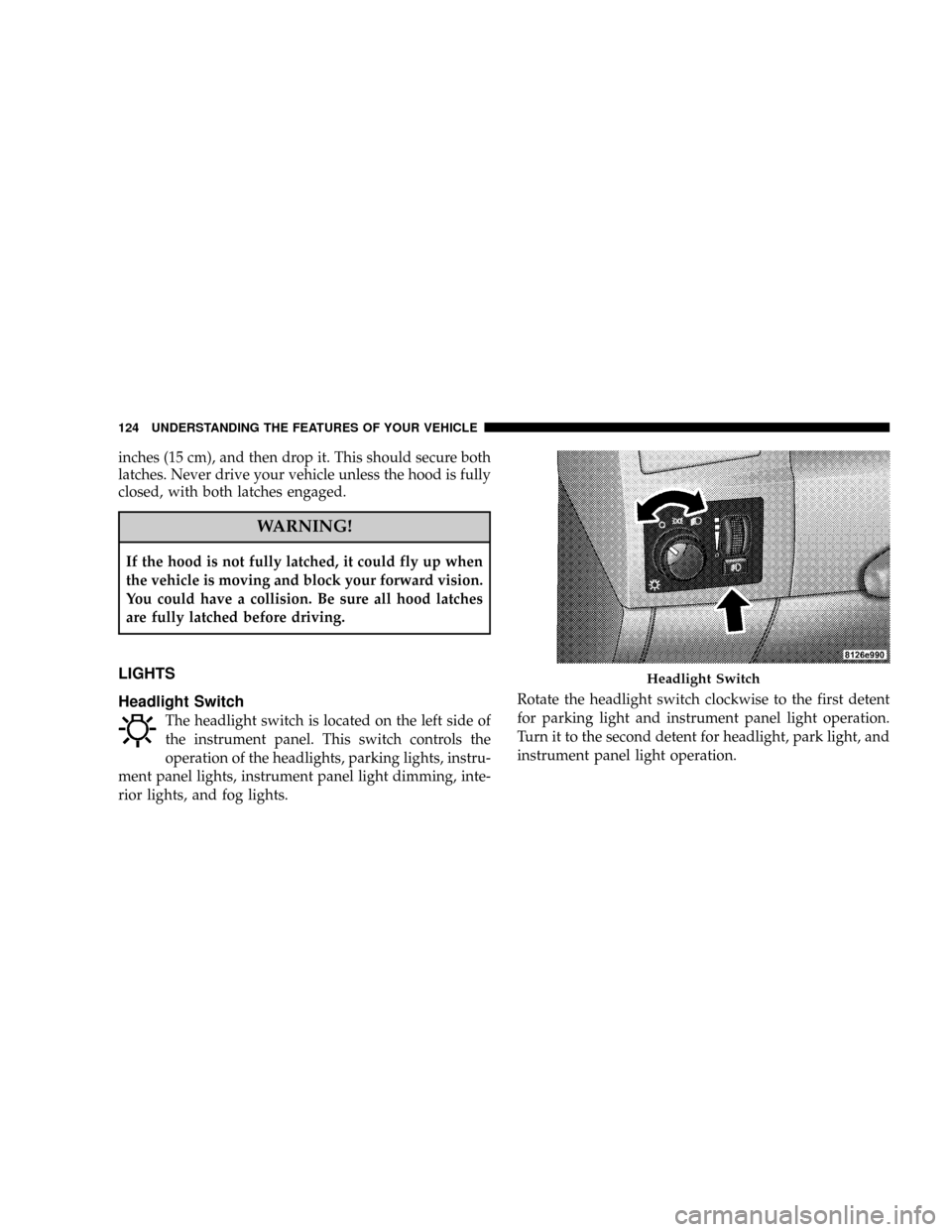
Headlight Switch
The headlight switch is located on the left side of
the instrument panel. This switch controls the
operation of the headlights, parking lights, instru-
ment panel lights, instrument panel light dimming, inte-
rior lights, and fog lights.Rotate the headlight switch clockwise to the first detent
for parking light and instrument panel light operation.
Turn it to the second detent for headlight, park light, and
instrument panel light operation.
Headlight Switch
124 UNDERSTANDING THE FEATURES OF YOUR VEHICLE
Page 125 of 482

Automatic Headlights Ð If Equipped
This system automatically turns the headlights ON or
OFF according to ambient light levels. To turn the system
ON, rotate the headlight switch counter-clockwise to the
AUTO (A) position. When the system is ON, the Head-
light Time Delay feature is also ON. This means the
headlights will stay ON for up to 90 seconds after you
turn the ignition switch OFF. To turn the Automatic
System OFF, move the headlight switch out of the AUTO
(A) position.
NOTE:The engine must be running before the head-
lights will come ON in the Automatic mode.
Headlight Switch
UNDERSTANDING THE FEATURES OF YOUR VEHICLE 125
3