battery DODGE MAGNUM SRT 2007 1.G User Guide
[x] Cancel search | Manufacturer: DODGE, Model Year: 2007, Model line: MAGNUM SRT, Model: DODGE MAGNUM SRT 2007 1.GPages: 380, PDF Size: 6.63 MB
Page 117 of 380
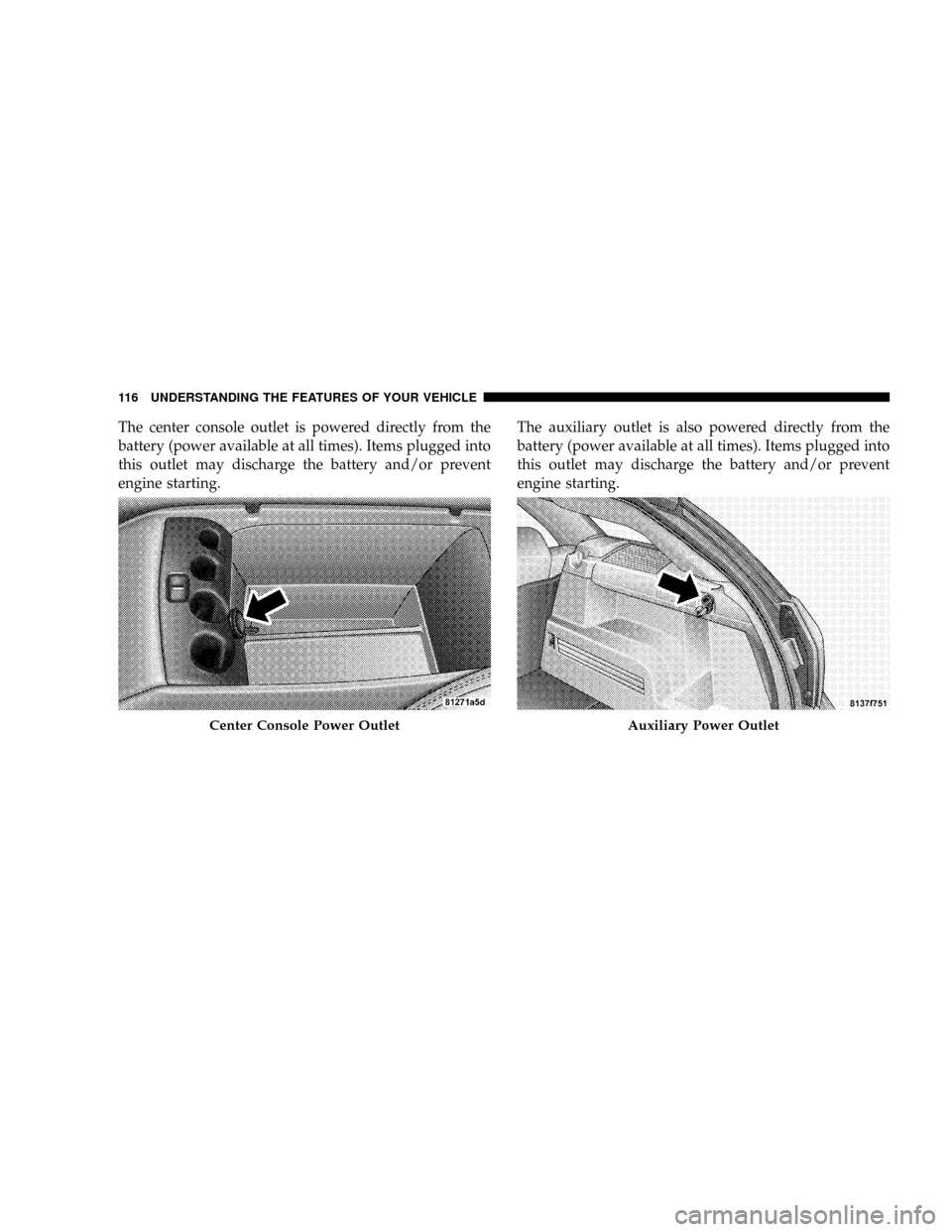
The center console outlet is powered directly from the
battery (power available at all times). Items plugged into
this outlet may discharge the battery and/or prevent
engine starting.The auxiliary outlet is also powered directly from the
battery (power available at all times). Items plugged into
this outlet may discharge the battery and/or prevent
engine starting.
Center Console Power OutletAuxiliary Power Outlet
116 UNDERSTANDING THE FEATURES OF YOUR VEHICLE
Page 118 of 380
Electrical Outlet Use With Engine Off
CAUTION!
²Many accessories that can be plugged in draw
power from the vehicle's battery, even when not
in use (i.e. cellular phones, etc.). Eventually, if
plugged in long enough, the vehicle's battery will
discharge sufficiently to degrade battery life
and/or prevent engine starting.
²Accessories that draw higher power (i.e. coolers,
vacuum cleaners, lights, etc.); will degrade the
battery even more quickly. Only use these inter-
mittently and with greater caution.
²After the use of high power draw accessories, or
long periods of the vehicle not being started (with
accessories still plugged in), the vehicle must be
driven a sufficient length of time to allow the
alternator to recharge the vehicle's battery.
²Power outlets are designed for accessory plugs
only. Do not hang any type of accessory or acces-
sory bracket from the plug. Improper use of the
power outlet can cause damage.
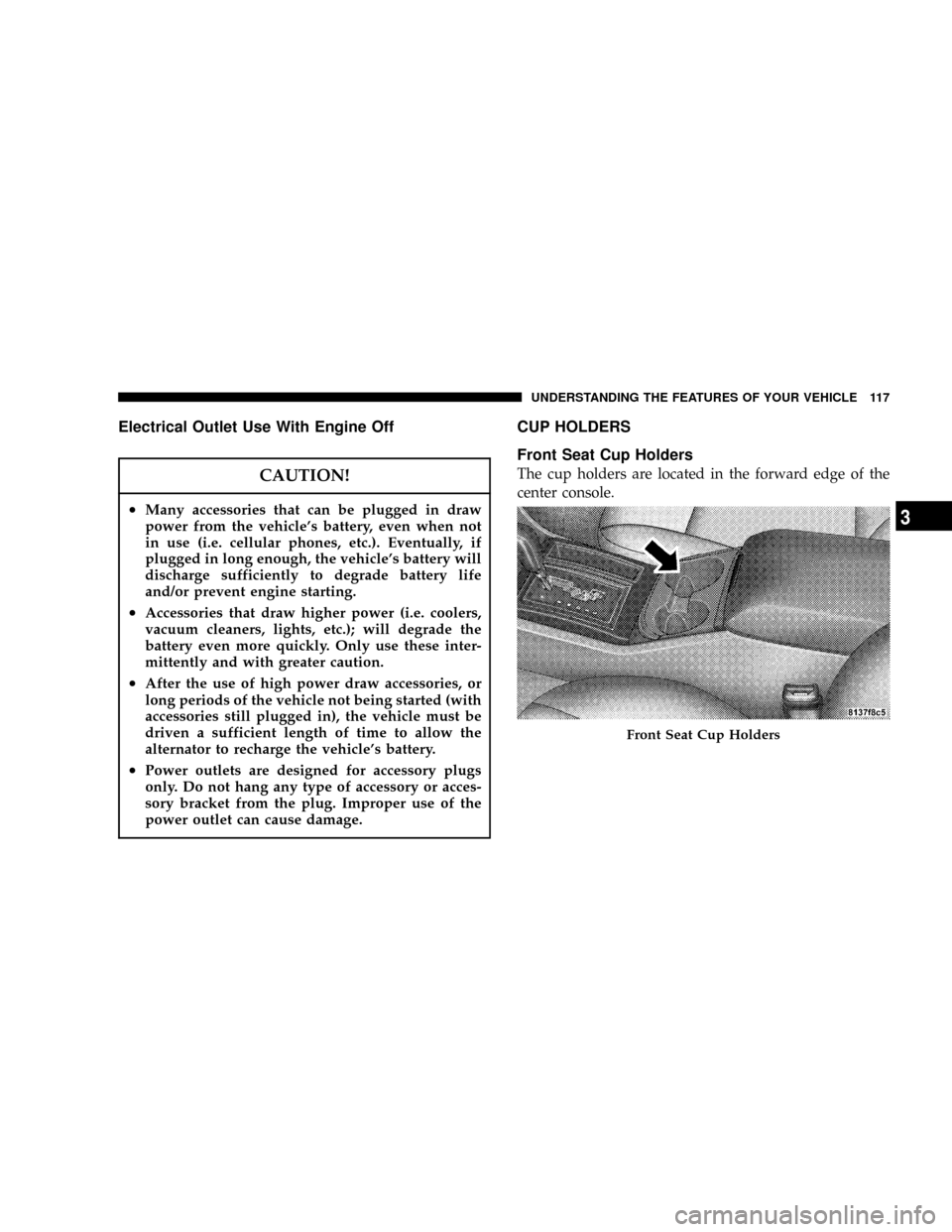
CUP HOLDERS
Front Seat Cup Holders
The cup holders are located in the forward edge of the
center console.
Front Seat Cup Holders
UNDERSTANDING THE FEATURES OF YOUR VEHICLE 117
3
Page 120 of 380
Cargo Management System Ð If Equipped
The cargo area has an upper and lower load floor.
Additional innovative features in the cargo area are the
two molded-in bins in the quarter trim panels. Each bin
will hold a gallon of milk and a 2-liter bottle of pop.
A cargo management system that stores on the lower
load floor below the bi-level cargo floor is optional. It
includes the following equipment:
²Waterproof cargo floor liner.
²Folding cargo management container with net separa-
tors.
The bi-level cargo floor includes a removable, tri-fold
load-bearing upper level. Two folds in the panel allow it
to be partially or fully folded for storage flexibility.
Shallow items can be stored underneath the upper load
floor.
The lower load floor is hinged to provide access to the
spare tire (if equipped), battery, and rear electrical power
distribution center.The 60/40 split-folding rear seat provides cargo-carrying
versatility. The seatbacks fold down easily by pulling
nylon tabs between the seatbacks and the bolsters. When
the seats are folded down, they provide a continuous,
nearly flat extension of the removable tri-fold load floor.
Tri-Fold Upper Load Floor
The removable tri-fold upper load floor has two different
surfaces for increased utility. One side is carpeted for a
plush appearance and the other side is covered with
vinyl for easy cleaning. The panel, sandwiched between
the carpet and the washable-vinyl, is constructed from a
strong lightweight material that gives the floor its load-
bearing strength.
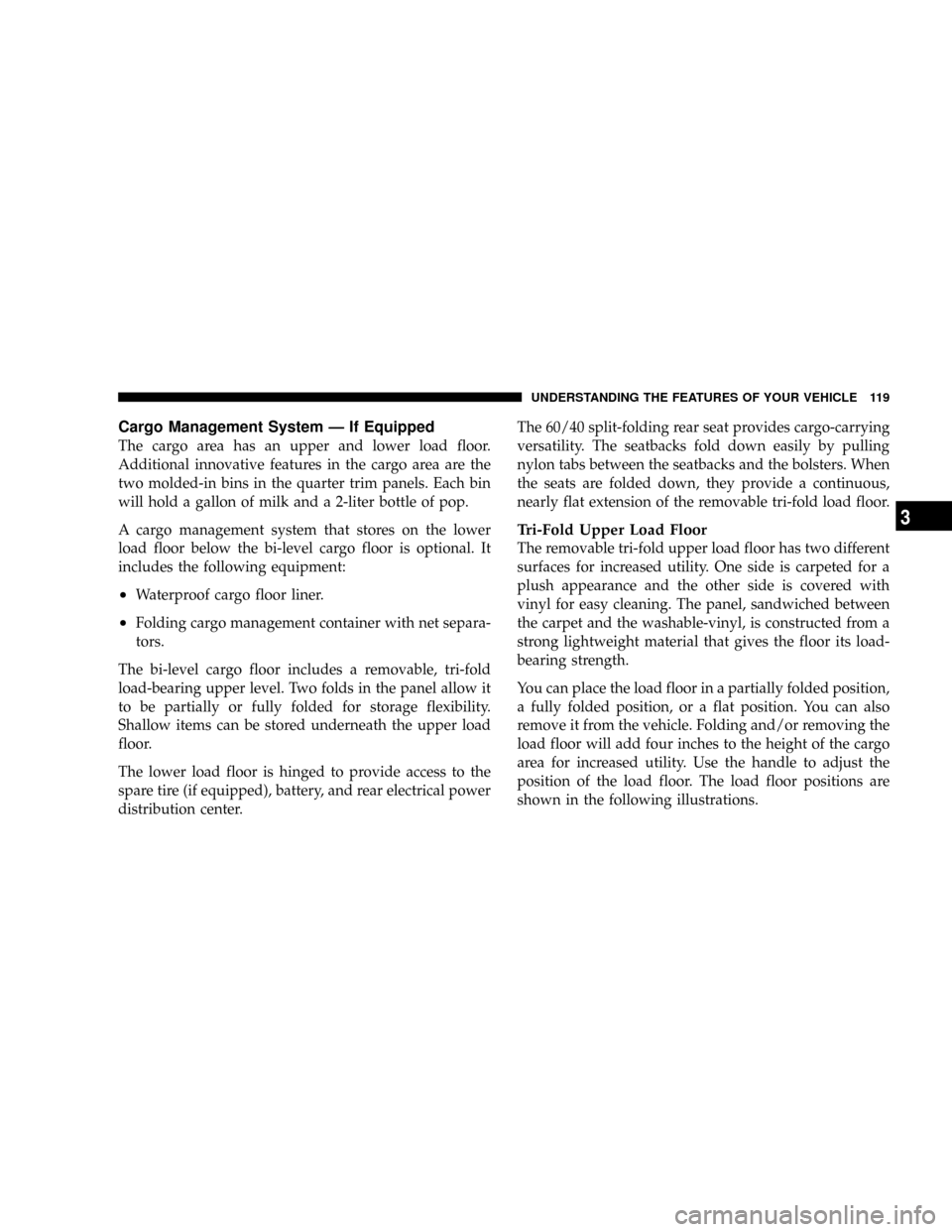
You can place the load floor in a partially folded position,
a fully folded position, or a flat position. You can also
remove it from the vehicle. Folding and/or removing the
load floor will add four inches to the height of the cargo
area for increased utility. Use the handle to adjust the
position of the load floor. The load floor positions are
shown in the following illustrations.
UNDERSTANDING THE FEATURES OF YOUR VEHICLE 119
3
Page 145 of 380
Press the FUNCTION SELECT button to accept
a selection. The FUNCTION SELECT button
also advances the radio to the next preset
station, changes the side of the tape being
played (if so equipped), or changes the current
CD track being played (if so equipped) when
the EVIC is in the Compass/Temp/Audio
screen.
Press the SCROLL button to scroll through Trip
Functions, Navigation (if equipped), System
Status Messages, and Personal Settings (Cus-
tomer Programmable Features). The SCROLL
button also seeks up and down the radio
stations, CD track numbers (if so equipped), or
satellite radio channels (if so equipped) when the EVIC is
in the Compass/Temp/Audio screen.
Press the AUDIO MODE button to select the
Compass/Temp/Audio screen. This screen
displays radio station frequencies, any one of
twelve radio station preset frequencies, CD
disc number, CD track number, tape, or any
one of 200 Satellite radio channels depending
on which radio is in the vehicle.If Compass/Temp/Audio is already displayed when the
AUDIO MODE button is pressed, then the radio mode
will change from AM to FM, to Tape, to CD, or to Satellite
(SAT) accordingly.
Electronic Vehicle Information Center (EVIC)
Displays
When the appropriate conditions exist, the Electronic
Vehicle Information Center (EVIC) displays the following
messages:
²Turn Signal On (with a continuous warning chime if
the vehicle is driven more than 1 mile [1.6 km] with
either turn signal on)
²Left Front Turn Signal Light Out (with a single chime)
²Left Rear Turn Signal Light Out (with a single chime)
²Right Front Turn Signal Light Out (with a single
chime)
²Right Rear Turn Signal Light Out (with a single chime)
²RKE Battery Low (with a single chime)
²Personal Settings Not Available ± Vehicle Not in Park
FUNC-
TION
SELECT
Button
SCROLL
Button
AUDIO
MODE
Button
144 UNDERSTANDING YOUR INSTRUMENT PANEL
Page 150 of 380
1. Turn the ignition switch ON.
2. Press and hold the compass button for approximately
2 seconds.
3. Press the SCROLL button until ªCompass Varianceº
message and the last variance zone number displays in
the EVIC.
4. Press and release FUNCTION SELECT button until
the proper variance zone is selected according to the
map.
5. Press and release the compass button to exit.
Telephone Ð If Equipped
Press and release the MENU button until ªTelephoneº
displays in the EVIC.
When the appropriate conditions exist, the EVIC pro-
vides the following telephone information:
²Phone status: idle, voice mail, roaming, battery
strength, and signal strength in increments of 20
percent.
²Call status: Incoming call, connecting, connected, air
time in minutes and seconds, call ended, call failed,
roaming, and no phone connection.
²UConnect Active.
²Caller ID phone number display.
When the appropriate conditions exist, and if supported
by the cell phone, the EVIC will display the following
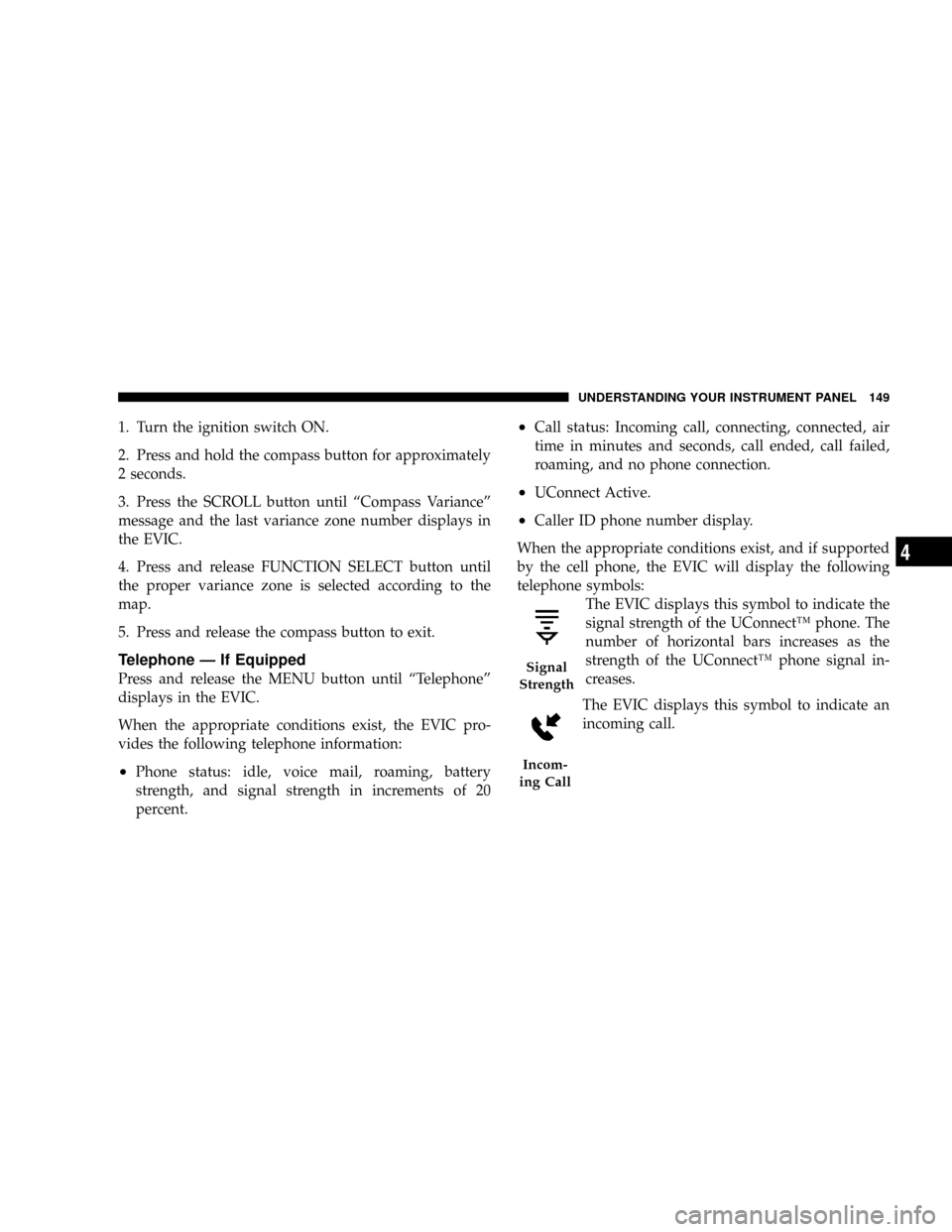
telephone symbols:
The EVIC displays this symbol to indicate the
signal strength of the UConnectŸ phone. The
number of horizontal bars increases as the
strength of the UConnectŸ phone signal in-
creases.
The EVIC displays this symbol to indicate an
incoming call.
Signal
Strength
Incom-
ing Call
UNDERSTANDING YOUR INSTRUMENT PANEL 149
4
Page 151 of 380
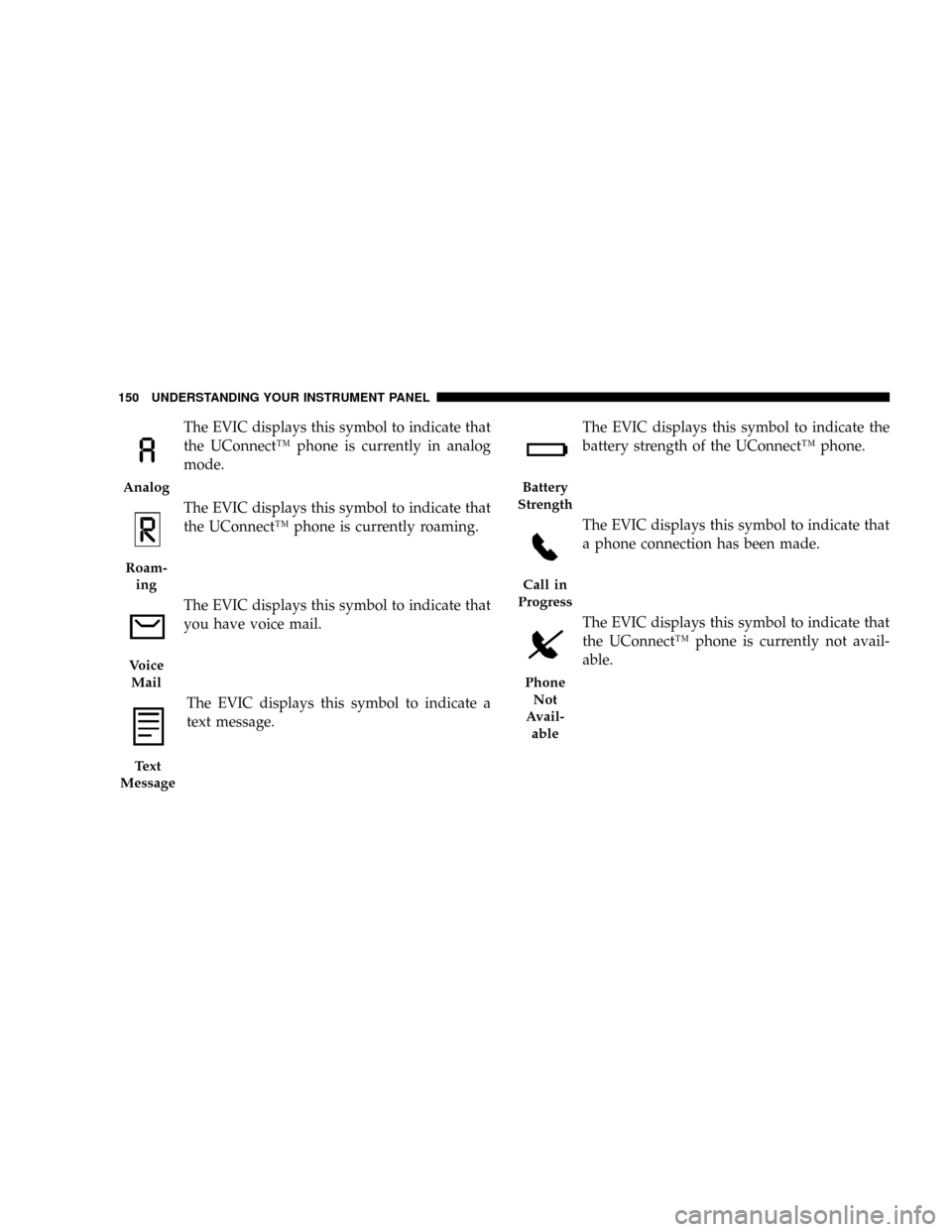
The EVIC displays this symbol to indicate that
the UConnectŸ phone is currently in analog
mode.
The EVIC displays this symbol to indicate that
the UConnectŸ phone is currently roaming.
The EVIC displays this symbol to indicate that
you have voice mail.
The EVIC displays this symbol to indicate a
text message.The EVIC displays this symbol to indicate the
battery strength of the UConnectŸ phone.
The EVIC displays this symbol to indicate that
a phone connection has been made.
The EVIC displays this symbol to indicate that
the UConnectŸ phone is currently not avail-
able.
Analog
Roam-
ing
Voice
Mail
Text
Message
Battery
Strength
Call in
Progress
Phone
Not
Avail-
able
150 UNDERSTANDING YOUR INSTRUMENT PANEL
Page 178 of 380
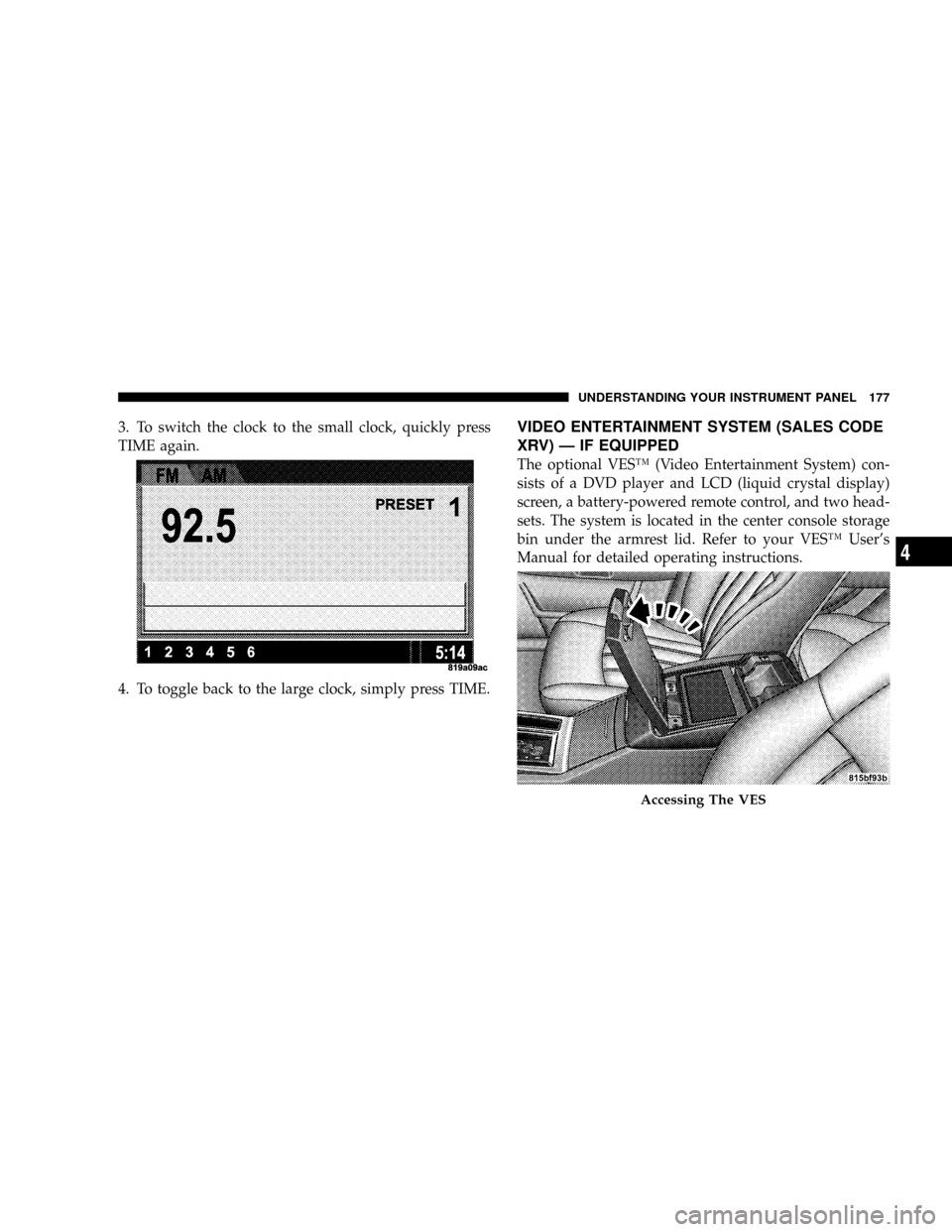
3. To switch the clock to the small clock, quickly press
TIME again.
4. To toggle back to the large clock, simply press TIME.VIDEO ENTERTAINMENT SYSTEM (SALES CODE
XRV) Ð IF EQUIPPED
The optional VESŸ (Video Entertainment System) con-
sists of a DVD player and LCD (liquid crystal display)
screen, a battery-powered remote control, and two head-
sets. The system is located in the center console storage
bin under the armrest lid. Refer to your VESŸ User's
Manual for detailed operating instructions.
Accessing The VES
UNDERSTANDING YOUR INSTRUMENT PANEL 177
4
Page 207 of 380
WARNING!
²Never pour fuel or other flammable liquid into
the throttle body air inlet opening in an attempt to
start the vehicle. This could result in flash fire
causing serious personal injury.
²Do not attempt to push or tow your vehicle to get
it started. Vehicles equipped with an automatic
transmission cannot be started this way. Un-
burned fuel could enter the catalytic converter and
once the engine has started, ignite and damage the
converter and vehicle. If the vehicle has a dis-
charged battery, booster cables may be used to
obtain a start from a booster battery or the battery
in another vehicle. This type of start can be
dangerous if done improperly. See section 6 of
this manual for the proper jump-starting proce-
dures and follow them carefully.
If the engine is flooded, it may start to run, but not have
enough power to continue running when the key is
released. If this occurs, continue cranking up to 15
seconds with the accelerator pedal pushed all the way to
the floor. Release the accelerator pedal and the key once
the engine is running smoothly. Do not overspeed the
engine.
If the engine shows no sign of starting after two 15-
second periods of cranking with the accelerator pedal
held to the floor, the ªNORMAL STARTINGº procedure
should be repeated.
After Starting
The idle speed is controlled automatically and it will
decrease as the engine warms up.
206 STARTING AND OPERATING
Page 228 of 380
WARNING!
With the ESP switched off, the enhanced vehicle
stability offered by ESP is unavailable. In an emer-
gency evasive maneuver, the ESP system will not
engage to assist in maintaining stability. The ªFull
Offº ESP mode is intended for off-highway or off-
road only.
Synchronizing ESP
The malfunction indicator light for the ESP is
combined with BAS indicator. If the power
supply is interrupted (battery disconnected or
discharged), the ESP/BAS malfunction indica-
tor light may illuminate with the engine running. If this
should occur, turn the steering wheel completely to the
left and then to the right. The ESP/BAS malfunction
indicator light should go out. However, if the light
remains on, have the ESP and BAS checked at your
authorized dealer as soon as possible.
ESP/BAS Malfunction Indicator Light and
ESP/TCS Indicator Light
The malfunction indicator light for the ESP is
combined with the BAS indicator. The yellow
ªESP/BAS Malfunction Indicator Lightº and
the yellow ªESP/TCS Indicator Lightº in the
instrument cluster both come on when the ignition
switch is turned to the ªONº position. They should go
out with the engine running.
The system will turn the ªESP/BAS Malfunction Indica-
tor Lightº on continuously while the engine running if it
detects a malfunction in either the ESP or the BAS or
both. If the light remains on after several ignition cycles,
and you have driven the vehicle several miles at speeds
greater than 30 mph (48 km/h), and the ESP is synchro-
nized (refer to Synchronizing ESP), see your authorized
dealer as soon as possible to have the problem diagnosed
and corrected.
STARTING AND OPERATING 227
5
Page 277 of 380
HAZARD WARNING FLASHER
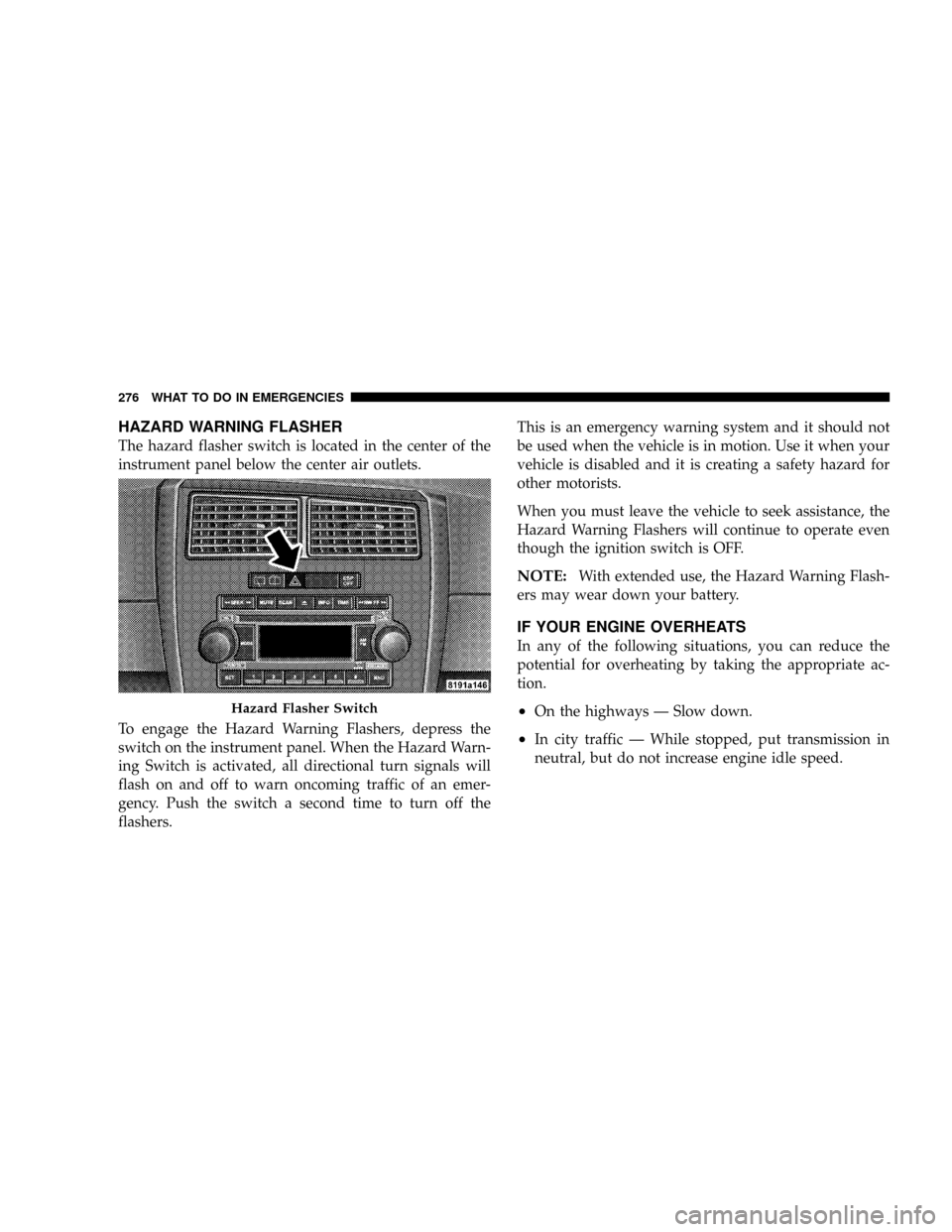
The hazard flasher switch is located in the center of the
instrument panel below the center air outlets.
To engage the Hazard Warning Flashers, depress the
switch on the instrument panel. When the Hazard Warn-
ing Switch is activated, all directional turn signals will
flash on and off to warn oncoming traffic of an emer-
gency. Push the switch a second time to turn off the
flashers.This is an emergency warning system and it should not
be used when the vehicle is in motion. Use it when your
vehicle is disabled and it is creating a safety hazard for
other motorists.
When you must leave the vehicle to seek assistance, the
Hazard Warning Flashers will continue to operate even
though the ignition switch is OFF.
NOTE:With extended use, the Hazard Warning Flash-
ers may wear down your battery.
IF YOUR ENGINE OVERHEATS
In any of the following situations, you can reduce the
potential for overheating by taking the appropriate ac-
tion.
²On the highways Ð Slow down.
²In city traffic Ð While stopped, put transmission in
neutral, but do not increase engine idle speed.
Hazard Flasher Switch
276 WHAT TO DO IN EMERGENCIES