lights DODGE MAGNUM SRT 2007 1.G Owner's Manual
[x] Cancel search | Manufacturer: DODGE, Model Year: 2007, Model line: MAGNUM SRT, Model: DODGE MAGNUM SRT 2007 1.GPages: 380, PDF Size: 6.63 MB
Page 139 of 380
cycles, and the vehicle has been driven several miles at
speeds greater than 30 mph (48 km/h), see your
authorized dealer as soon as possible to have the
problem diagnosed and corrected. (See page 222 for
more information.)
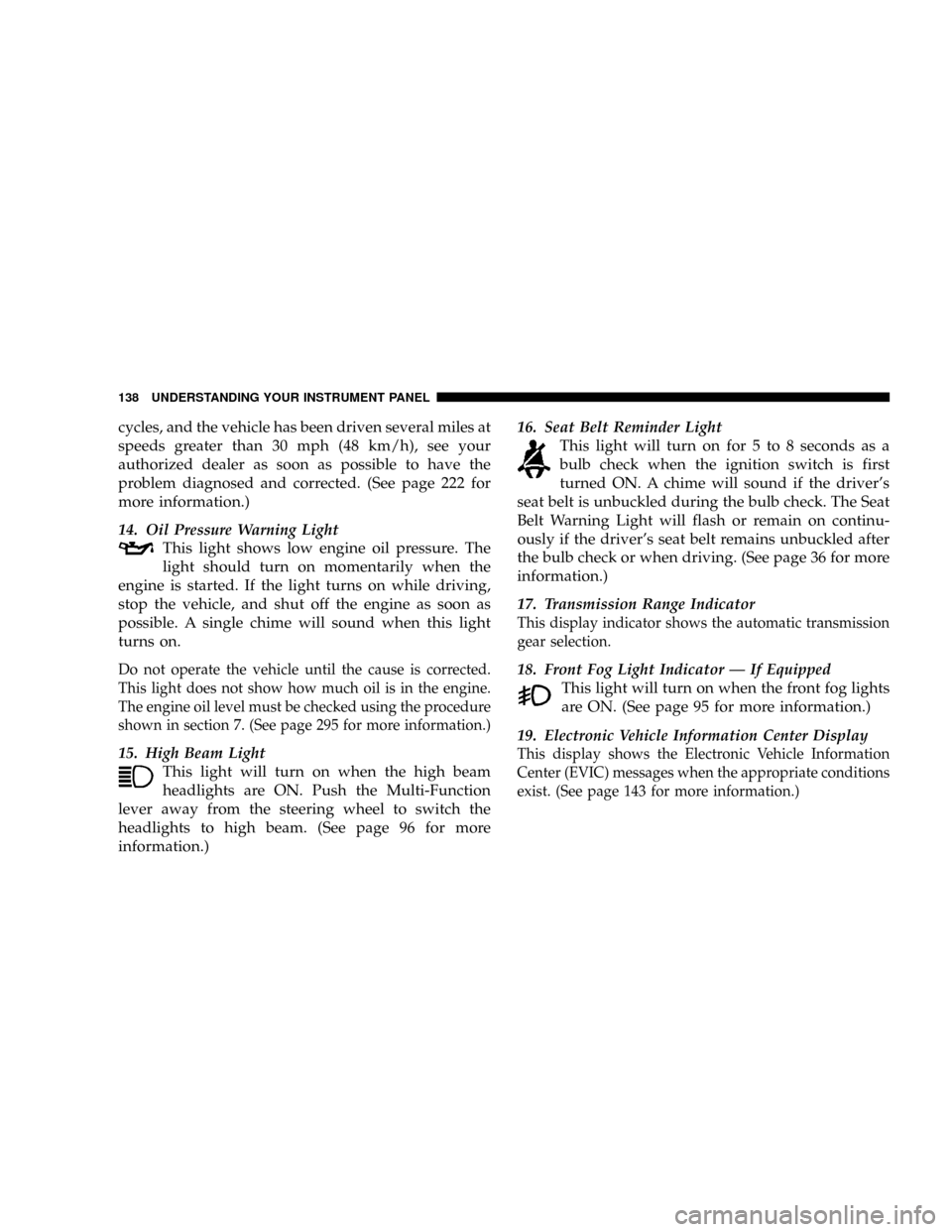
14. Oil Pressure Warning Light
This light shows low engine oil pressure. The
light should turn on momentarily when the
engine is started. If the light turns on while driving,
stop the vehicle, and shut off the engine as soon as
possible. A single chime will sound when this light
turns on.
Do not operate the vehicle until the cause is corrected.
This light does not show how much oil is in the engine.
The engine oil level must be checked using the procedure
shown in section 7. (See page 295 for more information.)
15. High Beam Light
This light will turn on when the high beam
headlights are ON. Push the Multi-Function
lever away from the steering wheel to switch the
headlights to high beam. (See page 96 for more
information.)16. Seat Belt Reminder Light
This light will turn on for 5 to 8 seconds as a
bulb check when the ignition switch is first
turned ON. A chime will sound if the driver's
seat belt is unbuckled during the bulb check. The Seat
Belt Warning Light will flash or remain on continu-
ously if the driver's seat belt remains unbuckled after
the bulb check or when driving. (See page 36 for more
information.)
17. Transmission Range Indicator
This display indicator shows the automatic transmission
gear selection.
18. Front Fog Light Indicator Ð If Equipped
This light will turn on when the front fog lights
are ON. (See page 95 for more information.)
19. Electronic Vehicle Information Center Display
This display shows the Electronic Vehicle Information
Center (EVIC) messages when the appropriate conditions
exist. (See page 143 for more information.)
138 UNDERSTANDING YOUR INSTRUMENT PANEL
Page 153 of 380
Use the SCROLL button to display one of the following
choices:
ªLanguageº
When in this display you may select one of five lan-
guages for all display nomenclature, including the trip
functions and the navigation system (if equipped). Press
the FUNCTION SELECT button while in this display to
select English, Espanol, Deutsch, Italiano, or Francais.
Then, as you continue, the information will display in the
selected language.
NOTE:The EVIC will not change the UConnectŸ
language selection. Please refer to ªLanguage Selectionº
in the HANDS±FREE COMMUNICATION (UConnectŸ)
section of this manual for details.
ªLock Doors Automatically at 15 mph (24 Km/h)º
When ON is selected, all doors will lock automatically
when the vehicle reaches a speed of 15 mph (24 km/h).
To make your selection, press and release the FUNC-
TION SELECT button until ªONº or ªOFFº appears.
ªUnlock Doors Automatically on Exitº
When ON is selected, all doors will unlock when the
vehicle is stopped and the transmission is in the P (Park)
or N (Neutral) position and the driver's door is opened.
To make your selection, press and release the FUNC-
TION SELECT button until ªONº or ªOFFº appears.
ªRemote Key Unlockº
WhenDriver Door 1st Pressis selected, only the driver's
door will unlock on the first press of the remote keyless
entry unlock button. When Driver Door 1st Press is
selected, you must press of the remote keyless entry
unlock button twice to unlock the passenger's doors.
WhenAll Doors 1st Pressis selected, all of the doors will
unlock on the first press of the remote keyless entry
unlock button. To make your selection, press and release
the FUNCTION SELECT button until ªDriver Door 1st
Pressº or ªAll Doors 1st Pressº appears.
ªSound Horn with Remote Key Lockº
When ON is selected, a short horn sound will occur when
the remote keyless entry ªLockº button is pressed. This
feature may be selected with or without the flash lights
152 UNDERSTANDING YOUR INSTRUMENT PANEL
Page 154 of 380
on lock/unlock feature. To make your selection, press
and release the FUNCTION SELECT button until ªONº
or ªOFFº appears.
ªFlash Lights with Remote Key Lockº
When ON is selected, the front and rear turn signals will
flash when the doors are locked or unlocked with the
remote keyless entry transmitter. This feature may be
selected with or without the sound horn on lock feature
selected. To make your selection, press and release the
FUNCTION SELECT button until ªONº or ªOFFº ap-
pears.
ªHeadlights On with Wipersº (Available with Auto
Headlights Only)
When ON is selected, and the headlight switch is in the
AUTO position, the headlights will turn on approxi-
mately 10 seconds after the wipers are turned on. The
headlights will also turn off when the wipers are turned
off if they were turned on by this feature. To make your
selection, press and release the FUNCTION SELECT
button until ªONº or ªOFFº appears.
NOTE:Turning the headlights on during the daytime
causes the instrument panel lights to dim. To increase the
brightness, refer to ªLightsº in Section 3 of this manual.
ªDelay Turning Headlights Offº
When this feature is selected, the driver can choose to
have the headlights remain on for 0, 30, 60, or 90 seconds
when exiting the vehicle. To make your selection, press
and release the FUNCTION SELECT button until ª0,º
ª30,º ª60,º or ª90º appears.
ªTurn Headlights On with Remote Key Unlockº
When this feature is selected, the headlights will activate
and remain on for up to 90 seconds when the doors are
unlocked with the remote keyless entry transmitter. To
make your selection, press and release the FUNCTION
SELECT button until ªOFF,º ª30 sec.,º ª60 sec.,º or ª90
sec.º appears.
ªDelay Power Off to Accessories Until Exitº
When this feature is selected, the power window
switches, radio, hands±free system (if equipped), DVD
video system (if equipped), power sunroof (if equipped),
and power outlets will remain active for up to 60 minutes
after the ignition switch is turned off. Opening a vehicle
UNDERSTANDING YOUR INSTRUMENT PANEL 153
4
Page 271 of 380
WARNING!
Do not connect trailer brakes to your vehicle's hy-
draulic brake lines. It can overload your brake sys-
tem and cause it to fail. You might not have brakes
when you need them and could have an accident.
Towing any trailer will increase your stopping dis-
tance. When towing, you should allow for additional
space between your vehicle and the vehicle in front
of you. Failure to do so could result in an accident.
Towing Requirements Ð Trailer Lights & Wiring
Whenever you pull a trailer, regardless of the trailer size,
stop lights and turn signals on the trailer are required for
motoring safety.
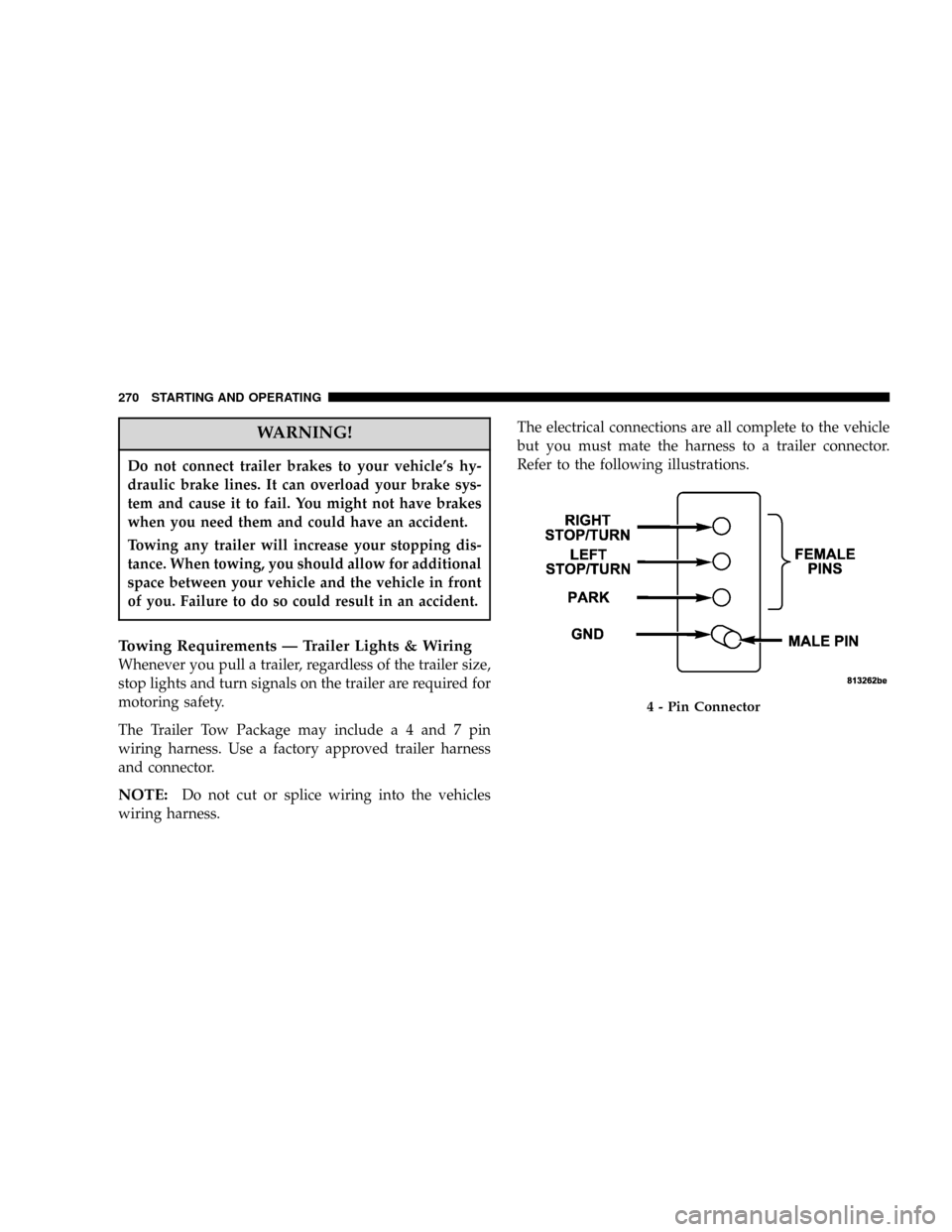
The Trailer Tow Package may includea4and7pin
wiring harness. Use a factory approved trailer harness
and connector.
NOTE:Do not cut or splice wiring into the vehicles
wiring harness.The electrical connections are all complete to the vehicle
but you must mate the harness to a trailer connector.
Refer to the following illustrations.
4 - Pin Connector
270 STARTING AND OPERATING
Page 319 of 380
Interior Care
Use MopartFabric Cleaner or equivalent to clean fabric
upholstery and MopartCarpet Cleaner for carpeting.
Interior Trim should be cleaned starting with a damp
cloth, or MopartSatin Select. Do not use harsh cleaners
or Armorall. Use MopartTotal Clean to clean vinyl
upholstery.
MopartTotal Clean is specifically recommended for
leather upholstery.
Your leather upholstery can be best preserved by regular
cleaning with a damp soft cloth. Small particles of dirt
can act as an abrasive and damage the leather upholstery
and should be removed promptly with a damp cloth.
Stubborn soils can be removed easily with a soft cloth
and MopartTotal Clean or equivalent. Care should be
taken to avoid soaking your leather upholstery with any
liquid. Please do not use polishes, oils, cleaning fluids,
solvents, detergents, or ammonia-based cleaners to clean
your leather upholstery. Application of a leather condi-
tioner is not required to maintain the original condition.WARNING!
Do not use volatile solvents for cleaning purposes.
Many are potentially flammable, and if used in
closed areas they may cause respiratory harm.
Cleaning Headlights
Your vehicle has plastic headlights that are lighter and
less susceptible to stone breakage than glass headlights.
Plastic is not as scratch resistant as glass and therefore
different lens cleaning procedures must be followed.
To minimize the possibility of scratching the lenses and
reducing light output, avoid wiping with a dry cloth. To
remove road dirt, wash with a mild soap solution fol-
lowed by rinsing.
Do not use abrasive cleaning components, solvents, steel
wool or other aggressive material to clean the lenses.
Glass Surfaces
All glass surfaces should be cleaned on a regular basis
with MopartGlass Cleaner or any commercial
household-type glass cleaner. Never use an abrasive type
318 MAINTAINING YOUR VEHICLE
Page 321 of 380
²Carefully tuck the front, followed by the rear, then side
edges of the cup holder into the center console.
FUSES (POWER DISTRIBUTION CENTERS)
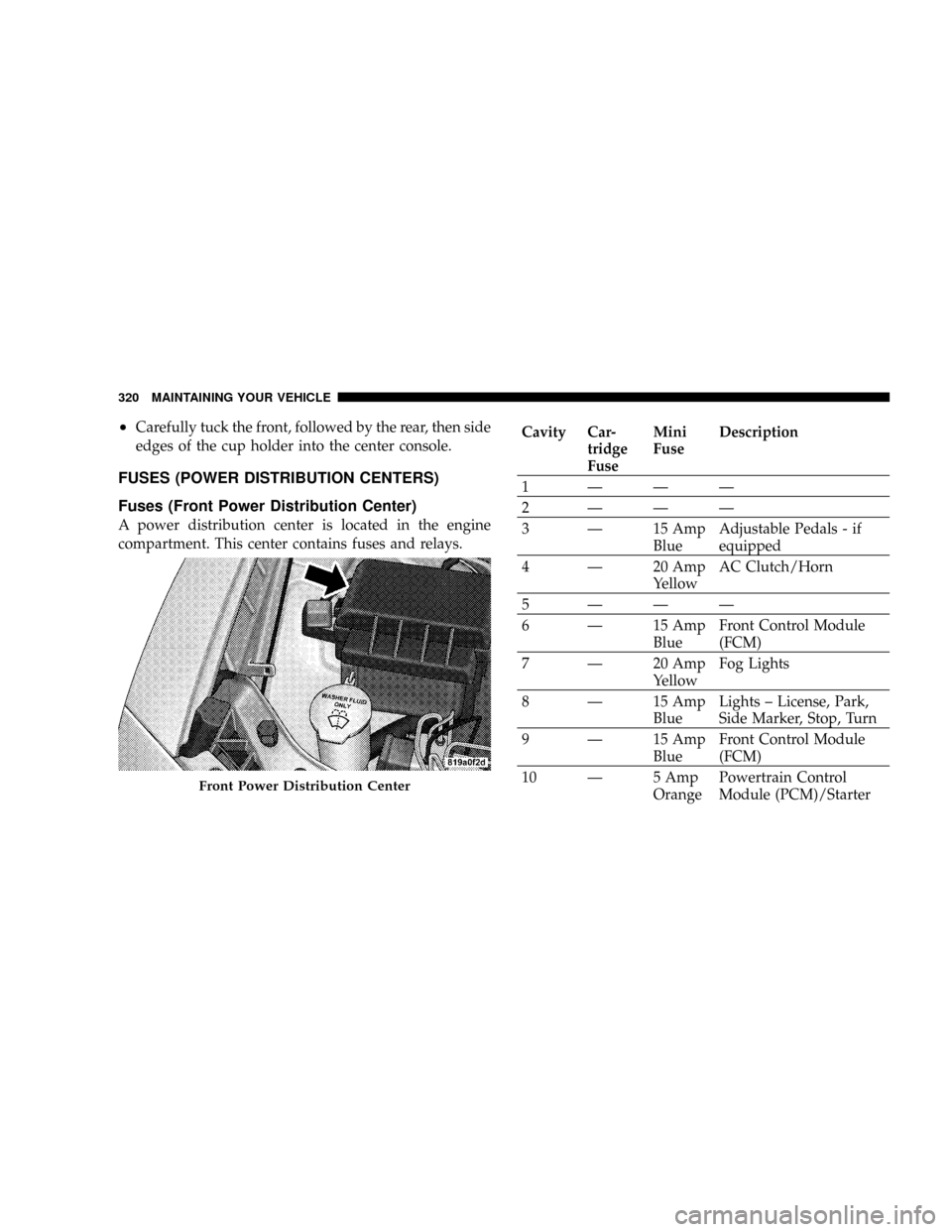
Fuses (Front Power Distribution Center)
A power distribution center is located in the engine
compartment. This center contains fuses and relays.
Cavity Car-
tridge
FuseMini
FuseDescription
1ÐÐÐ
2ÐÐÐ
3 Ð 15 Amp
BlueAdjustable Pedals - if
equipped
4 Ð 20 Amp
YellowAC Clutch/Horn
5ÐÐÐ
6 Ð 15 Amp
BlueFront Control Module
(FCM)
7 Ð 20 Amp
YellowFog Lights
8 Ð 15 Amp
BlueLights ± License, Park,
Side Marker, Stop, Turn
9 Ð 15 Amp
BlueFront Control Module
(FCM)
10 Ð 5 Amp
OrangePowertrain Control
Module (PCM)/Starter
Front Power Distribution Center
320 MAINTAINING YOUR VEHICLE
Page 324 of 380
Cavity Car-
tridge
FuseMini
FuseDescription
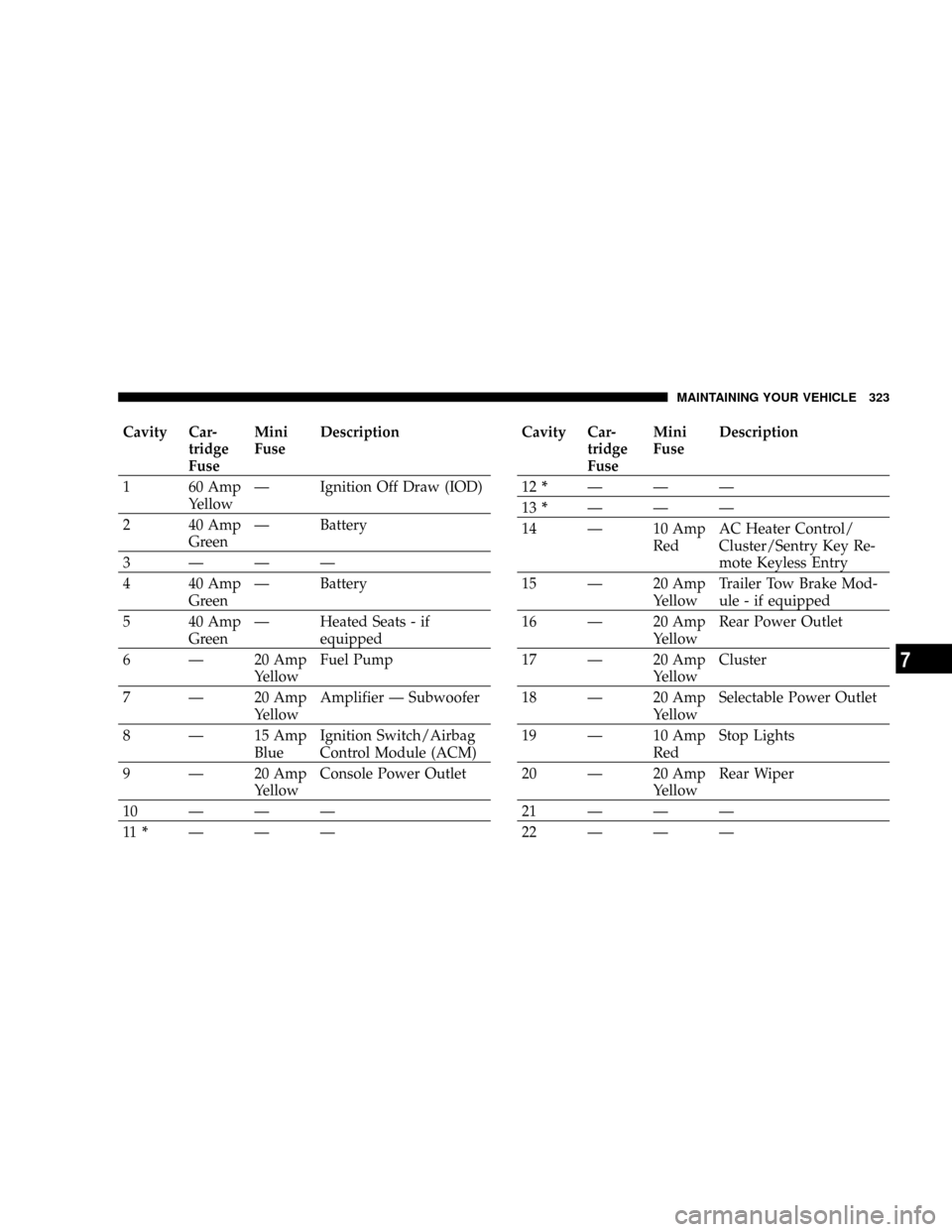
1 60 Amp
YellowÐ Ignition Off Draw (IOD)
2 40 Amp
GreenÐ Battery
3ÐÐÐ
4 40 Amp
GreenÐ Battery
5 40 Amp
GreenÐ Heated Seats - if
equipped
6 Ð 20 Amp
YellowFuel Pump
7 Ð 20 Amp
YellowAmplifier Ð Subwoofer
8 Ð 15 Amp
BlueIgnition Switch/Airbag
Control Module (ACM)
9 Ð 20 Amp
YellowConsole Power Outlet
10ÐÐÐ
11*ÐÐÐCavity Car-
tridge
FuseMini
FuseDescription
12*ÐÐÐ
13*ÐÐÐ
14 Ð 10 Amp
RedAC Heater Control/
Cluster/Sentry Key Re-
mote Keyless Entry
15 Ð 20 Amp
YellowTrailer Tow Brake Mod-
ule - if equipped
16 Ð 20 Amp
YellowRear Power Outlet
17 Ð 20 Amp
YellowCluster
18 Ð 20 Amp
YellowSelectable Power Outlet
19 Ð 10 Amp
RedStop Lights
20 Ð 20 Amp
YellowRear Wiper
21ÐÐÐ
22ÐÐÐ
MAINTAINING YOUR VEHICLE 323
7
Page 325 of 380
Cavity Car-
tridge
FuseMini
FuseDescription
23ÐÐÐ
24ÐÐÐ
25ÐÐÐ
26ÐÐÐ
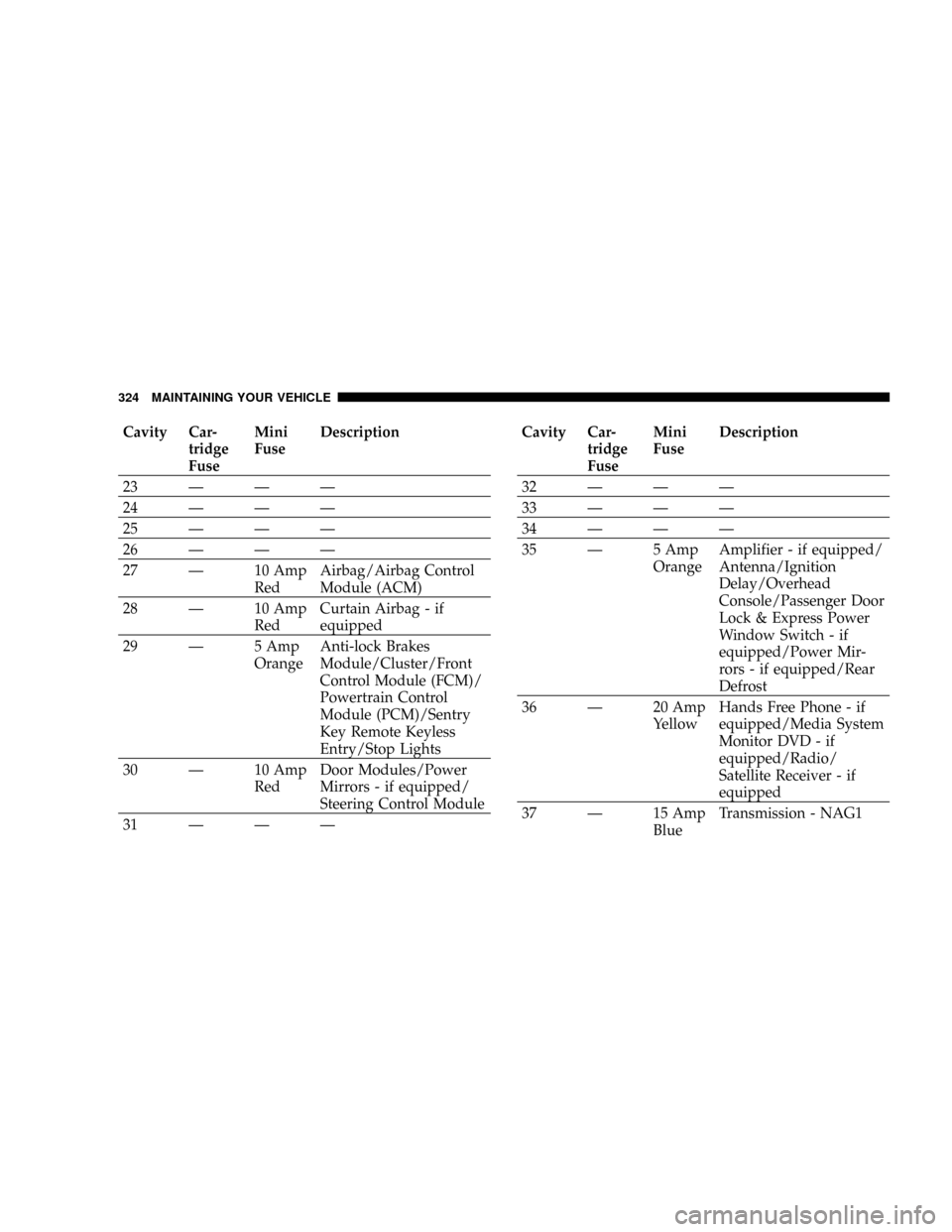
27 Ð 10 Amp
RedAirbag/Airbag Control
Module (ACM)
28 Ð 10 Amp
RedCurtain Airbag - if
equipped
29 Ð 5 Amp
OrangeAnti-lock Brakes
Module/Cluster/Front
Control Module (FCM)/
Powertrain Control
Module (PCM)/Sentry
Key Remote Keyless
Entry/Stop Lights
30 Ð 10 Amp
RedDoor Modules/Power
Mirrors - if equipped/
Steering Control Module
31ÐÐÐCavity Car-
tridge
FuseMini
FuseDescription
32ÐÐÐ
33ÐÐÐ
34ÐÐÐ
35 Ð 5 Amp
OrangeAmplifier - if equipped/
Antenna/Ignition
Delay/Overhead
Console/Passenger Door
Lock & Express Power
Window Switch - if
equipped/Power Mir-
rors - if equipped/Rear
Defrost
36 Ð 20 Amp
YellowHands Free Phone - if
equipped/Media System
Monitor DVD - if
equipped/Radio/
Satellite Receiver - if
equipped
37 Ð 15 Amp
BlueTransmission - NAG1
324 MAINTAINING YOUR VEHICLE
Page 327 of 380
VEHICLE STORAGE
If you are leaving your vehicle dormant for more than 21
days, you may want to take steps to protect your battery.
You may:
²Disconnect the negative cable from the battery.
²Anytime you store your vehicle, or keep it out of
service (i.e. vacation) for two weeks or more, run the
air conditioning system at idle for about five minutes
in the fresh air and high blower setting. This will
insure adequate system lubrication to minimize the
possibility of compressor damage when the system is
started again.
REPLACEMENT LIGHT BULBS
LIGHT BULBS Ð Interior Bulb Number
Rear Courtesy/Reading Lights.............. W5W
Rear Compartment (Liftgate) Light............ 578
Overhead Console Reading Lights............. 578
Visor Vanity Lights.....................A6220
Glove Box Light......................... 194
Door Courtesy.......................... 562
Shift Indicator Light.................JKLE14140
NOTE:For lighted switches, see your dealer for re-
placement instructions.
All of the interior bulbs are glass wedge base or glass
cartridge types. Aluminum base bulbs are not approved
and should not be used for replacement.
326 MAINTAINING YOUR VEHICLE
Page 339 of 380
Once a Month
²
Check tire pressure and look for unusual wear or
damage.
²Inspect the battery, and clean, and tighten the termi-
nals as required.
²Check the fluid levels of coolant reservoir and brake
master cylinder, and add as needed.
²Check all lights and all other electrical items for correct
operation.
²Check rubber seals on each side of the radiator for
proper fit.
At Each Oil Change
²
Change the engine oil filter.
²Inspect the exhaust system.
²Inspect the brake hoses.
²Inspect the CV joints and front and rear suspension
components.
²Check the coolant level, hoses, and clamps.
338 MAINTENANCE SCHEDULES
8
M
A
I
N
T
E
N
A
N
C
E
S
C
H
E
D
U
L
E
S