ECO mode DODGE NEON 2004 2.G Owners Manual
[x] Cancel search | Manufacturer: DODGE, Model Year: 2004, Model line: NEON, Model: DODGE NEON 2004 2.GPages: 241, PDF Size: 3.75 MB
Page 19 of 241

Programming Additional Transmitters
Up to four transmitters can be programmed to your
vehicle. Your new vehicle was shipped with two trans-
mitters. See your dealer for additional transmitters.
Additional transmitters can be programmed to the sys-
tem by using the following procedure:
1. Insert the key into the ignition and turn the switch to
the RUN position.
2. Press and hold the UNLOCK button on the transmitter
for between four and ten seconds.
3. Continue to hold the UNLOCK button and press the
PANIC button. A chime will sound to indicate that the
transmitter programming mode has been entered.
4. Press a button on all transmitters to be programmed to
the system, including any previously programmed trans-
mitters. A chime will sound when each transmitter has
been programmed.
5. Turn the ignition switch off to exit the transmitter
programming mode.
General Information
This device complies with FCC rules part 15. Operation is
subject to the following two conditions: (1) This device
may not cause harmful interference and (2) This device
must accept any interference that may be received, in-
cluding interference that may cause undesired operation.
If your transmitter fails to operate from a normal dis-
tance, check for these two conditions.
1. Weak batteries in transmitter. The expected life of
batteries is from one to two years.
2. Closeness to a radio transmitter such as a radio station
tower, airport transmitter, and some mobile or CB radios.
Transmitter Battery Service
The recommended replacement battery is 2016 or its
equivalent.
NOTE:Do not touch the battery terminals that are on
the back housing or the printed circuit board.
THINGS TO KNOW BEFORE STARTING YOUR VEHICLE 19
2
Page 38 of 241
WARNING!
Deployed airbags can't protect you in another colli-
sion. Have the airbags replaced by an authorized
dealer as soon as possible.
Side Airbag System Ð If Equipped
²
The Side Impact Airbag Control Modules determine if
a side collision is severe enough to require the airbag
to inflate. The Side Impact Airbag Control Modules is
not designed to detect roll over, front, or rear impacts.
²The Side Impact Airbag Control Module monitors the
readiness of the electronic parts of the system when-
ever the ignition switch is in the START or ON/RUN
positions. These include all of the items listed above. If
the left or right SIACM detects a malfunction in any
part of the system, it will send a message to the frontal
ACM to turn the Airbag Light on. The Airbag Control
Module also turns on the AIRBAG light in the instru-
ment panel for 6 to 8 seconds when the ignition switch
is first turned on as a diagnostic or system check, then
turns the light off.
²In moderate to severe side collisions, the side airbag
inflator on the crash side of the vehicle is triggered by
the appropriate SIACM, releasing a quantity of non-
toxic gas. The inflating side airbag exits through the
seat seam into the space between the occupant and the
door. The side airbag moves at a very high speed and
with such a high force, that it could injure you if you
are not seated properly, or if items are positioned in
the area where the side airbag inflates. This especially
applies to children.
Enhanced Accident Response Time Ð If Equipped
If the airbags deploy after an impact and the electrical
system remains functional, vehicles equipped with
power door locks will unlock automatically. In addition,
approximately 10 seconds after the vehicle has stopped
moving, the interior lights will light until the ignition
switch is turned off.
38 THINGS TO KNOW BEFORE STARTING YOUR VEHICLE
Page 46 of 241

²The lap portion should be low on the hips and as snug
as possible.
²Check belt fit periodically. A child's squirming or
slouching can move the belt out of position.
²If the shoulder belt contacts the face or neck, move the
child closer to the center of the vehicle. Never allow a
child to put the shoulder belt under an arm or behind
their back.
Transporting Pets
Airbags deploying in the front seat could harm your pet.
An unrestrained pet will be thrown about and possibly
injured, or injure a passenger during panic braking or in
a collision.
Pets should be restrained in the rear seat in pet harnesses
or pet carriers that are secured by seat belts.
ENGINE BREAK-IN RECOMMENDATIONS
The engine in your new vehicle does not require a long
break-in period.
Drive moderately during the first 300 miles (500 km).
After the initial 60 miles (100 km), speeds up to 50 or 55
mph (80 or 90 km/h) are desirable.
While cruising, brief full-throttle acceleration, within the
limits of local traffic laws, contributes to a good break-in.
Wide open throttle acceleration in low gear can be
detrimental and should be avoided.
The crankcase oil installed in the engine at the factory is
a high quality energy conserving type lubricant. Oil
changes should be consistent with expected climate con-
ditions under which vehicle operations will occur. The
recommended viscosity and quality grades are in Section
7 of this manual.
Do not use non-detergent or straight mineral oils.
A new engine may consume some oil during its first few
thousand miles of operation. This is a normal part of the
break-in and not an indication of a problem.
46 THINGS TO KNOW BEFORE STARTING YOUR VEHICLE
Page 53 of 241

Compass Variance
²
Find your current location and determine the correct
Zone number from the map.
²Press and hold the ªLeftº button for 5±10 seconds
(until ªZoneº appears in the display), then release the
button. The number displayed is the current Zone
value.
²If a new Zone value is desired, briefly press the ªLeftº
button to increment the displayed value, (Range 1±15)
until you find your desired Zone number.
²No button activity for 4±5 seconds ends the Zone entry
mode. The display will return to normal operation and
the new Zone number will be set.
UNDERSTANDING THE FEATURES OF YOUR VEHICLE 53
3
Page 54 of 241
Compass Calibration
If ªCALº is not displayed, press and hold the ªLeftº
button for 10±15 seconds, or until ªCALº appears in the
display, then release the button. The compass is now in
calibration mode.
The mirror can be calibrated in one of two ways
²
Drive the vehicle in circles at less then 5mph (8 km/h)
until ªCALº no longer appears in the display.
²Drive the vehicle under normal operating conditions.
Outside Mirror Ð Driver's Side
Adjust the outside mirror to center on the adjacent lane of
traffic, with a slight overlap of the view obtained on the
inside mirror.
Outside Mirror Ð Passenger's Side
Adjust the convex outside mirror so you can just see the
side of your vehicle in the part of the mirror closest to the
vehicle.
WARNING!
Vehicles and other objects seen in the passenger side
convex mirror will look smaller and farther away
than they really are. Relying too much on your
passenger side mirror could cause you to collide
with another vehicle or other object. Use your inside
mirror when judging the size or distance of a vehicle
seen in this convex mirror.
Electric Remote-Control Mirrors Ð If Equipped
Use the mirror select switch, located on the drivers door
trim panel, to adjust the view obtained in the outside
mirrors. Press the rocker knob to the L or R for Left or
Right mirror selection. Use the center off position to
guard against accidentally moving a mirror position.
54 UNDERSTANDING THE FEATURES OF YOUR VEHICLE
Page 68 of 241
POWER SUNROOF Ð IF EQUIPPED
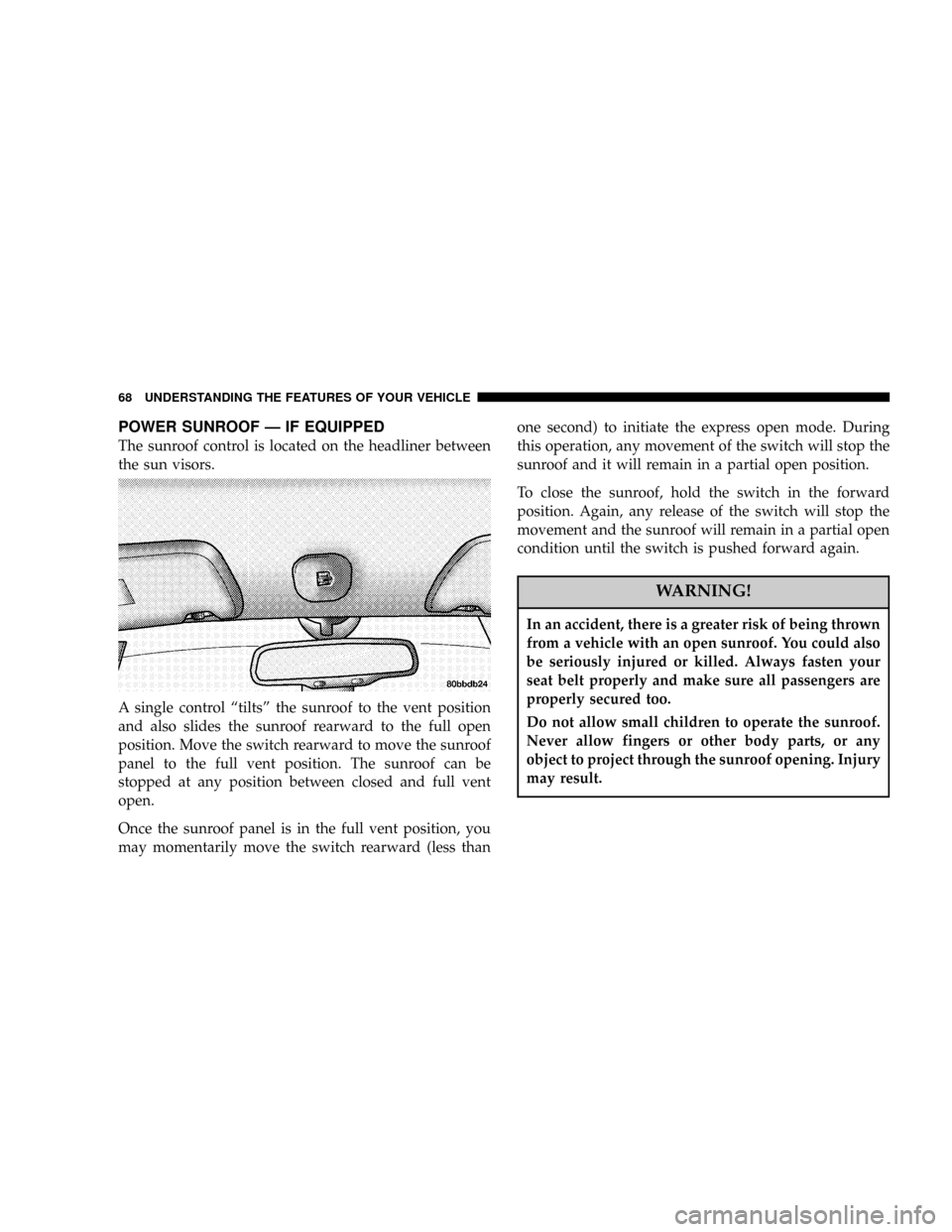
The sunroof control is located on the headliner between
the sun visors.
A single control ªtiltsº the sunroof to the vent position
and also slides the sunroof rearward to the full open
position. Move the switch rearward to move the sunroof
panel to the full vent position. The sunroof can be
stopped at any position between closed and full vent
open.
Once the sunroof panel is in the full vent position, you
may momentarily move the switch rearward (less thanone second) to initiate the express open mode. During
this operation, any movement of the switch will stop the
sunroof and it will remain in a partial open position.
To close the sunroof, hold the switch in the forward
position. Again, any release of the switch will stop the
movement and the sunroof will remain in a partial open
condition until the switch is pushed forward again.
WARNING!
In an accident, there is a greater risk of being thrown
from a vehicle with an open sunroof. You could also
be seriously injured or killed. Always fasten your
seat belt properly and make sure all passengers are
properly secured too.
Do not allow small children to operate the sunroof.
Never allow fingers or other body parts, or any
object to project through the sunroof opening. Injury
may result.
68 UNDERSTANDING THE FEATURES OF YOUR VEHICLE
Page 82 of 241

correct mileage that the vehicle has been driven. There-
fore, if the odometer reading changes during repair or
replacement, be sure to keep a record of the reading
before and after the service so the correct mileage can be
determined.
19. Door Ajar Indicator
This vacuum fluorescent display indicator illuminates
when a door is not completely closed. If the door is open
for more than 8 minutes and the ignition key is in the
OFF position, the indicator will turn off.
20. Trip Indicator
This light will illuminate when the Trip Odometer is in
use.
21. Cruise Light Ð If Equipped
This indicator shows that the Speed Control
System is ON.
NOTE:
The word ªSETºwill notilluminate when the
Speed Control System is on.
22. Temperature Gauge
The temperature gauge shows engine coolant
temperature. Any reading between the lightblue and red areas of the gauge shows that the engine
cooling system is operating properly. The gauge
pointer may show a higher than normal temperature
when driving in hot weather, up mountain grades, in
heavy stop and go traffic, or when towing a trailer.
If the pointer rises to theH(red) mark, the instrument
cluster will sound a chime. Pull off the road at a safe area.
With the vehicle in Park, idle the vehicle with the air
conditioner turned off until the pointer drops back into
the normal range. If the pointer remains on theH(red)
mark, turn the ignition off immediately and call for
service.
There are steps that you can take to slow down an
impending overheat condition. If your air conditioning is
on, turn it off. The air conditioning system adds heat to
the engine cooling system and turning off the A/C
removes this heat. You can also turn the Temperature
control to maximum heat, the Mode control to Floor and
the Fan control to High. This allows the heater core to act
as a supplement to the radiator and aids in removing heat
from the engine cooling system.
82 UNDERSTANDING YOUR INSTRUMENT PANEL
Page 85 of 241

Power Button
The volume control/power button pops out when
pressed, this turns the sound system ON in the mode last
used. Pushing the button back in turns the sound system
OFF.
Electronic Volume Control
The electronic volume control turns continuously (360
degrees) in either direction without stopping. Turning the
volume control to the right increases the volume and to
the left decreases it.
When the audio system is turned on, the sound will be
set at the same volume level as last played.
For your convenience, the volume can be turned down,
but not up, when the audio system is off and the ignition
is ON.
Seek
Press and release the SEEK button to search for the next
station in either the AM or FM mode. Press the top of the
button to seek up and the bottom to seek down. The
radio will remain tuned to the new station until youmake another selection. Holding the button will bypass
stations without stopping until you release it.
Tune
Press the TUNE control up or down to increase or
decrease the frequency. If the button is pushed and held,
the radio will continue to tune until the button is
released. The frequency will be displayed and continu-
ously updated while the button is pushed.
To Set The Push-Button Memory
When you are receiving a station that you wish to
commit to push-button memory, press the SET button.
The symbol SET 1 will now show in the display window.
Select the ª1±5º button you wish to lock onto this station
and press and release that button. If a button is not
selected within 5 seconds after pressing the SET button,
the station will continue to play but will not be locked
into push-button memory.
You may add a second station to each push-button by
repeating the above procedure with this exception: Press
the SET button twice and SET 2 will show in the display
window. Each button can be set for SET 1 and SET 2 in
both AM and FM. This allows a total of 10 AM and 10 FM
UNDERSTANDING YOUR INSTRUMENT PANEL 85
4
Page 87 of 241

Music Search
Pressing the SEEK button while playing a tape will start
the Music Search mode. Press the SEEK button up for the
next selection on the tape and down to return to the
beginning of the current selection, or return to the
beginning of the previous selection if the tape is within
the first 5 seconds of the current selection.
The SEEK symbol appears on the display when Music
Search is in operation. Music Search shuts off automati-
cally when a selection has been located.
Selective Music Search
Press the SEEK button up or down to move the track
number to skip forward or backward 1 to 7 selections.
Press the SEEK button once to move 1 selection, twice to
move 2 selections, etc.
Fast Forward And Rewind Buttons
Pressing the TUNE button up or down momentarily
activates Fast Forward or Rewind and makes the direc-
tional arrows appear on the display.
To stop Fast Forward or Rewind, press the TUNE button
again.
Time Button
Press the time button to toggle between station frequency
and time of day.
Pressing this button while playing a cassette tape will
change the side of the tape being played.
NR (Noise Reduction)
Pushing the Number 2 Pre-set button when a tape is
playing deactivates the Dolby Noise Reduction System*.
When Dolby is ON, the NR symbol appears on the
display. Each time a tape is inserted the Dolby will turn
ON.
* ªDolbyº noise reduction manufactured under license
from Dolby Laboratories Licensing Corporation. Dolby
and the double-D symbol are trademarks of Dolby Labo-
ratories Licensing Corporation.
CD Changer Control Capability Ð If Equipped
This radio is compatible with a remote mounted CD
changer available through Mopar Accessories. The fol-
lowing instructions are for the radio controls that operate
this CD changer.
UNDERSTANDING YOUR INSTRUMENT PANEL 87
4
Page 88 of 241

Mode Button
To activate the CD changer, press the MODE button until
CD information appears on the display.
Push-Button
While the CD changer is playing, press the NUMBER 1
push-button or the NUMBER 5 push-button to select a
disc numbered higher or lower than the one currently
being played.
Seek Button
Press the SEEK up or down to select another track on the
same disc. A SEEK symbol will appear on the display.
Fast Forward And Rewind Buttons
Press and hold the FF button for fast forward. Press and
hold the RW button for fast reverse.
The audio output can be heard when fast forward and
fast reverse are activated.
Random Play (RND)
Press the Random button to play the tracks on the
selected disc in random order for an interesting change of
pace.Random can be cancelled by pressing the button a second
time or by ejecting the CD from the changer.
CD Diagnostic Indicators
When driving over a very rough road, the CD player may
skip momentarily. Skipping will not damage the disc or
the player, and play will resume automatically.
As a safeguard and to protect your CD player, one of the
following warning symbols may appear on your display.
A CD HOT symbol indicates the player is too hot.
CD HOT will pause the operation. Play can be resumed
when the operating temperature is corrected or another
MODE is selected.
An ERR symbol will appear on the display if the laser is
unable to read the Disc data for the following reasons:
²Excessive vibration
²Disc inserted upside down
²Damaged disc
²Water condensation on optics
88 UNDERSTANDING YOUR INSTRUMENT PANEL