instrument panel DODGE NEON SRT 2004 2.G User Guide
[x] Cancel search | Manufacturer: DODGE, Model Year: 2004, Model line: NEON SRT, Model: DODGE NEON SRT 2004 2.GPages: 200, PDF Size: 3.23 MB
Page 53 of 200

Interior Lights
The interior lights come on when a door is opened.
The interior lights will automatically turn off in about 8
minutes if a door is left open or the dimmer control is left
in the Dome light position. Turn the ignition switch ON
to restore the interior light operation.
Dimmer Control
With the park lights or headlights
on, rotating the dimmer control
for the interior lights on the Multi-
Function Control Lever upward
will increase the brightness of the
instrument panel lights.
Dome Light Position
Rotate the dimmer control com-
pletely upward to the second de-
tent to turn on the interior lights.
The interior lights will remain on
when the dimmer control is in this
position.
Daytime Brightness Feature
Certain instrument panel components can be illuminated
at full brightness during the daytime. These are the
Odometer and Radio. This can be helpful when driving
with your headlights on during the daytime such as in a
parade or a funeral procession. To activate this feature,
rotate the dimmer ring on the left stalk one detent lower
than the dome light.
Multi-Function Control Lever
The Multi-Function Control Lever controls the operation
of the headlights, parking lights, turn signals, headlight
beam selection, instrument panel light dimming, interior
UNDERSTANDING THE FEATURES OF YOUR VEHICLE 53
3
Page 54 of 200

lights, the passing lights, and fog lights. The lever is
located on the left side of the steering column.
Headlights, Parking Lights, Instrument Panel
Lights
Turn the end of the Multi-Function Control Lever to the
first detent for parking light operation. Turn to the
second detent for headlight operation.
To change the brightness of the instrument panel lights,
rotate the center portion of the Multi-Function Control
Lever up or down.
Daytime Running Lights (Canada Only)
The front fog lights will come on as Daytime Running
Lights whenever the ignition is on, the headlights are off,
and the parking brake is off. The headlight switch must
be used for normal night time driving.
Lights-on Reminder
If the headlights or parking lights are on after the ignition
is turned OFF, a chime will sound when the driver's door
is opened. Leaving the headlights on for an extended
period of time will discharge the battery resulting in
reduced battery life and possible inability to start the
vehicle.
Fog Lights
The front fog light switch is on the Multi-Function
Control Lever. To activate the front fog lights, turn
on the headlights and pull out the end of the
control lever.
NOTE:The fog lights will only operate with the head-
lights on low beam. Selecting high beam headlights or
park lights will turn off the fog lights.
54 UNDERSTANDING THE FEATURES OF YOUR VEHICLE
Page 59 of 200

UNDERSTANDING YOUR INSTRUMENT PANEL
CONTENTS
mInstrument Panel Features................61
mInstrument ClusterÐTurbo................62
mInstrument Cluster Descriptions............63
mElectronic Digital Clock..................68
NClock Setting Procedure..................68
mRadio General Information................68
NRadio Broadcast Signals..................68
NTwo Types Of Signals...................68
NElectrical Disturbances...................69
NAM Reception........................69
NFM Reception.........................69
mSales Code RBKÐAM/ FM Stereo Radio With
CD Player And CD Changer Controls Ð If
Equipped
.............................69
NRadio Operation.......................69
NCD Player Operation....................71
NCD Changer Operation Ð If Equipped.......73
mSatellite Radio Ð If Equipped..............74
NSystem Activation......................74
NElectronic Serial Number/Sirius Identification
Number (ENS/SID).....................74
NSelecting Satellite Mode In RBB And RBK
Radios..............................75
4
Page 60 of 200

NSelecting Satellite Mode In RBP, RBU, RAZ,
And RBQ Radios......................75
NSelecting a Channel.....................75
NStoring And Selecting Pre-Set Channels.......76
NUsing The PTY (Program Type) Button (If
Equipped)...........................76
NPTY Button9Scan9......................76
NPTY Button9Seek9......................76
NSatellite Antenna.......................76NReception Quality......................76
mCompact Disc Maintenance................77
mRadio Operation And Cellular Phones........77
mClimate Controls.......................78
NAir Conditioning......................78
NOperating Tips........................81
mElectric Rear Window Defroster............83
mTurbo Boost Gauge......................83
60 UNDERSTANDING YOUR INSTRUMENT PANEL
Page 61 of 200

INSTRUMENT PANEL FEATURES
UNDERSTANDING YOUR INSTRUMENT PANEL 61
4
Page 62 of 200

INSTRUMENT CLUSTERÐTURBO
62 UNDERSTANDING YOUR INSTRUMENT PANEL
Page 63 of 200
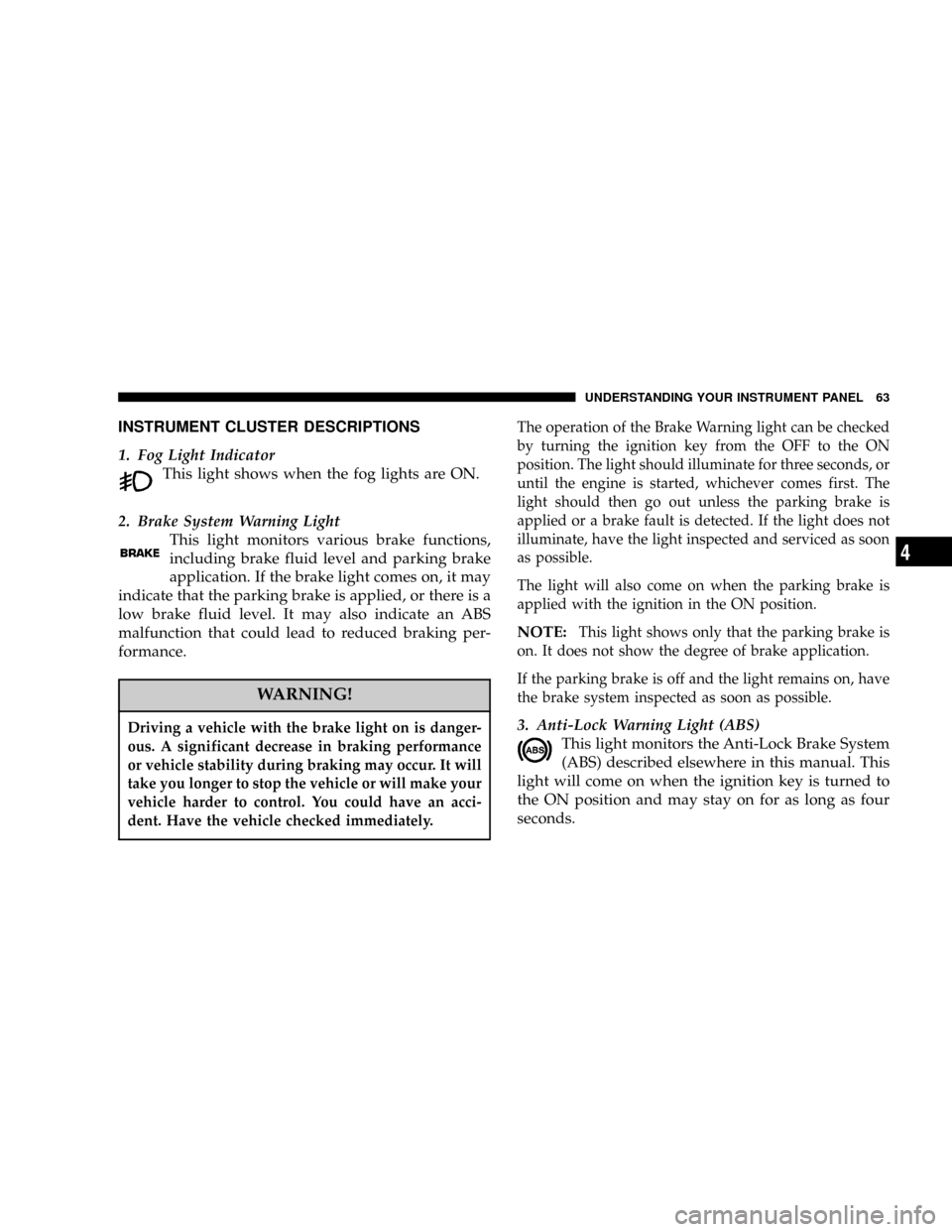
INSTRUMENT CLUSTER DESCRIPTIONS
1. Fog Light Indicator
This light shows when the fog lights are ON.
2. Brake System Warning Light
This light monitors various brake functions,
including brake fluid level and parking brake
application. If the brake light comes on, it may
indicate that the parking brake is applied, or there is a
low brake fluid level. It may also indicate an ABS
malfunction that could lead to reduced braking per-
formance.
WARNING!
Driving a vehicle with the brake light on is danger-
ous. A significant decrease in braking performance
or vehicle stability during braking may occur. It will
take you longer to stop the vehicle or will make your
vehicle harder to control. You could have an acci-
dent. Have the vehicle checked immediately.
The operation of the Brake Warning light can be checked
by turning the ignition key from the OFF to the ON
position. The light should illuminate for three seconds, or
until the engine is started, whichever comes first. The
light should then go out unless the parking brake is
applied or a brake fault is detected. If the light does not
illuminate, have the light inspected and serviced as soon
as possible.
The light will also come on when the parking brake is
applied with the ignition in the ON position.
NOTE:This light shows only that the parking brake is
on. It does not show the degree of brake application.
If the parking brake is off and the light remains on, have
the brake system inspected as soon as possible.
3. Anti-Lock Warning Light (ABS)
This light monitors the Anti-Lock Brake System
(ABS) described elsewhere in this manual. This
light will come on when the ignition key is turned to
the ON position and may stay on for as long as four
seconds.
UNDERSTANDING YOUR INSTRUMENT PANEL 63
4
Page 64 of 200

If the ABS light remains on or comes on during driving,
it indicates that the Anti-Lock portion of the brake system
is not functioning and that service is required, however,
the conventional brake system will continue to operate
normally provided that the BRAKE warning light is not
on.
If the ABS light is on, the brake system should be serviced
as soon as possible to restore the benefit of Anti-Lock
Brakes.
The warning light should be checked frequently to assure
that it is operating properly. Turn the ignition key to a
point midway between ON and START. The light should
come on. If the light does not come on, have the system
checked by an authorized dealer.
4. Speedometer
Indicates vehicle speed.
5. Turn Signal Indicators
The arrows will flash in unison with the exterior turn
signal, when using the turn signal lever.
6. High Beam Indicator
This light shows that the headlights are on high
beam. Pull the turn signal lever toward the
steering wheel to switch the headlights from high or
low beam.
7. Tachometer
The silver area of the scale shows the permissible engine
revolutions-per-minute (rpm x 1000) for each gear range.
Before reaching the red area, ease up on the accelerator to
prevent engine damage.
8. Oil Pressure Light
Shows low engine oil pressure. The light will
come on and remain on when the ignition key is
turned from OFF to the ON position, and the light will
turn off after the engine is started. If the bulb does not
come on during starting, have the system checked by
an authorized dealer.
If the light comes on and remains on while driving, stop
the vehicle and shut off the engine. DO NOT OPERATE
THE VEHICLE UNTIL THE CAUSE IS CORRECTED.
64 UNDERSTANDING YOUR INSTRUMENT PANEL
Page 65 of 200

The light does not show the quantity of oil in the engine.
This can be determined using the procedure shown in
Section 7.
9. Seat Belt Reminder Light
When the ignition key is first turned on, this
light will come on for about six seconds. A
chime will sound if you have not pulled the
shoulder belt out of the retractor. This is a reminder to
ªbuckle upº. If you do not buckle up, the light will
remain on.
10. Charging System Light
This light shows the status of the electrical
charging system. The light should come on
briefly when the ignition is first turned on and remain
on briefly as a bulb check. If the light stays on or
comes on while driving, it means that there is a
problem with the charging system. Obtain SERVICE
IMMEDIATELY.
11. Airbag Light
The light comes on and remains on for 6 to 8
seconds as a bulb check when the ignition
switch is first turned ON. If the light does notcome on during starting, stays on, or comes on while
driving, have the system checked by an authorized
dealer.
12. Theft Alarm Light
This light will flash rapidly for several seconds when the
alarm system is arming. The light will begin to flash
slowly indicating that the system is armed.
13. Fuel Door Reminder
This symbol is a reminder that the Fuel Filler Door is
located on the passenger's side of the vehicle
14. Fuel Gauge
When the ignition key is in the ON position, the
pointer will show the level of fuel remaining in
the fuel tank.
15. Low Fuel Light
When the fuel level drops to about 1/8 tank, the
fuel symbol will light and a single chime will
sound. The light will remain on until fuel is
added. If the fuel level drops to about 1/2 gallon, the
fuel symbol will begin to flash and the chime will
sound several times.
UNDERSTANDING YOUR INSTRUMENT PANEL 65
4
Page 66 of 200

16. Malfunction Indicator Light
This light is part of an onboard diagnostic
system called OBD that monitors engine con-
trol systems. The light will illuminate briefly
when the key is in the ON/RUN position before
engine start. If the bulb does not come on when
turning the key from OFF to ON/RUN, have the
condition checked promptly.
Certain conditions such as a loose or missing gas cap,
poor fuel quality, etc., may illuminate the light after
engine start. The vehicle should be serviced if the light
stays on through several of your typical driving cycles. In
most situations, the vehicle will drive normally and will
not require towing.
If the Malfunction Indicator Light flashes when the
engine is running, serious conditions may exist that
could lead to immediate loss of power or severe catalytic
converter damage. The vehicle should be serviced as
soon as possible if this occurs.
17. Odometer/Trip Odometer Reset Knob
Press this knob to switch between the odometer and trip
odometer. While the trip odometer is being displayed,
press and hold this knob for a few seconds to reset the
trip odometer to zero miles/kilometers.
18. Odometer/Trip Odometer
Shows the total distance the vehicle has been driven.
U.S. Federal regulations require that upon transfer of
vehicle ownership, the seller certify to the purchaser the
correct mileage that the vehicle has been driven. There-
fore, if the odometer reading changes during repair or
replacement, be sure to keep a record of the reading
before and after the service so the correct mileage can be
determined.
19. Door Ajar Indicator
This vacuum fluorescent indicator illuminates when a
door is not completely closed. If the door is open for more
than 8 minutes and the ignition key is in the OFF
position, the indicator will turn off.
66 UNDERSTANDING YOUR INSTRUMENT PANEL