lights DODGE NITRO 2008 1.G User Guide
[x] Cancel search | Manufacturer: DODGE, Model Year: 2008, Model line: NITRO, Model: DODGE NITRO 2008 1.GPages: 434, PDF Size: 6.2 MB
Page 86 of 434

Illuminated Vanity Mirrors Ð If Equipped
An illuminated vanity mirror is on each sun visor. To use
the mirror, rotate the sun visor down and swing the
mirror cover upward. The lights will turn on automati-
cally. Closing the mirror cover will turn off the light.
Sun Visor ªSlide-Outº Feature
The sun visor ªslide-on rod º feature allows for addi-
tional flexibility in positioning the visor to block out the
sun.
1. Fold down sun visor.
2. Unclip visor from center clip.
3. Pull the sun visor toward inside rearview mirror to
extend.
Illuminated Vanity Mirror
86 UNDERSTANDING THE FEATURES OF YOUR VEHICLE
Page 122 of 434
To prevent possible damage, do not slam the hood to
close it. Use a firm downward push at the center front
edge of the hood to ensure that both latches engage.
Never drive your vehicle unless the hood is fully closed,
with both latches engaged.
NOTE:Ensure hood prop rod is fully seated into clip
before closing hood to prevent damage to grille.
WARNING!
If the hood is not fully latched, it could fly up when
the vehicle is moving and block your forward vision.
Be sure all hood latches are fully latched before
driving.
LIGHTS
Interior Lights
The overhead light comes on when a door is opened. It
may also be turned on by rotating the control for the
dimmer switch on the multi-function control lever fully
upward.
The overhead light will automatically turn off in about 20
minutes if a door is left open or the dimmer control is left
in the dome light position. Turn the ignition switch ON to
restore the overhead light operation.
Daytime Brightness Feature
Certain instrument panel components (odometer, radio
display) can be illuminated at full brightness during the
daytime. This can be helpful when driving with your
headlights on during the daytime such as in a parade or
a funeral procession. To activate this feature, rotate the
left stalk one detent lower than the dome light.
122 UNDERSTANDING THE FEATURES OF YOUR VEHICLE
Page 123 of 434

Multi-Function Control Lever
The multi-function control lever controls the operation of
the parking lights, headlights, headlight beam selection,
passing light, fog lights, instrument panel light dimming,
and turn signals.
Parking Lights, Instrument Panel Lights, and
Headlights
Turn the end of the multi-function control lever to the
first detent for parking lights and instrument panel
lights. Turn to the second detent for headlight operation.
Multi-Function Control LeverHeadlight Switch
UNDERSTANDING THE FEATURES OF YOUR VEHICLE 123
3
Page 124 of 434

To change the brightness of the instrument panel lights,
rotate the center portion of the multi-function control
lever up or down.
NOTE:If the driver's door is left open, and the head-
lights or parking lights are left on, the ªHigh Beam
Indicator Lightº will flash and a chime will sound.
Lights-On Reminder
If the headlights or parking lights are on after the ignition
is turned off, a chime will sound when the driver's door
is opened.
Headlight Dimmer Switch
Push the multi-function control lever away from you to
switch the headlights to high beam. Pull the lever to-
wards you to switch the headlights back to low beam.
Passing Light
You can signal another vehicle with your headlights by
lightly pulling the multi-function control lever toward
the steering wheel. This will cause the headlights to turn
on at high beam and remain on until the lever is released.
Front Fog Lights Ð If Equipped
The front fog light switch is in the multi-function
control lever. To activate the front fog lights, turn
on the parking or low beam headlights and pull
out the end of the lever.
NOTE:The fog lights will only operate with the parking
lights or the headlights on low beam. Selecting high
beam headlights will turn off the fog lights.
124 UNDERSTANDING THE FEATURES OF YOUR VEHICLE
Page 125 of 434
Turn Signals
Move the multi-function control lever up or down and
the arrows on each side of the instrument cluster flash to
show proper operation of the front and rear turn signal
lights. You can signal a lane change by moving the lever
partially up or down without moving beyond the detent.
If either light remains on and does not flash, or there is a
very fast flash rate, check for a defective outside light
bulb. If an indicator fails to light when the lever is
moved, it would suggest that the indicator bulb is
defective.
NOTE:A tone will chime if the turn signals are left on
for more than 1 mile (2 km).
Daytime Running Lights Ð If Equipped
The headlights come on at a low intensity level after the
vehicle has been driven approximately 3 feet (1 meter).
They will turn off when the vehicle is turned off or when
the headlights are switched on.
WINDSHIELD WIPERS AND WASHERS
CAUTION!
In cold weather, always turn off the wiper switch and
allow the wipers to return to the park position before
turning off the engine. If the wiper switch is left on
and the wipers freeze to the windshield, damage to
the wiper motor may occur when the vehicle is
restarted.
UNDERSTANDING THE FEATURES OF YOUR VEHICLE 125
3
Page 148 of 434
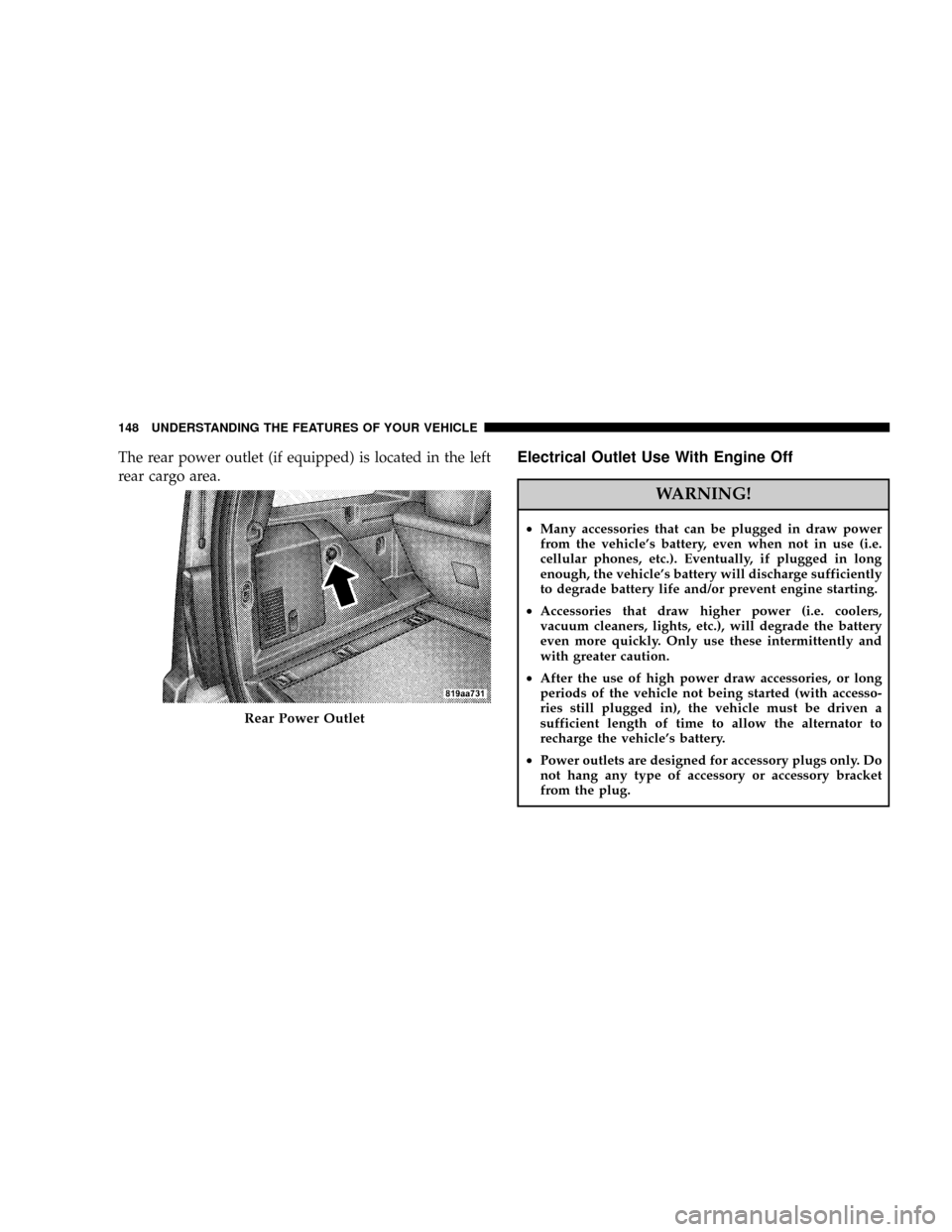
The rear power outlet (if equipped) is located in the left
rear cargo area.Electrical Outlet Use With Engine Off
WARNING!
²Many accessories that can be plugged in draw power
from the vehicle's battery, even when not in use (i.e.
cellular phones, etc.). Eventually, if plugged in long
enough, the vehicle's battery will discharge sufficiently
to degrade battery life and/or prevent engine starting.
²Accessories that draw higher power (i.e. coolers,
vacuum cleaners, lights, etc.), will degrade the battery
even more quickly. Only use these intermittently and
with greater caution.
²After the use of high power draw accessories, or long
periods of the vehicle not being started (with accesso-
ries still plugged in), the vehicle must be driven a
sufficient length of time to allow the alternator to
recharge the vehicle's battery.
²Power outlets are designed for accessory plugs only. Do
not hang any type of accessory or accessory bracket
from the plug.
Rear Power Outlet
148 UNDERSTANDING THE FEATURES OF YOUR VEHICLE
Page 168 of 434
INSTRUMENT CLUSTER DESCRIPTION
1. Fuel Gauge
The fuel gauge shows level of fuel in tank when
ignition switch is in the ON position.
2. Fuel Cap Indicator
This symbol indicates the side of the vehicle
where the fuel cap is located.
3. Temperature Gauge
The temperature gauge indicates engine coolant
temperature. Any reading within the normal
range indicates that the cooling system is operat-
ing satisfactorily. The gauge needle will likely indicate a
high temperature when driving in hot weather, up moun-
tain grades, in heavy traffic, or when towing a trailer. If
the needle rises to the ªHº mark, stop the vehicle, shiftinto N (Neutral) increase engine speed for 2-3 minutes. If
the temperature reading does not return to normal, seek
authorized service immediately.
CAUTION!
Do not leave your vehicle unattended with the en-
gine running as you would not be able to react to the
temperature indicator if the engine overheats.
The gauge pointer will remain near its last reading when
the engine is turned off. It will return to a true reading
when the engine is restarted.
4. Low Fuel Warning Light
This indicator lights when the fuel gauge reads 1/8
of a tank or less.
168 INSTRUMENT PANEL AND CONTROLS
Page 170 of 434
WARNING!
A hot engine cooling system is dangerous. You or
others could be badly burned by steam or boiling
coolant. You may want to call a service center if your
vehicle overheats. If you decide to look under the
hood yourself, see Section 7 of this manual. Follow
the warnings under the Cooling System Pressure Cap
paragraph.
7. Speedometer
Shows the vehicles speed.
8. High Beam Indicator Light
Indicates that headlights are on high beam.9. Security Alarm System Indicator Light Ð If
Equipped
This light will flash rapidly for approximately 15 seconds
when the vehicle theft alarm is arming. The light will
flash at a slower speed continuously after the alarm is set.
The security light will also come on for about three
seconds when the ignition is first turned on.
10. Electronic Stability Program (ESP) Warning
Light/Brake Assist System (BAS) Warning Light ± If
Equipped
The malfunction lamp for the ESP is combined
with BAS. The yellow ªESP/BAS Warning
Lampº and the yellow ªESP/TCS Indicator
Lightº in the instrument cluster both come on
when the ignition switch is turned to the ªONº position.
They should go out with the engine running. If the
ªESP/BAS Warning Lampº comes on continuously with
the engine running, a malfunction has been detected in
either the ESP or the BAS system. If this light remains on
170 INSTRUMENT PANEL AND CONTROLS
Page 171 of 434

after several ignition cycles, and the vehicle has been
driven several miles at speeds greater than 30 mph (48
km/h), see your authorized dealer as soon as possible.
NOTE:The9ESP/TCS Indicator Light9and the9ESP/
BAS Warning Lamp9come on momentarily each time the
ignition switch is turned ON. The ESP Control System
will make buzzing or clicking sounds when it is actively
operating.
11. TOW/HAUL Indicator Light Ð If Equipped
The TOW/HAUL button is located on the gear
shift bezel. This light will illuminate when the
TOW/HAUL button has been selected.
12. Turn Signal Indicator Light
When a turn signal is activated, a right-pointing or
left-pointing arrow lights up and flashes to indicate
the direction of the turn. These indicators also indicate
proper operation of the front and rear turn signal lights.If either indicator flashes at a faster rate than normal,
check for a defective bulb. If either indicator fails to light
up when the lever is moved, check for a defective turn
signal LED. A single chime is activated when the left/
right turn signal is left on with the engine RPM vehicle
speed greater than 15 mph (24 km/h) for more than one
mile.
13. Transmission Temperature Warning Light Ð If
Equipped
This light indicates that there is excessive trans-
mission fluid temperature that might occur
with severe usage such as trailer towing. If this
light comes on, stop the vehicle and run the
engine at idle or faster, with the transmission in N
(Neutral) until the light goes off.
14. Brake Warning Light
The red ªBRAKEº warning light will come on when the
ignition key is first turned on, and stay on briefly as a
INSTRUMENT PANEL AND CONTROLS 171
4
Page 174 of 434

approximately 3 seconds. If this light remains on or
comes on during driving, it indicates that the Anti-Lock
portion of the brake system is not functioning and that
service is required. See your authorized dealer immedi-
ately. With the ABS malfunctioning, the BAS and ESP are
also switched off. Both malfunction indicator lights illu-
minate with the engine running. If the charging voltage
falls below 10 volts, the malfunction indicator light
illuminates and the ABS is switched off. When the
voltage is above this value again, the malfunction indi-
cator light should go out and the ABS is operational. If
the malfunction indicator light stays illuminated, have
the system checked at your authorized dealer as soon as
possible.
20. Front Fog Light Indicator Light Ð If Equipped
This light shows when the fog lights are ON.21. Oil Pressure Warning Light
This light indicates that the engine oil pressure has
become too low. For a bulb check, this light will
come on momentarily when the ignition is turned On. If
the light turns on while driving, stop the vehicle and shut
off the engine as soon as possible. Immediate service
should be obtained.
22. Airbag Warning Light
The indicator lights and remains lit for 6 to 8
seconds when the ignition is first turned ON. If
the light does not come on when the ignition is
first turned on, or the light stays on or comes
on while driving, have the airbag system checked by an
authorized dealer.
23. Tachometer
This gauge measures engine revolutions-per-minute
(rpm x 1000).
174 INSTRUMENT PANEL AND CONTROLS