mirror DODGE NITRO 2008 1.G Owners Manual
[x] Cancel search | Manufacturer: DODGE, Model Year: 2008, Model line: NITRO, Model: DODGE NITRO 2008 1.GPages: 434, PDF Size: 6.2 MB
Page 79 of 434

UNDERSTANDING THE FEATURES OF YOUR VEHICLE
CONTENTS
mMirrors...............................83
NInside Day/Night Mirror.................83
NAutomatic Dimming Mirror Ð If Equipped....84
NOutside Mirrors.......................84
NExterior Mirrors Folding Feature...........85
NPower Remote Control Mirrors.............85
NIlluminated Vanity Mirrors Ð If Equipped....86
mHands±Free Communication (UConnectt)Ð
If Equipped............................87NOperation............................89
NPhone Call Features....................96
NUConnecttSystem Features...............99
NAdvanced Phone Connectivity............103
NThings You Should Know About Your
UConnecttSystem....................105
NGeneral Information...................113
mSeats................................113
NFront Manual Seat Adjustment............113
3
Page 83 of 434

MIRRORS
Inside Day/Night Mirror
The mirror should be adjusted to center on the view
through the rear window.A two-point pivot system allows for horizontal and
vertical adjustment of the mirror.
Annoying headlight glare can be reduced by moving the
small control under the mirror to the night position
(toward rear of truck). The mirror should be adjusted
while set in the day position (toward windshield).
Adjusting Rearview Mirror
UNDERSTANDING THE FEATURES OF YOUR VEHICLE 83
3
Page 84 of 434

Automatic Dimming Mirror Ð If Equipped
This mirror will automatically adjust for annoying head-
light glare from vehicles behind you. You can turn the
feature on or off by pressing the button at the base of the
mirror. A light in the button will indicate when the
dimming feature is activated.CAUTION!
To avoid damage to the mirror during cleaning, never
spray any cleaning solution directly onto the mirror.
Apply the solution onto a clean cloth and wipe the
mirror clean.
Outside Mirrors
To receive maximum benefit, adjust the outside mirror(s)
to center on the adjacent lane of traffic with a slight
overlap of the view obtained on the inside mirror.
Automatic Dimming Mirror
84 UNDERSTANDING THE FEATURES OF YOUR VEHICLE
Page 85 of 434
WARNING!
Vehicles and other objects seen in the right side
convex mirror will look smaller and farther away
than they really are. Relying too much on your right
side mirror could cause you to collide with another
vehicle or other object. Use your inside mirror when
judging the size or distance of a vehicle seen in the
right side mirror.
Exterior Mirrors Folding Feature
Folding exterior mirrors are hinged and may be moved
either forward or rearward to resist damage.
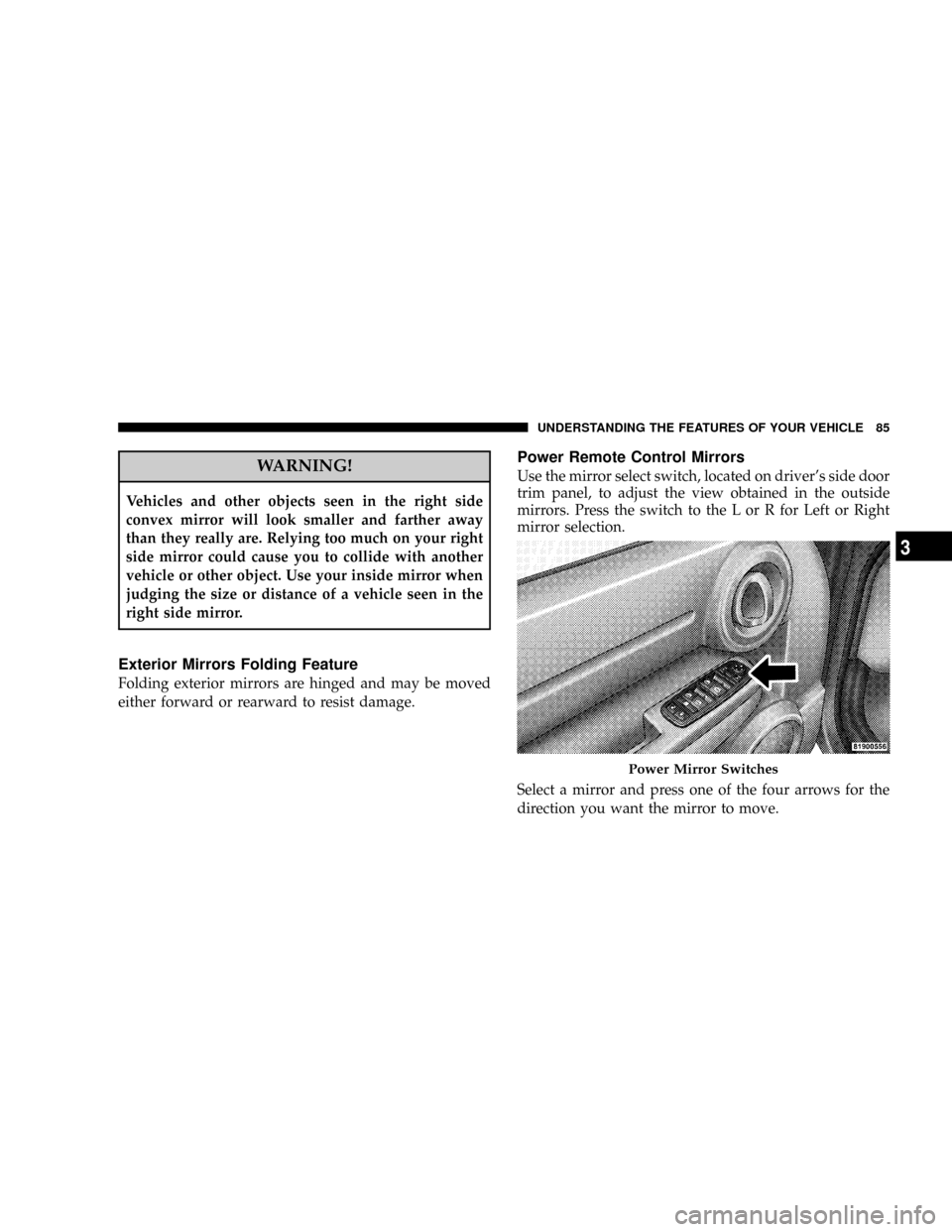
Power Remote Control Mirrors
Use the mirror select switch, located on driver's side door
trim panel, to adjust the view obtained in the outside
mirrors. Press the switch to the L or R for Left or Right
mirror selection.
Select a mirror and press one of the four arrows for the
direction you want the mirror to move.
Power Mirror Switches
UNDERSTANDING THE FEATURES OF YOUR VEHICLE 85
3
Page 86 of 434

Illuminated Vanity Mirrors Ð If Equipped
An illuminated vanity mirror is on each sun visor. To use
the mirror, rotate the sun visor down and swing the
mirror cover upward. The lights will turn on automati-
cally. Closing the mirror cover will turn off the light.
Sun Visor ªSlide-Outº Feature
The sun visor ªslide-on rod º feature allows for addi-
tional flexibility in positioning the visor to block out the
sun.
1. Fold down sun visor.
2. Unclip visor from center clip.
3. Pull the sun visor toward inside rearview mirror to
extend.
Illuminated Vanity Mirror
86 UNDERSTANDING THE FEATURES OF YOUR VEHICLE
Page 88 of 434

that enables different electronic devices to connect to
each other without wires or a docking station, so UCon-
necttworks no matter where you stow your cellular
phone (be it your purse, pocket, or briefcase), as long as
your phone is turned on and has been paired to the
vehicle's UConnecttsystem. The UConnecttsystem
allows up to seven cellular phones to be linked to system.
Only one linked (or paired) cellular phone can be used
with the system at a time. The system is available in
English, Spanish, or French languages (as equipped).
Phone Button
The rearview mirror contains the microphone
for the system (depending on the type of
mirror and radio equipped), and either the
radio or the mirror has the two control buttons
(Phone Button and Voice Recognition Button) that will
enable you to access the system.Voice Recognition Button
Actual button location may vary with radio.
The individual buttons are described in the
ªOperationº section.
The UConnecttsystem can be used with any Hands-Free
Profile certified BluetoothŸ cellular phone. See UCon-
necttwebsite for supported phones. If your cellular
phone supports a different profile (e.g., Headset Profile)
you may not be able to use any UConnecttfeatures.
Refer to your cellular service provider or the phone
manufacturer for details.
The UConnecttsystem is fully integrated with the vehi-
cle's audio system. The volume of the UConnecttsystem
can be adjusted either from the radio volume control
knob or from the steering wheel radio control (right
switch), if so equipped.
88 UNDERSTANDING THE FEATURES OF YOUR VEHICLE
Page 105 of 434

²You can also press the ªVoice Recognitionº button
anytime while the list is being played, and then choose
the phone you wish to delete.
Things You Should Know About Your UConnectT
System
UConnecttTutorial
To hear a brief tutorial of the system features, press the
ªPhoneº button and say ªUConnecttTutorial.º
Voice Training
For users experiencing difficulty with the system recog-
nizing their voice commands or numbers, the UConnectt
system Voice Training feature may be used. To enter this
training mode, follow one of the two procedures:
From outside the UConnecttmode (e.g. from radio
mode)
²Press and hold the ªVoice Recognitionº button for 5
seconds until the session begins, or,
²Press the ªVoice Recognitionº button and say9Setup,
Voice Training9command.
Repeat the words and phrases when prompted by the
UConnecttsystem. For best results, the Voice Training
session should be completed when the vehicle is parked,
engine running, all windows closed, and the blower fan
switched off.
This procedure may be repeated with a new user. The
system will adapt to the last trained voice only.
To restore the Voice Recognition system to factory default
settings, enter the Voice Training session via the above
procedure and follow the prompts.
Voice Recognition (VR)
²
For best performance, adjust the rear view mirror to
provide at least1¤2inch (1 cm) gap between the
overhead console (if equipped) and the mirror.
UNDERSTANDING THE FEATURES OF YOUR VEHICLE 105
3
Page 159 of 434

Adding Washer Fluid
The fluid reservoir for the windshield washers and the
rear window washer is shared. It is located in the front of
the engine compartment, and should be checked for fluid
level at regular intervals. Fill the reservoir with wind-
shield washer solvent (not radiator antifreeze) and oper-
ate the system for a few seconds to flush out the residual
water.
Rear Window Defroster Ð If Equipped
The push-button is located on
the bottom of the blower con-
trol knob. Press this button to
turn on the rear window de-
froster, and the optional elec-
tric remote control heated
mirrors. An amber light
shows that the defroster is on.The defroster will automatically turn off after about ten
minutes. For five more minutes of operation, press the
switch again. To prevent excessive battery drain, use the
defroster only when the engine is operating.
CAUTION!
Use care when washing the inside of the rear window
to prevent damage to heating elements. Use a soft
cloth and a mild washing solution, wiping parallel to
the heating elements. Also, keep all objects a safe
distance from the window to prevent damaging the
heating elements.
UNDERSTANDING THE FEATURES OF YOUR VEHICLE 159
3
Page 245 of 434
STARTING PROCEDURES
Before starting your vehicle, adjust your seat, adjust both
inside and outside mirrors, and fasten your seat belts.
CAUTION!
Long periods of engine idling, especially at high
engine speeds can cause excessive exhaust tempera-
tures which can damage your vehicle. Do not leave
your vehicle unattended with the engine running.
WARNING!
Do not leave children or animals inside parked
vehicles in hot weather. Interior heat build up may
cause serious injury or death.
Manual Transmission
Apply the parking brake, place the gearshift control lever
in ªNº (Neutral) and depress the clutch pedal before
starting vehicle. This vehicle is equipped with a clutch
interlocking ignition system. It will not start unless the
clutch pedal is pressed to the floor.
Automatic Transmission
Start the engine with the selector lever in the ªNº
(Neutral) or ªPº (Park) position. Apply the brake before
shifting to any driving range.
Normal Starting
Normal starting of either a cold or a warm engine is
obtained without pumping or depressing the accelerator
pedal. Turn the key to the START position and release
when the engine starts. If the engine fails to start within
10 seconds, turn the key to the OFF position, wait 5
seconds, then repeat the normal starting procedure.
STARTING AND OPERATING 245
5
Page 380 of 434
²For tough stains, apply MopartTotal Clean or a mild
soap solution to a clean, damp cloth and remove stain.
Use a fresh, damp towel to remove soap residue.
²For grease stains, apply MopartMulti-Purpose
Cleaner to a clean, damp cloth and remove stain. Use
a fresh, damp towel to remove soap residue.
²Do not use any solvents or protectants on Yes Essen-
tialstproducts.
Interior Care
Use MopartTotal Clean to clean fabric upholstery and
carpeting.
Interior Trim should be cleaned starting with a damp
cloth, a damp cloth with MopartTotal Clean, then
MopartSpot & Stain Remover if absolutely necessary. Do
not use harsh cleaners or Armorall. Use MopartTotal
Clean to clean vinyl upholstery.
WARNING!
Do not use volatile solvents for cleaning purposes.
Many are potentially flammable, and if used in
closed areas they may cause respiratory harm.
Glass Surfaces
All glass surfaces should be cleaned on a regular basis
with MopartGlass Cleaner or any commercial
household-type glass cleaner. Never use an abrasive type
cleaner. Use caution when cleaning inside rear windows
equipped with electric defrosters. Do not use scrapers or
other sharp instruments which may scratch the elements.
When cleaning the rear view mirror, spray cleaner on the
towel or rag that you are using. Do not spray cleaner
directly on the mirror.
380 MAINTAINING YOUR VEHICLE