clock DODGE NITRO 2010 1.G User Guide
[x] Cancel search | Manufacturer: DODGE, Model Year: 2010, Model line: NITRO, Model: DODGE NITRO 2010 1.GPages: 498, PDF Size: 6.94 MB
Page 245 of 498
RW/FF
Pressing the RW (Rewind) or FF (Fast Forward) buttons
causes the tuner to search for the next frequency in the
direction of the arrows. This feature operates in either
AM or FM frequencies.
TUNE Control
Turn the rotary TUNE/SCROLL control knob clockwise
to increase or counterclockwise to decrease the frequency.
Setting the Tone, Balance, and Fade
Push the rotary TUNE/SCROLL control knob and BASS
will display. Turn the TUNE/SCROLL control knob to
the right or left to increase or decrease the bass tones.
Push the rotary TUNE/SCROLL control knob a second
time and MID will display. Turn the TUNE/SCROLL
control knob to the right or left to increase or decrease the
mid-range tones.Push the rotary TUNE/SCROLL control knob a third
time and TREBLE will display. Turn the TUNE/SCROLL
control knob to the right or left to increase or decrease the
treble tones.
Push the rotary TUNE/SCROLL control knob a fourth
time and BALANCE will display. Turn the TUNE/
SCROLL control knob to the right or left to adjust the
sound level from the right or left side speakers.
Push the rotary TUNE/SCROLL control knob a fifth time
and FADE will display. Turn the TUNE/SCROLL control
knob to the left or right to adjust the sound level between
the front and rear speakers.
Push the rotary TUNE/SCROLL control knob again to
exit setting tone, balance, and fade.
AM/FM Button
Press the buttons to select either AM or FM mode.
244 UNDERSTANDING YOUR INSTRUMENT PANEL
Page 254 of 498
SEEK Buttons
Press and release the SEEK buttons to search for the next
listenable station in AM/FM mode. Press the right switch
to seek up and the left switch to seek down. The radio
will remain tuned to the new station until you make
another selection. Holding either button will bypass
stations without stopping until you release it.
Voice Command System (Radio) — If Equipped
Refer to “Voice Command” in “Understanding The Fea-
tures If Your Vehicle”.
Voice Command Button Uconnect™ Phone — If
Equipped
Press this button to operate the Uconnect™ Phone feature
(if equipped). Refer to “Uconnect™ Phone” in “Under-
standing The Features If Your Vehicle”.
If your vehicle is not equipped with or this feature is not
available on your vehicle, a “Not Equipped With
Uconnect” message will display on the radio screen.
Phone Button Uconnect™ Phone — If Equipped
Press this button to operate the Uconnect™ Phone feature
(if equipped). Refer to “Uconnect™ Phone” in “Under-
standing The Features If Your Vehicle”.
If your vehicle is not equipped with or this feature is not
available on your vehicle, a “Not Equipped With
Uconnect” message will display on the radio screen.
TIME Button
Press the TIME button to alternate display of the time
and radio frequency.
Clock Setting Procedure
1. Press and hold the TIME button until the hours blink.
2. Adjust the hours by turning the right side TUNE/
SCROLL control knob.
4
UNDERSTANDING YOUR INSTRUMENT PANEL 253
Page 255 of 498
3. After adjusting the hours, press the right side TUNE/
SCROLL control knob to set the minutes. The minutes
will begin to blink.
4. Adjust the minutes using the right side TUNE/
SCROLL control knob. Press the TUNE/SCROLL control
knob to save time change.
5. To exit, press any button/knob or wait five seconds.
The clock can also be set by pressing the SETUP button.
For vehicles equipped with satellite radio, press the
SETUP button, use the TUNE/SCROLL control to select
SET CLOCK, and then follow the above procedure,
starting at Step 2. For vehicles not equipped with satellite
radio, press the SETUP button and then follow the above
procedure, starting at Step 2.INFO Button
Press the INFO button for an RDS station (one with call
letters displayed). The radio will return a Radio Text
message broadcast from an FM station (FM mode only).
RW/FF
Pressing the RW (Rewind) or FF (Fast Forward) buttons
causes the tuner to search for the next frequency in the
direction of the arrows. This feature operates in either
AM or FM frequencies.
TUNE Control
Turn the rotary TUNE/SCROLL control knob clockwise
to increase or counterclockwise to decrease the frequency.
254 UNDERSTANDING YOUR INSTRUMENT PANEL
Page 258 of 498
By pressing the SEEK button when the Music Type icon
is displayed, the radio will be tuned to the next frequency
station with the same selected Music Type name. The
Music Type function only operates when in the FM
mode.
If a preset button is activated while in the Music Type
(Program Type) mode, the Music Type mode will be
exited and the radio will tune to the preset station.
SETUP Button
Pressing the SETUP button allows you to select between
the following items:
•Set Clock— Pressing the SELECT button will allow
you to set the clock. Adjust the hours by turning the
TUNE/SCROLL control knob. After adjusting the
hours, press the TUNE/SCROLL control knob to set
the minutes. The minutes will begin to blink. Adjust the minutes using the right side TUNE/SCROLL
control knob. Press the TUNE/SCROLL control knob
to save time change.
AM/FM Button
Press the button to select either AM or FM mode.
SET/RND Button — To Set the Pushbutton
Memory
When you are receiving a station that you wish to
commit to pushbutton memory, press the SET/RND
button. The symbol SET 1 will now show in the display
window. Select the button (1–6) you wish to lock onto this
station and press and release that button. If a button is
not selected within five seconds after pressing the SET/
RND button, the station will continue to play but will not
be stored into pushbutton memory.4
UNDERSTANDING YOUR INSTRUMENT PANEL 257
Page 268 of 498
additional three seconds will make the radio display the
Song Title all of the time (press and hold again to return
to normal display).
RW/FF
Pressing the RW (Rewind) or FF (Fast Forward) buttons
causes the tuner to search for the next channel in the
direction of the arrows.
TUNE Control (Rotary)
Turn the rotary TUNE/SCROLL control knob clockwise
to increase or counterclockwise to decrease the channel.
MUSIC TYPE Button
Pressing this button once will turn on the Music Type
mode for five seconds. Pressing the MUSIC TYPE button
or turning the TUNE/SCROLL control knob within five
seconds will allow the program format type to be se-
lected.Toggle the MUSIC TYPE button again to select the music
type.
By pressing the SEEK button when the Music Type
function is active, the radio will be tuned to the next
channel with the same selected Music Type name.
If a preset button is activated while in the Music Type
(Program Type) mode, the Music Type mode will be
exited and the radio will tune to the preset channel.
SETUP Button
Pressing the SETUP button allows you to select the
following items:
•Display Sirius ID number — Press the AUDIO/
SELECT button to display the Sirius ID number. This
number is used to activate, deactivate, or change the
Sirius subscription.
4
UNDERSTANDING YOUR INSTRUMENT PANEL 267
Page 272 of 498
SCAN Button
Pressing the SCAN button causes the tuner to search for
the next channel, pausing for eight seconds before con-
tinuing to the next. To stop the search, press the SCAN
button a second time.
INFO Button
Pressing the INFO button will cycle the display informa-
tion between Artist, Song Title, and Composer (if avail-
able). Also, pressing and holding the INFO button for an
additional three seconds will make the radio display the
Song Title all of the time (press and hold again to return
to normal display).
RW/FF
Pressing the RW (Rewind) or FF (Fast Forward) buttons
causes the tuner to search for the next channel in the
direction of the arrows.
TUNE Control (Rotary)
Turn the rotary TUNE/SCROLL control knob clockwise
to increase or counterclockwise to decrease the channel.
MUSIC TYPE Button
Pressing this button once will turn on the Music Type
mode for five seconds. Pressing the MUSIC TYPE button
or turning the TUNE/SCROLL control knob within five
seconds will allow the program format type to be se-
lected.
Toggle the MUSIC TYPE button again to select the music
type.
By pressing the SEEK button when the Music Type
function is active, the radio will be tuned to the next
channel with the same selected Music Type name.
If a preset button is activated while in the Music Type
(Program Type) mode, the Music Type mode will be
exited and the radio will tune to the preset channel.
4
UNDERSTANDING YOUR INSTRUMENT PANEL 271
Page 390 of 498
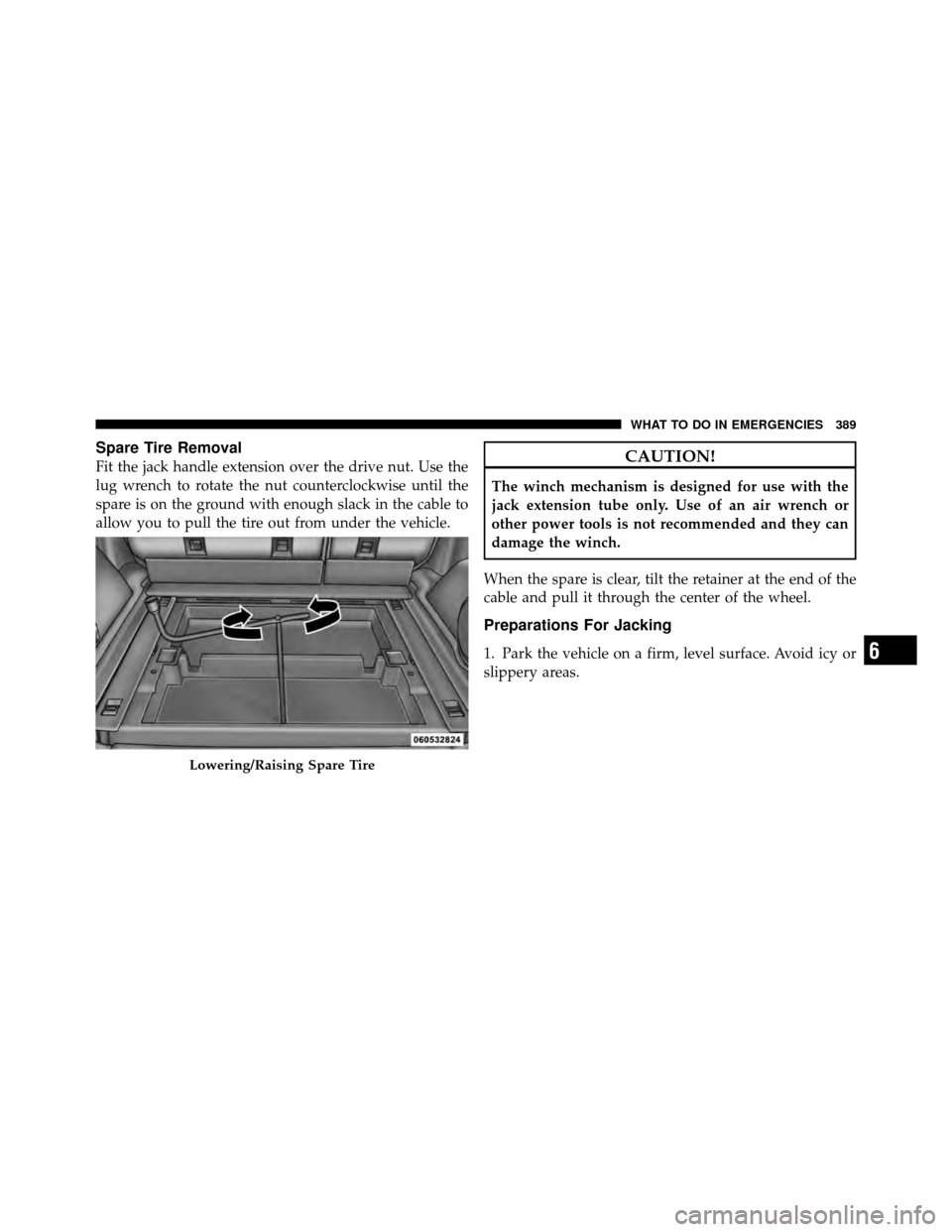
Spare Tire Removal
Fit the jack handle extension over the drive nut. Use the
lug wrench to rotate the nut counterclockwise until the
spare is on the ground with enough slack in the cable to
allow you to pull the tire out from under the vehicle.CAUTION!
The winch mechanism is designed for use with the
jack extension tube only. Use of an air wrench or
other power tools is not recommended and they can
damage the winch.
When the spare is clear, tilt the retainer at the end of the
cable and pull it through the center of the wheel.
Preparations For Jacking
1. Park the vehicle on a firm, level surface. Avoid icy or
slippery areas.
Lowering/Raising Spare Tire
6
WHAT TO DO IN EMERGENCIES 389
Page 437 of 498
Cavity CartridgeFuseMini-
Fuse Description
M12 30 Amp
GreenAmplifier (AMP)
M13 20 Amp
YellowIgnition Off Draw –
Cabin Compartment
Node (IOD-CCN),
Wireless Control
Module (WCM), SI-
REN, Clock Module
(CLK MOD), Multi-
function Control
Switch (MULTIFCTN
SW)
M14 20 Amp
YellowTrailer Tow (Export
Only)Cavity Cartridge
FuseMini-
Fuse Description
M15 20 Amp
YellowCOL MOD, IR SNS,
Heater Ventilation,
Air Conditioning/
Automatic Tempera-
ture Control (HVAC/
ATC), Rearview
Mirror (RR VW MIR),
Cabin Compartment
Node (CCN), Transfer
Case Switch (T-CASE
SW), RUN/ST, Multi-
function Control
Switch (MULTIFTCN
SW), Tire Pressure
Monitor (TPM), Glow
Plug Module (GLW
PLG MOD) – Export
Diesel Only
436 MAINTAINING YOUR VEHICLE
Page 442 of 498
4. Rotate the lock ring on the back of the headlamp
housing counterclockwise to unlock it.
CAUTION!
Do not touch the new bulb with your fingers. Oil
contamination will severely shorten bulb life. If the
bulb comes in contact with any oily surface, clean the
bulb with rubbing alcohol.
5. Disconnect the electrical connector and replace the
bulb.
Left Front Turn Signal
1. Turn the steering wheel all the way to the right (full
right lock).
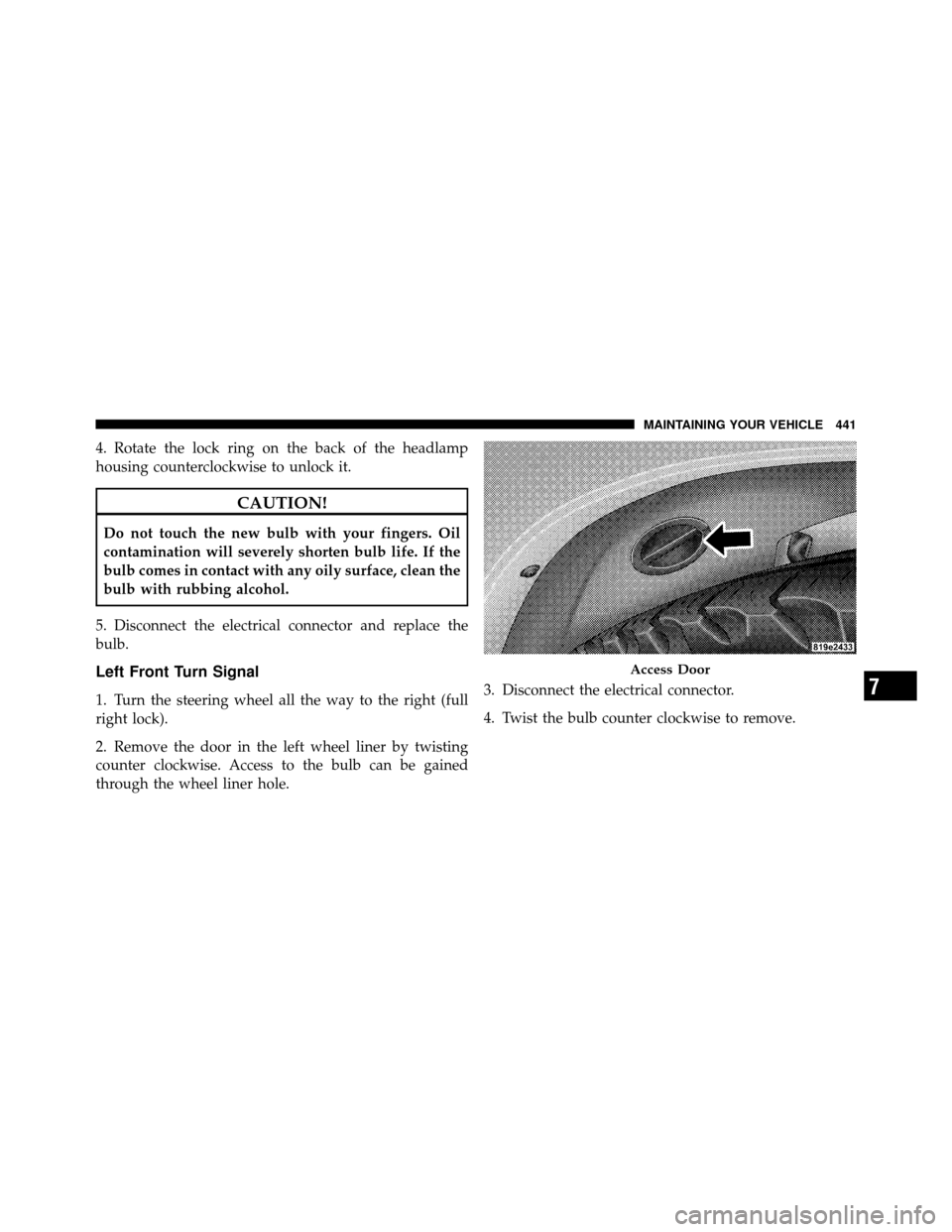
2. Remove the door in the left wheel liner by twisting
counter clockwise. Access to the bulb can be gained
through the wheel liner hole. 3. Disconnect the electrical connector.
4. Twist the bulb counter clockwise to remove.
Access Door
7
MAINTAINING YOUR VEHICLE 441
Page 443 of 498
Right Front Turn Signal
1. Open the hood.
2. Reach behind the headlight unit in the engine com-
partment to access the turn signal bulb.
3. Twist the bulb counterclockwise to remove.
4. Disconnect the electrical connector and replace the
bulb.
Front Side Marker
1. Open the hood.
2. Remove the grille assembly as follows:a. Remove eight fasteners.
b. Remove two screws from each headlamp.
c. Remove two rivets from the center of the grille.
d. Remove one push pin from the top of each fender. e. Pull the grille assembly toward you to disconnect
the grille clips to the fender and the headlamp ball-
studs to the front end module.
3. Disconnect electrical connector.
4. Turn the bulb counterclockwise to remove.
Front Fog Lamp (Front Fascia Mounted)
1. Reach between the front fascia and wheel liner from
under the vehicle.
2. Turn the front fog lamp bulb one quarter turn coun-
terclockwise to remove from housing.
3. Disconnect the electrical connector and replace bulb.
442 MAINTAINING YOUR VEHICLE