steering DODGE RAM 2500 GAS 2008 3.G User Guide
[x] Cancel search | Manufacturer: DODGE, Model Year: 2008, Model line: RAM 2500 GAS, Model: DODGE RAM 2500 GAS 2008 3.GPages: 554, PDF Size: 9.93 MB
Page 95 of 554
The UConnecttsystem is fully integrated with the vehi-
cle's audio system. The volume of the UConnecttsystem
can be adjusted either from the radio volume control
knob or from the steering wheel radio control (right
switch), if so equipped.
The radio display will be used for visual prompts from
the UConnecttsystem such as9CELL9or caller ID on
certain radios.
Operation
Voice commands can be used to operate the UConnectt
system and to navigate through the UConnecttmenu
structure. Voice commands are required after most
UConnecttsystem prompts. You will be prompted for a
specific command and then guided through the available
options.
²Prior to giving a voice command, one must wait for
the beep, which follows the9Ready9prompt or another
prompt.
²For certain operations, compound commands can be
used. For example, instead of saying9Setup9and then
9Phone Pairing,9the following compound command
can be said:9Setup Phone Pairing.9
²For each feature explanation in this section, only the
combined form of the voice command is given. You
can also break the commands into parts and say each
part of the command when you are asked for it. For
example, you can use the combined form voice com-
mand9Phonebook New Entry,9or you can break the
combined form command into two voice commands:
9Phonebook9and9New Entry.9Please remember, the
UConnecttsystem works best when you talk in a
normal conversational tone, as if speaking to someone
sitting a few feet/meters away from you.
Voice Command Tree
Refer to ªVoice Treeº in this section.
UNDERSTANDING THE FEATURES OF YOUR VEHICLE 93
3
Page 135 of 554
TO OPEN AND CLOSE THE HOOD
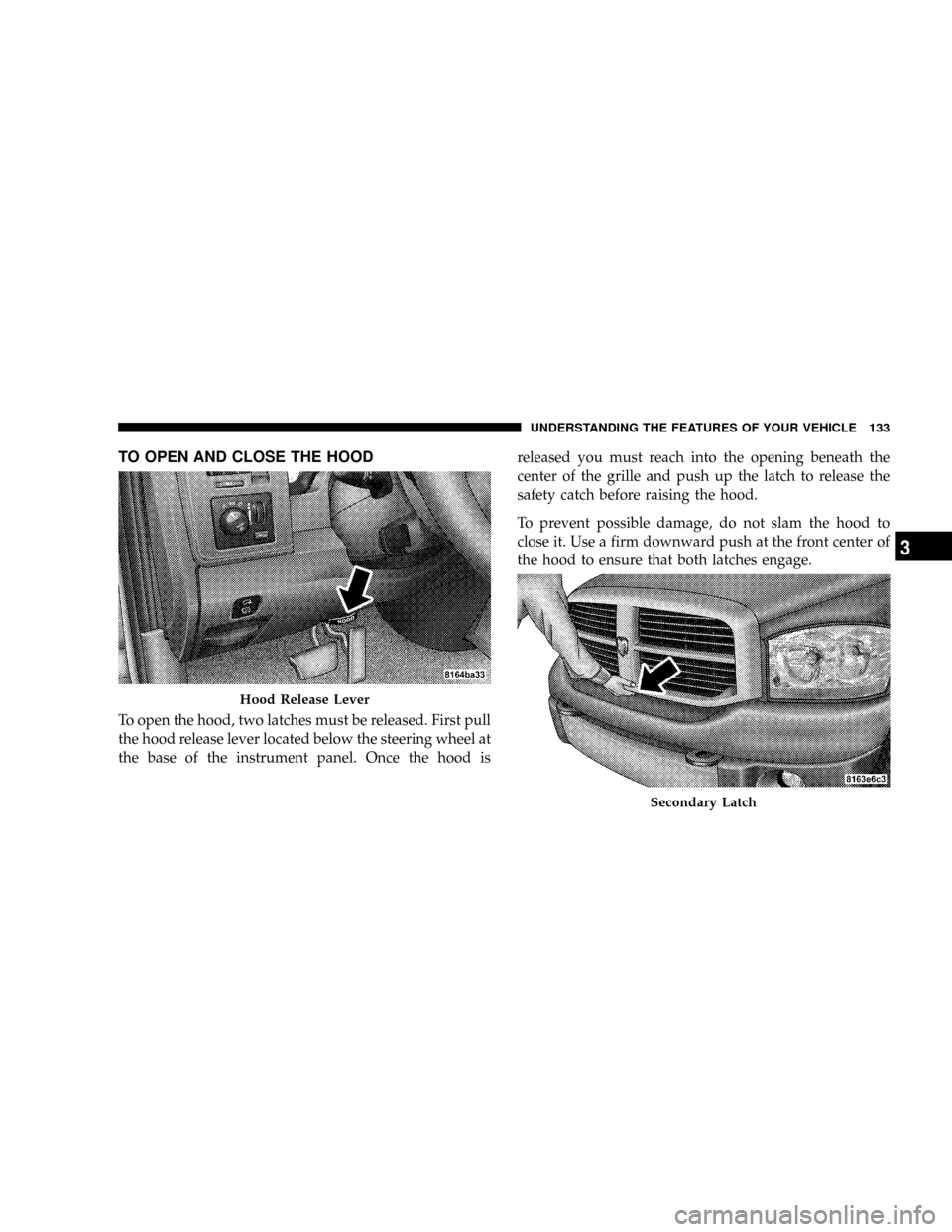
To open the hood, two latches must be released. First pull
the hood release lever located below the steering wheel at
the base of the instrument panel. Once the hood isreleased you must reach into the opening beneath the
center of the grille and push up the latch to release the
safety catch before raising the hood.
To prevent possible damage, do not slam the hood to
close it. Use a firm downward push at the front center of
the hood to ensure that both latches engage.
Hood Release Lever
Secondary Latch
UNDERSTANDING THE FEATURES OF YOUR VEHICLE 133
3
Page 141 of 554
Multifunction Control Lever
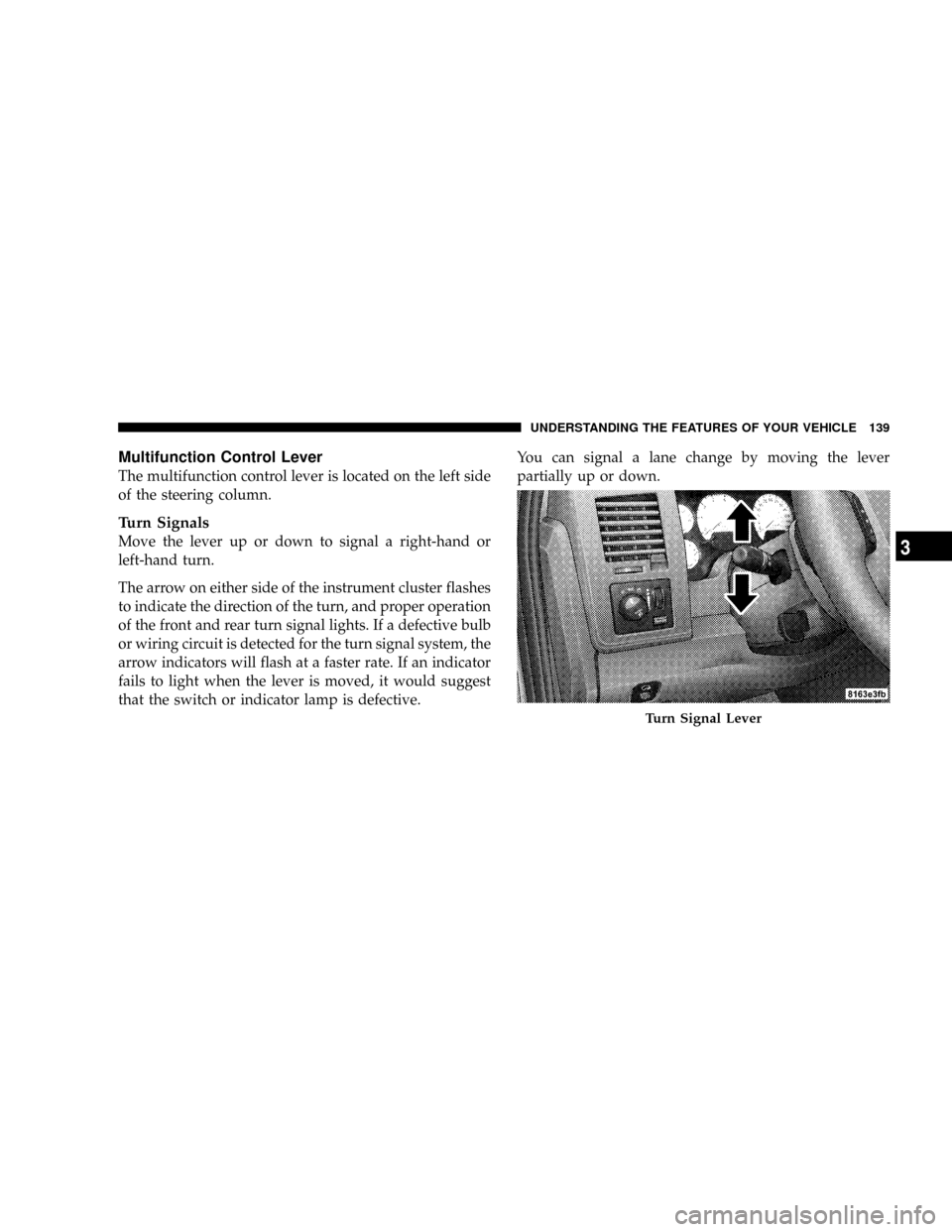
The multifunction control lever is located on the left side
of the steering column.
Turn Signals
Move the lever up or down to signal a right-hand or
left-hand turn.
The arrow on either side of the instrument cluster flashes
to indicate the direction of the turn, and proper operation
of the front and rear turn signal lights. If a defective bulb
or wiring circuit is detected for the turn signal system, the
arrow indicators will flash at a faster rate. If an indicator
fails to light when the lever is moved, it would suggest
that the switch or indicator lamp is defective.You can signal a lane change by moving the lever
partially up or down.
Turn Signal Lever
UNDERSTANDING THE FEATURES OF YOUR VEHICLE 139
3
Page 142 of 554
Turn Signal Auto Mode
Tap the multifunction control lever once and the turn
signal (left or right) will flash three times, and automati-
cally turn off.
Passing Light
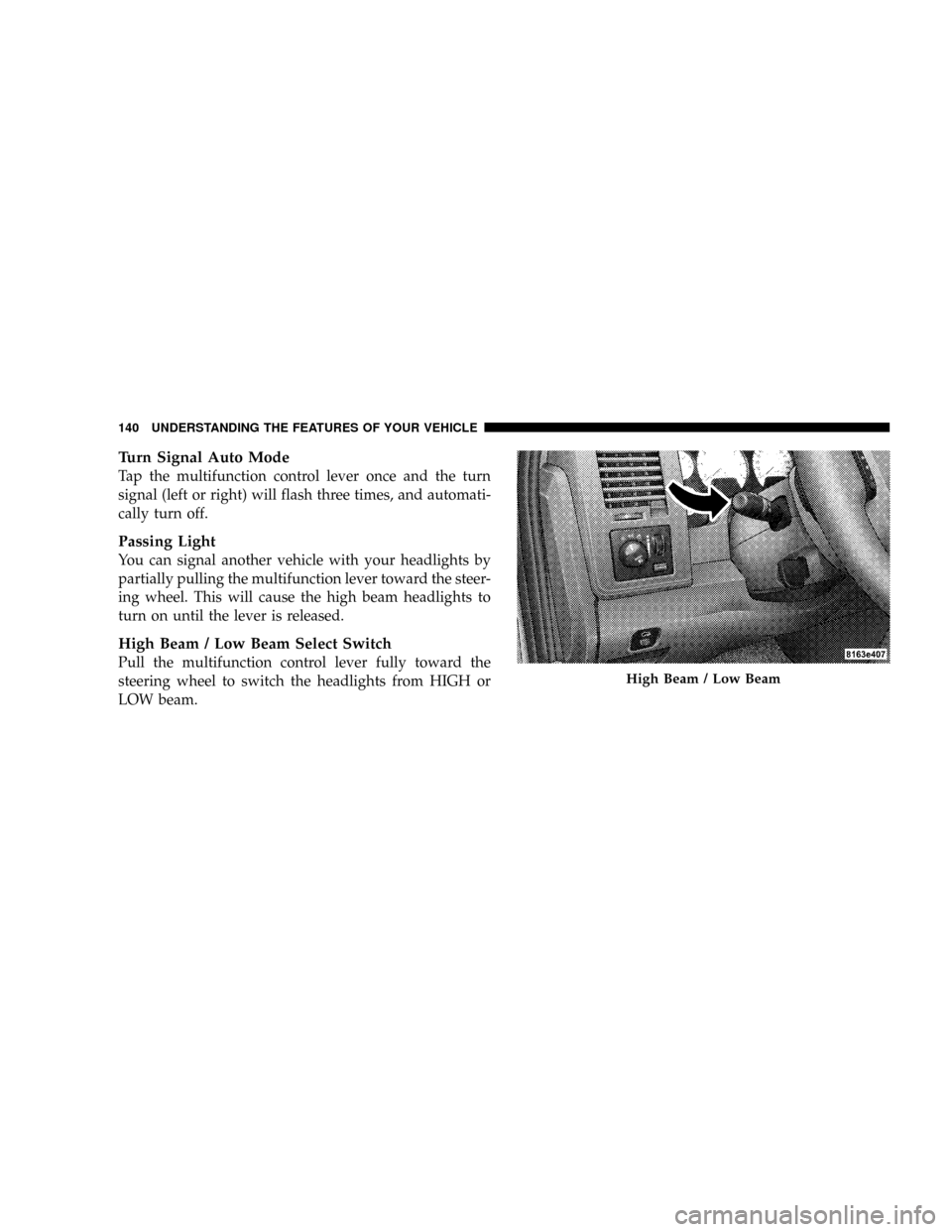
You can signal another vehicle with your headlights by
partially pulling the multifunction lever toward the steer-
ing wheel. This will cause the high beam headlights to
turn on until the lever is released.
High Beam / Low Beam Select Switch
Pull the multifunction control lever fully toward the
steering wheel to switch the headlights from HIGH or
LOW beam.
High Beam / Low Beam
140 UNDERSTANDING THE FEATURES OF YOUR VEHICLE
Page 145 of 554
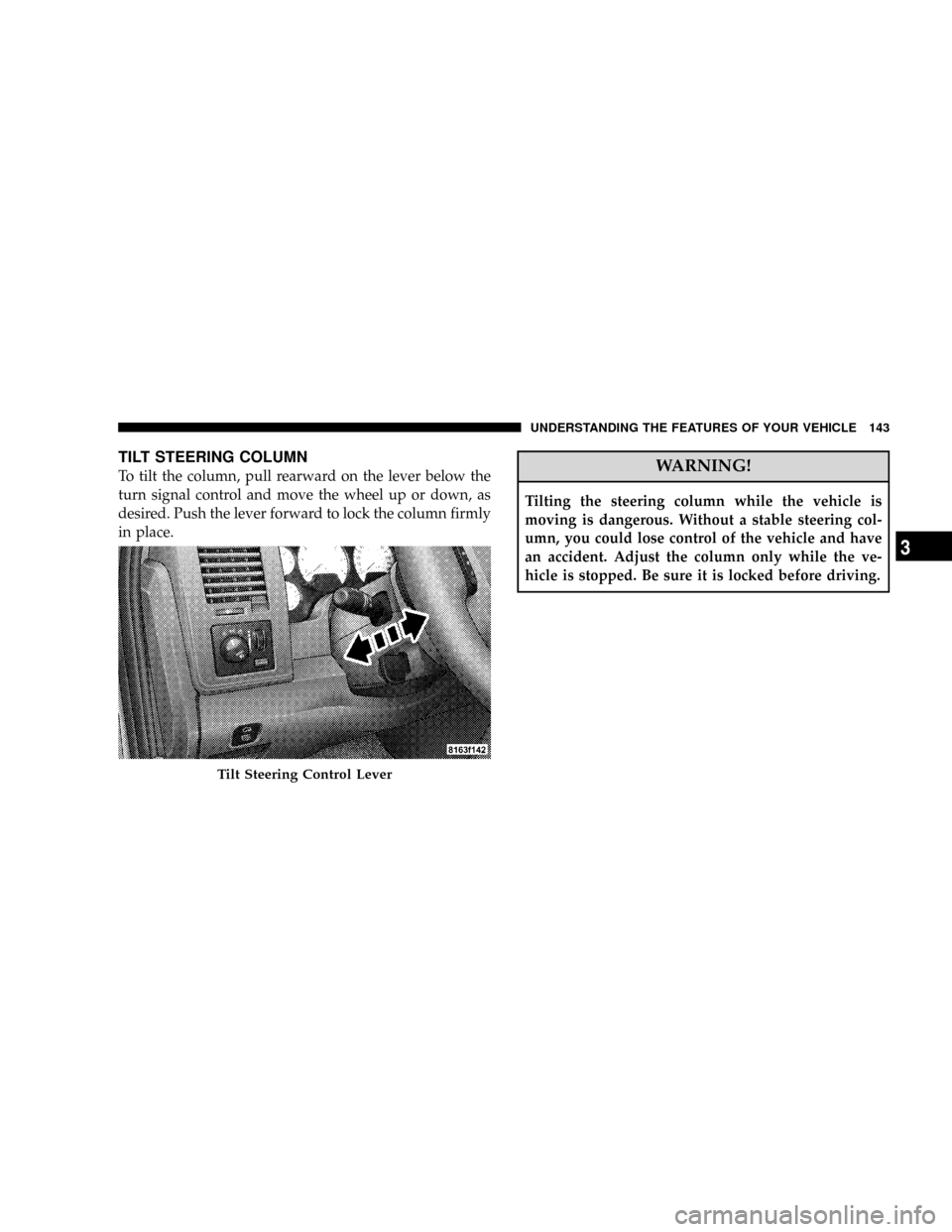
TILT STEERING COLUMN
To tilt the column, pull rearward on the lever below the
turn signal control and move the wheel up or down, as
desired. Push the lever forward to lock the column firmly
in place.WARNING!
Tilting the steering column while the vehicle is
moving is dangerous. Without a stable steering col-
umn, you could lose control of the vehicle and have
an accident. Adjust the column only while the ve-
hicle is stopped. Be sure it is locked before driving.
Tilt Steering Control Lever
UNDERSTANDING THE FEATURES OF YOUR VEHICLE 143
3
Page 146 of 554
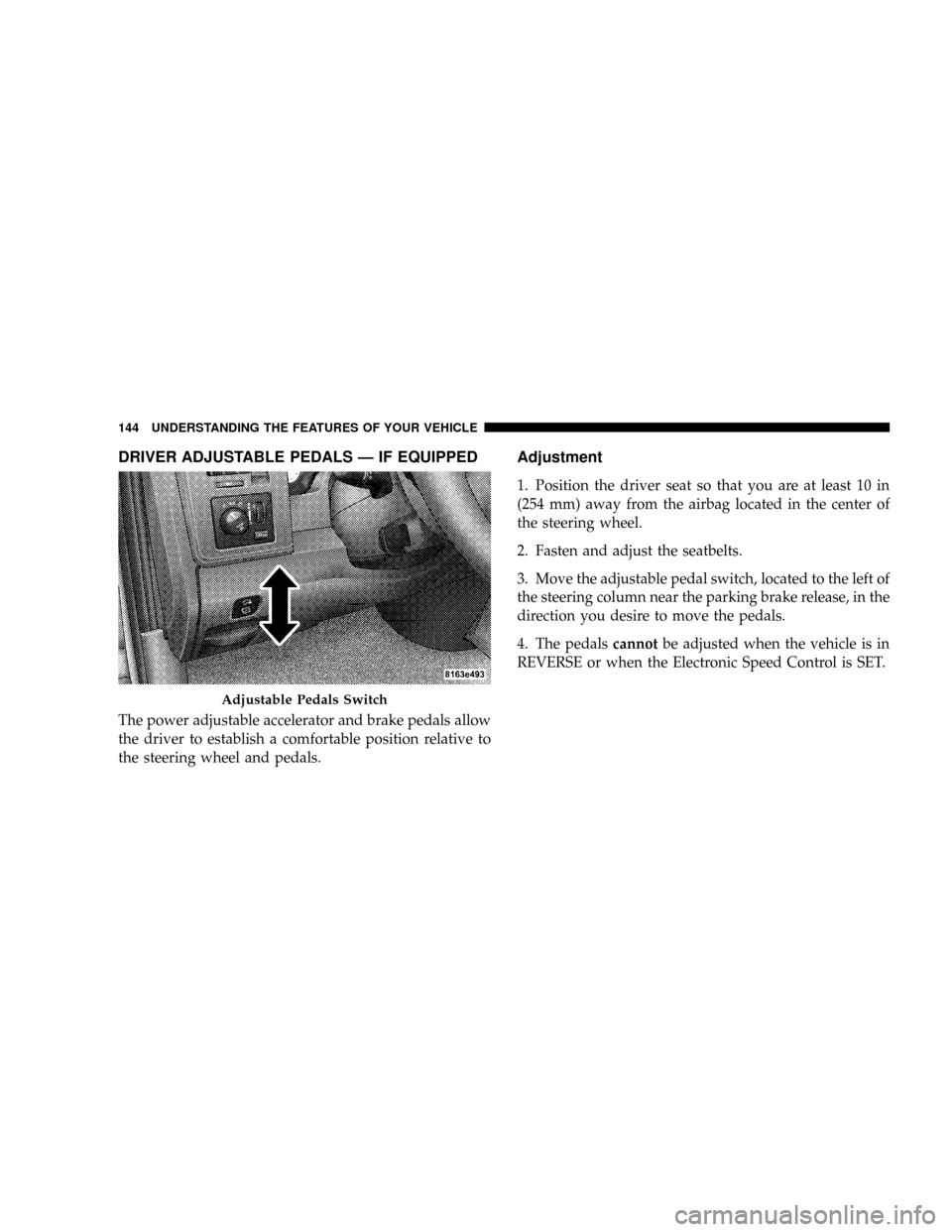
DRIVER ADJUSTABLE PEDALS Ð IF EQUIPPED
The power adjustable accelerator and brake pedals allow
the driver to establish a comfortable position relative to
the steering wheel and pedals.
Adjustment
1. Position the driver seat so that you are at least 10 in
(254 mm) away from the airbag located in the center of
the steering wheel.
2. Fasten and adjust the seatbelts.
3. Move the adjustable pedal switch, located to the left of
the steering column near the parking brake release, in the
direction you desire to move the pedals.
4. The pedalscannotbe adjusted when the vehicle is in
REVERSE or when the Electronic Speed Control is SET.
Adjustable Pedals Switch
144 UNDERSTANDING THE FEATURES OF YOUR VEHICLE
Page 147 of 554
CAUTION!
Do not place any article under the adjustable pedals
or impede its ability to move as it may cause damage
to the pedal controls. Pedal travel may become lim-
ited if movement is stopped by an obstruction in the
adjustable pedal's path.
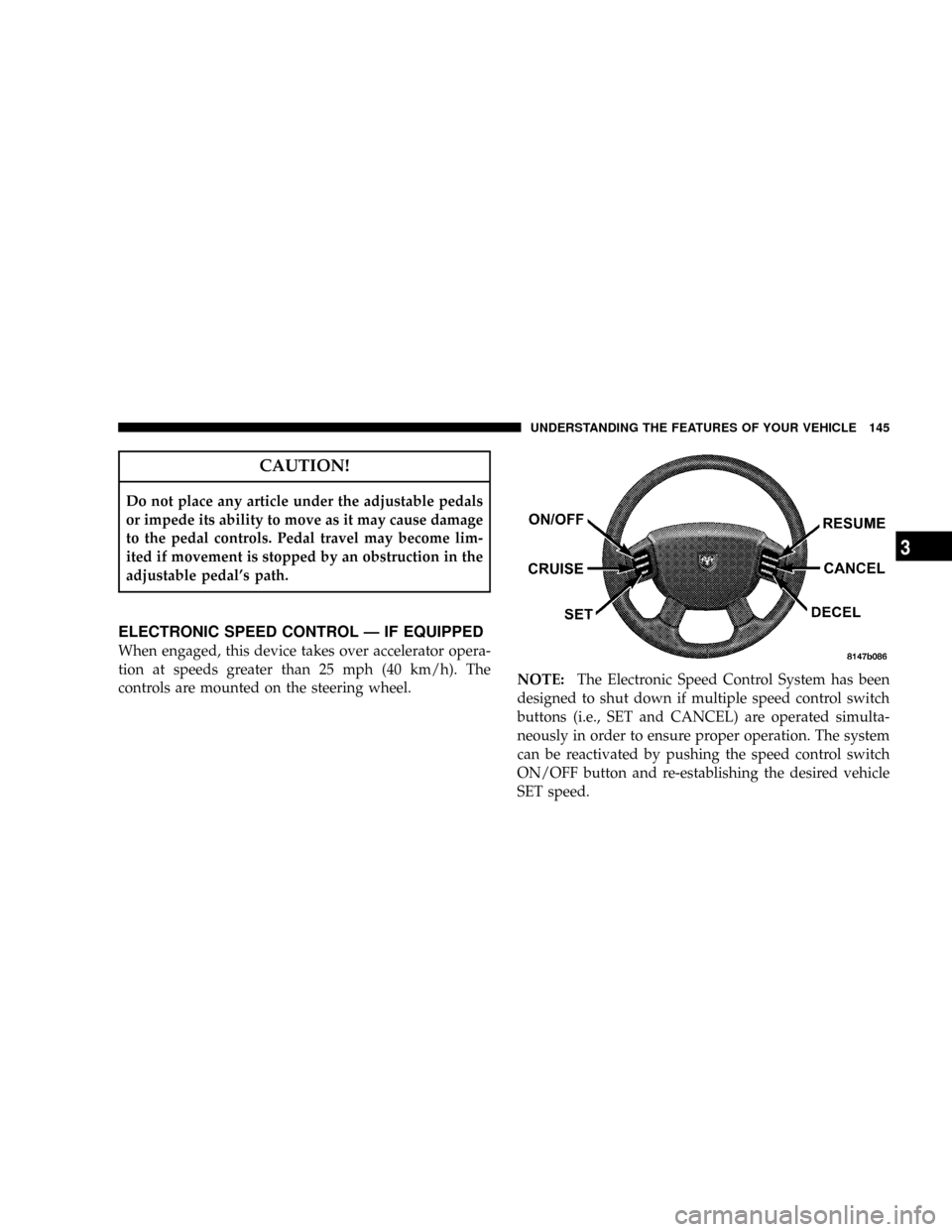
ELECTRONIC SPEED CONTROL Ð IF EQUIPPED
When engaged, this device takes over accelerator opera-
tion at speeds greater than 25 mph (40 km/h). The
controls are mounted on the steering wheel.NOTE:The Electronic Speed Control System has been
designed to shut down if multiple speed control switch
buttons (i.e., SET and CANCEL) are operated simulta-
neously in order to ensure proper operation. The system
can be reactivated by pushing the speed control switch
ON/OFF button and re-establishing the desired vehicle
SET speed.
UNDERSTANDING THE FEATURES OF YOUR VEHICLE 145
3
Page 212 of 554
Electrical Disturbances
Radio waves may pick up electrical disturbances during
transmission. They mainly affect the wave amplitude,
and thus remain a part of the AM reception. They
interfere very little with the frequency variations that
carry the FM signal.
TWO TYPES OF SIGNALS
There are two basic types of radio signals: AM or
Amplitude Modulation, in which the transmitted sound
causes the amplitude, or height, of the radio waves to
vary; and FM or Frequency Modulation, in which the
frequency of the wave is varied to carry the sound.
AM Reception
AM sound is based on wave amplitude, so AM reception
can be disrupted by such things as lightning, power lines
and neon signs.
FM Reception
Because FM transmission is based on frequency varia-
tions, interference that consists of amplitude variations
can be filtered out, leaving the reception relatively clear,
which is the major feature of FM radio.
NOTE:The radio, steering wheel radio controls (if
equipped), and six-disc CD/DVD changer (if equipped)
will remain active for up to 10 minutes after the ignition
switch has been turned OFF. Opening a vehicle front
door will cancel this feature.
210 UNDERSTANDING YOUR INSTRUMENT PANEL
Page 257 of 554
Reception Quality
Satellite reception may be interrupted due to one of the
following reasons:
²The vehicle is parked in an underground parking
structure or under a physical obstacle.
²Dense tree coverage may interrupt reception.
²Driving under wide bridges or along tall buildings can
cause intermittent reception.
²Placing objects over or too close to the antenna can
cause signal blockage.
REMOTE SOUND SYSTEM CONTROLS Ð IF
EQUIPPED
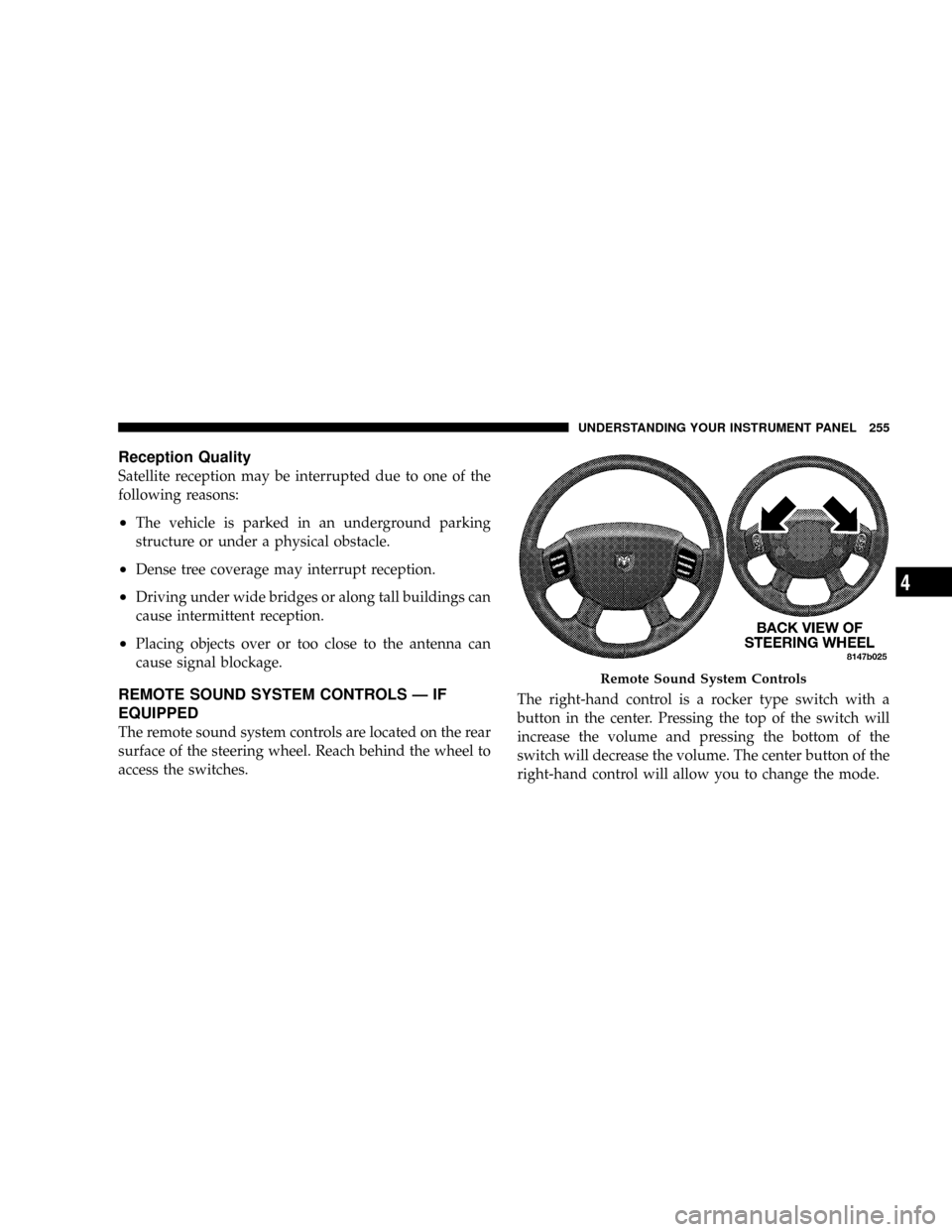
The remote sound system controls are located on the rear
surface of the steering wheel. Reach behind the wheel to
access the switches.The right-hand control is a rocker type switch with a
button in the center. Pressing the top of the switch will
increase the volume and pressing the bottom of the
switch will decrease the volume. The center button of the
right-hand control will allow you to change the mode.
Remote Sound System Controls
UNDERSTANDING YOUR INSTRUMENT PANEL 255
4
Page 276 of 554
NTransfer Case Reminder Light............298
NElectronically Shifted Transfer Case Operating
Information/Precautions (5 Position Switch) Ð
If Equipped.........................298
NShifting Procedure Ð Electronically Shifted
Transfer Case........................304
NElectronically Shifted Transfer Case Operating
Information/Precautions (4 Position Switch) Ð
If Equipped.........................306
NShifting Procedure Ð Electronically Shifted
Transfer Case........................311
mLimited-Slip Differential ± If Equipped........313
mDriving On Slippery Surfaces..............314
mDriving Through Water..................315
NFlowing/Rising Water..................315mDriving Off-Road.......................317
mParking Brake.........................318
mBrake System..........................319
N3500 Dual Rear Wheel Models Only........320
NBrake Noise.........................320
NRear Wheel Anti-Lock (RWAL) Brake System Ð
If Equipped.........................320
NFour-Wheel Anti-Lock Brake System Ð
If Equipped.........................321
mPower Steering........................323
mElectronic Brake Control System
(ABS/TCS/BAS/HSA/ERM/ESP/TSC) Ð
If Equipped...........................324
NABS (Anti-Lock Brake System)............325
274 STARTING AND OPERATING