ESP DODGE RAM 2500 GAS 2008 3.G Owner's Manual
[x] Cancel search | Manufacturer: DODGE, Model Year: 2008, Model line: RAM 2500 GAS, Model: DODGE RAM 2500 GAS 2008 3.GPages: 554, PDF Size: 9.93 MB
Page 226 of 554
SET/DIR Button (Radio Mode) Ð To Set the
Pushbutton Memory
When you are receiving a station that you wish to
commit to pushbutton memory, press the SET/DIR but-
ton. The symbol SET 1 will now show in the display
window. Select the button (1-6) you wish to lock onto this
station and press and release that button. If a button is
not selected within five seconds after pressing the SET/
DIR button, the station will continue to play but will not
be stored into pushbutton memory.
You may add a second station to each pushbutton by
repeating the above procedure with this exception: Press
the SET/DIR button twice and SET 2 will show in the
display window. Each button can be set for SET 1 and
SET 2 in both AM and FM. This allows a total of 12 AM,
12 FM and 12 Satellite (if equipped) stations to be stored
into pushbutton memory. The stations stored in SET 2
memory can be selected by pressing the pushbutton
twice.Every time a preset button is used, a corresponding
button number will be displayed.Buttons1-6(Radio Mode)
These buttons tune the Radio to the stations that you
commit to pushbutton memory, 12AM, 12 FM, and 12
Satellite (if equipped) stations.
Operating Instructions - (CD Mode for CD Audio
Play)
NOTE:The ignition switch must be in the ON or ACC
position to operate the radio.
NOTE:This Radio is capable of playing compact discs
(CD), recordable compact discs (CD-R), rewritable com-
pact discs (CD-RW) compact discs with MP3 tracks and
multisession compact discs with CD and MP3 tracks.
224 UNDERSTANDING YOUR INSTRUMENT PANEL
Page 228 of 554
SCAN Button (CD Mode for CD Audio Play)
Press the SCAN button to scan through each track on the
CD currently playing.
LOAD/EJECT Button (CD Mode for CD Audio
Play)
LOAD/ EJECT - Load
Press the LOAD/EJECT button and the push-
button with the corresponding number where
the CD is being loaded. The radio will display
PLEASE WAIT and prompt when to INSERT
DISC. After the radio displays9LOAD DISC9insert the
CD into the player.
Radio display will show9LOADING DISC9when the disc
is loading, and ªREADING DISCº when the radio is
reading the disc.
LOAD / EJT - Eject
Press the LOAD/ EJT button and the push-
button with the corresponding number where
the CD was loaded and the disc will unload
and move to the entrance for easy removal.
Radio display will show9EJECTING DISC9when the disc
is being ejected and prompt the user to remove the disc.
Press and hold the LOAD/ EJT button for five seconds
and all CDs will be ejected from the radio.
If you have ejected a disc and have not removed it within
15 seconds, it will be reloaded. If the CD is not removed,
the radio will continue to play the non-removed CD. If
the CD is removed and there are other CDs in the radio,
the radio will play the next CD after a two minute
timeout. If the CD is removed and there are no other CDs
in the radio, the radio will remain in CD mode and
226 UNDERSTANDING YOUR INSTRUMENT PANEL
Page 232 of 554
Playback of MP3 Files
When a medium containing MP3 data is loaded, the
radio checks all files on the medium. If the medium
contains a lot of folders or files, the radio will take more
time to start playing the MP3 files.
Loading times for playback of MP3 files may be affected
by the following:
²Media - CD-RW media may take longer to load than
CD-R media
²Medium formats - Multisession discs may take longer
to load than non-multisession discs
²Number of files and folders - Loading times will
increase with more files and folders
To increase the speed of disc loading, it is recommended
to use CD-R media and single-session discs. To create a
single-session disc, enable the Disc at Once option before
writing to the disc.
Operating Instructions - (CD Mode for MP3 Audio
Play)
SEEK Button (CD Mode for MP3 Play)
Pressing the right side of the SEEK button plays the next
MP3 File. Pressing the left side of the SEEK button plays
the beginning of the MP3 file. Pressing the button within
the first ten seconds plays the previous file.
LOAD/EJECT Button (CD Mode for MP3 Play)
LOAD/EJECT - Load
Press the LOAD/ EJECT button and the push-
button with the corresponding number where
the CD is being loaded. The radio will display
PLEASE WAIT and prompt when to INSERT
DISC. After the radio displays9LOAD DISC9insert the
CD into the player.
Radio display will show9LOADING DISC9when the disc
is loading.
230 UNDERSTANDING YOUR INSTRUMENT PANEL
Page 233 of 554
LOAD/EJECT - Eject
Press the LOAD/ EJECT button and the push-
button with the corresponding number where
the CD was loaded and the disc will unload
and move to the entrance for easy removal.
Radio display will show9EJECTING DISC9when the disc
is being ejected and prompt the user to remove the disc.
If you have ejected a disc and have not removed it within
15 seconds, it will be reloaded. If the CD is not removed,
the radio will continue to play the non-removed CD. If
the CD is removed and there are other CDs in the radio,
the radio will play the next CD after a two minute
timeout. If the CD is removed and there are no other CD's
in the radio, the radio will remain in CD mode and
display9INSERT DISCº for two minutes. After two
minutes the radio will go to the previous tuner mode.
MSG or INFO Button (CD Mode for MP3 Play)
Press and MSG or INFO button while playing MP3 disc.
The radio scrolls through the following TAG information:
Song Title, Artist, File Name, and Folder Name (if avail-
able).
Press the MSG or INFO button once more to return to
9elapsed time9priority mode.
Press and hold the MSG or INFO button while in the
message display priority mode or elapsed time display
priority mode will display the song title for each file.
RW/FF (CD Mode for MP3 Play)
Press the FF side of the button to move forward through
the MP3 selection.
TUNE Control (CD Mode for MP3 Play)
Pressing the TUNE control allows the adjustment of
Tone, Balance, and Fade.
UNDERSTANDING YOUR INSTRUMENT PANEL 231
4
Page 243 of 554
LOAD/EJECT Button (CD Mode for CD Audio
Play)
LOAD/EJECT - Load
Press the LOAD/EJT button and the push-
button with the corresponding number where
the CD is being loaded. The radio will display
PLEASE WAIT and prompt when to INSERT
DISC. After the radio displays9INSERT DISC,9insert the
CD into the player.
Radio display will show9LOADING DISC9when the disc
is loading and ªREADING DISCº when the radio is
reading the disc.
LOAD/EJT - Eject
Press the LOAD/EJT button and the push-
button with the corresponding number where
the CD was loaded and the disc will unload
and move to the entrance for easy removal.Radio display will show9EJECTING DISC9when the disc
is being ejected and prompt the user to remove the disc.
Press and hold the LOAD/EJT button for five seconds
and all CDs will be ejected from the radio.
If you have ejected a disc and have not removed it within
15 seconds, it will be reloaded. If the CD is not removed,
the radio will continue to play the non-removed CD. If
the CD is removed and there are other CDs in the radio,
the radio will play the next CD after a two-minute
timeout. If the CD is removed and there are no other CDs
in the radio, the radio will remain in CD mode and
display9INSERT DISCº for two minutes. After two
minutes, the radio will go to the previous tuner mode.
The disc can be ejected with the radio and ignition OFF.
TIME Button (CD Mode for CD Audio Play)
Press this button to change the display from a large CD
playing time display to a small CD playing time display.
UNDERSTANDING YOUR INSTRUMENT PANEL 241
4
Page 247 of 554
Playback of MP3 and WMA Files
When a medium containing MP3 data is loaded, the
radio checks all files on the medium. If the medium
contains a lot of folders or files, the radio will take more
time to start playing the MP3 files.
Loading times for playback of MP3 and WMA files may
be affected by the following:
²Media - CD-RW media may take longer to load than
CD-R media
²Medium formats - Multisession discs may take longer
to load than non-multisession discs
²Number of files and folders - Loading times will
increase with more files and folders
To increase the speed of disc loading, it is recommended
to use CD-R media and single-session discs. To create a
single-session disc, enable the Disc at Once option before
writing to the disc.
Operating Instructions - (CD Mode for MP3 and
WMA Audio Play)
SEEK Button (CD Mode for MP3 and WMA Play)
Pressing the right side of the SEEK button plays the next
file. Pressing the left side of the SEEK button plays the
beginning of the file. Pressing the button within the first
10 seconds plays the previous file.
LOAD/EJECT Button (CD Mode for MP3 and WMA
Play)
LOAD/EJT - Load
Press the LOAD/EJT button and the push-
button with the corresponding number where
the CD is being loaded. The radio will display
PLEASE WAIT and prompt when to INSERT
DISC. After the radio displays9INSERT DISC,9insert the
CD into the player.
UNDERSTANDING YOUR INSTRUMENT PANEL 245
4
Page 248 of 554
The radio display will show9LOADING DISC9when the
disc is loading.
LOAD/EJT - Eject
Press the LOAD/EJT button and the push-
button with the corresponding number where
the CD was loaded and the disc will unload
and move to the entrance for easy removal.
Radio display will show9EJECTING DISC9when the disc
is being ejected and prompt the user to remove the disc.
If you have ejected a disc and have not removed it within
15 seconds, it will be reloaded. If the CD is not removed,
the radio will continue to play the non-removed CD. If
the CD is removed and there are other CDs in the radio,
the radio will play the next CD after a two-minute
timeout. If the CD is removed and there are no other CDs
in the radio, the radio will remain in CD mode and
display9INSERT DISCº for two minutes. After two
minutes, the radio will go to the previous tuner mode.
INFO Button (CD Mode for MP3 Play)
Press the INFO button while playing MP3 or WMA disc.
The radio scrolls through the following TAG information:
Song Title, Artist, File Name, and Folder Name (if avail-
able).
Press the INFO button once more to return to9elapsed
time9priority mode.
Press and hold the INFO button while in the message
display priority mode or elapsed time display priority
mode will display the song title for each file.
RW/FF (CD Mode for MP3 and WMA Play)
Press the FF side of the button to move forward through
the file or MP3 and WMA selection.
TUNE Control (CD Mode for MP3 Play)
Pressing the TUNE control allows the adjustment of
Tone, Balance, and Fade.
246 UNDERSTANDING YOUR INSTRUMENT PANEL
Page 271 of 554
Window Fogging
Windows will fog on the inside when the humidity inside
the vehicle is high. This often occurs in mild or cool
temperatures when it's rainy or humid. In most cases
turning on the air conditioning (pressing the snowflake
button) will clear the fog. Adjust the temperature control,
air direction and blower speed to maintain comfort.
As the temperature gets colder it may be necessary to
direct air onto the windshield by using MIX Mode
position on the control. Adjust the temperature control
and blower speed to maintain comfort. Higher blower
speeds will reduce fogging. Interior fogging on the
windshield can be quickly removed by selecting the
defrost mode.
Regular cleaning of the inside of the windows with a
non-filming cleaning solution (vinegar and water works
very well) will help prevent contaminates (cigarettesmoke, perfumes, etc.) from sticking to the windows.
Contaminates increase the rate of window fogging.
Summer Operation
Air conditioned vehicles must be protected with a high
quality antifreeze coolant during summer to provide
proper corrosion protection and to raise the boiling point
of the coolant for protection against overheating. A 50 %
concentration is recommended. For proper coolant type,
refer to ªRecommended Fluids and Genuine Partsº in
Section 7.
When using the air conditioner in extremely heavy traffic
in hot weather, especially when towing a trailer, addi-
tional engine cooling may be required. If this situation is
encountered, operate the transmission in a lower gear to
increase engine RPM, coolant flow and fan speed. When
stopped in heavy traffic, it may be necessary to shift into
NEUTRAL and depress the accelerator slightly for fast
idle operation to increase coolant flow and fan speed.
UNDERSTANDING YOUR INSTRUMENT PANEL 269
4
Page 276 of 554
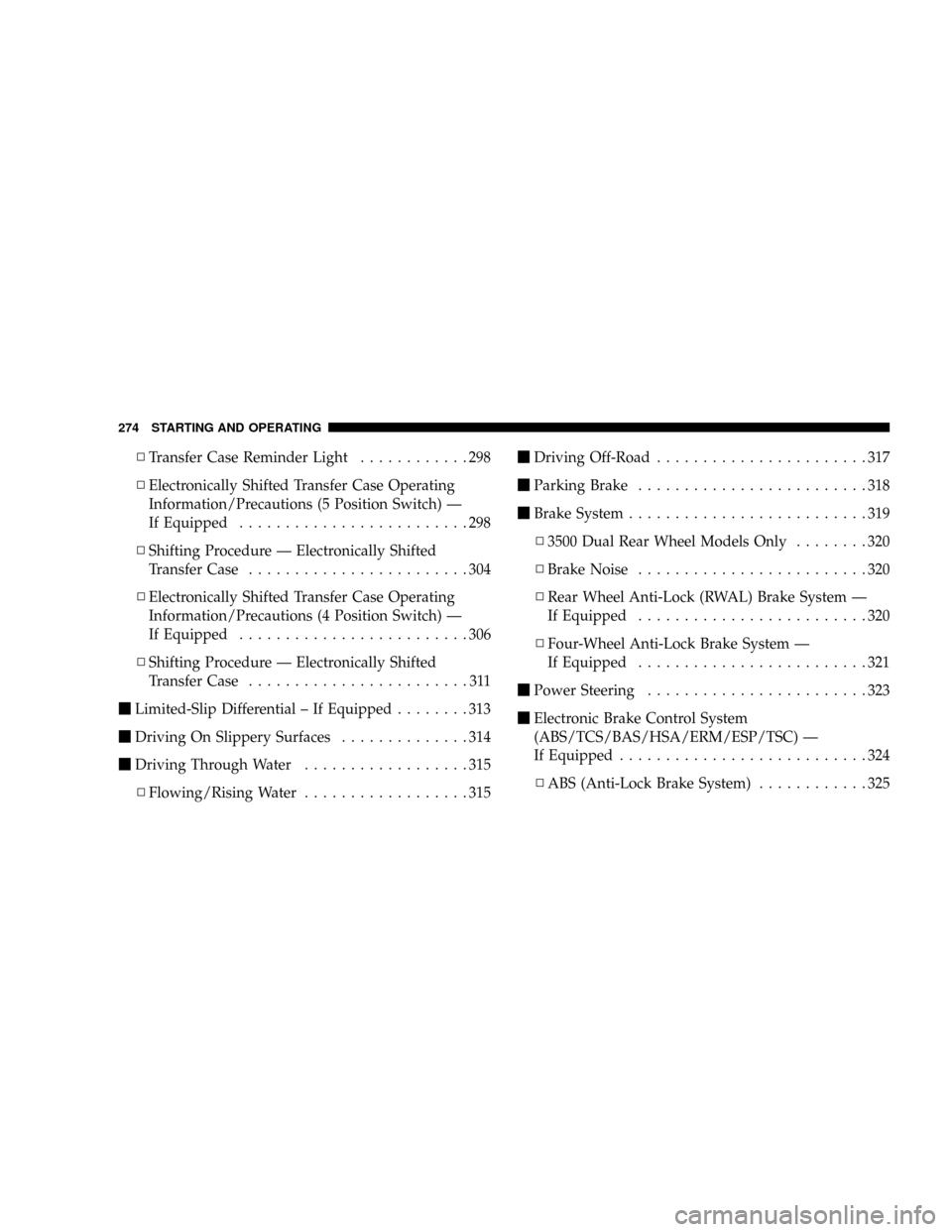
NTransfer Case Reminder Light............298
NElectronically Shifted Transfer Case Operating
Information/Precautions (5 Position Switch) Ð
If Equipped.........................298
NShifting Procedure Ð Electronically Shifted
Transfer Case........................304
NElectronically Shifted Transfer Case Operating
Information/Precautions (4 Position Switch) Ð
If Equipped.........................306
NShifting Procedure Ð Electronically Shifted
Transfer Case........................311
mLimited-Slip Differential ± If Equipped........313
mDriving On Slippery Surfaces..............314
mDriving Through Water..................315
NFlowing/Rising Water..................315mDriving Off-Road.......................317
mParking Brake.........................318
mBrake System..........................319
N3500 Dual Rear Wheel Models Only........320
NBrake Noise.........................320
NRear Wheel Anti-Lock (RWAL) Brake System Ð
If Equipped.........................320
NFour-Wheel Anti-Lock Brake System Ð
If Equipped.........................321
mPower Steering........................323
mElectronic Brake Control System
(ABS/TCS/BAS/HSA/ERM/ESP/TSC) Ð
If Equipped...........................324
NABS (Anti-Lock Brake System)............325
274 STARTING AND OPERATING
Page 277 of 554
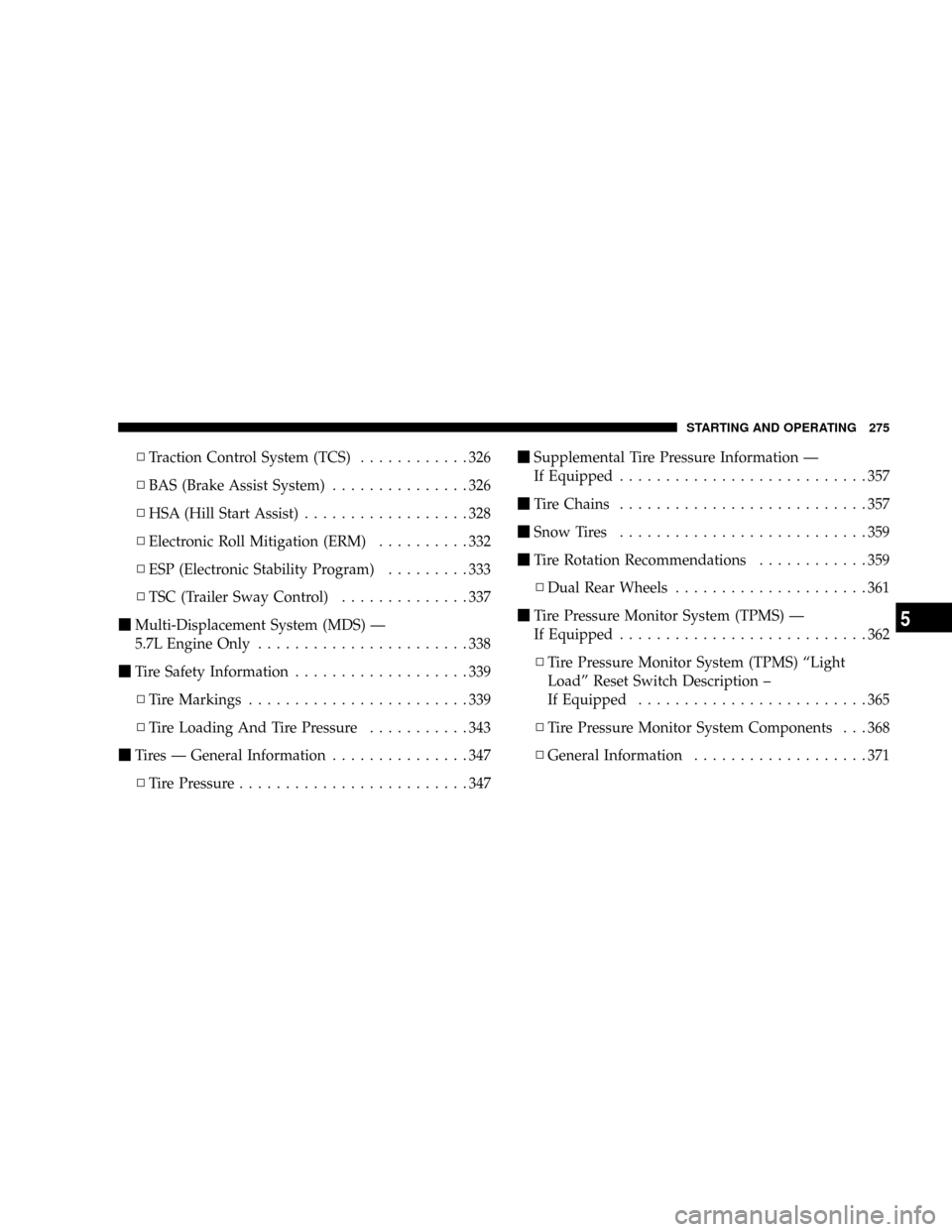
NTraction Control System (TCS)............326
NBAS (Brake Assist System)...............326
NHSA (Hill Start Assist)..................328
NElectronic Roll Mitigation (ERM)..........332
NESP (Electronic Stability Program).........333
NTSC (Trailer Sway Control)..............337
mMulti-Displacement System (MDS) Ð
5.7L Engine Only.......................338
mTire Safety Information...................339
NTire Markings........................339
NTire Loading And Tire Pressure...........343
mTires Ð General Information...............347
NTire Pressure.........................347mSupplemental Tire Pressure Information Ð
If Equipped...........................357
mTire Chains...........................357
mSnow Tires...........................359
mTire Rotation Recommendations............359
NDual Rear Wheels.....................361
mTire Pressure Monitor System (TPMS) Ð
If Equipped...........................362
NTire Pressure Monitor System (TPMS) ªLight
Loadº Reset Switch Description ±
If Equipped.........................365
NTire Pressure Monitor System Components . . . 368
NGeneral Information...................371
STARTING AND OPERATING 275
5