warning light DODGE RAM 2500 POWER WAGON 2008 3.G User Guide
[x] Cancel search | Manufacturer: DODGE, Model Year: 2008, Model line: RAM 2500 POWER WAGON, Model: DODGE RAM 2500 POWER WAGON 2008 3.GPages: 504, PDF Size: 8.17 MB
Page 128 of 504

WARNING!
If the hood is not fully latched, it could fly up when
the vehicle is moving and block your forward vision.
Be sure all hood latches are latched fully before
driving.
LIGHTS
Headlight Switch Location
128 UNDERSTANDING THE FEATURES OF YOUR VEHICLE
Page 146 of 504

NOTE:It is possible for DTE to display ªLO FUELº
before the low fuel warning light turns on in the instru-
ment cluster. This could occur because low fuel warning
is set to a specified fuel tank volume and DTE is an
estimated distance calculation based on fuel economy
and remaining fuel tank volume.
Ram fuel tank volumes are as follows:
²34 gallons - short box models
²35 gallons - long box models
Trip Odometer (ODO)
NOTE:The maximum value is approximately 6000
miles. Then the trip odometer must be reset in order to
update the trip odometer miles.
This display shows the distance traveled since the last
reset. Resetting of this screen will cause the trip odometer
to change to Zero.
Elapsed Time (ET)
This display shows the accumulated ignition ON time
since the last reset. Resetting the Elapsed Time will cause
the display to change to Zero.
146 UNDERSTANDING THE FEATURES OF YOUR VEHICLE
Page 180 of 504

CAUTION!
Do not operate the engine with the tachometer
pointer at high rpm for extended periods. Engine
damage may occur.
5. Airbag Indicator Light
The indicator lights and remains lit for 6 to 8 seconds
when the ignition is first turned on. If the light stays on,
flickers or comes on while driving, have the airbag
system checked by an authorized dealer.
6. High Beam Indicator
This indicator shows that headlights are on high
beam.
7. Seat Belt Reminder Light
When the ignition switch is first turned ON, this
light will turn on for 5 to 8 seconds as a bulb check.During the bulb check, if the driver's seat belt is unbuck-
led, a chime will sound. After the bulb check or when
driving, if the driver seat belt remains unbuckled, the
Seat Belt Warning Light will flash or remain on continu-
ously. Refer to9Enhanced Driver Seat Belt Reminder
System (BeltAlertŸ)9in the Occupant Restraints section
for more information.
8. Speedometer
The speedometer shows the vehicle speed in miles per
hour and/or kilometers per hour.
9. Oil Pressure Gauge
The pointer should always indicate some oil pres-
sure when the engine is running. A continuous
high or low reading, under normal driving conditions,
may indicate a lubrication system malfunction. Immedi-
ate service should be obtained.(See page 413 for more
information.)
180 UNDERSTANDING YOUR INSTRUMENT PANEL
Page 185 of 504
CAUTION!
Prolonged driving with the MIL on could cause
damage to the engine control system. It also could
affect fuel economy and driveability.
If the MIL is flashing, severe catalytic converter
damage and power loss will soon occur. Immediate
service is required.
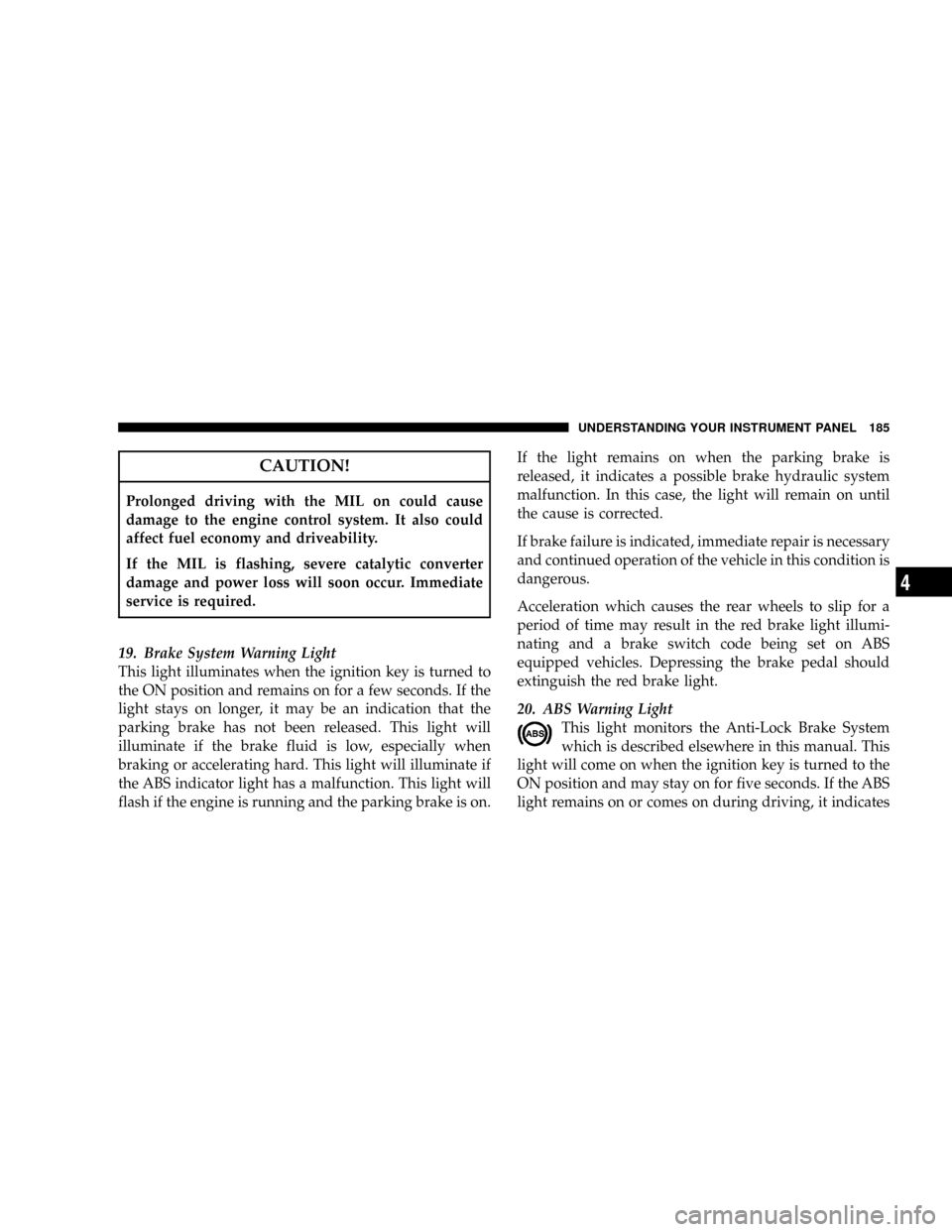
19. Brake System Warning Light
This light illuminates when the ignition key is turned to
the ON position and remains on for a few seconds. If the
light stays on longer, it may be an indication that the
parking brake has not been released. This light will
illuminate if the brake fluid is low, especially when
braking or accelerating hard. This light will illuminate if
the ABS indicator light has a malfunction. This light will
flash if the engine is running and the parking brake is on.If the light remains on when the parking brake is
released, it indicates a possible brake hydraulic system
malfunction. In this case, the light will remain on until
the cause is corrected.
If brake failure is indicated, immediate repair is necessary
and continued operation of the vehicle in this condition is
dangerous.
Acceleration which causes the rear wheels to slip for a
period of time may result in the red brake light illumi-
nating and a brake switch code being set on ABS
equipped vehicles. Depressing the brake pedal should
extinguish the red brake light.
20. ABS Warning Light
This light monitors the Anti-Lock Brake System
which is described elsewhere in this manual. This
light will come on when the ignition key is turned to the
ON position and may stay on for five seconds. If the ABS
light remains on or comes on during driving, it indicates
UNDERSTANDING YOUR INSTRUMENT PANEL 185
4
Page 189 of 504

TPMS ªLight Loadº Reset Switch ± If Equipped
The TPMS ºLight Loadº reset switch allows you to
choose between Light Load vehicle conditions and Max
Load vehicle conditions tire pressures and related TPMS
warning levels. The switch is located in the instrument
panel, below the climate control panel. For additional
information refer to ªTire Pressure Monitoring System
(TPMS) Ð If Equippedº in section 5 of this manual.
25. Transmission Oil Temperature Warning Light
(Automatic Transmissions Only)
This light indicates that there is excessive trans-
mission fluid temperature that might occur
with severe usage such as trailer towing. It may
also occur when operating the vehicle in a high
torque converter slip condition, such as 4-wheel-drive
operation (e.g. snow plowing, off- road operation). If thislight comes on, stop the vehicle and run the engine at idle
or faster, with the transmission in NEUTRAL until the
light goes off.
26. Odometer/Trip Odometer Button
Press this button to toggle between the odometer and the
trip odometer display. Holding the button in resets the
trip odometer reading when in trip mode.
27. Fuel Gauge
Shows level of fuel in tank when ignition switch is in the
ON position.
28. Low Fuel Warning Light
When the fuel level drops to 1/16 tank, the fuel
symbol will light and a single chime will sound.
NOTE:If your vehicle is equipped with an overhead
console module (CMTC), it is possible for DTE to display
ªLO FUELº before the low fuel warning light turns on in
the instrument cluster. This could occur because the low
UNDERSTANDING YOUR INSTRUMENT PANEL 189
4
Page 190 of 504

fuel warning is set to a specified fuel tank volume and
DTE is an estimated distance calculation based on vehicle
fuel economy and remaining fuel tank volume.
Ram fuel tank volumes are as follows:
²34 gallons - short box models
²35 gallons - long box models
29. CRUISE Light
This indicator lights when the electronic speed control
system is turned on.
ELECTRONIC DIGITAL CLOCK
The clock and radio each use the display panel built into
the radio. A digital readout shows the frequency and/or
time in hours and minutes (depending on your radio
model) whenever the ignition switch is in the ªONº or
ªACCº position.When the ignition switch is in the ªOFFº position, or
when the radio frequency is being displayed, time keep-
ing is accurately maintained.
On the RAQ radio the time button alternates the location
of the time and frequency on the display. On the REF only
one of the two, time or frequency is displayed at a time.
Clock Setting Procedure
1. Press and hold the time button until the hours blink.
2. Adjust the hours by turning the right side Tune /
Audio control.
3. After the hours are adjusted, press the right side Tune
/ Audio control to set the minutes.
4. Adjust the minutes using the right side Tune / Audio
control.
5. To exit, press any button/knob or wait approximately
5 seconds.
190 UNDERSTANDING YOUR INSTRUMENT PANEL
Page 268 of 504
NOTE:If the vehicle has not been driven in several
days, the first few seconds of operation after shifting the
transmission into gear may seem sluggish. This is due to
the fluid partially draining from the torque converter into
the transmission. This condition is normal and will not
cause damage to the transmission. The torque converter
will refill within five seconds of shifting from Park into
any other gear position.
MANUAL TRANSMISSION
WARNING!
You or others could be injured if you leave the
vehicle unattended without having the parking
brake fully applied. The parking brake should al-
ways be applied when the driver is not in the vehicle,
especially on an incline.Truck models with manual transmission are equipped
with a clutch interlocking ignition system. The clutch
pedal must be fully depressed to start the vehicle.
Fully depress the clutch pedal before shifting gears. As
you release the clutch pedal, lightly depress the accelera-
tor pedal.
To shift into Reverse, come to a complete stop. Depress
the clutch and pause briefly to allow the gear train to
stop. Move the shift lever from the Neutral position
straight across and back into Reverse.
Never drive with your foot resting on the clutch pedal, or
attempt to hold the vehicle on a hill with the clutch pedal
partially engaged, as this will cause abnormal wear on
the clutch.
268 STARTING AND OPERATING
Page 275 of 504
LIMITED-SLIP DIFFERENTIAL Ð IF EQUIPPED
The limited-slip differential provides additional traction
on snow, ice, mud, sand and gravel, particularly when
there is a difference between the traction characteristics
of the surface under the right and left rear wheels. During
normal driving and cornering, the limited-slip unit per-
forms similarly to a conventional differential. On slip-
pery surfaces, however, the differential delivers more of
the driving effort to the rear wheel having the better
traction.
The limited-slip differential is especially helpful during
slippery driving conditions. With both rear wheels on a
slippery surface, a slight application of the accelerator
will supply maximum traction. When starting with only
one rear wheel on an excessively slippery surface, slight
momentary application of the parking brake may be
necessary to gain maximum traction.WARNING!
On vehicles equipped with a limited-slip differen-
tial, never run the engine with one rear wheel off the
ground, since the vehicle may drive through the rear
wheel remaining on the ground. You could lose
control of the vehicle.
Care should be taken to avoid sudden accelerations when
both rear wheels are on a slippery surface. This could
cause both rear wheels to spin, and allow the vehicle to
slide sideways on the crowned surface of a road or in a
turn.
STARTING AND OPERATING 275
5
Page 278 of 504
rear axles are unlocked. In the REAR LOCK position, the
rear axle is locked. In the FRONT/REAR position, the
front and rear axles are locked.
NOTE:Even when the axles are in the AXLE UNLOCK
position, the limited slip differential in the rear axle still
provides torque biasing capability for moderate low
traction environments.
During the command to lock the axle, the indicator light
will flash until the axle is locked. After the lock command
has been successfully executed, the light will remain on
solid.
To lock the rear axle, place the vehicle in 4LO by
following the procedure in Four Wheel Drive Operation,
located in this section of the manual. Move the axle
locker switch position to REAR LOCK while traveling
less than 3 MPH (5 KM/H). The RR indicator light will
remain on when the rear axle is locked.NOTE:Left to right wheel speed difference may be
necessary to allow the axle to fully lock. If the indicator
light is flashing after placing the switch in the REAR
LOCK or FRONT/REAR position, drive the vehicle in a
turn or on loose gravel to expedite the locking action.
WARNING!
Do not use the locked axle position for normal
driving. A locked front axle is intended for off-road
driving only. Locking the front axle during on-road
driving will reduce the steering ability. This could
cause an accident and you may be seriously injured.
To lock the front axle move the axle locker switch to
FRONT/REAR while travelingless than 3 MPH (5
KM/H). The indicator light will be solid when the front
axle is locked.
278 STARTING AND OPERATING
Page 280 of 504
The switch has two positions, on-road and off-road. The
system is normally in on-road mode, indicated by a solid
green light. The stabilizer/sway bar should remain in
on-road mode during normal driving conditions.
WARNING!
Do not disconnect the stabilizer bar and drive on
hard surfaced roads or at speeds above 18 MPH, you
may lose control of the vehicle, which could result in
serious injury. The front stabilizer bar enhances
vehicle stability and is necessary for maintaining
control of the vehicle. The system monitors vehicle
speed and will attempt to reconnect the stabilizer bar
at speeds over 18 MPH. This is indicated by a
flashing off road light and solid on road light. Once
vehicle speed is reduced below 14 MPH the system
will once again attempt to return to off road mode.To disconnect the stabilizer/sway bar, shift to either 4HI
or 4LO as shown in Four Wheel Drive Operation and
press the top of the stabilizer/sway bar button to obtain
the off-road position. The amber indicator light will flash
until the stabilizer/sway bar has been fully disconnected.
NOTE:The stabilizer/sway bar may be torque locked
due to left and right suspension height differences. This
condition is due to driving surface differences or vehicle
loading. In order for the stabilizer/sway bar to
disconnect/reconnect, the right and left halves of the bar
must be aligned. This alignment may require that the
vehicle be driven onto level ground or rocked from side
to side.
To return to on-road mode press the bottom of the
stabilizer/sway bar button.
280 STARTING AND OPERATING