ECU DODGE RAM 3500 DIESEL 2008 3.G User Guide
[x] Cancel search | Manufacturer: DODGE, Model Year: 2008, Model line: RAM 3500 DIESEL, Model: DODGE RAM 3500 DIESEL 2008 3.GPages: 527, PDF Size: 8.88 MB
Page 67 of 527
around, and insert the latch plate into the buckle
again. If you still can't make the child restraint secure,
try a different seating position.
²Buckle the child into the seat according to the child
restraint manufacturer's directions.
²When your child restraint is not in use, secure it in the
vehicle with the seat belt or remove it from the vehicle.
Do not leave it loose in the vehicle. In a sudden stop or
collision, it could strike the occupants or seatbacks and
cause serious personal injury.
WARNING!
Improper installation can lead to failure of an infant
or child restraint. It could come loose in a collision.
The child could be badly injured or killed. Follow
the manufacturer's directions exactly when installing
an infant or child restraint.
Lower Anchors and Tether for CHildren (LATCH)
Each vehicle is equipped with the child restraint anchor-
age system called LATCH, which stands for Lower
Anchors and Tether for CHildren. LATCH child restraint
anchorage systems are installed in the 2500/3500 Regular
Cab passenger seat position and the Quad Cabtrear seat
outboard positions. LATCH-equipped seating positions
feature both lower anchor bars, located at the back of the
seat cushion, and tether strap anchorages, located behind
the seatback. (Refer to Child Restraint Tether Anchor
later in this section.)
Identification dots are located above the standard cab
front seat lower anchorages as a guide for locating lower
anchors.
THINGS TO KNOW BEFORE STARTING YOUR VEHICLE 65
2
Page 72 of 527
WARNING!
An incorrectly anchored tether strap could lead to
seat failure and injury to the child. In a collision, the
seat could come loose and allow the child to crash
into the inside of the vehicle or other passengers, or
even be thrown from the vehicle. Use only the anchor
positions directly behind the child seat to secure a
child restraint top tether strap. Follow the instruc-
tions below. See your authorized dealer for help, if
necessary.
Tether Anchorage Points at the Right and Center
Front Seat (Regular Cab - All Seats)
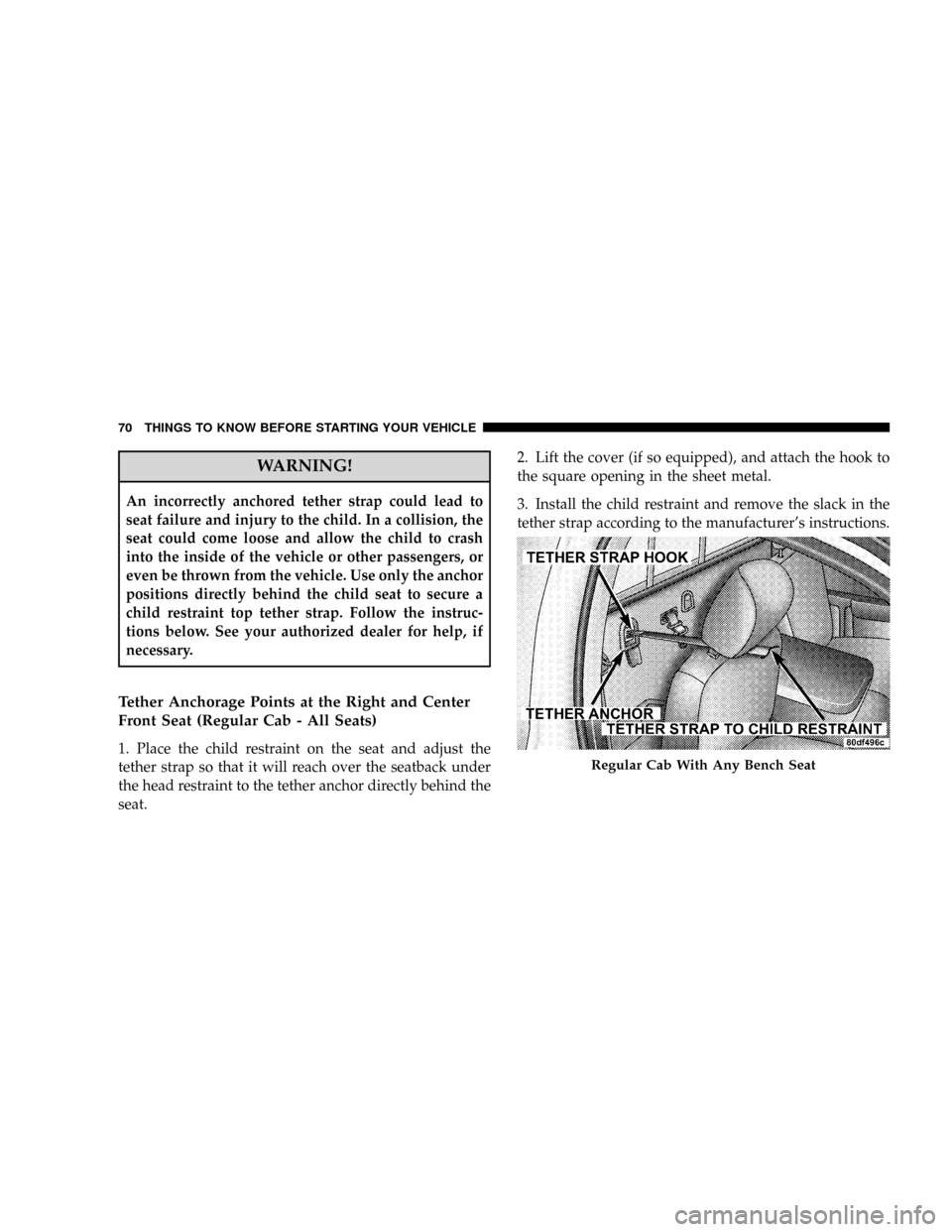
1. Place the child restraint on the seat and adjust the
tether strap so that it will reach over the seatback under
the head restraint to the tether anchor directly behind the
seat.2. Lift the cover (if so equipped), and attach the hook to
the square opening in the sheet metal.
3. Install the child restraint and remove the slack in the
tether strap according to the manufacturer's instructions.
Regular Cab With Any Bench Seat
70 THINGS TO KNOW BEFORE STARTING YOUR VEHICLE
Page 76 of 527
²Make sure that the child is upright in the seat.
²The lap portion should be low on the hips and as snug
as possible.
²Check belt fit periodically. A child's squirming or
slouching can move the belt out of position.
If the shoulder belt contacts the face or neck, move the
child closer to the center of the vehicle. Never allow a
child to put the shoulder belt under an arm or behind
their back.
Transporting Pets
Airbags deploying in the front seat could harm your pet.
An unrestrained pet will be thrown about and possibly
injured, or injure a passenger during panic braking or in
a collision. Pets should be restrained in the rear seat in
pet harnesses or pet carriers that are secured by seat belts.
NEW ENGINE BREAK-IN
Your Cumminst24-Valve Turbo Diesel engine does not
require a break-in period due to its construction. Normal
operation is allowed, provided the following recommen-
dations are followed:
NOTE:Light duty operation such as light trailer towing
or no load operation will extend the time before the
engine is at full efficiency. Reduced fuel economy and
power may be seen at this time.
²Warm up the engine before placing it under load.
²Do not operate the engine at idle for prolonged
periods.
²Use the appropriate transmission gear to prevent
engine lugging.
²Observe vehicle oil pressure and temperature indica-
tors.
74 THINGS TO KNOW BEFORE STARTING YOUR VEHICLE
Page 83 of 527
mElectronic Speed Control Ð If Equipped......139
NTo Activate..........................140
NTo Set At A Desired Speed...............140
NTo Deactivate........................140
NTo Resume Speed.....................141
NTo Vary The Speed Setting...............141
NTo Accelerate For Passing...............141
mOverhead Console With Electronic Vehicle
Information Center (EVIC) Ð Diesel Only.....142
NDome/Reading Lights..................142
NElectronic Vehicle Information Center (EVIC) Ð
If Equipped.........................143
NCompass/Temperature Button............149mGarage Door Opener Ð If Equipped.........151
NProgramming HomeLinkt...............153
NGate Operator/Canadian Programming.....155
NUsing HomeLinkt.....................156
NReprogramming A Single HomeLinkt
Button.............................156
NSecurity............................157
NTroubleshooting Tips...................157
NGeneral Information...................157
mPower Sunroof Ð If Equipped.............158
NOpen Sunroof - Express Mode............159
NClosing Sunroof - Express...............159
NPinch Protect Feature...................159
UNDERSTANDING THE FEATURES OF YOUR VEHICLE 81
3
Page 125 of 527
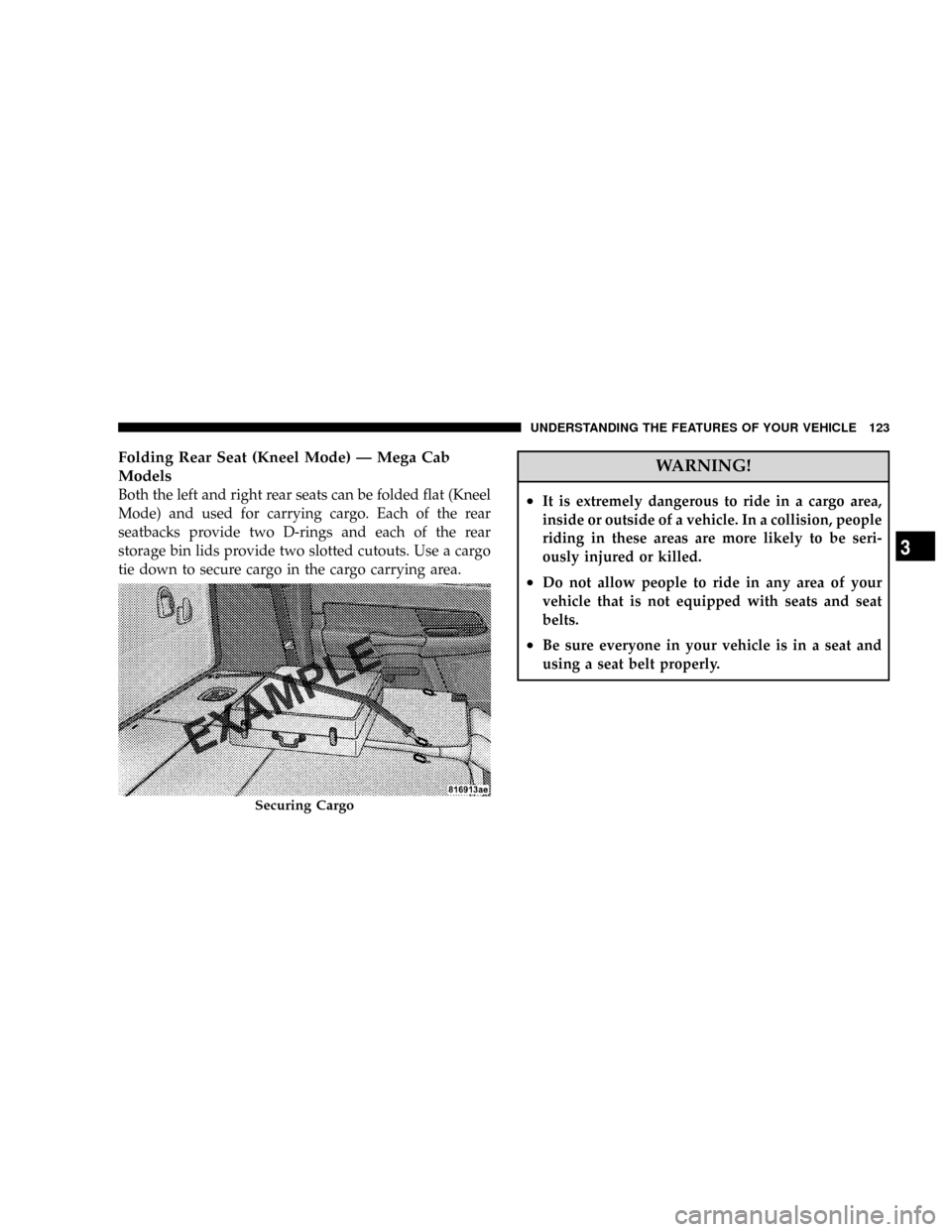
Folding Rear Seat (Kneel Mode) Ð Mega Cab
Models
Both the left and right rear seats can be folded flat (Kneel
Mode) and used for carrying cargo. Each of the rear
seatbacks provide two D-rings and each of the rear
storage bin lids provide two slotted cutouts. Use a cargo
tie down to secure cargo in the cargo carrying area.
WARNING!
²It is extremely dangerous to ride in a cargo area,
inside or outside of a vehicle. In a collision, people
riding in these areas are more likely to be seri-
ously injured or killed.
²Do not allow people to ride in any area of your
vehicle that is not equipped with seats and seat
belts.
²Be sure everyone in your vehicle is in a seat and
using a seat belt properly.
Securing Cargo
UNDERSTANDING THE FEATURES OF YOUR VEHICLE 123
3
Page 126 of 527
WARNING!
Cargo must be securely tied down before driving
your vehicle. Improperly secured cargo can fly
around in a sudden stop and strike someone in the
vehicle, causing serious injury or possible death.
Secure cargo with a cargo tie down using the D-Rings
provided on the back of the seats and the slotted
cutouts in the rear storage bin lid.
NOTE:The rear seat will drop and move forward in
Kneel Mode.
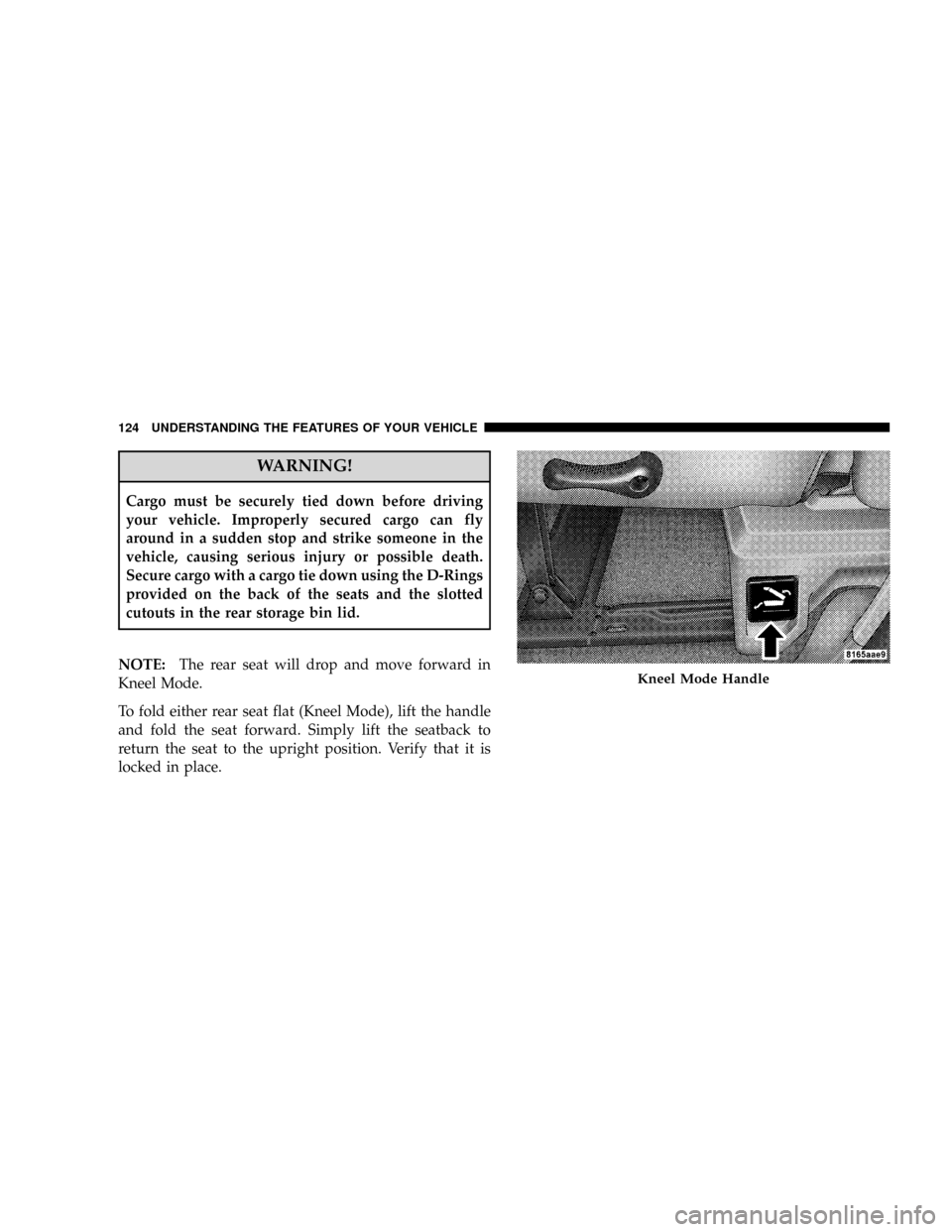
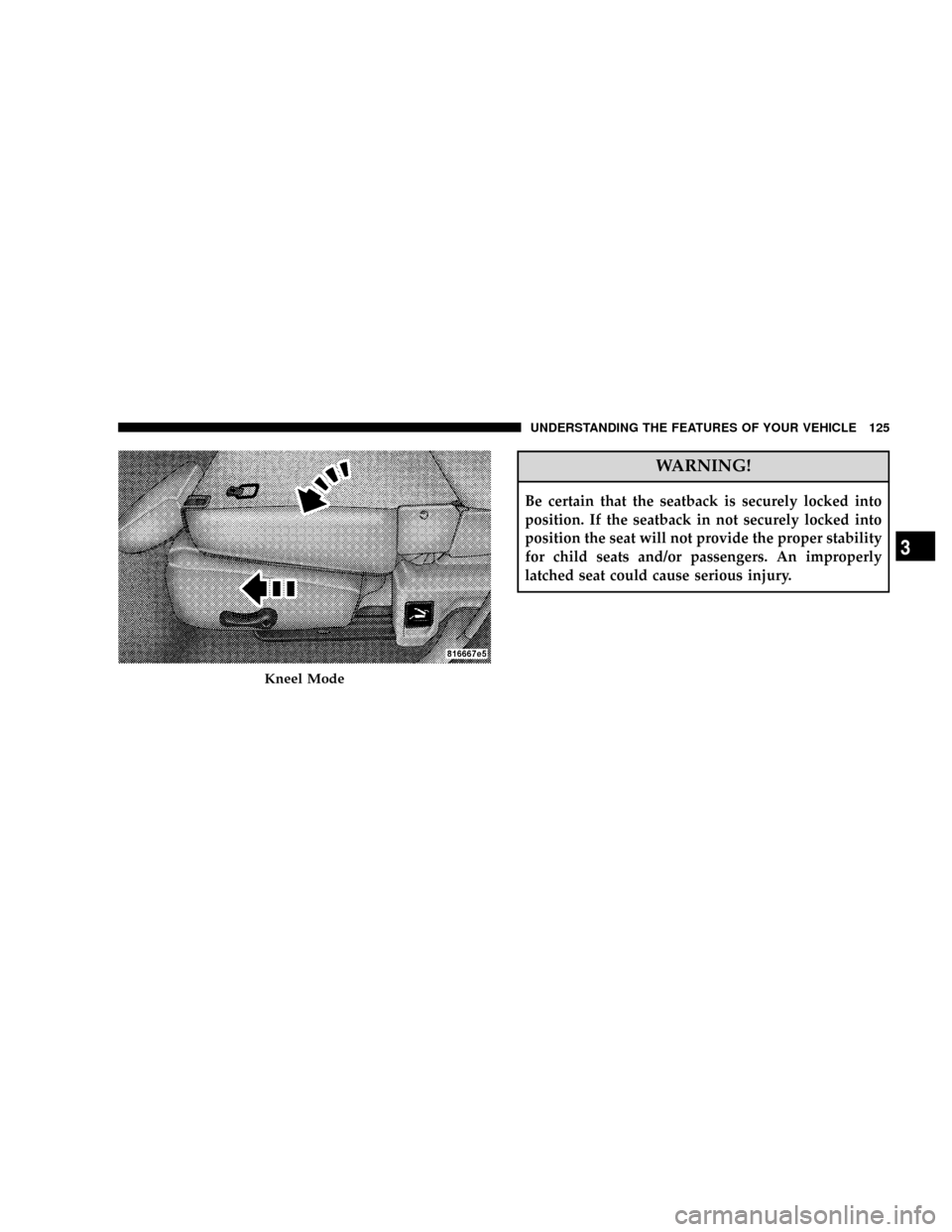
To fold either rear seat flat (Kneel Mode), lift the handle
and fold the seat forward. Simply lift the seatback to
return the seat to the upright position. Verify that it is
locked in place.
Kneel Mode Handle
124 UNDERSTANDING THE FEATURES OF YOUR VEHICLE
Page 127 of 527
WARNING!
Be certain that the seatback is securely locked into
position. If the seatback in not securely locked into
position the seat will not provide the proper stability
for child seats and/or passengers. An improperly
latched seat could cause serious injury.
Kneel Mode
UNDERSTANDING THE FEATURES OF YOUR VEHICLE 125
3
Page 153 of 527
1.Turn the ignition switch to the ON/RUN position.
2.Press the Menu buttonuntil Personal Settings is
displayed.
3.Press the STEP buttonuntil ªCompass Varianceº is
displayed.
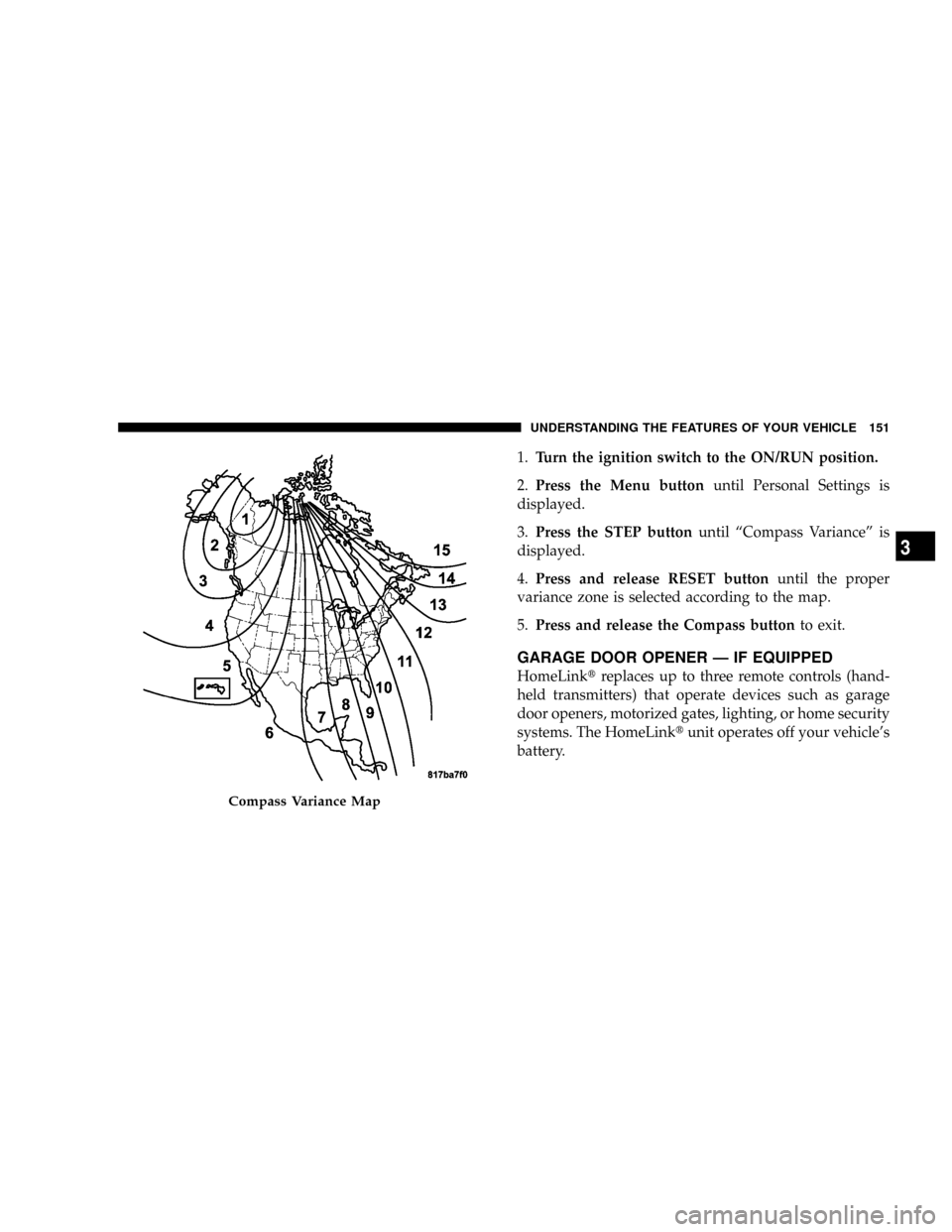
4.Press and release RESET buttonuntil the proper
variance zone is selected according to the map.
5.Press and release the Compass buttonto exit.
GARAGE DOOR OPENER Ð IF EQUIPPED
HomeLinktreplaces up to three remote controls (hand-
held transmitters) that operate devices such as garage
door openers, motorized gates, lighting, or home security
systems. The HomeLinktunit operates off your vehicle's
battery.
Compass Variance Map
UNDERSTANDING THE FEATURES OF YOUR VEHICLE 151
3
Page 154 of 527
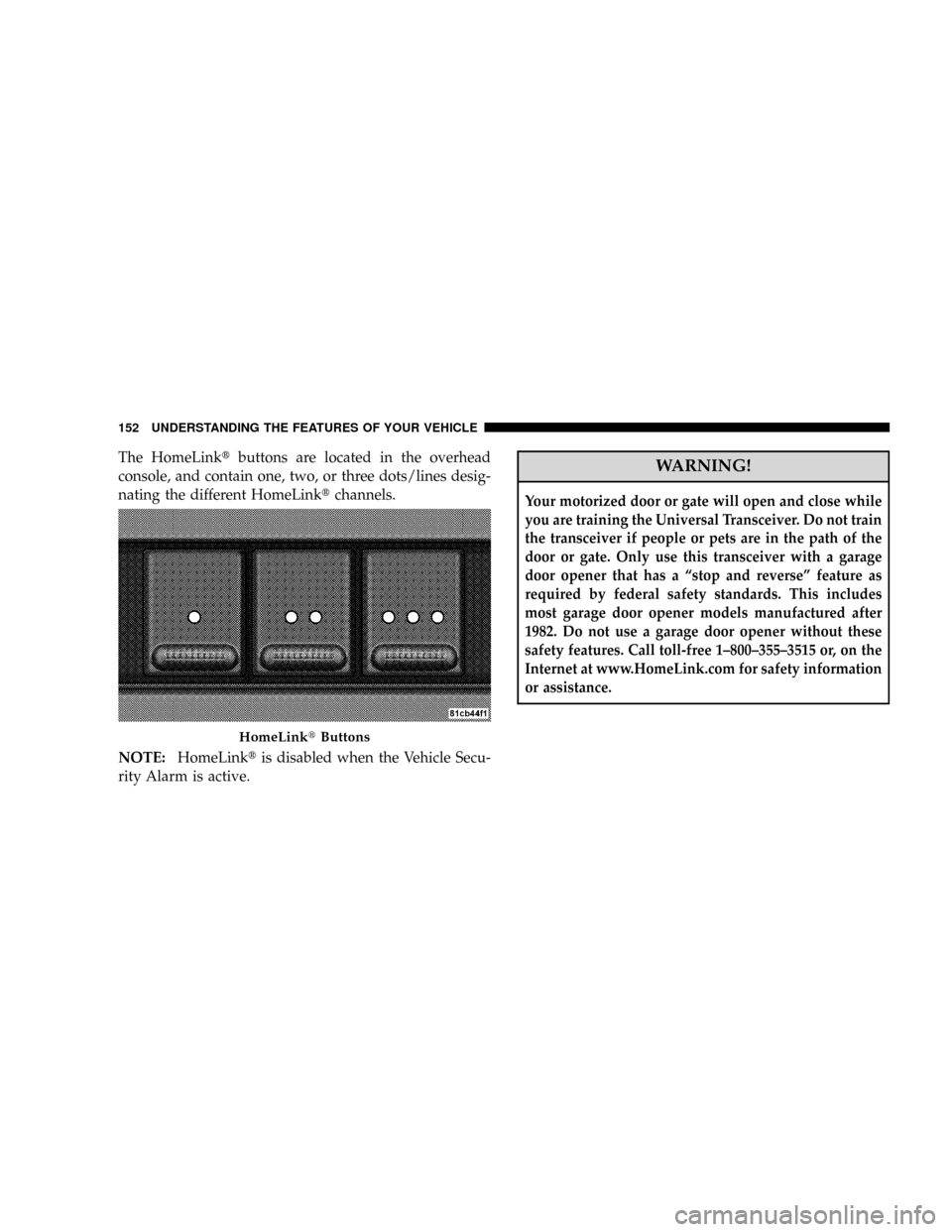
The HomeLinktbuttons are located in the overhead
console, and contain one, two, or three dots/lines desig-
nating the different HomeLinktchannels.
NOTE:HomeLinktis disabled when the Vehicle Secu-
rity Alarm is active.WARNING!
Your motorized door or gate will open and close while
you are training the Universal Transceiver. Do not train
the transceiver if people or pets are in the path of the
door or gate. Only use this transceiver with a garage
door opener that has a ªstop and reverseº feature as
required by federal safety standards. This includes
most garage door opener models manufactured after
1982. Do not use a garage door opener without these
safety features. Call toll-free 1±800±355±3515 or, on the
Internet at www.HomeLink.com for safety information
or assistance.
HomeLinktButtons
152 UNDERSTANDING THE FEATURES OF YOUR VEHICLE
Page 158 of 527
Similar to this Canadian law, some U.S. gate operators are
designed to ªtime-outº in the same manner.
It may be helpful to unplug the device during the cycling
process to prevent possible overheating of the garage
door or gate motor.
If you are having difficulties programming a garage door
opener or a gate operator, replace ªProgramming
HomeLinkº Step 3 with the following:
3. Continue to press and hold the HomeLinktbutton
while you press and release - every two seconds
(ªcycleº) your hand-held transmitter until HomeLinkt
has successfully accepted the frequency signal. The
EVIC display will change from ªCHANNEL # TRAIN-
INGº to ªCHANNEL # TRAINED.º
If you unplugged the device for training, plug it back in
at this time.Then proceed with Step 4 under ªProgramming
HomeLinktº earlier in this section.
Using HomeLinkT
To operate, simply press and release the programmed
HomeLinktbutton. Activation will now occur for the
trained device (i.e., garage door opener, gate operator,
security system, entry door lock, home/office lighting,
etc.) The hand-held transmitter of the device may also be
used at any time.
Reprogramming A Single HomeLinkTButton
To reprogram a channel that has been previously trained,
follow these steps:
1. Turn the ignition switch to the ON/RUN position.
2. Press and hold the desired HomeLinktbutton for 20
seconds until the EVIC display states ªCHANNEL #
TRAINING.ºDo not release the button.
156 UNDERSTANDING THE FEATURES OF YOUR VEHICLE