transmission DODGE RAM 3500 DIESEL 2008 3.G User Guide
[x] Cancel search | Manufacturer: DODGE, Model Year: 2008, Model line: RAM 3500 DIESEL, Model: DODGE RAM 3500 DIESEL 2008 3.GPages: 527, PDF Size: 8.88 MB
Page 149 of 527
Press and release the Menu button until the
Personal Settings displays on the EVIC.
Use the STEP button to display one of the following:
²ªLANGUAGEº ± When in this display you may select
one of three languages for all display nomenclature,
including the trip functions. Press the RESET button
while in this display to select English, Espanol, or
Francais. Then, as you continue, the information will
display in the selected language.
²ªAUTO DOOR LOCKS > ONº ± When ON is selected,
all doors will lock automatically when the vehicle
reaches a speed of 15 mph (24 km/h). To make your
selection, press and release the RESET button until
ªONº or ªOFFº appears.
²ªAUTO UNLOCK ON EXIT > ONº ± When ON is
selected, all doors will unlock when the vehicle isstopped and the transmission is in the PARK or
NEUTRAL position and the driver's door is opened.
To make your selection, press and release the RESET
button until ªONº or ªOFFº appears.
²ªRKE UNLOCK DRV DR 1stº ± WhenDRV DR 1stis
selected, only the driver's door will unlock on the first
press of the remote keyless entry UNLOCK button.
When Driver Door 1st Press is selected, you must
press the remote keyless entry UNLOCK button twice
to unlock the passenger's doors. To make your selec-
tion, press and release the RESET button until ªDRV
DR 1st º appears.
²ªRKE UNLOCK ALL DR 1STº ± WhenALL DR 1STis
selected, all of the doors will unlock on the first press
of the remote keyless entry unlock button. To make
your selection, press and release the RESET button
until ªAll DR 1stº appears.
UNDERSTANDING THE FEATURES OF YOUR VEHICLE 147
3
Page 155 of 527
WARNING!
Vehicle exhaust contains carbon monoxide, a danger-
ous gas. Do not run your vehicle in the garage while
training the transceiver. Exhaust gas can cause seri-
ous injury or death.
Programming HomeLinkT
Before You Begin
If you have not trained any of the HomeLinktbuttons,
erase all channels before you begin training.
To do this, press and hold the two outside buttons for 20
seconds. The EVIC will display ªCLEARING CHAN-
NELS.º Release the buttons when the EVIC message
states ªCHANNELS CLEARED.ºIt is recommended that a new battery be placed in the
hand-held transmitter of the device being programmed
to HomeLinktfor more efficient training and accurate
transmission of the radio-frequency signal.
Your vehicle should be parked outside of the garage
while training.
1. Turn the ignition switch to the ON/RUN position.
2. Place the hand-held transmitter 1 to 3 in (3 to 8 cm)
from the HomeLinktbuttons while keeping the EVIC
display in view.
For optimal training, point the battery end of the hand-
held transmitter away from the HomeLinkt.
3. Simultaneously, press and hold both the chosen
HomeLinktbutton and the hand-held transmitter button
until the EVIC display changes from ªCHANNEL #
TRAININGº to ªCHANNEL # TRAINED.º
UNDERSTANDING THE FEATURES OF YOUR VEHICLE 153
3
Page 157 of 527
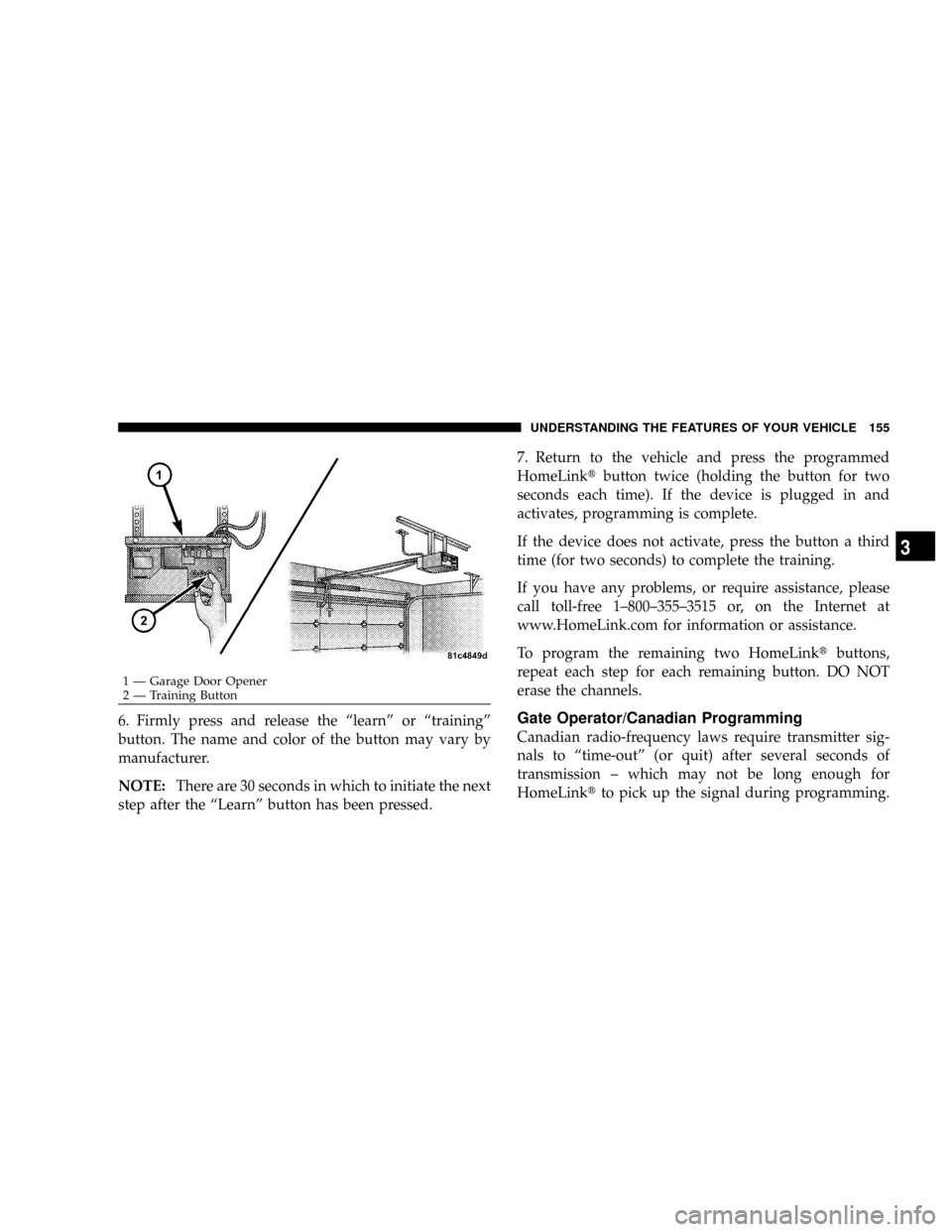
6. Firmly press and release the ªlearnº or ªtrainingº
button. The name and color of the button may vary by
manufacturer.
NOTE:There are 30 seconds in which to initiate the next
step after the ªLearnº button has been pressed.7. Return to the vehicle and press the programmed
HomeLinktbutton twice (holding the button for two
seconds each time). If the device is plugged in and
activates, programming is complete.
If the device does not activate, press the button a third
time (for two seconds) to complete the training.
If you have any problems, or require assistance, please
call toll-free 1±800±355±3515 or, on the Internet at
www.HomeLink.com for information or assistance.
To program the remaining two HomeLinktbuttons,
repeat each step for each remaining button. DO NOT
erase the channels.Gate Operator/Canadian Programming
Canadian radio-frequency laws require transmitter sig-
nals to ªtime-outº (or quit) after several seconds of
transmission ± which may not be long enough for
HomeLinktto pick up the signal during programming.
1 Ð Garage Door Opener
2 Ð Training ButtonUNDERSTANDING THE FEATURES OF YOUR VEHICLE 155
3
Page 164 of 527
CIGAR LIGHTER AND ASH RECEIVER
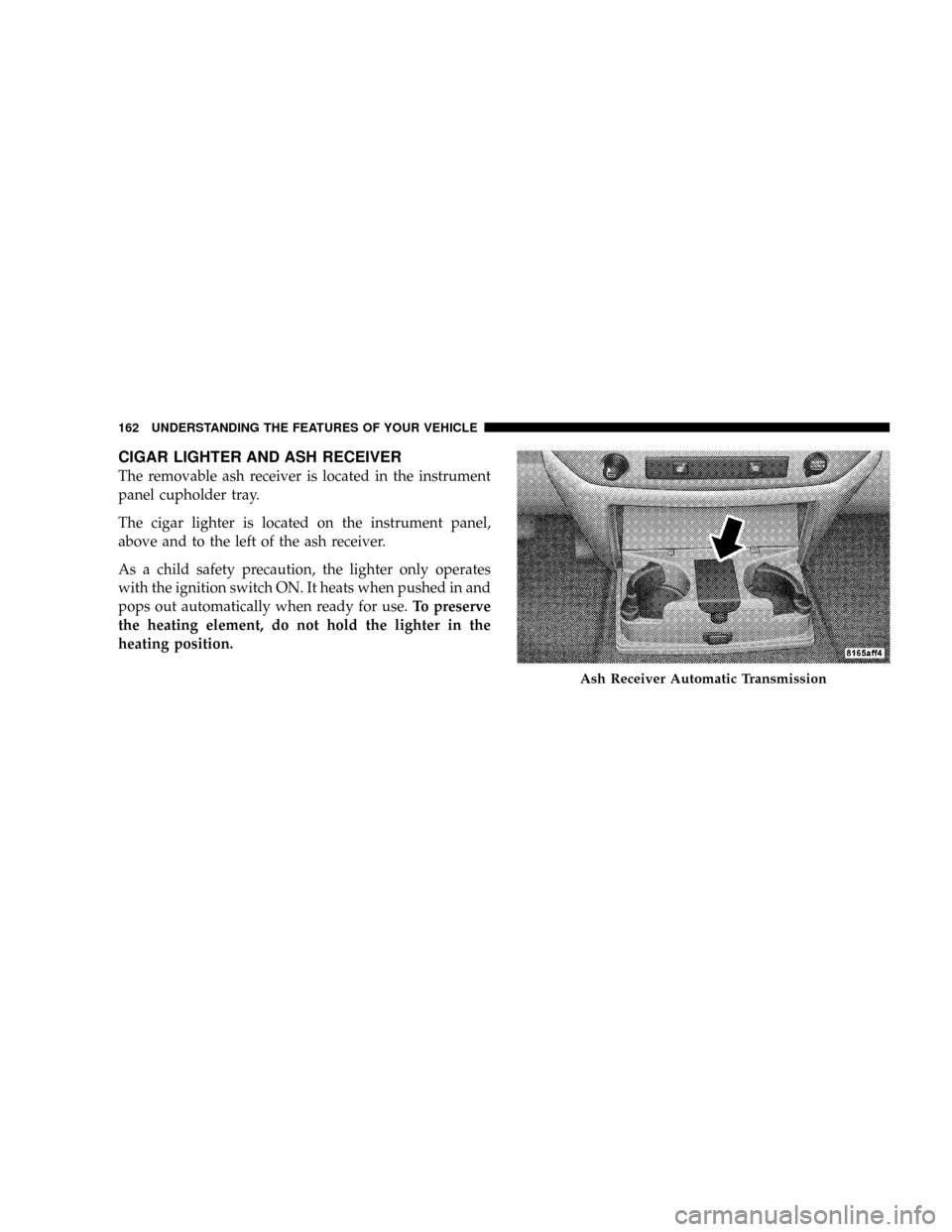
The removable ash receiver is located in the instrument
panel cupholder tray.
The cigar lighter is located on the instrument panel,
above and to the left of the ash receiver.
As a child safety precaution, the lighter only operates
with the ignition switch ON. It heats when pushed in and
pops out automatically when ready for use.To preserve
the heating element, do not hold the lighter in the
heating position.
Ash Receiver Automatic Transmission
162 UNDERSTANDING THE FEATURES OF YOUR VEHICLE
Page 165 of 527
CUPHOLDERS
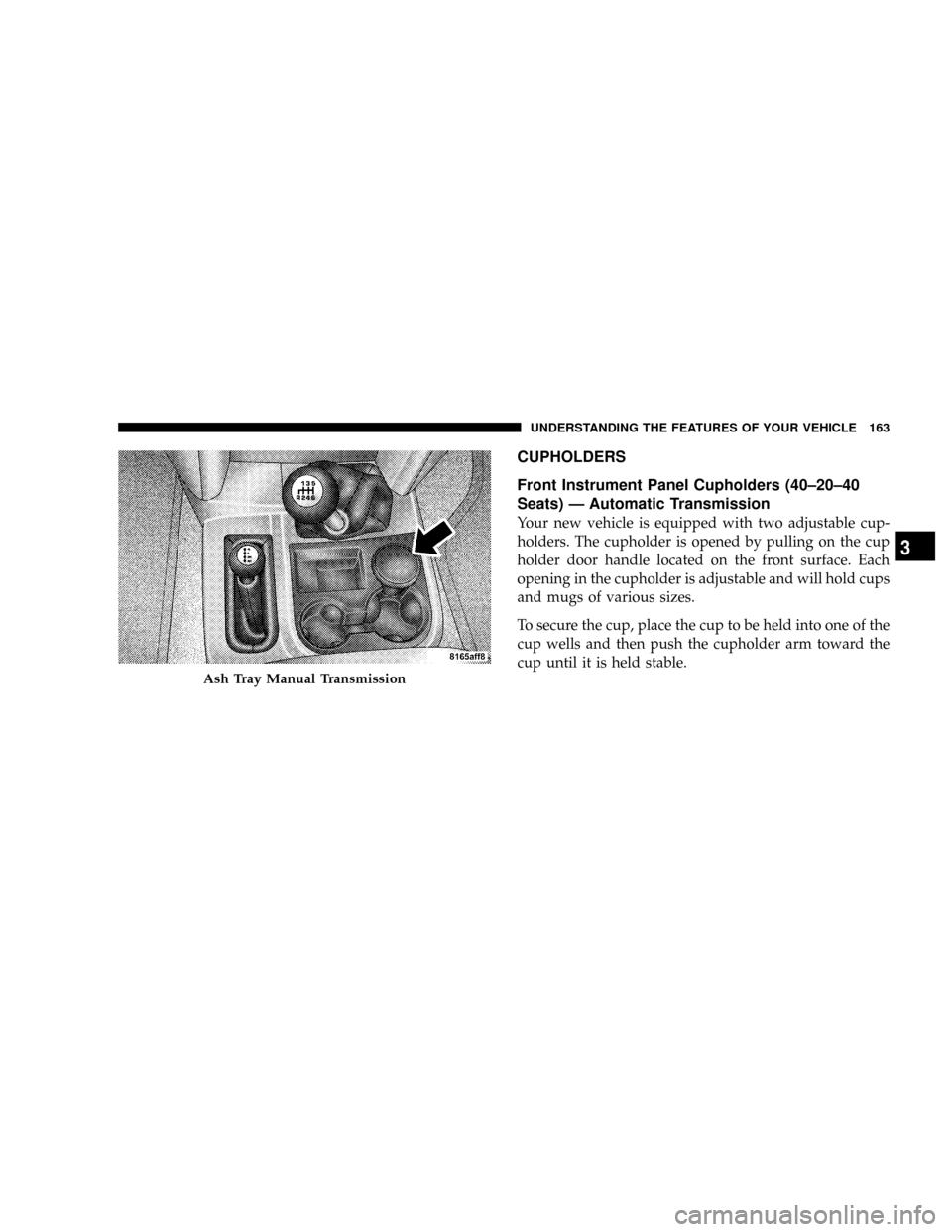
Front Instrument Panel Cupholders (40±20±40
Seats) Ð Automatic Transmission
Your new vehicle is equipped with two adjustable cup-
holders. The cupholder is opened by pulling on the cup
holder door handle located on the front surface. Each
opening in the cupholder is adjustable and will hold cups
and mugs of various sizes.
To secure the cup, place the cup to be held into one of the
cup wells and then push the cupholder arm toward the
cup until it is held stable.
Ash Tray Manual Transmission
UNDERSTANDING THE FEATURES OF YOUR VEHICLE 163
3
Page 166 of 527
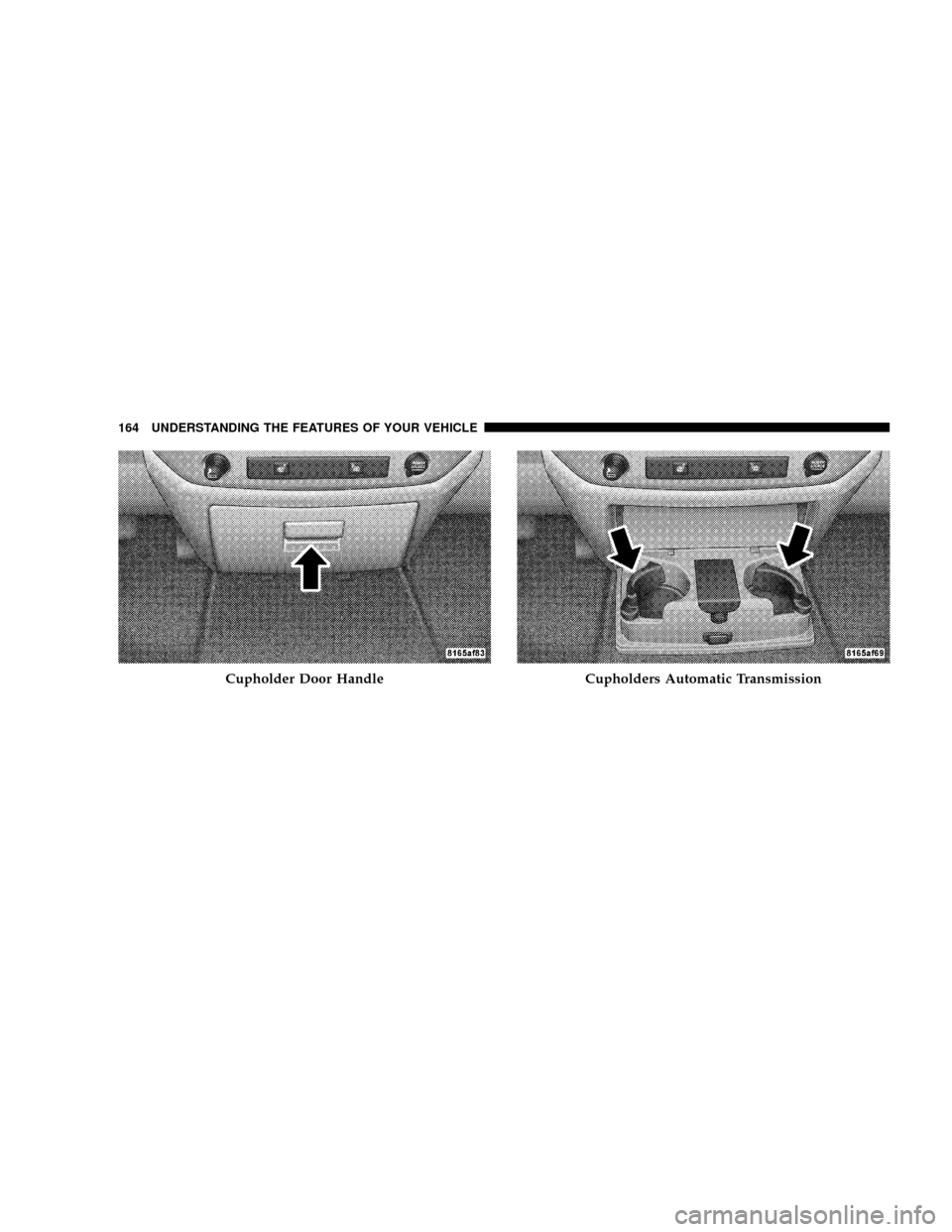
Cupholder Door HandleCupholders Automatic Transmission
164 UNDERSTANDING THE FEATURES OF YOUR VEHICLE
Page 167 of 527
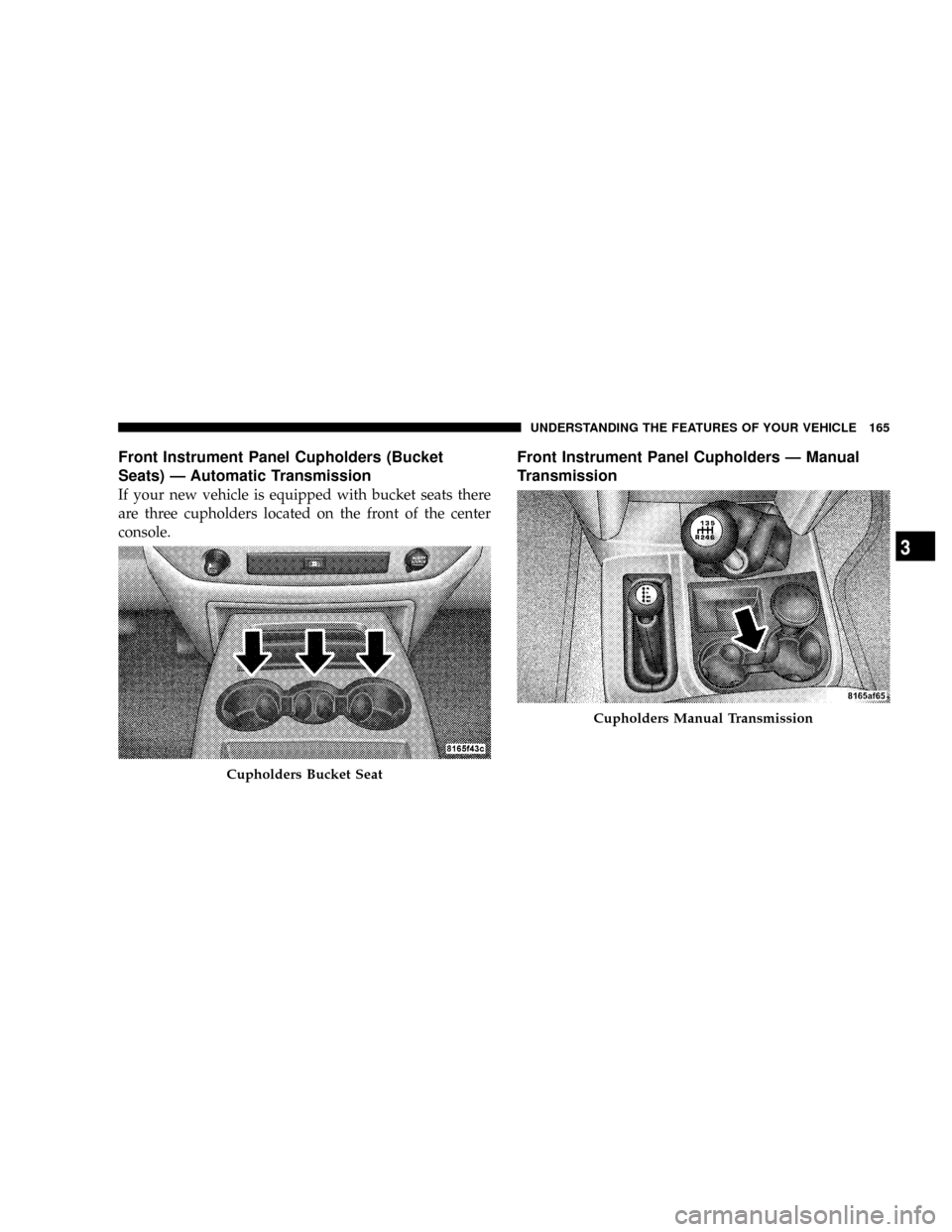
Front Instrument Panel Cupholders (Bucket
Seats) Ð Automatic Transmission
If your new vehicle is equipped with bucket seats there
are three cupholders located on the front of the center
console.
Front Instrument Panel Cupholders Ð Manual
Transmission
Cupholders Bucket Seat
Cupholders Manual Transmission
UNDERSTANDING THE FEATURES OF YOUR VEHICLE 165
3
Page 194 of 527
CAUTION!
Do not leave your vehicle unattended with the en-
gine running as you would not be able to react to the
temperature indicator if the engine overheats.
NOTE:Engine idle speed will automatically increase to
1000 rpm at elevated coolant temperatures to improve
engine cooling.
NOTE:If the gauge pointer moves to either extreme of
the gauge, the ªCheck Gaugesº indicator will illuminate
and a single chime will sound.
13. Security Light
The light will flash rapidly for approximately 16 seconds
when the Vehicle Theft Alarm is arming. The light willflash at a slower rate after the alarm is set. The Security
Light will also come on for about two seconds when the
ignition is first turned ON.
14. Transmission Range Indicator (Automatic
Transmissions Only)
When the gear selector lever is moved on vehicles with
the 68RFE transmission, this indicator shows the auto-
matic transmission gear range selected (P R N D). Ve-
hicles equipped with Auto-6/Electronic Range Select
(ERS) will display the selection of the desired top gear, in
the position next to the D (Drive).
15. Odometer/Trip Odometer
The odometer shows the total distance the vehicle has
been driven. U.S. federal regulations require that upon
transfer of vehicle ownership, the seller certify to the
purchaser the correct mileage that the vehicle has been
driven. Therefore, if the odometer reading is changed
192 UNDERSTANDING YOUR INSTRUMENT PANEL
Page 200 of 527
CAUTION!
The TPMS has been optimized for the original
equipment tires and wheels. TPMS pressures and
warning have been established for the tire size
equipped on your vehicle. Undesirable system opera-
tion or sensor damage may result when using re-
placement equipment that is not of the same size,
type, and/or style. Aftermarket wheels can cause
sensor damage. Do not use tire sealant from a can, or
balance beads if your vehicle is equipped with a
TPMS, as damage to the sensors may result.
TPMS ªLight Loadº Reset Switch ± If Equipped
The TPMS ºLight Loadº reset switch allows you to
choose between Light Load vehicle conditions and Max
Load vehicle conditions tire pressures and related TPMS
warning levels. The switch is located in the instrumentpanel, below the climate control panel. For additional
information refer to ªTire Pressure Monitoring System
(TPMS) Ð If Equippedº in section 5 of this manual.
25. Transmission Oil Temperature Warning Light
(Automatic Transmissions Only)
This light indicates that there is excessive trans-
mission fluid temperature that might occur
with severe usage such as trailer towing. It may
also occur when operating the vehicle in a high
torque converter slip condition, such as 4-wheel drive
operation (e.g., snow plowing, off-road operation). If this
light comes on, stop the vehicle and run the engine at idle
or faster, with the transmission in NEUTRAL until the
light goes off.
26. Wait To Start Indicator
The Wait To Start indicator will illuminate when
the ignition is turned to the run position and the
intake manifold temperature is below 66ÉF (19ÉC).
198 UNDERSTANDING YOUR INSTRUMENT PANEL
Page 202 of 527
ELECTRONIC DIGITAL CLOCK
The clock and radio each use the display panel built into
the radio. A digital readout shows the frequency and/or
time in hours and minutes (depending on your radio
model) whenever the ignition switch is in the ON or ACC
position.
When the ignition switch is in the OFF position, or when
the radio frequency is being displayed, time keeping is
accurately maintained.
On the RAQ radio the time button alternates the location
of the time and frequency on the display. On the REF only
one of the two, time or frequency, is displayed at a time.
Clock Setting Procedure
1. Press and hold the time button until the hours blink.
2. Adjust the hours by turning the right side Tune/
Audio control.3. After the hours are adjusted, press the right side
Tune/Audio control to set the minutes.
4. Adjust the minutes using the right side Tune/Audio
control.
5. To exit, press any button/knob or wait approximately
five seconds.
RADIO GENERAL INFORMATION
Radio Broadcast Signals
The radio will provide excellent reception under most
operating conditions. Like any system, however, automo-
tive radios have performance limitations, due to mobile
operation and natural phenomena, which might lead you
to believe your sound system is malfunctioning. To help
you understand and save you concern about these ªap-
parentº malfunctions, you must understand a point or
two about the transmission and reception of radio sig-
nals.
200 UNDERSTANDING YOUR INSTRUMENT PANEL