clock DODGE RAM 3500 DIESEL 2009 4.G User Guide
[x] Cancel search | Manufacturer: DODGE, Model Year: 2009, Model line: RAM 3500 DIESEL, Model: DODGE RAM 3500 DIESEL 2009 4.GPages: 532, PDF Size: 9.37 MB
Page 227 of 532
the worldwide standard for time. This makes the sys-
tem’s clock very accurate once the appropriate time zone
and daylight savings information is set.
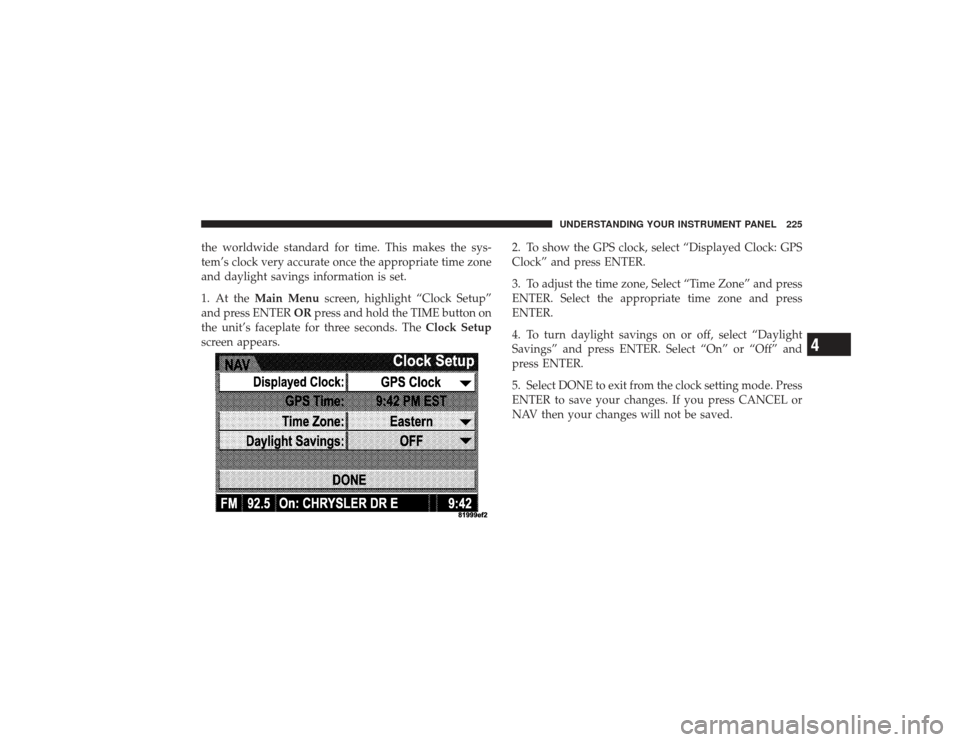
1. At theMain Menu screen, highlight “Clock Setup”
and press ENTER ORpress and hold the TIME button on
the unit’s faceplate for three seconds. The Clock Setup
screen appears. 2. To show the GPS clock, select “Displayed Clock: GPS
Clock” and press ENTER.
3. To adjust the time zone, Select “Time Zone” and press
ENTER. Select the appropriate time zone and press
ENTER.
4. To turn daylight savings on or off, select “Daylight
Savings” and press ENTER. Select “On” or “Off” and
press ENTER.
5. Select DONE to exit from the clock setting mode. Press
ENTER to save your changes. If you press CANCEL or
NAV then your changes will not be saved.
UNDERSTANDING YOUR INSTRUMENT PANEL 225
4
Page 228 of 532
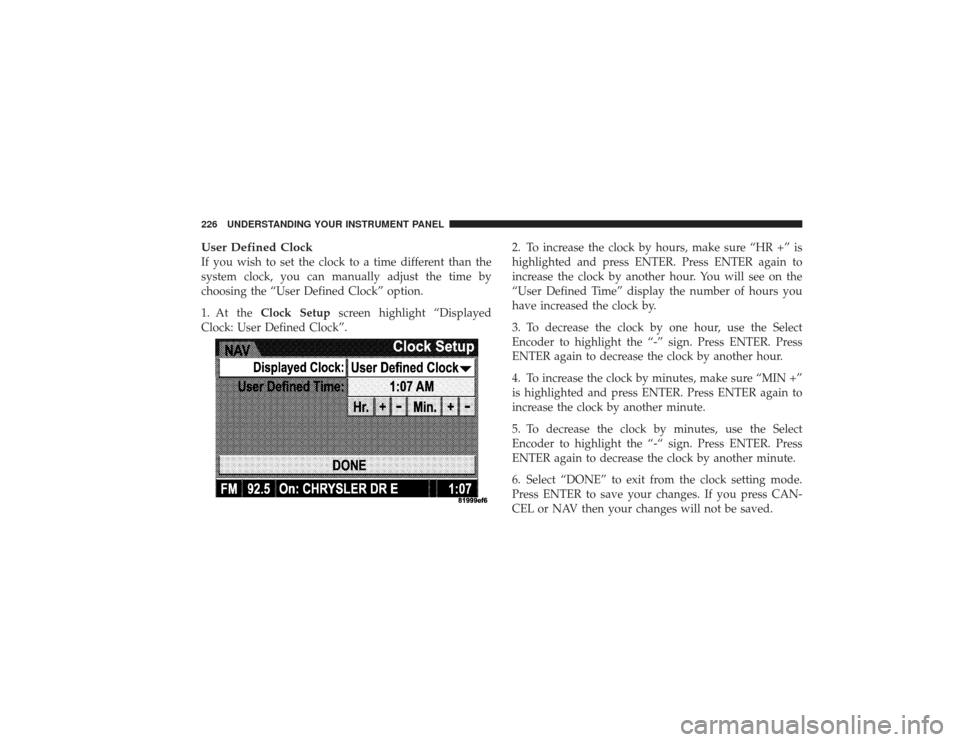
User Defined ClockIf you wish to set the clock to a time different than the
system clock, you can manually adjust the time by
choosing the “User Defined Clock” option.
1. At theClock Setup screen highlight “Displayed
Clock: User Defined Clock”. 2. To increase the clock by hours, make sure “HR +” is
highlighted and press ENTER. Press ENTER again to
increase the clock by another hour. You will see on the
“User Defined Time” display the number of hours you
have increased the clock by.
3. To decrease the clock by one hour, use the Select
Encoder to highlight the “-” sign. Press ENTER. Press
ENTER again to decrease the clock by another hour.
4. To increase the clock by minutes, make sure “MIN +”
is highlighted and press ENTER. Press ENTER again to
increase the clock by another minute.
5. To decrease the clock by minutes, use the Select
Encoder to highlight the “-“ sign. Press ENTER. Press
ENTER again to decrease the clock by another minute.
6. Select “DONE” to exit from the clock setting mode.
Press ENTER to save your changes. If you press CAN-
CEL or NAV then your changes will not be saved.226 UNDERSTANDING YOUR INSTRUMENT PANEL
Page 238 of 532
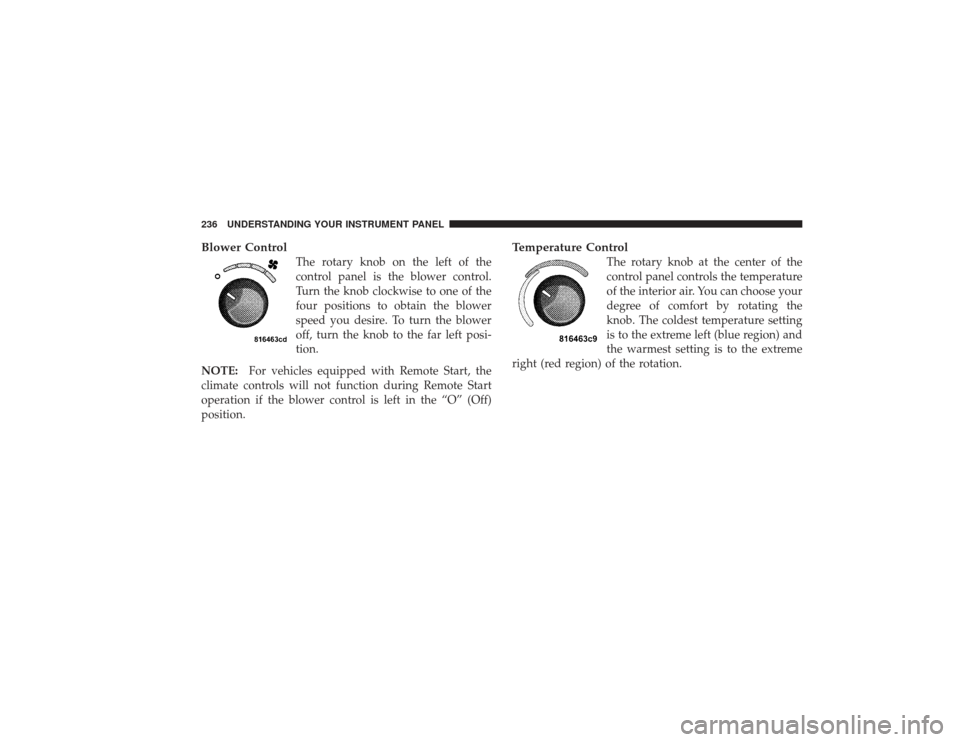
Blower Control
The rotary knob on the left of the
control panel is the blower control.
Turn the knob clockwise to one of the
four positions to obtain the blower
speed you desire. To turn the blower
off, turn the knob to the far left posi-
tion.
NOTE: For vehicles equipped with Remote Start, the
climate controls will not function during Remote Start
operation if the blower control is left in the “O” (Off)
position.
Temperature Control
The rotary knob at the center of the
control panel controls the temperature
of the interior air. You can choose your
degree of comfort by rotating the
knob. The coldest temperature setting
is to the extreme left (blue region) and
the warmest setting is to the extreme
right (red region) of the rotation.
236 UNDERSTANDING YOUR INSTRUMENT PANEL
Page 241 of 532
Defrost
Outside air is primarily directed to the windshield
through the defroster outlets located at the base of
the windshield, and the demister outlets located at the
edge of each side of the instrument panel, and the air
conditioning may be on.
NOTE: The air conditioning compressor operates in
both Mix and Defrost or a blend of these modes, even if
the A/C button has not been pressed. This dehumidifies
the air to help dry the windshield.
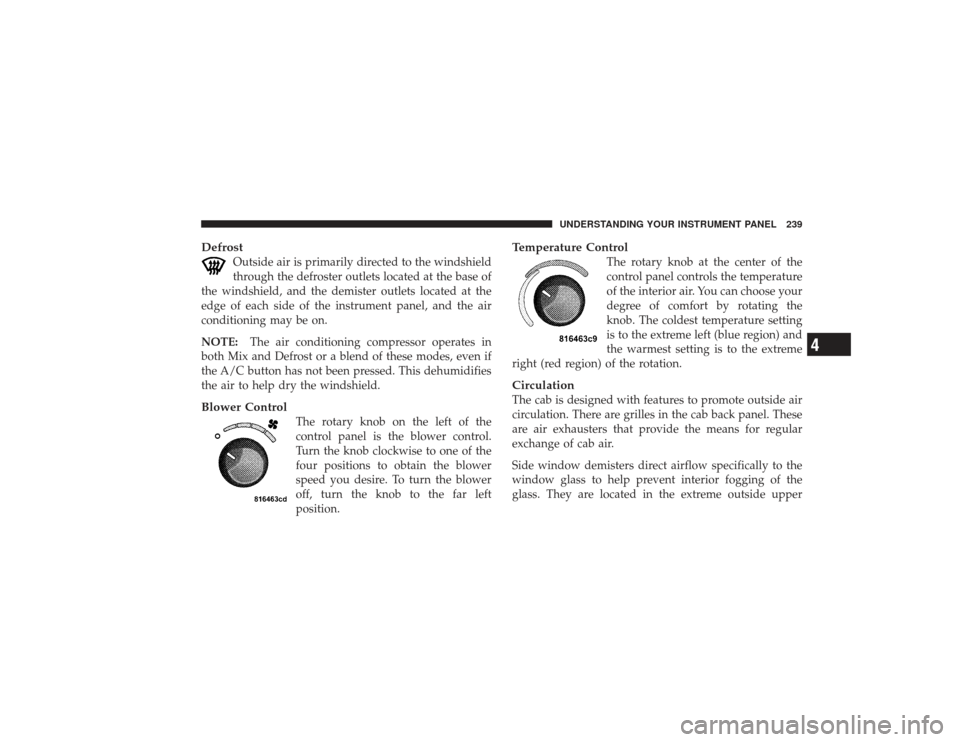
Blower Control
The rotary knob on the left of the
control panel is the blower control.
Turn the knob clockwise to one of the
four positions to obtain the blower
speed you desire. To turn the blower
off, turn the knob to the far left
position.
Temperature Control
The rotary knob at the center of the
control panel controls the temperature
of the interior air. You can choose your
degree of comfort by rotating the
knob. The coldest temperature setting
is to the extreme left (blue region) and
the warmest setting is to the extreme
right (red region) of the rotation.
CirculationThe cab is designed with features to promote outside air
circulation. There are grilles in the cab back panel. These
are air exhausters that provide the means for regular
exchange of cab air.
Side window demisters direct airflow specifically to the
window glass to help prevent interior fogging of the
glass. They are located in the extreme outside upper
UNDERSTANDING YOUR INSTRUMENT PANEL 239
4
Page 244 of 532
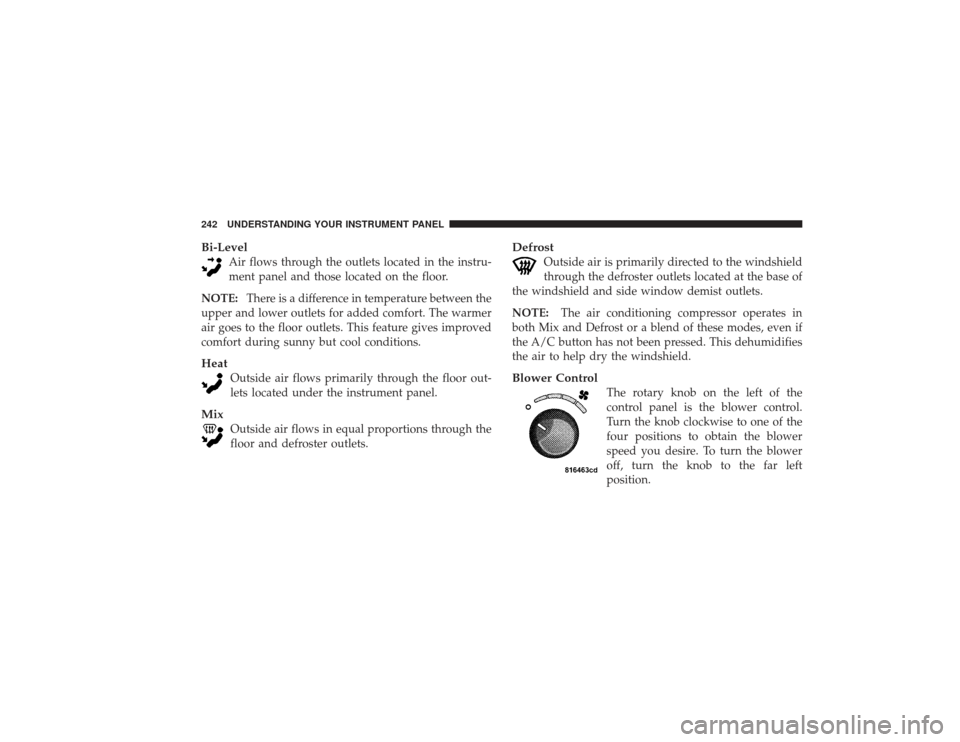
Bi-Level
Air flows through the outlets located in the instru-
ment panel and those located on the floor.
NOTE: There is a difference in temperature between the
upper and lower outlets for added comfort. The warmer
air goes to the floor outlets. This feature gives improved
comfort during sunny but cool conditions.
Heat
Outside air flows primarily through the floor out-
lets located under the instrument panel.
Mix
Outside air flows in equal proportions through the
floor and defroster outlets.
Defrost
Outside air is primarily directed to the windshield
through the defroster outlets located at the base of
the windshield and side window demist outlets.
NOTE: The air conditioning compressor operates in
both Mix and Defrost or a blend of these modes, even if
the A/C button has not been pressed. This dehumidifies
the air to help dry the windshield.
Blower Control
The rotary knob on the left of the
control panel is the blower control.
Turn the knob clockwise to one of the
four positions to obtain the blower
speed you desire. To turn the blower
off, turn the knob to the far left
position.
242 UNDERSTANDING YOUR INSTRUMENT PANEL
Page 340 of 532
WARNING!
•
If you use a trailer brake controller with your
trailer, your trailer brakes may be activated and
deactivated with the brake switch. If so, when the
brake pedal is released, there may not be enough
brake pressure to hold the vehicle and trailer on a
hill and this could cause a collision with another
vehicle or object behind you. In order to avoid
rolling down the incline while resuming accelera-
tion, manually activate the trailer brake or apply
more vehicle brake pressure prior to releasing the
brake pedal. Always remember the driver is re-
sponsible for braking the vehicle.(Continued)
WARNING! (Continued)
•
HSA is not a parking brake. If you stop the vehicle
on a hill without putting the transmission in
PARK or using the parking brake, it will roll down
the incline and could cause a collision with an-
other vehicle or object. Always remember to use
the parking brake while parking on a hill, and that
the driver is responsible for braking the vehicle.
HSA OffIf you wish to turn off the HSA system, follow this
procedure:
1. Start with the engine off, and vehicle in PARK with
wheels straight.
2. Start the engine.
3. With the engine running, the brake applied, rotate the
steering wheel 180° counterclockwise from center.
338 STARTING AND OPERATING
Page 341 of 532
4. Press ESP button four times within twenty seconds.
The “ESP/TCS Indicator Light” should appear and dis-
appear four times.
5. Rotate the steering wheel 360° clockwise (180° clock-
wise from center).
6. Cycle ignition switch OFF then ON.
7. If the sequence was completed properly, the “ESP/
TCS Indicator Light” will blink several times to confirm
HSA is off.
Steps 1-7 must be completed within 90 seconds to turn off
HSA. Repeat steps 1-7 to re-enable HSA functionality.Electronic Roll Mitigation (ERM)The ERM system anticipates the potential for wheel lift
by monitoring the driver ’s steering wheel input and the
speed of the vehicle. When ERM determines that the rate
of change of the steering wheel angle and vehicle speed
are sufficient to potentially cause wheel lift, it applies theappropriate brake and may reduce engine power to
lessen the chance that wheel lift will occur. ERM will only
intervene during very severe or evasive driving maneu-
vers.
ERM can only reduce the chance of wheel lift occurring
during severe or evasive driving maneuvers. It cannot
prevent wheel lift due to other factors such as road
conditions, leaving the roadway or striking objects or
other vehicles.
WARNING!
Many factors, such as vehicle loading, road condi-
tions and driving conditions, influence the chance
that wheel lift or rollover may occur.
(Continued)
STARTING AND OPERATING 339
5
Page 410 of 532
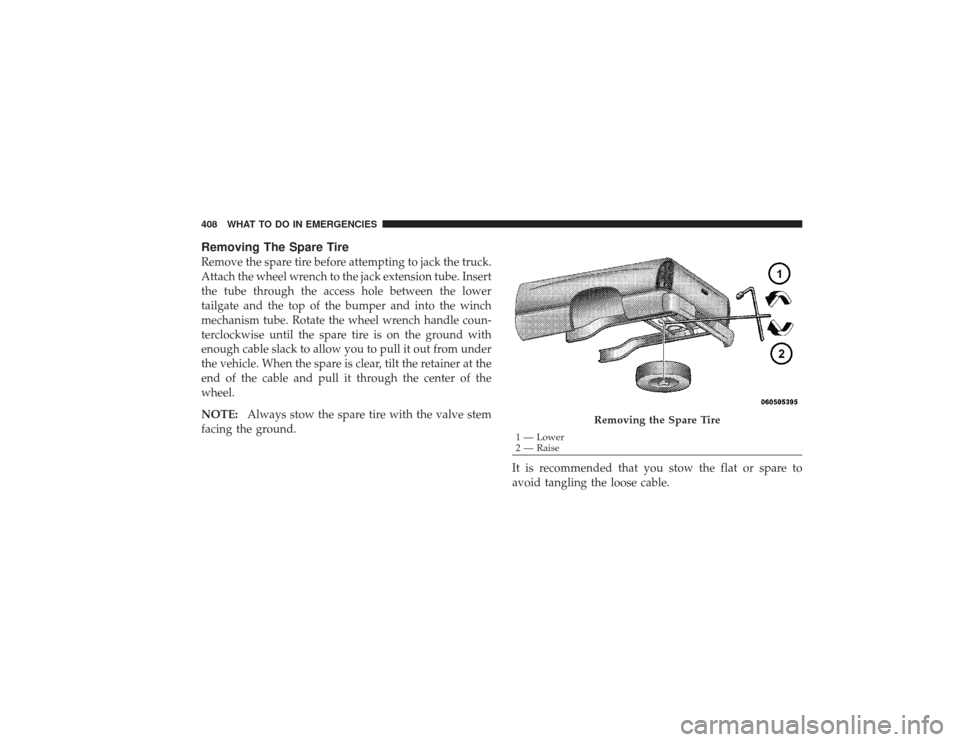
Removing The Spare TireRemove the spare tire before attempting to jack the truck.
Attach the wheel wrench to the jack extension tube. Insert
the tube through the access hole between the lower
tailgate and the top of the bumper and into the winch
mechanism tube. Rotate the wheel wrench handle coun-
terclockwise until the spare tire is on the ground with
enough cable slack to allow you to pull it out from under
the vehicle. When the spare is clear, tilt the retainer at the
end of the cable and pull it through the center of the
wheel.
NOTE:Always stow the spare tire with the valve stem
facing the ground.
It is recommended that you stow the flat or spare to
avoid tangling the loose cable.
Removing the Spare Tire
1 — Lower
2 — Raise
408 WHAT TO DO IN EMERGENCIES
Page 413 of 532
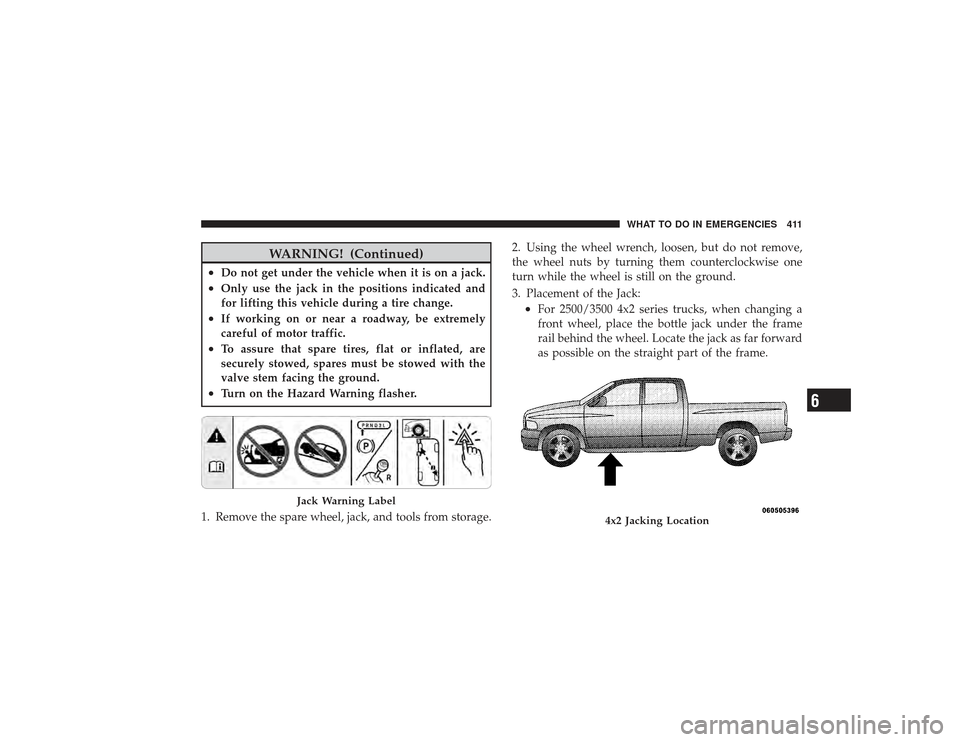
WARNING! (Continued)
•
Do not get under the vehicle when it is on a jack.
•
Only use the jack in the positions indicated and
for lifting this vehicle during a tire change.
•
If working on or near a roadway, be extremely
careful of motor traffic.
•
To assure that spare tires, flat or inflated, are
securely stowed, spares must be stowed with the
valve stem facing the ground.
•
Turn on the Hazard Warning flasher.
1. Remove the spare wheel, jack, and tools from storage. 2. Using the wheel wrench, loosen, but do not remove,
the wheel nuts by turning them counterclockwise one
turn while the wheel is still on the ground.
3. Placement of the Jack:
•
For 2500/3500 4x2 series trucks, when changing a
front wheel, place the bottle jack under the frame
rail behind the wheel. Locate the jack as far forward
as possible on the straight part of the frame.
Jack Warning Label
4x2 Jacking Location
WHAT TO DO IN EMERGENCIES 411
6
Page 415 of 532
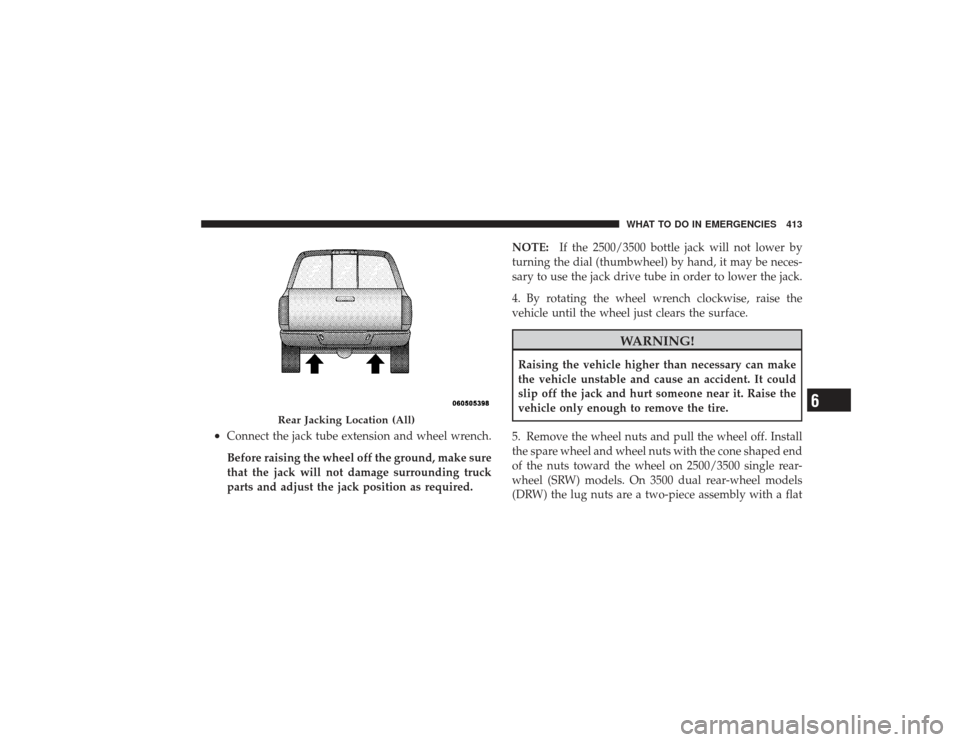
•
Connect the jack tube extension and wheel wrench.
Before raising the wheel off the ground, make sure
that the jack will not damage surrounding truck
parts and adjust the jack position as required.NOTE:
If the 2500/3500 bottle jack will not lower by
turning the dial (thumbwheel) by hand, it may be neces-
sary to use the jack drive tube in order to lower the jack.
4. By rotating the wheel wrench clockwise, raise the
vehicle until the wheel just clears the surface.
WARNING!
Raising the vehicle higher than necessary can make
the vehicle unstable and cause an accident. It could
slip off the jack and hurt someone near it. Raise the
vehicle only enough to remove the tire.
5. Remove the wheel nuts and pull the wheel off. Install
the spare wheel and wheel nuts with the cone shaped end
of the nuts toward the wheel on 2500/3500 single rear-
wheel (SRW) models. On 3500 dual rear-wheel models
(DRW) the lug nuts are a two-piece assembly with a flat
Rear Jacking Location (All)
WHAT TO DO IN EMERGENCIES 413
6