lights DODGE RAM 3500 GAS 2008 3.G Owner's Manual
[x] Cancel search | Manufacturer: DODGE, Model Year: 2008, Model line: RAM 3500 GAS, Model: DODGE RAM 3500 GAS 2008 3.GPages: 554, PDF Size: 9.93 MB
Page 169 of 554
The outlet(s) has/have a fused direct feed from the
battery so it/they receive power whether the ignition is
ON or OFF.
All accessories connected to this/these outlet(s) should
be removed or turned OFF when the vehicle is not in use
to protect the battery against discharge.
NOTE:If desired, all of the power outlets can be
converted by your authorized dealer to provide power
with the ignition switch in the ON position only.CAUTION!
Electrical Outlet Use With Engine Off
²Many accessories that can be plugged in draw
power from the vehicle's battery, even when not in
use (i.e., cellular phones, etc.). Eventually, if
plugged in long enough, the vehicle's battery will
discharge sufficiently to degrade battery life
and/or prevent engine starting.
²Accessories that draw higher power (i.e., coolers,
vacuum cleaners, lights, etc.), will discharge the
battery even more quickly. Only use these inter-
mittently and with greater caution.
²After the use of high power draw accessories, or
long periods of the vehicle not being started (with
accessories still plugged in), the vehicle must be
driven a sufficient length of time to allow the
generator to recharge the vehicle's battery.
UNDERSTANDING THE FEATURES OF YOUR VEHICLE 167
3
Page 176 of 554
CAUTION!
²Many accessories that can be plugged in draw
power from the vehicle's battery, even when not in
use (i.e., cellular phones, etc.). Eventually, if
plugged in long enough, the vehicle's battery will
discharge sufficiently to degrade battery life
and/or prevent engine starting.
²Accessories that draw higher power (i.e., coolers,
vacuum cleaners, lights, etc.), will degrade the
battery even more quickly. Only use these inter-
mittently and with greater caution.
²After the use of high power draw accessories, or
long periods of the vehicle not being started (with
accessories still plugged in), the vehicle must be
driven a sufficient length of time to allow the
generator to recharge the vehicle's battery.
Center Storage Compartment (Bucket Seats) ± If
Equipped
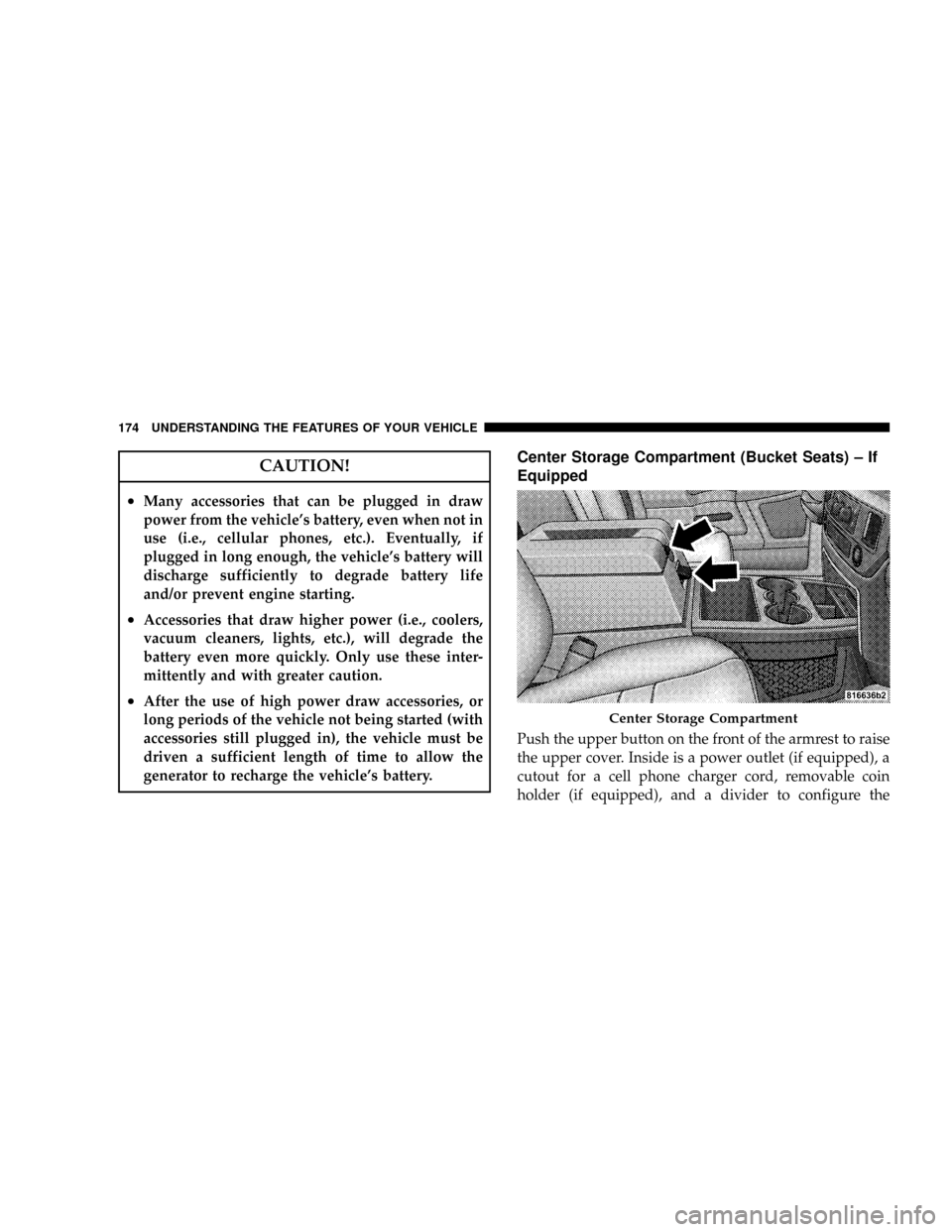
Push the upper button on the front of the armrest to raise
the upper cover. Inside is a power outlet (if equipped), a
cutout for a cell phone charger cord, removable coin
holder (if equipped), and a divider to configure the
Center Storage Compartment
174 UNDERSTANDING THE FEATURES OF YOUR VEHICLE
Page 177 of 554
storage area into separate compartments. Lift the lower
handle on the front of the armrest, and raise the armrest
for access to the lower storage bin. On Quad Cabtand
Mega Cabtmodels the rear of the floor console offers a
power outlet, and a tip out bin.
WARNING!
²This armrest is not a seat. Anyone seated on the
armrest could be seriously injured during vehicle
operation, or an accident. Only use the center
seating position when the armrest is fully upright.
²In an accident, the latch may open if the total
weight of the items stored exceeds about 10 lbs (4.5
kg). These items could be thrown about endanger-
ing occupants of the vehicle. Items stored should
not exceed a total of 10 lbs (4.5 kg).
CAUTION!
²Many accessories that can be plugged in draw
power from the vehicle's battery, even when not in
use (i.e., cellular phones, etc.). Eventually, if
plugged in long enough, the vehicle's battery will
discharge sufficiently to degrade battery life
and/or prevent engine starting.
²Accessories that draw higher power (i.e., coolers,
vacuum cleaners, lights, etc.), will degrade the
battery even more quickly. Only use these inter-
mittently and with greater caution.
²After the use of high power draw accessories, or
long periods of the vehicle not being started (with
accessories still plugged in), the vehicle must be
driven a sufficient length of time to allow the
generator to recharge the vehicle's battery.
UNDERSTANDING THE FEATURES OF YOUR VEHICLE 175
3
Page 188 of 554
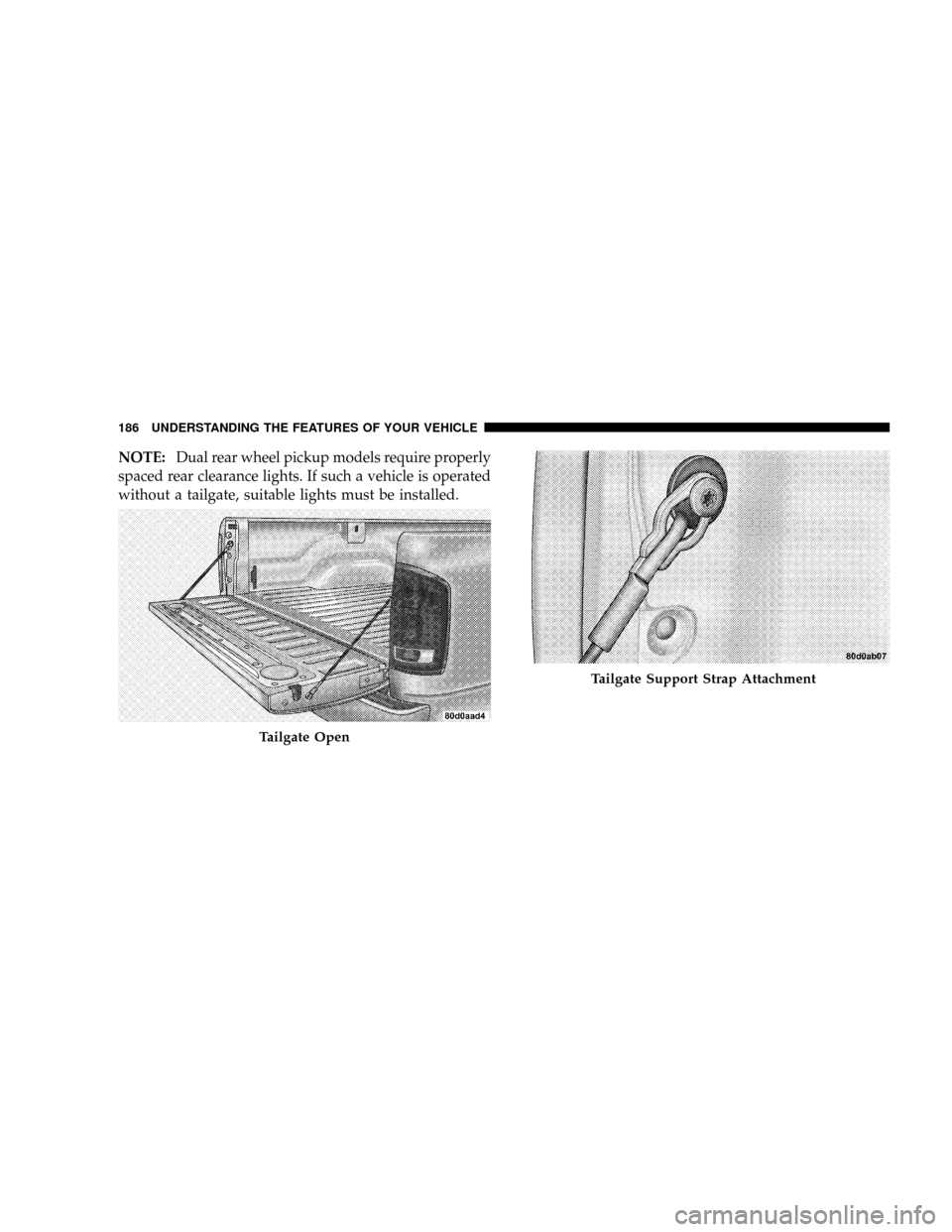
NOTE:Dual rear wheel pickup models require properly
spaced rear clearance lights. If such a vehicle is operated
without a tailgate, suitable lights must be installed.
Tailgate Open
Tailgate Support Strap Attachment
186 UNDERSTANDING THE FEATURES OF YOUR VEHICLE
Page 198 of 554
INSTRUMENT CLUSTER DESCRIPTION
1. Check Gauges ± Premium Cluster Only
This light illuminates when the Voltmeter, Engine
Oil Pressure or Engine Coolant Temperature
gauges indicate a reading either too high or too low.
Examine the gauges carefully, and follow the instructions
contained below for each indicated problem.
NOTE:When the ignition switch is turned to OFF, the
Fuel Gauge, Voltmeter, Oil Pressure and Engine Coolant
Temperature gauges may not show accurate readings.
When the engine is not running, turn the ignition switch
to ON to obtain accurate readings.
2. Voltmeter
When the engine is running, the gauge indicates
the electrical system voltage. The pointer should
stay within the normal range if the battery is charged. Ifthe pointer moves to either extreme left or right and
remains there during normal driving, the electrical sys-
tem should be serviced.
NOTE:If the gauge pointer moves to either extreme of
the gauge, the ªCheck Gaugesº indicator will illuminate
and a single chime will sound. The ªCheck Gaugesº
indicator may also illuminate prior to the voltage gauge
moving out of normal range. In either case, see you local
authorized Dealer for system service.
3. Turn Signal Indicators
Lights in instrument cluster flash when outside turn
signals are operating.
4. Tachometer
The Tachometer indicates engine speed in revolutions per
minute.
196 UNDERSTANDING YOUR INSTRUMENT PANEL
Page 199 of 554
CAUTION!
Do not operate the engine with the tachometer
pointer at high rpm for extended periods. Engine
damage may occur.
5. Airbag Indicator Light
The indicator lights and remains lit for six to eight
seconds when the ignition is first turned ON. If the light
stays on, flickers or comes on while driving, have the
airbag system checked by an authorized dealer.
6. High Beam Indicator
This indicator shows that headlights are on high
beam.
7. Seat Belt Reminder Light
When the ignition switch is first turned ON, this
light will turn on for five to eight seconds as a bulbcheck. During the bulb check, if the driver's seat belt is
unbuckled, a chime will sound. After the bulb check or
when driving, if the driver's seat belt remains unbuckled,
the Seat Belt Warning Light will flash or remain on
continuously. Refer to9Enhanced Driver Seat Belt Re-
minder System (BeltAlertt)9in the Occupant Restraints
section for more information.(See page 46 for more
information.)
8. Speedometer
The Speedometer shows the vehicle speed in miles per
hour and/or kilometers per hour (mph/kph).
9. Oil Pressure Gauge Ð Premium Cluster Only
The pointer should always indicate some oil pres-
sure when the engine is running. A continuous
high or low reading, under normal driving conditions,
may indicate a lubrication system malfunction. Immedi-
ate service should be obtained from an authorized dealer.
UNDERSTANDING YOUR INSTRUMENT PANEL 197
4
Page 203 of 554
release the Trip Odometer button on the instrument
cluster. To reset the oil change indicator system (after
performing the scheduled maintenance) refer to the fol-
lowing procedure.
1. Turn the ignition switch to the ON position(Do not
start the engine).
2. Fully depress the accelerator pedal slowly three
times within 10 seconds.
3. Turn the ignition switch to the OFF/LOCK position.
NOTE:If the indicator message illuminates when you
start the vehicle, the oil change indicator system did not
reset. If necessary repeat this procedure.
17. Front Fog Light Indicator Ð If Equipped
This light shows when the front fog lights are ON.18. Malfunction Indicator Light
This light is part of an onboard diagnostic system
which monitors the emissions and engine control
system. If the vehicle is ready for emissions
testing, the light will come on when the ignition is first
turned on and remain on, as a bulb check, until the
engine is started. If the vehicle is not ready for emissions
testing the light will come on when the ignition is first
turned on and remain on for 15 seconds, then blink for 5
seconds, and remain on until the vehicle is started. If the
bulb does not come on during starting, have the condi-
tion investigated promptly.
If this light comes on and remains on while driving, it
suggests a potential engine control problem and the need
for system service.
Although your vehicle will usually be drivable and not
need towing, see your authorized dealer for service as
soon as possible.
UNDERSTANDING YOUR INSTRUMENT PANEL 201
4
Page 210 of 554
31. CRUISE Light
This indicator lights when the electronic speed control
system is turned on.
32. Coolant Temperature Light ± Base Cluster Only
This light indicates engine coolant temperature is
to high. If the light comes on, stop the vehicle, shift
into NEUTRAL, and increase the engine idle
speed for two to three minutes. If the light does not turn
off, shut your engine OFF and allow it to cool. See an
authorized dealer for service immediately. Refer to
ªCooling Systemº under ªMaintaining Your Vehicleº in
section 7.
CAUTION!
Do not leave your vehicle unattended with the en-
gine running as you would not be able to react to the
temperature indicator if the engine overheats.NOTE:Engine idle speed will automatically increase to
1000 rpm at elevated coolant temperatures to improve
engine cooling.
33. Battery Voltage Indicator Light ± Base Cluster
Only
When the engine is running, this light indicates
the electrical system voltage is out of normal
range. This indicator may also illuminate prior to the
voltage gauge moving out of normal range. In either case,
see you local authorized dealer for system service.
34. Oil Pressure Indicator light ± Base Cluster Only
This light indicates continuous high or low oil
pressure, and under normal driving conditions,
may indicate a lubrication system malfunction. Immedi-
ate service should be obtained.
208 UNDERSTANDING YOUR INSTRUMENT PANEL
Page 302 of 554
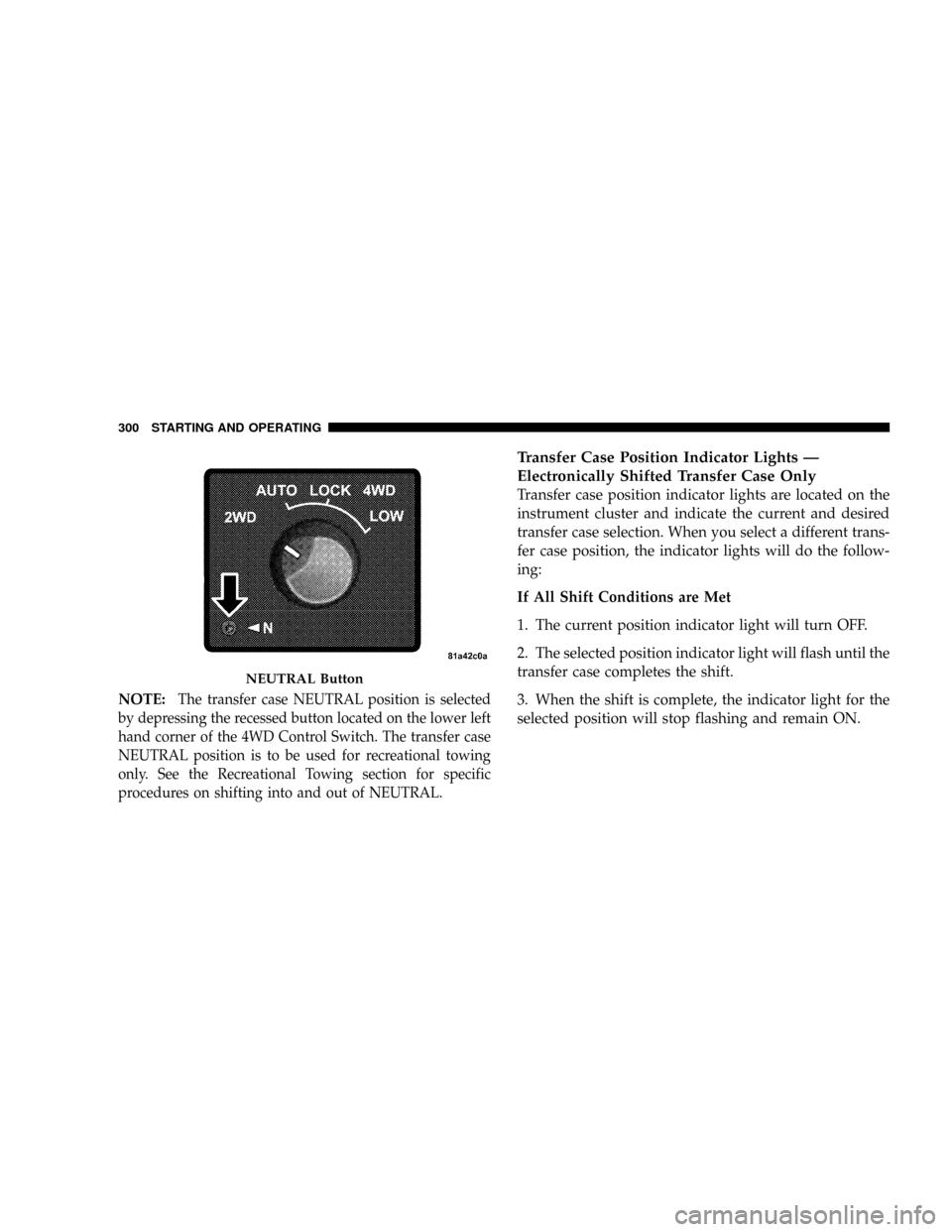
NOTE:The transfer case NEUTRAL position is selected
by depressing the recessed button located on the lower left
hand corner of the 4WD Control Switch. The transfer case
NEUTRAL position is to be used for recreational towing
only. See the Recreational Towing section for specific
procedures on shifting into and out of NEUTRAL.
Transfer Case Position Indicator Lights Ð
Electronically Shifted Transfer Case Only
Transfer case position indicator lights are located on the
instrument cluster and indicate the current and desired
transfer case selection. When you select a different trans-
fer case position, the indicator lights will do the follow-
ing:
If All Shift Conditions are Met
1. The current position indicator light will turn OFF.
2. The selected position indicator light will flash until the
transfer case completes the shift.
3. When the shift is complete, the indicator light for the
selected position will stop flashing and remain ON.
NEUTRAL Button
300 STARTING AND OPERATING
Page 308 of 554
4. After the desired position indicator light is ON (not
flashing), shift transmission back into gear (release clutch
on manual transmissions).
NOTE:If steps 1 or 2 of either the Preferred or Alternate
Procedure are not satisfied prior to attempting the shift or
if they no longer are being met while the shift attempt is
in process then the desired position indicator light will
flash continuously while the original position indicator
light is ON, until all requirements have been met.
NOTE:The ignition key must be ON for a shift to take
place and for the position indicator lights to be operable.
If the key is not ON then the shift will not take place and
no position indicator lights will be on or flashing.
NOTE:If your are leaving your vehicle stored for longer
than 21 days, refer to the section on ªVehicle Storage.ºElectronically Shifted Transfer Case Operating
Information/Precautions (4 Position Switch) Ð If
Equipped
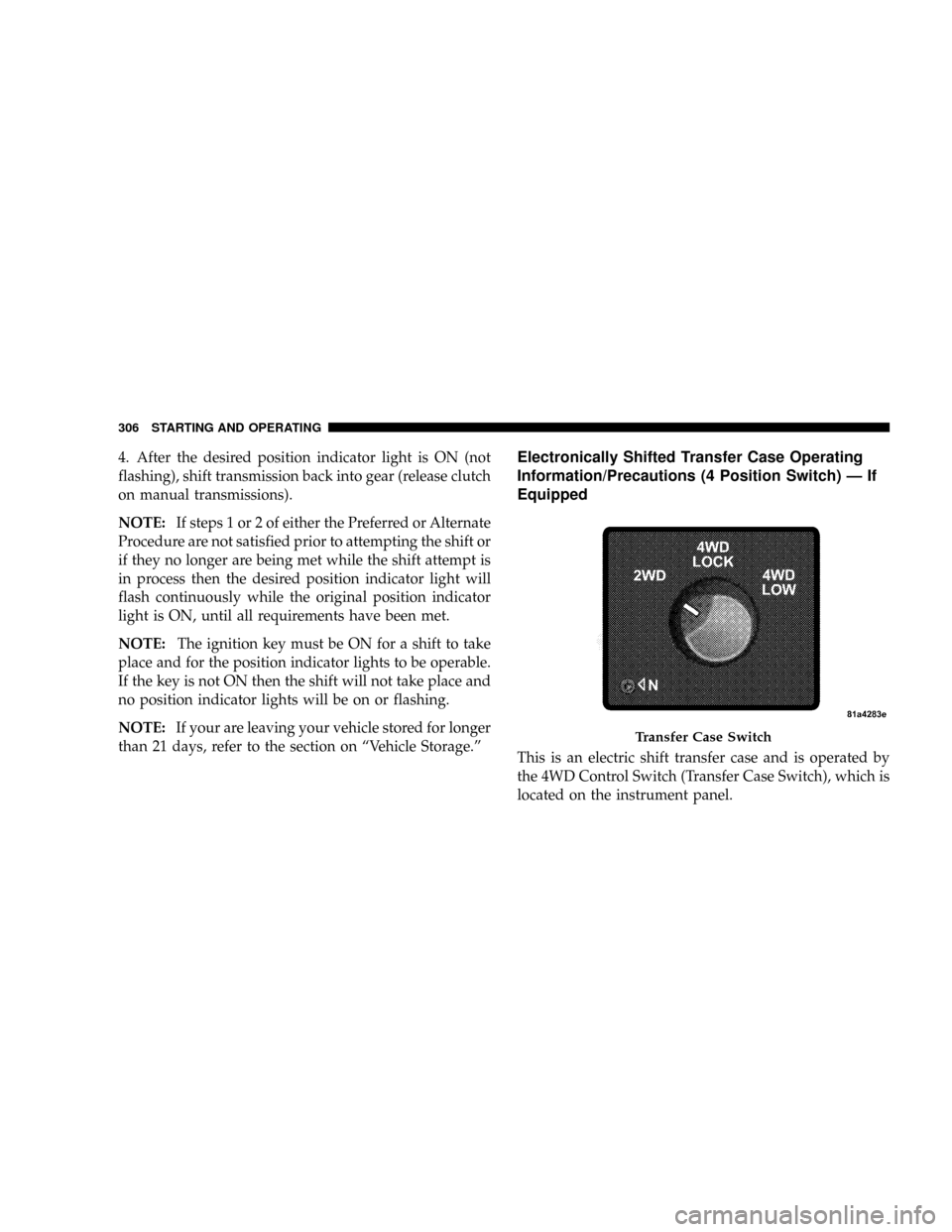
This is an electric shift transfer case and is operated by
the 4WD Control Switch (Transfer Case Switch), which is
located on the instrument panel.
Transfer Case Switch
306 STARTING AND OPERATING