reset DODGE RAM 3500 GAS 2008 3.G Owner's Manual
[x] Cancel search | Manufacturer: DODGE, Model Year: 2008, Model line: RAM 3500 GAS, Model: DODGE RAM 3500 GAS 2008 3.GPages: 554, PDF Size: 9.93 MB
Page 255 of 554
Selecting Satellite Mode Ð RAQ and RAK Radio
Press the MODE button repeatedly until the word9SAT9
appears in the display.
These radios will also display the current station name
and program type. For more information, such as song
title and artist, press the MSG or INFO button.
A CD or tape may remain in the radio while in the
Satellite radio mode.
Selecting A Channel
Press and release the SEEK or TUNE knob to search for
the next channel. Press the top of the button to search up
and the bottom of the button to search down. Holding the
TUNE button causes the radio to bypass channels until
the button is released.
Press and release the SCAN button (if equipped) to
automatically change channels every seven seconds. The
radio will pause on each channel for seven secondsbefore moving on to the next channel. The word9SCAN9
will appear in the display between each channel change.
Press the SCAN button a second time to stop the search.
NOTE:Channels that may contain objectionable content
can be blocked. Contact Sirius Customer Care at 888-539-
7474 to discuss options for channel blocking or unblock-
ing. Please have your ESN/SID information available.
Storing And Selecting Preset Channels
In addition to the 12 AM and 12 FM preset stations, you
may also commit 12 satellite stations to pushbutton
memory. These satellite channel preset stations will not
erase any AM or FM preset memory stations. Follow the
memory preset procedures that apply to your radio.
UNDERSTANDING YOUR INSTRUMENT PANEL 253
4
Page 256 of 554
Using The PTY (Program Type) Button Ð If
Equipped
Follow the PTY button instructions that apply to your
radio.
PTY Button SCAN
When the desired program type is obtained, press the
SCAN button within five seconds. The radio will play
seven seconds of the selected channel before moving to
the next channel of the selected program type. Press the
SCAN button a second time to stop the search.
NOTE:Pressing the SEEK or SCAN button, while
performing a music type scan, will change the channel by
one and stop the search. Pressing a preset memory button
during a music type scan will call up the memory
channel and stop the search.
PTY Button SEEK
When the desired program is obtained, press the SEEK
button within five seconds. The channel will change to
the next channel that matches the program type selected.
Satellite Antenna
To ensure optimum reception on vehicles available with
a luggage rack, do not place items on the roof around the
rooftop antenna location. Metal objects placed within the
line of sight of the antenna will cause decreased perfor-
mance. Larger luggage items should be placed as far
forward as possible. Do not place items directly on or
above the antenna.
254 UNDERSTANDING YOUR INSTRUMENT PANEL
Page 277 of 554
NTraction Control System (TCS)............326
NBAS (Brake Assist System)...............326
NHSA (Hill Start Assist)..................328
NElectronic Roll Mitigation (ERM)..........332
NESP (Electronic Stability Program).........333
NTSC (Trailer Sway Control)..............337
mMulti-Displacement System (MDS) Ð
5.7L Engine Only.......................338
mTire Safety Information...................339
NTire Markings........................339
NTire Loading And Tire Pressure...........343
mTires Ð General Information...............347
NTire Pressure.........................347mSupplemental Tire Pressure Information Ð
If Equipped...........................357
mTire Chains...........................357
mSnow Tires...........................359
mTire Rotation Recommendations............359
NDual Rear Wheels.....................361
mTire Pressure Monitor System (TPMS) Ð
If Equipped...........................362
NTire Pressure Monitor System (TPMS) ªLight
Loadº Reset Switch Description ±
If Equipped.........................365
NTire Pressure Monitor System Components . . . 368
NGeneral Information...................371
STARTING AND OPERATING 275
5
Page 364 of 554
TIRE PRESSURE MONITOR SYSTEM (TPMS) Ð IF
EQUIPPED
The Tire Pressure Monitoring System (TPMS) will warn
the driver of a low tire pressure based on the vehicle
recommended cold tire inflation placard pressure. The
placard pressure is defined on the Tire and Loading
Information label. The Tire and Loading Information
label is located on the drivers side B-pillar. Vehicles
equipped to be operated in either the ªmax load inflation
pressureº condition described on the Tire and Loading
Information label or the alternative ªlight load inflation
pressureº condition described on the Supplemental Tire
Pressure Information label, may also be equipped with a
reset switch to choose the appropriate TPMS low pres-
sure warning threshold levels based upon the vehicle
load condition. The Supplemental Tire Pressure Informa-
tion label is located on the rear face of the driver door.
Operation of the ªLight Loadº reset switch is described
later in this manual section.The tire pressure will vary with temperature by approxi-
mately 1 psi (6.9 kPa) for every 12ÉF (6.5ÉC). This means
that when the outside temperature decreases, the tire
pressure will decrease. Tire pressure should always be set
based on cold inflation tire pressure. This is defined as
the tire pressure after a vehicle has not been driven for
more than 3 hours, or driven less than 1 mile after a 3
hour period. For information on how to properly inflate
the vehicle's tires, refer to ºTire Pressureº under ªTires ±
General Informationº in this section. The tire pressure
will also increase as the vehicle is driven - this is normal
and there should be no adjustment for this increased
pressure.
The TPM System will warn the driver of a low tire
pressure if the tire pressure falls below the low pressure
warning threshold for any reason, including low tem-
perature effects, or natural pressure loss through the tire.
362 STARTING AND OPERATING
Page 367 of 554
Tire Pressure Monitor System (TPMS) ªLight
Loadº Reset Switch Description ± If Equipped
WARNING!
Never operate your vehicle with the TPMS and tire
pressures set to the Light Load Inflation Pressure
settings if carrying more than two occupants (150 lbs
each) plus 200 pounds of cargo. The vehicle ªLight
Load Definitionº is found in the Supplemental Tire
Pressure Information Label which is located on the
rear face of the driver door. Failure to do so may
cause you to lose control resulting in an accident,
causing serious or fatal injury.The TPMS ªLight Loadº reset switch will allow the driver
to switch between the max load inflation pressure (cold)
low pressure warning threshold and the light load infla-
tion pressure (cold) low pressure warning threshold
depending on the vehicle's load condition. The Tire and
Loading Information label defines the recommended
front and rear cold tire inflation pressures for the vehicle
when operating in the Max Load condition. A Supple-
mental Tire Pressure Information label is also available
defining Light Load tire inflation pressures when oper-
ating in the Light Load condition. When the ªLight Loadº
reset switch LED is ON, the TPMS is using the light load
inflation pressure (cold) low inflation warning thresh-
olds.
STARTING AND OPERATING 365
5
Page 368 of 554
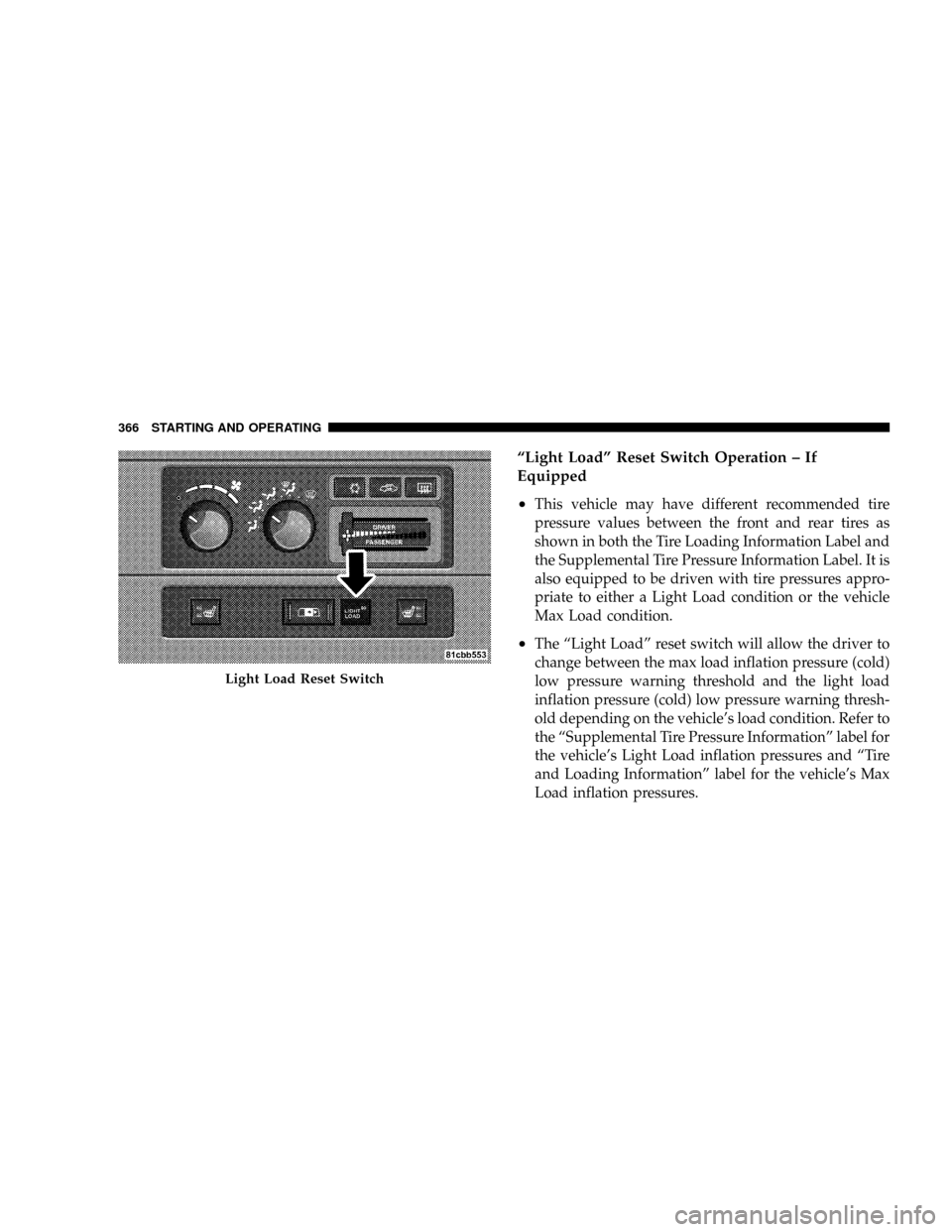
ªLight Loadº Reset Switch Operation ± If
Equipped
²
This vehicle may have different recommended tire
pressure values between the front and rear tires as
shown in both the Tire Loading Information Label and
the Supplemental Tire Pressure Information Label. It is
also equipped to be driven with tire pressures appro-
priate to either a Light Load condition or the vehicle
Max Load condition.
²The ªLight Loadº reset switch will allow the driver to
change between the max load inflation pressure (cold)
low pressure warning threshold and the light load
inflation pressure (cold) low pressure warning thresh-
old depending on the vehicle's load condition. Refer to
the ªSupplemental Tire Pressure Informationº label for
the vehicle's Light Load inflation pressures and ªTire
and Loading Informationº label for the vehicle's Max
Load inflation pressures.
Light Load Reset Switch
366 STARTING AND OPERATING
Page 369 of 554
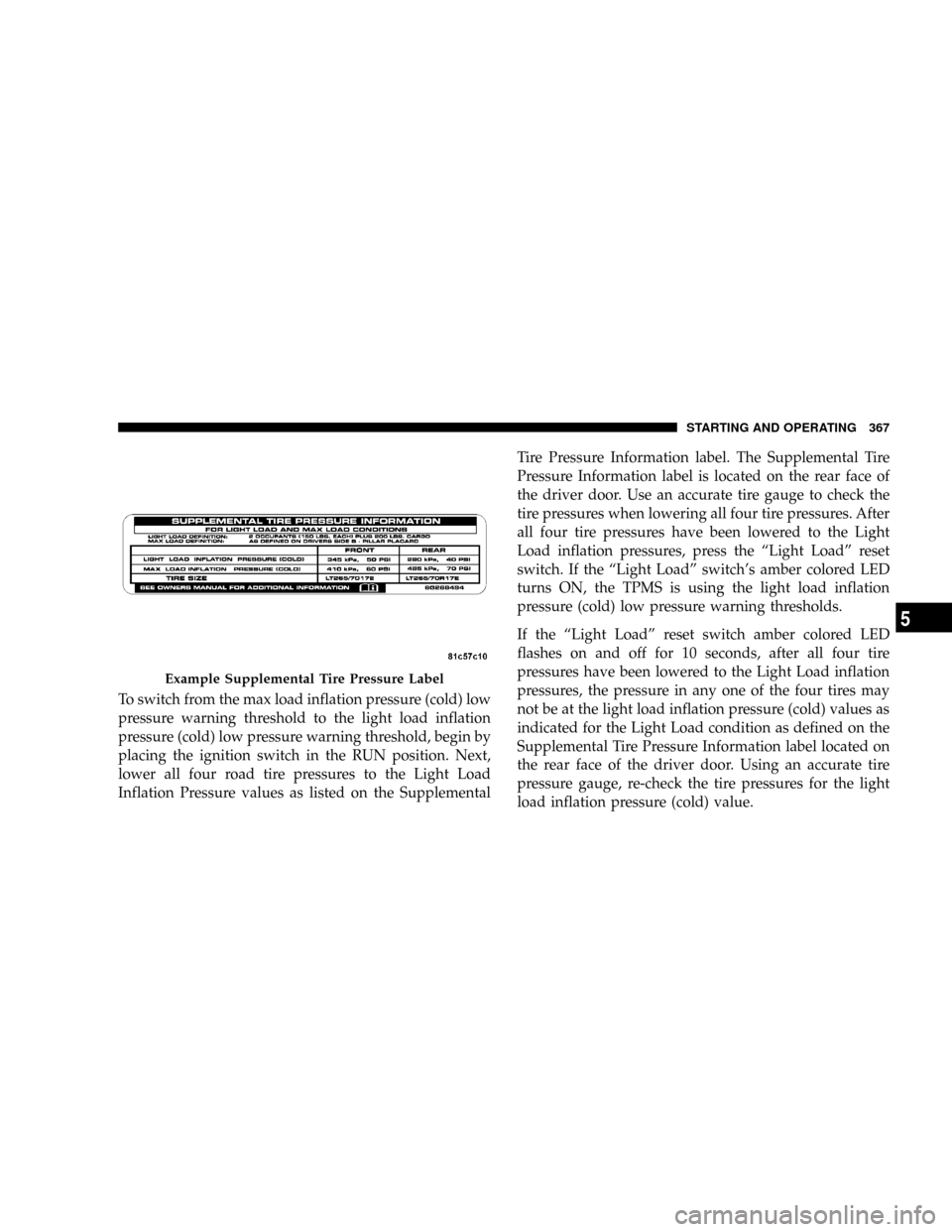
To switch from the max load inflation pressure (cold) low
pressure warning threshold to the light load inflation
pressure (cold) low pressure warning threshold, begin by
placing the ignition switch in the RUN position. Next,
lower all four road tire pressures to the Light Load
Inflation Pressure values as listed on the SupplementalTire Pressure Information label. The Supplemental Tire
Pressure Information label is located on the rear face of
the driver door. Use an accurate tire gauge to check the
tire pressures when lowering all four tire pressures. After
all four tire pressures have been lowered to the Light
Load inflation pressures, press the ªLight Loadº reset
switch. If the ªLight Loadº switch's amber colored LED
turns ON, the TPMS is using the light load inflation
pressure (cold) low pressure warning thresholds.
If the ªLight Loadº reset switch amber colored LED
flashes on and off for 10 seconds, after all four tire
pressures have been lowered to the Light Load inflation
pressures, the pressure in any one of the four tires may
not be at the light load inflation pressure (cold) values as
indicated for the Light Load condition as defined on the
Supplemental Tire Pressure Information label located on
the rear face of the driver door. Using an accurate tire
pressure gauge, re-check the tire pressures for the light
load inflation pressure (cold) value.
Example Supplemental Tire Pressure Label
STARTING AND OPERATING 367
5
Page 370 of 554
WARNING!
It is the driver 's responsibility to change to the max
load inflation pressure (cold) low pressure warning
threshold condition when not driving in the light
load condition as defined as two occupants ( 150 lbs
each) plus 200 pounds of cargo. The vehicle ªLight
Load Definitionº is found in the Supplemental Tire
Pressure Information label located on the rear face of
the driver door. Failure to do so may cause you to lose
control resulting in an accident, causing serious or
fatal injury.
To switch back to the max load inflation pressure (cold)
low pressure warning threshold, press the ªLight Loadº
reset switch. It is not necessary to first fill the tires to the
max load inflation pressure (cold) values to switch the
TPMS system to the max load inflation pressure (cold)low pressure warning threshold. If after pressing the
ªLight Loadº reset switch and tire pressures are below
the max load inflation pressure (cold) low pressure
warning thresholds, the TPMS low pressure warning
telltale lamp located in the Instrument Cluster will turn
ON and a chime will sound. The tire pressures are now
required to be inflated to the max load inflation pressure
(cold) values described on the Tire and Loading Informa-
tion label. The Tire and Loading Information label is
located on the drivers side B-pillar. If the ªLight Loadº
reset switch LED turns OFF the TPMS has been reset and
the TPMS is using the max load inflation pressure (cold)
low pressure warning thresholds.
Tire Pressure Monitor System Components
The Tire Pressure Monitor System (TPMS) uses wireless
technology with wheel rim mounted electronic sensors to
monitor tire pressure levels. Sensors, mounted to each
wheel as part of the valve stem, transmit tire pressure
readings to the Receiver Module.
368 STARTING AND OPERATING
Page 371 of 554
NOTE:It is particularly important, for you to check the
tire pressure in all of your tires regularly and to maintain
the proper pressure.
The Tire Pressure Monitoring System (TPMS) consists of
the following components:
²Receiver Module
²4 Wheel Sensors
²2 Trigger Modules (mounted in the front wheel-wells)
²ªLight Loadº Reset Switch (located in the instrument
panel)
²Tire Pressure Monitoring Telltale Lamp
Tire Pressure Monitoring Low Pressure Warnings
The Tire Pressure Monitoring Telltale Lamp will
illuminate in the instrument cluster, and an au-
dible chime will be activated when one or more of
the four active road tire pressures are low. Should this
occur, you should stop as soon as possible, check the
inflation pressure of each tire on your vehicle and inflate
each tire to the vehicle's recommended cold placard
pressure value. The system will automatically update
and the Tire Pressure Monitoring Lamp will extinguish
once the updated tire pressures have been received. The
vehicle may need to be driven for up to 10 minutes above
15 mph (25 km/h) to receive this information.
Check TPMS Warnings
The Tire Pressure Monitoring Telltale Warning Light
located in the Instrument Cluster will flash on and off for
75 seconds and will remain on solid when a system fault
is detected. The system fault will also sound a chime. If
STARTING AND OPERATING 369
5
Page 379 of 554
NOTE:Tighten the gas cap 1/4 turn until you hear one
click. This is an indication that the cap is properly
tightened.
If the gas cap is not tightened properly, the Malfunction
Indicator Light will come on, Be sure the gas cap is
tightened every time the vehicle is refueled.
WARNING!
A fire may result if gasoline is pumped into a
portable container that is inside of a vehicle. You
could be burned. Always place gas containers on the
ground while filling.
Loose Fuel Filler Cap (Gas Cap) Message
If the vehicles diagnostic system determines that the fuel
filler cap in loose, improperly installed, or damaged, a
GASCAP message will be displayed in the instrumentcluster. Tighten the gas cap until a ªclickingº sound is
heard. This is an indication that the gas cap is properly
tightened. Press the odometer reset button to turn the
message off. If the problem persists, the message will
appear the next time the vehicle is started. This might
indicate a damaged cap. If the problem is detected twice
in a row, the system will turn on the Malfunction
Indicator Light (MIL). Resolving the problem will turn
the MIL light off.
FLEXIBLE FUEL Ð IF EQUIPPED
E-85 General Information
The information in this section is for Flexible Fuel ve-
hicles only. These vehicles can be identified by the unique
yellow gas cap that states, Ethanol (E-85) or Unleaded
Gasoline Only. This section only covers those subjects
that are unique to these vehicles. Please refer to the other
STARTING AND OPERATING 377
5