door lock DODGE SPRINTER 2005 1.G Owner's Manual
[x] Cancel search | Manufacturer: DODGE, Model Year: 2005, Model line: SPRINTER, Model: DODGE SPRINTER 2005 1.GPages: 288, PDF Size: 27.89 MB
Page 35 of 288
THINGS TO KNOW BEFORE STARTING YOUR VEHICLE 35
2
If the central locking automatically unlocks again after
having been locked, at least one door is closed
incorrectly.
If it then locks again within about 5 seconds, then all
closed doors are locked.
The central locking displays vehicle locking with one
or more open doors by means of a special function
sequence (locking, unlocking, locking). Once closing
has been completed, an open door will not
automatically be locked.
NOTE: In vehicles without central locking only the
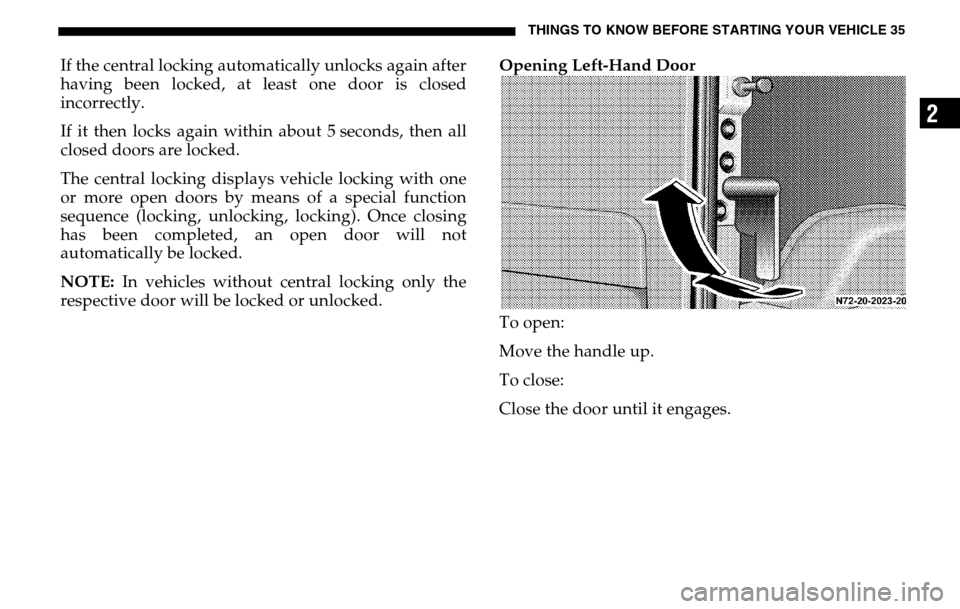
respective door will be locked or unlocked. Opening Left-Hand Door
To open:
Move the handle up.
To close:
Close the door until it engages.
Page 36 of 288
36 THINGS TO KNOW BEFORE STARTING YOUR VEHICLETo lock manually:
Move the handle down until it is in the vertical
position.
Automatic locking:
If the left-hand door is closed, it will be automatically
locked as soon as the right-hand door has been closed.
NOTE: If an open tailgate is locked before being
closed, then only the tailgate will be locked.
Please note anti-theft alarm system: The anti-theft
alarm system will be triggered when the doors are
manually unlocked. Cancel alarm by pressing
button Œ. The anti-theft alarm system will not be
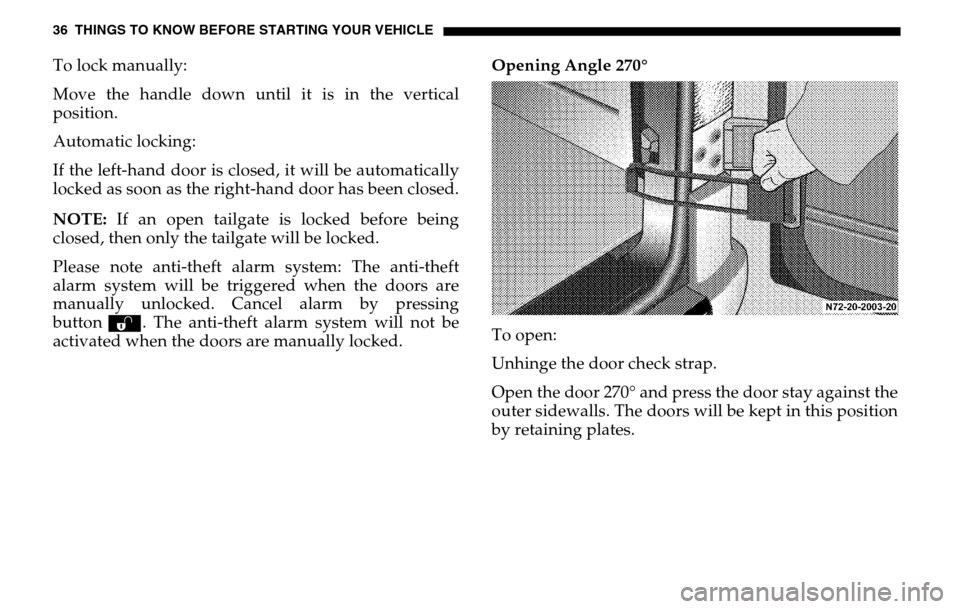
activated when the doors are manually locked. Opening Angle 270°
To open:
Unhinge the door check strap.
Open the door 270° and press the door stay against the
outer sidewalls. The doors will be kept in this position
by retaining plates.
Page 38 of 288
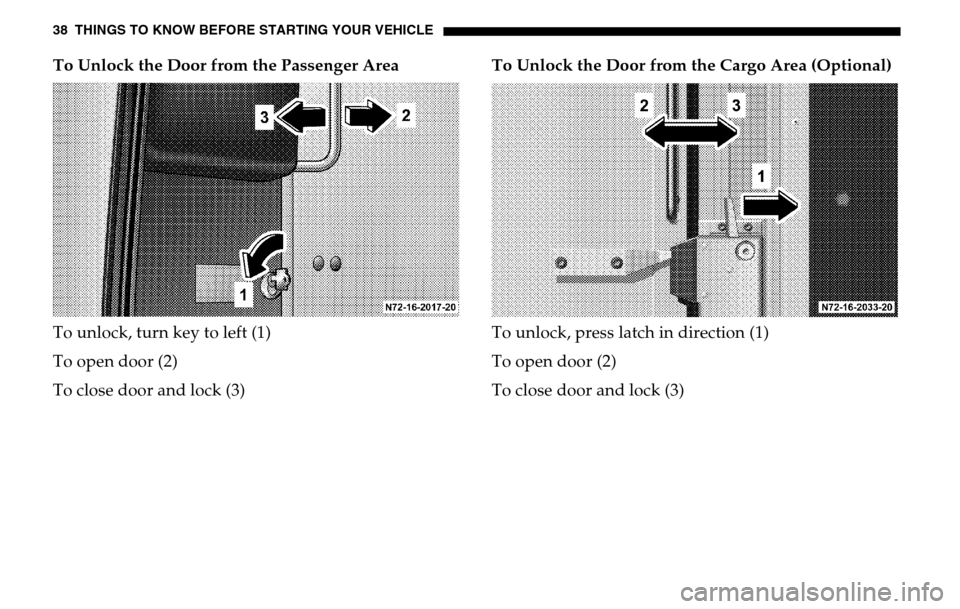
38 THINGS TO KNOW BEFORE STARTING YOUR VEHICLETo Unlock the Door from the Passenger Area
To unlock, turn key to left (1)
To open door (2)
To close door and lock (3) To Unlock the Door from the Cargo Area (Optional)
To unlock, press latch in direction (1)
To open door (2)
To close door and lock (3)
Page 44 of 288

44 THINGS TO KNOW BEFORE STARTING YOUR VEHICLESeat Belt Warning Lamp and Airbag MalfunctionWhen the key is in position 2 in the ignition lock, the
warning lamp < lights up for about 6 seconds; this
takes place whether or not the driver’s seat belt is
fastened.
The warning lamp < must go out after about
6 seconds if the driver’s safety belt is fastened, or the
vehicle is standing still and the driver’s door is opened.
If after about 6 seconds, the driver’s safety belt is not
fastened with all doors closed,
– and the vehicle speed does not exceed 15 mph (25 km/h), the warning lamp < remains on for as
long as the driver ’s safety belt is not fastened.
– and the vehicle speed exceeds 15 mph (25 km/h), the warning lamp < flashes and a warning
signal sounds, which is repeated increasingly
frequently until the driver ’s safety belt is fastened,
or for a maximum of 153 seconds from the time the
vehicle speed exceeded 15 mph (25 km/h) if the
driver ’s safety belt remains unfastened. If the driver’s safety belt remains unfastened after 153
seconds, the warning lamp
< stops flashing and the
warning signal stops sounding. The warning lamp
< lights up for as long as the driver’s safety belt is
not fastened.
If the warning lamp < flashes after the first 6
seconds and no warning signal is audible, the
malfunction indicator lamp 1 is defective.
Have the malfunction indicator lamp 1checked and
repaired by an authorized Sprinter Dealer as soon as
possible.
Malfunction indicator lamp 1, refer to “SRS
Malfunction Indicator Lamp”.
Page 59 of 288
UNDERSTANDING THE FEATURES OF YOUR VEHICLE 59
3
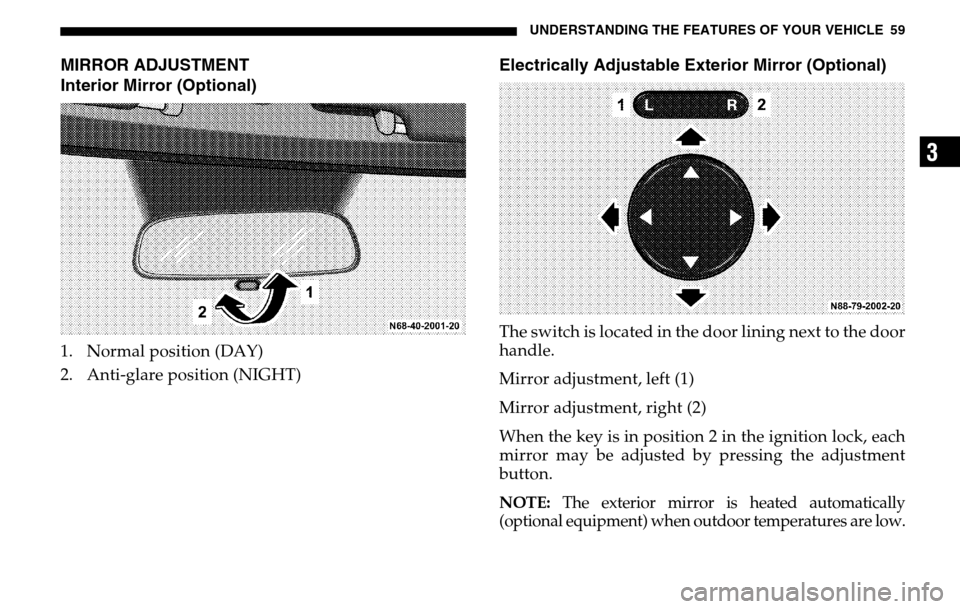
MIRROR ADJUSTMENT
Interior Mirror (Optional)1. Normal position (DAY)
2. Anti-glare position (NIGHT)
Electrically Adjustable Exterior Mirror (Optional)The switch is located in the door lining next to the door
handle.
Mirror adjustment, left (1)
Mirror adjustment, right (2)
When the key is in position 2 in the ignition lock, each
mirror may be adjusted by pressing the adjustment
button.NOTE:
The exterior mirror is heated automatically
(optional equipment) when outdoor temperatures are low.
Page 63 of 288
UNDERSTANDING THE FEATURES OF YOUR VEHICLE 63
3
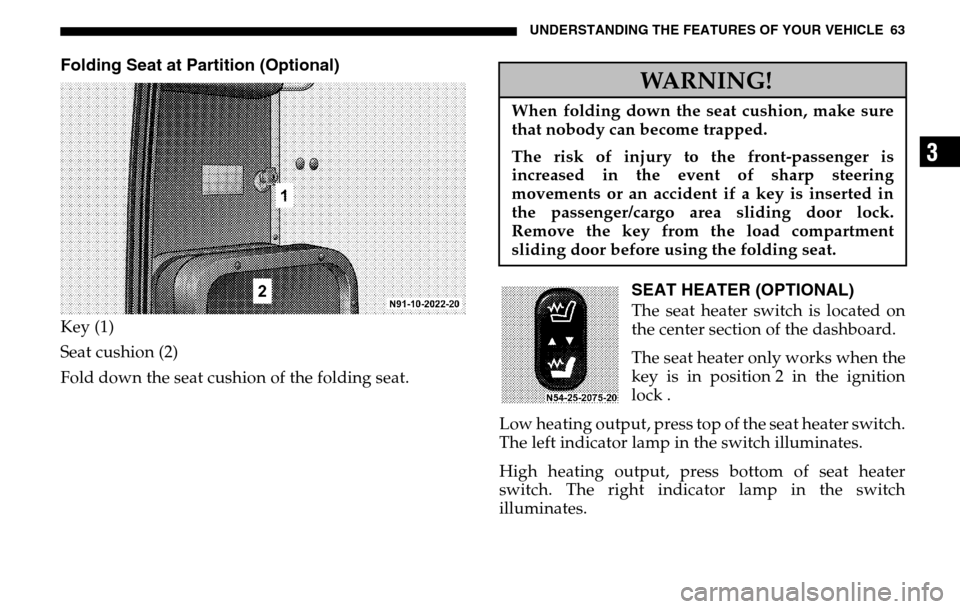
Folding Seat at Partition (Optional)Key (1)
Seat cushion (2)
Fold down the seat cushion of the folding seat.
SEAT HEATER (OPTIONAL)The seat heater switch is located on
the center section of the dashboard.
The seat heater only works when the
key is in position 2 in the ignition
lock .
Low heating output, press top of the seat heater switch.
The left indicator lamp in the switch illuminates.
High heating output, press bottom of seat heater
switch. The right indicator lamp in the switch
illuminates.WARNING!
When folding down the seat cushion, make sure
that nobody can become trapped.
The risk of injury to the front-passenger is
increased in the event of sharp steering
movements or an accident if a key is inserted in
the passenger/cargo area sliding door lock.
Remove the key from the load compartment
sliding door before using the folding seat.
Page 73 of 288
UNDERSTANDING THE FEATURES OF YOUR VEHICLE 73
3
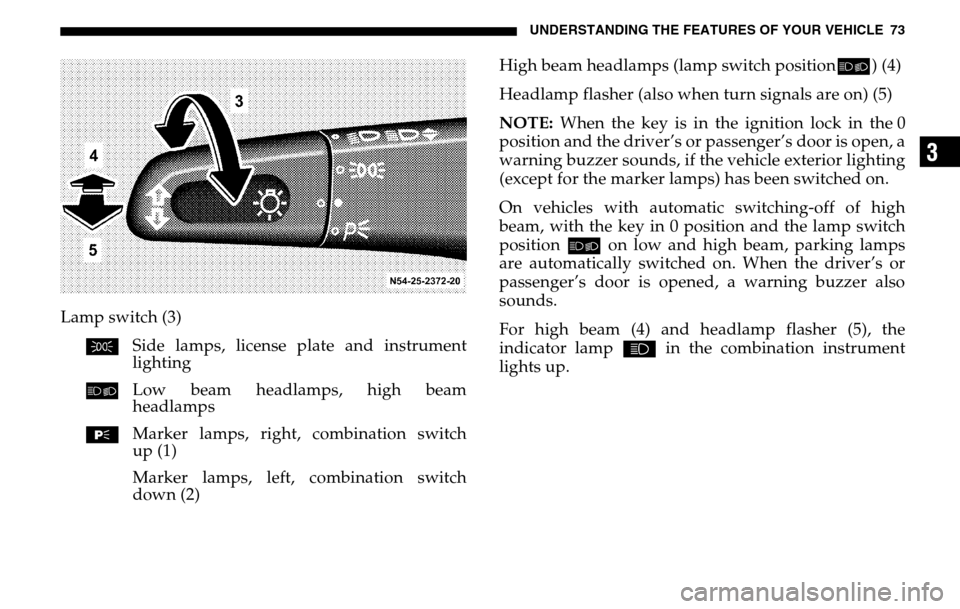
Lamp switch (3) C Side lamps, license plate and instrument
lighting
õ Low beam headlamps, high beam
headlamps
ƒ Marker lamps, right, combination switch
up (1)
Marker lamps, left, combination switch
down (2) High beam headlamps (lamp switch position
õ) (4)
Headlamp flasher (also when turn signals are on) (5)
NOTE: When the key is in the ignition lock in the 0
position and the driver’s or passenger’s door is open, a
warning buzzer sounds, if the vehicle exterior lighting
(except for the marker lamps) has been switched on.
On vehicles with automatic switching-off of high
beam, with the key in 0 position and the lamp switch
position õ on low and high beam, parking lamps
are automatically switched on. When the driver’s or
passenger’s door is opened, a warning buzzer also
sounds.
For high beam (4) and headlamp flasher (5), the
indicator lamp A in the combination instrument
lights up.
Page 74 of 288
74 UNDERSTANDING THE FEATURES OF YOUR VEHICLEWINDOW OPERATION
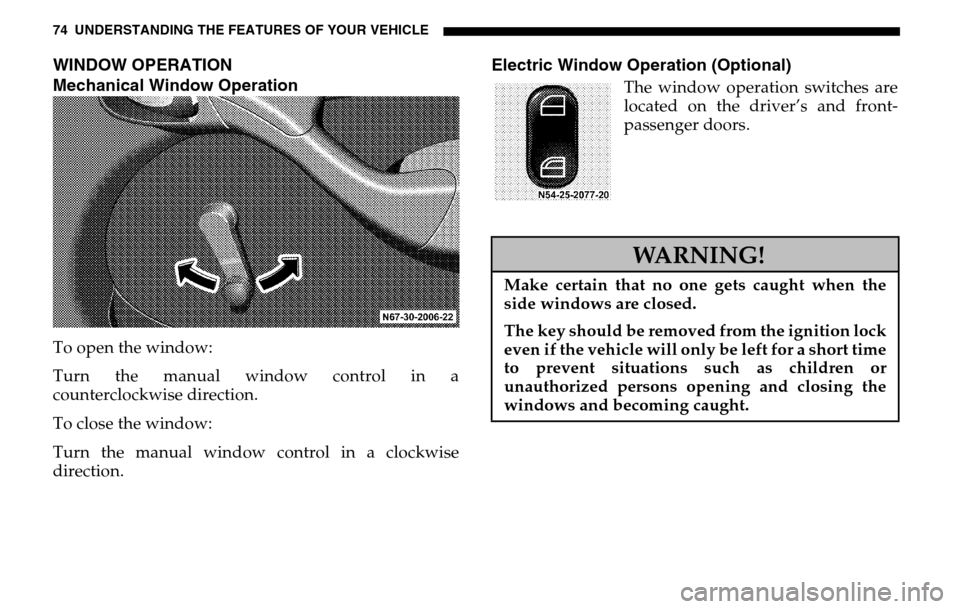
Mechanical Window OperationTo open the window:
Turn the manual window control in a
counterclockwise direction.
To close the window:
Turn the manual window control in a clockwise
direction.
Electric Window Operation (Optional)
The window operation switches are
located on the driver’s and front-
passenger doors.WARNING!
Make certain that no one gets caught when the
side windows are closed.
The key should be removed from the ignition lock
even if the vehicle will only be left for a short time
to prevent situations such as children or
unauthorized persons opening and closing the
windows and becoming caught.
Page 86 of 288
86 UNDERSTANDING THE FEATURES OF YOUR VEHICLE
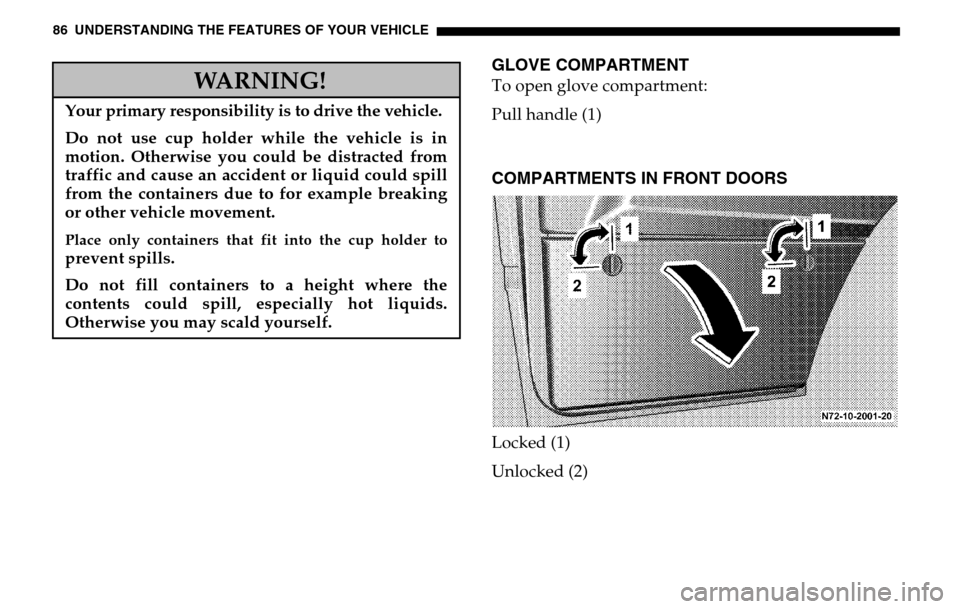
GLOVE COMPARTMENTTo open glove compartment:
Pull handle (1)COMPARTMENTS IN FRONT DOORSLocked (1)
Unlocked (2)
WARNING!
Your primary responsibility is to drive the vehicle.Do not use cup holder while the vehicle is in
motion. Otherwise you could be distracted from
traffic and cause an accident or liquid could spill
from the containers due to for example breaking
or other vehicle movement.Place only containers that fit into the cup holder toprevent spills.
Do not fill containers to a height where the
contents could spill, especially hot liquids.
Otherwise you may scald yourself.
Page 95 of 288

UNDERSTANDING YOUR INSTRUMENT PANEL 95
4
The multi-function indicator can be used to call up the
odometer, trip meter, clock and outside temperature,
or information such as remaining time/distance until
the next service is due, or the engine oil level.
If your vehicle is equipped with reversing aid, the
multi-function indicator also displays the distance
between your vehicle and a detected obstacle.
The multi-function indicator is activated by:
Turning the key to position 2 in the ignition lock,
opening the driver’s door,
pressing one of the buttons ( ‘), I , ç or
æ ,
switching the side lights on, refer to "Combination
Switch". 1. Press the button (
‘) to switch between the
odometer and the trip meter, and to reset the trip
meter.
Press the button ( ‘) to activate the ASSYST
maintenance computer.
2. Press the I button to switch between the time
and outside temperature and to activate the time
adjustment.
3. Press the ç to adjust (dim) the display and
instrument lighting and to adjust the clock.
4. Press the æ to adjust (brighten) the display and
instrument lighting and to adjust the clock.