steering wheel DODGE SPRINTER 2008 2.G Owners Manual
[x] Cancel search | Manufacturer: DODGE, Model Year: 2008, Model line: SPRINTER, Model: DODGE SPRINTER 2008 2.GPages: 666, PDF Size: 14.11 MB
Page 387 of 666
385 Operation
Tires and wheels
4
The commercial vehicle tires based on
European standards may have an addi-
tional value in the parentheses (as illus-
trated). In such cases, the value
preceding the parentheses is valid for
European countries and the parenthe-
sized for the USA and Canada.
Refer also to "Maximum tire load"
(\2
page 390) where the maximum load
associated with the load index is indicat-
ed in kg and lbs.
Warning
G
The tire load rating must always be at
least half of the GAWR of your vehicle.
Otherwise, tire failure may be the result
which may cause an accident and/or se-
rious personal injury to you or others.
Always replace rims and tires with the
same designation, manufacturer and type
as shown on the original part.
Warning
G
Do not overload the tires by exceeding the
specified load limit as indicated on the
placard located on the driver’s door B-pil-
lar. Overloading the tires can overheat
them, possibly causing a blowout. Over-
loading the tires can also result in han-
dling or steering problems, or brake
failure.iTire load rating
6
and tire speed
rating
7
are also referred to as “ser-
vice description”.
nf_BA.book Page 385 Friday, January 25, 2008 3:53 PM
Page 393 of 666
391 Operation
Tires and wheels
4
For more information on tire load rating,
refer to "Tire size designation, load and
speed rating" (
\2
page 383).
For information on calculating total and
cargo load capacities, refer to "Tire and
loading information" (
\2
page 352).
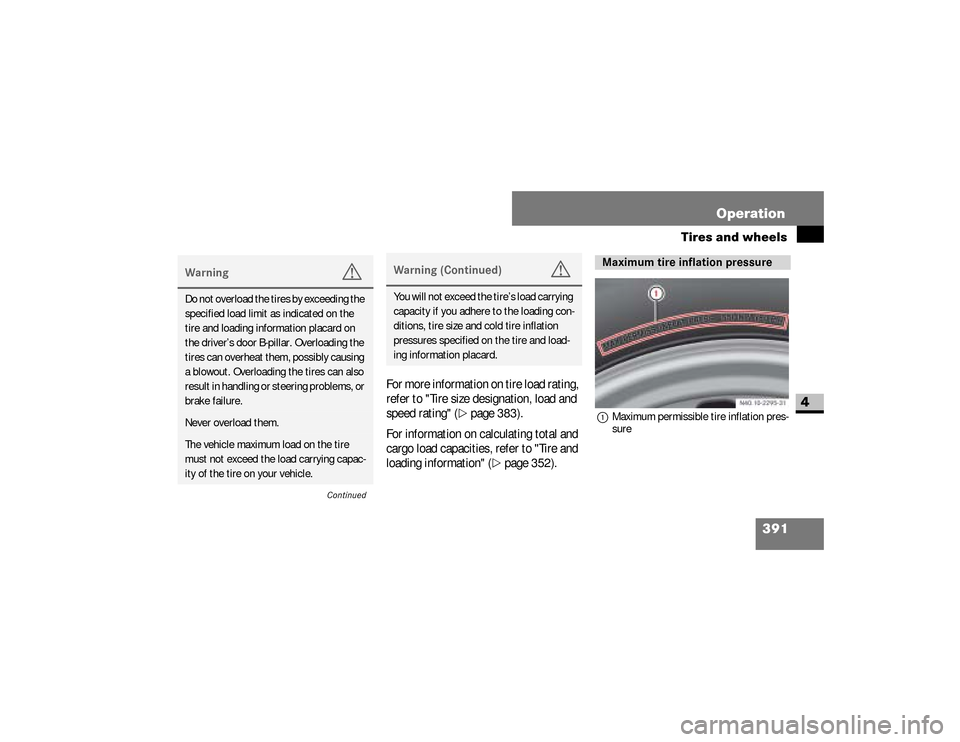
1Maximum permissible tire inflation pres-
sure
Warning
G
Do not overload the tires by exceeding the
specified load limit as indicated on the
tire and loading information placard on
the driver’s door B-pillar. Overloading the
tires can overheat them, possibly causing
a blowout. Overloading the tires can also
result in handling or steering problems, or
brake failure.Never overload them.The vehicle maximum load on the tire
must not exceed the load carrying capac-
ity of the tire on your vehicle.
Continued
Warning (Continued)
G
You will not exceed the tire’s load carrying
capacity if you adhere to the loading con-
ditions, tire size and cold tire inflation
pressures specified on the tire and load-
ing information placard.
Maximum tire inflation pressure
nf_BA.book Page 391 Friday, January 25, 2008 3:53 PM
Page 402 of 666
400 OperationTires and wheels
4
Tires on the front and rear axles of vehi-
cles operate at different loads and per-
form different steering, driving and
braking functions. For these reasons,
they wear at unequal rates, and develop
irregular wear patterns. These effects
can be reduced by timely rotation of
tires.
The benefits of rotation are especially
worthwhile with aggressive tread de-
signs such as those on On/Off Road
type tires. Rotation will increase tread
life, help to maintain mud, snow, and wet
traction levels, and contribute to a
smooth ride. If applicable to your vehicle’s tire config-
uration, tires can be rotated according
to the tire manufacturer’s recommend-
ed intervals in the tire manufacturer’s
warranty pamphlet located in your vehi-
cle literature portfolio. If none is avail-
able, tires should be rotated every
10 000 miles (16 000 km), or sooner if
necessary, according to the degree of
tire wear.
The same rotation (spinning) direction
must be maintained when mounted, see
"Direction of rotation" (
\2
page 351).
Warning (Continued)
G
could result in changes to steering, han-
dling, and braking of your Sprinter vehicle.
This can cause unpredictable handling
and stress to steering and suspension
components. You could lose control and
have an accident resulting in serious inju-
ry or death.could result in tire overloading and failure,
if the tires' load index are not identical.
You could lose control and have an acci-
dent.
nf_BA.book Page 400 Friday, January 25, 2008 3:53 PM
Page 408 of 666
406 OperationWinter driving
4
Drive with particular care on icy roads.
Avoid sudden acceleration, steering
movements and braking.
If it seems likely that the vehicle is about
to enter a skid or cannot be stopped at a
low speed:\4
Move the selector lever to position N.
\4
Try to maintain control of the vehicle
using light corrective steering.
Road salt may adversely affect braking
efficiency. It may therefore be necessary
to apply the brakes more forcefully in or-
der to achieve the same braking force as
normal.
iW h e n t h e y h a v e b e e n r e m o v e d , s t o r e
wheels and tires in a cool, dry, and if
possible dark place. Protect the tires
from oil, grease, and gasoline /
diesel.
Driving in winterWarning
G
Downshifting to brake could cause the
drive wheels to lose grip on a slippery sur-
face due to the increased difference in
speed between the engine and the drive
wheels at this time.
Do not downshift for additional engine
braking on a slippery surface. Use the ser-
vice brake in accordance with road condi-
tions. Only downshift to a lower gear
when traveling at a low engine speed.
nf_BA.book Page 406 Friday, January 25, 2008 3:53 PM
Page 414 of 666
412 OperationMaintenance and servicing
4
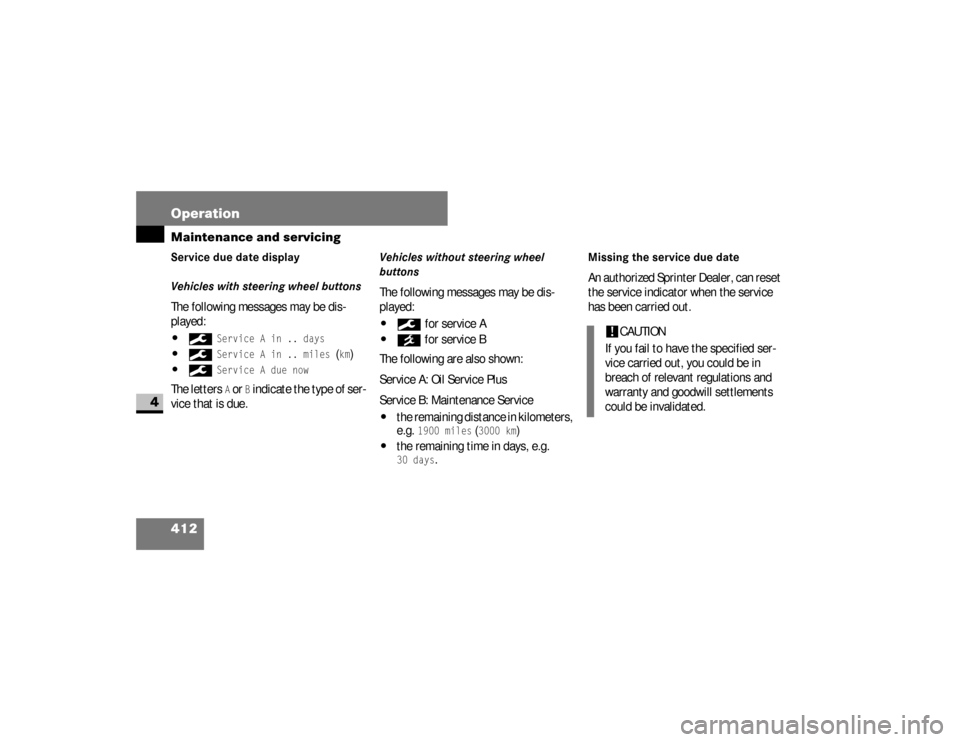
Service due date display
Vehicles with steering wheel buttonsThe following messages may be dis-
played:\49
Service A in .. days
\49
Service A in .. miles
(km)
\49
Service A due now
The letters
A or
B indicate the type of ser-
vice that is due.
Vehicles without steering wheel
buttonsThe following messages may be dis-
played:\49
for service A
\4´
for service B
The following are also shown:
Service A: Oil Service Plus
Service B: Maintenance Service
\4
the remaining distance in kilometers,
e.g.
1900 miles
(3000 km
)
\4
the remaining time in days, e.g.30 days
.
Missing the service due date An authorized Sprinter Dealer, can reset
the service indicator when the service
has been carried out.
!
CAUTION
If you fail to have the specified ser-
vice carried out, you could be in
breach of relevant regulations and
warranty and goodwill settlements
could be invalidated.
nf_BA.book Page 412 Friday, January 25, 2008 3:53 PM
Page 415 of 666
413 Operation
Maintenance and servicing
4
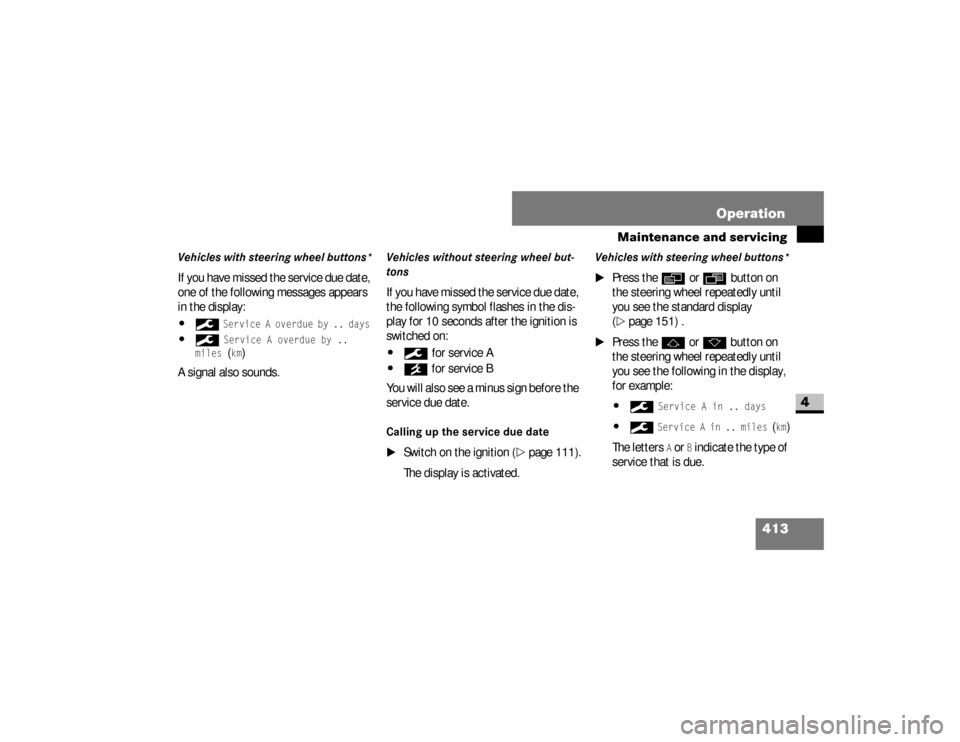
Vehicles with steering wheel buttons*If you have missed the service due date,
one of the following messages appears
in the display:\49
Service A overdue by .. days
\49
Service A overdue by ..
miles (km)
A signal also sounds.
Vehicles without steering wheel but-
tonsIf you have missed the service due date,
the following symbol flashes in the dis-
play for 10 seconds after the ignition is
switched on:\49
for service A
\4´
for service B
You will also see a minus sign before the
service due date.
Calling up the service due date
\1
Switch on the ignition (
\2
page 111).
The display is activated.
Vehicles with steering wheel buttons*
\1
Press the
è
or
ÿ
button on
the steering wheel repeatedly until
you see the standard display
(
\2
page 151) .
\1
Press the
j
or
k
button on
the steering wheel repeatedly until
you see the following in the display,
for example:
\49
Service A in .. days
\49
Service A in .. miles
(km)
The letters
A or
B indicate the type of
service that is due.
nf_BA.book Page 413 Friday, January 25, 2008 3:53 PM
Page 416 of 666
414 OperationMaintenance and servicing
4
Vehicles without steering wheel but-
tons
\1
Press the menu button on the in-
strument cluster repeatedly until you
see the following in the display:\49
for service A
\4´
for service B
The following are also shown:
\4
the remaining distance in miles
(kilometers)
\4
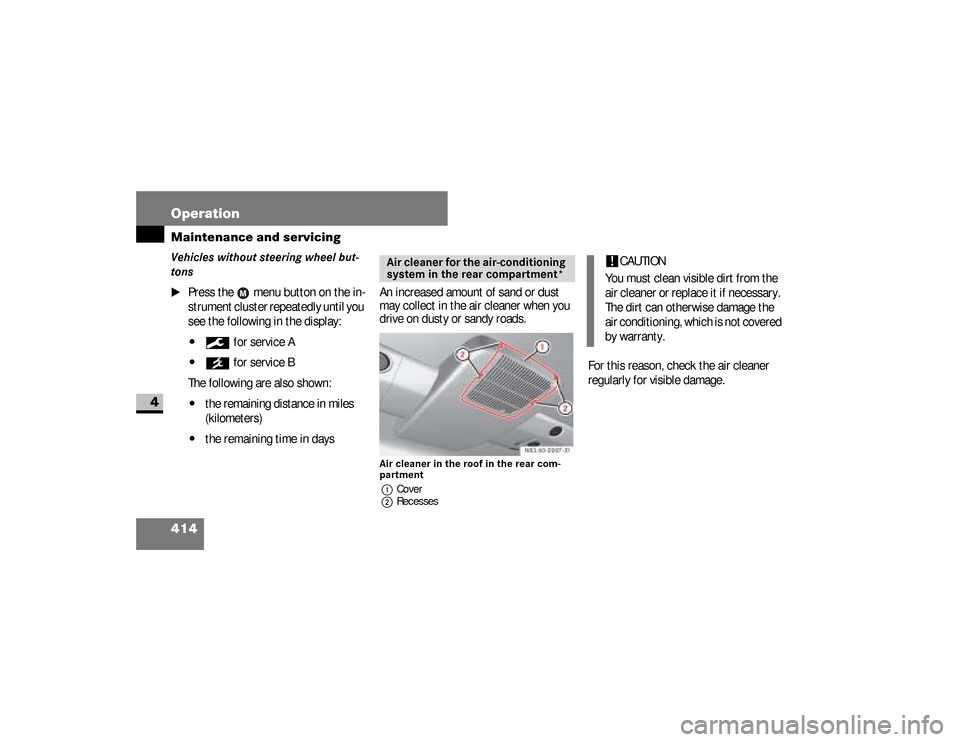
the remaining time in daysAn increased amount of sand or dust
may collect in the air cleaner when you
drive on dusty or sandy roads.
Air cleaner in the roof in the rear com-
partment
1Cover
2Recesses
For this reason, check the air cleaner
regularly for visible damage.
Air cleaner for the air-conditioning
system in the rear compartment*
!
CAUTION
You must clean visible dirt from the
air cleaner or replace it if necessary.
The dirt can otherwise damage the
air conditioning, which is not covered
by warranty.
nf_BA.book Page 414 Friday, January 25, 2008 3:53 PM
Page 426 of 666
424 OperationCleaning and care of the vehicle
4
Heavy soiling
\1
Wipe plastic parts with a damp, lint-
free cloth (e.g. a micro-fiber cloth).
Dashboard and padded boss of the
steering wheel
\1
Moisten a clean and lint-free cloth
with water and clean the plastic
parts and the dashboard.
\1
Use a mild soap solution for particu-
larly stubborn dirt.
Radio* display and rear view cam-
era* monitor
\1
Switch off the Radio* or the rear
view camera monitor* and allow it to
cool off.
!
CAUTION
Use a low-foaming grease solvent
(e.g. washing-up liquid) diluted in wa-
ter as a cleaning agent.
The surface color may temporarily
change shade during cleaning. Sim-
ply wait for the surface to dry.
!
CAUTION
Use a solvent-free and non-caustic
cleaning agent. The manufacturer
recommends that you use a
Mercedes-Benz product.
The surface color may temporarily
change shade during cleaning. Sim-
ply wait for the surface to dry.
Warning
G
Do not use cleaners or cockpit care
sprays containing solvents to clean the
dashboard or the padded boss of the
steering wheel. Cleaners containing sol-
vents can make the surface porous, which
could lead to serious injuries if plastic
parts were to come loose when an airbag
is triggered.
nf_BA.book Page 424 Friday, January 25, 2008 3:53 PM
Page 454 of 666
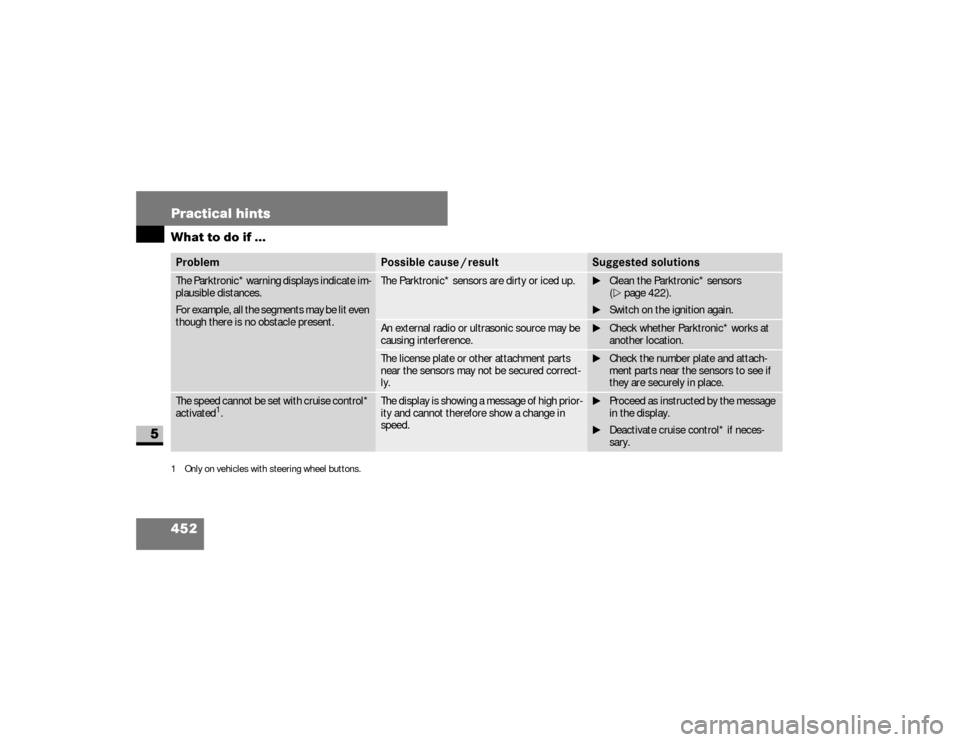
452 Practical hintsWhat to do if ...
5
The Parktronic* warning displays indicate im-
plausible distances.
For example, all the segments may be lit even
though there is no obstacle present.
The Parktronic* sensors are dirty or iced up.
\1Clean the Parktronic* sensors
(\2page 422).
\1Switch on the ignition again.
An external radio or ultrasonic source may be
causing interference.
\1Check whether Parktronic* works at
another location.
The license plate or other attachment parts
near the sensors may not be secured correct-
ly.
\1Check the number plate and attach-
ment parts near the sensors to see if
they are securely in place.
The speed cannot be set with cruise control*
activated
1.
The display is showing a message of high prior-
ity and cannot therefore show a change in
speed.
\1Proceed as instructed by the message
in the display.
\1Deactivate cruise control* if neces-
sary.
1 Only on vehicles with steering wheel buttons.Problem
Possible cause / result
Suggested solutions
nf_BA.book Page 452 Friday, January 25, 2008 3:53 PM
Page 464 of 666
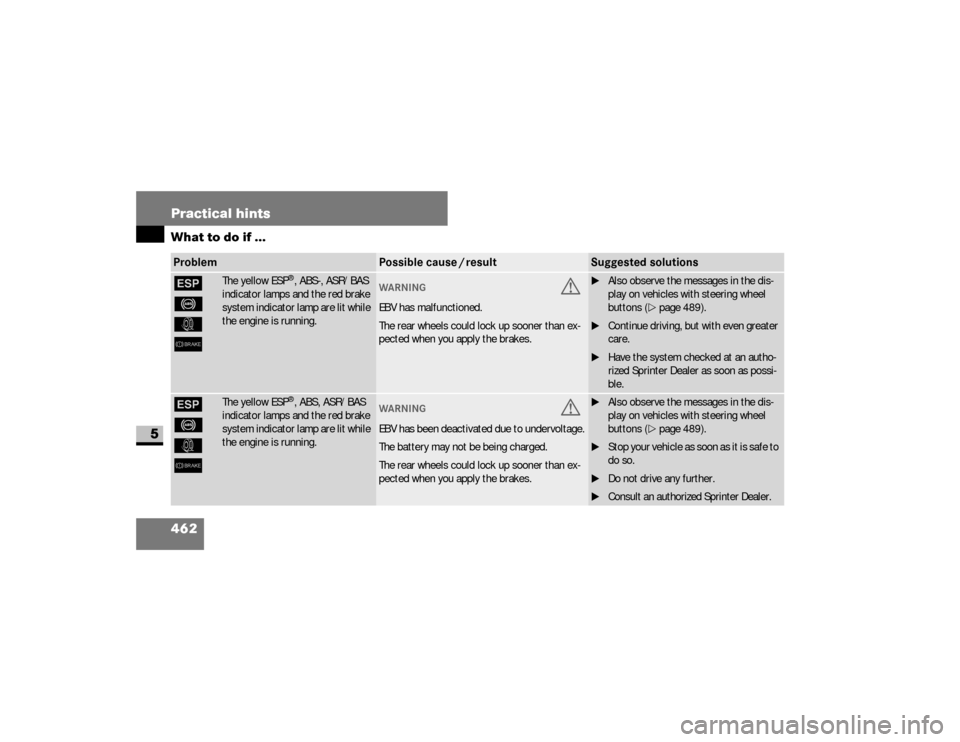
462 Practical hintsWhat to do if ...
5
#
-
k
6
The yellow ESP
®, ABS-, ASR/BAS
indicator lamps and the red brake
system indicator lamp are lit while
the engine is running.
WAR NING
G
EBV has malfunctioned.
The rear wheels could lock up sooner than ex-
pected when you apply the brakes.
\1Also observe the messages in the dis-
play on vehicles with steering wheel
buttons (\2page 489).
\1Continue driving, but with even greater
care.
\1Have the system checked at an autho-
rized Sprinter Dealer as soon as possi-
ble.
#
-
k
6
The yellow ESP
®, ABS, ASR/BAS
indicator lamps and the red brake
system indicator lamp are lit while
the engine is running.
WAR NING
G
EBV has been deactivated due to undervoltage.
The battery may not be being charged.
The rear wheels could lock up sooner than ex-
pected when you apply the brakes.
\1Also observe the messages in the dis-
play on vehicles with steering wheel
buttons (\2page 489).
\1S t o p y o u r v e h i c l e a s s o o n a s i t i s s a f e t o
do so.
\1Do not drive any further.
\1Consult an authorized Sprinter Dealer.
Problem
Possible cause / result
Suggested solutions
nf_BA.book Page 462 Friday, January 25, 2008 3:53 PM