turn signal DODGE SPRINTER 2008 2.G User Guide
[x] Cancel search | Manufacturer: DODGE, Model Year: 2008, Model line: SPRINTER, Model: DODGE SPRINTER 2008 2.GPages: 666, PDF Size: 14.11 MB
Page 310 of 666
308 OperationDriving tips
4
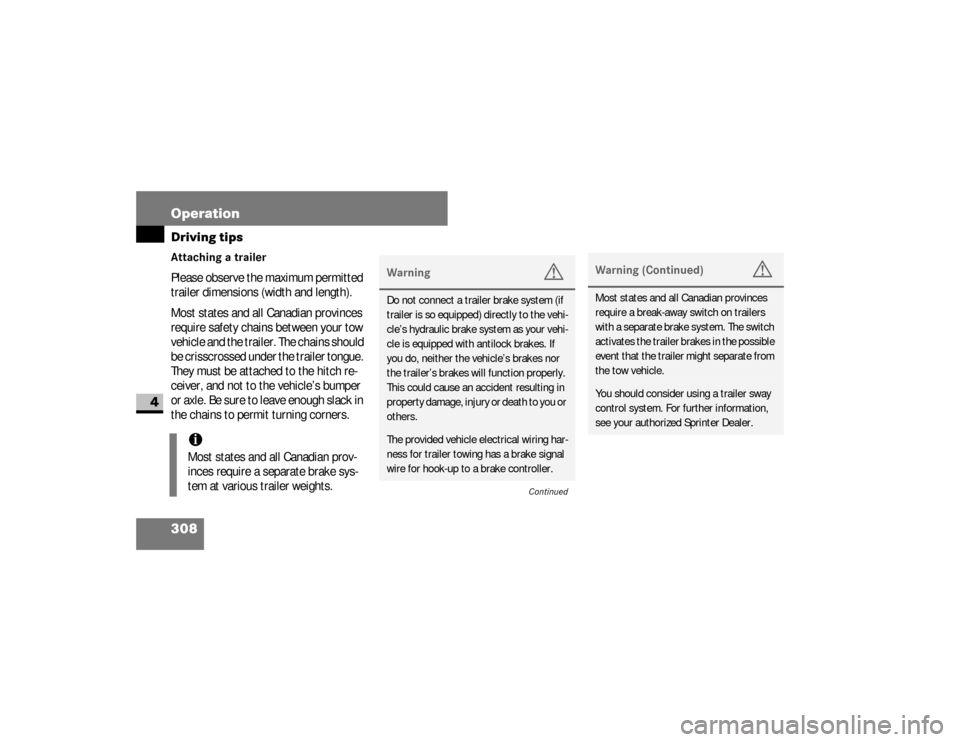
Attaching a trailerPlease observe the maximum permitted
trailer dimensions (width and length).
Most states and all Canadian provinces
require safety chains between your tow
vehicle and the trailer. The chains should
be crisscrossed under the trailer tongue.
They must be attached to the hitch re-
ceiver, and not to the vehicle’s bumper
or axle. Be sure to leave enough slack in
the chains to permit turning corners.
iMost states and all Canadian prov-
inces require a separate brake sys-
tem at various trailer weights.
Warning
G
Do not connect a trailer brake system (if
trailer is so equipped) directly to the vehi-
cle’s hydraulic brake system as your vehi-
cle is equipped with antilock brakes. If
you do, neither the vehicle’s brakes nor
the trailer’s brakes will function properly.
This could cause an accident resulting in
property damage, injury or death to you or
others.The provided vehicle electrical wiring har-
ness for trailer towing has a brake signal
wire for hook-up to a brake controller.
Continued
Warning (Continued)
G
Most states and all Canadian provinces
require a break-away switch on trailers
with a separate brake system. The switch
activates the trailer brakes in the possible
event that the trailer might separate from
the tow vehicle.You should consider using a trailer sway
control system. For further information,
see your authorized Sprinter Dealer.
nf_BA.book Page 308 Friday, January 25, 2008 3:53 PM
Page 433 of 666
431 Practical hints
What to do if ...
5
Problem
Possible cause / result
Suggested solutions
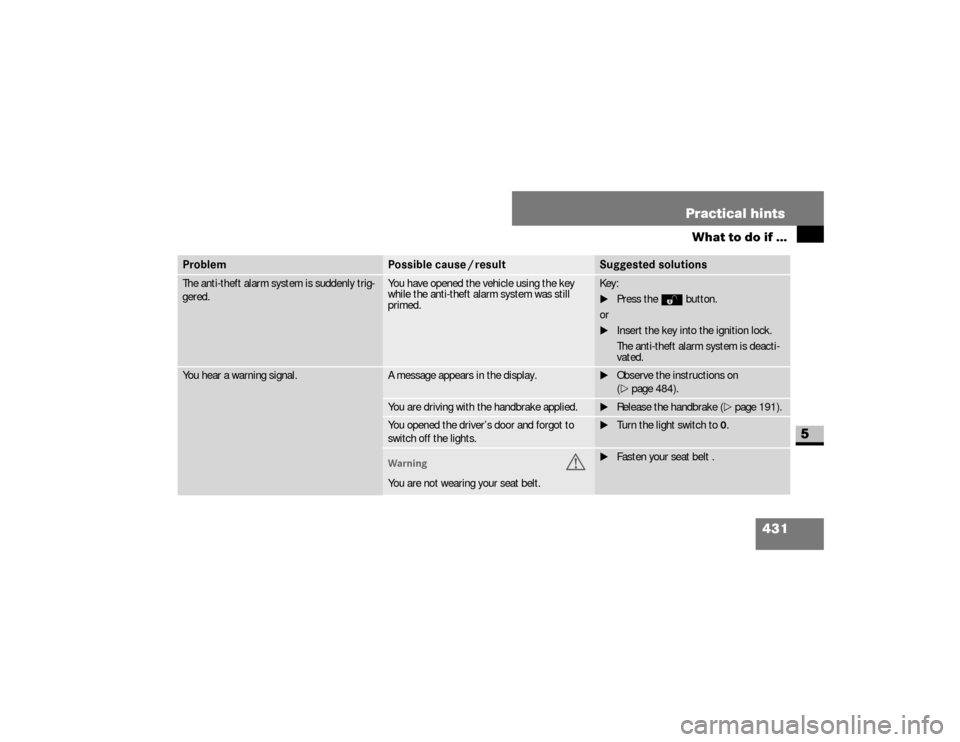
The anti-theft alarm system is suddenly trig-
gered.
You have opened the vehicle using the key
while the anti-theft alarm system was still
primed.
Key:
\1Press theΠbutton.
or
\1Insert the key into the ignition lock.
The anti-theft alarm system is deacti-
vated.
You hear a warning signal.
A message appears in the display.
\1Observe the instructions on
(\2page 484).
You are driving with the handbrake applied.
\1Release the handbrake (\2page 191).
You opened the driver’s door and forgot to
switch off the lights.
\1Turn the light switch to0.
Warning
G
You are not wearing your seat belt.
\1Fasten your seat belt .
nf_BA.book Page 431 Friday, January 25, 2008 3:53 PM
Page 444 of 666
442 Practical hintsWhat to do if ...
5
Headlamps and turn signalsWarning
G
Always have maintenance work carried
out at an authorized Sprinter Dealer
Continued
Warning (Continued)
G
which has the necessary specialist knowl-
edge and tools to carry out the work required.The manufacturer recommends that you
use an authorized Sprinter Dealer for this
purpose.
Continued
Warning (Continued)
G
I n p a r t i c u l a r , w o r k r e l e v a n t t o s a f e t y o r o n
safety-related systems must be carried
out at an authorized Sprinter Dealer.
There is a risk of an accident and injury if
this work is carried out incorrectly.
Problem
Possible cause / result
Suggested solutions
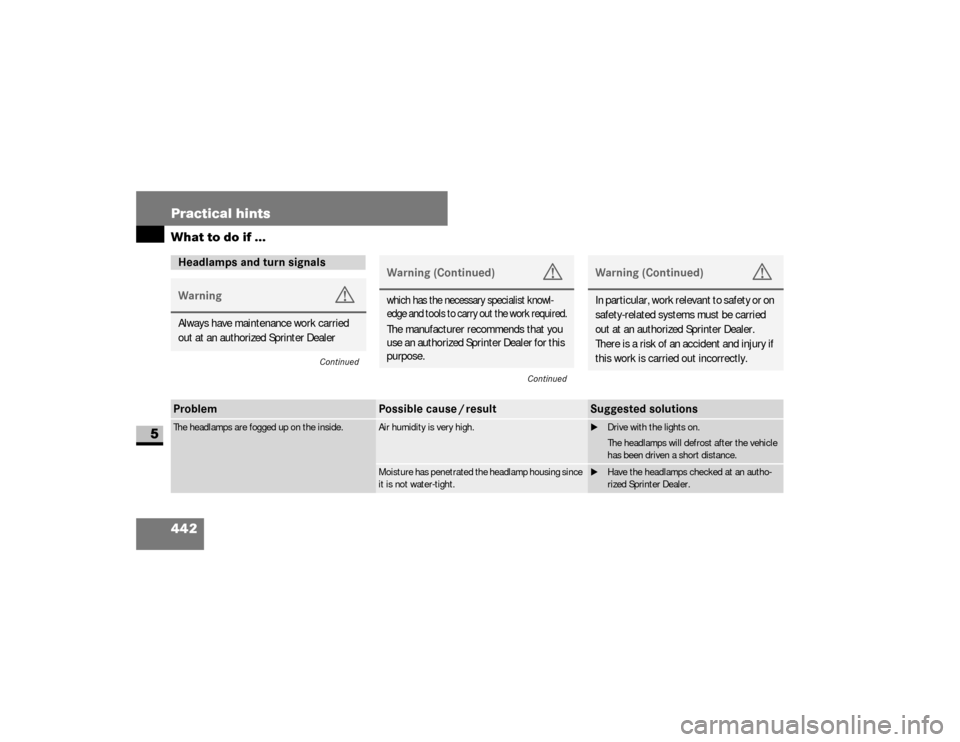
The headlamps are fogged up on the inside.
Air humidity is very high.
\1
Drive with the lights on.
The headlamps will defrost after the vehicle
has been driven a short distance.
Moisture has penetrated the headlamp housing since
it is not water-tight.
\1
Have the headlamps checked at an autho-
rized Sprinter Dealer.
nf_BA.book Page 442 Friday, January 25, 2008 3:53 PM
Page 448 of 666
446 Practical hintsWhat to do if ...
5
Problem
Possible cause / result
Suggested solutions
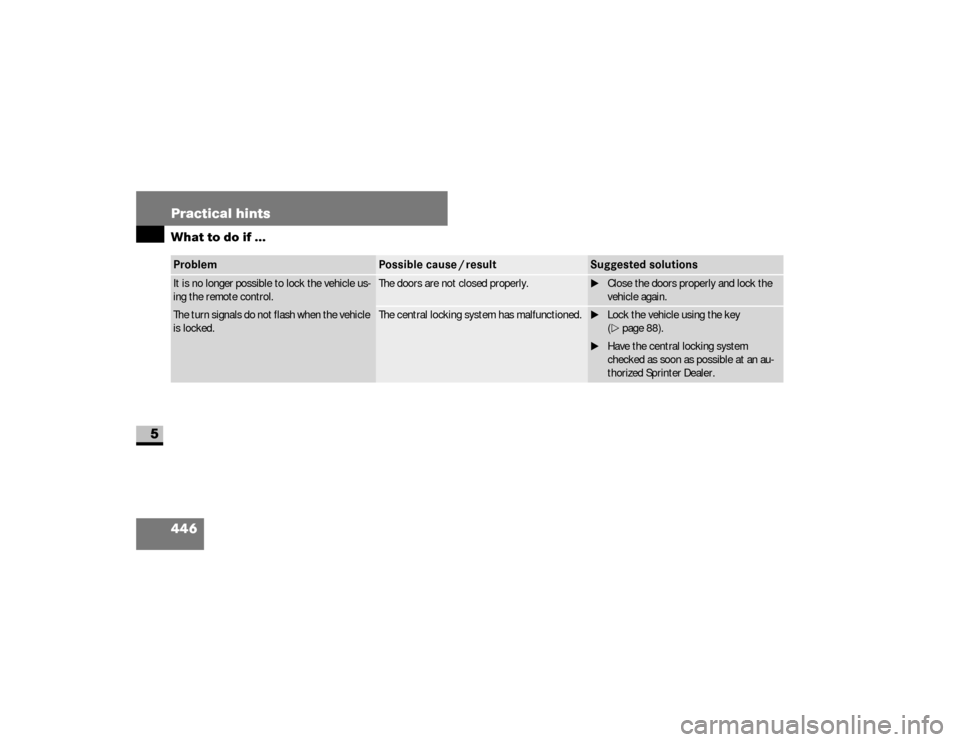
It is no longer possible to lock the vehicle us-
ing the remote control.
The turn signals do not flash when the vehicle
is locked.
The doors are not closed properly.
\1Close the doors properly and lock the
vehicle again.
The central locking system has malfunctioned.
\1Lock the vehicle using the key
(\2page 88).
\1Have the central locking system
checked as soon as possible at an au-
thorized Sprinter Dealer.
nf_BA.book Page 446 Friday, January 25, 2008 3:53 PM
Page 486 of 666
484 Practical hintsDisplay messages
5
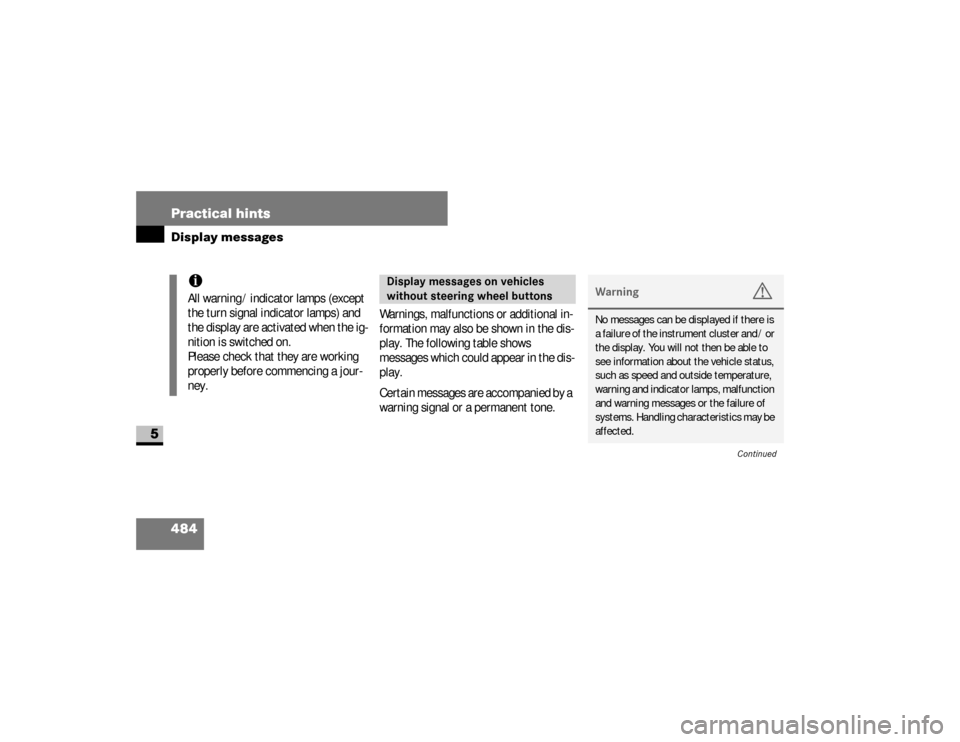
Warnings, malfunctions or additional in-
formation may also be shown in the dis-
play. The following table shows
messages which could appear in the dis-
play.
Certain messages are accompanied by a
warning signal or a permanent tone.
iAll warning / indicator lamps (except
the turn signal indicator lamps) and
the display are activated when the ig-
nition is switched on.
Please check that they are working
properly before commencing a jour-
ney.
Display messages on vehicles
without steering wheel buttons
Warning
G
No messages can be displayed if there is
a failure of the instrument cluster and / or
the display. You will not then be able to
see information about the vehicle status,
such as speed and outside temperature,
warning and indicator lamps, malfunction
and warning messages or the failure of
systems. Handling characteristics may be
affected.
Continued
nf_BA.book Page 484 Friday, January 25, 2008 3:53 PM
Page 505 of 666
503 Practical hints
Display messages
5
.
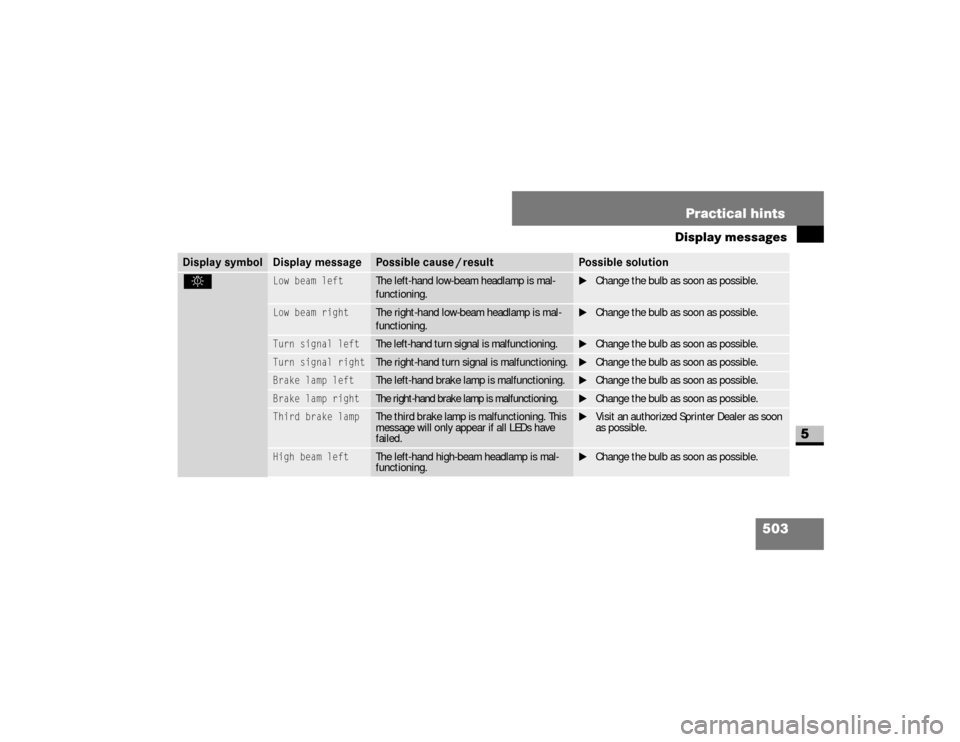
Low beam left
The left-hand low-beam headlamp is mal-
functioning.
\1Change the bulb as soon as possible.
Low beam right
The right-hand low-beam headlamp is mal-
functioning.
\1Change the bulb as soon as possible.
Turn signal left
The left-hand turn signal is malfunctioning.
\1Change the bulb as soon as possible.
Turn signal right
The right-hand turn signal is malfunctioning.
\1Change the bulb as soon as possible.
Brake lamp left
The left-hand brake lamp is malfunctioning.
\1Change the bulb as soon as possible.
Brake lamp right
The right-hand brake lamp is malfunctioning.
\1Change the bulb as soon as possible.
Third brake lamp
The third brake lamp is malfunctioning. This
message will only appear if all LEDs have
failed.
\1Visit an authorized Sprinter Dealer as soon
as possible.
High beam left
The left-hand high-beam headlamp is mal-
functioning.
\1Change the bulb as soon as possible.
Display symbol
Display message
Possible cause / result
Possible solution
nf_BA.book Page 503 Friday, January 25, 2008 3:53 PM
Page 507 of 666
505 Practical hints
Display messages
5
.
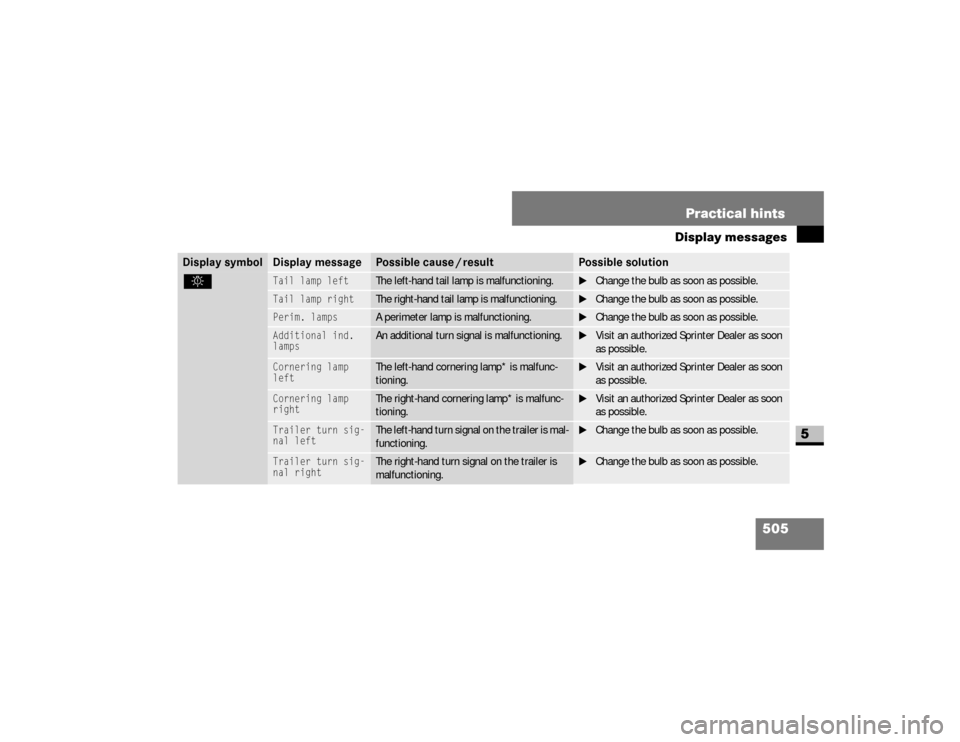
Tail lamp left
The left-hand tail lamp is malfunctioning.
\1Change the bulb as soon as possible.
Tail lamp right
The right-hand tail lamp is malfunctioning.
\1Change the bulb as soon as possible.
Perim. lamps
A perimeter lamp is malfunctioning.
\1Change the bulb as soon as possible.
Additional ind.
lamps
An additional turn signal is malfunctioning.
\1Visit an authorized Sprinter Dealer as soon
as possible.
Cornering lamp
left
The left-hand cornering lamp* is malfunc-
tioning.
\1Visit an authorized Sprinter Dealer as soon
as possible.
Cornering lamp
right
The right-hand cornering lamp* is malfunc-
tioning.
\1Visit an authorized Sprinter Dealer as soon
as possible.
Trailer turn sig-
nal left
The left-hand turn signal on the trailer is mal-
functioning.
\1Change the bulb as soon as possible.
Trailer turn sig-
nal right
The right-hand turn signal on the trailer is
malfunctioning.
\1Change the bulb as soon as possible.
Display symbol
Display message
Possible cause / result
Possible solution
nf_BA.book Page 505 Friday, January 25, 2008 3:53 PM
Page 527 of 666
525 Practical hints
Changing bulbs
5
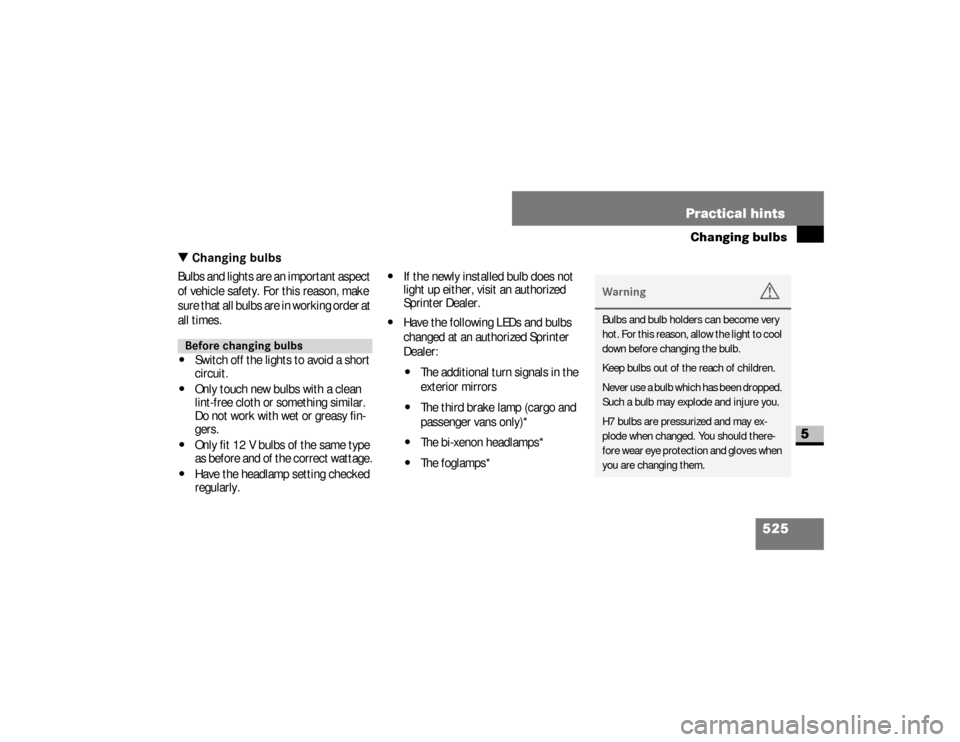
\3 Changing bulbsBulbs and lights are an important aspect
of vehicle safety. For this reason, make
sure that all bulbs are in working order at
all times.\4
Switch off the lights to avoid a short
circuit.
\4
Only touch new bulbs with a clean
lint-free cloth or something similar.
Do not work with wet or greasy fin-
gers.
\4
Only fit 12 V bulbs of the same type
as before and of the correct wattage.
\4
Have the headlamp setting checked
regularly.
\4
If the newly installed bulb does not
light up either, visit an authorized
Sprinter Dealer.
\4
Have the following LEDs and bulbs
changed at an authorized Sprinter
Dealer:\4
The additional turn signals in the
exterior mirrors
\4
The third brake lamp (cargo and
passenger vans only)*
\4
The bi-xenon headlamps*
\4
The foglamps*
Before changing bulbs
Warning
G
Bulbs and bulb holders can become very
hot. For this reason, allow the light to cool
down before changing the bulb.
Keep bulbs out of the reach of children.
Never use a bulb which has been dropped.
Such a bulb may explode and injure you.
H7 bulbs are pressurized and may ex-
plode when changed. You should there-
fore wear eye protection and gloves when
you are changing them.
nf_BA.book Page 525 Friday, January 25, 2008 3:53 PM
Page 528 of 666
526 Practical hintsChanging bulbs
5
\1
Switch off the lighting.
\1
Open the hood (
\2
page 318).
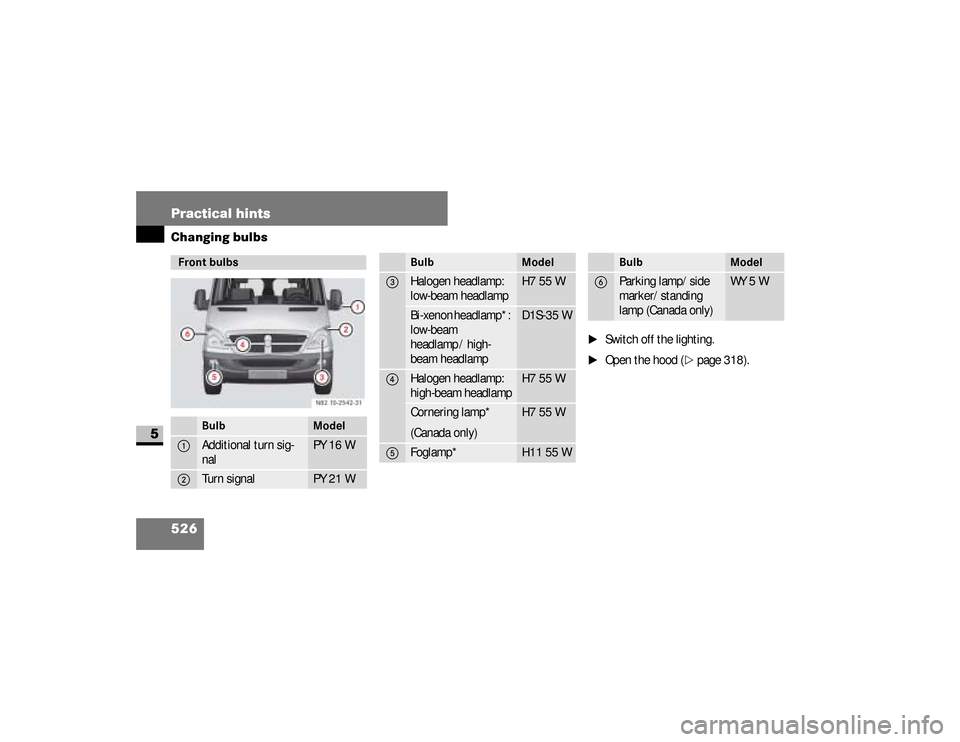
Front bulbs
Bulb
Model
1
Additional turn sig-
nal
PY 16 W
2
Turn signal
PY 21 W
3
Halogen headlamp:
low-beam headlamp
H7 55 W
Bi-xenon headlamp*:
low-beam
headlamp / high-
beam headlamp
D1S-35 W
4
Halogen headlamp:
high-beam headlamp
H7 55 W
Cornering lamp*
(Canada only)
H7 55 W
5
Foglamp*
H11 55 W
Bulb
Model
6
Parking lamp/side
marker/standing
lamp (Canada only)
WY 5 W
Bulb
Model
nf_BA.book Page 526 Friday, January 25, 2008 3:53 PM
Page 530 of 666
528 Practical hintsChanging bulbs
5
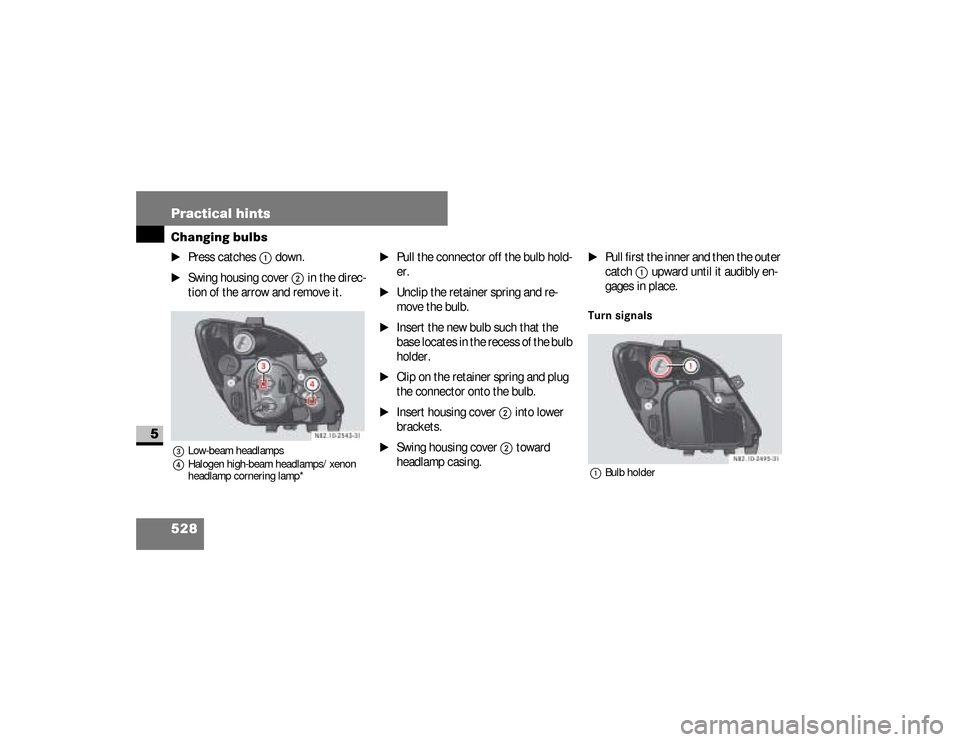
\1
Press catches
1
down.
\1
Swing housing cover
2
in the direc-
tion of the arrow and remove it.
3Low-beam headlamps
4Halogen high-beam headlamps/xenon
headlamp cornering lamp*
\1
Pull the connector off the bulb hold-
er.
\1
Unclip the retainer spring and re-
move the bulb.
\1
Insert the new bulb such that the
base locates in the recess of the bulb
holder.
\1
Clip on the retainer spring and plug
the connector onto the bulb.
\1
Insert housing cover
2
into lower
brackets.
\1
Swing housing cover
2
toward
headlamp casing.
\1
Pull first the inner and then the outer
catch
1
upward until it audibly en-
gages in place.
Turn signals1Bulb holder
nf_BA.book Page 528 Friday, January 25, 2008 3:53 PM