radio DODGE SPRINTER 2008 2.G Owners Manual
[x] Cancel search | Manufacturer: DODGE, Model Year: 2008, Model line: SPRINTER, Model: DODGE SPRINTER 2008 2.GPages: 666, PDF Size: 14.11 MB
Page 28 of 666
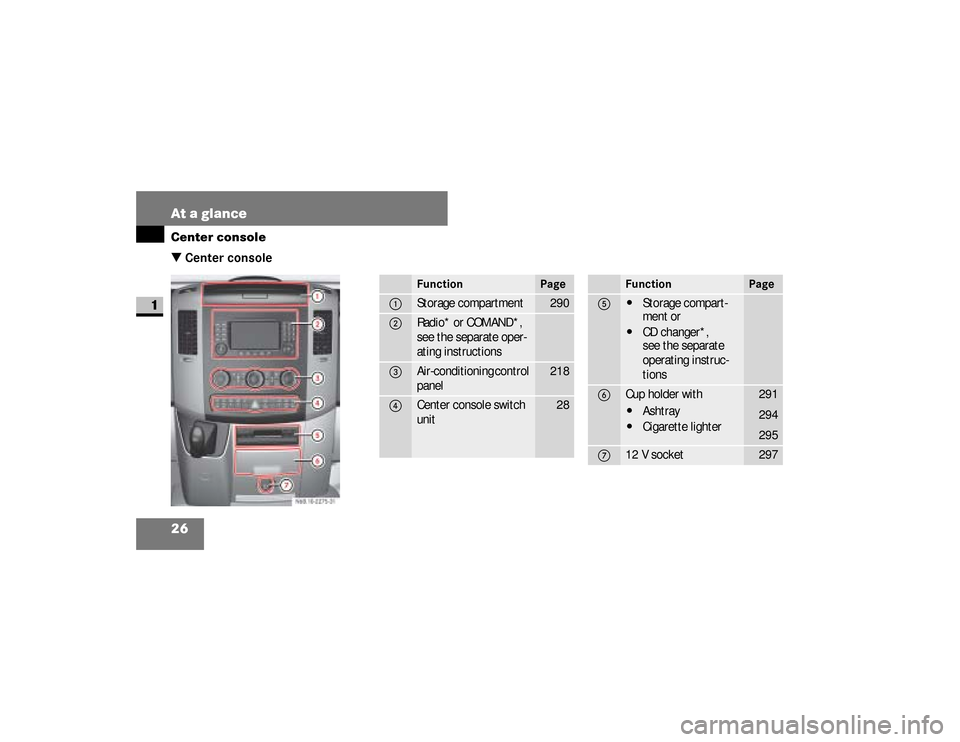
26 At a glanceCenter console
1
\3 Center console
N68.10-2288-31
Function
Page
1
Storage compartment
290
2
Radio* or COMAND*,
see the separate oper-
ating instructions
3
Air-conditioning control
panel
218
4
Center console switch
unit
28
Function
Page
5
\4
Storage compart-
ment or
\4
CD changer*,
see the separate
operating instruc-
tions
6
Cup holder with\4
Ashtray
\4
Cigarette lighter
291
294
295
7
12 V socket
297
nf_BA.book Page 26 Friday, January 25, 2008 3:53 PM
Page 113 of 666
111 Controls in detail
Key positions
3
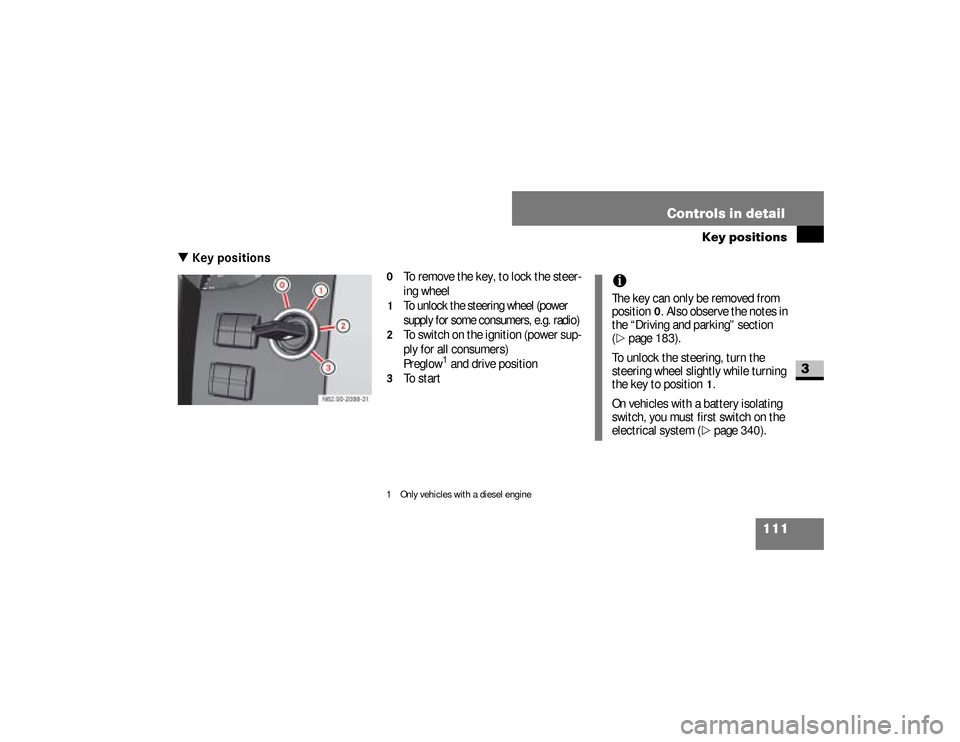
\3 Key positions
0
To remove the key, to lock the steer-
ing wheel
1
To unlock the steering wheel (power
supply for some consumers, e.g. radio)
2
To switch on the ignition (power sup-
ply for all consumers)
Preglow
1 and drive position
3
To start
1 Only vehicles with a diesel engine
iThe key can only be removed from
position
0. Also observe the notes in
the “Driving and parking” section
(
\2
page 183).
To unlock the steering, turn the
steering wheel slightly while turning
the key to position
1.
On vehicles with a battery isolating
switch, you must first switch on the
electrical system (\2
page 340).
nf_BA.book Page 111 Friday, January 25, 2008 3:53 PM
Page 155 of 666
153 Controls in detail
Operating system with steering wheel buttons*
3
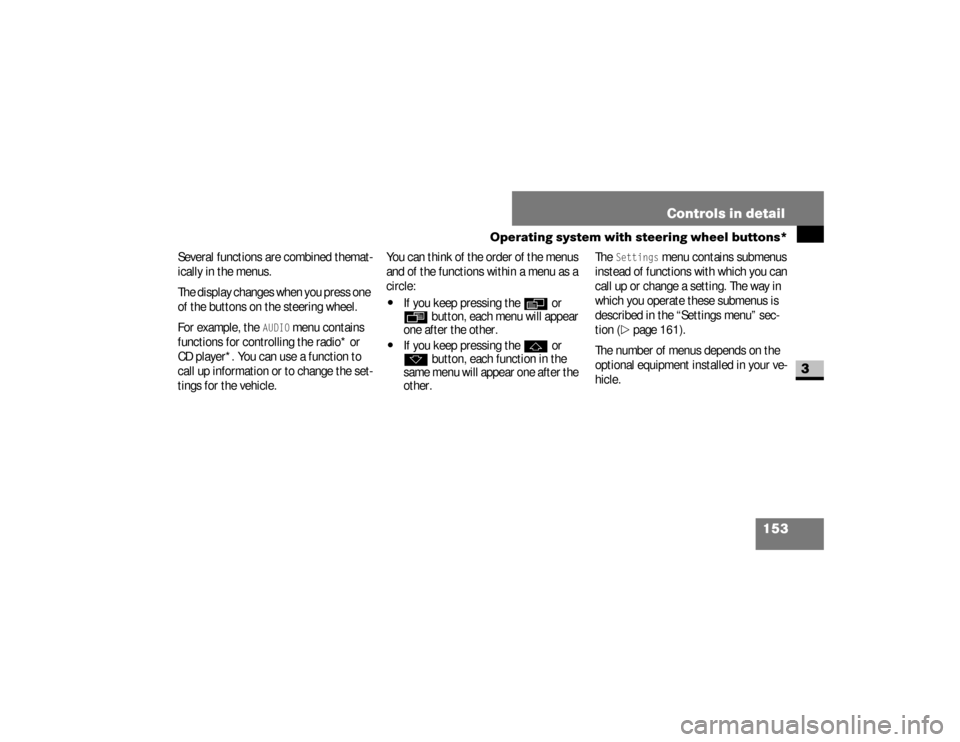
Several functions are combined themat-
ically in the menus.
The display changes when you press one
of the buttons on the steering wheel.
For example, the
AUDIO
menu contains
functions for controlling the radio* or
CD player*. You can use a function to
call up information or to change the set-
tings for the vehicle.You can think of the order of the menus
and of the functions within a menu as a
circle:
\4
If you keep pressing the
è
or
ÿ
button, each menu will appear
one after the other.
\4
If you keep pressing the
j
or
k
button, each function in the
same menu will appear one after the
other.The
Settings
menu contains submenus
instead of functions with which you can
call up or change a setting. The way in
which you operate these submenus is
described in the “Settings menu” sec-
tion (
\2
page 161).
The number of menus depends on the
optional equipment installed in your ve-
hicle.
nf_BA.book Page 153 Friday, January 25, 2008 3:53 PM
Page 157 of 666
155 Controls in detail
Operating system with steering wheel buttons*
3
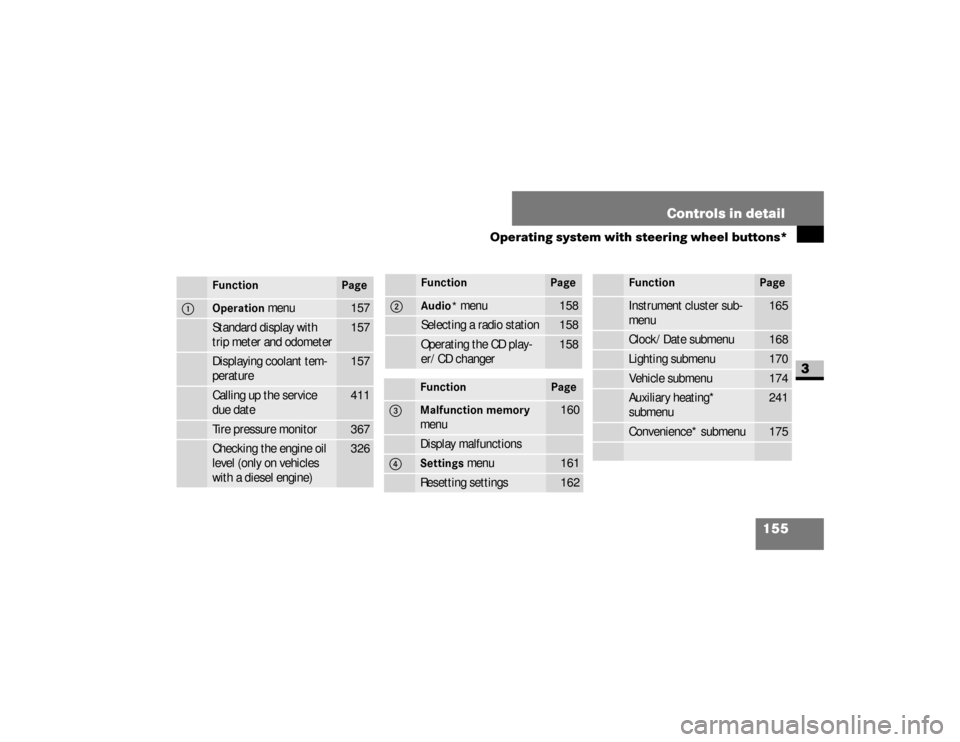
Function
Page
1
Operation
menu
157
Standard display with
trip meter and odometer
157
Displaying coolant tem-
perature
157
Calling up the service
due date
411
Tire pressure monitor
367
Checking the engine oil
level (only on vehicles
with a diesel engine)
326
2
Audio*
menu
158
Selecting a radio station
158
Operating the CD play-
er/CD changer
158
Function
Page
3
Malfunction memory
menu
160
Display malfunctions
4
Settings
menu
161
Resetting settings
162
Function
Page
Instrument cluster sub-
menu
165
Clock/Date submenu
168
Lighting submenu
170
Vehicle submenu
174
Auxiliary heating*
submenu
241
Convenience* submenu
175
Function
Page
nf_BA.book Page 155 Friday, January 25, 2008 3:53 PM
Page 160 of 666
158 Controls in detailOperating system with steering wheel buttons*
3
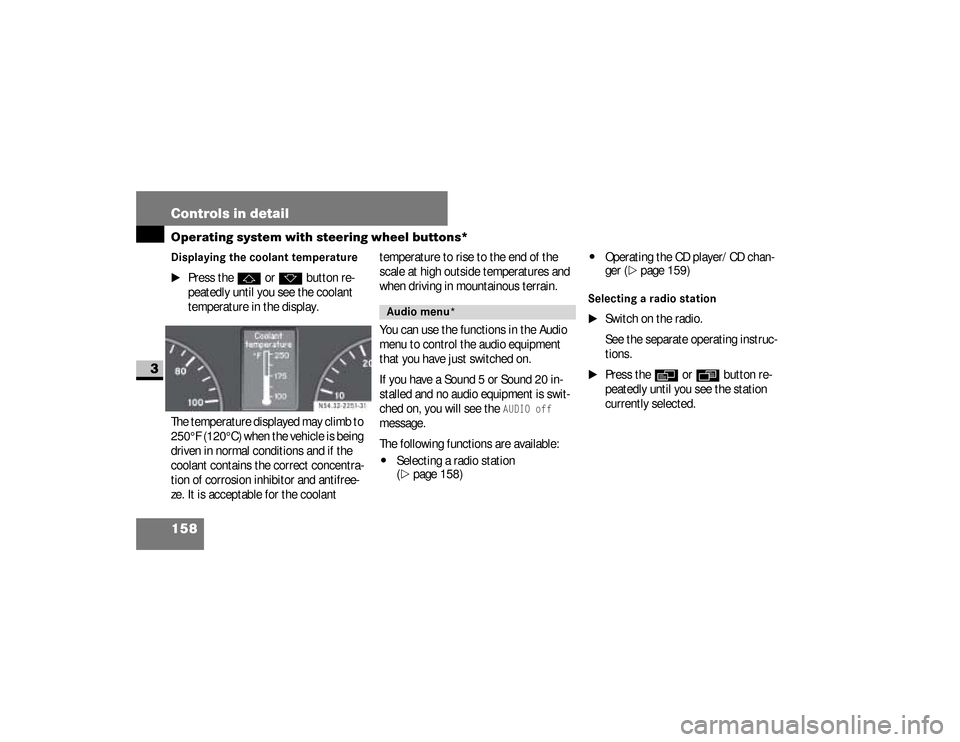
Displaying the coolant temperature
\1
Press the
j
or
k
button re-
peatedly until you see the coolant
temperature in the display.
The temperature displayed may climb to
250°F (120°C) when the vehicle is being
driven in normal conditions and if the
coolant contains the correct concentra-
tion of corrosion inhibitor and antifree-
ze. It is acceptable for the coolant temperature to rise to the end of the
scale at high outside temperatures and
when driving in mountainous terrain.
You can use the functions in the Audio
menu to control the audio equipment
that you have just switched on.
If you have a Sound 5 or Sound 20 in-
stalled and no audio equipment is swit-
ched on, you will see the
AUDIO off
message.
The following functions are available:
\4
Selecting a radio station
(\2
page 158)
\4
Operating the CD player/CD chan-
ger (
\2
page 159)
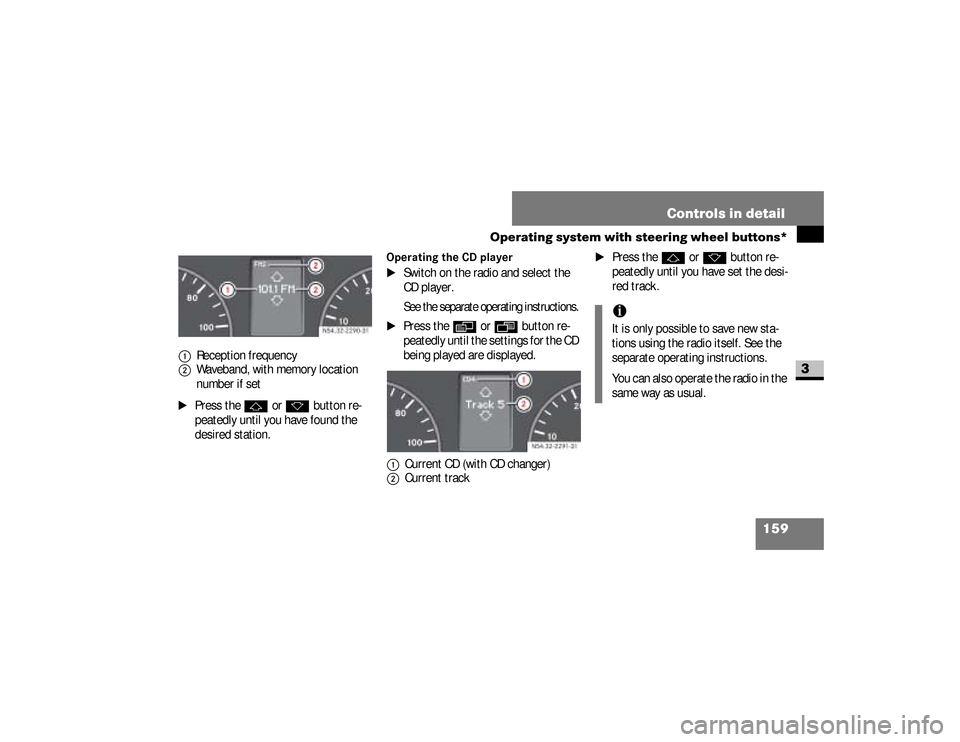
Selecting a radio station
\1
Switch on the radio.
See the separate operating instruc-
tions.
\1
Press the
è
or
·
button re-
peatedly until you see the station
currently selected.
Audio menu*
nf_BA.book Page 158 Friday, January 25, 2008 3:53 PM
Page 161 of 666
159 Controls in detail
Operating system with steering wheel buttons*
3
\1
Press the
j
or
k
button re-
peatedly until you have found the
desired station.
Operating the CD player
\1
Switch on the radio and select the
CD player.See the separate operating instructions.
\1
Press the
è
or
·
button re-
peatedly until the settings for the CD
being played are displayed.
\1
Press the
j
or
k
button re-
peatedly until you have set the desi-
red track.
1
Reception frequency
2
Waveband, with memory location
number if set
1
Current CD (with CD changer)
2
Current track
iIt is only possible to save new sta-
tions using the radio itself. See the
separate operating instructions.
You can also operate the radio in the
same way as usual.
nf_BA.book Page 159 Friday, January 25, 2008 3:53 PM
Page 176 of 666
174 Controls in detailOperating system with steering wheel buttons*
3
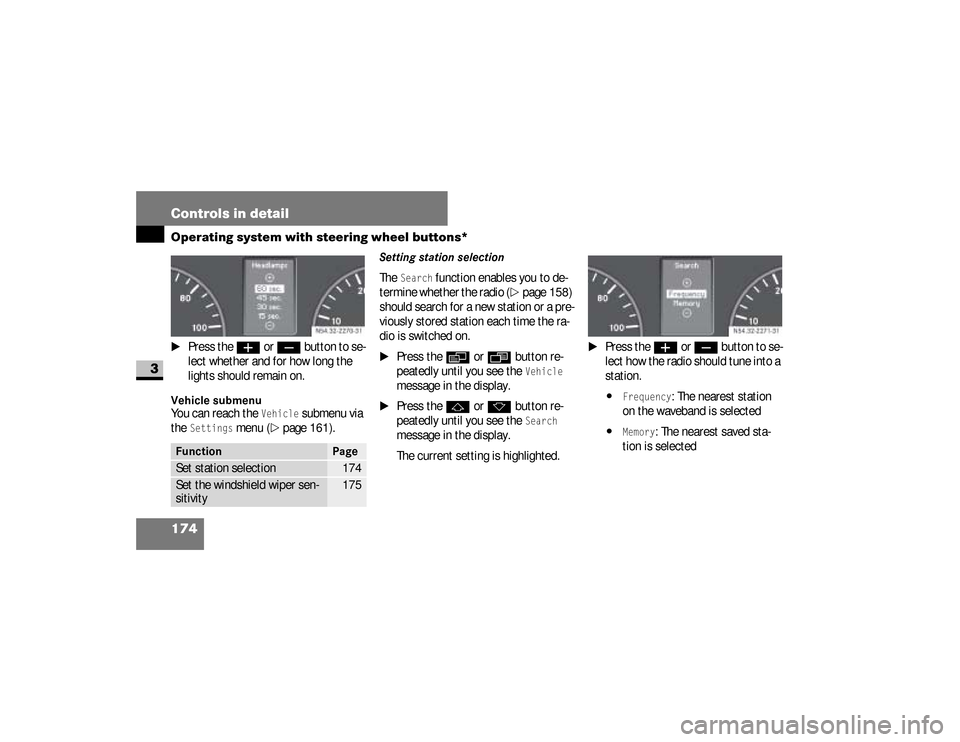
\1
Press the
æ
or
ç
button to se-
lect whether and for how long the
lights should remain on.
Vehicle submenuYou can reach the
Vehicle
submenu via
the
Settings
menu (
\2
page 161).
Setting station selectionThe
Search
function enables you to de-
termine whether the radio (
\2
page 158)
should search for a new station or a pre-
viously stored station each time the ra-
dio is switched on.
\1
Press the
è
or
ÿ
button re-
peatedly until you see the
Vehicle
message in the display.
\1
Press the
j
or
k
button re-
peatedly until you see the
Search
message in the display.
The current setting is highlighted.
\1
Press the
æ
or
ç
button to se-
lect how the radio should tune into a
station.
\4
Frequency
: The nearest station
on the waveband is selected
\4
Memory
: The nearest saved sta-
tion is selected
Function
Page
Set station selection
174
Set the windshield wiper sen-
sitivity
175
N54.32-2270-31
N54.32-2271-31
nf_BA.book Page 174 Friday, January 25, 2008 3:53 PM
Page 317 of 666
315 Operation
Electronic equipment
4
\3 Electronic equipment
The vehicle’s general operating permit
may be invalidated if you do not observe
the manufacturer’s installation specifi-
cations .
You will find information about retrofit-
ting electrical / electronic equipment in
the “Technical data” section
(\2
page 602).
Radio, telephone, two-way radio,
fax machine and navigation
systemWarning
G
Please do not forget that your primary re-
sponsibility is to drive the vehicle safely.
Only operate the electronic equipment
when road and traffic conditions permit.
Keep in mind that at a speed of just
30 mph (about 50 km/h), your vehicle
travels 44 feet (about 14 m) per second.
Continued
Warning (Continued)
G
A navigation system does not provide in-
formation about bridge load-bearing ca-
pacities or headroom clearances.
You are responsible for safety at all times.
Observe legal requirements.Telephones, two-way radios and fax ma-
chines without an exterior antenna may in-
terfere with the vehicle’s electronics, thereby
jeopardizing the vehicle’s operating safety.
The risk of an accident increases.Do not use this equipment while the vehi-
cle is in motion.
nf_BA.book Page 315 Friday, January 25, 2008 3:53 PM
Page 373 of 666
371 Operation
Tires and wheels
4
Reactivating the TPMSThe TPMS must be reactivated when you
have adjusted the tire inflation pressure
to a new level (e.g. because of different
load or driving conditions). The TPMS is
then recalibrated to the current tire in-
flation pressures.
Warning (Continued)
G
TPMS malfunctions may occur for a vari-
ety of reasons, including the installation
of incompatible replacement or alternate
tires or wheels on the vehicle that prevent
the TPMS from functioning properly. Al-
ways check the TPMS malfunction telltale
after replacing one or more tires or
wheels on your vehicle to ensure that the
replacement or alternate tires and wheels
allow the TPMS to continue to function
properly.
iIf a condition causing the TPMS to
malfunction develops, it may take up
to 10 minutes for the system to sig-
nal a malfunction using the TPMS tell-
tale flashing and illumination
sequence.
The telltale extinguishes after driving
a few minutes if the malfunction has
been corrected.
iOperating radio transmission equip-
ment (e.g. wireless headsets, two-
way radios) in or near the vehicle
could cause the TPMS to malfunction
nf_BA.book Page 371 Friday, January 25, 2008 3:53 PM
Page 380 of 666
378 OperationTires and wheels
4
Warning (Continued)
G
USA only:Your vehicle has also been equipped with a
TPMS malfunction indicator to indicate when
the system is not operating properly. The
TPMS malfunction indicator is combined
with the low tire pressure telltale. When the
system detects a malfunction, the telltale will
flash for approximately 1 minute and then re-
main continuously illuminated. This se-
quence will continue upon subsequent
vehicle start-ups as long as the malfunction
exists. When the malfunction indicator is illu-
minated, the system may not be able to de-
tect or signal low tire pressure as intended.
Continued
Warning (Continued)
G
TPMS malfunctions may occur for a vari-
ety of reasons, including the installation
of incompatible replacement or alternate
tires or wheels on the vehicle that prevent
the TPMS from functioning properly. Al-
ways check the TPMS malfunction telltale
after replacing one or more tires or
wheels on your vehicle to ensure that the
replacement or alternate tires and wheels
allow the TPMS to continue to function
properly.
iIf a condition causing the TPMS to
malfunction develops, it may take up
to 10 minutes for the system to sig-
nal a malfunction using the TPMS
telltale flashing and illumination se-
quence.
The telltale extinguishes after driving
a few minutes if the malfunction has
been corrected.iOperating radio transmission equip-
ment (e.g. wireless headsets, two-way
radios) in or near the vehicle could
cause the TPMS to malfunction
nf_BA.book Page 378 Friday, January 25, 2008 3:53 PM