light DODGE STRATUS COUPE 2004 2.G Manual Online
[x] Cancel search | Manufacturer: DODGE, Model Year: 2004, Model line: STRATUS COUPE, Model: DODGE STRATUS COUPE 2004 2.GPages: 388, PDF Size: 2.28 MB
Page 202 of 388
over curbs or parking stop blocks. Always use caution
when traveling up or down sharp inclines as your
bumper may contact the road surface.
2. Maintain specified tire inflation pressures. Replace
tires before they are excessively worn.
3. If you plan to drive in another country, comply with
the vehicle registration laws and confirm the availability
of the correct fuel.
OPERATION DURING COLD WEATHER
1. Check the battery, including terminals and cables.
During extremely cold weather, the battery capacity will
decrease. Also, the battery power level may drop because
more power is needed for cold starting and operation.
Before driving the vehicle, check to see if the engine runs
at the proper speed and if the headlights are at their usual
intensity. Charge or replace the battery if necessary.
During cold weather, it is possible that a discharged
battery could freeze.
WARNING!
The battery gives off explosive hydrogen gas. Any
spark or flame can cause the battery to explode,
which could seriously injury or kill you.
Always wear protective clothes and a face shield
when doing battery maintenance, or let a skilled
technician do it.
2. Manual transaxles may be more difficult to shift
during cold weather operation. This is normal and shift
effort will become easier as the transaxle reaches a
normal operating temperature.
Maintain low-speed operation at first to allow the trans-
axle oil to be distributed to all lubrication points.
3. Check the engine antifreeze.
If there is a shortage of coolant due to leakage or engine
overheating, add high-quality ethylene glycol antifreeze
and water. The recommended ratio is about 50% water
and 50% anti-freeze. This ratio provides adequate corro-
sion, boiling, and freeze protection.
202 STARTING AND DRIVING
Page 203 of 388
WARNING!
Never open the radiator cap when the radiator is hot.
You could be seriously burned.
TRAILER TOWING
Warranty Requirements
The Manufacturer's Passenger Vehicle Warranty will
apply to vehicles used to tow trailers for non-commercial
use. However the following conditions must be met:
²The maximum trailer load for vehicles with manual
transaxles is 1,000 lbs (454 kg).
²The maximum trailer load for vehicles with automatic
transaxles is 1,000 lbs (454 kg).
²The maximum frontal area of the trailer cannot exceed
20 square feet (1.86 square meters).
²If using a manual transaxle vehicle for trailer towing,
all starts must be in FIRST gear to avoid excessive
clutch slippage.The trailer tongue load must be considered as part of the
tow vehicle load capacity when loading the vehicle.
NOTE:Check the automatic transmission fluid level
before towing. Fluid discoloration, or a burnt odor,
shows the need for transmission fluid replacement.
WARNING!
Connecting trailer brakes to your vehicle's hydraulic
brake lines can overload your brake system and
cause it to fail. You might not have brakes when you
need them and could have an accident.
Whenever you pull a trailer, regardless of the trailer size,
stop lights and turn signals on the trailer are recom-
mended for motoring safety.
STARTING AND DRIVING 203
5
Page 211 of 388
ACCESSORY SOCKET
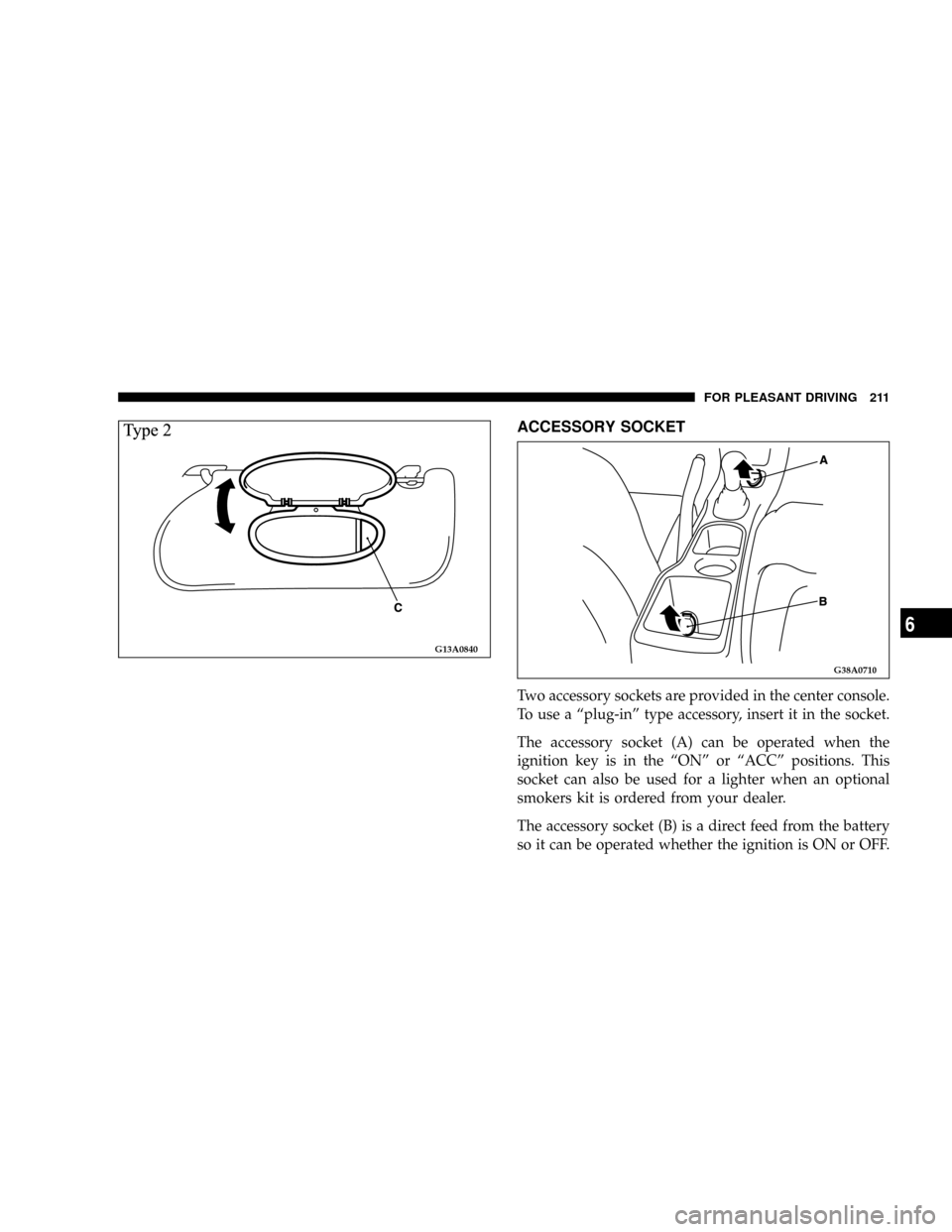
Two accessory sockets are provided in the center console.
To use a ªplug-inº type accessory, insert it in the socket.
The accessory socket (A) can be operated when the
ignition key is in the ªONº or ªACCº positions. This
socket can also be used for a lighter when an optional
smokers kit is ordered from your dealer.
The accessory socket (B) is a direct feed from the battery
so it can be operated whether the ignition is ON or OFF.
G13A0840
G38A0710
FOR PLEASANT DRIVING 211
6
Page 212 of 388
CAUTION!
²Be sure to use a ªplug-inº type accessory operat-
ing on 12V and at 120W or less.
Extended use of electronic equipment with the
engine off may run down the battery.
²When the accessory socket is not in use, be sure to
close the socket cap. This will prevent the socket
from becoming clogged and short circuiting.
²Many accessories that can be plugged in draw
power from the vehicle's battery, even when not
in use (i.e., cellular phones, etc.). Eventually, if
plugged in long enough, the vehicle's battery will
discharge sufficiently to degrade battery life
and/or prevent engine starting.
²Accessories that draw higher power (i.e., coolers,
vacuum cleaners, lights, etc.) will degrade the
battery even more quickly. Only use these inter-
mittently and with greater caution.
²After the use of high power draw accessories, or
long periods of the vehicle not being started (with
accessories still plugged in), the vehicle must be
driven a sufficient length of time to allow the
generator to recharge the vehicle's battery.
CUP HOLDER
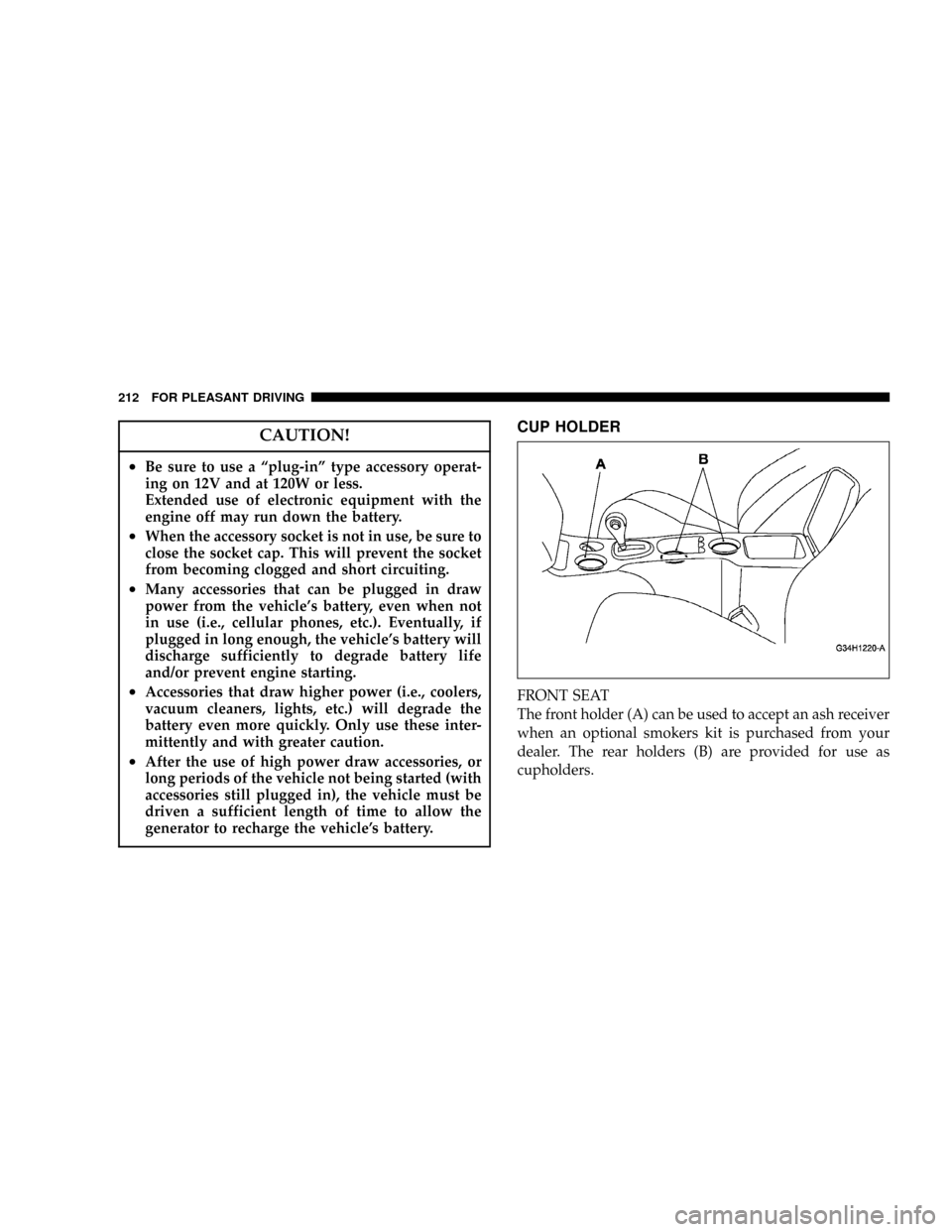
FRONT SEAT
The front holder (A) can be used to accept an ash receiver
when an optional smokers kit is purchased from your
dealer. The rear holders (B) are provided for use as
cupholders.
212 FOR PLEASANT DRIVING
Page 214 of 388
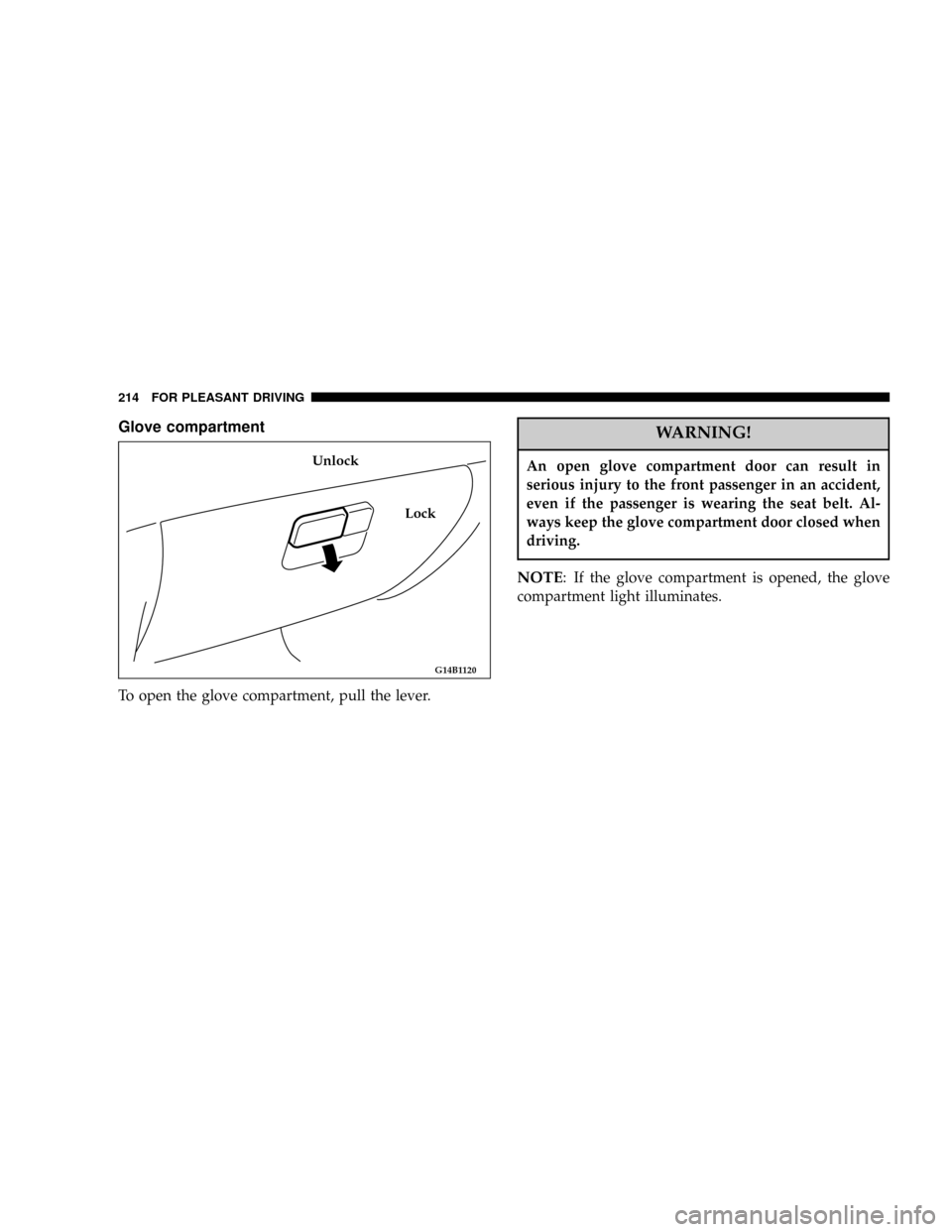
Glove compartment
To open the glove compartment, pull the lever.
WARNING!
An open glove compartment door can result in
serious injury to the front passenger in an accident,
even if the passenger is wearing the seat belt. Al-
ways keep the glove compartment door closed when
driving.
NOTE: If the glove compartment is opened, the glove
compartment light illuminates.
G14B1120
Lock Unlock
214 FOR PLEASANT DRIVING
Page 218 of 388
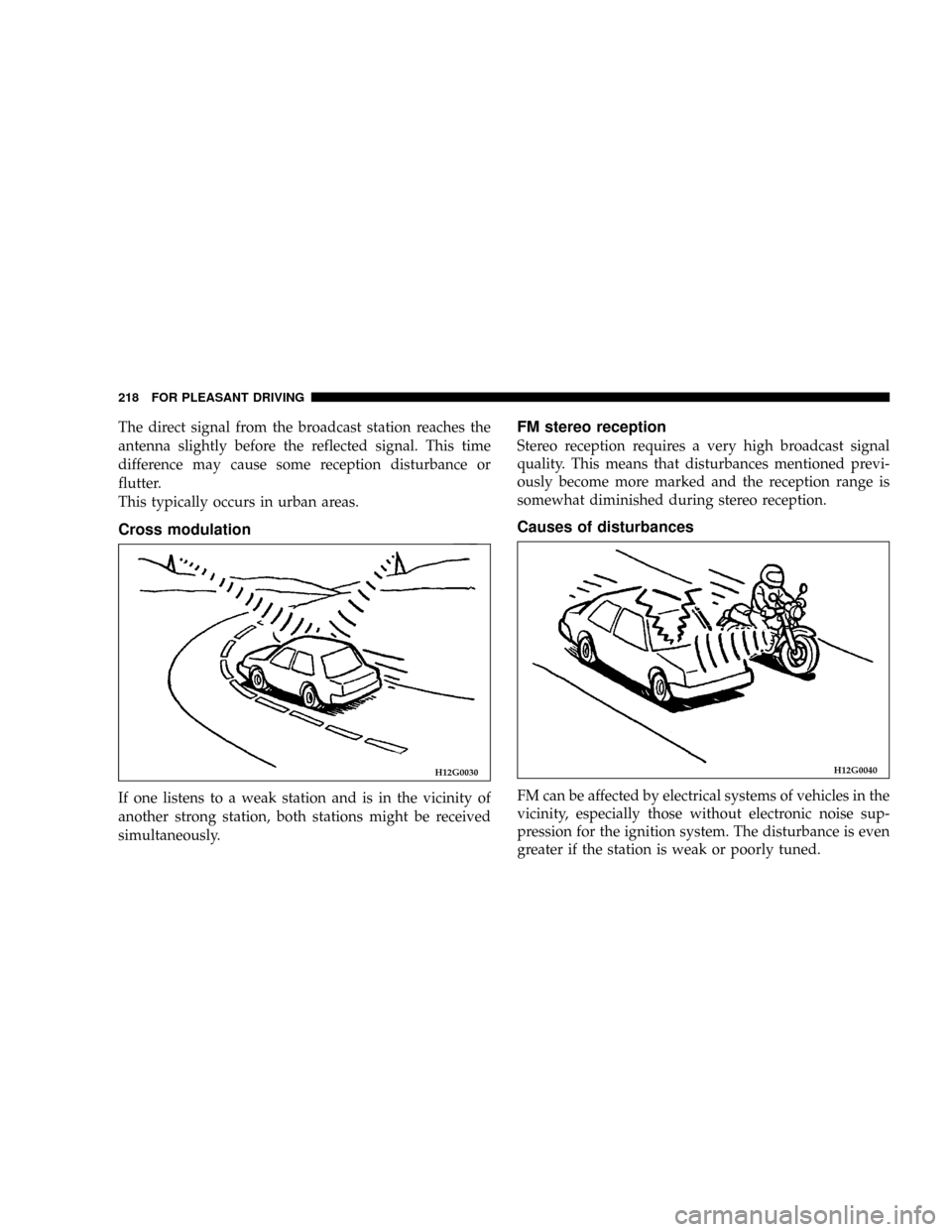
The direct signal from the broadcast station reaches the
antenna slightly before the reflected signal. This time
difference may cause some reception disturbance or
flutter.
This typically occurs in urban areas.
Cross modulation
If one listens to a weak station and is in the vicinity of
another strong station, both stations might be received
simultaneously.
FM stereo reception
Stereo reception requires a very high broadcast signal
quality. This means that disturbances mentioned previ-
ously become more marked and the reception range is
somewhat diminished during stereo reception.
Causes of disturbances
FM can be affected by electrical systems of vehicles in the
vicinity, especially those without electronic noise sup-
pression for the ignition system. The disturbance is even
greater if the station is weak or poorly tuned.
H12G0030H12G0040
218 FOR PLEASANT DRIVING
Page 219 of 388

FM reception is not as sensitive to electrical disturbances
as AM. AM reception is sensitive to electrical distur-
bances such as power lines, lightning and other types of
similar electrical phenomena.
WHIP ANTENNA
To remove the whip antenna, turn it counterclockwise.
CAUTION!
It is recommended to remove the whip antenna
before going into an automatic vehicle wash or
passing under places with a low height clearance.
AM STEREO & FM STEREO RADIO WITH
GRAPHIC EQUALIZER, CASSETTE TAPE PLAYER
AND CD PLAYER (IF SO EQUIPPED)
Operating Instructions - Radio Mode
NOTE:
Power to operate the radio is supplied through
the ignition switch. It must be in the ON or ACC position
to operate the radio.
H11A3220
FOR PLEASANT DRIVING 219
6
Page 222 of 388

Seek Button
Press the SEEK button up for the next selection on the
tape and down to return to the beginning of the current
selection.
Press the SEEK button up or down to move the track
number to skip forward or backward 1 to 6 selections.
Press the SEEK button once to move 1 selection, twice to
move 2 selections, etc.
Fast Forward (FF)
Press the FF button up momentarily to advance the tape
in the direction that it is playing. The tape will advance
until the button is pressed again or the end of the tape is
reached. At the end of the tape, the tape will play in the
opposite direction.
Rewind (RW)
Press the RW button momentarily to reverse the tape
direction. The tape will reverse until the button is pressed
again or until the end of the tape is reached. At the end of
the tape, the tape will play in the opposite direction.
Tape Eject
Press the EJT Tape button and the cassette will disengage
and eject from the radio.
Scan Button
Press this button to play 10 seconds of each selection.
Press the scan button a second time to cancel the feature.
Changing Tape Direction
If you wish to change the direction of tape travel (side
being played), press the TIME button. The lighted arrow
in the display window will show the new direction.
Metal Tape Selection
If a standard metal tape is inserted into the player, the
player will automatically select the correct equalization
and the 70 symbol will appear in the display window.
Pinch Roller Release
If ignition power or the radio ON/OFF switch are turned
off, the pinch roller will automatically retract to protect
the tape from any damage. When power is restored to the
tape player, the pinch roller will automatically reengage
and the tape will resume play.
222 FOR PLEASANT DRIVING
Page 223 of 388

Noise Reduction
The Dolby noise reduction system* is on whenever the
tape player is on, but may be switched off.
To turn off the Dolby noise reduction system: Press the
NR button (button 2) after you insert the tape. The NR
light in the display will go off when the Dolby NR
System is off. The Dolby NR System is automatically
reactivated each time a tape is inserted.
*Dolby noise reduction manufactured under license from
Dolby Laboratories Licensing Corporation. ªDolbyº and the
double-D symbol are trademarks of Dolby Laboratories.
Operation Instructions Ð CD Player
NOTE:
The ignition switch must be in the ON or ACC
position and the volume control ON before the CD player
will operate.
Inserting The Compact Disc
You may either insert or eject a disc with the radio OFF.
If you insert a disc with the ignition ON and the radio
OFF, the display will show the CD symbol then the time
of day will be displayed.If the volume control is ON, the unit will switch from
radio to CD mode and begin to play when you insert the
disc. The display will show the track number and index
time in minutes and seconds. Play will begin at the start
of track 1.
Seek Button
Press the top of the SEEK button for the next selection on
the CD. Press the bottom of the button to return to the
beginning of the current selection, or return to the
beginning of the previous selection if the tape is within
the first 10 seconds of the current selection.
EJT CD (Eject) Button
Press this button and the disc will unload and move to
the entrance for easy removal. The unit will switch to the
radio mode.
If you do not remove the disc within 15 seconds, it will be
reloaded. The radio will remain in the Radio mode.
The disc can be ejected with the radio OFF.
FF/TUNE/RW Button
Press the FF (Fast Forward) button and the CD player
will fast forward through the tracks until the button is
FOR PLEASANT DRIVING 223
6
Page 224 of 388

released. Press the RW (Rewind) button and the CD
player will reverse through the tracks until the button is
released.
Program Button 4 (Random Play)
Press this button while the CD is playing to activate
Random Play. This feature plays the selections on the
compact disc in random order to provide an interesting
change of pace.
Press the SEEK UP button to move to the next randomly
selected track.
Press button 4 a second time to stop Random Play.
Tape /CD Button
Press this button to select between CD player and Tape
player.
Time Button
Press this button to change the display from elapsed CD
playing time to time of day.
Scan Button
Press this button to play the first 10 seconds of each track.
To stop the scan function, press the button a second time.
CASSETTE TAPE AND PLAYER MAINTENANCE
To keep the cassette tapes and player in good condition,
take the following precautions:
1. Do not use cassette tapes longer than C-90; otherwise,
sound quality and tape durability will be greatly dimin-
ished.
2. Keep the cassette tape in its case to protect from
slackness and dust when it is not in use.
3. Keep the cassette tape away from direct sunlight, heat
and magnetic fields such as the radio speakers.
4. Before inserting a tape, make sure that the label is
adhering flatly to the cassette.
5. A loose tape should be corrected before use. To rewind
a loose tape, insert the eraser end of a pencil into the tape
drive gear and twist the pencil in the required directions.
224 FOR PLEASANT DRIVING