DODGE STRATUS COUPE 2005 2.G Owners Manual
STRATUS COUPE 2005 2.G
DODGE
DODGE
https://www.carmanualsonline.info/img/12/5683/w960_5683-0.png
DODGE STRATUS COUPE 2005 2.G Owners Manual
Page 298 of 396
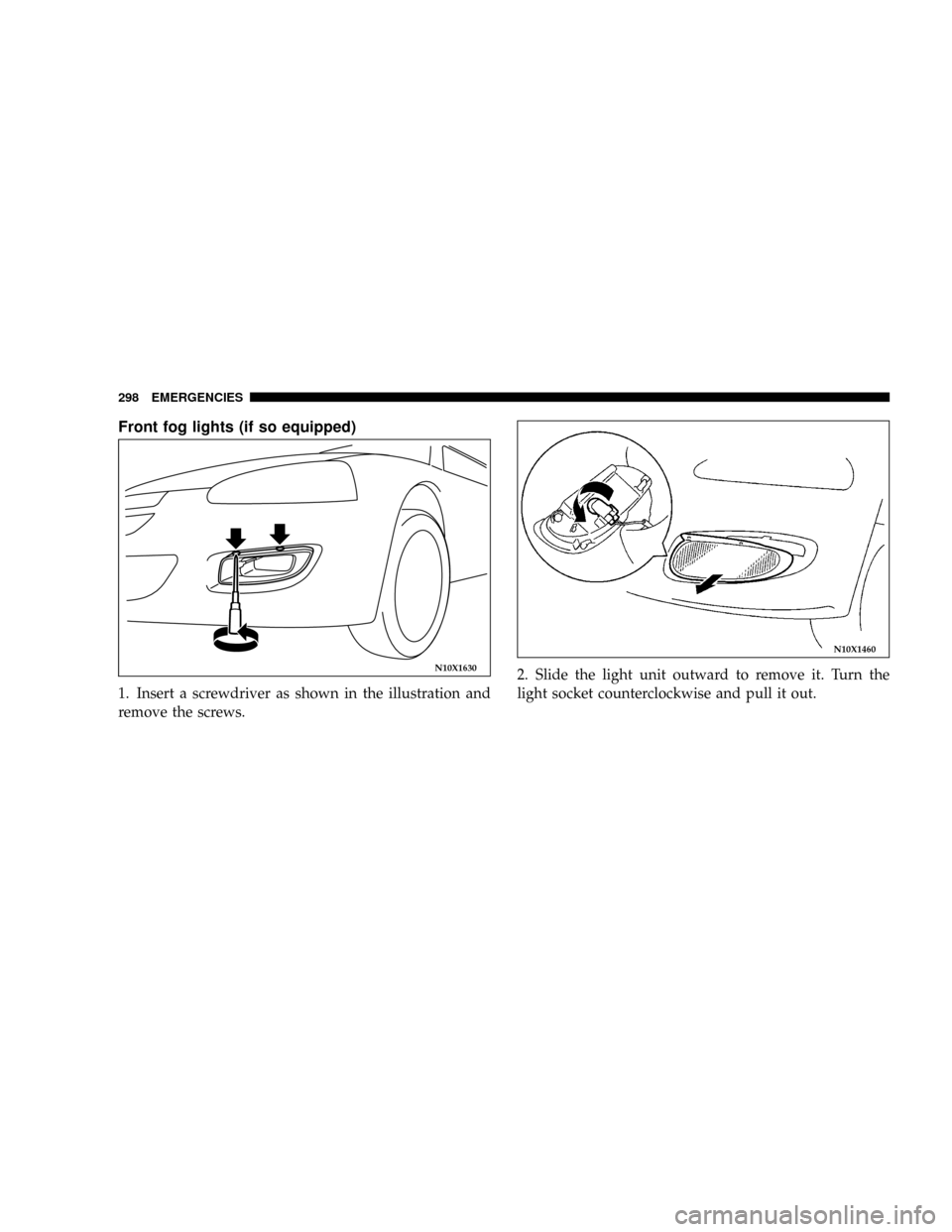
Front fog lights (if so equipped)
1. Insert a screwdriver as shown in the illustration and
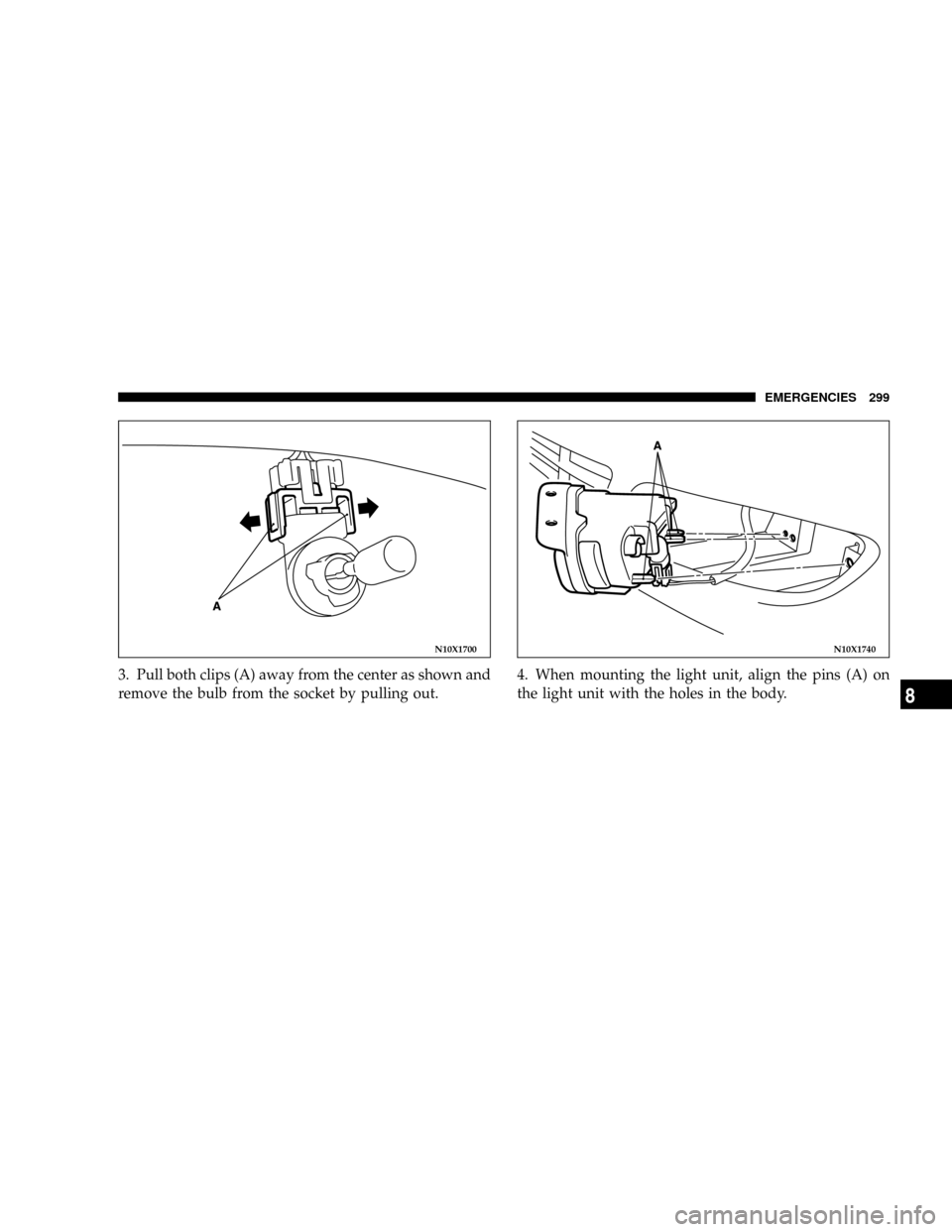
remove the screws.2. Slide the light unit outward to remove it. Turn the
light socket counterclockwise and pull it out.
N10X1630
N10X1460
298 EMERGENCIES
Page 299 of 396
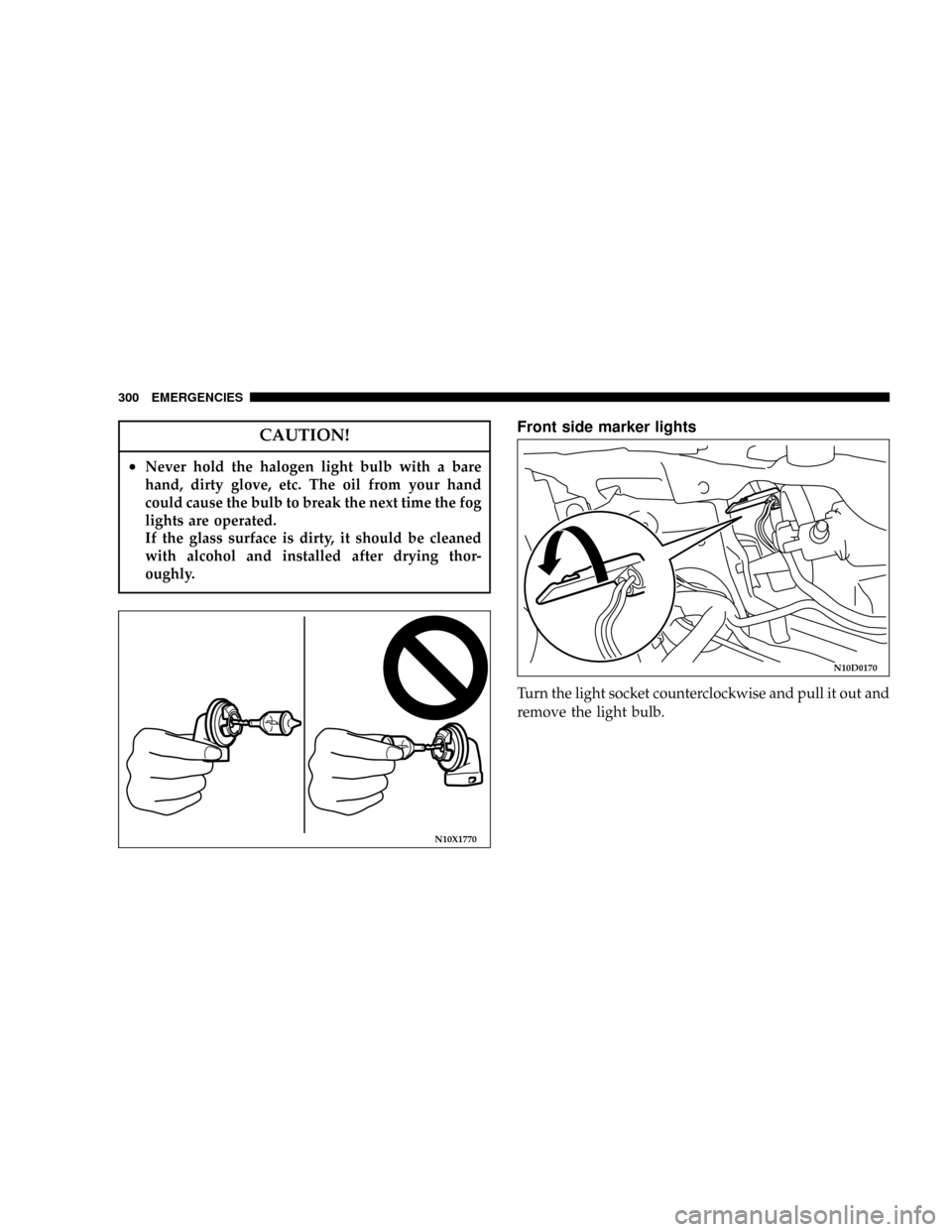
3. Pull both clips (A) away from the center as shown and
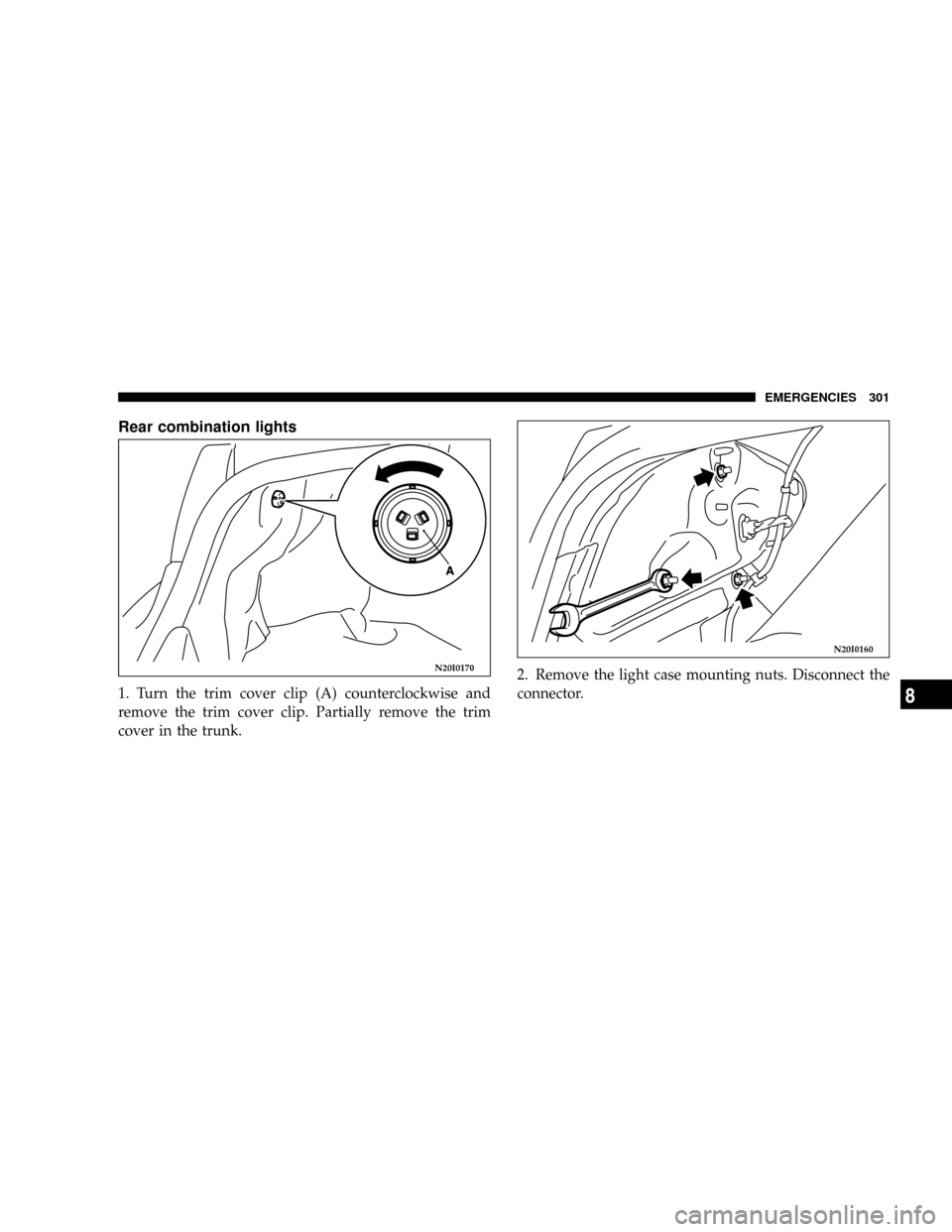
remove the bulb from the socket by pulling out.4. When mounting the light unit, align the pins (A) on
the light unit with the holes in the body.
N10X1700N10X1740
EMERGENCIES 299
8
Page 300 of 396
CAUTION!
²Never hold the halogen light bulb with a bare
hand, dirty glove, etc. The oil from your hand
could cause the bulb to break the next time the fog
lights are operated.
If the glass surface is dirty, it should be cleaned
with alcohol and installed after drying thor-
oughly.
Front side marker lights
Turn the light socket counterclockwise and pull it out and
remove the light bulb.
N10X1770
N10D0170
300 EMERGENCIES
Page 301 of 396
Rear combination lights
1. Turn the trim cover clip (A) counterclockwise and
remove the trim cover clip. Partially remove the trim
cover in the trunk.2. Remove the light case mounting nuts. Disconnect the
connector.
N20I0170
N20I0160
EMERGENCIES 301
8
Page 302 of 396
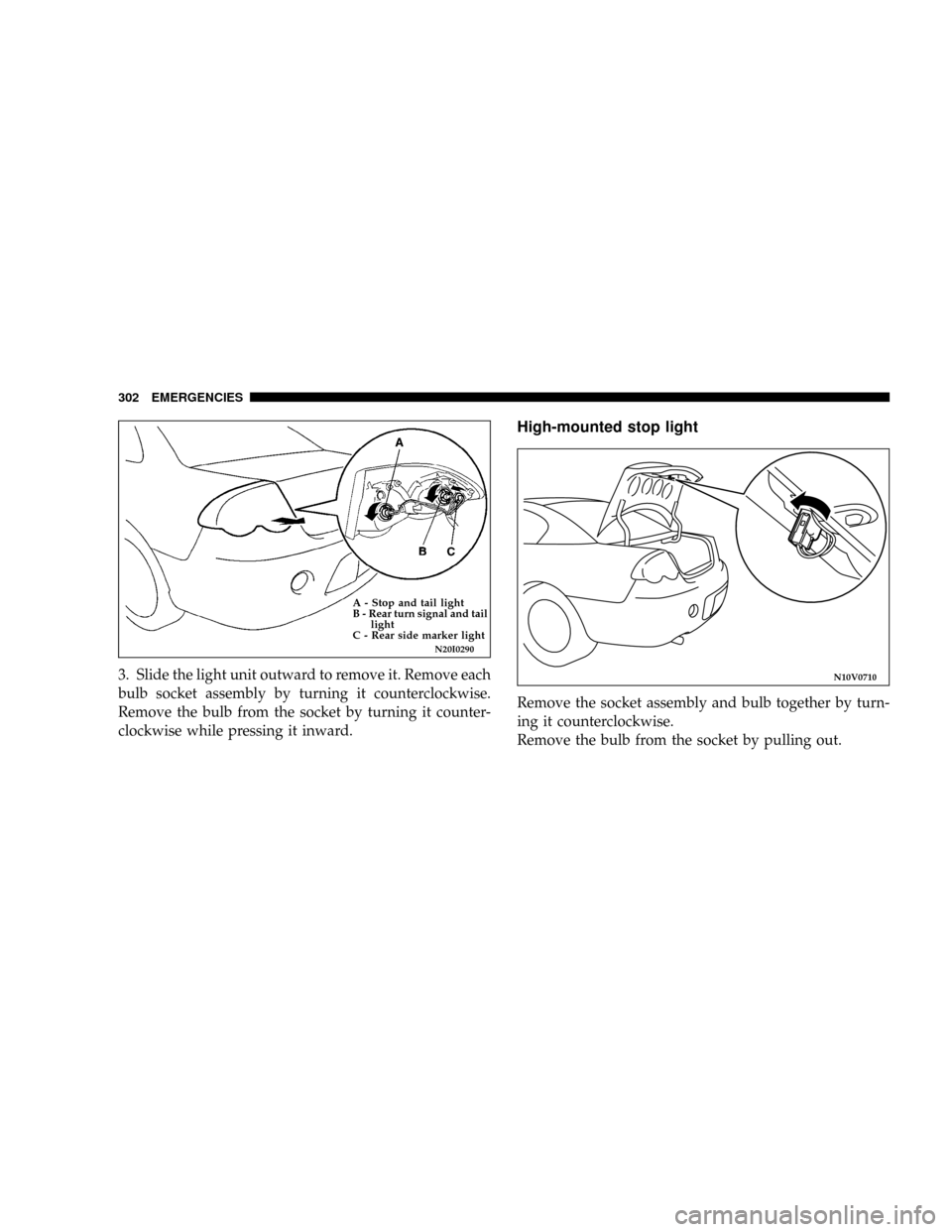
3. Slide the light unit outward to remove it. Remove each
bulb socket assembly by turning it counterclockwise.
Remove the bulb from the socket by turning it counter-
clockwise while pressing it inward.
High-mounted stop light
Remove the socket assembly and bulb together by turn-
ing it counterclockwise.
Remove the bulb from the socket by pulling out.
N20I0290
A - Stop and tail light
B - Rear turn signal and tail
light
C - Rear side marker light
N10V0710
302 EMERGENCIES
Page 303 of 396
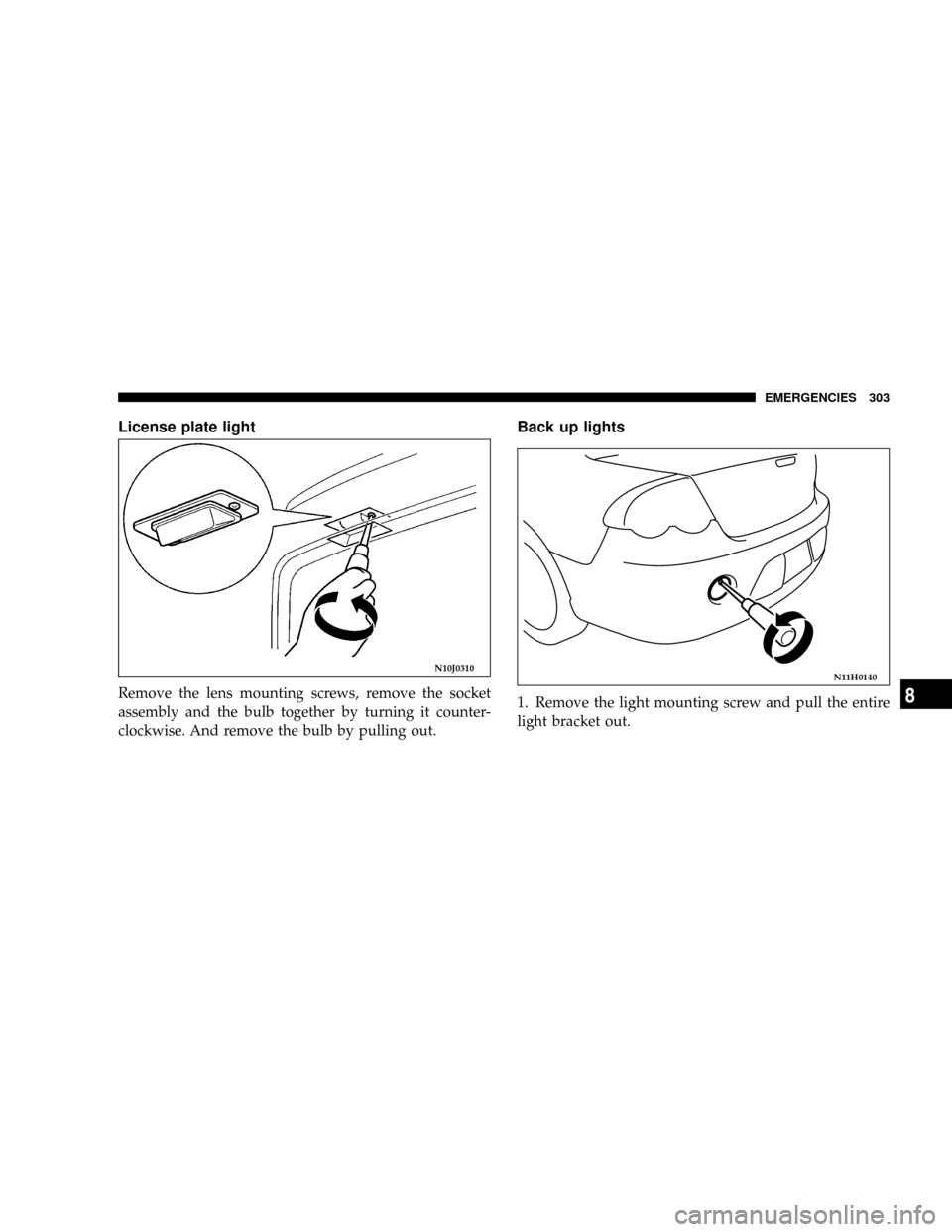
License plate light
Remove the lens mounting screws, remove the socket
assembly and the bulb together by turning it counter-
clockwise. And remove the bulb by pulling out.
Back up lights
1. Remove the light mounting screw and pull the entire
light bracket out.
N10J0310N11H0140
EMERGENCIES 303
8
Page 304 of 396
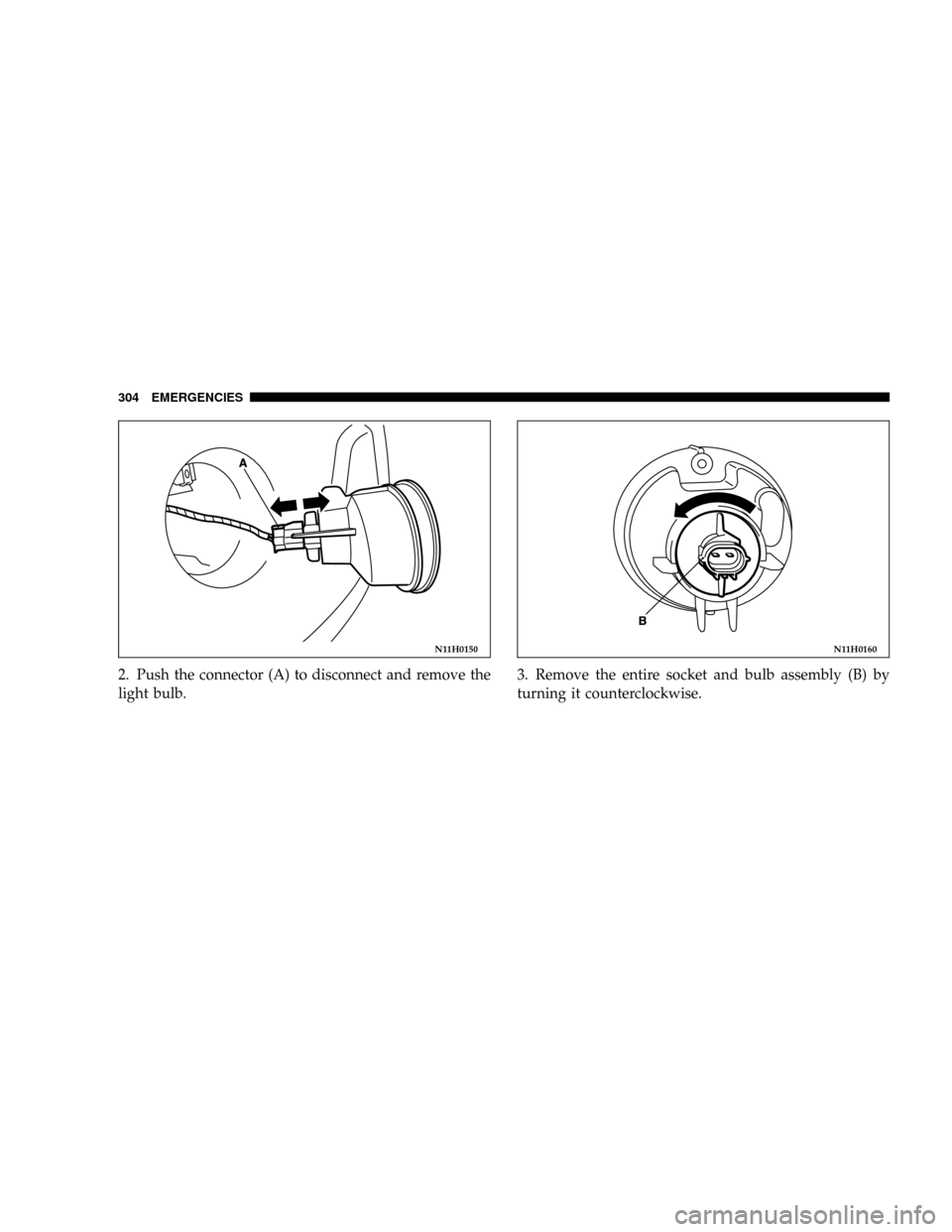
2. Push the connector (A) to disconnect and remove the
light bulb.3. Remove the entire socket and bulb assembly (B) by
turning it counterclockwise.
N11H0150N11H0160
304 EMERGENCIES
Page 305 of 396
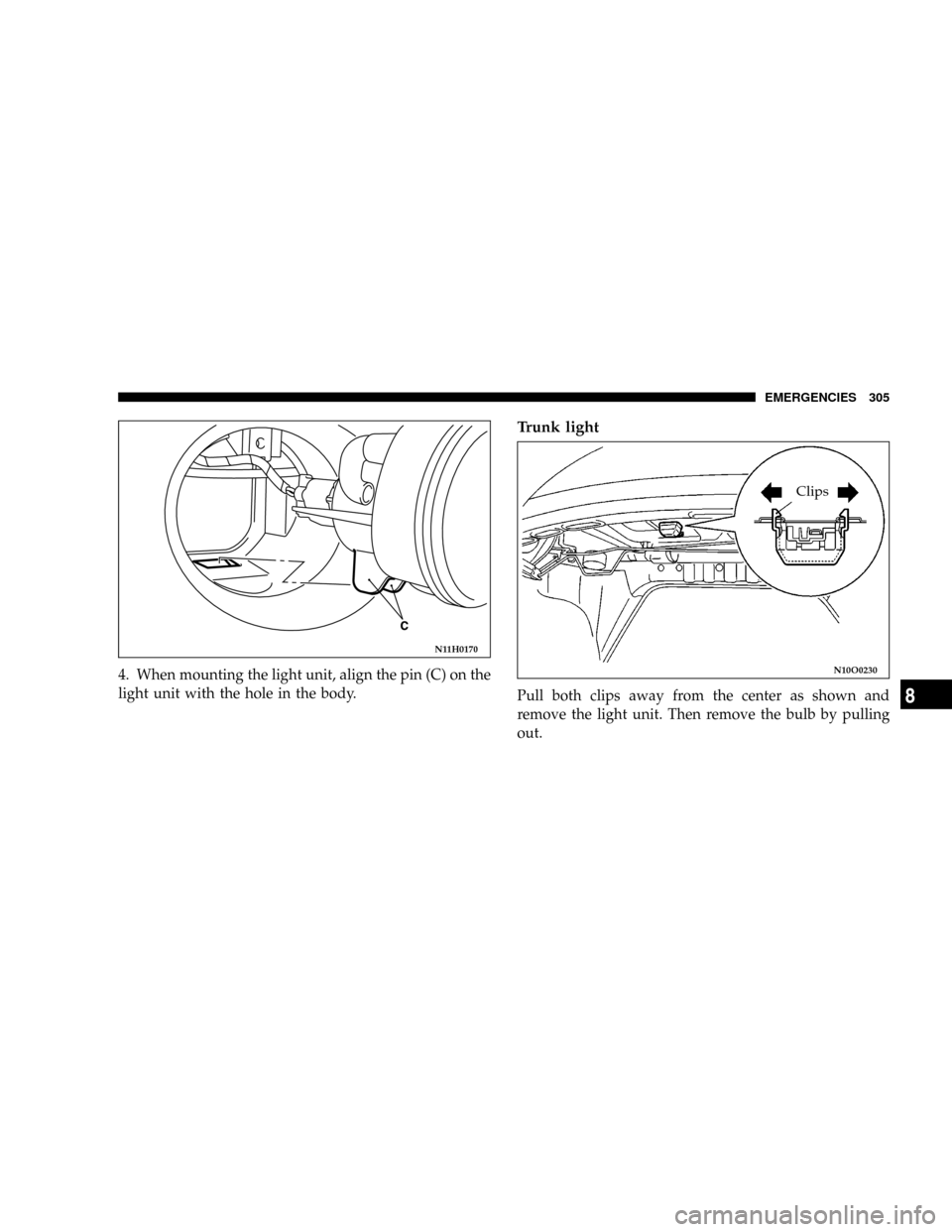
4. When mounting the light unit, align the pin (C) on the
light unit with the hole in the body.
Trunk light
Pull both clips away from the center as shown and
remove the light unit. Then remove the bulb by pulling
out.
N11H0170
N10O0230
Clips
EMERGENCIES 305
8
Page 306 of 396
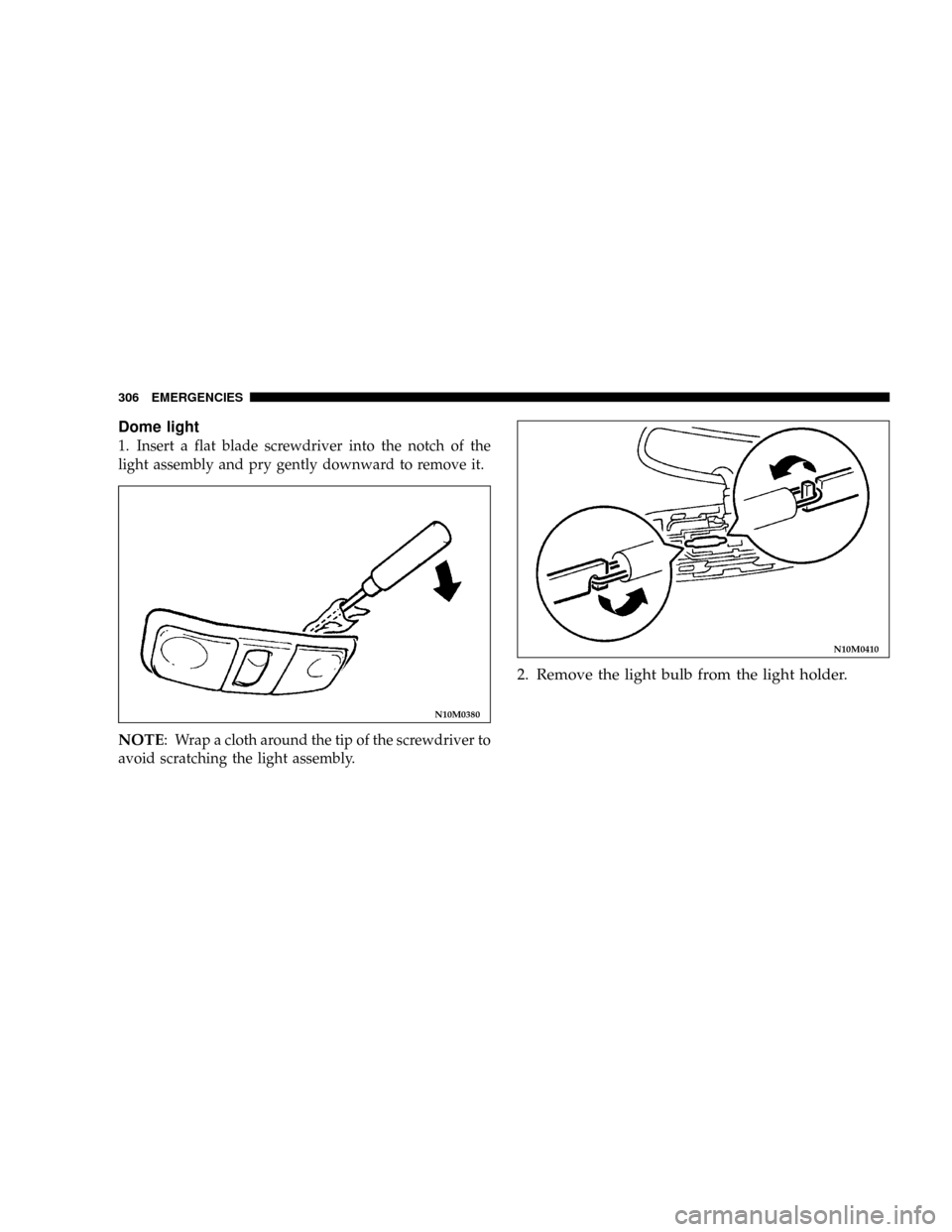
Dome light
1. Insert a flat blade screwdriver into the notch of the
light assembly and pry gently downward to remove it.
NOTE: Wrap a cloth around the tip of the screwdriver to
avoid scratching the light assembly.
2. Remove the light bulb from the light holder.
N10M0380
N10M0410
306 EMERGENCIES
Page 307 of 396
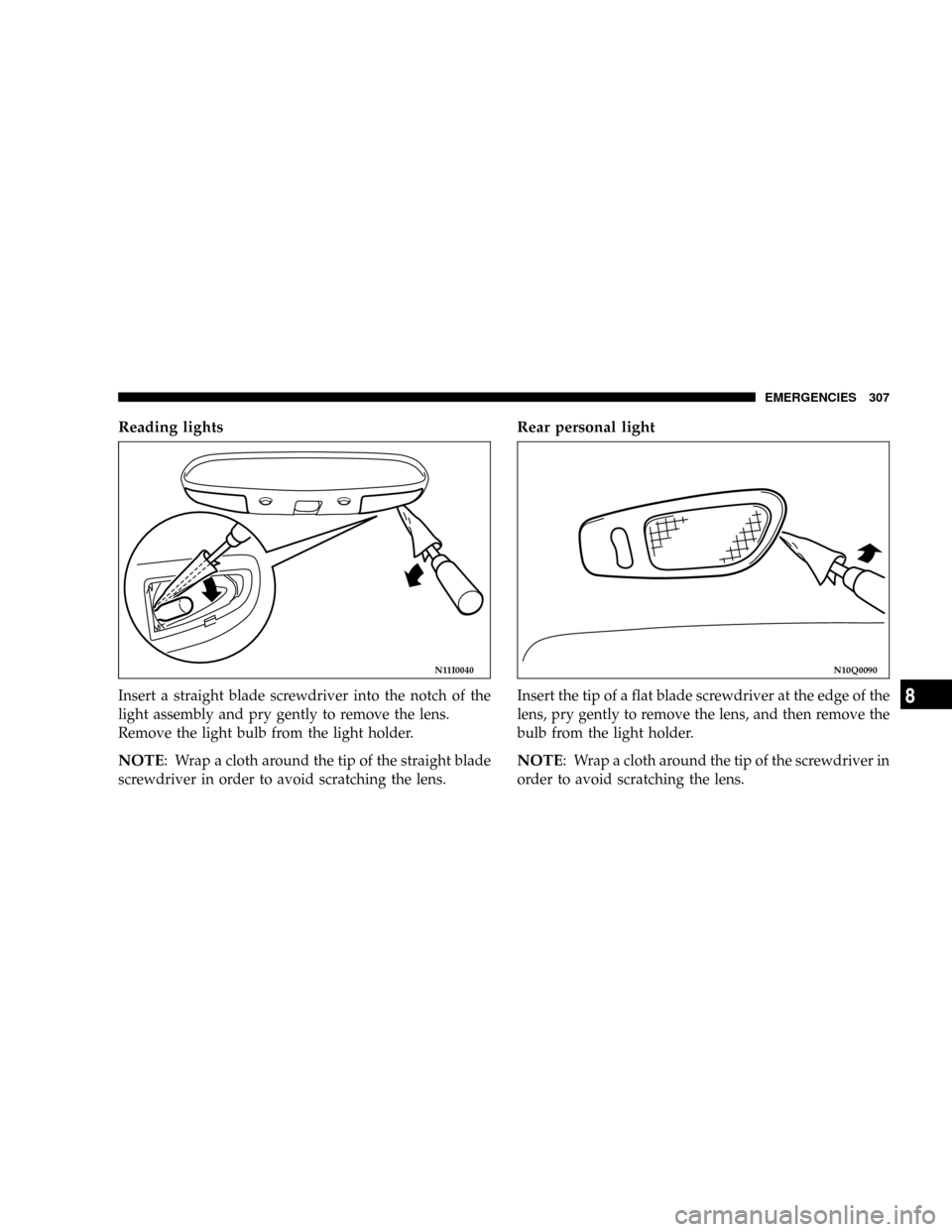
Reading lights
Insert a straight blade screwdriver into the notch of the
light assembly and pry gently to remove the lens.
Remove the light bulb from the light holder.
NOTE: Wrap a cloth around the tip of the straight blade
screwdriver in order to avoid scratching the lens.
Rear personal light
Insert the tip of a flat blade screwdriver at the edge of the
lens, pry gently to remove the lens, and then remove the
bulb from the light holder.
NOTE: Wrap a cloth around the tip of the screwdriver in
order to avoid scratching the lens.
N11I0040N10Q0090
EMERGENCIES 307
8