light DODGE STRATUS COUPE 2005 2.G Manual PDF
[x] Cancel search | Manufacturer: DODGE, Model Year: 2005, Model line: STRATUS COUPE, Model: DODGE STRATUS COUPE 2005 2.GPages: 396
Page 164 of 396

If the ªNº indicator light in the instrument panel flashes,
there could be a malfunction with the automatic transaxle
system. Identify and take action in accordance with the
following procedures:
1. The ªNº indicator light flashes rapidly (twice per
second) in the ªDº or ªAutostickº range.
If this occurs, the automatic transaxle fluid is overheat-
ing. Park your vehicle in a safe place but do not turn off
the engine. Move the selector lever to the ªPº position
and open the hood. Keep the engine idling.
After a while, move the selector lever to the ªDº or
ªAutostickº position and confirm that the ªNº indicator
light stops flashing. It is safe to continue driving if the
ªNº light no longer flashes.
Be sure to carry out this check with the selector lever in
the ªDº or ªAutostickº position. The ªNº indicator light
warning function operates only in the ªDº or ªAutostickº
range.
If the ªNº indicator light continues flashing or flashes
intermittently, have your vehicle inspected by an autho-
rized dealer.2. The ªNº indicator light flashes slowly (once per
second) in the ªDº or ªAutostickº range.
The automatic transaxle safety device may be operating
due to a malfunction.
Have your vehicle inspected by an authorized dealer as
soon as possible.
Selector positions (Main gate)
P-PARK
This position locks the transaxle to prevent the vehicle
from moving. The engine can be started in this position.
R - REVERSE
Shift into this position only after the vehicle has come to
a complete stop.
CAUTION!
Never shift into the ªPº (PARK) or ªRº (REVERSE)
position while the vehicle is in motion. If the lever is
shifted into the ªPº or ªRº position while the vehicle
is in motion, the transaxle may be damaged.
164 STARTING AND DRIVING
Page 167 of 396
3. In Autostick, downward shifts are made automatically
when the vehicle slows down. When the vehicle stops,
1st gear is automatically selected.
4. When starting out on slippery roads, push the selector
lever forward into the + (UP) position. This puts the
transmission into 2nd gear and is better for starting out
on slippery roads. Push the selector lever to the ±
(DOWN) side to shift back to 1st gear.
5. Move the selector lever gently between the manual
and main gates and between positions in the manual
gate. Undue force could damage the selector lever.Indication lights
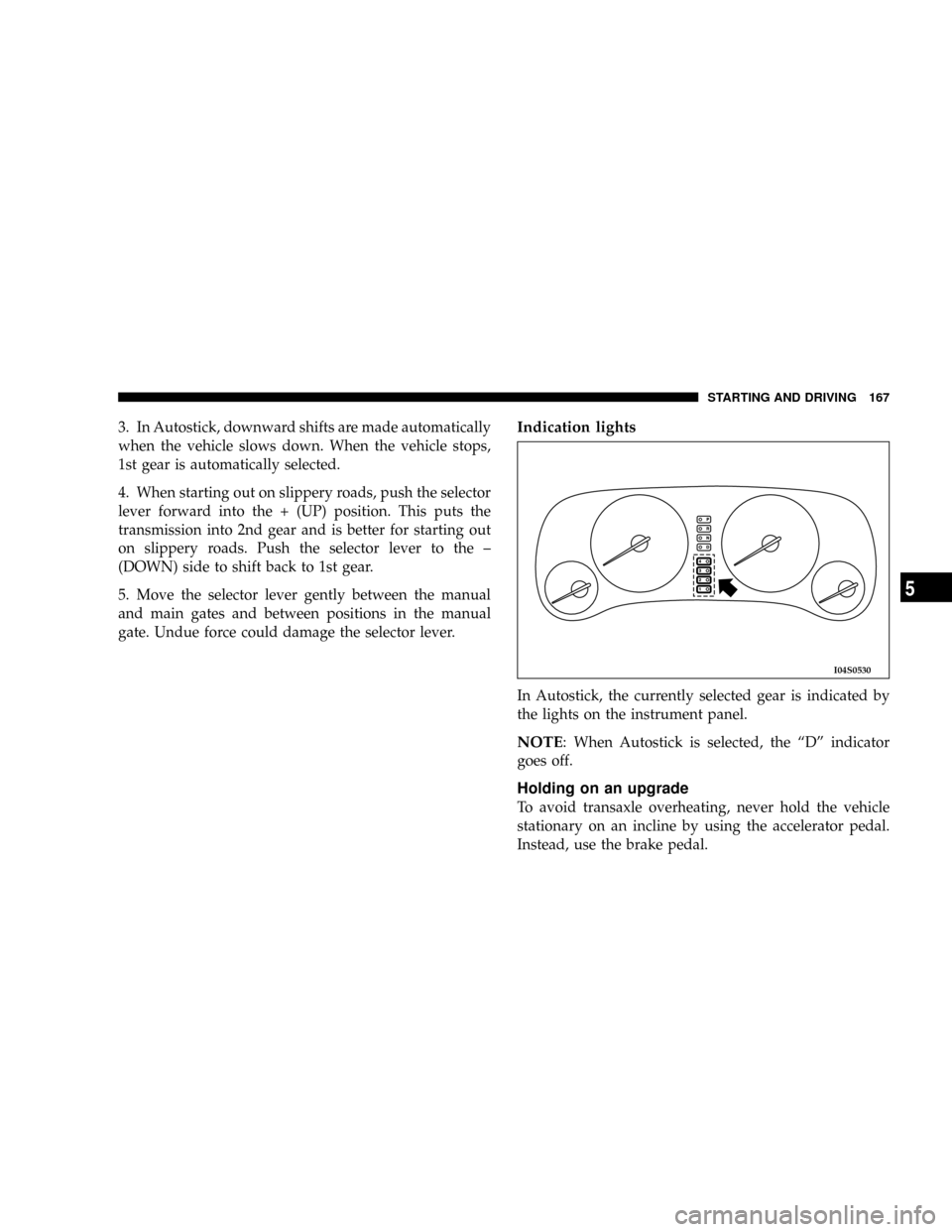
In Autostick, the currently selected gear is indicated by
the lights on the instrument panel.
NOTE: When Autostick is selected, the ªDº indicator
goes off.
Holding on an upgrade
To avoid transaxle overheating, never hold the vehicle
stationary on an incline by using the accelerator pedal.
Instead, use the brake pedal.
I04S0530
STARTING AND DRIVING 167
5
Page 171 of 396
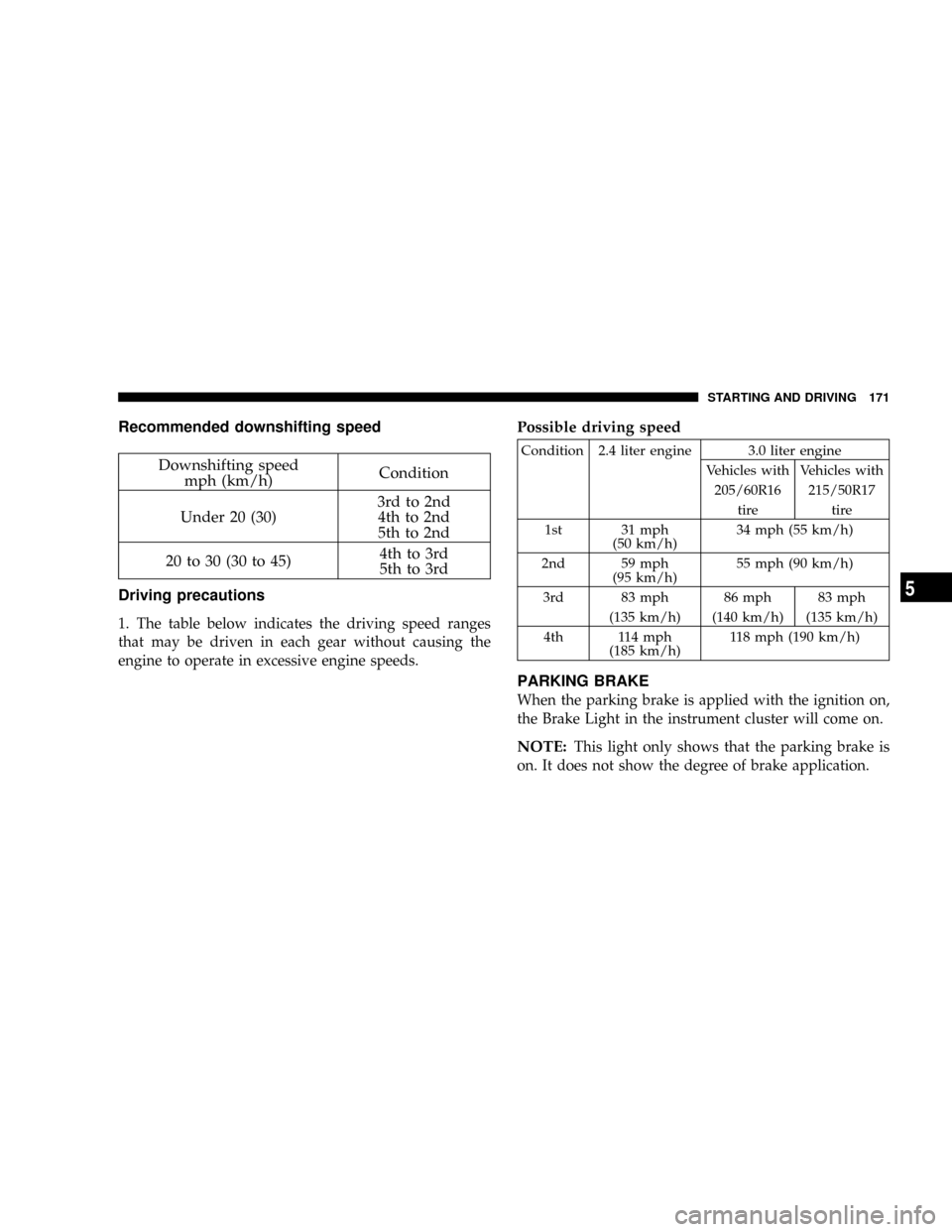
Recommended downshifting speed
Downshifting speed
mph (km/h)Condition
Under 20 (30)3rd to 2nd
4th to 2nd
5th to 2nd
20 to 30 (30 to 45)4th to 3rd
5th to 3rd
Driving precautions
1. The table below indicates the driving speed ranges
that may be driven in each gear without causing the
engine to operate in excessive engine speeds.
Possible driving speed
Condition 2.4 liter engine 3.0 liter engine
Vehicles with Vehicles with
205/60R16 215/50R17
tire tire
1st 31 mph
(50 km/h)34 mph (55 km/h)
2nd 59 mph
(95 km/h)55 mph (90 km/h)
3rd 83 mph 86 mph 83 mph
(135 km/h) (140 km/h) (135 km/h)
4th 114 mph
(185 km/h)118 mph (190 km/h)
PARKING BRAKE
When the parking brake is applied with the ignition on,
the Brake Light in the instrument cluster will come on.
NOTE:This light only shows that the parking brake is
on. It does not show the degree of brake application.
STARTING AND DRIVING 171
5
Page 175 of 396

WARNING!
Driving on worn brake pads can reduce your ability
to stop, and can result in an accident.
ANTI-LOCK BRAKING (ABS) SYSTEM (IF SO
EQUIPPED)
The ABS gives increased vehicle stability and brake
performance under most braking conditions. The system
automatically ªpumpsº the brakes during severe braking
conditions to prevent wheel lock up.
All vehicle wheels and tires must be the same size and
tires must be properly inflated to produce optimal signals
for the computer. However, the system will compensate
when the compact spare is in use.
During stops where ABS is activated, a vibration of the
brake pedal may be felt and associated system noises
may be heard.
NOTE:Pumping of the brake pedal will diminish the
effectiveness of Anti-lock brakes and may lead to anaccident. Pumping makes the stopping distance longer.
Just press firmly on your brake pedal when you need to
slow down or stop.
General driving hints (standard/anti-lock brakes)
1. During anti-lock braking, steering differs slightly from
normal driving conditions. Be sure to operate steering
wheel carefully.
2. The anti-lock braking system is not restricted to situ-
ations where brakes are applied suddenly. This system
may also operate to prevent wheel lock when driving
over manholes, steel roadwork plates, road markings, or
any uneven road surface.
3. Always maintain a safe distance from vehicles in front
of you. If your vehicle is equipped with Anti-lock braking
system, allow for a greater braking distance when:
·Driving on gravel or snow-covered roads.
·Driving with tire chains installed.
·Driving on uneven road surfaces.
STARTING AND DRIVING 175
5
Page 176 of 396
CAUTION!
²Anti-lock braking system can not prevent acci-
dents. It remains the driver's task to exercise
safety precautions and to drive prudently.
²To prevent failure of the anti-lock braking system,
be sure all 4-wheels and tires are the same size
and type (space saver spare excluded).
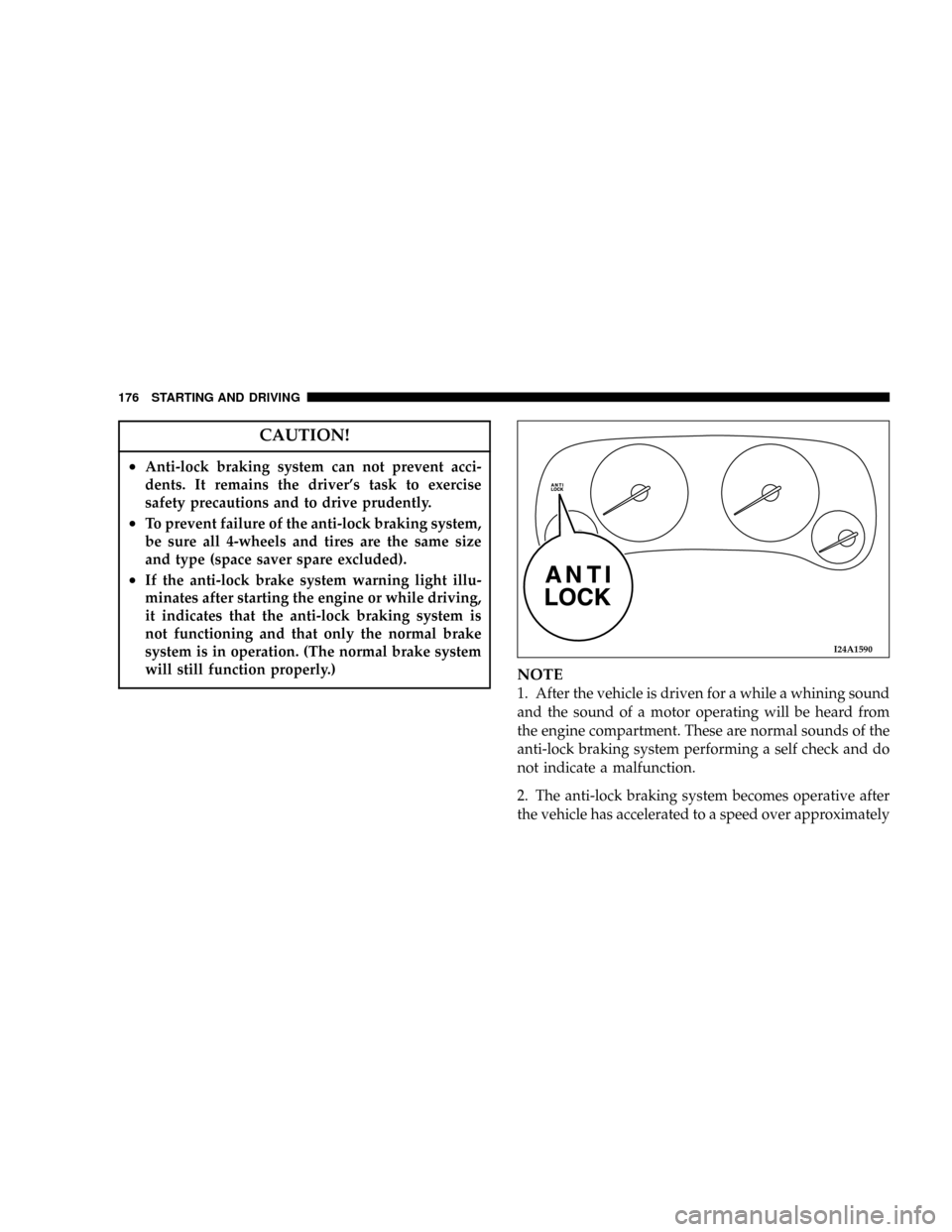
²If the anti-lock brake system warning light illu-
minates after starting the engine or while driving,
it indicates that the anti-lock braking system is
not functioning and that only the normal brake
system is in operation. (The normal brake system
will still function properly.)
NOTE
1. After the vehicle is driven for a while a whining sound
and the sound of a motor operating will be heard from
the engine compartment. These are normal sounds of the
anti-lock braking system performing a self check and do
not indicate a malfunction.
2. The anti-lock braking system becomes operative after
the vehicle has accelerated to a speed over approximately
I24A1590
176 STARTING AND DRIVING
Page 179 of 396
INSIDE DAY/NIGHT REARVIEW MIRRORS
WARNING!
²Do not attempt to adjust the rearview mirrors
while driving. This can be dangerous.
²Your passenger's side mirror is convex. The ob-
jects you see in the mirror will look smaller and
farther away than they actually are. Do not use
this mirror to estimate the distance of following
vehicles when changing lanes.
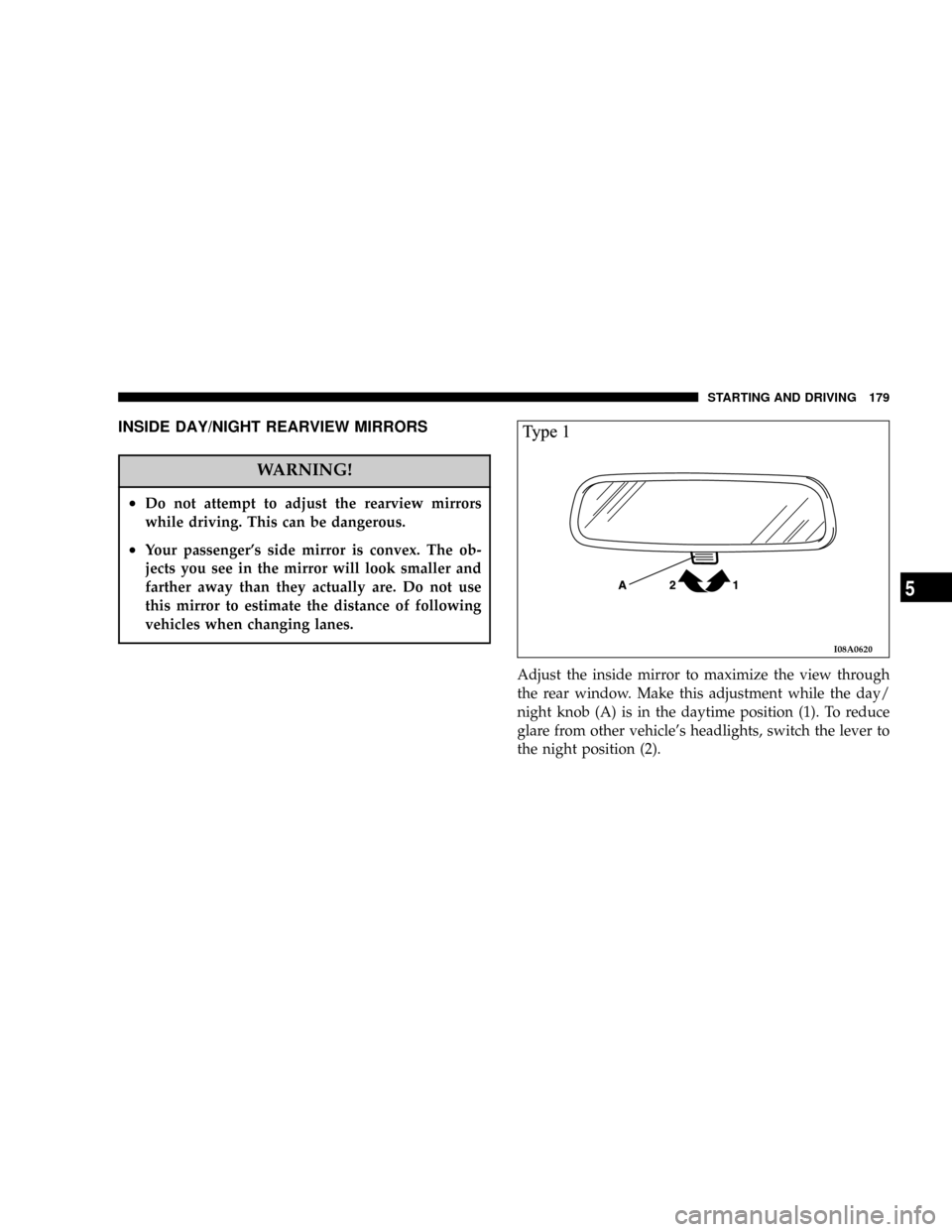
Adjust the inside mirror to maximize the view through
the rear window. Make this adjustment while the day/
night knob (A) is in the daytime position (1). To reduce
glare from other vehicle's headlights, switch the lever to
the night position (2).
I08A0620
STARTING AND DRIVING 179
5
Page 180 of 396
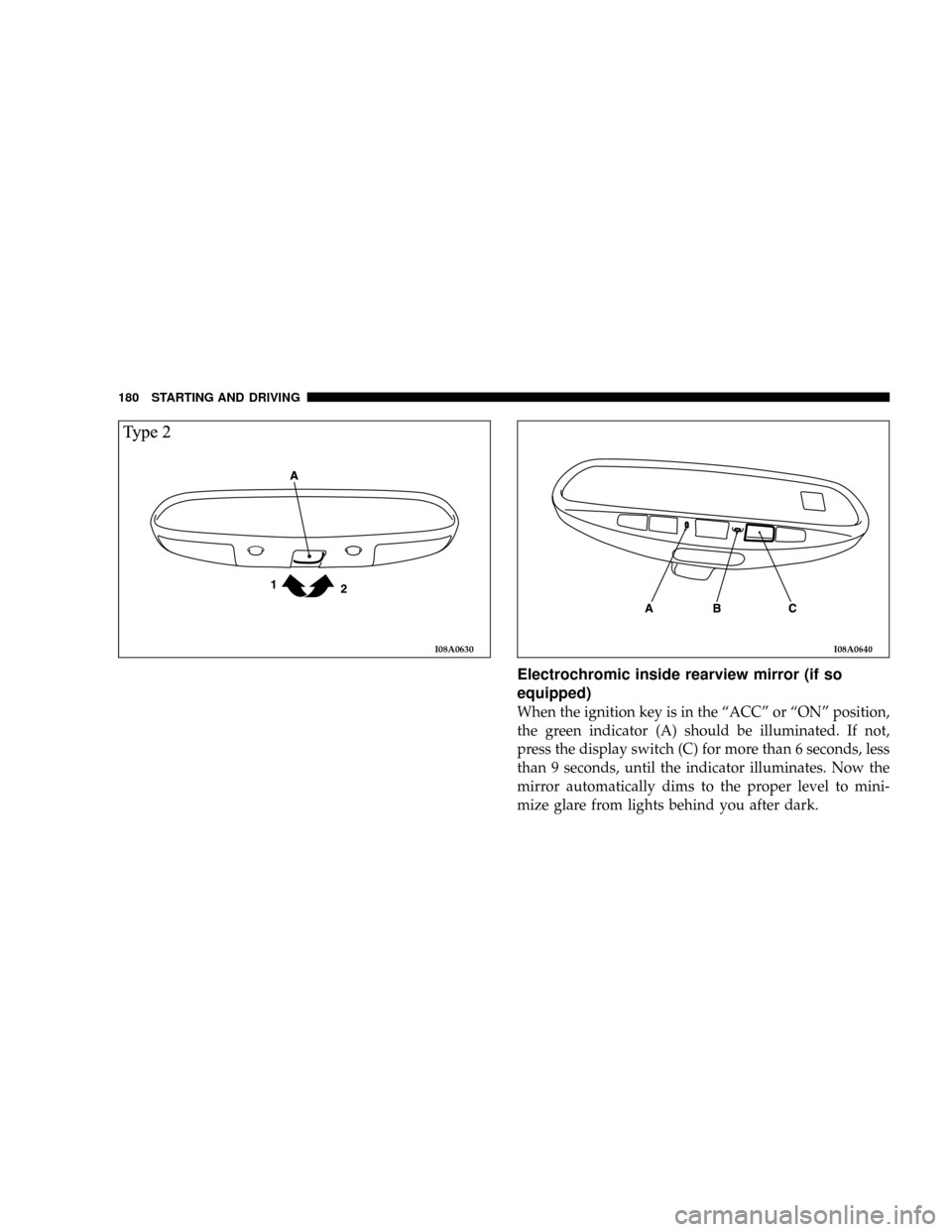
Electrochromic inside rearview mirror (if so
equipped)
When the ignition key is in the ªACCº or ªONº position,
the green indicator (A) should be illuminated. If not,
press the display switch (C) for more than 6 seconds, less
than 9 seconds, until the indicator illuminates. Now the
mirror automatically dims to the proper level to mini-
mize glare from lights behind you after dark.
I08A0630I08A0640
180 STARTING AND DRIVING
Page 181 of 396
To turn off the function, press the display switch (C) more
than 6 seconds, less than 9 seconds. When the green
indicator (A) goes off, the automatic anti-glare will not
function.
To turn the function back on, press the display switch (C)
more than 6 seconds, less than 9 seconds.
NOTE:
²
Do not spray glass cleaner on the sensor (B), as
reduced sensitivity could result.
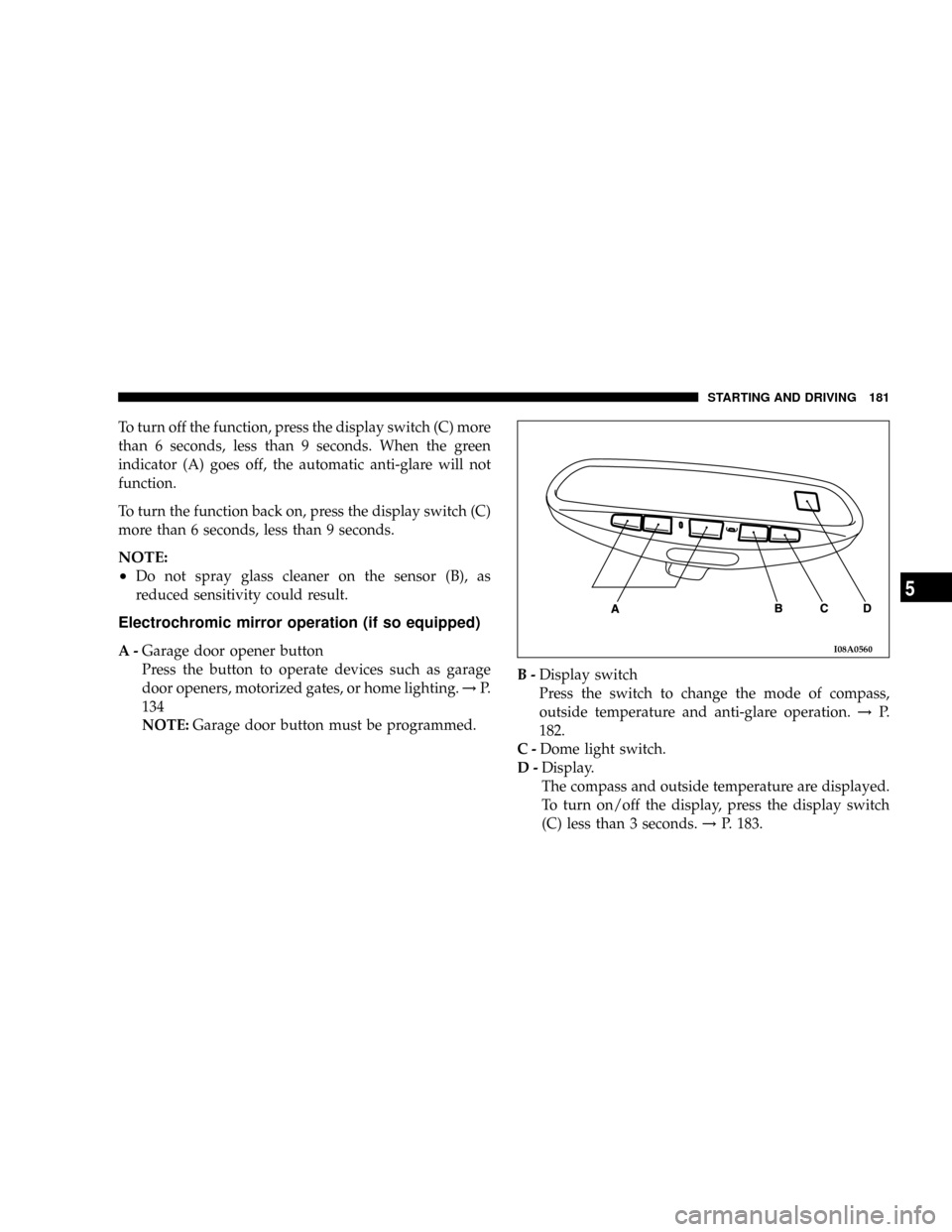
Electrochromic mirror operation (if so equipped)
A-Garage door opener button
Press the button to operate devices such as garage
door openers, motorized gates, or home lighting.!P.
134
NOTE:Garage door button must be programmed.B-Display switch
Press the switch to change the mode of compass,
outside temperature and anti-glare operation.!P.
182.
C-Dome light switch.
D-Display.
The compass and outside temperature are displayed.
To turn on/off the display, press the display switch
(C) less than 3 seconds.!P. 183.I08A0560
STARTING AND DRIVING 181
5
Page 193 of 396
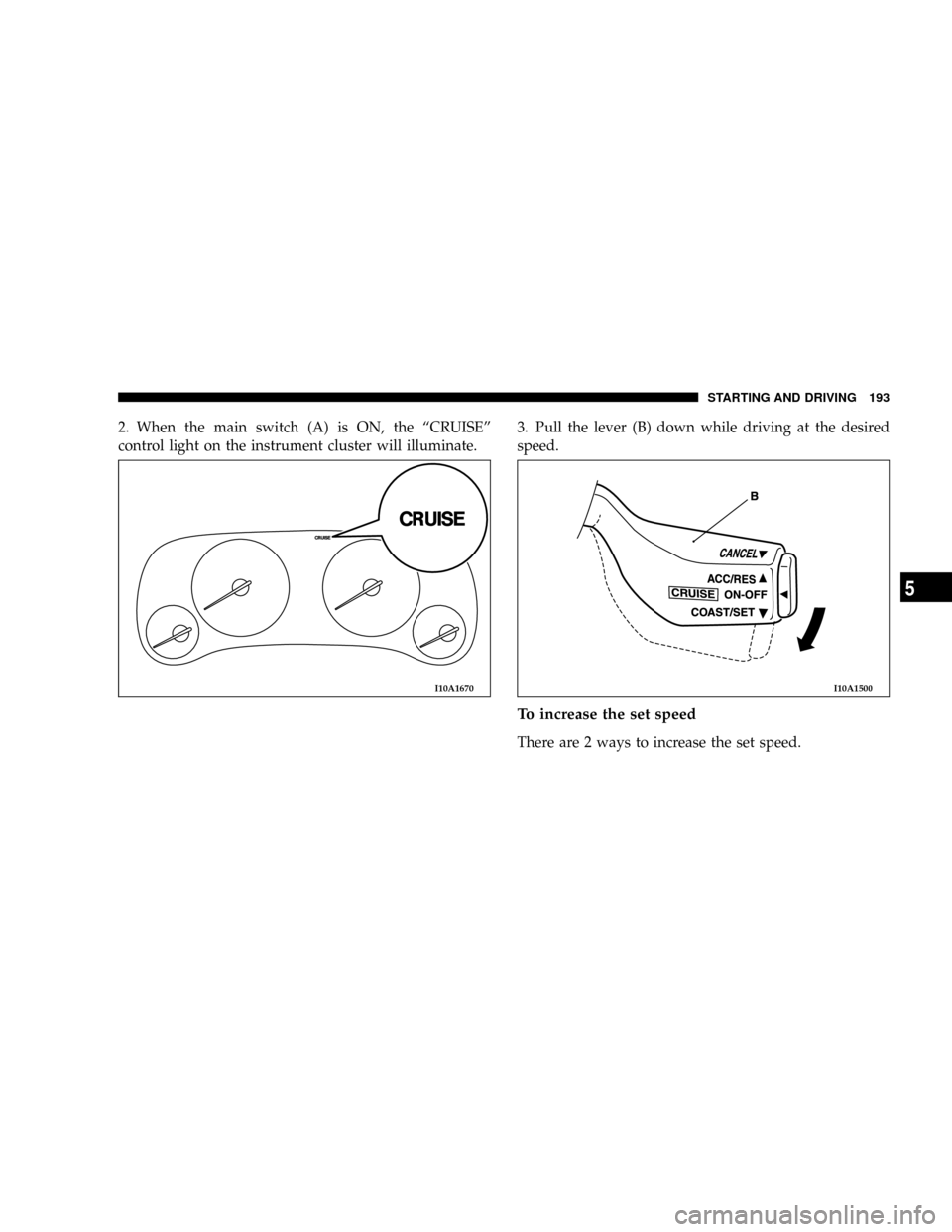
2. When the main switch (A) is ON, the ªCRUISEº
control light on the instrument cluster will illuminate.3. Pull the lever (B) down while driving at the desired
speed.
To increase the set speed
There are 2 ways to increase the set speed.
I10A1670I10A1500
STARTING AND DRIVING 193
5
Page 197 of 396
3. By slightly tapping the brake pedal or pressing down
on it to slow your speed.
4. By pressing the clutch pedal down (for vehicles with
manual transaxle).
5. By moving the selector lever to ªNº (for vehicles with
automatic transaxle).
6. When your speed slows to 10 mph (15km/h) or more
below the set speed because of a hill, etc.
7. When your speed slows to 25mph (40km/h) or less.
WARNING
²For vehicles with automatic transaxles, although
the cruise/speed control can be turned off by
moving the selector lever to the ªNº position,
never move the selector lever to the ªNº position
while driving. You would have no engine braking
and could cause a serious accident.
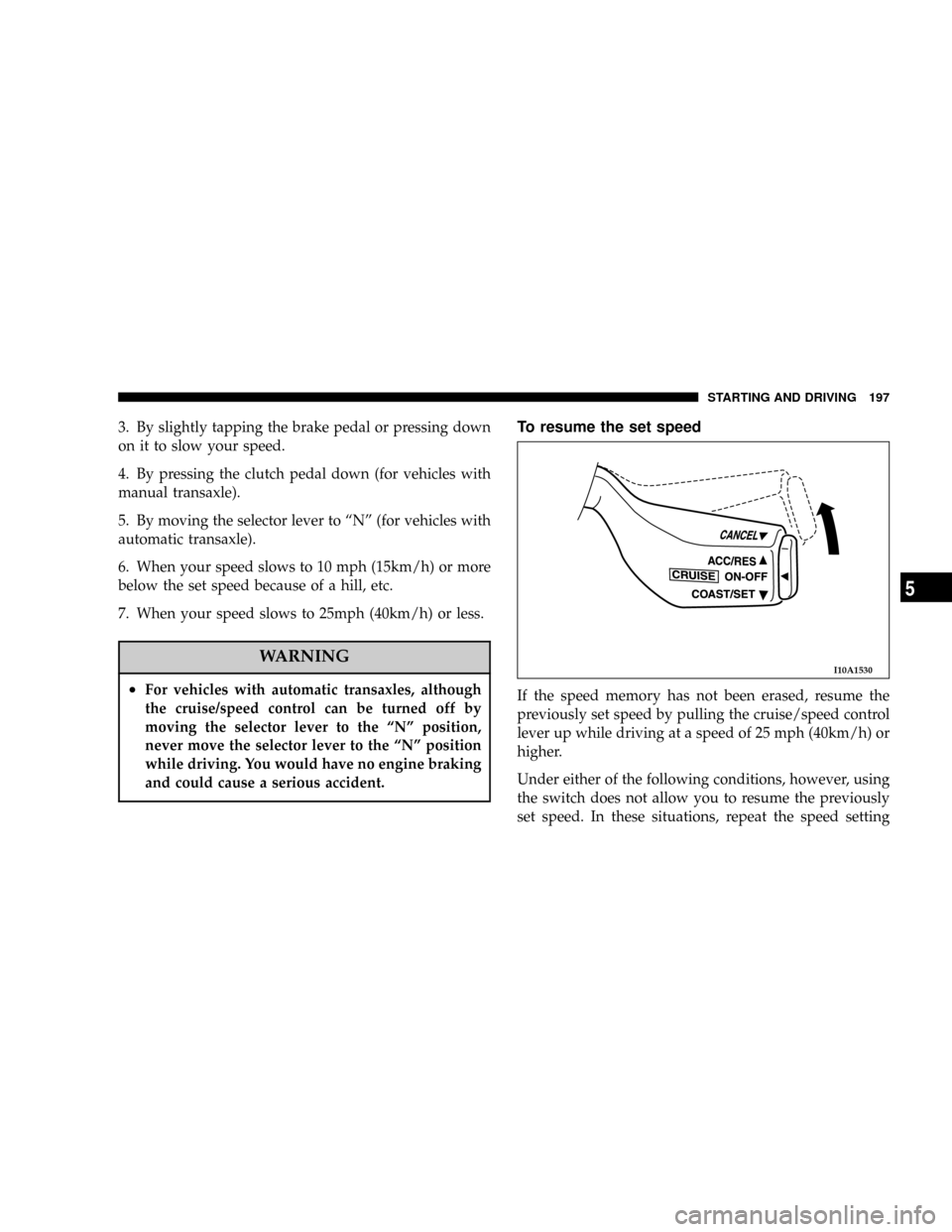
To resume the set speed
If the speed memory has not been erased, resume the
previously set speed by pulling the cruise/speed control
lever up while driving at a speed of 25 mph (40km/h) or
higher.
Under either of the following conditions, however, using
the switch does not allow you to resume the previously
set speed. In these situations, repeat the speed setting
I10A1530
STARTING AND DRIVING 197
5