lights DODGE VIPER 2008 ZB II / 2.G User Guide
[x] Cancel search | Manufacturer: DODGE, Model Year: 2008, Model line: VIPER, Model: DODGE VIPER 2008 ZB II / 2.GPages: 303, PDF Size: 2.65 MB
Page 63 of 303
NDaytime Running Lights.................82
NLights-On Reminder....................82
NBattery Saver Feature Ð Exterior Lights......82
NFog Lights...........................82
NTurn Signals..........................82
NHighbeam/Lowbeam Select Switch..........83
NFlash To Pass.........................84
NInterior Lights........................84mWindshield Wipers And Washers.............87
NIntermittent Wiper System................87
NMist Feature..........................88
NWindshield Washers....................88
NAdding Washer Fluid...................89
mTilt Steering Column.....................89
mAdjustable Pedals.......................90
NAdjustable Foot Rest....................92
mConsole Features........................92
62 UNDERSTANDING THE FEATURES OF YOUR VEHICLE
Page 82 of 303
LIGHTS
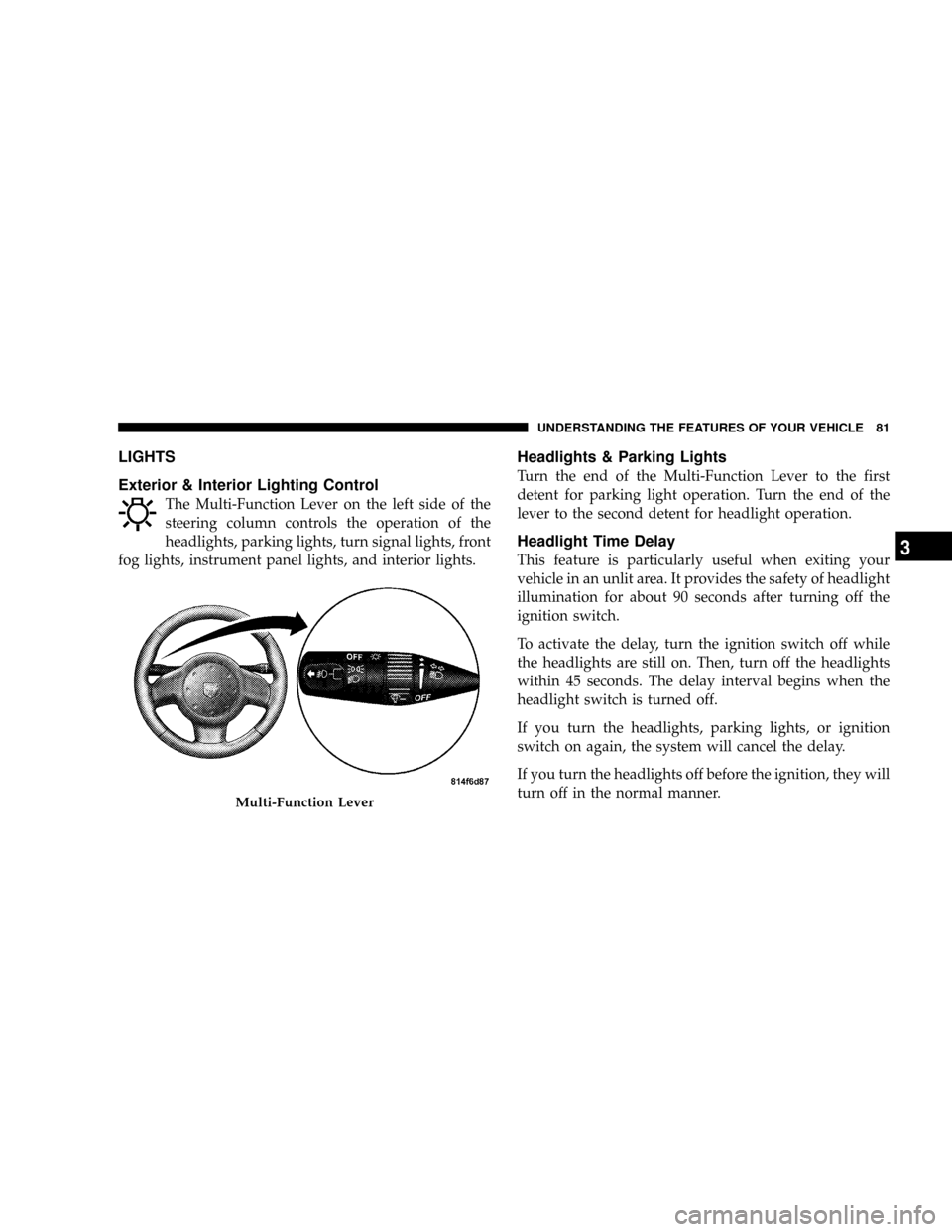
Exterior & Interior Lighting Control
The Multi-Function Lever on the left side of the
steering column controls the operation of the
headlights, parking lights, turn signal lights, front
fog lights, instrument panel lights, and interior lights.
Headlights & Parking Lights
Turn the end of the Multi-Function Lever to the first
detent for parking light operation. Turn the end of the
lever to the second detent for headlight operation.
Headlight Time Delay
This feature is particularly useful when exiting your
vehicle in an unlit area. It provides the safety of headlight
illumination for about 90 seconds after turning off the
ignition switch.
To activate the delay, turn the ignition switch off while
the headlights are still on. Then, turn off the headlights
within 45 seconds. The delay interval begins when the
headlight switch is turned off.
If you turn the headlights, parking lights, or ignition
switch on again, the system will cancel the delay.
If you turn the headlights off before the ignition, they will
turn off in the normal manner.
Multi-Function Lever
UNDERSTANDING THE FEATURES OF YOUR VEHICLE 81
3
Page 83 of 303
This feature can be disabled at the dealership, if so
desired.
Daytime Running Lights
The fog lights will come on as Daytime Running Lights,
whenever the ignition switch is on, the headlights are off,
and the parking brake is off. The headlight switch must
be used for normal night time driving.
NOTE:This feature is standard on all Canadian vehicles
and cannot be disabled. For US vehicles, this feature is
shipped disabled and can be enabled or disabled at a
dealership, if so desired.
Lights-On Reminder
If the headlights or parking lights are on and the ignition
switch is turned off, a chime will sound when the driver's
door is opened to alert the driver.
Battery Saver Feature Ð Exterior Lights
To protect the battery, the exterior lights will turn off
automatically 3 minutes after the ignition switch is
turned off. To restore exterior light operation, either turn
the ignition switch on or cycle the headlight switch.
Fog Lights
To activate the front fog lights, turn on the parking
lights or the low beam headlights and pull out on
the end of the Multi-Function Lever.
NOTE:The fog lights will only operate with the head-
lights on low beam. Selecting high beam headlights will
turn off the fog lights.
Turn Signals
Move the Multi-Function Lever upward or downward
and the corresponding turn signal indicator on the in-
strument panel will flash to show proper operation of the
front and rear turn signal lights.
82 UNDERSTANDING THE FEATURES OF YOUR VEHICLE
Page 84 of 303
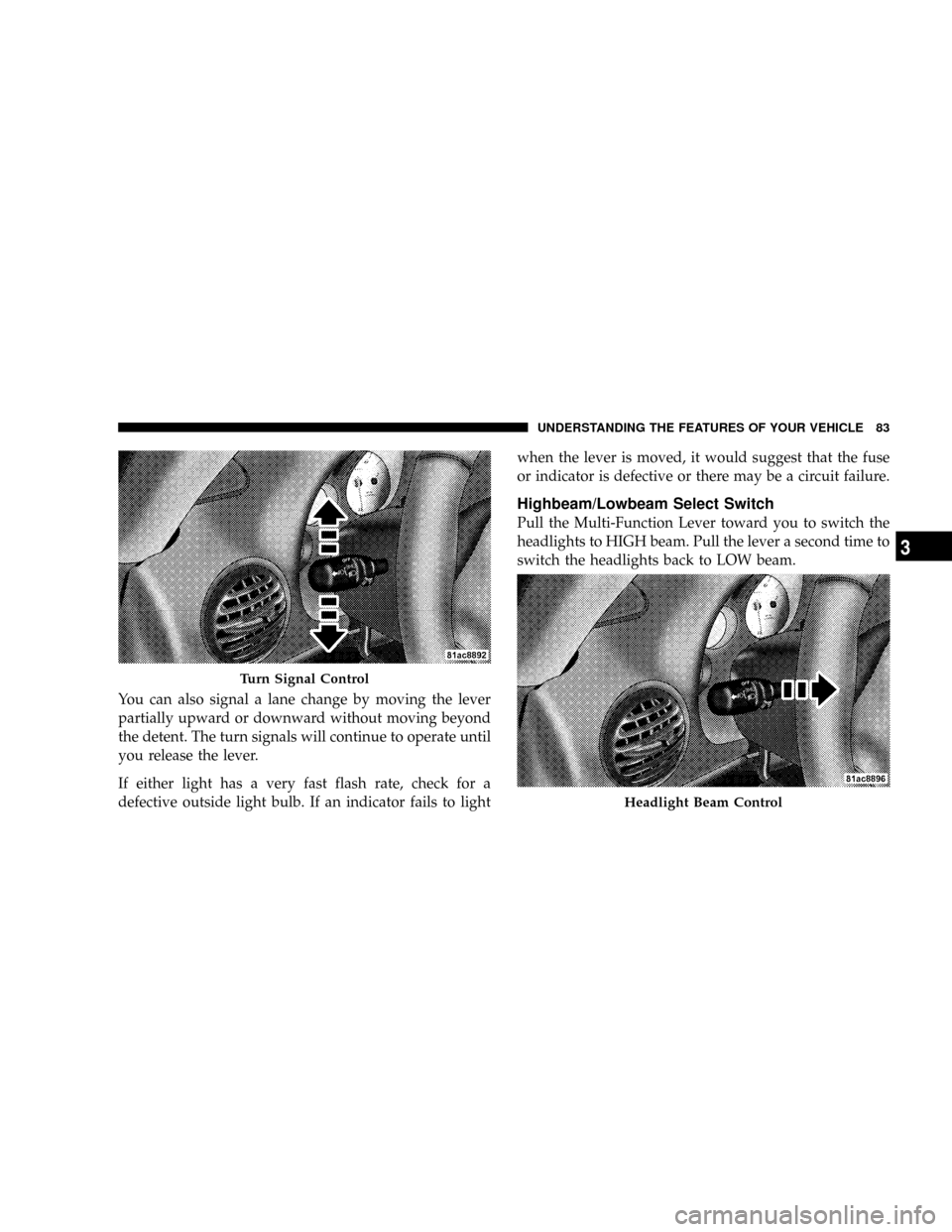
You can also signal a lane change by moving the lever
partially upward or downward without moving beyond
the detent. The turn signals will continue to operate until
you release the lever.
If either light has a very fast flash rate, check for a
defective outside light bulb. If an indicator fails to lightwhen the lever is moved, it would suggest that the fuse
or indicator is defective or there may be a circuit failure.
Highbeam/Lowbeam Select Switch
Pull the Multi-Function Lever toward you to switch the
headlights to HIGH beam. Pull the lever a second time to
switch the headlights back to LOW beam.
Turn Signal Control
Headlight Beam Control
UNDERSTANDING THE FEATURES OF YOUR VEHICLE 83
3
Page 85 of 303
Flash to Pass
You can signal another vehicle with your headlights by
lightly pulling the Multi-Function Lever toward you.
This will cause the headlights to turn on at high beam
and remain on until the lever is released.
Interior Lights
The interior lights will turn on whenever a door is
opened or the liftgate is opened (Coupe models) and the
dimmer switch is not in the defeat position.
The interior lights will turn on, remain on for about 30
seconds, and then fade to off if any of the following
occur:
²A door is opened using the outside door handle and
then closed.
²A door is unlocked using the remote keyless entry
transmitter.
²A door is unlocked using the outside driver's door key
cylinder.
The interior lights will turn on and remain on for about 4
seconds and then fade to off if a door is opened using the
inside door handle.
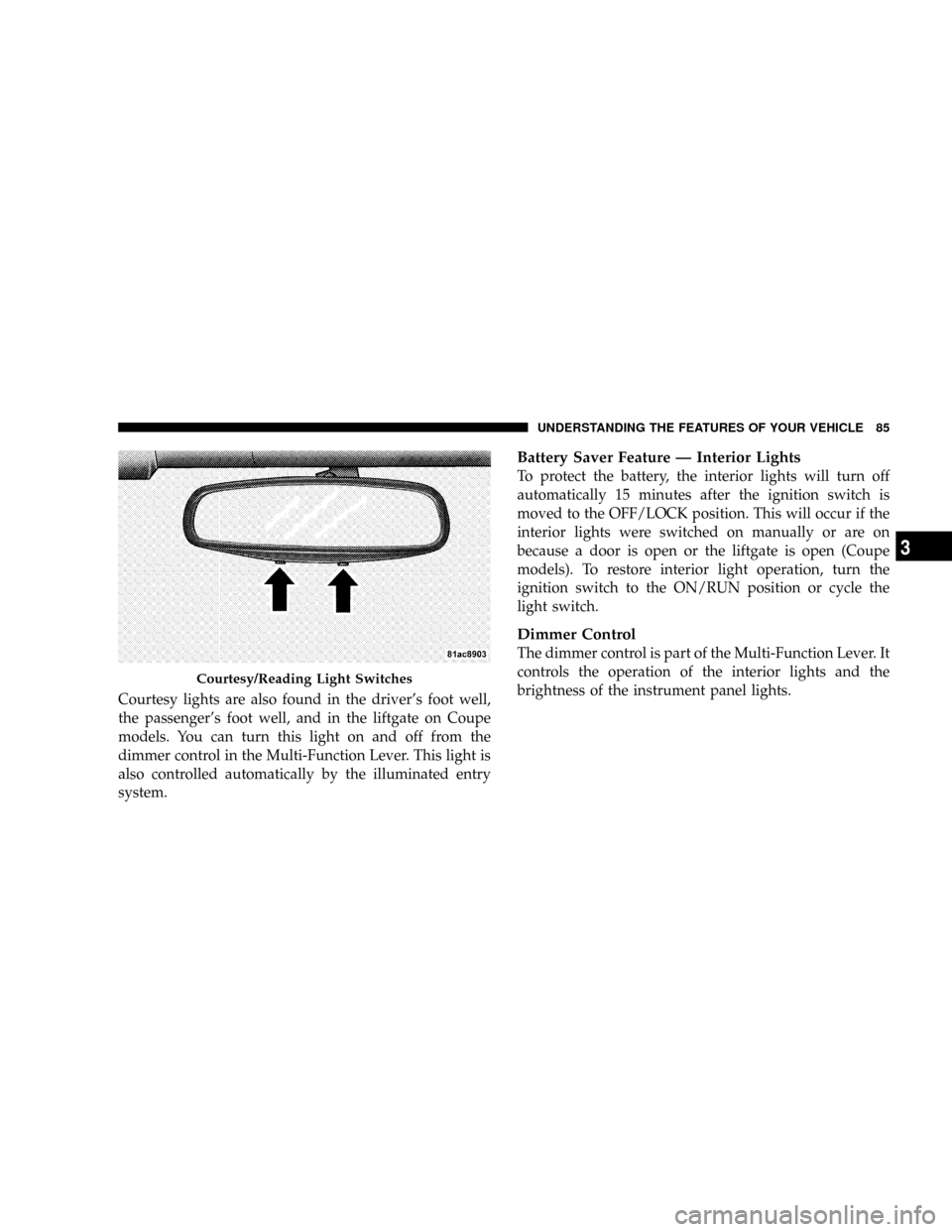
Courtesy/Reading Lights
Two courtesy/reading lights are located in the bottom of
the rearview mirror. You can turn these lights on and off
from the switches in the bottom of the mirror or from the
dimmer control in the Multi-Function Lever. These lights
are also controlled automatically by the illuminated entry
system.
84 UNDERSTANDING THE FEATURES OF YOUR VEHICLE
Page 86 of 303
Courtesy lights are also found in the driver's foot well,
the passenger's foot well, and in the liftgate on Coupe
models. You can turn this light on and off from the
dimmer control in the Multi-Function Lever. This light is
also controlled automatically by the illuminated entry
system.
Battery Saver Feature Ð Interior Lights
To protect the battery, the interior lights will turn off
automatically 15 minutes after the ignition switch is
moved to the OFF/LOCK position. This will occur if the
interior lights were switched on manually or are on
because a door is open or the liftgate is open (Coupe
models). To restore interior light operation, turn the
ignition switch to the ON/RUN position or cycle the
light switch.
Dimmer Control
The dimmer control is part of the Multi-Function Lever. It
controls the operation of the interior lights and the
brightness of the instrument panel lights.
Courtesy/Reading Light Switches
UNDERSTANDING THE FEATURES OF YOUR VEHICLE 85
3
Page 87 of 303
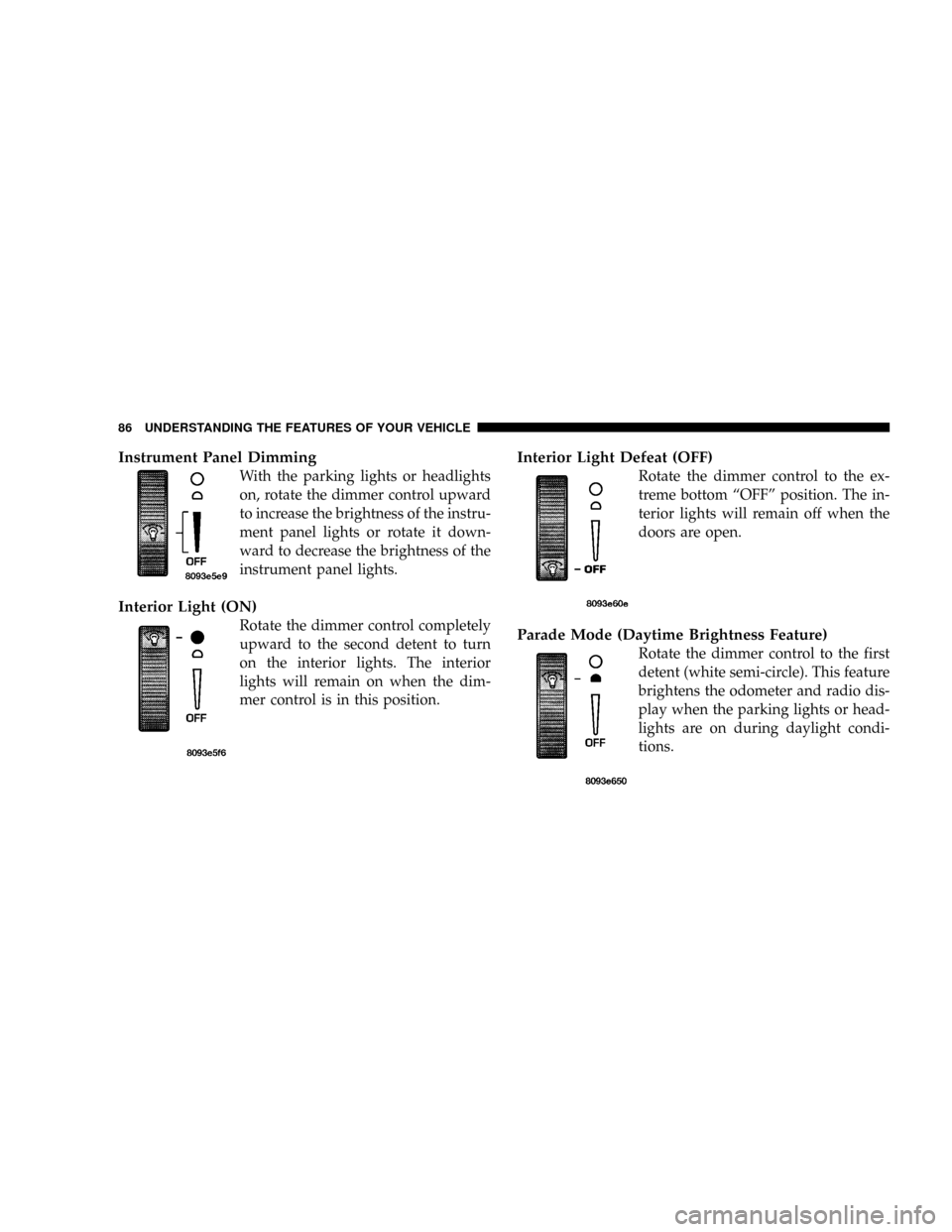
Instrument Panel Dimming
With the parking lights or headlights
on, rotate the dimmer control upward
to increase the brightness of the instru-
ment panel lights or rotate it down-
ward to decrease the brightness of the
instrument panel lights.
Interior Light (ON)
Rotate the dimmer control completely
upward to the second detent to turn
on the interior lights. The interior
lights will remain on when the dim-
mer control is in this position.
Interior Light Defeat (OFF)
Rotate the dimmer control to the ex-
treme bottom ªOFFº position. The in-
terior lights will remain off when the
doors are open.
Parade Mode (Daytime Brightness Feature)
Rotate the dimmer control to the first
detent (white semi-circle). This feature
brightens the odometer and radio dis-
play when the parking lights or head-
lights are on during daylight condi-
tions.
86 UNDERSTANDING THE FEATURES OF YOUR VEHICLE
Page 94 of 303
UNDERSTANDING YOUR INSTRUMENT PANEL
CONTENTS
mInstrument Panel Features..................95
mInstrument Cluster Description..............96
NSpeedometer..........................96
NMessage Center.......................97
NGauges & Indicator Lights...............103
mSetting The Digital Clock.................106
NClock Setting Procedure.................106
mRadio General Information................106
NRadio Broadcast Signals.................106NTwo Types Of Signals..................107
NElectrical Disturbances..................107
NAM Reception.......................107
NFM Reception........................107
mSales Code RAH Ð AM & FM Stereo Radio
With CD Player And CD/DVD Changer
Controls.............................108
NRadio Operation......................108
NCD Player Operation...................112
NCD/DVD Changer Operation.............1144
Page 98 of 303
²The word ªDECKº will flash in the display if the
trunk/liftgate is open.
²The words ªLOW TIREº will flash slowly in the display
and a chime will sound if the tire pressure is low.
²The words ªFLAT TIREº will flash rapidly in the
display and a chime will sound if critically low tire
pressure is detected.
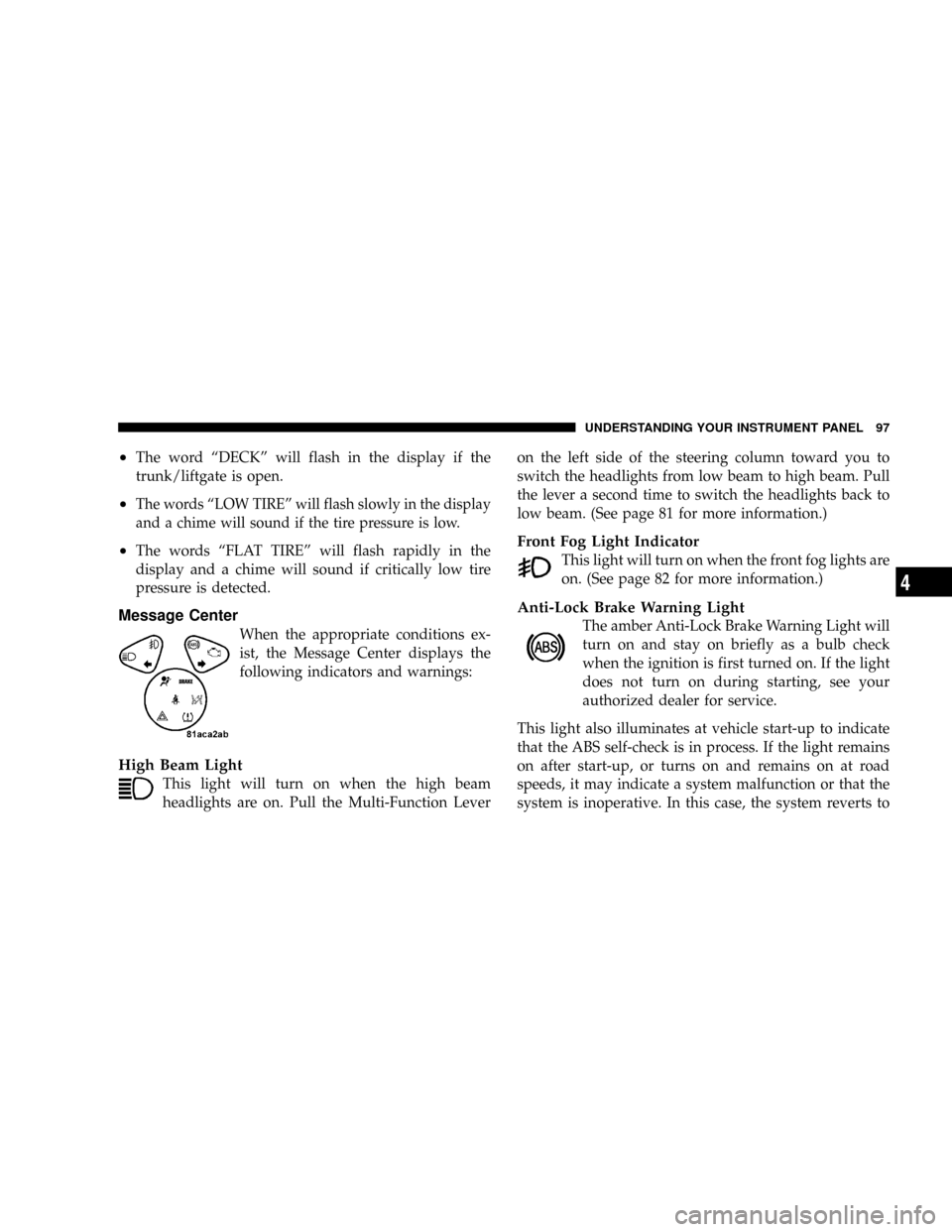
Message Center
When the appropriate conditions ex-
ist, the Message Center displays the
following indicators and warnings:
High Beam Light
This light will turn on when the high beam
headlights are on. Pull the Multi-Function Leveron the left side of the steering column toward you to
switch the headlights from low beam to high beam. Pull
the lever a second time to switch the headlights back to
low beam. (See page 81 for more information.)
Front Fog Light Indicator
This light will turn on when the front fog lights are
on. (See page 82 for more information.)
Anti-Lock Brake Warning Light
The amber Anti-Lock Brake Warning Light will
turn on and stay on briefly as a bulb check
when the ignition is first turned on. If the light
does not turn on during starting, see your
authorized dealer for service.
This light also illuminates at vehicle start-up to indicate
that the ABS self-check is in process. If the light remains
on after start-up, or turns on and remains on at road
speeds, it may indicate a system malfunction or that the
system is inoperative. In this case, the system reverts to
UNDERSTANDING YOUR INSTRUMENT PANEL 97
4
Page 99 of 303
standard non-anti-lock brakes. If this occurs, safely bring
the vehicle to a complete stop as soon as possible and
cycle the ignition key to attempt to reset the ABS. If the
light remains on, see your authorized dealer immediately
to have the system serviced. Furthermore, if the red
BRAKE warning light and the amber ABS warning light
are on, and the parking brake is fully released, see your
authorized dealer immediately. (See page 147 for more
information.)
WARNING!
If the ABS and/or Brake Warning lights illuminate,
please seek service immediately! Your vehicle will
have diminished braking capability and control if ABS
and/or service brake systems are not working properly.
Have your brake system serviced immediately.
Malfunction Indicator Light
This light is part of an onboard diagnostic
system called OBD. The OBD system monitors
engine control systems. The light will turn on
when the key is in the ON/RUN position
before engine start. If the light does not come on when
turning the key from OFF/LOCK to ON/RUN, have the
condition checked promptly.
Certain conditions such as a loose or missing gas cap,
poor fuel quality, etc. may illuminate the light after
engine start. The vehicle should be serviced if the light
remains on through several of your typical driving
cycles. In most situations, the vehicle will drive normally
and will not require towing.
The Malfunction Indicator Light flashes to alert you to
serious conditions that could lead to immediate loss of
power or severe catalytic converter damage. The vehicle
should be serviced as soon as possible if this occurs. (See
page 195 for more information.)
98 UNDERSTANDING YOUR INSTRUMENT PANEL