ignition DODGE VIPER 2010 ZB II / 2.G Owner's Manual
[x] Cancel search | Manufacturer: DODGE, Model Year: 2010, Model line: VIPER, Model: DODGE VIPER 2010 ZB II / 2.GPages: 315, PDF Size: 4.43 MB
Page 69 of 315
If you are required to drive with the trunk/liftgate open,
make sure that all windows are closed and the climate
control BLOWER switch is set at high speed. DO NOT
use the recirculation mode.
The best protection against carbon monoxide entry into
the vehicle body is a properly maintained engine exhaust
system.
Whenever a change is noticed in the sound of the exhaust
system, when exhaust fumes can be detected inside the
vehicle, or when the underside or rear of the vehicle is
damaged, have a competent mechanic inspect the com-
plete exhaust system and adjacent body areas for broken,
damaged, deteriorated, or mispositioned parts. Open
seams or loose connections could permit exhaust fumes
to seep into the passenger compartment. In addition,
inspect the exhaust system each time the vehicle is raised
for lubrication or oil change. Replace as required.Safety Checks You Should Make Inside the
Vehicle
Seat Belts
Inspect the belt system periodically, checking for cuts,
frays, and loose parts. Damaged parts must be replaced
immediately. Do not disassemble or modify the system.
Front seat belt assemblies must be replaced after a
collision. Rear seat belt assemblies must be replaced after
a collision if they have been damaged (i.e., bent retractor,
torn webbing, etc.). If there is any question regarding belt
or retractor condition, replace the belt.
Airbag Warning Light
The light should come on and remain on for four to eight
seconds as a bulb check when the ignition switch is first
turned ON. If the light is not lit during starting, see your
authorized dealer. If the light stays on, flickers, or comes
on while driving, have the system checked by an autho-
rized dealer.
2
THINGS TO KNOW BEFORE STARTING YOUR VEHICLE 65
Page 93 of 315
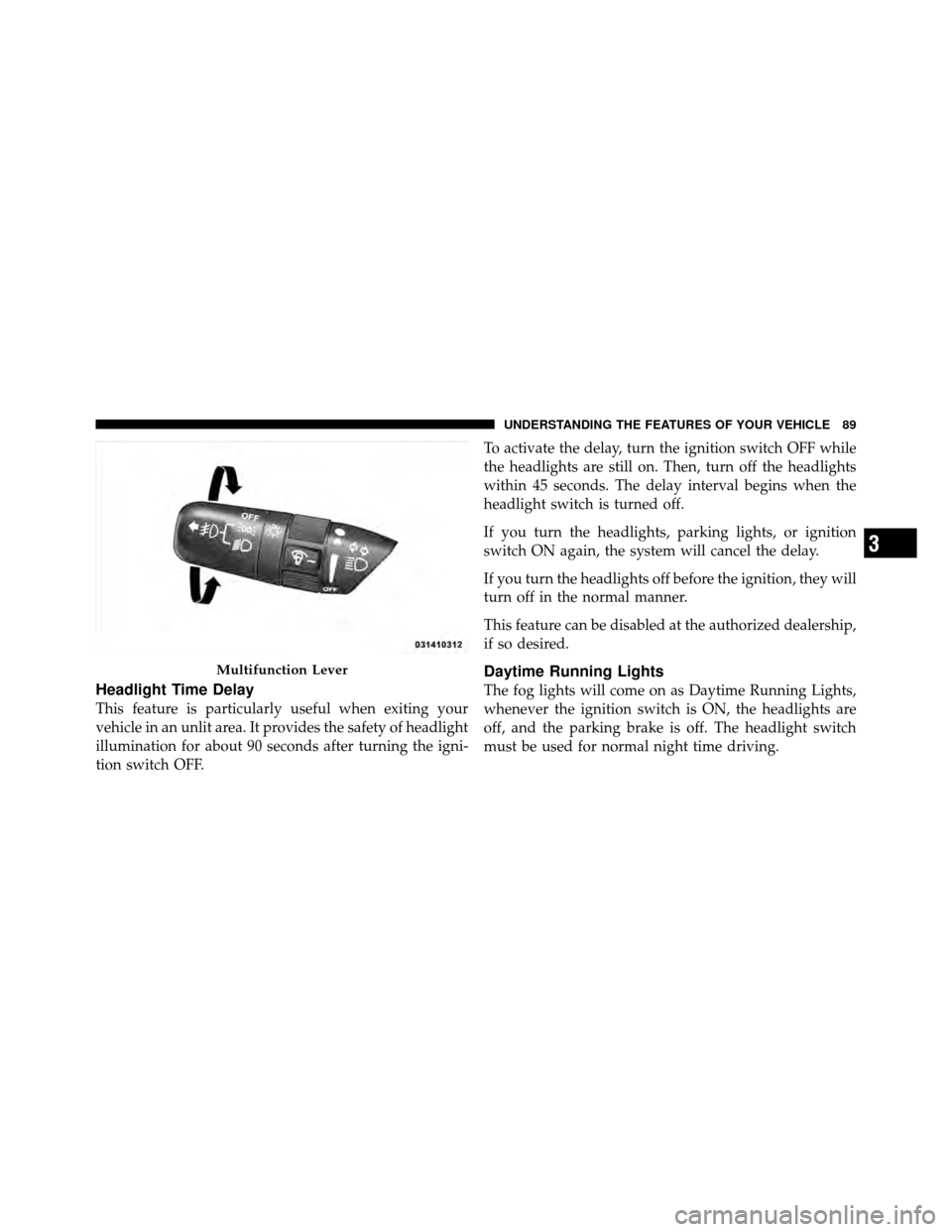
Headlight Time Delay
This feature is particularly useful when exiting your
vehicle in an unlit area. It provides the safety of headlight
illumination for about 90 seconds after turning the igni-
tion switch OFF.To activate the delay, turn the ignition switch OFF while
the headlights are still on. Then, turn off the headlights
within 45 seconds. The delay interval begins when the
headlight switch is turned off.
If you turn the headlights, parking lights, or ignition
switch ON again, the system will cancel the delay.
If you turn the headlights off before the ignition, they will
turn off in the normal manner.
This feature can be disabled at the authorized dealership,
if so desired.
Daytime Running Lights
The fog lights will come on as Daytime Running Lights,
whenever the ignition switch is ON, the headlights are
off, and the parking brake is off. The headlight switch
must be used for normal night time driving.
Multifunction Lever
3
UNDERSTANDING THE FEATURES OF YOUR VEHICLE 89
Page 94 of 315
NOTE:This feature is standard on all Canadian vehicles
and cannot be disabled. For U.S. vehicles, this feature is
shipped disabled and can be enabled or disabled at a
authorized dealership, if so desired.
Lights-On Reminder
If the headlights or parking lights are on and the ignition
switch is turned OFF, a chime will sound when the
driver’s door is opened to alert the driver.
Battery Saver Feature — Exterior Lights
To protect the battery, the exterior lights will turn off
automatically three minutes after the ignition switch is
turned OFF. To restore exterior light operation, either
turn the ignition switch ON or cycle the headlight switch.
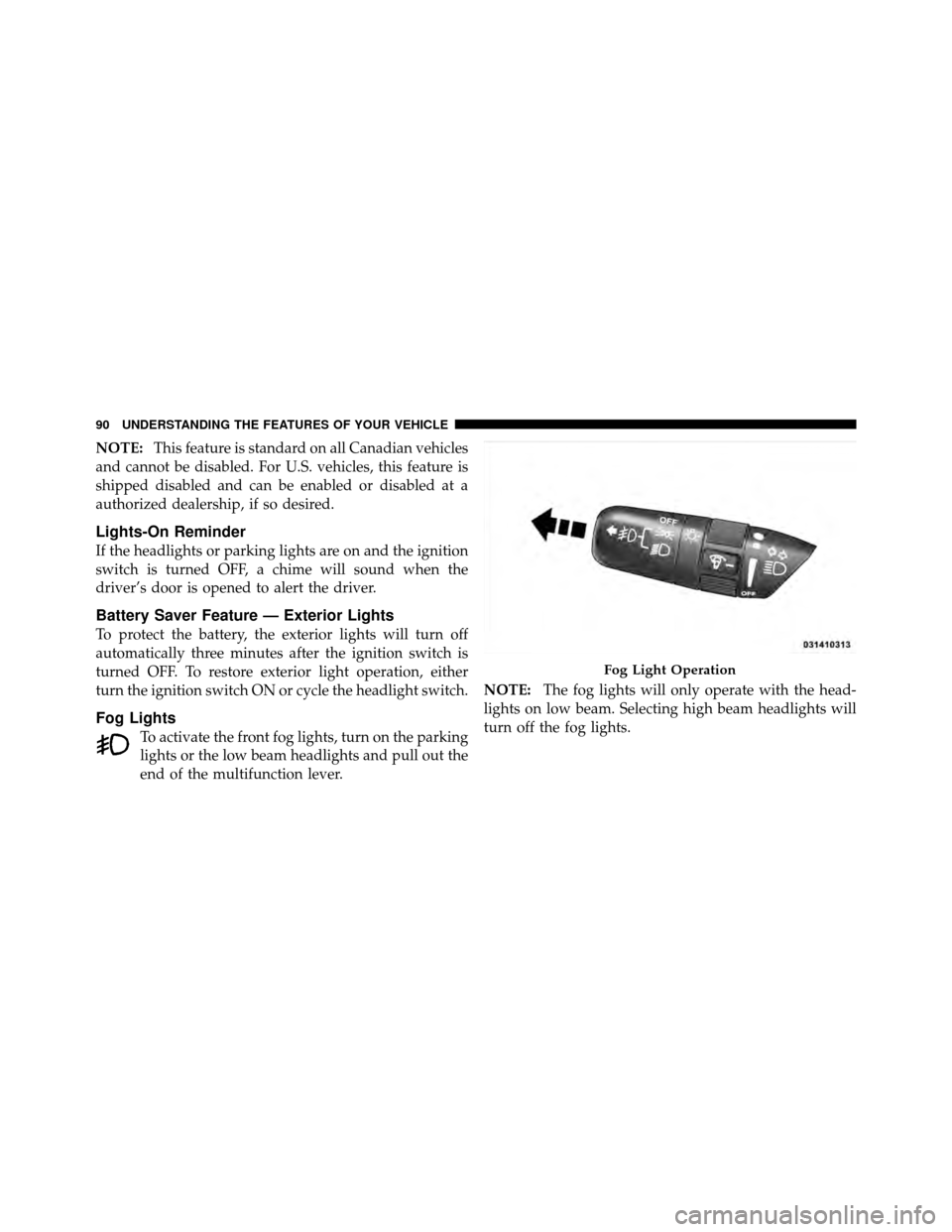
Fog Lights
To activate the front fog lights, turn on the parking
lights or the low beam headlights and pull out the
end of the multifunction lever. NOTE:
The fog lights will only operate with the head-
lights on low beam. Selecting high beam headlights will
turn off the fog lights.
Fog Light Operation
90 UNDERSTANDING THE FEATURES OF YOUR VEHICLE
Page 97 of 315
dimmer control in the multifunction lever. This light is
also controlled automatically by the Illuminated Entry
system.
Battery Saver Feature — Interior Lights
To protect the battery, the interior lights will turn off
automatically 15 minutes after the ignition switch is
moved to the OFF/LOCK position. This will occur if the
interior lights were switched on manually or are on
because a door is open or the liftgate is open (Coupe
models). To restore interior light operation, turn the
ignition switch to the ON/RUN position or cycle the
light switch.
Dimmer Control
The dimmer control is part of the multifunction lever. It
controls the operation of the interior lights and the
brightness of the instrument panel lights.
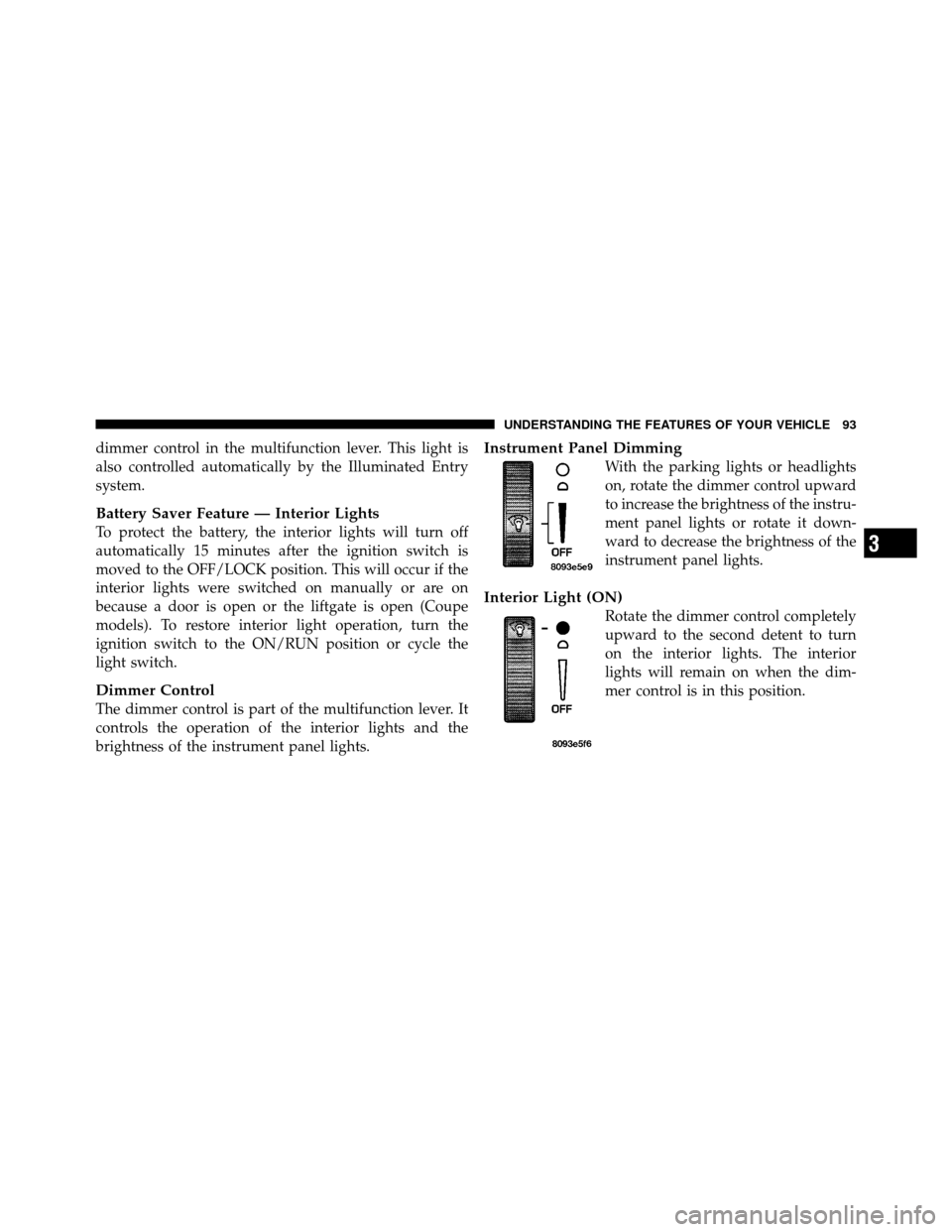
Instrument Panel Dimming
With the parking lights or headlights
on, rotate the dimmer control upward
to increase the brightness of the instru-
ment panel lights or rotate it down-
ward to decrease the brightness of the
instrument panel lights.
Interior Light (ON)
Rotate the dimmer control completely
upward to the second detent to turn
on the interior lights. The interior
lights will remain on when the dim-
mer control is in this position.
3
UNDERSTANDING THE FEATURES OF YOUR VEHICLE 93
Page 114 of 315
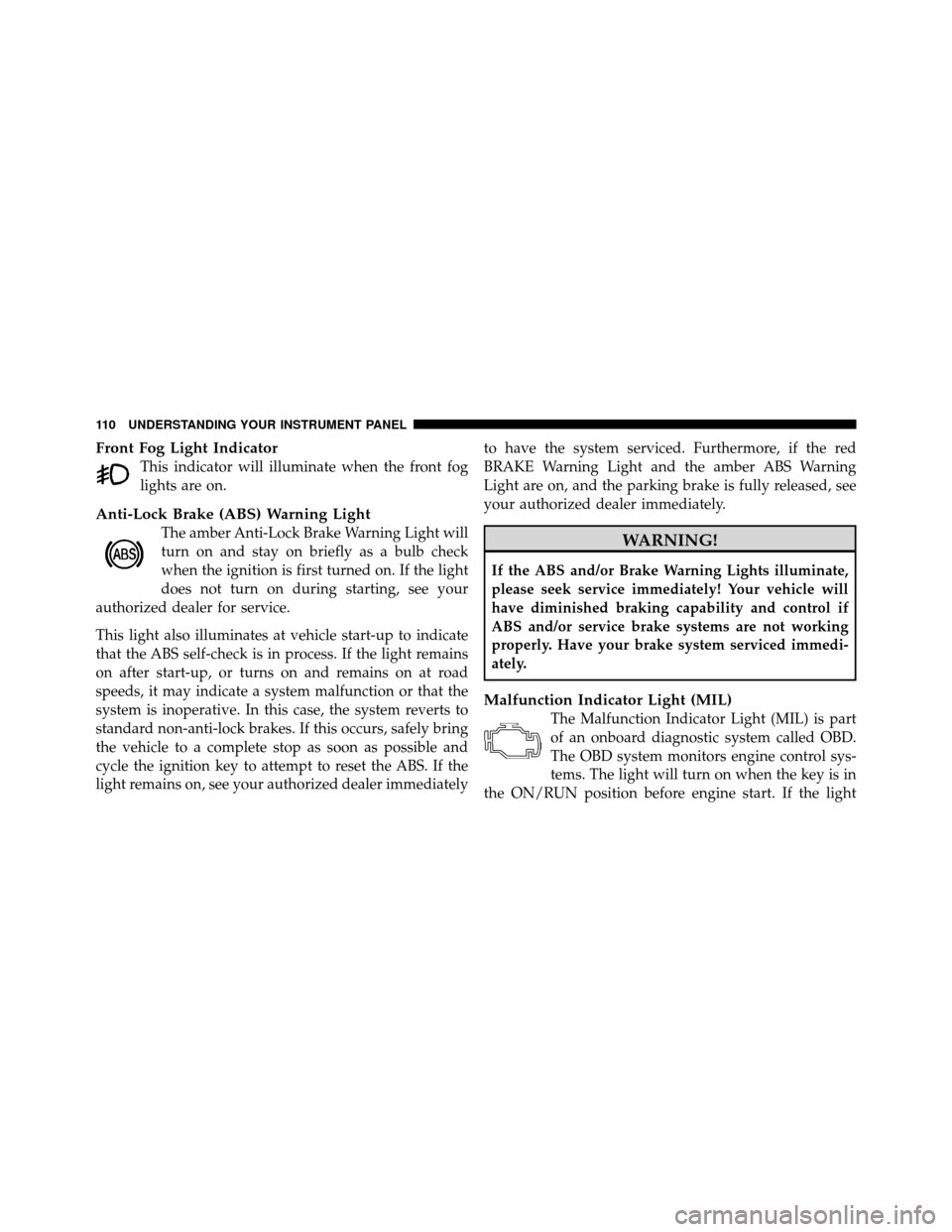
Front Fog Light Indicator
This indicator will illuminate when the front fog
lights are on.
Anti-Lock Brake (ABS) Warning Light
The amber Anti-Lock Brake Warning Light will
turn on and stay on briefly as a bulb check
when the ignition is first turned on. If the light
does not turn on during starting, see your
authorized dealer for service.
This light also illuminates at vehicle start-up to indicate
that the ABS self-check is in process. If the light remains
on after start-up, or turns on and remains on at road
speeds, it may indicate a system malfunction or that the
system is inoperative. In this case, the system reverts to
standard non-anti-lock brakes. If this occurs, safely bring
the vehicle to a complete stop as soon as possible and
cycle the ignition key to attempt to reset the ABS. If the
light remains on, see your authorized dealer immediately to have the system serviced. Furthermore, if the red
BRAKE Warning Light and the amber ABS Warning
Light are on, and the parking brake is fully released, see
your authorized dealer immediately.WARNING!
If the ABS and/or Brake Warning Lights illuminate,
please seek service immediately! Your vehicle will
have diminished braking capability and control if
ABS and/or service brake systems are not working
properly. Have your brake system serviced immedi-
ately.
Malfunction Indicator Light (MIL)
The Malfunction Indicator Light (MIL) is part
of an onboard diagnostic system called OBD.
The OBD system monitors engine control sys-
tems. The light will turn on when the key is in
the ON/RUN position before engine start. If the light
110 UNDERSTANDING YOUR INSTRUMENT PANEL
Page 116 of 315
NOTE:Leaving the hazard flashers on for extended
periods will wear down the battery.
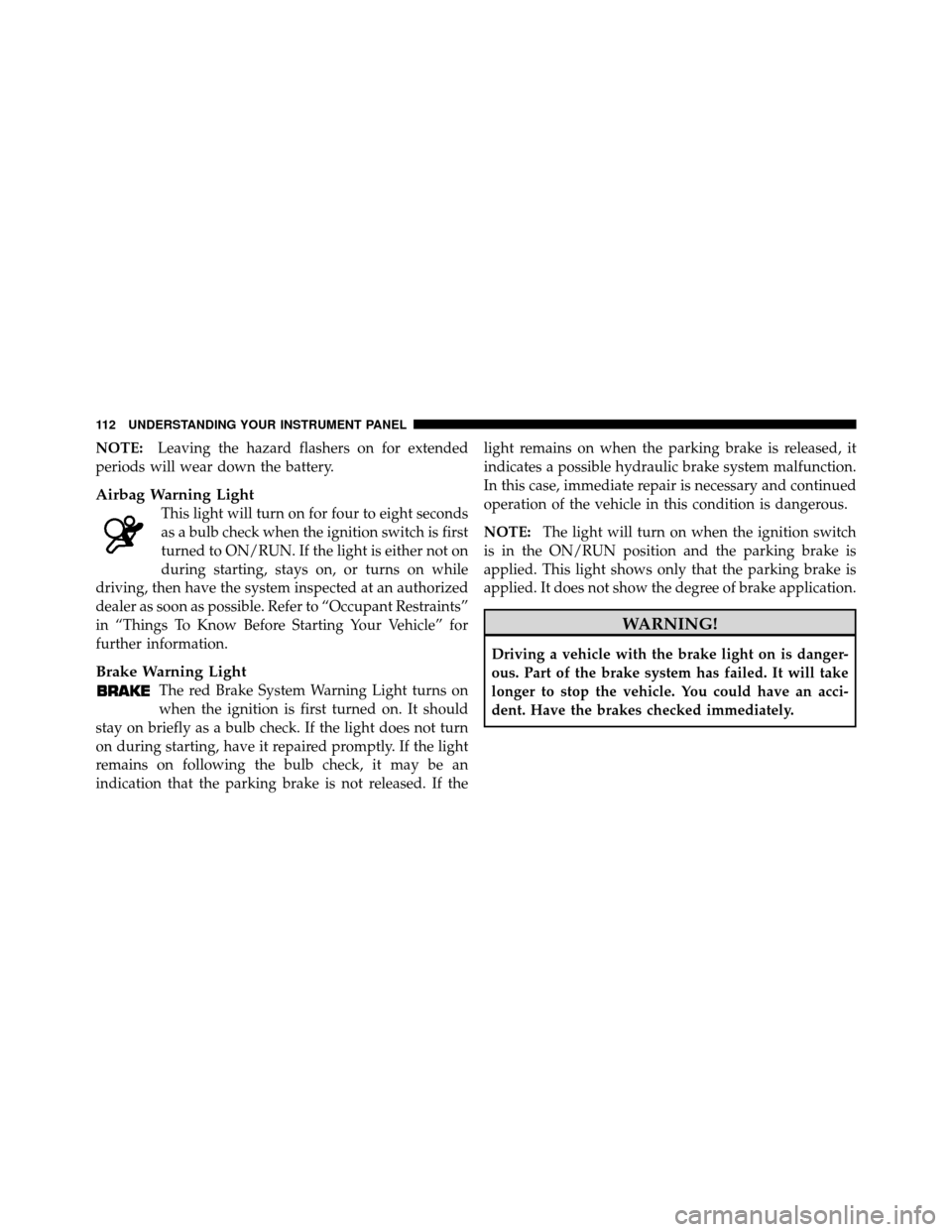
Airbag Warning Light
This light will turn on for four to eight seconds
as a bulb check when the ignition switch is first
turned to ON/RUN. If the light is either not on
during starting, stays on, or turns on while
driving, then have the system inspected at an authorized
dealer as soon as possible. Refer to “Occupant Restraints”
in “Things To Know Before Starting Your Vehicle” for
further information.
Brake Warning Light
The red Brake System Warning Light turns on
when the ignition is first turned on. It should
stay on briefly as a bulb check. If the light does not turn
on during starting, have it repaired promptly. If the light
remains on following the bulb check, it may be an
indication that the parking brake is not released. If the light remains on when the parking brake is released, it
indicates a possible hydraulic brake system malfunction.
In this case, immediate repair is necessary and continued
operation of the vehicle in this condition is dangerous.
NOTE:
The light will turn on when the ignition switch
is in the ON/RUN position and the parking brake is
applied. This light shows only that the parking brake is
applied. It does not show the degree of brake application.
WARNING!
Driving a vehicle with the brake light on is danger-
ous. Part of the brake system has failed. It will take
longer to stop the vehicle. You could have an acci-
dent. Have the brakes checked immediately.
112 UNDERSTANDING YOUR INSTRUMENT PANEL
Page 117 of 315
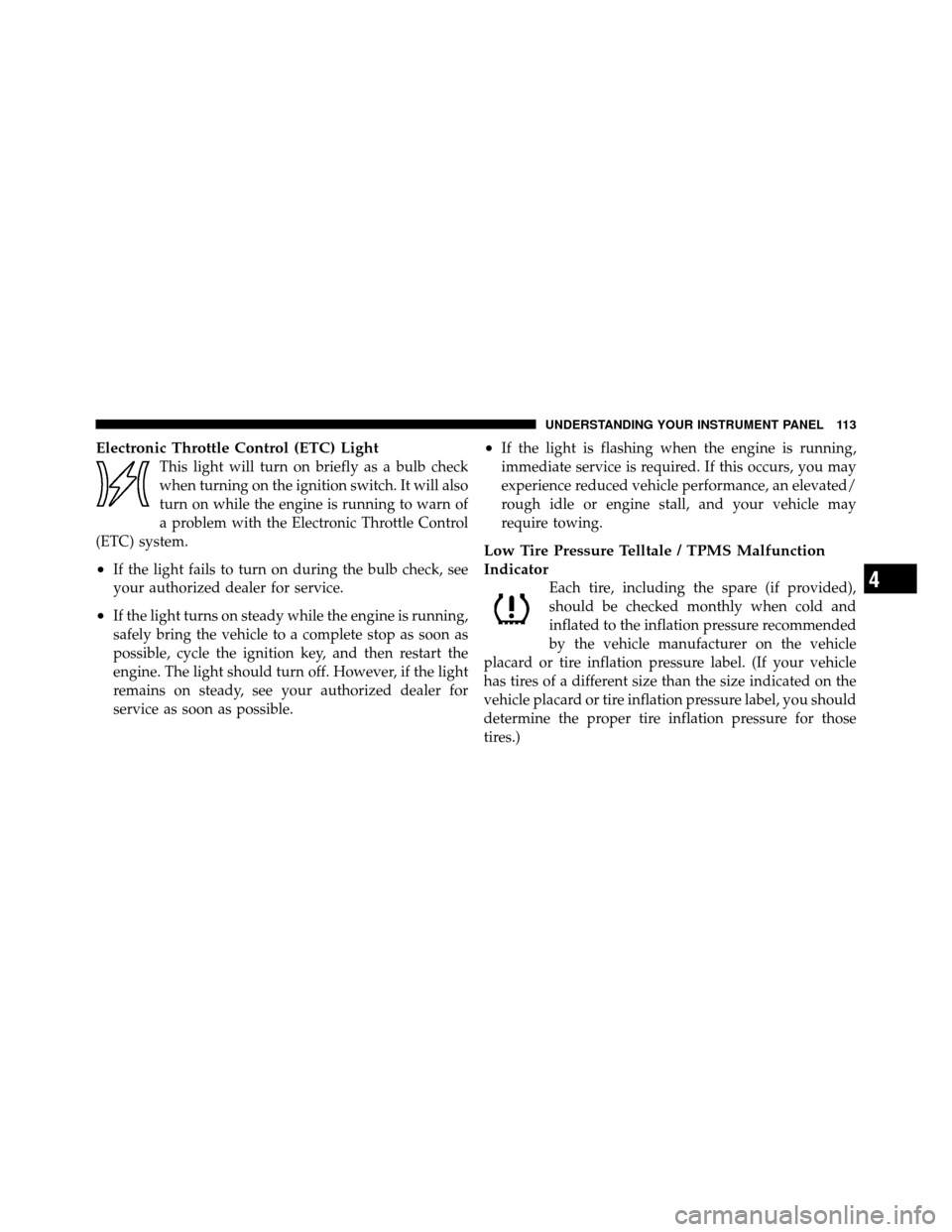
Electronic Throttle Control (ETC) Light
This light will turn on briefly as a bulb check
when turning on the ignition switch. It will also
turn on while the engine is running to warn of
a problem with the Electronic Throttle Control
(ETC) system.
•If the light fails to turn on during the bulb check, see
your authorized dealer for service.
•If the light turns on steady while the engine is running,
safely bring the vehicle to a complete stop as soon as
possible, cycle the ignition key, and then restart the
engine. The light should turn off. However, if the light
remains on steady, see your authorized dealer for
service as soon as possible.
•If the light is flashing when the engine is running,
immediate service is required. If this occurs, you may
experience reduced vehicle performance, an elevated/
rough idle or engine stall, and your vehicle may
require towing.
Low Tire Pressure Telltale / TPMS Malfunction
Indicator
Each tire, including the spare (if provided),
should be checked monthly when cold and
inflated to the inflation pressure recommended
by the vehicle manufacturer on the vehicle
placard or tire inflation pressure label. (If your vehicle
has tires of a different size than the size indicated on the
vehicle placard or tire inflation pressure label, you should
determine the proper tire inflation pressure for those
tires.)4
UNDERSTANDING YOUR INSTRUMENT PANEL 113
Page 122 of 315
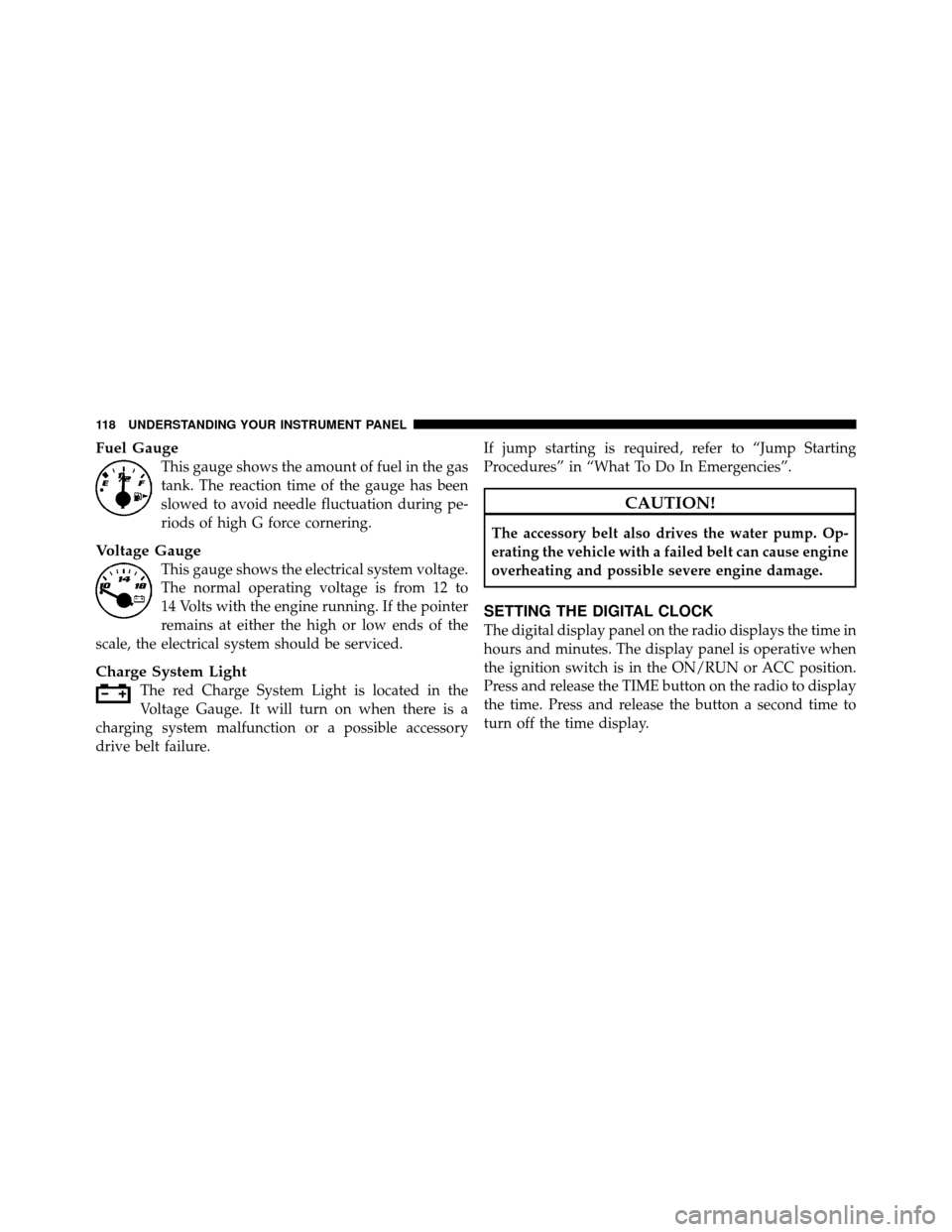
Fuel Gauge
This gauge shows the amount of fuel in the gas
tank. The reaction time of the gauge has been
slowed to avoid needle fluctuation during pe-
riods of high G force cornering.
Voltage Gauge
This gauge shows the electrical system voltage.
The normal operating voltage is from 12 to
14 Volts with the engine running. If the pointer
remains at either the high or low ends of the
scale, the electrical system should be serviced.
Charge System Light
The red Charge System Light is located in the
Voltage Gauge. It will turn on when there is a
charging system malfunction or a possible accessory
drive belt failure. If jump starting is required, refer to “Jump Starting
Procedures” in “What To Do In Emergencies”.
CAUTION!
The accessory belt also drives the water pump. Op-
erating the vehicle with a failed belt can cause engine
overheating and possible severe engine damage.
SETTING THE DIGITAL CLOCK
The digital display panel on the radio displays the time in
hours and minutes. The display panel is operative when
the ignition switch is in the ON/RUN or ACC position.
Press and release the TIME button on the radio to display
the time. Press and release the button a second time to
turn off the time display.
118 UNDERSTANDING YOUR INSTRUMENT PANEL
Page 123 of 315
Clock Setting Procedure
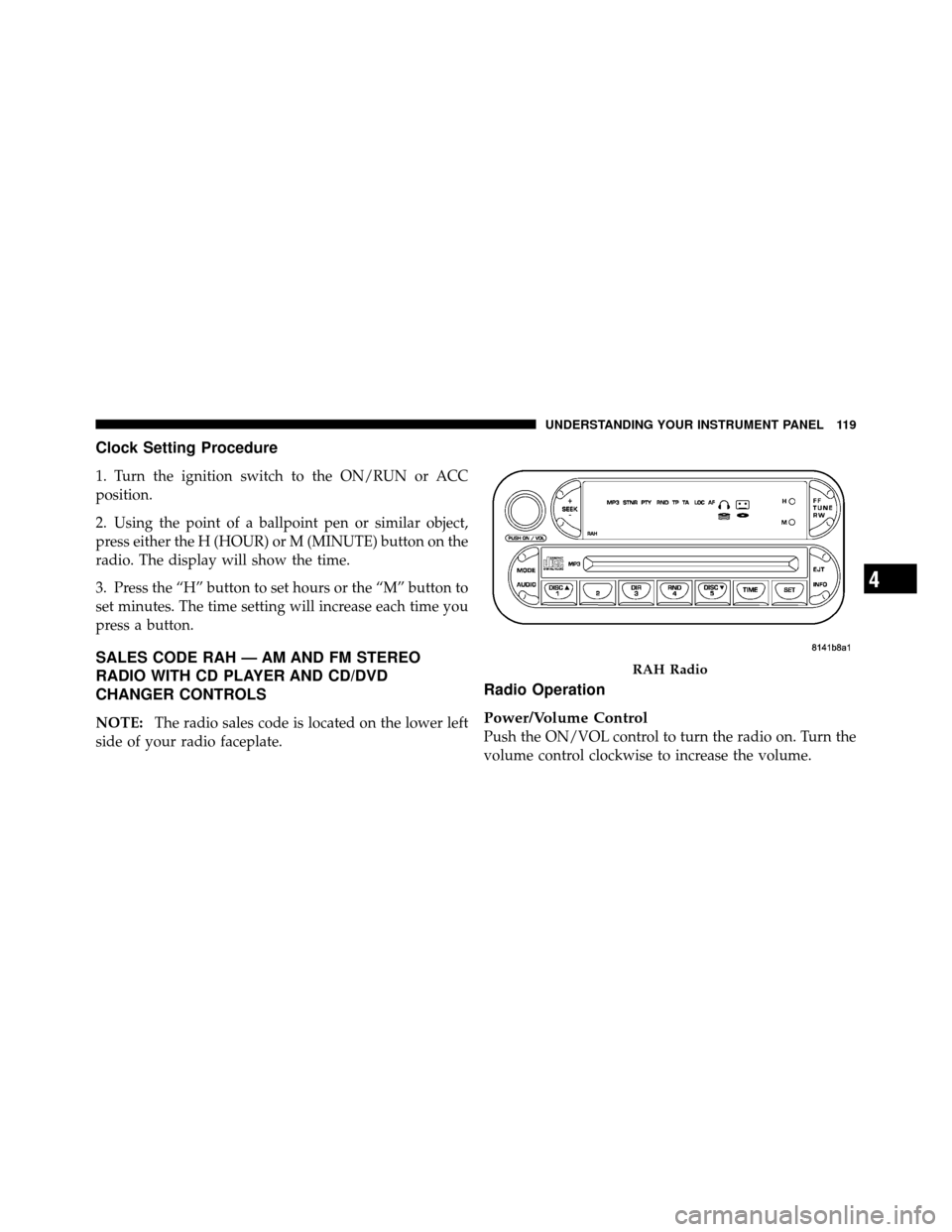
1. Turn the ignition switch to the ON/RUN or ACC
position.
2. Using the point of a ballpoint pen or similar object,
press either the H (HOUR) or M (MINUTE) button on the
radio. The display will show the time.
3. Press the “H” button to set hours or the “M” button to
set minutes. The time setting will increase each time you
press a button.
SALES CODE RAH — AM AND FM STEREO
RADIO WITH CD PLAYER AND CD/DVD
CHANGER CONTROLS
NOTE:The radio sales code is located on the lower left
side of your radio faceplate.
Radio Operation
Power/Volume Control
Push the ON/VOL control to turn the radio on. Turn the
volume control clockwise to increase the volume.
RAH Radio
4
UNDERSTANDING YOUR INSTRUMENT PANEL 119
Page 124 of 315
NOTE:Power to operate the radio is supplied through
the ignition switch. It must be in the ON or ACC position
to operate the radio.
PTY (Program Type)
Pressing the INFO button once while in FM mode will
turn on the PTY mode for five seconds. If no action is
taken during the five second time out, the PTY icon will
turn off. Pressing the TUNE button within five seconds
will allow the program format type to be selected. Many
radio stations do not currently broadcast PTY informa-
tion.
Toggle the TUNE button to select the following format
types:
Program Type Radio Display
Adult Hits Adult Hit
Classical Classical
Classic Rock Classic Rock
Program TypeRadio Display
College College
Country Country
Information Inform
Jazz Jazz
Foreign Language Language
News News
Nostalgia Nostalgia
Oldies Oldies
Personality Personality
Public Public
Rhythm and Blues R & B
Religious Music Religious Music
Religious Talk Religious Talk
Rock Rock
Soft Soft
Soft Rock Soft Rock
120 UNDERSTANDING YOUR INSTRUMENT PANEL