light DODGE VIPER 2015 VX / 3.G Manual Online
[x] Cancel search | Manufacturer: DODGE, Model Year: 2015, Model line: VIPER, Model: DODGE VIPER 2015 VX / 3.GPages: 400, PDF Size: 9.59 MB
Page 187 of 400
Entry (RKE) transmitter lock or unlock buttons. To make
your selection, press the “Passive Entry” button on the
touchscreen, until a check-mark appears next to setting,
showing that setting has been selected. Press the back
arrow button on the touchscreen to return to the previous
menu, or push the back button on the faceplate. Refer to
“Keyless Enter-N-Go™” in “Things To Know Before
Starting Your Vehicle”.
Engine Off Options
After pressing the Engine Off Options button on the
touchscreen the following settings will be available.
•Engine Off Power Delay
When this feature is selected, the power window
switches, radio, Uconnect® phone system (if equipped),
DVD video system (if equipped), power sunroof (if
equipped), and power outlets will remain active for up to
10 minutes after the ignition is cycled to OFF. Opening
either front door will cancel this feature. To change the
“Engine Off Power Delay” status, press the 0 seconds, 45
seconds, 5 minutes or 10 minutes button on the touch-
screen. Then press the back arrow/Done button on the
touchscreen.
•Headlight Off Delay
When this feature is selected, the driver can choose to
have the headlights remain on for 0, 30, 60, or 90 seconds
when exiting the vehicle. To change the “Headlight Off
Delay” status, press the#Up#or#Down#arrow button on
the touchscreen to select your desired time interval. Press
the back arrow/Done button on the touchscreen to return
to the previous menu.
4
UNDERSTANDING YOUR INSTRUMENT PANEL 185
Page 188 of 400
Audio
After pressing the Audio button on the touchscreen the
following settings will be available.
•Balance/Fade
This feature allows you to adjust the Balance and Fade
settings. Press and drag the speaker icon, use the arrows
to adjust, or tap the ‘C’ icon to readjust to the center.
•Equalizer
This feature allows you to adjust the Bass, Mid and Treble
settings. Adjust the settings with the “+” and “–” setting
buttons on the touchscreen or by selecting any point on
the scale between the “+” and “–” buttons on the
touchscreen. Then press the arrow back button on the
touchscreen.
NOTE:Bass/Mid/Treble allow you to simply slide your
finger up or down to change the setting as well as press
directly on the desired setting.
•Speed Adjusted Volume
This feature increases or decreases volume relative to
vehicle speed. To change the Speed Adjusted Volume
press the “Off,” “1,” “2,” or “3” button on the touch-
screen. Then press the arrow back button on the touch-
screen.
•Surround Sound
This feature provides simulated surround sound mode.
To make your selection, press the Surround Sound button
on the touchscreen, select “On” or “Off” followed by
pressing the arrow back button on the touchscreen.
•Loudness
Loudness improves sound quality at lower volumes. To
make your selection, press the “Loudness” button on the
touchscreen, then choose “Yes” or “No.” The button will
highlight indicating that the setting has been selected.
Press the back arrow/Done button on the touchscreen
186 UNDERSTANDING YOUR INSTRUMENT PANEL
Page 202 of 400
Button On The Touchscreen
Use the small blower icon to reduce the blower setting
and the large blower icon to increase the blower setting.
Blower can also be selected by pressing the blower bar
area between the icons.
8. Modes
The airflow distribution mode can be adjusted so air
comes from the instrument panel outlets, floor outlets,
demist outlets and defrost outlets. The Mode settings are
as follows:
•Panel Mode
Air comes from the outlets in the instrument
panel. Each of these outlets can be individu-
ally adjusted to direct the flow of air. The air
vanes of the center outlets and outboard outlets can
be moved up and down or side to side to regulate
airflow direction. There is a shut off wheel located
below the air vanes to shut off or adjust the amount
of airflow from these outlets.
•Bi-Level Mode
Air comes from the instrument panel outlets
and floor outlets. A slight amount of air is
directed through the defrost and side window
demister outlets.
NOTE:BI-LEVEL mode is designed under comfort con-
ditions to provide cooler air out of the panel outlets and
warmer air from the floor outlets.
•Floor Mode
Air comes from the floor outlets. A slight
amount of air is directed through the defrost
and side window demister outlets.
200 UNDERSTANDING YOUR INSTRUMENT PANEL
Page 210 of 400
Media
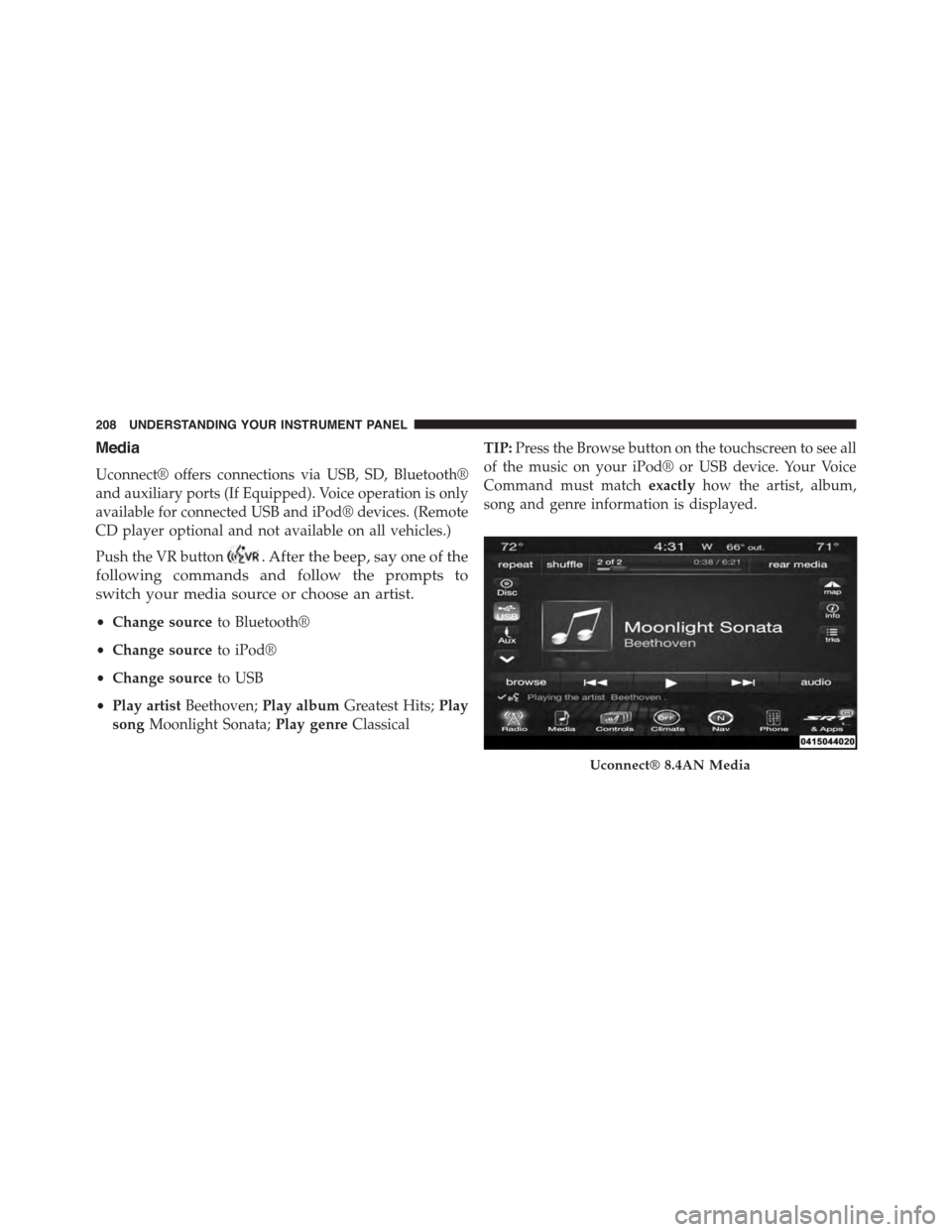
Uconnect® offers connections via USB, SD, Bluetooth®
and auxiliary ports (If Equipped). Voice operation is only
available for connected USB and iPod® devices. (Remote
CD player optional and not available on all vehicles.)
Push the VR button. After the beep, say one of the
following commands and follow the prompts to
switch your media source or choose an artist.
•Change sourceto Bluetooth®
•Change sourceto iPod®
•Change sourceto USB
•Play artistBeethoven;Play albumGreatest Hits;Play
songMoonlight Sonata;Play genreClassical
TIP:Press the Browse button on the touchscreen to see all
of the music on your iPod® or USB device. Your Voice
Command must matchexactlyhow the artist, album,
song and genre information is displayed.
Uconnect® 8.4AN Media
208 UNDERSTANDING YOUR INSTRUMENT PANEL
Page 214 of 400
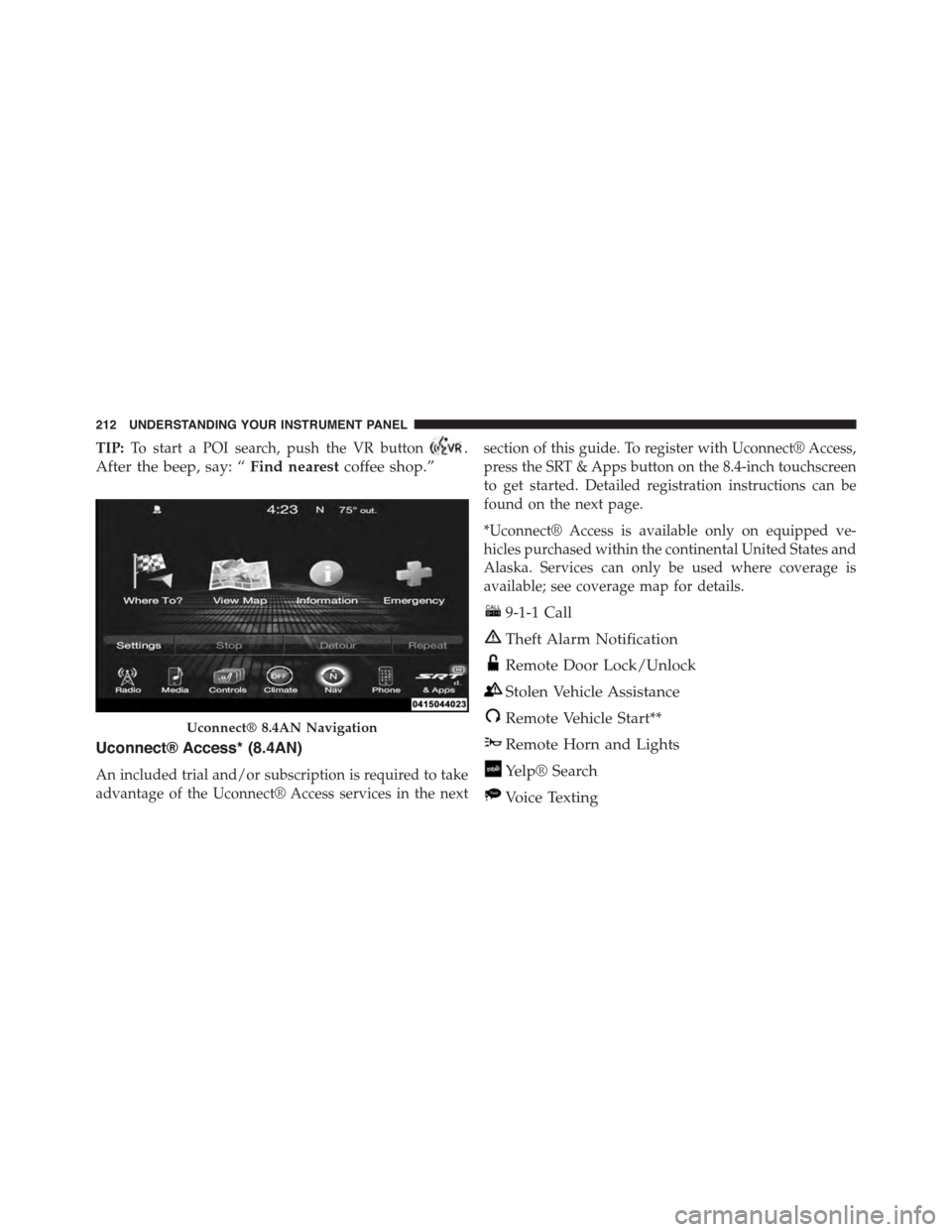
TIP:To start a POI search, push the VR button.
After the beep, say: “Find nearestcoffee shop.”
Uconnect® Access* (8.4AN)
An included trial and/or subscription is required to take
advantage of the Uconnect® Access services in the next
section of this guide. To register with Uconnect® Access,
press the SRT & Apps button on the 8.4-inch touchscreen
to get started. Detailed registration instructions can be
found on the next page.
*Uconnect® Access is available only on equipped ve-
hicles purchased within the continental United States and
Alaska. Services can only be used where coverage is
available; see coverage map for details.
9-1-1 Call
Theft Alarm Notification
Remote Door Lock/Unlock
Stolen Vehicle Assistance
Remote Vehicle Start**
Remote Horn and Lights
Yelp® Search
Voice Texting
Uconnect® 8.4AN Navigation
212 UNDERSTANDING YOUR INSTRUMENT PANEL
Page 221 of 400
STARTING AND OPERATING
CONTENTS
!STARTING PROCEDURES................222
▫Normal Starting.......................222
▫If Engine Fails To Start.................224
▫After Starting........................225
!MANUAL TRANSMISSION...............225
▫Shifting.............................226
▫Recommended Shift Speeds..............227
▫Skip Shift Indicator Light...............228
!STREET/RACE MODE — IF EQUIPPED......229
!LAUNCH MODE.......................230
!DRIVING ON SLIPPERY SURFACES.........232
▫Acceleration.........................232
▫Traction............................232
!DRIVING THROUGH WATER.............233
▫Flowing/Rising Water..................233
▫Shallow Standing Water.................234
!POWER STEERING.....................235
▫Power Steering Fluid Check..............236
!PARKING BRAKE......................237
!BRAKE SYSTEM.......................239
5
Page 225 of 400
NOTE:
•You must disarm the security system in order to start
the engine. Refer to “Security Alarm System” in
“Things To Know Before Starting Your Vehicle” for
further information.
•Normal starting of either a cold or a warm engine does
not require pumping or pressing the accelerator pedal.
However, if the engine has not started within three
seconds, slightly press the accelerator pedal while
continuing to crank. If the engine fails to start within
15 seconds, wait five seconds, then repeat the “Normal
Starting” procedure.
To Start The Engine:
1. Fully apply the parking brake.
2. Press the clutch pedal to the floor.
NOTE:The engine will not start unless the clutch pedal
is pressed to the floor.
3. Place the shift lever in NEUTRAL.
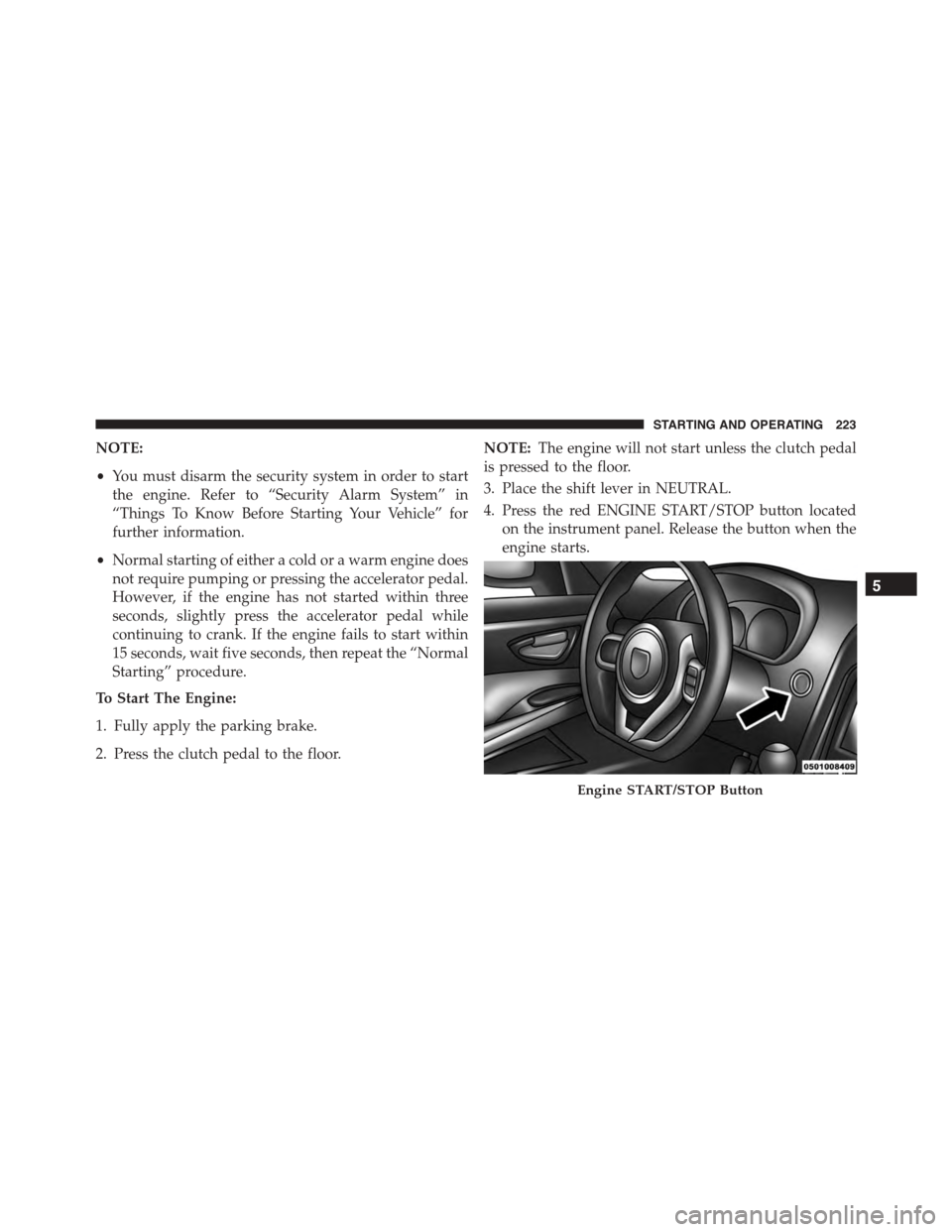
4. Press the red ENGINE START/STOP button located
on the instrument panel. Release the button when the
engine starts.
Engine START/STOP Button
5
STARTING AND OPERATING 223
Page 227 of 400
all the way to the floor. Release the accelerator pedal and
the ENGINE START button once the engine is running
smoothly.
If the engine shows no sign of starting after two 15
second periods of cranking with the accelerator pedal
held to the floor, the “Normal Starting” procedure should
be repeated.
After Starting
The idle speed is controlled automatically and it will
decrease as the engine warms up.
MANUAL TRANSMISSION
NOTE:The parking brake should be engaged and the
shift lever placed into REVERSE before leaving the
vehicle, especially when parked on an incline.
Your vehicle is equipped with a high torque capacity dual
disc clutch. The clutch pedal must be fully pressed to the
floor during each shift. As you release the clutch pedal,
lightly press the accelerator pedal.
CAUTION!
•Never drive with your foot resting on the clutch
pedal, or try to hold the vehicle on a hill with the
clutch pedal partially engaged, as this will cause
abnormal wear on the clutch.
•Failure to press the clutch pedal fully to the floor
may cause increased shift efforts, and may result in
damage to the clutch and transmission.
•Do not rest your hand on the shift lever while
driving, as this may result in transmission damage.
•Do not attempt to shift the transmission if the rear
wheels are spinning due to loss of traction. Dam-
age to the transmission may occur.
5
STARTING AND OPERATING 225
Page 228 of 400
Ensure the transmission is in first gear when moving
forward from a standing position.
CAUTION!
Failure to start out in first gear when moving forward
from a starting position may result in damage to the
clutch.
Shifting
Fully press the clutch pedal and lift your foot off the
accelerator pedal before shifting gears. As you release the
clutch pedal, lightly press the accelerator pedal. Damage
to the transmission or clutch may occur if you do not
fully press the clutch pedal and lift off of the accelerator
pedal when shifting.
The six-speed manual transmission has a spring that
centers the shift lever near third and fourth gear. This
spring helps you know which gear you are in when you
are shifting. Be careful when shifting from first to second
or downshifting from sixth to fifth.
The spring will try to pull the shift lever toward third and
fourth gear. Make sure you move the shift lever into
second or fifth gear. If you let the shift lever move in the
direction of the pulling, you may end shifting from first
to fourth or from sixth to third gear.
You will find it easier to use only the lower gears for most
city driving. For steady highway driving with light
accelerations, sixth gear is recommended.
Never drive with your foot resting on the clutch pedal, or
try to hold the vehicle on a hill with the clutch pedal
partially engaged. This will cause abnormal wear on the
clutch.
Never shift into REVERSE until the vehicle has come to a
complete stop.
226 STARTING AND OPERATING
Page 229 of 400
NOTE:
•Your vehicle is equipped with a transmission reverse
inhibitor system. When vehicle speed is greater than
3 mph (5 km/h), the reverse inhibitor activates to help
prevent shifts into REVERSE. When at a complete stop,
you may notice light shift efforts into REVERSE with
the ignition in the ON position, and increased shift
efforts into REVERSE with the ignition in the OFF
position. This is normal operation of the transmission
reverse inhibitor system.
•Shifting gears during cold weather may require an
increased effort until the transmission lubricant is
warm. This is normal and not harmful to the transmis-
sion.
•Due to the high performance nature of your drivetrain,
a certain amount of noise from the transmission is
normal. This noise can be most noticeable when the
vehicle is idling in NEUTRAL with the clutch engaged
(clutch pedal released), but it may also be heard when
driving. The noise may also be more noticeable when
the transmission is warm. This noise is normal and is
not an indication of a problem with your clutch or
transmission.
•You must always use first gear (or Reverse) when
starting from a standing position.
CAUTION!
Always make sure the vehicle comes to a complete
stop before shifting into REVERSE. Failure to do so
may result in transmission damage.
Recommended Shift Speeds
To use your manual transmission for fuel economy it
should be upshifted as listed below. Shift at the vehicle
speeds listed for acceleration. Earlier upshifts during
5
STARTING AND OPERATING 227