coolant DODGE VIPER 2015 VX / 3.G Owners Manual
[x] Cancel search | Manufacturer: DODGE, Model Year: 2015, Model line: VIPER, Model: DODGE VIPER 2015 VX / 3.GPages: 400, PDF Size: 9.59 MB
Page 87 of 400
Lights
Have someone observe the operation of brake lights and
exterior lights while you work the controls. Check turn
signal and high beam indicator lights on the instrument
panel.
Door Latches
Check for proper closing, latching, and locking.
Fluid Leaks
Check area under vehicle after overnight parking for fuel,
engine coolant, oil, or other fluid leaks. Also, if gasoline
fumes are detected or if fuel, power steering fluid (if
equipped), or brake fluid leaks are suspected. The cause
should be located and corrected immediately.
2
THINGS TO KNOW BEFORE STARTING YOUR VEHICLE 85
Page 168 of 400
Vehicle Info (Customer Information Features)
Push and release the UP or DOWN arrow
button until the Vehicle Info icon is highlighted
in the DID. Push and release the RIGHT arrow
button to display the following information
sub-menus:
Tire Pressure
Push and release the UP or DOWN arrow button until
“Tire Pressure” is highlighted in the DID. Push and
release the RIGHT arrow button, and one of the follow-
ing will be displayed:
•If tire pressure is OK for all tires a vehicle ICON is
displayed with tire pressure values in each corner of
the ICON.
•If one or more tires have low pressure, the tire pressure
values in each corner of the ICON with the pressure
value of the low tire displayed in a different color than
the other tire pressure value.
•If the Tire Pressure system requires service, “Service
Tire Pressure System” is displayed.
Tire PSI is an information only function and cannot be
reset. Push and release the LEFT arrow button to return
to the main menu.
Refer to “Tire Pressure Monitoring System (TPMS)”
under “Starting and Operating” for further information.
Coolant Temperature
Push and release the UP or DOWN arrow button until
“Coolant Temperature” is highlighted in the DID. Push
and release the RIGHT arrow button, and the coolant
temperature will be displayed.
166 UNDERSTANDING YOUR INSTRUMENT PANEL
Page 173 of 400
Screen Setup Driver Selectable Items
Upper Left
•None
•Compass
•Temperature
•Range To Empty (RTE)
•Average Fuel
•Current Fuel
•Trip A
•Trip B
•Elapsed Time
•Oil Pressure
•Oil Temperature
•Battery
•Coolant Temperature
Upper Right
•None
•Compass
•Temperature
•Range To Empty (RTE)
•Average Fuel
•Current Fuel
•Trip A
•Trip B
•Elapsed Time
•Oil Pressure
4
UNDERSTANDING YOUR INSTRUMENT PANEL 171
Page 174 of 400
•Oil Temperature
•Battery
•Coolant Temperature
•RIGHT Arrow Button
Restore To Defaults (Restores All Settings To Default
Settings)
Push and release the RIGHT arrow button to
confirm.
Digital Speed
•On
•Off
Tach. Peak Hold
When enabled, the Tach. Peak Hold function marks the
peak Revolutions Per Minute (RPM) on the tachometer
gauge for 3 seconds when the RPM is above 4000. Using
the UP and DOWN arrow switches on the left side of the
steering wheel, select the gauges icon from the menu on
the left side of the cluster (highlighted red is the active
menu item). Use the right arrow to enter the gauges setup
screen and the up down arrows to select Tach Peak from
the menu of gauge options.
172 UNDERSTANDING YOUR INSTRUMENT PANEL
Page 194 of 400
NOTE:The distance measurement will be aborted if the
brake pedal is released before the vehicle comes to a
complete stop.
•Brake Speed
Displays the speed the vehicle is traveling when the
brake pedal is depressed.
NOTE:Brake Distance and Speed timers will only dis-
play#ready#when vehicle is traveling at greater than 30
MPH (48 km/h).
G-Force
When selected, this screen displays all four G-Force
values (two lateral and two longitudinal) as well as
steering angle.
When a G-Force greater than zero is measured, the
display will update the value real-time. As the G-Force
falls, the peak forces will continue to display.
Gauges 1
When selected, this screen displays the following values:
•Oil Temperature
Displays the actual oil temperature.
•Oil Pressure
Displays the actual oil pressure.
•Battery Voltage
Displays the actual battery voltage.
Gauges 2
When selected, this screen displays the following values:
•Coolant Temperature
Displays the actual coolant temperature.
•Oil Temperature
Displays the actual oil temperature.
192 UNDERSTANDING YOUR INSTRUMENT PANEL
Page 204 of 400
feature. Refer to the “Customer Programmable Fea-
tures — Uconnect® System Settings” in this section of
the manual.
To provide you with maximum comfort in the Automatic
mode during cold start-ups, the blower fan will remain
on low until the engine warms up. The blower will
increase in speed and transition into Auto mode.
Recirculation Control
When outside air contains smoke, odors, or high humid-
ity, or if rapid cooling is desired, you may wish to
recirculate interior air by pressing the RECIRCULATION
control button. Recirculation mode should only be used
temporarily. The recirculation LED will illuminate on the
blower control knob when this button is selected. Push
the button a second time to turn off the Recirculation
mode LED and allow outside air into the vehicle.
NOTE:In cold weather, use of Recirculation mode may
lead to excessive window fogging. The Recirculation
mode is not allowed in Defrost mode to improve window
clearing operation. Recirculation will be disabled auto-
matically if these modes are selected.
Summer Operation
The engine cooling system must be protected with a
high-quality antifreeze coolant to provide proper corro-
sion protection and to protect against engine overheating.
OAT coolant (conforming to MS.90032) is recommended.
Refer to “Maintenance Procedures” in “Maintaining Your
Vehicle” for proper coolant selection.
Winter Operation
To ensure the best possible heater and defroster perfor-
mance, make sure the engine cooling system is function-
ing properly and the proper amount, type, and concen-
tration of coolant is used. Refer to “Maintenance
Procedures” in “Maintaining Your Vehicle” for proper
202 UNDERSTANDING YOUR INSTRUMENT PANEL
Page 205 of 400
coolant selection. Use of the air Recirculation mode
during Winter months is not recommended because it
may cause window fogging.
Vacation/Storage
Any time you store your vehicle or keep it out of service
(i.e., vacation) for two weeks or more, run the air
conditioning system at idle for about five minutes in
fresh air with the blower setting in high. This will ensure
adequate system lubrication to minimize the possibility
of compressor damage when the system is started again.
Window Fogging and Frosting
Vehicle windows tend to fog on the inside of the glass in
mild, rainy and/or humid weather. Windows may frost
on the inside of the glass in very cold weather. To clear
the windows, select Defrost or Mix mode and increase
the front blower speed. Do not use the Recirculation
mode without A/C for long periods, as fogging may
occur.
NOTE:Automatic Temperature Controls (ATC) will au-
tomatically adjust the climate control settings to reduce
or eliminate window fogging on the front windshield.
When this occurs, recirculation will be unavailable.
Outside Air Intake
Make sure the air intake, located directly in front of the
windshield, is free of obstructions such as leaves. Leaves
collected in the air intake may reduce airflow, can cause
odor, and if they enter the plenum they could plug the
water drains. In winter months, ensure the air intake is
clear of ice, slush and snow.
4
UNDERSTANDING YOUR INSTRUMENT PANEL 203
Page 224 of 400
STARTING PROCEDURES
Before starting your vehicle, adjust your seat, adjust the
inside and outside mirrors, fasten your seat belt, and if
present, instruct any other occupant to buckle their seat
belt.
WARNING!
Never leave children alone in a vehicle. Leaving
unattended children in a vehicle is dangerous for a
number of reasons. A child or others could be seri-
ously or fatally injured. Do not leave the Key Fob in
or near the vehicle (or in a location accessible to
children), and do not leave the ignition of a vehicle
equipped with Keyless Enter-N-Go™ in the ACC or
ON/RUN mode. A child could operate power win-
dows, other controls, or move the vehicle.
CAUTION!
Long periods of engine idling, especially at higher
than normal engine idle speeds, can cause excessive
exhaust temperatures, which can damage your ve-
hicle. Do not leave your vehicle unattended with the
engine running.
Normal Starting
CAUTION!
The engine in your vehicle is designed for operation
down to 0°F (-18°C). Starting the engine below 0°F
(-18°C) coolant temperature creates a potential for
scuffing or seizing of internal components in this
high performance engine. To prevent engine damage,
do not start the engine at temperatures below 0°F
(-18°C).
222 STARTING AND OPERATING
Page 230 of 400
cruise conditions (relatively steady speeds) will result in
increased fuel economy, and may be used as indicated.
MANUAL TRANSMISSION
RECOMMENDED SHIFT SPEEDS
1-4 4-55-6
mph 174550
(km/h) (27) (72) (80)
Higher upshift speeds may be used to obtain a desired
acceleration rate.
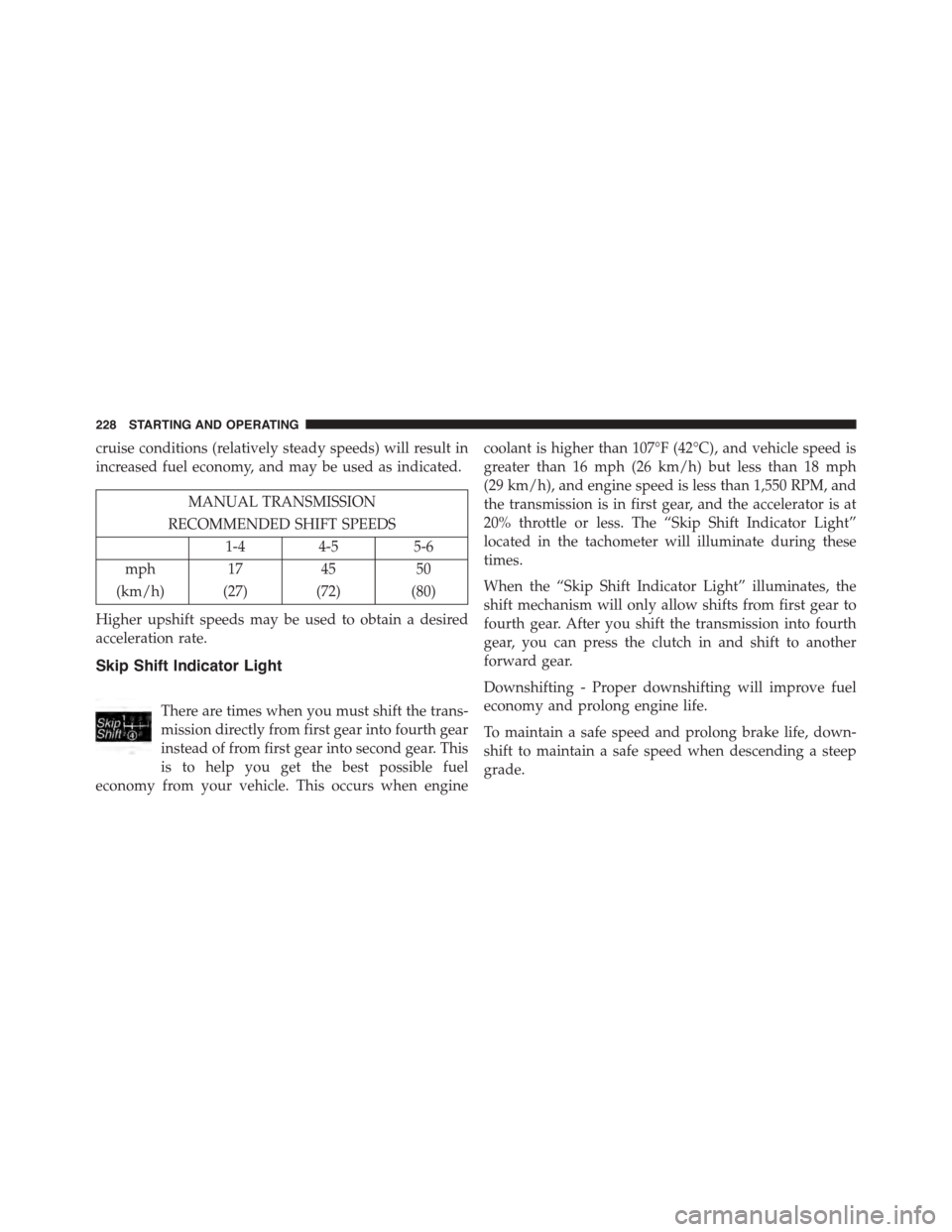
Skip Shift Indicator Light
There are times when you must shift the trans-
mission directly from first gear into fourth gear
instead of from first gear into second gear. This
is to help you get the best possible fuel
economy from your vehicle. This occurs when engine
coolant is higher than 107°F (42°C), and vehicle speed is
greater than 16 mph (26 km/h) but less than 18 mph
(29 km/h), and engine speed is less than 1,550 RPM, and
the transmission is in first gear, and the accelerator is at
20% throttle or less. The “Skip Shift Indicator Light”
located in the tachometer will illuminate during these
times.
When the “Skip Shift Indicator Light” illuminates, the
shift mechanism will only allow shifts from first gear to
fourth gear. After you shift the transmission into fourth
gear, you can press the clutch in and shift to another
forward gear.
Downshifting - Proper downshifting will improve fuel
economy and prolong engine life.
To maintain a safe speed and prolong brake life, down-
shift to maintain a safe speed when descending a steep
grade.
228 STARTING AND OPERATING
Page 293 of 400
•If your air conditioner (A/C) is on, turn it off. The A/C
system adds heat to the engine cooling system and
turning the A/C off can help remove this heat.
•You can also turn the temperature control to maximum
heat, the mode control to floor and the blower control
to high. This allows the heater core to act as a
supplement to the radiator and aids in removing heat
from the engine cooling system.
WARNING!
You or others can be badly burned by hot engine
coolant (antifreeze) or steam from your radiator. If
you see or hear steam coming from under the hood,
do not open the hood until the radiator has had time
to cool. Never try to open a cooling system pressure
cap when the radiator or coolant bottle is hot.
WHEEL AND TIRE TORQUE SPECIFICATIONS
Proper lug nut/bolt torque is very important to ensure
that the wheel is properly mounted to the vehicle. Any
time a wheel has been removed and reinstalled on the
vehicle the lug nuts/bolts should be torqued using a
properly calibrated torque wrench.
Torque Specifications
Lug Nut/Bolt Torque **Lug Nut/
Bolt Size
Lug Nut/
Bolt Socket
Size
107 Ft-Lbs (145 N·m) 1/2” x 20 19 mm
**Use only your Authorized Dealer recommended lug
nuts/bolts and clean or remove any dirt or oil before
tightening.
6
WHAT TO DO IN EMERGENCIES 291