service DODGE VIPER 2016 VX / 3.G User Guide
[x] Cancel search | Manufacturer: DODGE, Model Year: 2016, Model line: VIPER, Model: DODGE VIPER 2016 VX / 3.GPages: 423, PDF Size: 2.75 MB
Page 89 of 423
Safety Checks You Should Make Inside The
Vehicle
Seat Belts
Inspect the belt system periodically, checking for cuts,
frays, and loose parts. Damaged parts must be replaced
immediately. Do not disassemble or modify the system.
Front seat belt assemblies must be replaced after a
collision. Seat belt assemblies must be replaced after a
collision if they have been damaged (i.e., bent retractor,
torn webbing, etc.). If there is any question regarding belt
or retractor condition, replace the belt.
Air Bag Warning Light
The light should come on and remain on for four to eight
seconds for a bulb check when the ignition is first cycled
to ON. If the light is not lit during starting, see yourauthorized dealer. If the light stays on, flickers, or comes
on while driving, have the system checked by an autho-
rized dealer.
Defroster
Check operation by selecting the defrost mode and place
the blower control on high speed. You should be able to
feel the air directed against the windshield. See your
authorized dealer for service if your defroster is inoper-
able.
Floor Mat Safety Information
Always use floor mats designed to fit the foot well of
your vehicle. Use only floor mats that leave the pedal
area unobstructed and that are firmly secured so that
they cannot slip out of position and interfere with the
pedals or impair safe operation of your vehicle in other
ways.
2
THINGS TO KNOW BEFORE STARTING YOUR VEHICLE 87
Page 95 of 423
WARNING!
ALWAYS obey traffic laws and pay attention to the
road. Some Uconnect Access services, including 9-1-1
and Assist, will NOT work without an operable 1X
(voice/data) or 3G (data) network connection.
NOTE:
• Your vehicle may be transmitting data as authorized
by the subscriber.
• The 9–1–1 and ASSIST buttons will only function if
you are connected to an operable 1X(voice/data) or
3G(data) network. Other Uconnect services will only
be operable if your Uconnect Access service is active
and you are connected to an operable 1X(voice/data)
or 3G(data) network. Assist Calls
The ASSIST Button is used for contacting Roadside
Assistance, Vehicle Care and Uconnect Care. The 9-1-1
Button connects you to emergency services to someone
who can help. Roadside Assistance will know what
vehicle you’re driving and its location. Additional fees
may apply for roadside Assistance.
•
Uconnect Access Customer Care – In-vehicle support
for Uconnect Access and Uconnect Access Via Mobile
features.
• Vehicle Customer Care – Total support for all other
vehicle issues.
9-1-1 Call
Push the 9-1-1 Call button on the Rearview Mirror.
3
UNDERSTANDING THE FEATURES OF YOUR VEHICLE 93
Page 96 of 423
NOTE:In case the 9-1-1 Call button is pushed in error,
there will be a 10 second delay before the 9-1-1 Call
system initiates a call to a 9-1-1 operator. To cancel the
9-1-1 Call connection, push the 9-1-1 Call button on the
Rearview Mirror or press the cancellation button on the
touch screen.
WARNING!
ALWAYS obey traffic laws and pay attention to the
road. Some Uconnect Access services, including 9-1-1
and Assist, will NOT work without an operable 1X
(voice/data) or 3G (data) network connection.
NOTE:
• Your vehicle may be transmitting data as authorized
by the subscriber.
• Once a connection is made between the vehicle’s 9-1-1
Call system and the 9-1-1 operator, the 9-1-1 operator may be able to open a voice connection with the
vehicle to determine if additional help is needed. Once
the 9-1-1 operator opens a voice connection with the
vehicle’s 9-1-1 Call system, the operator should be able
to speak with you or other vehicle occupants and hear
sounds occurring in the vehicle. The vehicle’s 9-1-1
Call system will attempt to remain connected with the
9-1-1 operator until the 9-1-1 operator terminates the
connection.
WARNING!
•
If anyone in the vehicle could be in danger (e.g.,
fire or smoke is visible, dangerous road conditions
or location), do not wait for voice contact from a
9-1-1 operator. All occupants should exit the vehicle
immediately and move to a safe location.
(Continued)
94 UNDERSTANDING THE FEATURES OF YOUR VEHICLE
Page 97 of 423
WARNING!(Continued)
•Never place anything on or near the vehicle’s oper-
able 1X (voice/data) or 3G(data) network and GPS
antennas. You could prevent operable 1X (voice/data)
or 3G(data) network and GPS signal reception,
which can prevent your vehicle from placing an
emergency call. An operable 1X (voice/data) or
3G(data) network and GPS signal reception is re-
quired for the 9-1-1 Call system to function properly.
• The 9-1-1 Call system is embedded into the vehi-
cle’s electrical system. Do not add aftermarket
electrical equipment to the vehicle’s electrical sys-
tem. This may prevent your vehicle from sending a
signal to initiate an emergency call. To avoid inter-
ference that can cause the 9-1-1 Call system to fail,
never add aftermarket equipment (e.g., two-way
mobile radio, CB radio, data recorder, etc.) to your
(Continued)
WARNING! (Continued)
vehicle’s electrical system or modify the antennas
on your vehicle. IF YOUR VEHICLE LOSES BAT-
TERY POWER FOR ANY REASON (INCLUDING
DURING OR AFTER AN ACCIDENT), THE
UCONNECT FEATURES, APPS AND SERVICES,
AMONG OTHERS, WILL NOT OPERATE.
• Modifications to any part of the 9-1-1 Call system
could cause the air bag system to fail when you
need it. You could be injured if the air bag system
is not there to help protect you.
CAUTION!
To avoid damage to the mirror during cleaning, never
spray any cleaning solution directly onto the mirror.
Apply the solution onto a clean cloth and wipe the
mirror clean.
3
UNDERSTANDING THE FEATURES OF YOUR VEHICLE 95
Page 148 of 423
1. Speedometer•Indicates vehicle speed
2. Tachometer •Indicates the engine speed in revolutions per minute
(RPM x 1000).
3. Temperature Gauge •The temperature gauge shows engine coolant tem-
perature. Any reading within the normal range indi-
cates that the engine cooling system is operating
satisfactorily.
• The gauge pointer will likely indicate a higher tem-
perature when driving in hot weather or up moun-
tain grades. It should not be allowed to exceed the
upper limits of the normal operating range.CAUTION!
Driving with a hot engine cooling system could
damage your vehicle. If the temperature gauge reads
“H” pull over and stop the vehicle. Idle the vehicle
with the air conditioner turned off until the pointer
drops back into the normal range. If the pointer
remains on the “H” and you hear continuous chimes,
turn the engine off immediately and call an autho-
rized dealer for service.
146 UNDERSTANDING YOUR INSTRUMENT PANEL
Page 149 of 423
WARNING!
A hot engine cooling system is dangerous. You or
others could be badly burned by steam or boiling
coolant. You may want to call an authorized dealer
for service if your vehicle overheats. If you decide to
look under the hood yourself, see “Maintaining Your
Vehicle”. Follow the warnings under the Cooling
System Pressure Cap paragraph.
4. Fuel Gauge •The pointer shows the level of fuel in the fuel tank
when the ignition switch is in the ON/RUN position
WARNING AND INDICATOR LIGHTS
IMPORTANT: The warning / indicator light switches on
in the instrument panel together with a dedicated mes-
sage and/or acoustic signal when applicable. These
indications are indicative and precautionary and as such
must not be considered as exhaustive and/or alternative
to the information contained in the Owner Manual,
which you are advised to read carefully in all cases.
Always refer to the information in this chapter in the
event of a failure indication.
All active telltales will display first if applicable. The
system check menu may appear different based upon
equipment options and current vehicle status. Some
telltales are optional and may not appear.
4
UNDERSTANDING YOUR INSTRUMENT PANEL 147
Page 153 of 423
The light will remain on until the cause is corrected.
NOTE:The light may flash momentarily during sharp
cornering maneuvers, which change fluid level condi-
tions. The vehicle should have service performed, and
the brake fluid level checked.
If brake failure is indicated, immediate repair is neces-
sary.
WARNING!
Driving a vehicle with the red brake light on is
dangerous. Part of the brake system may have failed.
It will take longer to stop the vehicle. You could have
a collision. Have the vehicle checked immediately.
Vehicles equipped with the Anti-Lock Brake System
(ABS) are also equipped with Electronic Brake Force
Distribution (EBD). In the event of an EBD failure, the Brake Warning Light will turn on along with the ABS
Light. Immediate repair to the ABS system is required.
Operation of the Brake Warning Light can be checked by
turning the ignition switch from the OFF position to the
ON/RUN position. The light should illuminate for ap-
proximately two seconds. The light should then turn off
unless the parking brake is applied or a brake fault is
detected. If the light does not illuminate, have the light
inspected by an authorized dealer.
The light also will turn on when the parking brake is
applied with the ignition switch in the ON/RUN posi-
tion.
NOTE:
This light shows only that the parking brake is
applied. It does not show the degree of brake application.
4
UNDERSTANDING YOUR INSTRUMENT PANEL 151
Page 155 of 423
Red WarningLight What It Means
If the light turns on while driving, safely pull over and stop the vehicle. If the A/C system
is on, turn it off. Also, shift the transmission into NEUTRAL and idle the vehicle. If the tem-
perature reading does not return to normal, turn the engine off immediately and call for ser-
vice. Refer to “If Your Engine Overheats” in “What To Do In Emergencies” for further infor-
mation.
Charging System Warning Light
Red Telltale Light What It Means
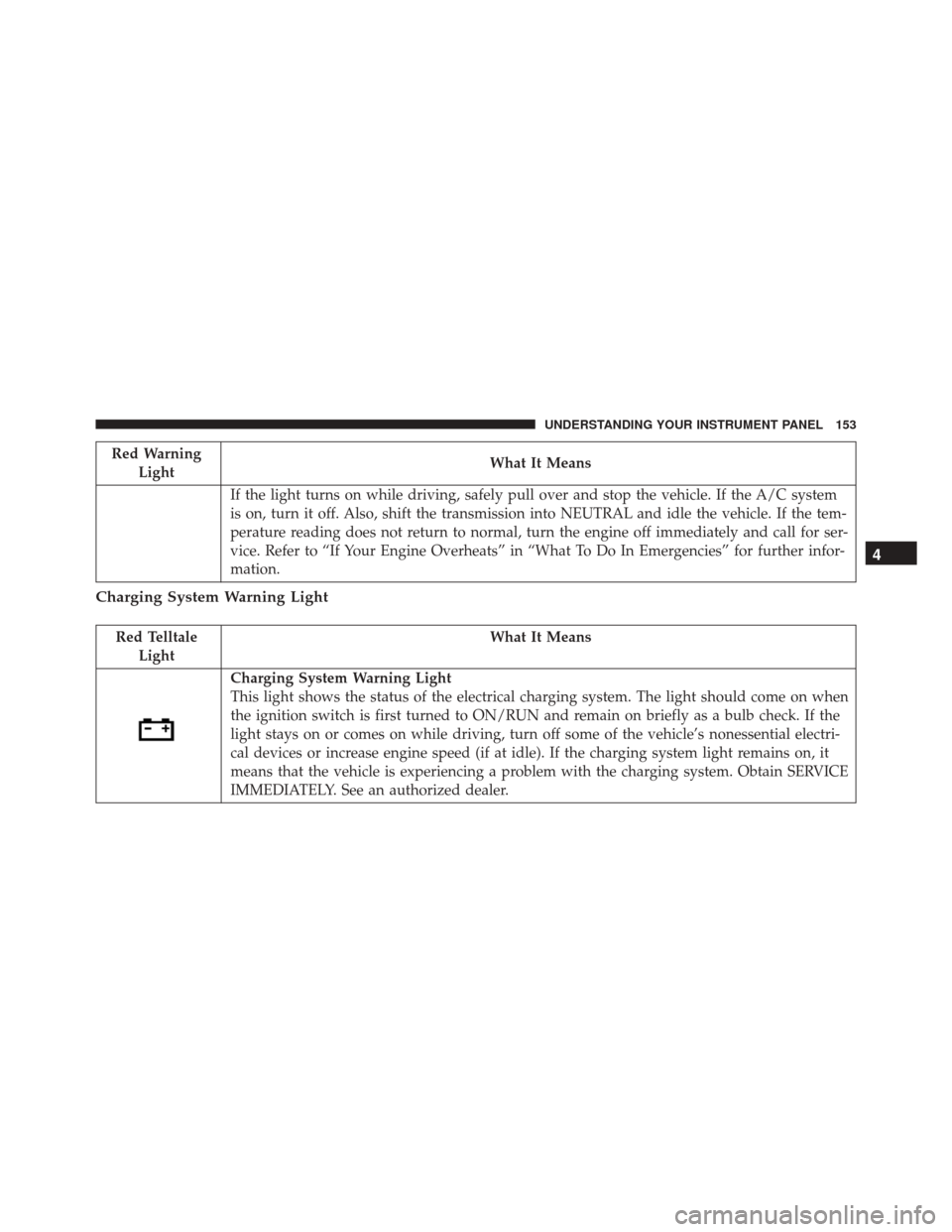
Charging System Warning Light
This light shows the status of the electrical charging system. The light should come on when
the ignition switch is first turned to ON/RUN and remain on briefly as a bulb check. If the
light stays on or comes on while driving, turn off some of the vehicle’s nonessential electri-
cal devices or increase engine speed (if at idle). If the charging system light remains on, it
means that the vehicle is experiencing a problem with the charging system. Obtain SERVICE
IMMEDIATELY. See an authorized dealer.
4
UNDERSTANDING YOUR INSTRUMENT PANEL 153
Page 157 of 423
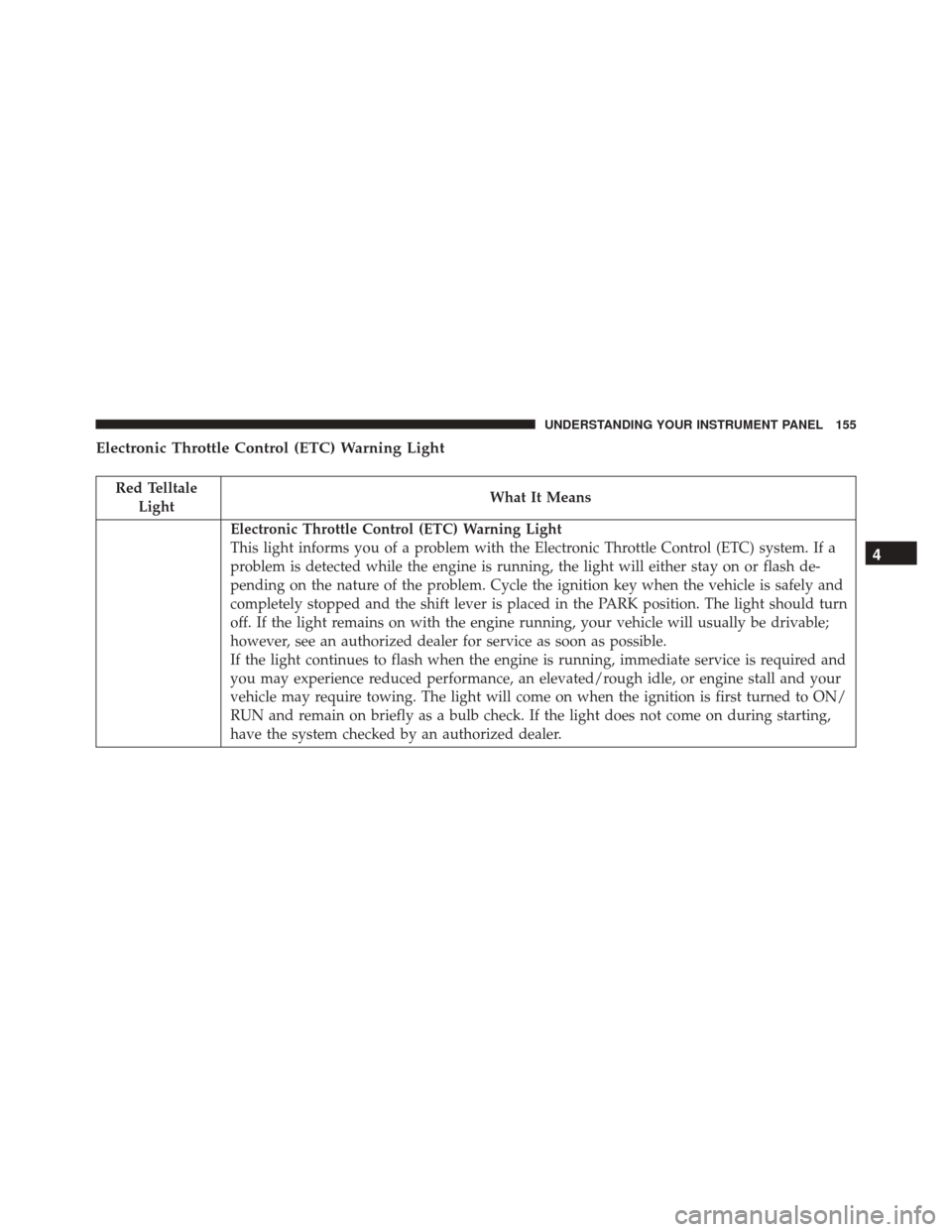
Electronic Throttle Control (ETC) Warning Light
Red TelltaleLight What It Means
Electronic Throttle Control (ETC) Warning Light
This light informs you of a problem with the Electronic Throttle Control (ETC) system. If a
problem is detected while the engine is running, the light will either stay on or flash de-
pending on the nature of the problem. Cycle the ignition key when the vehicle is safely and
completely stopped and the shift lever is placed in the PARK position. The light should turn
off. If the light remains on with the engine running, your vehicle will usually be drivable;
however, see an authorized dealer for service as soon as possible.
If the light continues to flash when the engine is running, immediate service is required and
you may experience reduced performance, an elevated/rough idle, or engine stall and your
vehicle may require towing. The light will come on when the ignition is first turned to ON/
RUN and remain on briefly as a bulb check. If the light does not come on during starting,
have the system checked by an authorized dealer.
4
UNDERSTANDING YOUR INSTRUMENT PANEL 155
Page 160 of 423
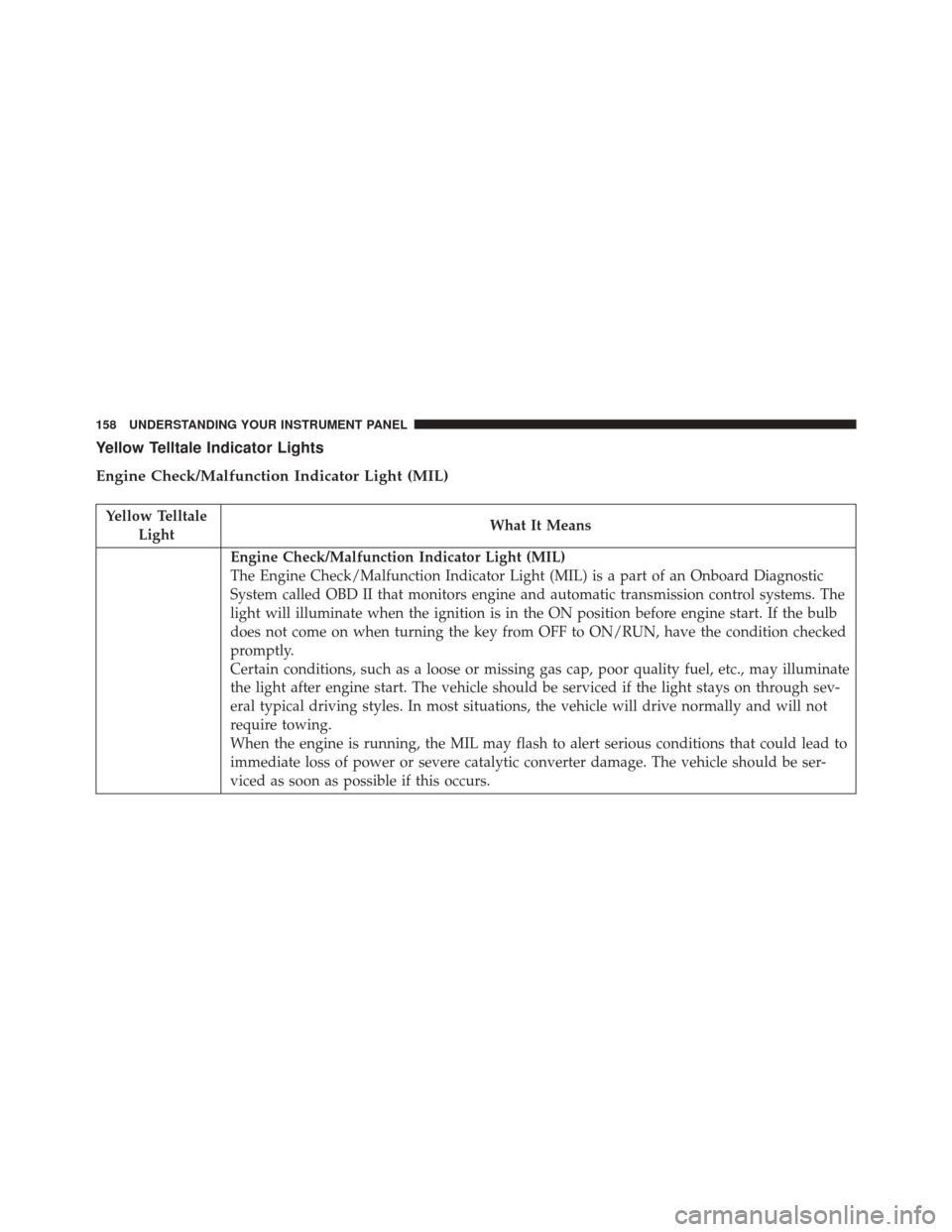
Yellow Telltale Indicator Lights
Engine Check/Malfunction Indicator Light (MIL)
Yellow TelltaleLight What It Means
Engine Check/Malfunction Indicator Light (MIL)
The Engine Check/Malfunction Indicator Light (MIL) is a part of an Onboard Diagnostic
System called OBD II that monitors engine and automatic transmission control systems. The
light will illuminate when the ignition is in the ON position before engine start. If the bulb
does not come on when turning the key from OFF to ON/RUN, have the condition checked
promptly.
Certain conditions, such as a loose or missing gas cap, poor quality fuel, etc., may illuminate
the light after engine start. The vehicle should be serviced if the light stays on through sev-
eral typical driving styles. In most situations, the vehicle will drive normally and will not
require towing.
When the engine is running, the MIL may flash to alert serious conditions that could lead to
immediate loss of power or severe catalytic converter damage. The vehicle should be ser-
viced as soon as possible if this occurs.
158 UNDERSTANDING YOUR INSTRUMENT PANEL