warning DODGE VIPER 2017 VX / 3.G Owners Manual
[x] Cancel search | Manufacturer: DODGE, Model Year: 2017, Model line: VIPER, Model: DODGE VIPER 2017 VX / 3.GPages: 329, PDF Size: 2.83 MB
Page 207 of 329
ELECTRONIC BRAKE CONTROL SYSTEM
Your vehicle is equipped with an advanced electronic
brake control system that includes the Anti-Lock Brake
System (ABS), Traction Control System (TCS), and Elec-
tronic Stability Control (ESC). All of these systems work
together to enhance vehicle stability and control in various
driving conditions.
Anti-Lock Brake System
The Anti-Lock Brake System (ABS) is designed to aid the
driver in maintaining vehicle control under adverse brak-
ing conditions. The system operates with a separate com-
puter to modulate hydraulic pressure to prevent wheel
lock-up and help avoid skidding on slippery surfaces.
NOTE:During severe braking conditions, a pulsing sen-
sation may occur and a clicking noise will be heard. This is
normal, indicating that the ABS is functioning.
The ABS conducts a low-speed self-test at approximately
12 mph (20 km/h). If you have your foot lightly on the
brake pedal while this test is occurring, you may feel a
slight pedal movement. The movement can be more appar-
ent on ice and snow and be considered normal.
The ABS pump motor runs during the self-test at 12 mph
(20 km/h) and during an ABS stop. The pump motor makes a low humming noise during operation, which is
normal.
CAUTION!
The Anti-Lock Brake System is subject to possible
detrimental effects of electronic interference caused by
improperly installed aftermarket radios or telephones.
WARNING!
•
The Anti-Lock Brake System (ABS) contains sophis-
ticated electronic equipment that may be susceptible
to interference caused by improperly installed or
high output radio transmitting equipment. This in-
terference can cause possible loss of anti-lock brak-
ing capability. Installation of such equipment should
be performed by qualified professionals.
• Pumping of the Anti-Lock Brakes will diminish their
effectiveness and may lead to a collision. Pumping
makes the stopping distance longer. Just press firmly
on your brake pedal when you need to slow down or
stop.
(Continued)
5
STARTING AND OPERATING 205
Page 208 of 329
WARNING!(Continued)
•The Anti-Lock Brake System (ABS) cannot prevent
the natural laws of physics from acting on the
vehicle, nor can it increase braking or steering effi-
ciency beyond that afforded by the condition of the
vehicle brakes and tires or the traction afforded.
• The Anti-Lock Brake System (ABS) cannot prevent
collisions, including those resulting from excessive
speed in turns, following another vehicle too closely,
or hydroplaning.
• The capabilities of an Anti-Lock Brake System (ABS)
equipped vehicle must never be exploited in a reck-
less or dangerous manner, that could jeopardize the
user’s safety or the safety of others.
All vehicle wheels and tires must be the same size and type
as the original equipment and the tires must be properly
inflated to produce accurate signals for the computer.
WARNING!
Significant over or underinflation of tires, or mixing
sizes of tires or wheels on the vehicle can lead to loss
of braking effectiveness.
Anti-Lock Brake Warning Light
The “Anti-Lock Brake Warning Light” will turn
on and stay on briefly as a bulb check when the
ignition is first turned on. If the light does not
turn on during starting, have it repaired
promptly.
This light also illuminates at vehicle start-up to indicate
that the ABS self-check is in process. If the light remains on
after start-up, or turns on and remains on at road speeds, it
may indicate a system malfunction or that the system is
inoperative. In this case, the system reverts to standard
non-anti-lock brakes. If this occurs, safely bring the vehicle
to a complete stop as soon as possible and cycle the ignition
to attempt to reset the ABS. If the light remains on, see your
authorized dealer immediately to have the system ser-
viced. Also, if the “BRAKE Warning Light” and the “ABS
Warning Light” are on, and the parking brake is fully
released, see your authorized dealer immediately.
Traction Control System (TCS)
The TCS system monitors the amount of wheel spin of each
driven wheel. If wheel spin is detected, brake pressure is
applied to the slipping wheel(s) and engine power is
reduced to provide enhanced acceleration and stability.
206 STARTING AND OPERATING
Page 209 of 329
Electronic Stability Control
In full on mode the TCS system enhances directional
control and stability of the vehicle under various driving
conditions. The ESC corrects for oversteering and under-
steering the vehicle by applying the brake of the appropri-
ate wheel. Engine power may also be reduced to assist in
counteracting the condition of oversteer or understeer and
help the vehicle maintain the desired path.
In full on mode ESC utilizes sensors in the vehicle to
determine the path that the driver intends to steer the
vehicle and compares it to the actual path of the vehicle.
When the actual path does not match the intended path,
the ESC applies the brake of the appropriate wheel to assist
in counteracting the condition of oversteer or understeer.
•Oversteer – when the vehicle is turning more than
appropriate for the steering wheel position.
• Understeer – when the vehicle is turning less than
appropriate for the steering wheel position.
WARNING!
The Electronic Stability Control System (ESC) cannot
prevent the natural laws of physics from acting on the
vehicle, nor can it increase the traction afforded by
prevailing road conditions. ESC cannot prevent all
accidents, including those resulting from excessive
speed in turns, driving on very slippery surfaces, or
hydroplaning. ESC also cannot prevent accidents re-
sulting from loss of vehicle control due to inappropri-
ate driver input for the conditions. Only a safe, atten-
tive, and skillful driver can prevent accidents. The
capabilities of an ESC equipped vehicle must never be
exploited in a reckless or dangerous manner which
could jeopardize the user ’s safety or the safety of
others.
5
STARTING AND OPERATING 207
Page 210 of 329
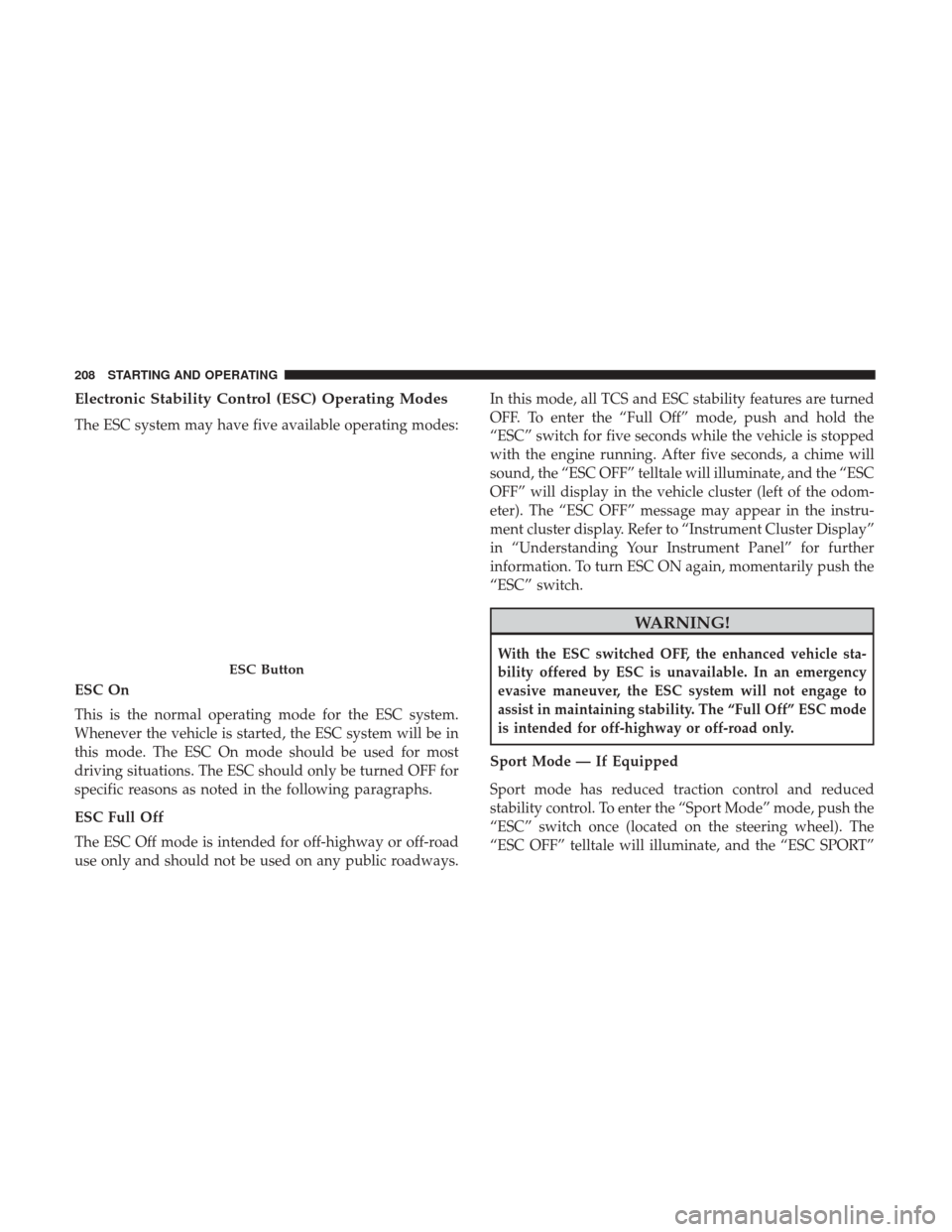
Electronic Stability Control (ESC) Operating Modes
The ESC system may have five available operating modes:
ESC On
This is the normal operating mode for the ESC system.
Whenever the vehicle is started, the ESC system will be in
this mode. The ESC On mode should be used for most
driving situations. The ESC should only be turned OFF for
specific reasons as noted in the following paragraphs.
ESC Full Off
The ESC Off mode is intended for off-highway or off-road
use only and should not be used on any public roadways.In this mode, all TCS and ESC stability features are turned
OFF. To enter the “Full Off” mode, push and hold the
“ESC” switch for five seconds while the vehicle is stopped
with the engine running. After five seconds, a chime will
sound, the “ESC OFF” telltale will illuminate, and the “ESC
OFF” will display in the vehicle cluster (left of the odom-
eter). The “ESC OFF” message may appear in the instru-
ment cluster display. Refer to “Instrument Cluster Display”
in “Understanding Your Instrument Panel” for further
information. To turn ESC ON again, momentarily push the
“ESC” switch.
WARNING!
With the ESC switched OFF, the enhanced vehicle sta-
bility offered by ESC is unavailable. In an emergency
evasive maneuver, the ESC system will not engage to
assist in maintaining stability. The “Full Off” ESC mode
is intended for off-highway or off-road only.
Sport Mode — If Equipped
Sport mode has reduced traction control and reduced
stability control. To enter the “Sport Mode” mode, push the
“ESC” switch once (located on the steering wheel). The
“ESC OFF” telltale will illuminate, and the “ESC SPORT”
ESC Button
208 STARTING AND OPERATING
Page 211 of 329
will display in the vehicle cluster (left of the odometer).
Refer to “Instrument Cluster Display” in “Understanding
Your Instrument Panel” for further information.
WARNING!
When in Sport Mode, the TCS functionality of ESC,
(except for the limited slip feature described in the
TCS section), has been disabled, the “ESC Sport Light”
will illuminate, and the “ESC SPORT” message will
display in the vehicle cluster. When in Sport Mode, the
engine power reduction feature of TCS is disabled, and
the enhanced vehicle stability offered by the ESC
system is reduced.
Track Mode — If Equipped
Track Mode has no traction control and has reduced
stability control. To enter the “Track Mode” mode, push the
“ESC” switch twice. The “ESC OFF” telltale will illuminate,
and the “ESC TRACK” message will display in the vehicle
cluster (left of the odometer). Refer to “Instrument Cluster
Display” in “Understanding Your Instrument Panel” for
further information.
WARNING!
When in Track Mode, the TCS functionality of ESC,
(except for the limited slip feature described in the
TCS section), has been disabled, the “ESC Track Light”
will illuminate, and the “ESC TRACK” message will
display in the vehicle cluster. When in Track Mode, the
engine power reduction feature of TCS is disabled, and
the enhanced vehicle stability offered by the ESC
system is greatly reduced. Track Mode is intended for
off-highway or off-road only.
Rain Mode
Rain mode offers increased traction control and stability
control for low traction conditions such as wet roads, dry
roads during cold temperatures, or when the driver wants
enhanced stability due to lack of familiarity or experience
with the vehicle’s response. To enter the “Rain Mode”
mode, push the “ESC” switch three times. The “ESC Rain
Light” will illuminate, and the “ESC RAIN” message will
display in the vehicle cluster (left of the odometer). Refer to
“Instrument Cluster Display” in “Understanding Your
Instrument Panel” for further information.
NOTE:
Some models may not offer “Sport” or “Track” Mode.
5
STARTING AND OPERATING 209
Page 218 of 329
WARNING!
•Overloading of your tires is dangerous. Overloading
can cause tire failure, affect vehicle handling, and
increase your stopping distance. Use tires of the
recommended load capacity for your vehicle. Never
overload them.
• Improperly inflated tires are dangerous and can
cause collisions. Under-inflation increases tire flex-
ing and can result in over-heating and tire failure.
Over-inflation reduces a tire’s ability to cushion
shock. Objects on the road and chuck holes can cause
damage that results in tire failure. Unequal tire
pressures can cause steering problems. You could
lose control of your vehicle. Over-inflated or under-
inflated tires can affect vehicle handling and can fail
suddenly, resulting in loss of vehicle control. Always
drive with each tire inflated to the recommended
cold tire inflation pressure.
Tire And Loading Information Placard
This placard tells you important information about the:
1. Number of people that can be carried in the vehicle.
2. Total weight your vehicle can carry.
3. Tire size designed for your vehicle.
4. Cold tire inflation pressures for the front, rear, and spare tires.
Tire And Loading Information Placard
216 STARTING AND OPERATING
Page 221 of 329
WARNING!
Overloading of your tires is dangerous. Overloading
can cause tire failure, affect vehicle handling, and
increase your stopping distance. Use tires of the rec-
ommended load capacity for your vehicle. Never over-
load them.
5
STARTING AND OPERATING 219
Page 222 of 329
TIRES — GENERAL INFORMATION
Tire Pressure
Proper tire inflation pressure is essential to the safe and
satisfactory operation of your vehicle. Four primary areas
are affected by improper tire pressure:
•Safety and Vehicle Stability
• Economy
• Tread Wear
• Ride Comfort
Safety
WARNING!
•Improperly inflated tires are dangerous and can
cause collisions.
• Underinflation increases tire flexing and can result
in overheating and tire failure.
• Overinflation reduces a tire’s ability to cushion
shock. Objects on the road and chuckholes can cause
damage that result in tire failure.
(Continued)
WARNING! (Continued)
•Overinflated or underinflated tires can affect vehicle
handling and can fail suddenly, resulting in loss of
vehicle control.
• Unequal tire pressures can cause steering problems.
You could lose control of your vehicle.
• Unequal tire pressures from one side of the vehicle
to the other can cause the vehicle to drift to the right
or left.
• Always drive with each tire inflated to the recom-
mended cold tire inflation pressure.
Both under-inflation and over-inflation affect the stability
of the vehicle and can produce a feeling of sluggish
response or over responsiveness in the steering.
NOTE:
• Unequal tire pressures from side to side may cause
erratic and unpredictable steering response.
• Unequal tire pressure from side to side may cause the
vehicle to drift left or right.
Fuel Economy
Underinflated tires will increase tire rolling resistance
resulting in higher fuel consumption.
220 STARTING AND OPERATING
Page 224 of 329
pressure should be increased by 3 psi (21 kPa), which
equals 1 psi (7 kPa) for every 12°F (7°C) for this outside
temperature condition.
Tire pressure may increase from 2 to 6 psi (13 to 40 kPa)
during operation. DO NOT reduce this normal pressure
build up or your tire pressure will be too low.
Tire Pressures For High Speed Operation
The manufacturer advocates driving at safe speeds and
within posted speed limits. Where speed limits or condi-
tions are such that the vehicle can be driven at high speeds,
maintaining correct tire inflation pressure is very impor-
tant. Increased tire pressure and reduced vehicle loading
may be required for high-speed vehicle operation. Refer to
your authorized tire dealer or original equipment vehicle
dealer for recommended safe operating speeds, loading
and cold tire inflation pressures.
WARNING!
High speed driving with your vehicle under maximum
load is dangerous. The added strain on your tires could
cause them to fail. You could have a serious collision.
Do not drive a vehicle loaded to the maximum capacity
at continuous speeds above 75 mph (120 km/h).
Radial Ply Tires
WARNING!
Combining radial ply tires with other types of tires on
your vehicle will cause your vehicle to handle poorly.
The instability could cause a collision. Always use
radial ply tires in sets of four. Never combine them
with other types of tires.
Tire Repair
If your tire becomes damaged, it may be repaired if it meets
the following criteria:
• The tire has not been driven on when flat.
• The damage is only on the tread section of your tire
(sidewall damage is not repairable).
• The puncture is no greater thana¼ofaninch (6 mm).
Consult an authorized tire dealer for tire repairs and
additional information.
Damaged Run Flat tires, or Run Flat tires that have
experienced a loss of pressure should be replaced immedi-
ately with another Run Flat tire of identical size and service
description (Load Index and Speed Symbol).
222 STARTING AND OPERATING
Page 225 of 329
Tire Types
All Season Tires — If Equipped
All season tires provide traction for all seasons (Spring,
Summer, Fall and Winter). Traction levels may vary be-
tween different all season tires. All season tires can be
identified by the M+S, M&S, M/S or MS designation on the
tire sidewall. Use all season tires only in sets of four; failure
to do so may adversely affect the safety and handling of
your vehicle.
Summer Or Three Season Tires — If Equipped
Summer tires provide traction in both wet and dry condi-
tions, and are not intended to be driven in snow or on ice.
If your vehicle is equipped with Summer tires, be aware
these tires are not designed for Winter or cold driving
conditions. Install Winter tires on your vehicle when am-
bient temperatures are less than 40°F (5°C) or if roads are
covered with ice or snow. For more information, contact an
authorized dealer.
Summer tires do not contain the all season designation or
mountain/snowflake symbol on the tire sidewall. Use
Summer tires only in sets of four; failure to do so may
adversely affect the safety and handling of your vehicle.
WARNING!
Do not use Summer tires in snow/ice conditions. You
could lose vehicle control, resulting in severe injury or
death. Driving too fast for conditions also creates the
possibility of loss of vehicle control.
Snow Tires
There are no snow tires that are compatible with the wheels
on this vehicle.
Run Flat Tires — If Equipped
Run Flat tires allow you the capability to drive 50 miles
(80 km) at 50 mph (80 km/h) after a rapid loss of inflation
pressure. This rapid loss of inflation is referred to as the
Run Flat mode. A Run Flat mode occurs when the tire
inflation pressure is of/or below 14 psi (96 kPa). Once a
Run Flat tire reaches the Run Flat mode, it has limited
driving capabilities and needs to be replaced immediately.
A Run Flat tire is not repairable.
It is not recommended to drive a vehicle loaded at full
capacity, or to tow a trailer while a tire is in the Run Flat
mode.
See the tire pressure monitoring section for more information.
5
STARTING AND OPERATING 223