instrument panel DODGE VIPER 2017 VX / 3.G Owners Manual
[x] Cancel search | Manufacturer: DODGE, Model Year: 2017, Model line: VIPER, Model: DODGE VIPER 2017 VX / 3.GPages: 329, PDF Size: 2.83 MB
Page 185 of 329
Yelp (8.4 NAV)
Once registered with Uconnect Access, you can use your
voice to search for the most popular places or things
around you.
1. Press the “Apps
” button on the touchscreen.
2. Press the “Yelp” button on the touchscreen.
3. Once the YELP home screen appears on the touchscreen,push the VR button
, then say: “YELP search.”
4. Listen to the system prompts and after the beep, tell
Uconnect the place or business that you’d like Uconnect
to find.
TIP: Once you perform a search, you can reorganize the
results by selecting either the Best Match, Rating or Dis-
tance tab on the top of the touchscreen display.
Yelp
4
UNDERSTANDING YOUR INSTRUMENT PANEL 183
Page 186 of 329

SiriusXM Travel Link (8.4 NAV)
Need to find a gas station, view local movie listings, check
a sports score or the 5 - day weather forecast? SiriusXM
Travel Link is a suite of services that brings a wealth of
information right to your Uconnect 8.4 NAV system.
Push the VR button
. After the beep, say one of the
following commands:
• Show fuel prices
• Show 5 - day weather forecast
• Show extended weather
TIP: Traffic alerts are not accessible with Voice Command.
Siri Eyes Free — If Equipped
If your vehicle is equipped with Siri Eyes Free, you can use
your voice to send text messages, schedule meetings, set
reminders, and more. For further information go to the
Mopar Owner Connect website moparownerconnect.com.
SiriusXM Travel Link
184 UNDERSTANDING YOUR INSTRUMENT PANEL
Page 187 of 329
Do Not Disturb
With Do Not Disturb, you can disable notifications from
incoming calls and texts, allowing you to keep your eyes
on the road and hands on the wheel. For your convenience,
there is a counter display to keep track of your missed calls
and text messages while you were using Do Not Disturb.
Do Not Disturb can automatically reply with a text mes-
sage, a call or both, when declining an incoming call and
send it to voicemail.
Automatic reply messages can be:
•“I am driving right now, I will get back to you shortly.”
• Create a custom auto reply message up to 160 characters.
NOTE: Only the first 25 characters can been seen on the
touchscreen while typing a custom message.
While in Do Not Disturb, Conference Call can be selected
so you can still place a second call without being inter-
rupted by incoming calls.
NOTE:
• Reply with text message is not compatible with iPhones. •
Auto reply with text message is only available on
phones that supporting Bluetooth MAP.
General Information
This device complies with FCC rules Part 15 and Industry
Canada RSS-210. Operation is subject to the following two
conditions:
1. This device may not cause harmful interference.
2. This device must accept any interference that may be received including interference that may cause unde-
sired operation.
NOTE:
• The transmitter has been tested and it complies with
FCC and IC rules. Changes or modifications not ex-
pressly approved by the party responsible for compli-
ance could void the user ’s authority to operate the
device.
• The term IC before the certification/registration number
only signifies that Industry Canada technical specifica-
tions were met.
4
UNDERSTANDING YOUR INSTRUMENT PANEL 185
Page 188 of 329
Additional Information
© 2016 FCA US LLC. All rights reserved. Mopar and
Uconnect are registered trademarks and Mopar Owner
Connect is a trademark of FCA US LLC. Android is a
trademark of Google Inc. SiriusXM and all related marks
and logos are trademarks of SiriusXM Radio Inc. Yelp, Yelp
logo, Yelp burst and related marks are registered trade-
marks of Yelp.
Uconnect System Support:
•U.S. residents visit DriveUconnect.com or call:
1-877-855-8400(24 hours a day 7 days a week)
• Canadian residents visit DriveUconnect.ca or call:
1-800-465-2001(English) or 1-800-387-9983(French)
Mon. – Fri., 8:00 am – 8:00 pm, ET
Sat., 9:00 am – 5:00 pm, ET
Sun., Closed
Uconnect Access services support, call: 1-855-792-4241
Please have your Uconnect Security PIN ready when you
call.
186 UNDERSTANDING YOUR INSTRUMENT PANEL
Page 193 of 329
NOTE:
•You must disarm the security system in order to start the
engine. Refer to “Security Alarm System” in “Things To
Know Before Starting Your Vehicle” for further informa-
tion.
• Normal starting of either a cold or a warm engine does
not require pumping or pressing the accelerator pedal.
However, if the engine has not started within three
seconds, slightly press the accelerator pedal while con-
tinuing to crank. If the engine fails to start within 15
seconds, wait five seconds, then repeat the “Normal
Starting” procedure.
To Start The Engine:
1. Fully apply the parking brake.
2. Press the clutch pedal to the floor.
NOTE: The engine will not start unless the clutch pedal is
pressed to the floor. 3. Place the gear selector in NEUTRAL.
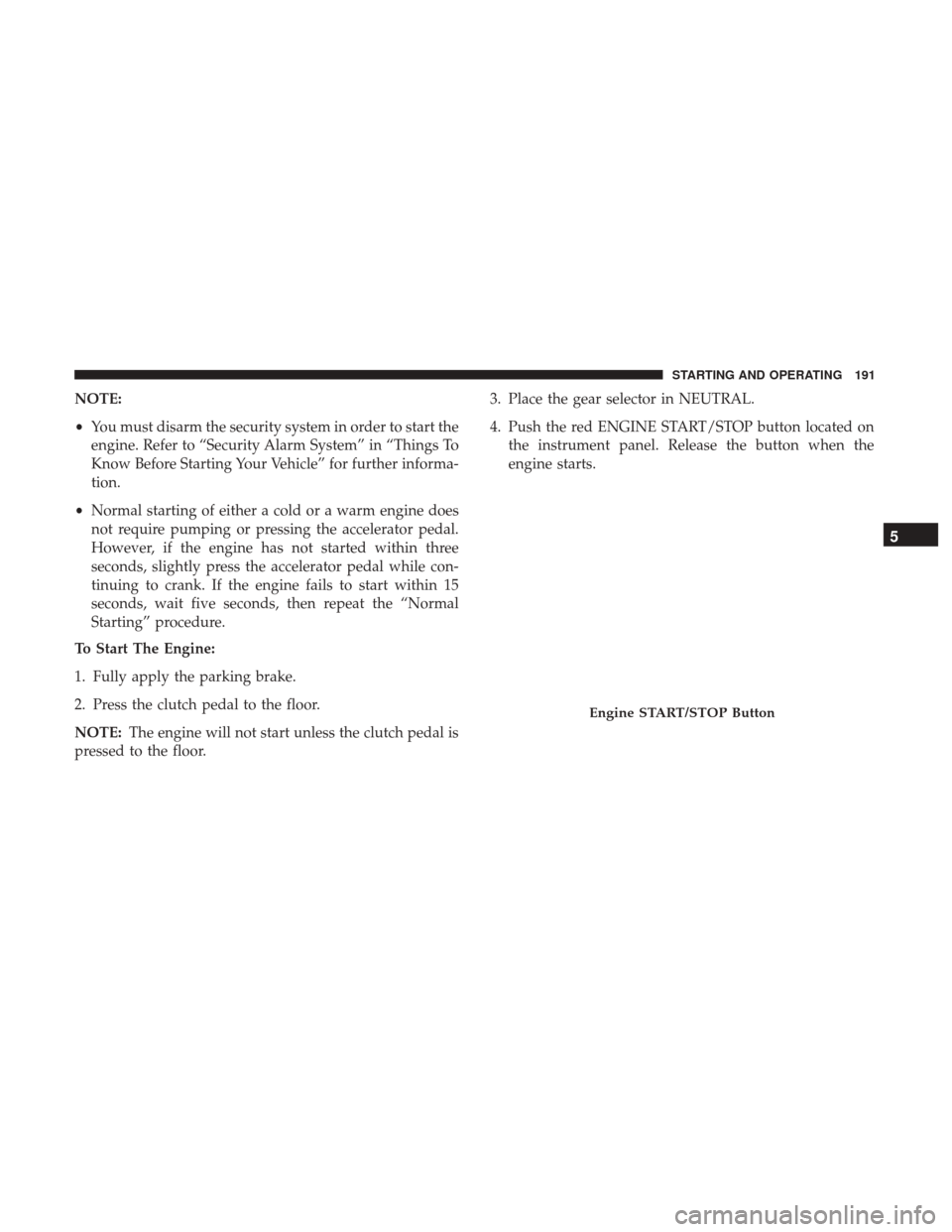
4. Push the red ENGINE START/STOP button located on
the instrument panel. Release the button when the
engine starts.
Engine START/STOP Button
5
STARTING AND OPERATING 191
Page 198 of 329
STREET/RACE MODE — IF EQUIPPED
This vehicle is equipped with a two mode electronic
controlled damping system. This system allows for a
compliant street suspension damping setting or a firmer
race suspension damping setting. When in street mode the
system will automatically shift the suspension dampers to
the firmer Race damping setting during some hard accel-
eration and braking situations. There are two modes of
operation:
•Street Mode — This mode will give a sporty, but
comfortable ride. This mode is driver selectable when
the vehicle is placed in STREET mode (push the
“STREET” button on the Instrument Panel). This mode
is intended for a smoother ride on the various types of
pavement and road conditions while still providing
damping levels appropriate extreme capabilities.
• Race Mode — This mode is driver selectable when the
vehicle is placed in RACE mode (push the “RACE”
button on the Instrument Panel). This mode is for track
use only and will supply maximum grip to the tires. NOTE:
•
With the ignition in the ON/RUN position, the suspen-
sion damping system will be in the last mode the system
was in when the vehicle was turned off. The driver can
select either Street or Race damping mode at any time.
• The suspension mode will lock and stay in whatever the
driver selects even when the ignition is turned off and
the car restarted.
• The RACE setting will provide a much firmer ride.
• When RACE mode is enabled, a Shock symbol with
“RACE” next to it will light up in the instrument cluster.
LAUNCH MODE
This system maximizes acceleration traction for straight
line racing.
1. Bring the vehicle to a complete stop on a level track surface with the engine running.
2. Set the steering wheel for straight ahead driving.
3. Fully depress the clutch and select the first gear posi- tion.
196 STARTING AND OPERATING
Page 210 of 329
Electronic Stability Control (ESC) Operating Modes
The ESC system may have five available operating modes:
ESC On
This is the normal operating mode for the ESC system.
Whenever the vehicle is started, the ESC system will be in
this mode. The ESC On mode should be used for most
driving situations. The ESC should only be turned OFF for
specific reasons as noted in the following paragraphs.
ESC Full Off
The ESC Off mode is intended for off-highway or off-road
use only and should not be used on any public roadways.In this mode, all TCS and ESC stability features are turned
OFF. To enter the “Full Off” mode, push and hold the
“ESC” switch for five seconds while the vehicle is stopped
with the engine running. After five seconds, a chime will
sound, the “ESC OFF” telltale will illuminate, and the “ESC
OFF” will display in the vehicle cluster (left of the odom-
eter). The “ESC OFF” message may appear in the instru-
ment cluster display. Refer to “Instrument Cluster Display”
in “Understanding Your Instrument Panel” for further
information. To turn ESC ON again, momentarily push the
“ESC” switch.
WARNING!
With the ESC switched OFF, the enhanced vehicle sta-
bility offered by ESC is unavailable. In an emergency
evasive maneuver, the ESC system will not engage to
assist in maintaining stability. The “Full Off” ESC mode
is intended for off-highway or off-road only.
Sport Mode — If Equipped
Sport mode has reduced traction control and reduced
stability control. To enter the “Sport Mode” mode, push the
“ESC” switch once (located on the steering wheel). The
“ESC OFF” telltale will illuminate, and the “ESC SPORT”
ESC Button
208 STARTING AND OPERATING
Page 211 of 329
will display in the vehicle cluster (left of the odometer).
Refer to “Instrument Cluster Display” in “Understanding
Your Instrument Panel” for further information.
WARNING!
When in Sport Mode, the TCS functionality of ESC,
(except for the limited slip feature described in the
TCS section), has been disabled, the “ESC Sport Light”
will illuminate, and the “ESC SPORT” message will
display in the vehicle cluster. When in Sport Mode, the
engine power reduction feature of TCS is disabled, and
the enhanced vehicle stability offered by the ESC
system is reduced.
Track Mode — If Equipped
Track Mode has no traction control and has reduced
stability control. To enter the “Track Mode” mode, push the
“ESC” switch twice. The “ESC OFF” telltale will illuminate,
and the “ESC TRACK” message will display in the vehicle
cluster (left of the odometer). Refer to “Instrument Cluster
Display” in “Understanding Your Instrument Panel” for
further information.
WARNING!
When in Track Mode, the TCS functionality of ESC,
(except for the limited slip feature described in the
TCS section), has been disabled, the “ESC Track Light”
will illuminate, and the “ESC TRACK” message will
display in the vehicle cluster. When in Track Mode, the
engine power reduction feature of TCS is disabled, and
the enhanced vehicle stability offered by the ESC
system is greatly reduced. Track Mode is intended for
off-highway or off-road only.
Rain Mode
Rain mode offers increased traction control and stability
control for low traction conditions such as wet roads, dry
roads during cold temperatures, or when the driver wants
enhanced stability due to lack of familiarity or experience
with the vehicle’s response. To enter the “Rain Mode”
mode, push the “ESC” switch three times. The “ESC Rain
Light” will illuminate, and the “ESC RAIN” message will
display in the vehicle cluster (left of the odometer). Refer to
“Instrument Cluster Display” in “Understanding Your
Instrument Panel” for further information.
NOTE:
Some models may not offer “Sport” or “Track” Mode.
5
STARTING AND OPERATING 209
Page 248 of 329
HAZARD WARNING FLASHER
The Hazard Warning flasher switch is located in the center
of the instrument panel above the climate controls.Push the switch to turn on the Hazard Warning
flasher. When the switch is activated, all directional
turn signals will flash on and off to warn oncoming traffic
of an emergency. Push the switch a second time to turn off
the Hazard Warning flasher.
This is an emergency warning system and it should not be
used when the vehicle is in motion. Use it when your
vehicle is disabled and it is creating a safety hazard for
other motorists.
When you must leave the vehicle to seek assistance, the
Hazard Warning flasher will continue to operate even
though the ignition is placed in the OFF position.
NOTE: With extended use the Hazard Warning flasher
may wear down your battery.
IF YOUR ENGINE OVERHEATS
In any of the following situations, you can reduce the
potential for overheating by taking the appropriate action.
• On the highways — Slow down and use the highest
gear possible. •
In city traffic — While stopped, put the transmission in
NEUTRAL, but do not increase engine idle speed.
• In city traffic — While moving, shift into the highest
gear possible to reduce engine RPM.
NOTE: There are steps that you can take to slow down an
impending overheat condition:
• If your air conditioner (A/C) is on, turn it off. The A/C
system adds heat to the engine cooling system and
turning the A/C off can help remove this heat.
• You can also turn the temperature control to maximum
heat, the mode control to floor and the blower control to
high. This allows the heater core to act as a supplement
to the radiator and aids in removing heat from the
engine cooling system.
WARNING!
You or others can be badly burned by hot engine
coolant (antifreeze) or steam from your radiator. If you
see or hear steam coming from under the hood, do not
open the hood until the radiator has had time to cool.
Never try to open a cooling system pressure cap when
the radiator or coolant bottle is hot.
246 WHAT TO DO IN EMERGENCIES
Page 256 of 329
If the sealant (white fluid) does flow through the Sealant
Hose (6):
1. Continue to operate the pump until sealant is no longerflowing through hose (typically takes 30 - 70 seconds).
As the sealant flows through the Sealant Hose (6), the
Pressure Gauge (3) can read as high as 70 psi (4.8 Bar).
The Pressure Gauge (3) will decrease quickly from
approximately 70 psi (4.8 Bar) to the actual tire pressure
when the Sealant Bottle (1) is empty.
2. The pump will start to inject air into the tire immedi- ately after the Sealant Bottle (1) is empty. Continue to
operate the pump and inflate the tire to the pressure
indicated on the tire pressure label on the driver-side
latch pillar (recommended pressure). Check the tire
pressure by looking at the Pressure Gauge (3).
If the tire does not inflate to at least 26 psi (1.8 Bar)
pressure within 15 minutes:
• The tire is too badly damaged. Do not attempt to drive
the vehicle further. Call for assistance.
NOTE: If the tire becomes overinflated, push the Deflation
Button to reduce the tire pressure to the recommended
inflation pressure before continuing. If the tire inflates to the recommended pressure or is at
least 26 psi (1.8 Bar) pressure within 15 minutes:
1. Push the Power Button (4) to turn off the Tire Service
Kit.
2. Remove the Speed Limit sticker from the top of the Sealant Bottle (1) and place the sticker on the instrument
panel.
3. Immediately disconnect the Sealant Hose (6) from the valve stem, reinstall the cap on the fitting at the end of
the hose, and place the Tire Service Kit in the vehicle
storage location. Quickly proceed to (D) “Drive Ve-
hicle.”
CAUTION!
•The metal end fitting from Power Plug (8) may get
hot after use, so it should be handled carefully.
• Failure to reinstall the cap on the fitting at the end of
the Sealant Hose (6) can result in sealant contacting
your skin, clothing, and the vehicle’s interior. It can
also result in sealant contacting internal Tire Service
Kit components which may cause permanent damage
to the kit.
254 WHAT TO DO IN EMERGENCIES