warning FIAT 124 SPIDER 2016 2.G Owners Manual
[x] Cancel search | Manufacturer: FIAT, Model Year: 2016, Model line: 124 SPIDER, Model: FIAT 124 SPIDER 2016 2.GPages: 216, PDF Size: 3.1 MB
Page 171 of 216
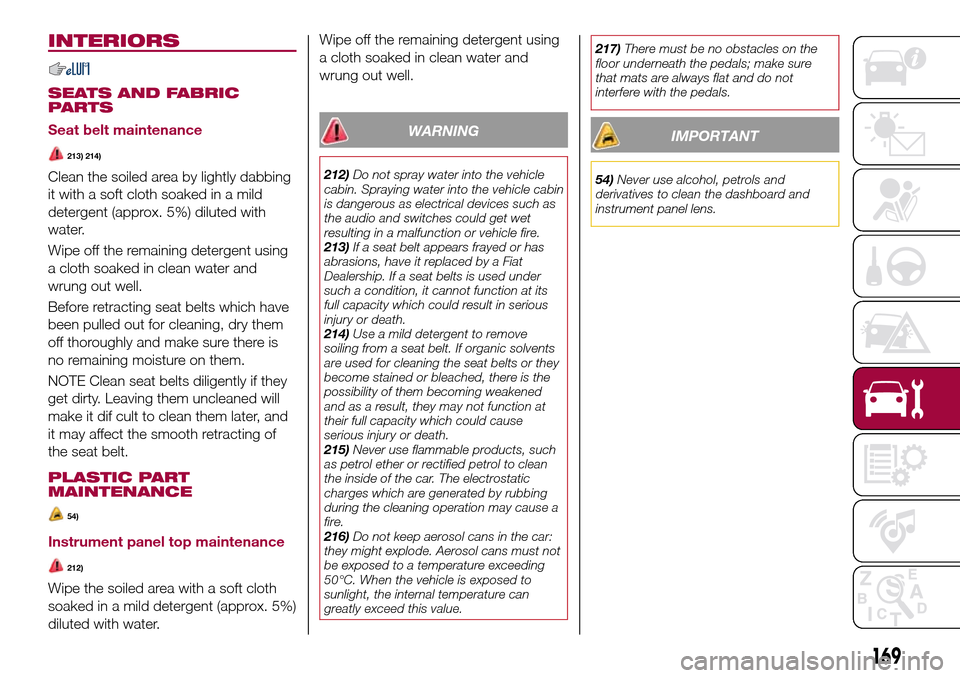
INTERIORS
SEATS AND FABRIC
PARTS
Seat belt maintenance
213) 214)
Clean the soiled area by lightly dabbing
it with a soft cloth soaked in a mild
detergent (approx. 5%) diluted with
water.
Wipe off the remaining detergent using
a cloth soaked in clean water and
wrung out well.
Before retracting seat belts which have
been pulled out for cleaning, dry them
off thoroughly and make sure there is
no remaining moisture on them.
NOTE Clean seat belts diligently if they
get dirty. Leaving them uncleaned will
make it dif cult to clean them later, and
it may affect the smooth retracting of
the seat belt.
PLASTIC PART
MAINTENANCE
54)
Instrument panel top maintenance
212)
Wipe the soiled area with a soft cloth
soaked in a mild detergent (approx. 5%)
diluted with water.Wipe off the remaining detergent using
a cloth soaked in clean water and
wrung out well.
WARNING
212)Do not spray water into the vehicle
cabin. Spraying water into the vehicle cabin
is dangerous as electrical devices such as
the audio and switches could get wet
resulting in a malfunction or vehicle fire.
213)If a seat belt appears frayed or has
abrasions, have it replaced by a Fiat
Dealership. If a seat belts is used under
such a condition, it cannot function at its
full capacity which could result in serious
injury or death.
214)Use a mild detergent to remove
soiling from a seat belt. If organic solvents
are used for cleaning the seat belts or they
become stained or bleached, there is the
possibility of them becoming weakened
and as a result, they may not function at
their full capacity which could cause
serious injury or death.
215)Never use flammable products, such
as petrol ether or rectified petrol to clean
the inside of the car. The electrostatic
charges which are generated by rubbing
during the cleaning operation may cause a
fire.
216)Do not keep aerosol cans in the car:
they might explode. Aerosol cans must not
be exposed to a temperature exceeding
50°C. When the vehicle is exposed to
sunlight, the internal temperature can
greatly exceed this value.217)There must be no obstacles on the
floor underneath the pedals; make sure
that mats are always flat and do not
interfere with the pedals.
IMPORTANT
54)Never use alcohol, petrols and
derivatives to clean the dashboard and
instrument panel lens.
169
Page 174 of 216
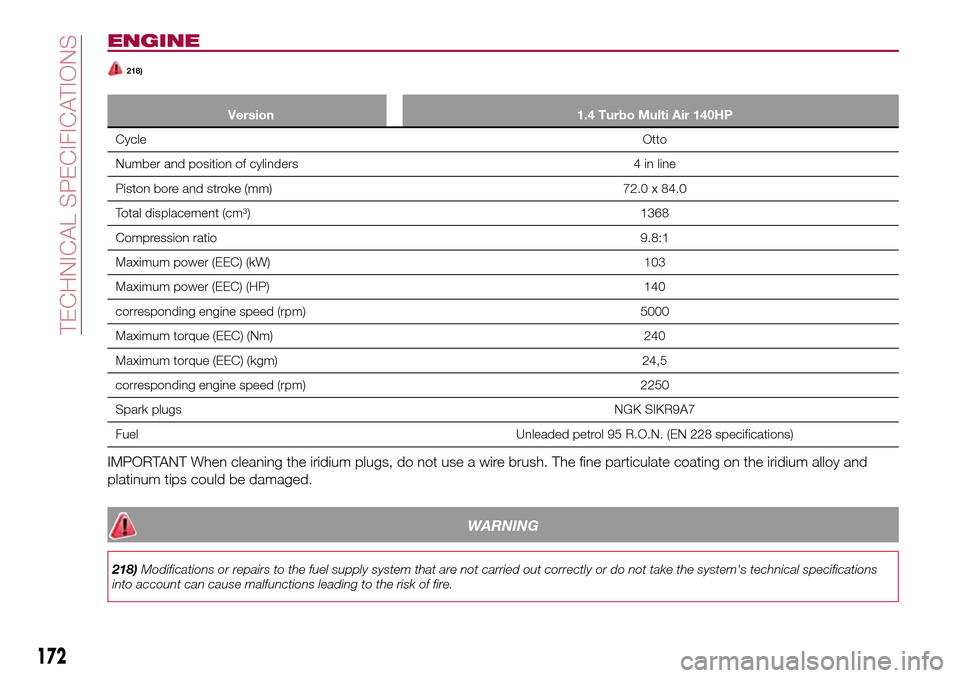
ENGINE
218)
Version 1.4 Turbo Multi Air 140HP
CycleOtto
Number and position of cylinders 4 in line
Piston bore and stroke (mm) 72.0 x 84.0
Total displacement (cm³) 1368
Compression ratio9.8:1
Maximum power (EEC) (kW) 103
Maximum power (EEC) (HP) 140
corresponding engine speed (rpm) 5000
Maximum torque (EEC) (Nm) 240
Maximum torque (EEC) (kgm) 24,5
corresponding engine speed (rpm) 2250
Spark plugsNGK SIKR9A7
Fuel Unleaded petrol 95 R.O.N. (EN 228 specifications)
IMPORTANT When cleaning the iridium plugs, do not use a wire brush. The fine particulate coating on the iridium alloy and
platinum tips could be damaged.
WARNING
218)Modifications or repairs to the fuel supply system that are not carried out correctly or do not take the system's technical specifications
into account can cause malfunctions leading to the risk of fire.
172
TECHNICAL SPECIFICATIONS
Page 177 of 216
WARNING
219)If winter tyres with a lower speed
rating than that indicated in the
Registration Document are used, do not
exceed the maximum speed
corresponding to the speed rating of the
tyres used.
IMPORTANT
55)Keep your speed down when snow
chains are fitted; do not exceed 50 km/h
(30 mph). Avoid potholes, steps and
pavements and avoid driving for long
distances on roads not covered with snow
to prevent damaging the vehicle and the
road surface.
175
Page 189 of 216
TIPS, CONTROLS
AND GENERAL
INFORMATION
ROAD SAFETY
220) 221)
Learn how to use the various system
functions before setting off.
Read the instructions for the system
carefully before setting off.
RECEPTION CONDITIONS
Reception conditions change
constantly while driving.
Reception may be interfered with by the
presence of mountains, buildings or
bridges, especially when you are far
away from the broadcaster.
IMPORTANT The volume may be
increased when receiving traffic alerts
and news.
CARE AND
MAINTENANCE
57) 58)
Observe the following precautions to
ensure the system is fully operational:
the display lens should not come into
contact with pointed or rigid objects
which could damage its surface; use a
soft, dry anti-static cloth to clean and
do not press;
never use alcohol, petrols and
derivatives to clean the display lens;
prevent any liquid from entering the
system: this could damage it beyond
repair.
IMPORTANT
INFORMATION
Look at the screen only when it is
necessary and safe. If you need to look
at the screen for a long time, pull over
to a safe place so as not to be
distracted while driving.
Immediately stop using the system in
the event of a fault. Otherwise the
system might be damaged.
Contact a Fiat Dealership as soon as
possible to have the system repaired.
WARNING
220)Follow the safety rules below:
otherwise serious injuries may occur to the
occupants or the system may be
damaged.
221)If the volume is too loud this can be
dangerous. Adjust the volume so that you
can still hear background noises (e.g.
horns, ambulances, police vehicles, etc.).
IMPORTANT
57)Only clean the front panel and the
display lens with a soft, clean, dry,
anti-static cloth. Cleaning and polishing
products may damage the surface. Never
use alcohol, petrols and derivatives.
58)Do not use the display as a base for
supports with suction pads or adhesives for
external navigators or smartphones or
similar devices.
187
Page 196 of 216
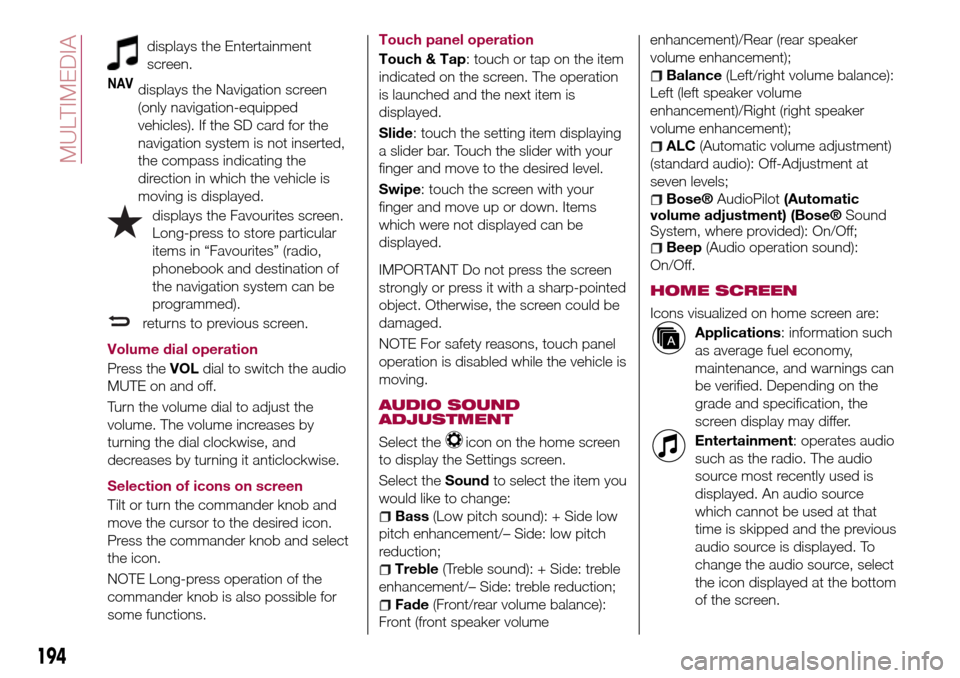
displays the Entertainment
screen.
NAVdisplays the Navigation screen
(only navigation-equipped
vehicles). If the SD card for the
navigation system is not inserted,
the compass indicating the
direction in which the vehicle is
moving is displayed.
displays the Favourites screen.
Long-press to store particular
items in “Favourites” (radio,
phonebook and destination of
the navigation system can be
programmed).
returns to previous screen.
Volume dial operation
Press theVOLdial to switch the audio
MUTE on and off.
Turn the volume dial to adjust the
volume. The volume increases by
turning the dial clockwise, and
decreases by turning it anticlockwise.
Selection of icons on screen
Tilt or turn the commander knob and
move the cursor to the desired icon.
Press the commander knob and select
the icon.
NOTE Long-press operation of the
commander knob is also possible for
some functions.Touch panel operation
Touch & Tap: touch or tap on the item
indicated on the screen. The operation
is launched and the next item is
displayed.
Slide: touch the setting item displaying
a slider bar. Touch the slider with your
finger and move to the desired level.
Swipe: touch the screen with your
finger and move up or down. Items
which were not displayed can be
displayed.
IMPORTANT Do not press the screen
strongly or press it with a sharp-pointed
object. Otherwise, the screen could be
damaged.
NOTE For safety reasons, touch panel
operation is disabled while the vehicle is
moving.
AUDIO SOUND
ADJUSTMENT
Select theicon on the home screen
to display the Settings screen.
Select theSoundto select the item you
would like to change:
Bass(Low pitch sound): + Side low
pitch enhancement/– Side: low pitch
reduction;
Treble(Treble sound): + Side: treble
enhancement/– Side: treble reduction;
Fade(Front/rear volume balance):
Front (front speaker volumeenhancement)/Rear (rear speaker
volume enhancement);
Balance(Left/right volume balance):
Left (left speaker volume
enhancement)/Right (right speaker
volume enhancement);
ALC(Automatic volume adjustment)
(standard audio): Off-Adjustment at
seven levels;
Bose®AudioPilot(Automatic
volume adjustment) (Bose®Sound
System, where provided): On/Off;
Beep(Audio operation sound):
On/Off.
HOME SCREEN
Icons visualized on home screen are:
Applications: information such
as average fuel economy,
maintenance, and warnings can
be verified. Depending on the
grade and specification, the
screen display may differ.
Entertainment: operates audio
such as the radio. The audio
source most recently used is
displayed. An audio source
which cannot be used at that
time is skipped and the previous
audio source is displayed. To
change the audio source, select
the icon displayed at the bottom
of the screen.
194
MULTIMEDIA
Page 203 of 216
the route. Additionally, the route can be
revised by selecting other options.
SELECTING A NEW DESTINATION
Proceed as follows:
SelectNew Routeto plan a new
route to the newly selected location.
The previous destination and
waypoint(s) are deleted.
SelectWaypointto add the newly
selected location as an intermediate
destination to your route. The other
destinations of the route remain intact.
Note: the new waypoint is placed
among destinations to keep the route
optimal. To decide where a waypoint to
appear, use the Edit Route feature.
SelectFinal Destinationto append
the newly selected destination at the
end of the route. The other destinations
of the route remain intact. The previous
final destination is now the last
waypoint.
SETTINGS MENU
Select
icon after selectingon the
MAP screen.
Settings menu options:
Map Settings: you can fine-tune the
appearance of the Map screen. Adjust
the map view to your needs, show or
hide 3D buildings, and manage POI
(point of interest) display settings (which
POI to show on map).
Guidance Settings:a
guidance-related setting is available
during route guidance.
Warning Settings: a setting related
to warnings is available.
Route Settings: refer to “Changing
the road types used in route planning”.
Traffic Settings: a setting for traffic
information is available.
Connected Settings: a setting for
online service is available
NOTE Some functions are not available
depending on some countries and
regions.
MAP SETTINGS
The map is always shown on the
screen. Scroll the screen downward to
display the setting behind the lower part
of the screen:
View Mode: when this button is
selected, the map view mode can be
changed.3Ddisplays things such as
actual construction sites three
dimensionally on the map.2Dthe map
is rotated so that the direction of travel
is displayed in the upward direction/2D
Nthe map is displayed so that north is
up regardless of the direction of travel).
Viewpoint: adjust the basic zoom
and tilt levels to your needs. Three
levels are available.
Automatic Zoom: during route
guidance in any map view mode, thefunction for zooming in on approaching
intersections turns on/off automatically.
Buildings: show or hide 3D town
models, 3D artistic or block
representation of all town building data
containing actual building sizes and
positions on the map.
Motorway Owerview: when
enabled, the map zooms out to show
an overview of the surrounding area if
the next route event (manoeuvre) is far
away. The system goes back to the
normal map view when you approach
the next event.
Place Markers: select which Places
to show on the map while navigating.
Too many Places make the map
crowded, so it is a good idea to show
as few as possible. You have the
following possibilities: select the
checkbox to show or hide the Place
category or Select the name of the
Place category to open the list of its
subcategories.
201
Page 204 of 216
IMPORTANT INFORMATION AND RECOMMENDATIONS
WARNING
BRAKE SYSTEMDo not coast with the engine stalled or turned off, find a safe place to stop. Coasting with the engine stalled or turned off is
dangerous. Braking will require more effort, and the brake's power-assist could be depleted if you pump the brake. This will
cause longer stopping distances or even an accident.
Shift to a lower gear when going down steep hills. Driving with your foot continuously on the brake pedal or steadily applying
the brakes for long distances is dangerous. This causes overheated brakes, resulting in longer stopping distances or even total
brake failure. This could cause loss of vehicle control and a serious accident. Avoid continuous application of the brakes.
Dry off brakes that have become wet by driving slowly, releasing the accelerator pedal and lightly applying the brakes
several times until the brake performance returns to normal. Driving with wet brakes is dangerous. Increased stopping distance
or the vehicle pulling to one side when braking could result in a serious accident. Light braking will indicate whether the brakes
have been affected.
INTERNAL EQUIPMENTNever use a cup holder to hold hot liquids while the vehicle is moving. Using a cup holder to hold hot liquids while the
vehicle is moving is dangerous. If the contents spill, you could be scalded.
Do not put anything other than plastic bottles, cups or drink cans in cup holders. Putting objects other than plastic bottles,
cups or drink cans in a cup holder is dangerous. During sudden braking or manoeuvring, occupants could be hit and injured,
or objects could be thrown around the vehicle, causing interference with the driver and the possibility of an accident. Only use
a cup holder for plastic bottles, cups or drink cans.
Keep storage boxes closed when driving. Driving with the storage boxes open is dangerous. To reduce the possibility of
injury in an accident or a sudden stop, keep the storage boxes closed when driving.
Do not put articles in storage spaces with no lid. Putting articles in storage spaces with no lid is dangerous as they could be
thrown around the cabin if the vehicle is suddenly accelerated and cause injury depending on how the article is stored.
DRIVING TIPS
Never stop the engine when going down a hill: stopping the engine when going down a hill is dangerous. This causes the
loss of power steering and power brake control, and may cause damage to the drivetrain. Any loss of steering or braking
control could cause an accident.
Page 212 of 216
INDEX
ABS system................67
Active bonnet precautions........68
Active safety systems...........67
Advanced Keyless Entry System....14
AFS (Adaptive Front Lighting
System)..................27
Attaching the tow hooks........150
Auto-wiper control............29
Automatic climate control system.......................34
Automatic lighting.............25
Automatic transmission.........111
Auxiliary driving systems.........71
Battery (maintenance).........162
Battery recharging............164
Bodywork (care and
maintenance).............167
Bonnet....................40
Boot lid...................38
Boot lid (opening).............38
Brake Assist................110
Brake/clutch fluid (level check). . . .162
Checking levels.............160
Child restraint system suitability
for various seat position.......85
Child seat installation position.....84
Child-restraint precautions.......80
Child-restraint system types......83
Climate control system..........31CO2 emissions..............184
Coming Home light system.......25
Constant monitoring..........107
Control panel and instruments.....46
Convertible Top (lowering)........41
Convertible Top (Soft Top)........41
Cruise Control..............114
Dashboard..................8
Dimensions................177
Doors.....................16
Double locking system..........16
Driver Air Bag................95
DRL (Daytime Running Lights).....24
DSC system................67
Emergency flap opening.......120
Emergency stop signal system. . . .127
Emergency towing............152
Engine...................172
Engine compartment..........160
Engine coolant (level check)......161
Engine oil (level check).........161
Essential information............3
Exterior lights................24
Flash to pass...............25
Fluid capacities..............178
Fluids and lubricants..........179
Front fog lights...............25
Fuel consumption............183
Fuel filler cap...............120Fuse block (engine compartment)......................138
Fuse block (left side of the vehicle)......................141
Fuses (under the bonnet)........137
Fuses (vehicle's left side)........136
Gear lever positions..........112
Gear Shift Indicator............50
Hazard warning lights.........127
Hazard warning lights (control). . . .127
Head restraints...............21
Headlight washer.............30
Headlights..................24
Heated seats................19
Heavy-dute use of the vehicle
(scheduled servicing)........155
High beams.................25
HLA function................74
How the SRS Air bags work......95
How to use this manual..........3
Identification data............171
Ignition switch...............11
Immobilizer system............15
INFO switch.................49
Installing child restraint systems....89
Interiors..................169
Jump starting..............148
Jump starting (procedure).......148
Key battery replacement........10
Keyless Entry System...........9
Keys......................9
INDEX
Page 213 of 216
Lane change signals...........27
Load limiter (pretensioner)........79
Maintaining the finish.........167
Manual climate control system.....32
Manual transmission..........110
Message indicated on display.....65
Mirrors....................22
Multimedia.................186
Navigation................198
Occupant protection systems.....75
Odometer/Trip meter...........48
Outside mirrors...............22
Owner maintenance precautions . . .154
Paintwork (preserving).........167
Parking brake...............109
Parking Sensor System.........118
Passenger Air Bag............95
Passenger occupant classification
system.................100
Performance...............182
Periodic checks (scheduled
servicing)................154
Power mirrors...............23
Power window lock switch.......37
Power windows..............36
Prescriptions for handling the
vehicle at the end of its life.....185Pretensioners................79
Radio 3”.................188
Radio 7”..................193
Read this carefully..............2
Rear camera (ParkView rear
backup camera)...........121
Rear fog lights...............26
Refuelling procedure..........120
Refuelling the vehicle..........120
Replacing a bulb.............127
Replacing a tire..............165
Replacing exterior light bulbs.....131
Replacing fuses.............136
Rims and tires..............173
Rims and tires provided........174
SBA system (Seat Belt Alert)......79
Scheduled servicing plan.......156
Seat belt precautions...........76
Seat belt pretensioner and load
limiting systems.............79
Seat Belt Pretensioners.........95
Seat belts..................76
Seat belts (fastening/unfastening)}.......................77
Seats.....................19
Seats (manual adjustment).......19
Seats and fabric parts (cleaning) . . .169
Shift-lock override (automatic
gearbox)................112
Shift-lock system (automatic
gearbox)................112Side Air Bags................95
Snow chains...............165
Speed limiter...............117
Starting the engine.........11,109
Steering wheel...............22
Supplementary restraint system
(SRS) - Air bag.............93
Symbols....................3
TCS (Traction Control System).....67
Theft deterrent system..........15
Tips, controls and general
information...............187
Tire service kit..............143
Tires rotation (recommendations) . .165
Tool storage................143
Towing the vehicle............150
Towing trailers..............125
TPMS (Tire Pressure Monitoring
System)..................71
Turn signals.................26
Turning the engine off...........13
Vehicle security alarm..........15
Warning lights and messages.....51
Weights..................176
Wheel and tire specifications.....173
Wheels and tires.............165
Window and headlight washer
fluid (level check)...........162
Windscreen washer............30
Windscreen wipers............29