key FIAT 124 SPIDER 2016 2.G Owner's Manual
[x] Cancel search | Manufacturer: FIAT, Model Year: 2016, Model line: 124 SPIDER, Model: FIAT 124 SPIDER 2016 2.GPages: 216, PDF Size: 3.1 MB
Page 112 of 216
Brake Assist
During emergency braking situations
when it is necessary to depress the
brake pedal with greater force, the
brake assist system provides braking
assistance, thus enhancing braking
performance.
When the brake pedal is depressed
hard or depressed more quickly, the
brakes apply more firmly.
NOTE When the brake pedal is
depressed hard or depressed more
quickly, the pedal will feel softer but the
brakes will apply more firmly. This is a
normal effect of the brake assist
operation and does not indicate a
malfunction.
NOTE When the brake pedal is
depressed hard or depressed more
quickly, a motor/pump operation noise
may be heard. This is a normal effect of
the brake assist and does not indicate a
malfunction.
NOTE The brake assist equipment does
not supersede the functionality of the
vehicle's main braking system.
WARNING
133)In the case of parking manoeuvres on
roads on a gradient, the front wheels must
be steered towards the pavement (when
parking downhill), or in the opposite
direction if the vehicle is parked uphill. If the
vehicle is parked on a steep slope, it is
advisable to block the wheels with a wedge
or stone.
134)Never leave children unattended in
the vehicle. Keep away the key when
leaving the vehicle and take it with you.
135)Do not drive with worn disc pads.
Driving with worn disc pads is dangerous.
The brakes could fail and cause a serious
accident. As soon as you hear a
screeching noise contact a Fiat Dealership.
MANUAL
TRANSMISSION
136) 137) 138)
25)
To engage the gears, press the clutch
pedal fully and put the gear lever into
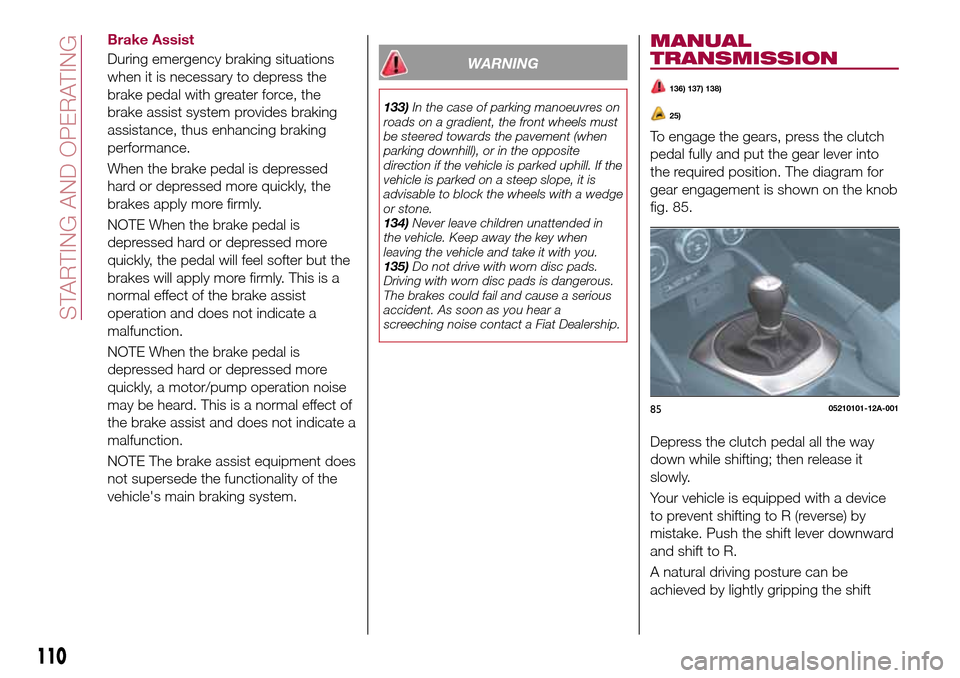
the required position. The diagram for
gear engagement is shown on the knob
fig. 85.
Depress the clutch pedal all the way
down while shifting; then release it
slowly.
Your vehicle is equipped with a device
to prevent shifting to R (reverse) by
mistake. Push the shift lever downward
and shift to R.
A natural driving posture can be
achieved by lightly gripping the shift
8505210101-12A-001
110
STARTING AND OPERATING
Page 202 of 216
SELECTING THE DESTINATION OF
A ROUTE
Entering an address
To enter an address as the destination,
do as follows:
Selectafter selectingon the
MAP screen.
SelectFind Address. By default, the
navigation system proposes the country
and town where you are. If needed,
selectCountry, enter the first few
letters of the country name on the
keyboard, and select one country from
the list of results.
If needed, select a new town: select
Townand Start entering the name of
the town on the keyboard. Find the
town you need: the most likely town
name is always shown in the input field.
To accept it, select . If the desired
name does not show up, the names
that match the string appear in a list
after entering a couple of characters (to
open the list of results before it appears
automatically, select
and select
the town from the list).
Enter the street name: select
name of the town on the keyboard.
Find the street you need: the most likely
street name is always shown in the
input field. To accept it, select . If the
desired name does not show up, thenames that match the string appear in a
list after entering a couple of characters
(to open the list of results before it
appears automatically, select
and
select the street from the list).
Enter the house number: select
House Numberthen enter the house
number on the keyboard (to enter
letters, selectQWE). Select to finish
entering the address. (If the entered
house number cannot be found, the
midpoint of the street is selected as the
destination.
The selected location is shown on
the map. NavigationStartif is selected,
or after 10 seconds of no user
interaction. By touching the location
displayed on the screen, you can verify
the route. Additionally, the route can be
revised by selecting other options.
Selecting the destination from the
POI
(Point Of Interest)
If the name for a POI (Point Of Interest)
is input, a search candidate list is
displayed.
Proceed as follows:
Selectafter selectingon the
MAP screen.
SelectFind Places.
SelectFilter by Name.
Using the keyboard, enter the name
of the POI (Point Of Interest). Afterentering a few letters, select to open
the list of POI with names containing
the entered character sequence.
The selected location is shown on
the map. The system transitions to the
next screen by selectingNavigate To,
or it returns to the previous screen by
selecting the
can change the destination to anywhere
on the map.
Selecting the destination from your
Favourites
Proceed as follows:
Selectafter selectingon the
MAP screen.
In the Navigation menu, select
Favourites. WhenFavouritesis
selected, the screen transfers to the
Favourites screen. Select your
registered favourite.
The selected location is shown on
the map. The system transitions to the
next screen by selectingNavigate To,
or it returns to the previous screen by
selecting the
can change the destination to anywhere
on the map.
Navigation starts ifStartis selected,
or after 10 seconds of no user
interaction. By touching the location
displayed on the screen, you can verify
200
MULTIMEDIA
Page 212 of 216
INDEX
ABS system................67
Active bonnet precautions........68
Active safety systems...........67
Advanced Keyless Entry System....14
AFS (Adaptive Front Lighting
System)..................27
Attaching the tow hooks........150
Auto-wiper control............29
Automatic climate control system.......................34
Automatic lighting.............25
Automatic transmission.........111
Auxiliary driving systems.........71
Battery (maintenance).........162
Battery recharging............164
Bodywork (care and
maintenance).............167
Bonnet....................40
Boot lid...................38
Boot lid (opening).............38
Brake Assist................110
Brake/clutch fluid (level check). . . .162
Checking levels.............160
Child restraint system suitability
for various seat position.......85
Child seat installation position.....84
Child-restraint precautions.......80
Child-restraint system types......83
Climate control system..........31CO2 emissions..............184
Coming Home light system.......25
Constant monitoring..........107
Control panel and instruments.....46
Convertible Top (lowering)........41
Convertible Top (Soft Top)........41
Cruise Control..............114
Dashboard..................8
Dimensions................177
Doors.....................16
Double locking system..........16
Driver Air Bag................95
DRL (Daytime Running Lights).....24
DSC system................67
Emergency flap opening.......120
Emergency stop signal system. . . .127
Emergency towing............152
Engine...................172
Engine compartment..........160
Engine coolant (level check)......161
Engine oil (level check).........161
Essential information............3
Exterior lights................24
Flash to pass...............25
Fluid capacities..............178
Fluids and lubricants..........179
Front fog lights...............25
Fuel consumption............183
Fuel filler cap...............120Fuse block (engine compartment)......................138
Fuse block (left side of the vehicle)......................141
Fuses (under the bonnet)........137
Fuses (vehicle's left side)........136
Gear lever positions..........112
Gear Shift Indicator............50
Hazard warning lights.........127
Hazard warning lights (control). . . .127
Head restraints...............21
Headlight washer.............30
Headlights..................24
Heated seats................19
Heavy-dute use of the vehicle
(scheduled servicing)........155
High beams.................25
HLA function................74
How the SRS Air bags work......95
How to use this manual..........3
Identification data............171
Ignition switch...............11
Immobilizer system............15
INFO switch.................49
Installing child restraint systems....89
Interiors..................169
Jump starting..............148
Jump starting (procedure).......148
Key battery replacement........10
Keyless Entry System...........9
Keys......................9
INDEX