ECO mode FIAT 124 SPIDER 2017 2.G User Guide
[x] Cancel search | Manufacturer: FIAT, Model Year: 2017, Model line: 124 SPIDER, Model: FIAT 124 SPIDER 2017 2.GPages: 300, PDF Size: 121.24 MB
Page 115 of 300
power to the drive wheels, limiting
wheel spin and loss of traction.
The indicator light turns on when the
system has a malfunction. Refer to
“Warning Lights And Messages”
paragraph in “Getting To Know Your
Instrument Panel” chapter.
TCS / DSC Indicator Light
The
indicator light stays on for a few
seconds when the ignition is placed in
the ON mode.
If the TCS or DSC is operating, the
indicator light flashes.
If the
indicator light stays on, the
TCS, DSC or the brake assist system
may have a malfunction and they may
not operate correctly. Contact an
Authorized Dealer.
Note:
In addition to the indicator light
flashing, a slight sound will come from
the engine. This indicates that the
TCS/DSC is operating properly.
On slippery surfaces, such as fresh
snow, it will be impossible to achieve
high rpm when the TCS is on.
DSC System (Dynamic
Stability Control)
The Dynamic Stability Control (DSC)
automatically controls braking and
engine torque in conjunction with
systems such as ABS and TCS to help control side slip when driving on
slippery surfaces, or during sudden or
evasive maneuvering, enhancing vehicle
safety. Refer to “ABS System (Antilock
Brake System)” and “TCS System
(Traction Control System)”.
DSC operation is possible at speeds
greater than 12 mph (20 km/h).
The indicator light turns on when the
system has a malfunction. Refer to
“Warning Lights And Messages”
paragraph in “Getting To Know Your
Instrument Panel” chapter.
Note:
The DSC may not operate correctly
unless the following are observed:
Use tires of the correct size
specified for your vehicle on all four
wheels.
Use tires of the same manufacturer,
brand and tread pattern on all four
wheels.
Do not mix worn tires.
Note:
The DSC may not operate correctly
when tire chains are used.
TCS / DSC Indicator Light
The
indicator light stays on for a few
seconds when the ignition is placed in
the ON mode. It also illuminates when
the DSC OFF switch is pressed and
TCS/DSC is switched off. If the light stays on, the TCS, DSC or
the brake assist system may have a
malfunction and they may not operate
correctly. Take your vehicle to an
Authorized Dealer.
DSC OFF Indicator Light
The
indicator light stays on for a few
seconds when the ignition is placed in
the ON mode. It also illuminates when
the DSC OFF switch is pressed and
TCS/DSC is switched off.
If the light remains illuminated and the
TCS/DSC is not switched off, contact
an Authorized Dealer. The DSC may
have a malfunction.
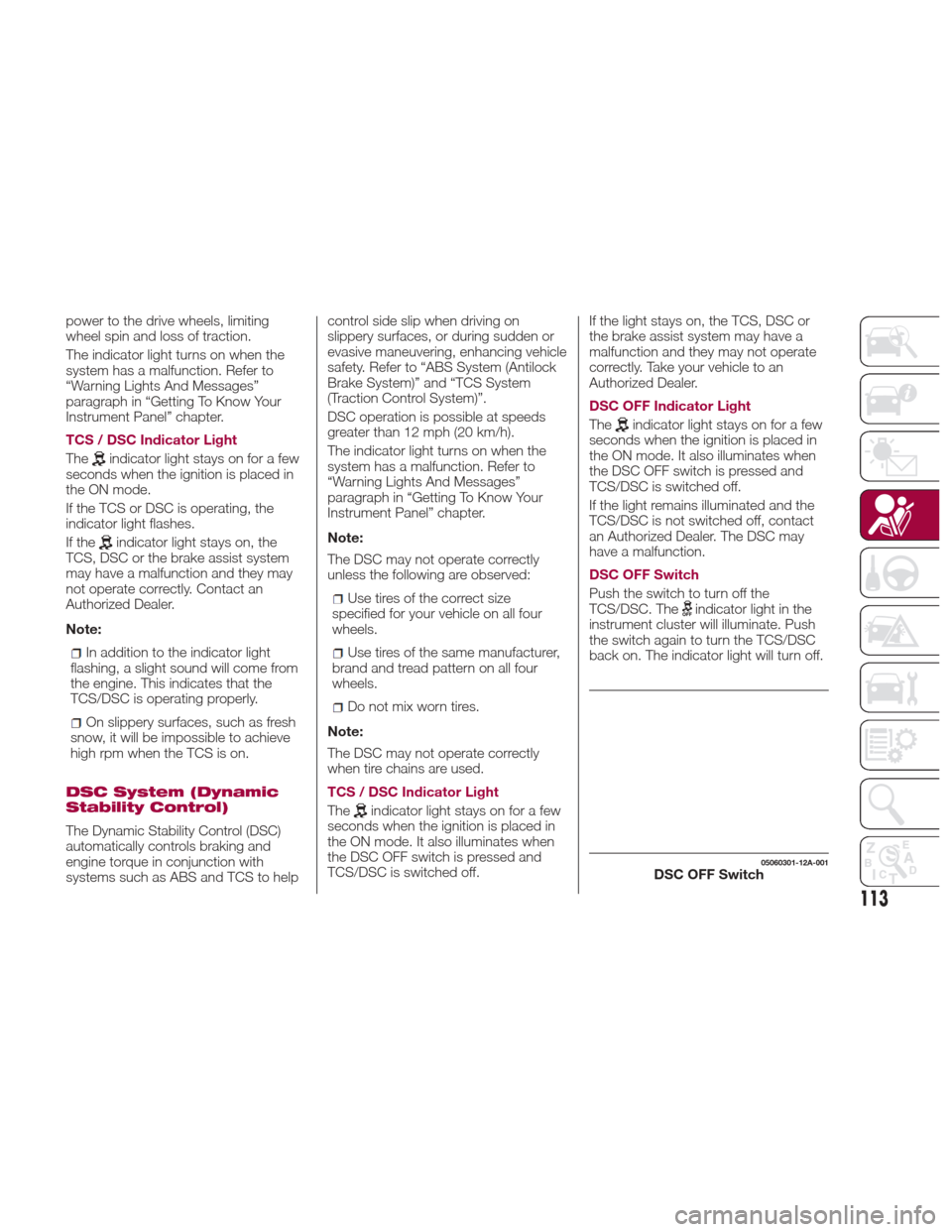
DSC OFF Switch
Push the switch to turn off the
TCS/DSC. The
indicator light in the
instrument cluster will illuminate. Push
the switch again to turn the TCS/DSC
back on. The indicator light will turn off.
05060301-12A-001DSC OFF Switch
113
Page 116 of 300
Note:
When DSC is on and you attempt
to free the vehicle when it is stuck, or
drive it out of freshly fallen snow, the
TCS (part of the DSC system) will
activate. Depressing the accelerator
will not increase engine power and
freeing the vehicle may be difficult.
When this happens, turn off the
TCS/DSC.
If the TCS/DSC is off when the
engine is turned off, it automatically
activates when the ignition is placed in
the ON mode.
If the switch is pressed and held for
10 seconds or more, the switch
malfunction detection function
operates and the DSC system
activates automatically. The indicator
light turns off while the DSC system is
operative.
Warning!
Dynamic Stability Control (DSC) cannot
prevent the natural laws of physics from
acting on the vehicle, nor can it increase
the traction afforded by prevailing road
conditions. DSC cannot prevent accidents,
including those resulting from excessive
speed in turns, driving on very slippery
surfaces, or hydroplaning. DSC also cannot
prevent accidents resulting from loss of
vehicle control due to inappropriate driver input for the conditions. Only a safe,
attentive, and skillful driver can prevent
accidents. The capabilities of an DSC
equipped vehicle must never be exploited
in a reckless or dangerous manner which
could jeopardize the user’s safety or the
safety of others.
Vehicle modifications, or failure to
properly maintain your vehicle, may change
the handling characteristics of your vehicle,
and may negatively affect the performance
of the DSC system. Changes to the
steering system, suspension, braking
system, tire type and size or wheel size
may adversely affect DSC performance.
Improperly inflated and unevenly worn tires
may also degrade DSC performance. Any
vehicle modification or poor vehicle
maintenance that reduces the effectiveness
of the DSC system can increase the risk of
loss of vehicle control, vehicle rollover,
personal injury and death.
AUXILIARY DRIVING
SYSTEMS
Blind Spot Monitoring
(BSM) System
The Blind Spot Monitoring (BSM)
system is designed to assist the driver
in checking the area to the rear of the
vehicle on both sides during lane
changes by alerting the driver to the
presence of vehicles approaching from
the rear in an adjacent lane.
The system detects vehicles
approaching from the rear while
traveling in the forward direction at a
speed of 18 mph (30 km/h) or faster
and turns on the warning lights
equipped on the door mirrors
depending on the conditions.
If the turn signal lever is operated to
signal a lane change in the direction in
which the warning light is illuminated,
the system warns the driver of a vehicle
in the detection area by flashing the
warning light and activating a beep
sound.
114
SAFETY
Page 124 of 300
When excess snow or ice adheres to
the vehicle, especially around the
wheels.
When the tire pressure sensor
batteries are discharged.
When using a wheel with no tire
pressure sensor installed.
When using tires with steel wire
reinforcement in the side walls.
When using tire chains.
Tires And Wheels
Note: When inspecting or adjusting the
tire air pressures, do not apply
excessive force to the stem portion of
the wheel unit. The stem portion could
be damaged.
Changing Tires And Wheels
The following procedure allows the
TPMS to recognize a tire pressure
sensor's unique ID signal code
whenever tires or wheels are changed,
such as changing to and from winter
tires.
Note:
Each tire pressure sensor has a
unique ID signal code. The signal code
must be registered with the TPMS
before it can work. The easiest way to
do it is to have your Authorized Dealer
change your tire and complete ID
signal code registration.
When your Authorized Dealer
changes your vehicle's tires, they will
complete the tire pressure sensor ID
signal code registration.
If you or someone else changes tires,
you or someone else can also
undertake the steps for the TPMS to
complete the ID signal code
registration:
After tires have been changed, place
the ignition in the ON mode, then back
to ACC or OFF modes.
Wait for about 15 minutes.
After about 15 minutes, drive the
vehicle at a speed of at least 16 mph
(25 km/h) for 10 minutes and the tire
pressure sensor ID signal code will be
registered automatically.
Note: If the vehicle is driven within
about 15 minutes of changing tires, the
warning light will flash because the
sensor ID signal code would not have
been registered. If this happens, park
the vehicle for about 15 minutes, after
which the sensor ID signal code will
register upon driving the vehicle for
10 minutes. Replacing Tires And Wheels
Note:
When replacing/repairing the tires or
wheels or both, have the work done by
your Authorized Dealer, or the tire
pressure sensors may be damaged.
The wheels equipped on your
vehicle are specially designed for
installation of the tire pressure sensors.
Do not use non-genuine wheels,
otherwise it may not be possible to
install the tire pressure sensors.
Be sure to have the tire pressure
sensors installed whenever tires or
wheels are replaced.
When having a tire or wheel or both
replaced, the following types of tire
pressure sensor installations are
possible:
The tire pressure sensor is removed
from the old wheel and installed to the
new one.
The same tire pressure sensor is
used with the same wheel. Only the tire
is replaced.
A new tire pressure sensor is
installed to a new wheel.
122
SAFETY
Page 126 of 300
SEAT BELT
SYSTEMS
Buckle up even though you are an
excellent driver, even on short trips.
Someone on the road may be a poor
driver and could cause a collision that
includes you. This can happen far away
from home or on your own street.
Research has shown that seat belts
save lives, and they can reduce the
seriousness of injuries in a collision.
Some of the worst injuries happen
when people are thrown from the
vehicle. Seat belts reduce the possibility
of ejection and the risk of injury caused
by striking the inside of the vehicle.
Everyone in a motor vehicle should be
belted at all times.
Seat Belt Precautions
Seat belts help to decrease the
possibility of severe injury during
accidents and sudden stops. FCA
recommends that the driver and
passengers always wear seat belts.
Mexico
All the seats have lap/shoulder belts.
These belts have retractors with inertia
locks that keep them out of the way
when not in use.
The locks allow the belts to remain
comfortable on users, but they will lock
in position during a collision.Except Mexico
All of the seat belt retractors are
designed to keep the lap/shoulder belts
out of the way when not in use.
The driver's seat belt has no provisions
for child-restraint systems and has only
an emergency locking mode.
The driver may wear it comfortably, and
it will lock during a collision.
However, the passenger's seat
lap/shoulder belt retractor operates in
two modes: emergency locking mode,
and for child-restraint systems,
automatic locking mode. If you must
use the passenger seat for a child, slide
the passenger seat as far back as
possible and make sure any child
restraint system is secured properly.
Belt retraction may become difficult if
the belts and seat belt guides are
soiled, so try to keep them clean. Refer
to “Cleaning the lap/shoulder belt
webbing” in “Maintenance and care” for
further information.
Warning!
Relying on the air bags alone could lead
to more severe injuries in a collision. The air
bags work with your seat belt to restrain
you properly. In some collisions, the air
bags won’t deploy at all. Always wear your
seat belt even though you have air bags.
In a collision, you and your passengers
can suffer much greater injuries if you are
not properly buckled up. You can strike the
interior of your vehicle or other passengers,
or you can be thrown out of the vehicle.
Always be sure you and others in your
vehicle are buckled up properly.
It is dangerous to ride in a cargo area,
inside or outside of a vehicle. In a collision,
people riding in these areas are more likely
to be seriously injured or killed.
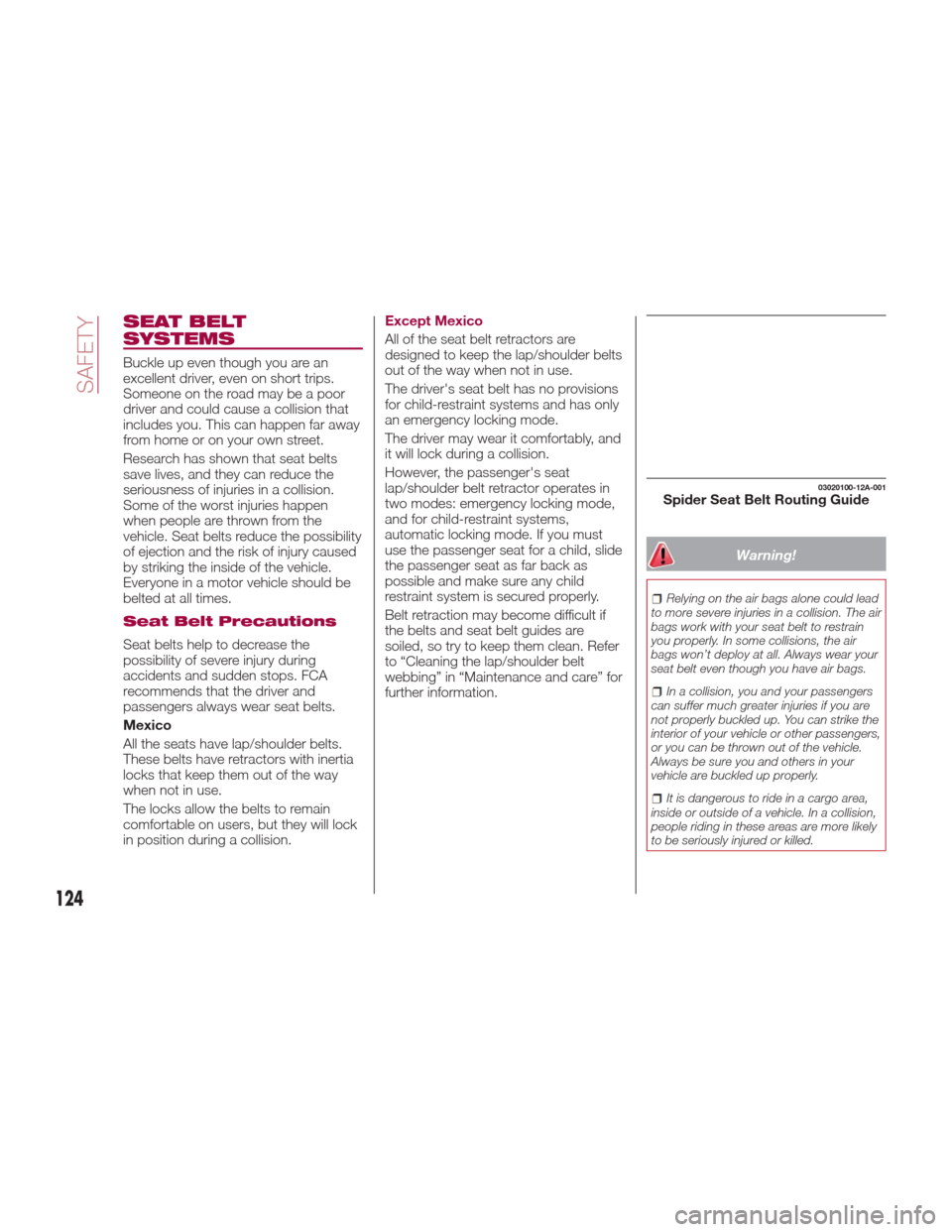
03020100-12A-001Spider Seat Belt Routing Guide
124
SAFETY
Page 131 of 300
pretensioner operates on the side in
which the collision occurs. The
pretensioners operate differently
depending on what types of air bags
are equipped. For details on the seat
belt pretensioner operation, refer to the
“SRS Air Bag Deployment Criteria”
paragraph in this chapter.
When a collision is detected, the
pretensioners deploy simultaneously
with the air bags. For deployment
details, refer to the “SRS Air Bag
Deployment Criteria” paragraph in this
chapter.
The seat belt retractors remove slack
quickly as the air bags are expanding.
Any time the air bags and seat belt
pretensioners have fired they must be
replaced.
A system malfunction or operation
conditions are indicated by a warning.
Referto“WarningLightsAnd
Messages” and “Warning Sound Is
Activated” paragraph in “Knowing The
Instrument Panel” chapter.
With Passenger Occupant
Classification System
In addition, the pretensioner system for
the passenger, like the front and side
passenger Air Bag, is designed to only
deploy when the passenger occupant
classification sensor detects a
passenger sitting on the passenger's
seat.Note:
These devices are not a substitute
for proper seat belt placement by the
occupant. The seat belt still must be
worn snugly and positioned properly.
The pretensioners are triggered by
the Occupant Restraint Controller
(ORC). Like the air bags, the
pretensioners are single use items. A
deployed pretensioner or a deployed
air bag must be replaced immediately.
Load Limiter
The load limiting system releases belt
webbing in a controlled manner to
reduce belt force on the occupant's
chest.
While the most severe load on a seat
belt occurs in frontal collisions, the load
limiter has an automatic mechanical
function and can activate in any
accident mode with sufficient occupant
movement.
Even if the pretensioners have not fired,
the load limiting function must be
checked by an authorized dealer.
CHILD RESTRAINT
PRECAUTIONS
Child Restraints
FCA strongly urges the use of
child-restraint systems for children small
enough to use them.
FCA recommends use of a genuine
child-restraint system or one that
complies with regulation. If you would
like to purchase a FCA genuine
child-restraint system, please contact a
Authorized Dealership.
Check your local and state or provincial
laws for specific requirements regarding
the safety of children riding in your
vehicle.
Whatever child-restraint system you
consider, please pick the appropriate
one for the age and size of the child,
obey the law and follow the instructions
that come with the individual
child-restraint system.
A child who has outgrown
child-restraint systems should use seat
belts, both lap and shoulder. If the
shoulder belt crosses the neck or face,
move the child closer to the centre of
the vehicle.
A rear-facing child-restraint system
should NEVER be used on the
passenger seat with the Air Bag system
activated. In the event of an impact the
Air Bag activation may cause fatal
injuries to the transported child.
129
Page 151 of 300
STARTING THE
ENGINE
Starting The Engine
Before starting the engine, adjust the
seat, the interior rear view mirrors, the
door mirrors and fasten the seat belt
correctly.
Warning!
When leaving the vehicle, always remove
the key fob from the vehicle and lock your
vehicle.
Never leave children alone in a vehicle,
or with access to an unlocked vehicle.
Allowing children to be in a vehicle
unattended is dangerous for a number of
reasons. A child or others could be
seriously or fatally injured. Children should
be warned not to touch the parking brake,
brake pedal or the transmission gear
selector.
Do not leave the key fob in or near the
vehicle, or in a location accessible to
children, and do not leave the ignition of a
vehicle equipped with Advanced Keyless
Entry in the ACC or ON/RUN mode. A child
could operate power windows, other
controls, or move the vehicle.
Do not leave children or animals inside
parked vehicles in hot weather. Interior heat
build-up may cause serious injury or death.
Never press the accelerator pedal for
starting the engine.
Models Equipped With A
Manual Transmission
Proceed as follows:
1. Engage the parking brake and place
the gear selector in NEUTRAL.
2. Place the start button in the ACC
mode.
3. Fully depress the clutch pedal
without touching the accelerator.
4. Place the start button in the ON
mode, push and release it as soon as
the engine starts. If the engine does not
start within 10 seconds, push the start
button to OFF mode and wait for
10-15 seconds before repeating the
starting procedure.
Models Equipped With
An Automatic
Transmission
Proceed as follows:
1. Engage the parking brake and place
the gear selector to P (PARK) or N
(NEUTRAL).
2. Fully depress the brake pedal
without touching the accelerator.
3. Place the start button in the ACC
mode. 4. Place the start button in the ON
mode, push and release it as soon as
the engine starts. If the engine does not
start within 10 seconds, push the start
button to OFF mode and wait for
10-15 seconds before repeating the
starting procedure.
Cold Weather Operation
Regarding Cold Start Disable
When the ambient temperature is
extremely low, the engine may not
crank even when the engine starting
procedure is performed. At this time,
the Cold Start Disable Indicator light in
the instrument cluster flashes. However,
this does not indicate a problem.
Perform the necessary procedures (see
“Warning lights And Messages”
paragraph in “Getting To Know Your
Instrument Panel” chapter).
Regarding Ice Breaker
When the ambient temperature is low,
the start of cranking may be delayed
after engine starting procedure is
performed. At this time, the Cold Start
Disable Indicator light in the instrument
cluster illumintes. However, this does
not indicate a problem.
Refer to your authorized dealer
regarding other related parts which are
to be input such as function name,
operating scenario (condition) of each
function, indicator operation, and user
operation/procedure information.
149
Page 152 of 300
Extended Park Starting
Note:
Extended Park condition occurs when
the vehicle has not been started or
driven for at least 30 days.
1. Install a battery charger or jumper
cables to the battery to ensure a full
battery charge during the crank cycle.
2. Place the ignition in the START
mode and release it when the engine
starts.
3. If the engine fails to start within
10 seconds, place the ignition in the
STOP (OFF/LOCK) mode, wait five
seconds to allow the starter to cool,
then repeat the Extended Park Starting
procedure.
4. If the engine fails to start after eight
attempts, allow the starter to cool for at
least 10 minutes, then repeat the
procedure.
Caution!
To prevent damage to the starter, do not
crank continuously for more than 10
seconds at a time. Wait 10 to 15 seconds
before trying again.
After Starting —
Warming Up The Engine
Proceed as follows:
1. Travel slowly, letting the engine run
at a reduced RPM, without accelerating
suddenly.
2. It is recommended to wait until the
digital engine coolant temperature
indicator starts moving before
demanding full performance.
Stopping The Engine
Proceed as follows:
1. Park the car in a position that is not
dangerous for oncoming traffic, if
equipped with manual transmission
place gear selector in FIRST (1st) or
REVERSE (R) gear, if equipped with
automatic transmission place the gear
selector to PARK (P).
2. Push and release the ignition button
to STOP the engine.
BRAKE SYSTEM
This vehicle has power-assisted brakes
that adjust automatically through
normal use. Should power-assist fail,
you can stop by applying greater force
than normal to the brake pedal. But the
distance required to stop will be greater
than usual.
Note:
Always depress the brake pedal with
the right foot. Applying the brakes with
the unaccustomed left foot could slow
your reaction time to an emergency
situation resulting in insufficient braking
operation.
Do not drive with your foot held on the
clutch pedal or brake pedal, or hold the
clutch pedal depressed halfway
unnecessarily. Doing so could result in
the following:
The clutch and brake parts will wear
out more quickly.
The brakes can overheat and
adversely affect brake performance.
150
STARTING AND OPERATING
Page 155 of 300
Caution!
Keep your foot off the clutch pedal
except when shifting gears. Also, do not
use the clutch to hold the vehicle on an hill
or grade. Riding the clutch will cause
needless clutch wear and damage.
Do not apply any excessive lateral force
to the gear selector when changing from
fifth to fourth gear. This could lead to the
accidental selection of second gear, which
could result in damage to the transmission.
Make sure the vehicle comes to a
complete stop before shifting to REVERSE
(R). Shifting to REVERSE (R) while the
vehicle is still moving may damage the
transmission.
Reverse can only be engaged when the
vehicle is completely stationary. With the
engine running, wait at least two seconds
with the clutch pedal fully pressed before
engaging reverse to prevent damage to the
gears.
AUTOMATIC
TRANSMISSION — IF
EQUIPPED
Shift Interlock
Warning!
It is dangerous to shift out of PARK or
NEUTRAL if the engine speed is higher
than idle speed. If your foot is not firmly
pressing the brake pedal, the vehicle could
accelerate quickly forward or in reverse.
You could lose control of the vehicle and hit
someone or something. Only shift into gear
when the engine is idling normally and your
foot is firmly pressing the brake pedal.
Unintended movement of a vehicle
could injure those in or near the vehicle. As
with all vehicles, you should never exit a
vehicle while the engine is running. Before
exiting a vehicle, always apply the park
brake, shift the transmission into PARK
and, turn the ignition OFF. When the
ignition is in the OFF mode, the
transmission is locked in PARK, securing
the vehicle against unwanted movement.
When leaving the vehicle, always make
sure the ignition is in the OFF mode,
remove the key fob from the vehicle, and
lock the vehicle.
Never leave children alone in a vehicle,
or with access to an unlocked vehicle.
Allowing children to be in a vehicle
unattended is dangerous for a number of
reasons. A child or others could be seriously or fatally injured. Children should
be warned not to touch the park brake,
brake pedal or the transmission gear
selector.
Do not leave the key fob in or near the
vehicle (or in a location accessible to
children), and do not leave the ignition in
the ACC or ON/RUN mode. A child could
operate power windows, other controls, or
move the vehicle.
Caution!
Damage to the transmission may occur if
the following precautions are not observed:
Shift into or out of PARK or REVERSE
only after the vehicle has come to a
complete stop.
Do not shift between PARK, REVERSE,
NEUTRAL, or DRIVE when the engine is
above idle speed.
Before shifting into any gear, make sure
your foot is firmly pressing the brake pedal.
This vehicle is equipped with an
interlock system that holds the
transmission gear selector in PARK (P)
unless the brakes are applied. To shift
the transmission out of PARK (P), the
ignition must be placed in the ON/RUN
mode (engine running or not) and the
brake pedal must be pressed.
The transmission gear selector has
PARK (P), REVERSE (R), NEUTRAL (N),
153
Page 159 of 300
Caution!
Changing to manual shift mode while
driving will not damage the transmission.
Note:
If you change to manual shift mode
when the vehicle is stopped, the gear
will shift to M1.
If you change to manual shift mode
while the vehicle is moving it will remain
in the current gear until a manual shift
request is made.
Indicators
Manual Shift Mode Indication
In manual shift mode, the “M” of the
shift position indication in the
instrument panel illuminates.
Gear Position Indication
The numeral for the selected gear
illuminates. Note:
If the gears cannot be shifted
down when driving at higher speeds, the
gear position indication will flash twice to
signal that the gears cannot be shifted
down (to protect the transmission).
Manually Shifting Up/Down
To shift up to a higher gear, tap the
gear selector back once.
To shift down to a lower gear, tap the
gear selector forward once.
Note:
When driving slowly, the gears may
not shift up. When driving at high
speeds, the gear may not shift down.
Do not drive the vehicle with the
tachometer needle in the red zone
while in manual shift mode. In addition,
manual shift mode switches to
automatic shift mode while the
accelerator pedal is completely
depressed. However, if the vehicle is
continuously driven at a high rpm, the
gears may automatically shift up to
protect the engine.
During deceleration, the gear may
automatically shift down depending on
vehicle speed.
Second Gear Fixed Mode
When the gear selector is moved back
while the vehicle speed is about
one mph (2 km/h) or less, the
transmission is set in the second gear.
The gear is set in second for easier
acceleration from a stop and driving on
slippery roads such as snow-covered
roads.
Paddle Mode — If
Equipped
Direct mode can be used for
temporarily switching gears by
operating the steering shift switch while
the vehicle is being driven with the gear
selector in the DRIVE (D) range.
While in direct mode, the DRIVE (D) and
MANUAL (M) indication illuminate and
the gear position in use is illuminated.
05210207-12A-002Instrument Panel
1 — Manual Shift Mode Indication
2 — Gear Position Indication
157
Page 160 of 300
Direct mode is cancelled (released)
under the following conditions:
The vehicle is driven for a certain
amount of time or longer (time differs
depending on the driving conditions
while operating).
The vehicle is stopped or moving at a
slow speed.
Note: Shifting up and down while in
direct mode may not be possible
depending on the vehicle speed. In
addition, because direct mode is
cancelled (released) depending on the
rate of acceleration or if the accelerator
is fully depressed, use of the manual
shift mode is recommended if you need
to drive the vehicle in a particular gear
for long periods.
Driving Tips
Overtaking
For extra power when passing another
vehicle or climbing steep grades, press
the accelerator fully. The transmission
will shift to a lower gear, depending on
vehicle speed.
Note:
The accelerator pedal may initially
feel heavy as it is being pressed, then
feel lighter as it is pressed further. This
change in pedal force aids the engine
control system in determining how
much the accelerator pedal has been pressed for performing kickdown, and
functions to control whether or not
kickdown should be performed.
While the gear selector is in the
MANUAL (M) position and the Dynamic
Stability Control (DSC) is turned off,
manual shift mode does not switch to
automatic shift mode even if the
accelerator pedal is completely
pressed. Operate the gear selector.
Climbing steep grades from a stop
To climb a steep grade from a stopped
position:
1. Press the brake pedal.
2. Shift to DRIVE (D) or M1, depending
on the load weight and grade
steepness.
3. Release the brake pedal while
gradually accelerating.
Descending steep grades
When descending a steep grade, shift
to lower gears, depending on load
weight and grade steepness.
Descend slowly, using the brakes only
occasionally to prevent them from
overheating.
ELECTRONIC SPEED
CONTROL
Electronic Speed
Control
This is an electronically controlled
driving assistance feature that allows
the desired vehicle speed to be
maintained, without having to press the
accelerator pedal.
This feature can be used at a speed
above 25 mph (40 km/h) on long
stretches of dry, straight roads with few
variations (e.g. motorways).
It is therefore not recommended to use
this feature on city roads with traffic.
Do not use it in town.
Warning!
Do not use the cruise control under the
following conditions:
hilly terrain
steep inclines
heavy or unsteady traffic
slippery or winding roads
similar restrictions that require
inconsistent speed
Using the cruise control under the following
conditions is dangerous and could result in
loss of vehicle control.
158
STARTING AND OPERATING