reset FIAT 124 SPIDER 2017 2.G User Guide
[x] Cancel search | Manufacturer: FIAT, Model Year: 2017, Model line: 124 SPIDER, Model: FIAT 124 SPIDER 2017 2.GPages: 300, PDF Size: 121.24 MB
Page 88 of 300
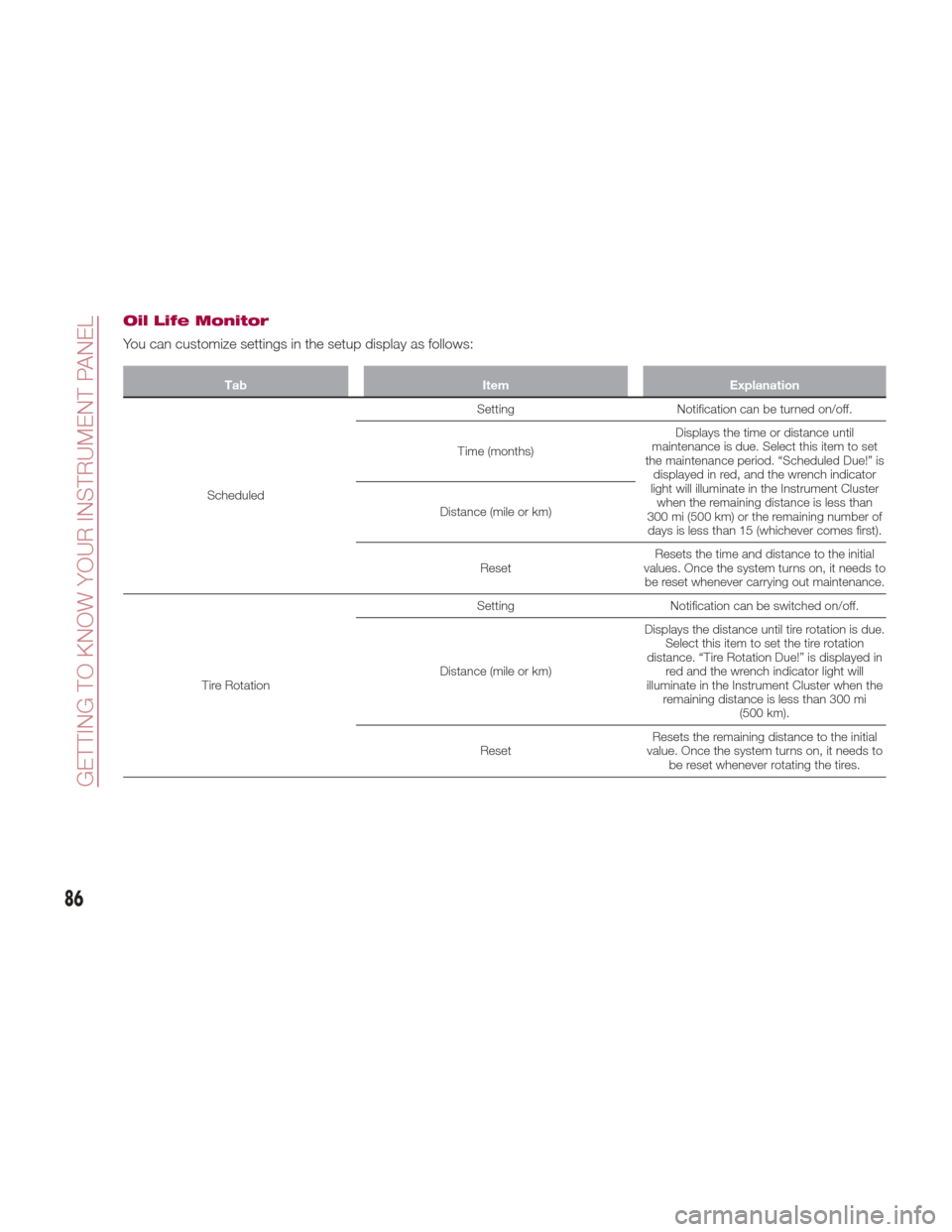
Oil Life Monitor
You can customize settings in the setup display as follows:
TabItemExplanation
Scheduled Setting
Notification can be turned on/off.
Time (months) Displays the time or distance until
maintenance is due. Select this item to set
the maintenance period. “Scheduled Due!” is displayed in red, and the wrench indicator
light will illuminate in the Instrument Cluster when the remaining distance is less than
300 mi (500 km) or the remaining number of days is less than 15 (whichever comes first).
Distance (mile or km)
Reset Resets the time and distance to the initial
values. Once the system turns on, it needs to be reset whenever carrying out maintenance.
Tire Rotation Setting
Notification can be switched on/off.
Distance (mile or km) Displays the distance until tire rotation is due.
Select this item to set the tire rotation
distance. “Tire Rotation Due!” is displayed in red and the wrench indicator light will
illuminate in the Instrument Cluster when the remaining distance is less than 300 mi (500 km).
Reset Resets the remaining distance to the initial
value. Once the system turns on, it needs to be reset whenever rotating the tires.
86
GETTING TO KNOW YOUR INSTRUMENT PANEL
Page 89 of 300
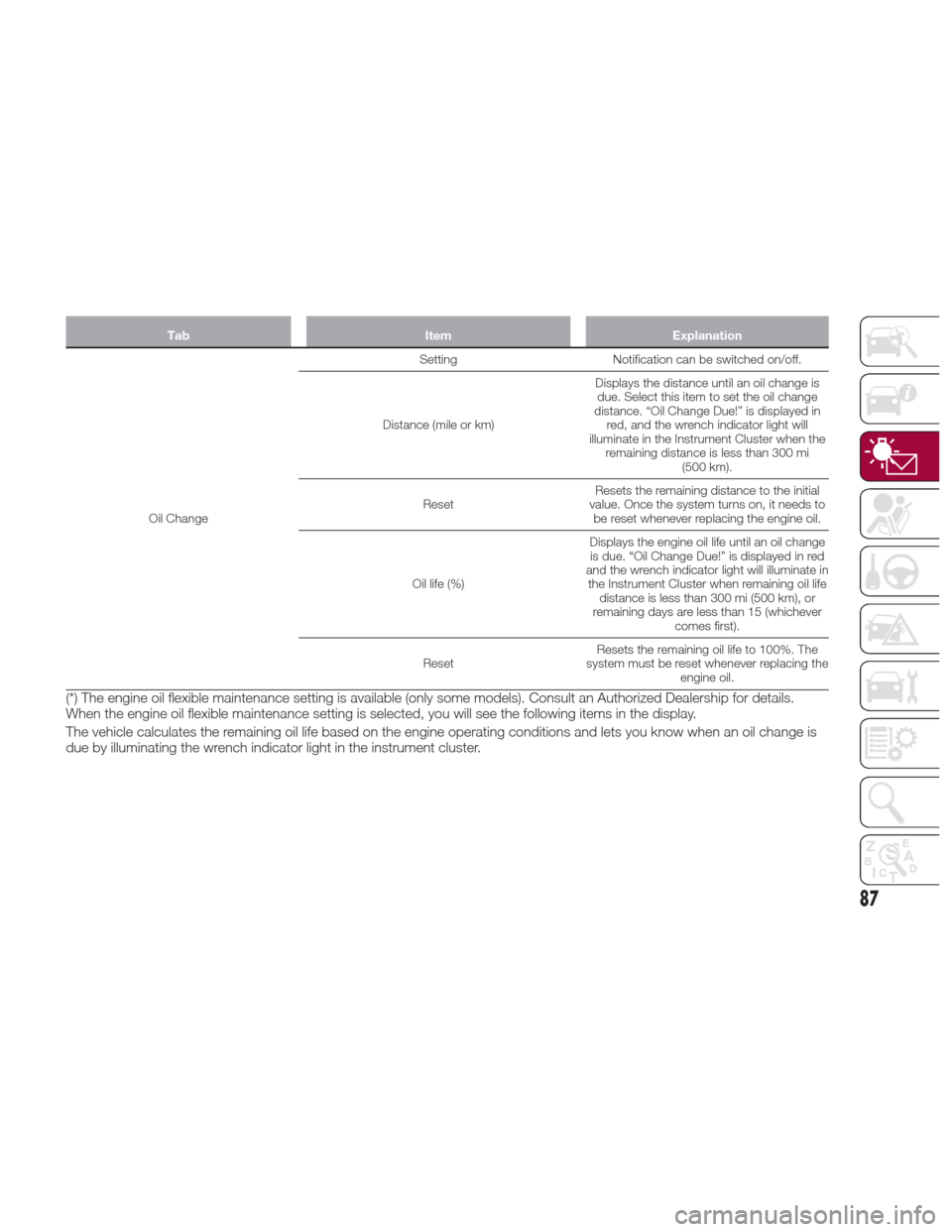
TabItemExplanation
Oil Change Setting
Notification can be switched on/off.
Distance (mile or km) Displays the distance until an oil change is
due. Select this item to set the oil change
distance. “Oil Change Due!” is displayed in red, and the wrench indicator light will
illuminate in the Instrument Cluster when the remaining distance is less than 300 mi (500 km).
Reset Resets the remaining distance to the initial
value. Once the system turns on, it needs to be reset whenever replacing the engine oil.
Oil life (%) Displays the engine oil life until an oil change
is due. “Oil Change Due!” is displayed in red
and the wrench indicator light will illuminate in the Instrument Cluster when remaining oil life distance is less than 300 mi (500 km), or
remaining days are less than 15 (whichever comes first).
Reset Resets the remaining oil life to 100%. The
system must be reset whenever replacing the engine oil.
(*) The engine oil flexible maintenance setting is available (only some models). Consult an Authorized Dealership for details.
When the engine oil flexible maintenance setting is selected, you will see the following items in the display.
The vehicle calculates the remaining oil life based on the engine operating conditions and lets you know when an oil change is
due by illuminating the wrench indicator light in the instrument cluster.
87
Page 90 of 300
FUEL ECONOMY
MONITOR — IF
EQUIPPED
Description
Versions With Fiat Connect 7.0
The “Fuel Consumption” information is
displayed by operating each icon in the
display.
In addition, after completing a trip, the
total energy efficiency to date is
displayed in the ending display when
the ending display is turned on.
Proceed as follows:
1. Select the
icon on the home
screen to display the applications
screen.
2. Select the “Fuel Economy Monitor”.
3. Operate the Multimedia Control
Knob or touch the screen and display
the menu. Note:
When the menu is displayed by
touching the screen, the display is
hidden automatically after 6 seconds.
Select the icon in the menu and
perform the operation. Each icon
operates as follows:
1. Hides the menu display.
2. Displays the application screen.
3. Resets the fuel economy data.
4. Displays the following setting
screen: ending display on/off switching
- On/off switching for function which
synchronizes reset fuel economy data
to trip meter (Trip A).
Fuel Consumption
Display
Information regarding fuel economy is
displayed:
1. Displays the fuel economy for the
past 60 minutes:
Displays the fuel economy every
minute for the past 1 to 10 minutes.
Displays the fuel economy every
10 minutes for the past 10 to
60 minutes.
2. Displays the average fuel economy
over the past five resets and after the
current reset.
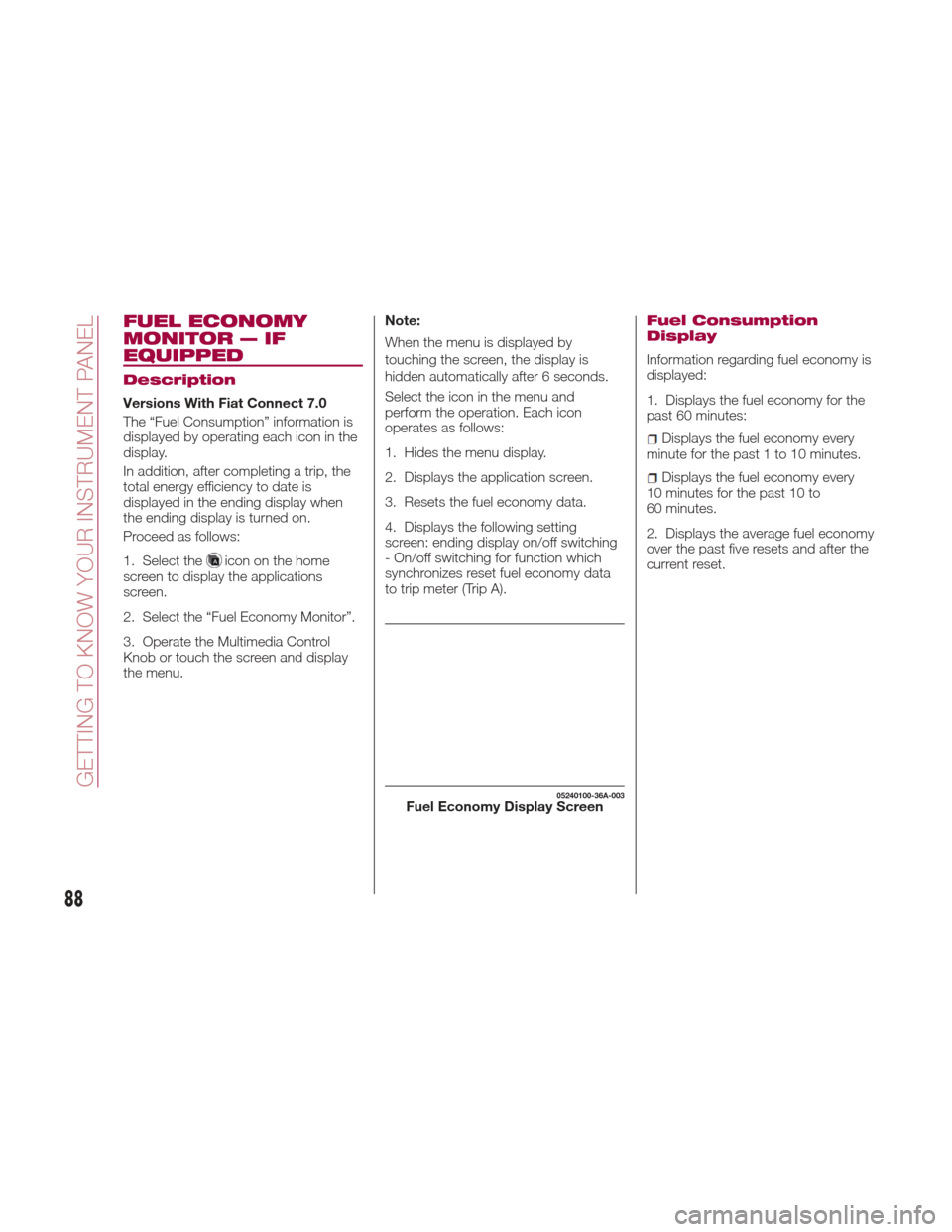
05240100-36A-003Fuel Economy Display Screen
88
GETTING TO KNOW YOUR INSTRUMENT PANEL
Page 91 of 300
3. Calculates the average fuel
economy every minute after vehicle
travel begins, and displays it.Note:
The fuel economy data can be reset by
doing the following operation:
Push the reset switch from the
menu screen.
When the function, which
synchronizes the fuel economy monitor
and the trip meter, is on, reset Trip A of
the trip meter.
Delete the average fuel economy
information displayed in the trip
computer.
After resetting the fuel economy data,
“-- -” is displayed while the average fuel
economy is calculated.
Ending Screen Display
If the ending display on the fuel
economy monitor is on when the
ignition is cycled from ON position to
the OFF position, the information
regarding the fuel economy is
displayed.
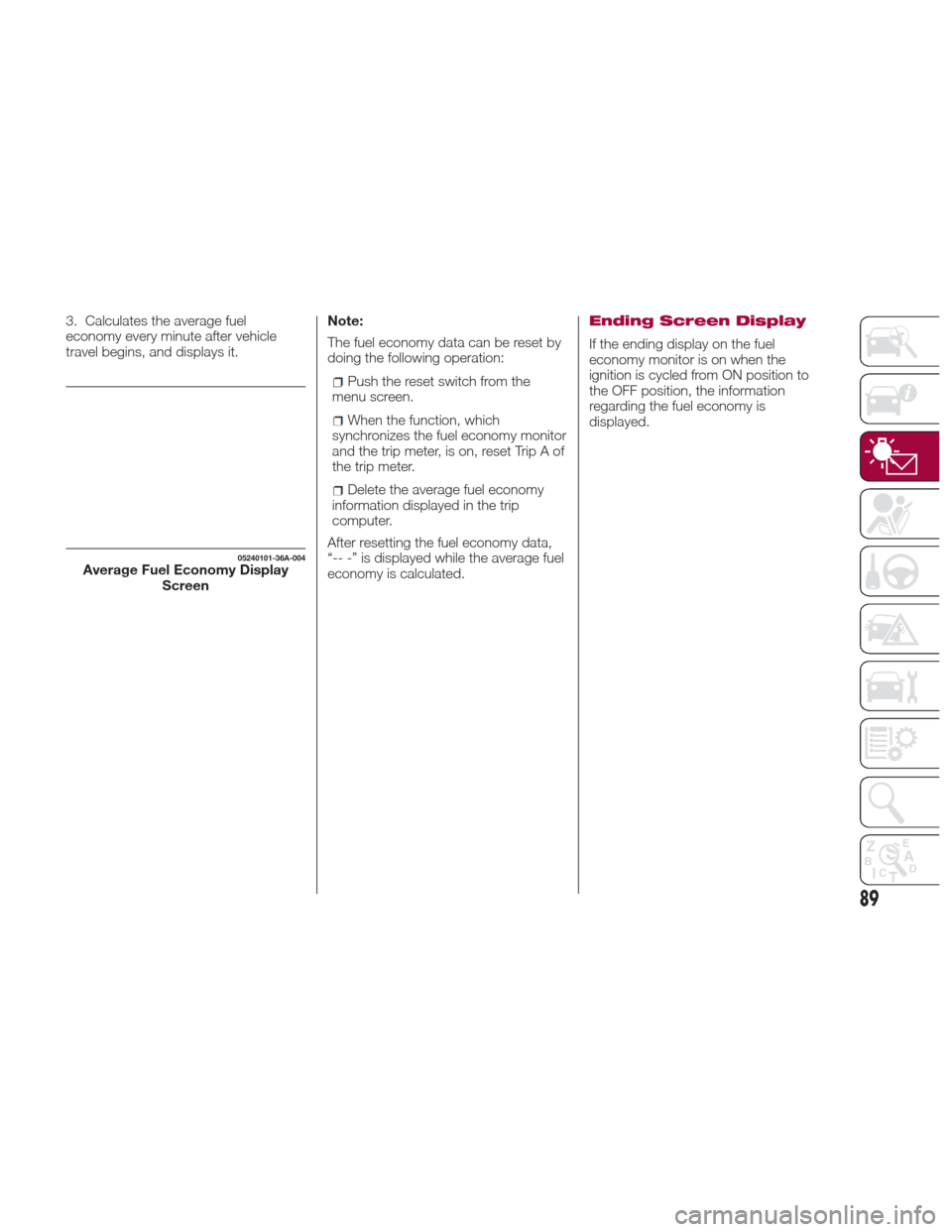
05240101-36A-004Average Fuel Economy Display Screen
89
Page 103 of 300
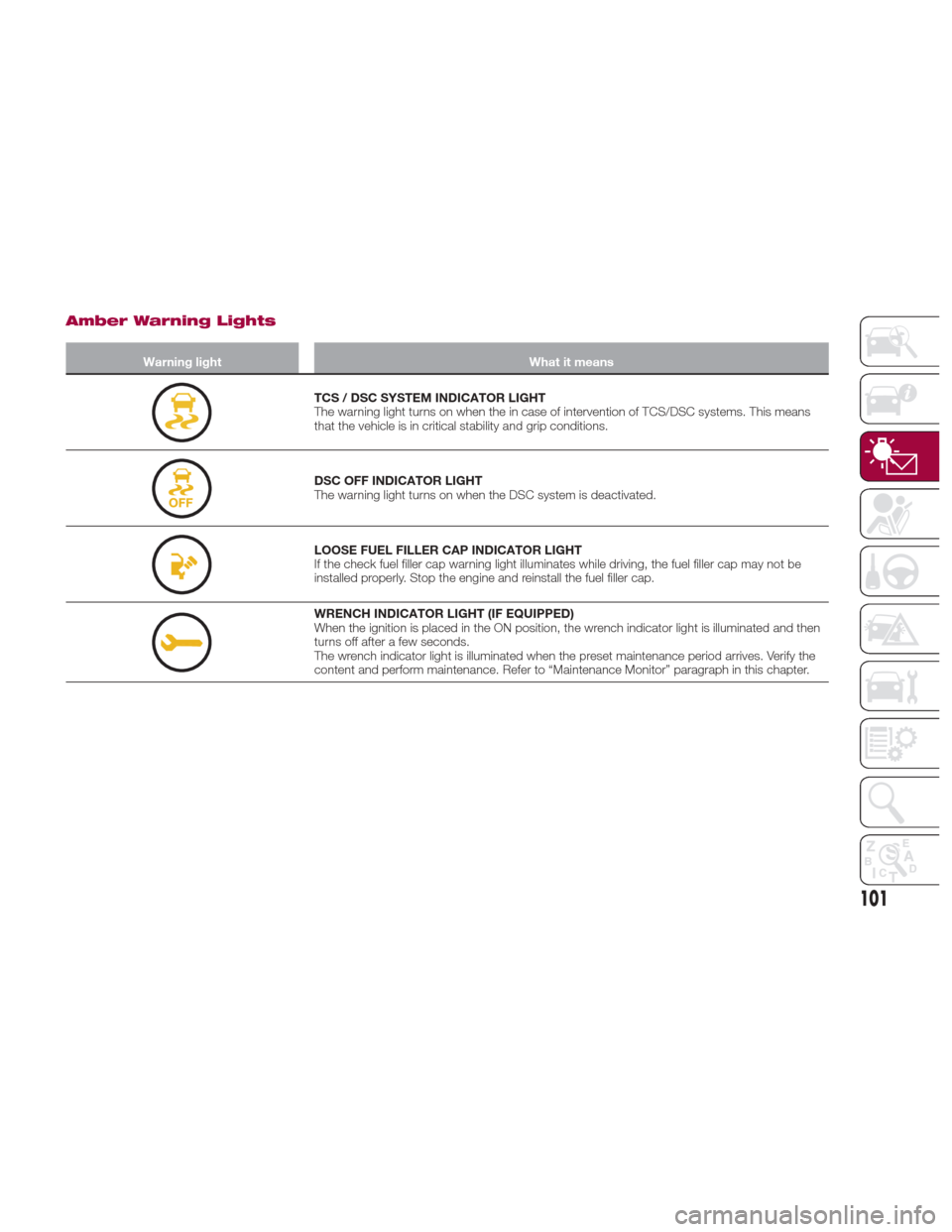
Amber Warning Lights
Warning lightWhat it means
TCS / DSC SYSTEM INDICATOR LIGHT
The warning light turns on when the in case of intervention of TCS/DSC systems. This means
that the vehicle is in critical stability and grip conditions.
DSC OFF INDICATOR LIGHT
The warning light turns on when the DSC system is deactivated.
LOOSE FUEL FILLER CAP INDICATOR LIGHT
If the check fuel filler cap warning light illuminates while driving, the fuel filler cap may not be
installed properly. Stop the engine and reinstall the fuel filler cap.
WRENCH INDICATOR LIGHT (IF EQUIPPED)
When the ignition is placed in the ON position, the wrench indicator light is illuminated and then
turns off after a few seconds.
The wrench indicator light is illuminated when the preset maintenance period arrives. Verify the
content and perform maintenance. Refer to “Maintenance Monitor” paragraph in this chapter.
101
Page 112 of 300
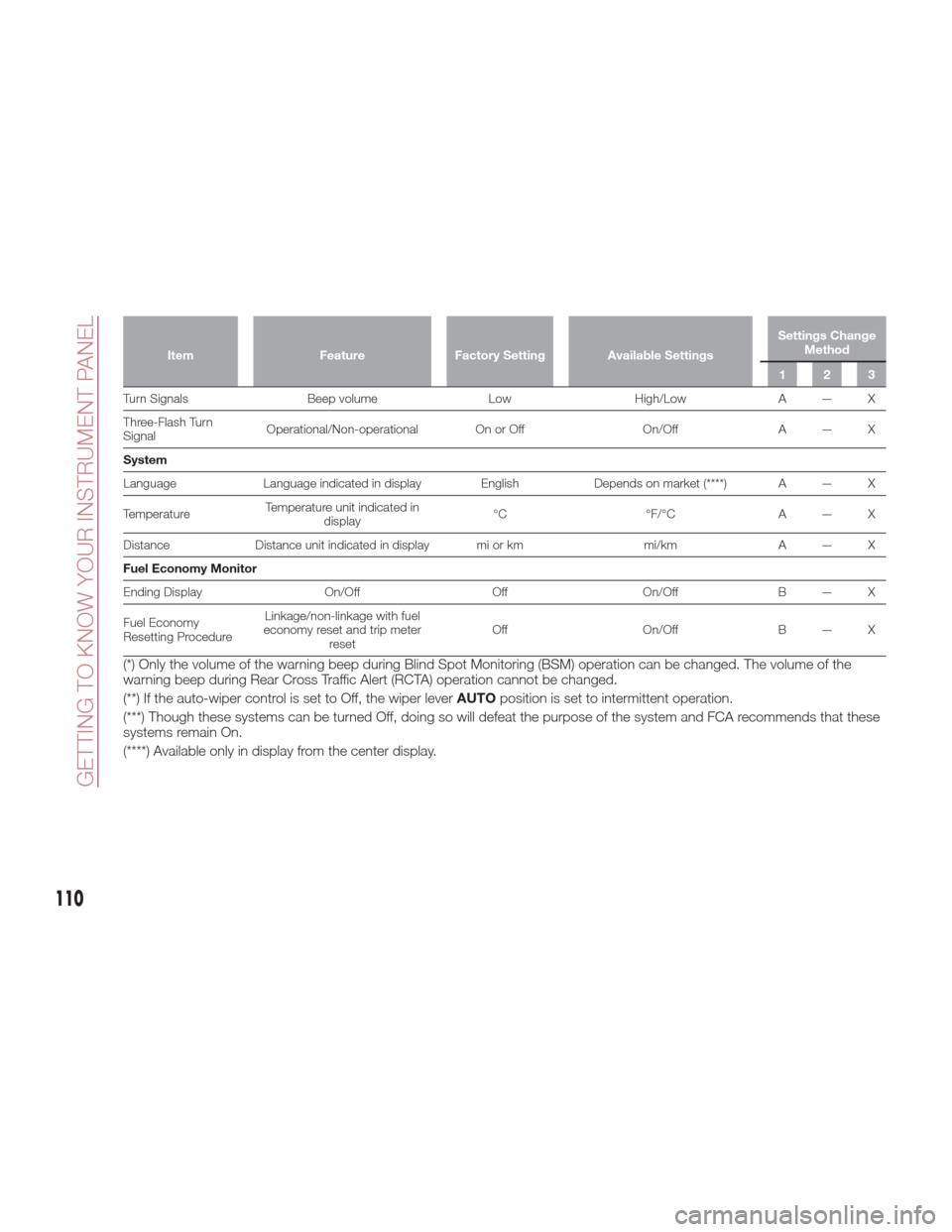
ItemFeatureFactory Setting Available Settings Settings Change
Method
123
Turn Signals Beep volumeLowHigh/LowA — X
Thr
ee-Flash Turn
Signal Operational/Non-operational On or Off
On/OffA — X
System
Language Language indicated in display English Depends on market (****) A — X
Temperature Temperature unit indicated in
display °C
°F/°CA — X
Distance Distance unit indicated in display mi or km mi/kmA — X
Fuel Economy Monitor
Ending Display On/OffOffOn/OffB — X
Fuel Economy
Resetting Procedure Linkage/non-linkage with fuel
economy reset and trip meter reset Off
On/OffB — X
(*) Only the volume of the warning beep during Blind Spot Monitoring (BSM) operation can be changed. The volume of the
warning beep during Rear Cross Traffic Alert (RCTA) operation cannot be changed.
(**) If the auto-wiper control is set to Off, the wiper lever AUTOposition is set to intermittent operation.
(***) Though these systems can be turned Off, doing so will defeat the purpose of the system and FCA recommends that these
systems remain On.
(****) Available only in display from the center display.
110
GETTING TO KNOW YOUR INSTRUMENT PANEL
Page 162 of 300
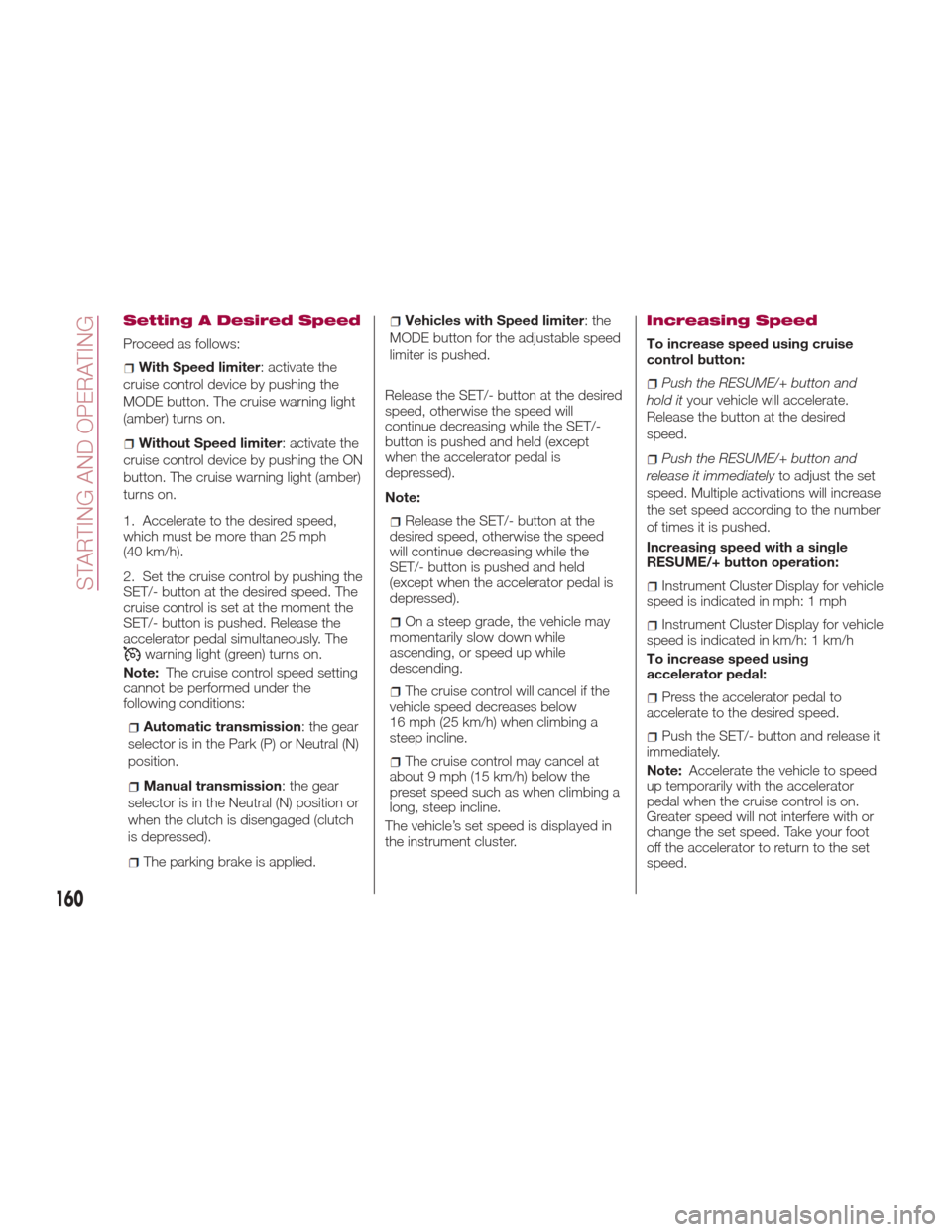
Setting A Desired Speed
Proceed as follows:
With Speed limiter: activate the
cruise control device by pushing the
MODE button. The cruise warning light
(amber) turns on.
Without Speed limiter : activate the
cruise control device by pushing the ON
button. The cruise warning light (amber)
turns on.
1. Accelerate to the desired speed,
which must be more than 25 mph
(40 km/h).
2. Set the cruise control by pushing the
SET/- button at the desired speed. The
cruise control is set at the moment the
SET/- button is pushed. Release the
accelerator pedal simultaneously. The
warning light (green) turns on.
Note: The cruise control speed setting
cannot be performed under the
following conditions:
Automatic transmission : the gear
selector is in the Park (P) or Neutral (N)
position.
Manual transmission : the gear
selector is in the Neutral (N) position or
when the clutch is disengaged (clutch
is depressed).
The parking brake is applied.
Vehicles with Speed limiter :the
MODE button for the adjustable speed
limiter is pushed.
Release the SET/- button at the desired
speed, otherwise the speed will
continue decreasing while the SET/-
button is pushed and held (except
when the accelerator pedal is
depressed).
Note:
Release the SET/- button at the
desired speed, otherwise the speed
will continue decreasing while the
SET/- button is pushed and held
(except when the accelerator pedal is
depressed).
On a steep grade, the vehicle may
momentarily slow down while
ascending, or speed up while
descending.
The cruise control will cancel if the
vehicle speed decreases below
16 mph (25 km/h) when climbing a
steep incline.
The cruise control may cancel at
about 9 mph (15 km/h) below the
preset speed such as when climbing a
long, steep incline.
The vehicle’s set speed is displayed in
the instrument cluster.
Increasing Speed
To increase speed using cruise
control button:
Push the RESUME/+ button and
hold it your vehicle will accelerate.
Release the button at the desired
speed.
Push the RESUME/+ button and
release it immediately to adjust the set
speed. Multiple activations will increase
the set speed according to the number
of times it is pushed.
Increasing speed with a single
RESUME/+ button operation:
Instrument Cluster Display for vehicle
speed is indicated in mph: 1 mph
Instrument Cluster Display for vehicle
speed is indicated in km/h: 1 km/h
To increase speed using
accelerator pedal:
Press the accelerator pedal to
accelerate to the desired speed.
Push the SET/- button and release it
immediately.
Note: Accelerate the vehicle to speed
up temporarily with the accelerator
pedal when the cruise control is on.
Greater speed will not interfere with or
change the set speed. Take your foot
off the accelerator to return to the set
speed.
160
STARTING AND OPERATING
Page 163 of 300
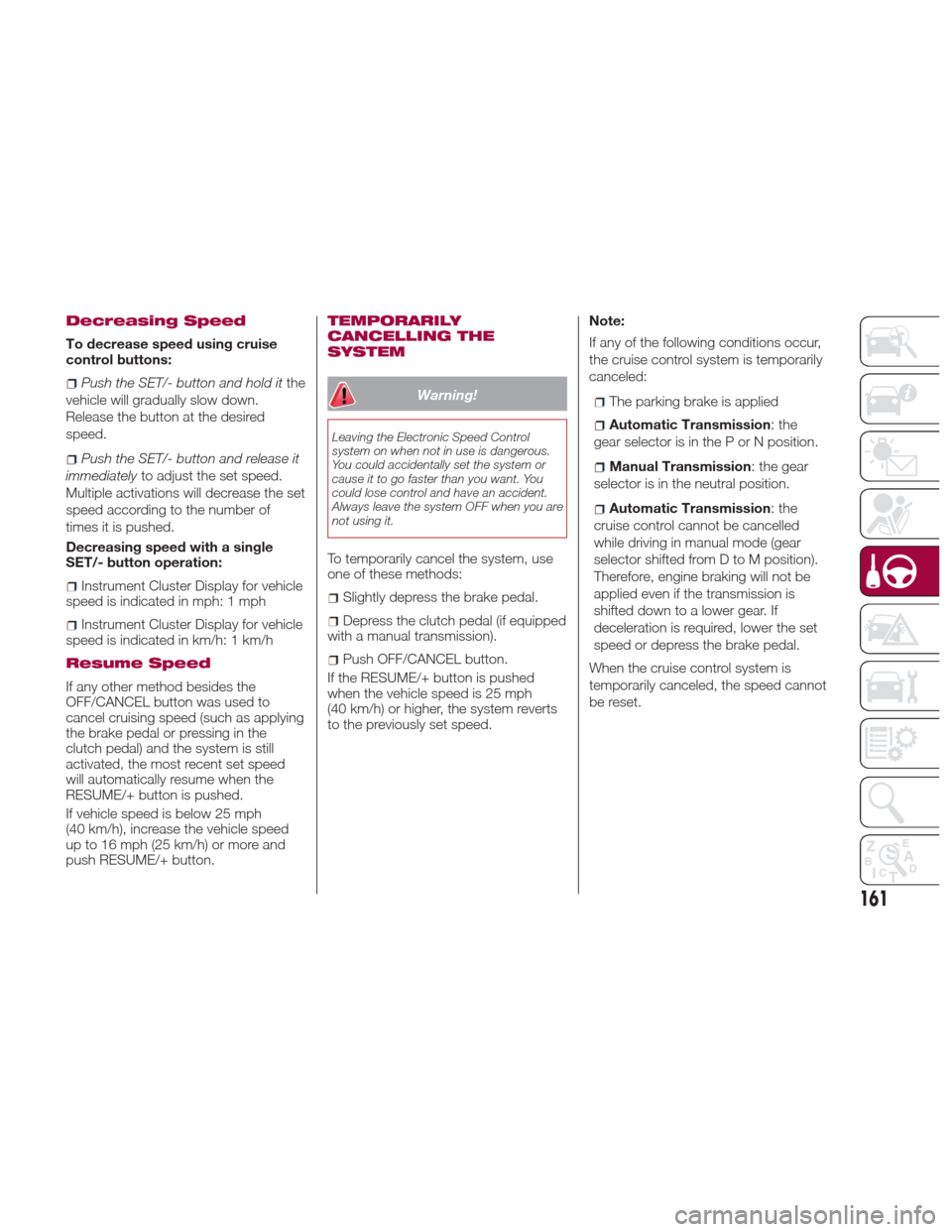
Decreasing Speed
To decrease speed using cruise
control buttons:
Push the SET/- button and hold itthe
vehicle will gradually slow down.
Release the button at the desired
speed.
Push the SET/- button and release it
immediately to adjust the set speed.
Multiple activations will decrease the set
speed according to the number of
times it is pushed.
Decreasing speed with a single
SET/- button operation:
Instrument Cluster Display for vehicle
speed is indicated in mph: 1 mph
Instrument Cluster Display for vehicle
speed is indicated in km/h: 1 km/h
Resume Speed
If any other method besides the
OFF/CANCEL button was used to
cancel cruising speed (such as applying
the brake pedal or pressing in the
clutch pedal) and the system is still
activated, the most recent set speed
will automatically resume when the
RESUME/+ button is pushed.
If vehicle speed is below 25 mph
(40 km/h), increase the vehicle speed
up to 16 mph (25 km/h) or more and
push RESUME/+ button.
TEMPORARILY
CANCELLING THE
SYSTEM
Warning!
Leaving the Electronic Speed Control
system on when not in use is dangerous.
You could accidentally set the system or
cause it to go faster than you want. You
could lose control and have an accident.
Always leave the system OFF when you are
not using it.
To temporarily cancel the system, use
one of these methods:
Slightly depress the brake pedal.
Depress the clutch pedal (if equipped
with a manual transmission).
Push OFF/CANCEL button.
If the RESUME/+ button is pushed
when the vehicle speed is 25 mph
(40 km/h) or higher, the system reverts
to the previously set speed. Note:
If any of the following conditions occur,
the cruise control system is temporarily
canceled:
The parking brake is applied
Automatic Transmission
:the
gear selector is in the P or N position.
Manual Transmission : the gear
selector is in the neutral position.
Automatic Transmission :the
cruise control cannot be cancelled
while driving in manual mode (gear
selector shifted from D to M position).
Therefore, engine braking will not be
applied even if the transmission is
shifted down to a lower gear. If
deceleration is required, lower the set
speed or depress the brake pedal.
When the cruise control system is
temporarily canceled, the speed cannot
be reset.
161
Page 174 of 300
Three-Dimensional Object Behind
The Vehicle:
Since the distance guide line display is
based on a flat surface, the distance to
a three-dimensional object on the
screen differs from the real distance.
Adjusting The Image
Quality
The image quality can be adjusted with
the gear selector in the Reverse (R)
position.
Four adjustments can be made:
brightness, contrast, tint and color. Give
attention to the vehicle’s surroundings
while making adjustments:1. Select the icon on the top left of the
screen to display the tabs.
2. Select the desired tab.
3. Use the cursor to adjust the
brightness, contrast, tint and color. If a
reset is needed, press the reset button.
4. Select the icon on the top left of the
screen to close the tabs.
Warning!
Adjusting the rear-view camera image
quality must always be done when the
vehicle is stationary. Do not adjust the
rear-view camera image quality while
vehicle driving. Adjusting the image quality
(brightness, contrast, color and tint) of the
rear-view camera while driving the vehicle
is dangerous since it could distract the
driver and cause a serious accident.
GUID-07080913993993Downgrade Camera Angle
1 — Distance Between The Vehicle And
Object Displayed On The Screen
2 — Actual Distance Between The
Vehicle And Object
3 — Appears Closer Than Actual
Distance
4 — Object On Screen
5 — Object At Actual Position
GUID-07080913994994Three-Dimensional Object Camera
View
A—ObjectInView
B — Actual Distance To Object
C — Appears Farther Than Actual
07080914-111-111Image Quality Adjustments
172
STARTING AND OPERATING