head light FIAT 124 SPIDER 2017 2.G Owner's Manual
[x] Cancel search | Manufacturer: FIAT, Model Year: 2017, Model line: 124 SPIDER, Model: FIAT 124 SPIDER 2017 2.GPages: 300, PDF Size: 121.24 MB
Page 134 of 300
Place the child-restraint system on
the seat without putting your weight on
the seat and secure the child-restraint
system with the lap portion of the
lap/shoulder belt. See the
manufacturer's instructions on the
child-restraint system for belt routing
instructions;
To get the retractor into the
automatic locking mode, pull the
shoulder belt portion of the seat belt
until the entire length of the belt is out of
the retractor;
Push the child-restraint system firmly
into the vehicle seat. Be sure the belt
retracts as snugly as possible. A
clicking noise from the retractor will be
heard during retraction if the system is
in automatic locking mode. If the belt
does not lock the seat down tight,
repeat the previous step and also this
one;
Seat your child safely in the
child-restraint system and secure the
child according to the instructions from
the child-restraint system manufacturer; Note:
Inspect this function before
each use of the child restraint system.
You should not be able to pull the
shoulder belt out of the retractor while
the system is in the automatic locking
mode. When you remove the
child-restraint system, be sure the belt
fully retracts to return the system to
emergency locking mode before
occupants use the seat belts.
Place the ignition in the ON position
and make sure the passenger air bag
deactivation indicator light illuminates
after installing a child restraint system
on the passenger seat. If the passenger
air bag deactivation indicator light does
not illuminate, remove the child restraint
system, place the ignition in the OFF
position, and then reinstall the child
restraint system.
Warning!
Never place a rear-facing child restraint
in front of an air bag. A deploying
passenger Advanced Front Air Bag can
cause death or serious injury to a child
12 years or younger, including a child in a
rear-facing child restraint.
Only use a rear-facing child restraint in a
vehicle with a rear seat.
An incorrectly anchored tether strap
could lead to increased head motion and
possibly injury to the child. Use only the
anchorage position directly behind the child
seat to secure a child restraint top tether
strap.
GUID-06070400567567Passenger Air Bag Deactivation Light
132
SAFETY
Page 171 of 300
Note:If it is difficult to see the display
under the following conditions, it does
notmeanthatthisisduetoa
malfunction:
In dark areas.
When the temperature around the
lens is particularly high/low.
When the camera is wet from rain
or due to a high atmospheric humidity.
When there is some foreign deposit
around the camera, for example mud.
When the camera lens reflects
sunlight or a headlight beam.
The image on the display may be
delayed if the temperature around the
camera is low.
Caution!
To avoid vehicle damage, ParkView
should only be used as a parking aid. The
ParkView camera is unable to view every
obstacle or object in your drive path.
To avoid vehicle damage, the vehicle
must be driven slowly when using ParkView
to be able to stop in time when an obstacle
is seen. It is recommended that the driver
look frequently over his/her shoulder when
using ParkView.
Looking At The Display
The width of the vehicles guide lines
(yellow) are displayed on the screen as
a reference to show the width of the
vehicle compared to the width of the
parking space to be entered in reverse.
Vehicle Width Guide Lines
(Yellow): these guide lines serve as a
reference showing the width of the
vehicle.
Distance Guide Lines : these lines
indicate the approximate distance of a
point measured from the rear of the
vehicle (from the end of the bumper).
The red and yellow line indicates the
pointsatabout19in(50cm),forthe
red line and 39 in (1 m) for the yellow
line, from the rear bumper (central point
of each line).
Warning!
Drivers must be careful when backing up
even when using the ParkView Rear Back
Up Camera. Always check carefully behind
your vehicle, and be sure to check for
pedestrians, animals, other vehicles,
obstructions, or blind spots before backing
up. You are responsible for the safety of
your surroundings and must continue to
pay attention while backing up. Failure to
do so can result in serious injury or death.
Rear-View Monitor
Operation
The operating modes of the rear-view
monitor when the vehicle is in reverse
vary depending on traffic, road and
vehicle conditions. Also the amount of
turning and the duration of the
maneuver vary depending on the
conditions, therefore is important to
check the effective situation and adapt
the steering.
Note: The images from the rear
parking camera shown on the monitor
are reversed (mirror image).
07080913-111-111Vehicle Width Guide Lines
169
Page 181 of 300
Follow the maintenance schedule
and contact your Authorized Dealer.
Use the air conditioner only when
necessary.
Slow down on rough roads.
Keep the tires properly inflated.
Do not carry unnecessary weight.
Do not rest your foot on the brake
pedal while driving.
Keep the wheels in correct
alignment.
Keep windows closed at high
speeds.
Slow down when driving in
crosswinds and headwinds.
Hazardous Driving
When driving on ice or in water, snow,
mud, sand, or similar hazards:
Be cautious and allow extra distance
for braking.
Avoid sudden braking and sudden
maneuvering.
Do not pump the brakes. Continue to
press down on the brake pedal.
If you get stuck, select a lower gear
and accelerate slowly. Do not spin the
rear wheels.
For more traction in starting on
slippery surfaces such as ice or packed
snow, use sand, rock salt, chains,
carpeting, or other nonslip material
under the rear wheels.
Note: Usesnowchainsonlyonthe
rear wheels.
Floor Mat Safety
Information
Always use floor mats designed to fit
the footwell of your vehicle. Use only
floor mats that leave the pedal area
unobstructed and that are firmly
secured so that they cannot slip out of
position and interfere with the pedals or
impair safe operation of your vehicle in
other ways.
Warning!
An improperly attached, damaged, folded,
or stacked floor mat, or damaged floor mat
fasteners may cause your floor mat to
interfere with the accelerator, brake, or
clutch pedals and cause a loss of vehicle
control. To prevent SERIOUS INJURY or
DEATH:
ALWAYS securely attachyour floor
mat using the floor mat fasteners. DO NOT
install your floor mat upside down or turn
your floor mat over. Lightly pull to confirm
mat is secured using the floor mat
fasteners on a regular basis.
ALWAYS REMOVE THE EXISTING
FLOOR MAT FROM THE VEHICLE
before installing any other floor mat.
NEVER install or stack an additional floor
mat on top of an existing floor mat.
ONLY install floor mats designed to fit
your vehicle. NEVER install a floor mat that
cannot be properly attached and secured
to your vehicle. If a floor mat needs to be
replaced, only use a FCA approved floor
mat for the specific make, model, and year
of your vehicle.
04090400-USA-001Floor Mat Retention Post Location
179
Page 188 of 300
Before replacing a bulb check the
contacts for oxidation.
Replace blown bulbs with others of
the same type and power.
After replacing a headlight bulb,
always check its alignment.
To replace the bulb, contact your
Authorized Dealer.
When a light is not working, check
that the corresponding fuse is intact
before replacing the bulb. For the
location of fuses, refer to the section on
“Replacing Fuses” in this chapter.
Caution!
Use the protective cover and carton for the
replacement bulb to dispose of the old bulb
promptly and out of the reach of children.
Note:
When removing the lens or light unit
using a flathead screwdriver, make
sure that the flathead screwdriver does
not contact the interior terminal. If the
flathead screwdriver contacts the
terminal, a short circuit may occur.
When the weather is cold or damp
or after heavy rain or washing, the
surface of headlights or rear lights may
steam up and/or form drops of
condensation on the inside. This is a
natural phenomenon due to the
difference in temperature and humidity
between the inside and the outside of
the glass which does not indicate a
fault and does not compromise the
normal operation of lighting devices.
The mist disappears quickly when the
lights are turned on, starting from the
center of the diffuser, extending
progressively towards the edges.
186
IN CASE OF EMERGENCY
Page 189 of 300
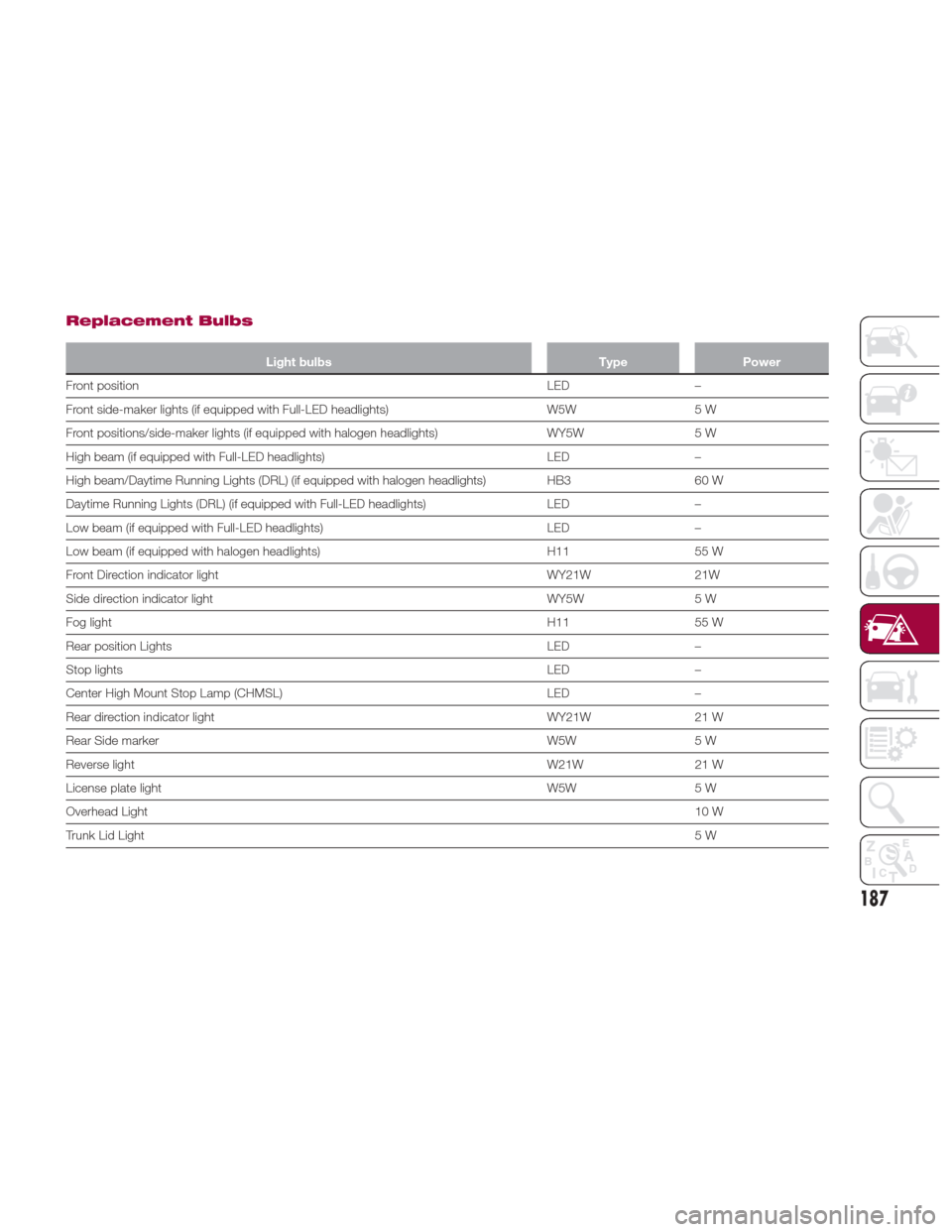
Replacement Bulbs
Light bulbsTypePower
Front position LED
–
Front side-maker lights (if equipped with Full-LED headlights) W5W5 W
Front positions/side-maker lights (if equipped with halogen headlights) WY5W5 W
High beam (if equipped with Full-LED headlights) LED–
High beam/Daytime Running Lights (DRL) (if equipped with halogen headlights) HB3 60 W
Daytime Running Lights (DRL) (if equipped with Full-LED headlights) LED–
Low beam (if equipped with Full-LED headlights) LED–
Low beam (if equipped with halogen headlights) H1155 W
Front Direction indicator light WY21W21W
Side direction indicator light WY5W5 W
Fog light H1155 W
Rear position Lights LED–
Stop lights LED–
Center High Mount Stop Lamp (CHMSL) LED–
Rear direction indicator light WY21W21 W
Rear Side marker W5W5 W
Reverse light W21W21 W
License plate light W5W5 W
Overhead Light 10 W
Trunk Lid Light 5W
187
Page 190 of 300
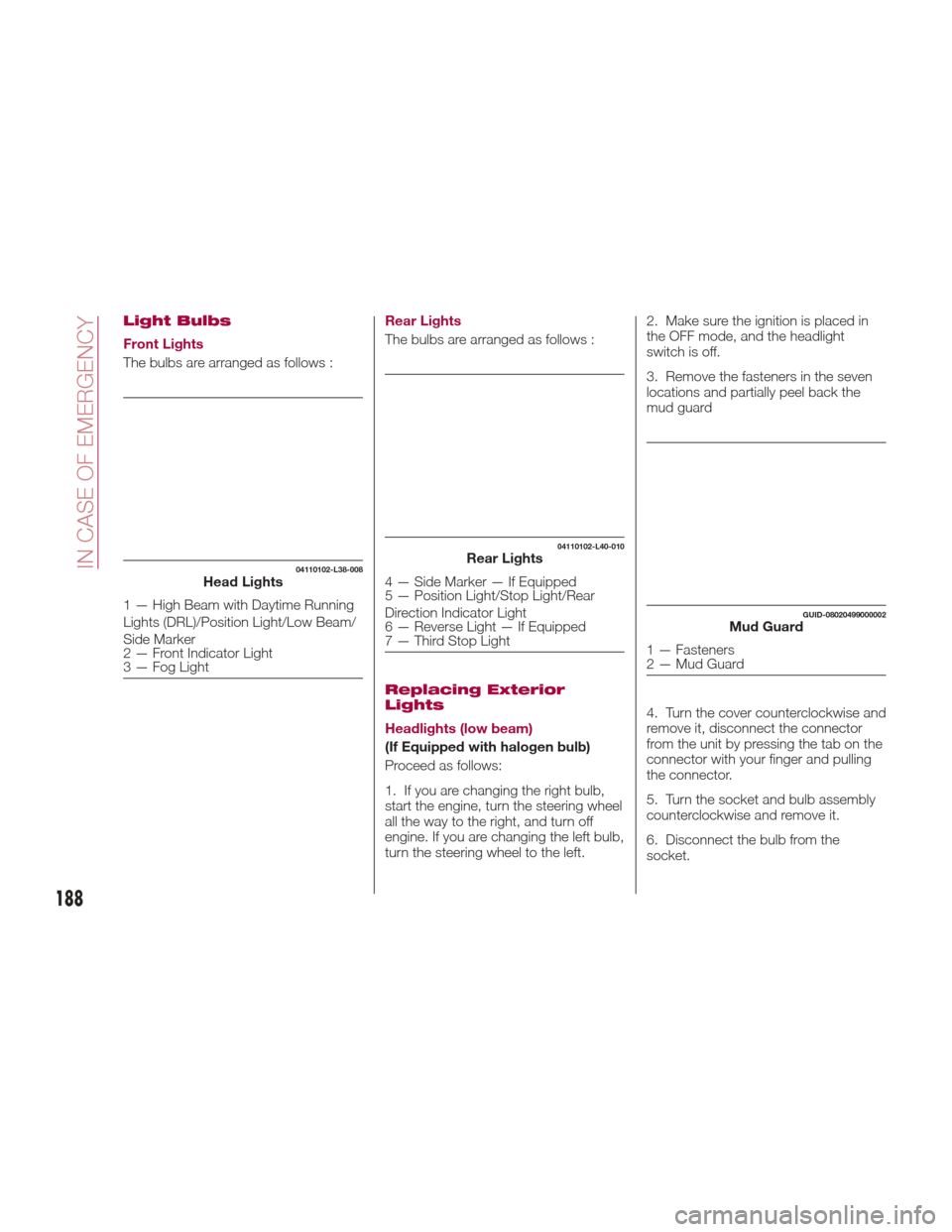
Light Bulbs
Front Lights
The bulbs are arranged as follows :Rear Lights
The bulbs are arranged as follows :
Replacing Exterior
Lights
Headlights (low beam)
(If Equipped with halogen bulb)
Proceed as follows:
1. If you are changing the right bulb,
start the engine, turn the steering wheel
all the way to the right, and turn off
engine. If you are changing the left bulb,
turn the steering wheel to the left.2. Make sure the ignition is placed in
the OFF mode, and the headlight
switch is off.
3. Remove the fasteners in the seven
locations and partially peel back the
mud guard
4. Turn the cover counterclockwise and
remove it, disconnect the connector
from the unit by pressing the tab on the
connector with your finger and pulling
the connector.
5. Turn the socket and bulb assembly
counterclockwise and remove it.
6. Disconnect the bulb from the
socket.
04110102-L38-008Head Lights
1 — High Beam with Daytime Running
Lights (DRL)/Position Light/Low Beam/
Side Marker
2 — Front Indicator Light
3 — Fog Light
04110102-L40-010Rear Lights
4 — Side Marker — If Equipped
5 — Position Light/Stop Light/Rear
Direction Indicator Light
6 — Reverse Light — If Equipped
7 — Third Stop Light
GUID-08020499000002Mud Guard
1 — Fasteners
2 — Mud Guard
188
IN CASE OF EMERGENCY
Page 191 of 300
7. Install the new bulb in the reverse
order of the removal procedure.
Headlights (high beam) with
Daytime Running Lights
(If Equipped with LED Lamps)
Proceed as follows:
1. If you are changing the right bulb,
start the engine, turn the steering wheel
all the way to the right, and turn off
engine. If you are changing the left bulb,
turn the steering wheel to the left.
2. Make sure the ignition is placed in
the OFF mode, and the headlight
switch is off.
3. Remove the fasteners in the seven
locations and partially peel back the
mud guard.
4. Turn the socket and bulb assembly
counterclockwise and remove it.
5. Turn the cover counterclockwise and
remove it, disconnect the connector
from the unit by pressing the tab on the
connector with your finger and pulling
the connector.
6. Turn the socket and bulb assembly
counterclockwise and remove it.
7. Disconnect the bulb from the
socket.
8. Install the new bulb in the reverse
order of the removal procedure.Front Direction Indicator Lights
Proceed as follows:
1. If you are changing the right bulb,
start the engine, turn the steering wheel
all the way to the right, and turn off
engine. If you are changing the left bulb,
turn the steering wheel to the left.
2. Make sure the ignition is switched
off, and the headlight switch is off.
3. Remove the fasteners in the five
locations and partially peel back the
mud guard.
4. Disconnect the connector from the
unit by pressing the tab on the
connector with your finger and pulling
the connector rearward.
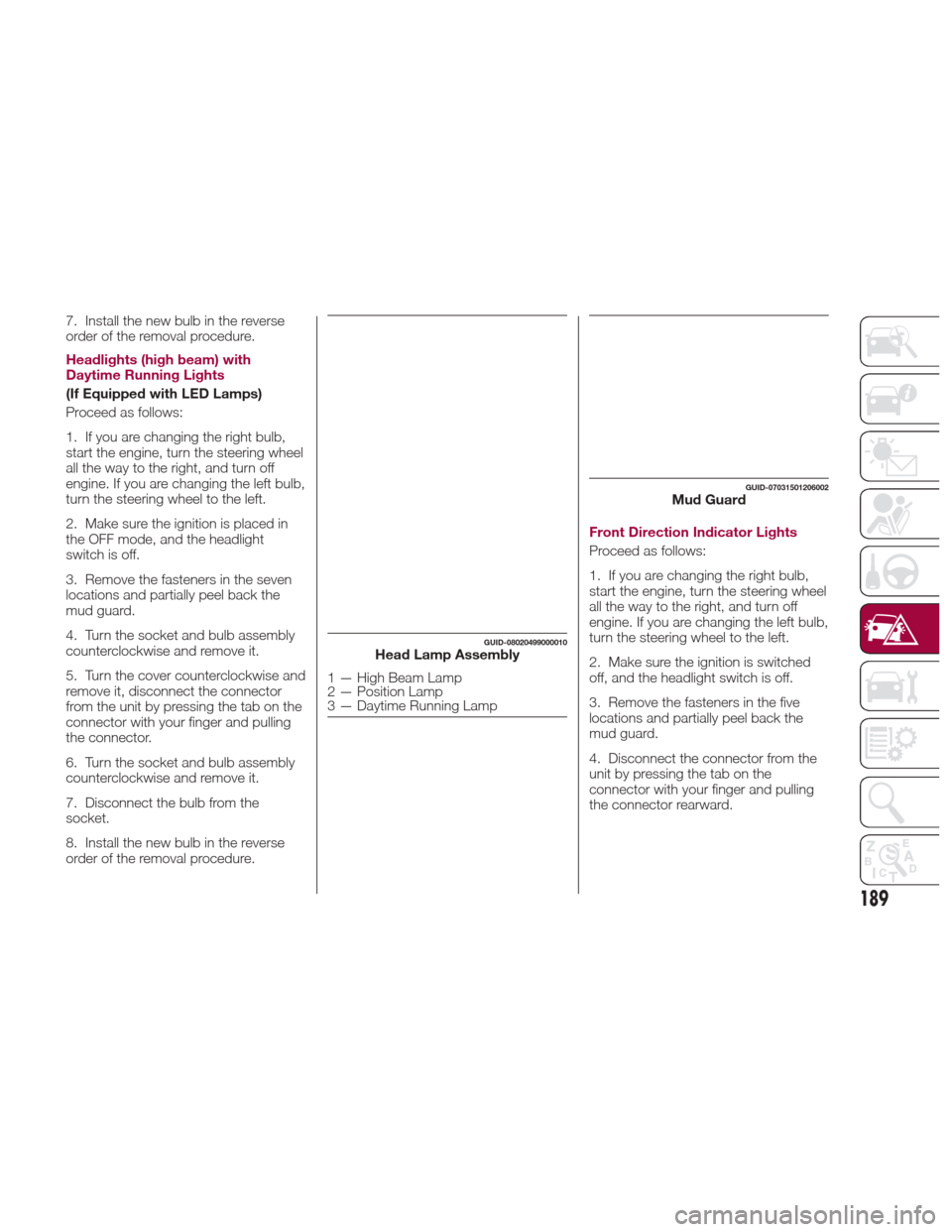
GUID-08020499000010Head Lamp Assembly
1 — High Beam Lamp
2 — Position Lamp
3 — Daytime Running Lamp
GUID-07031501206002Mud Guard
189
Page 192 of 300
5. Turn the socket and bulb assembly
counterclockwise and remove it.
6. Disconnect the bulb from the
socket.7. Install the new bulb in the reverse
order of the removal procedure.
Fog Lights
Proceed as follows:
1. If you are changing the right bulb,
start the engine, turn the steering wheel
all the way to the right, and turn off
engine. If you are changing the left bulb,
turn the steering wheel to the left.
2. Make sure the ignition is switched
off, and the headlight switch is off.
3. Remove the fasteners in the five
locations and partially peel back the
mud guard.
4. Disconnect the connector from the
unit by pressing the tab on the
connector with your finger and pulling
the connector.
5. Turn the socket and bulb assembly
counterclockwise, extract the bulb and
remove it;
6. Disconnect the bulb from the
socket.
7. Install the new bulb in the reverse
order of the removal procedure.Brake lights / Tail lights
Go to your authorized dealer when the
replacement of this lights is necessary.
Side Direction Indicator Lights
Proceed as follows:
1. Make sure the ignition is placed in
the OFF mode, and the headlight
switch is off.
2. If you are changing the right bulb,
start the engine, turn the steering wheel
all the way to the right, and turn off
engine. If you are changing the left bulb,
turn the steering wheel to the left.
3. Remove the fasteners in the five
locations and partially peel back the
mud guard.
4. Disconnect the electrical connector
from the bulb by pressing the tab on
the connector with your finger and
pulling the connector.
5. Remove the lens assembly by
pressing the tab on the unit with your
finger and pulling the unit forward to
compress in the internal catch, then pull
the cluster outwards.
6. Lift up the lens assembly, and then
remove the cluster and install the new
side direction indicator lens assembly in
the reverse order of the removal
procedure.
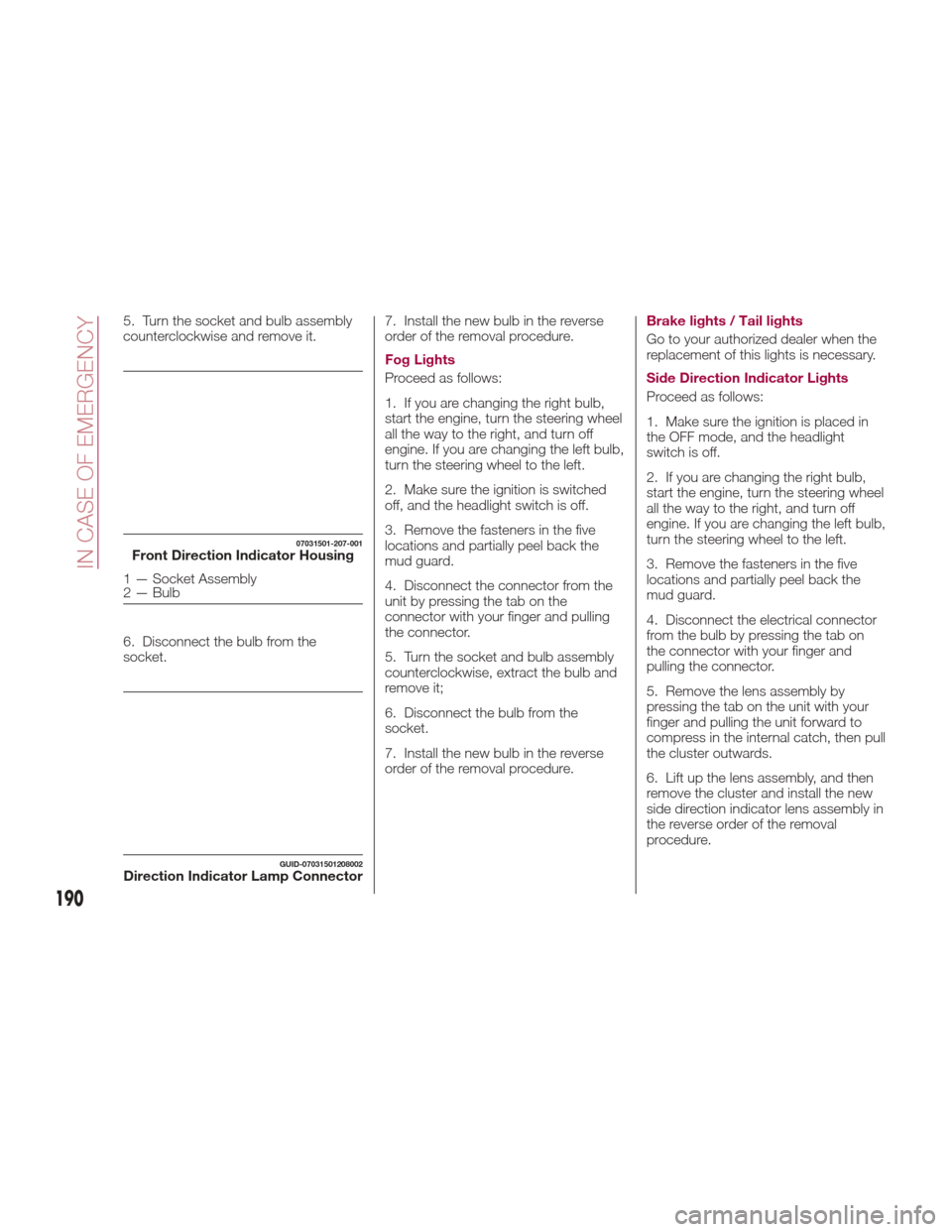
07031501-207-001Front Direction Indicator Housing
1 — Socket Assembly
2 — Bulb
GUID-07031501208002Direction Indicator Lamp Connector
190
IN CASE OF EMERGENCY
Page 195 of 300
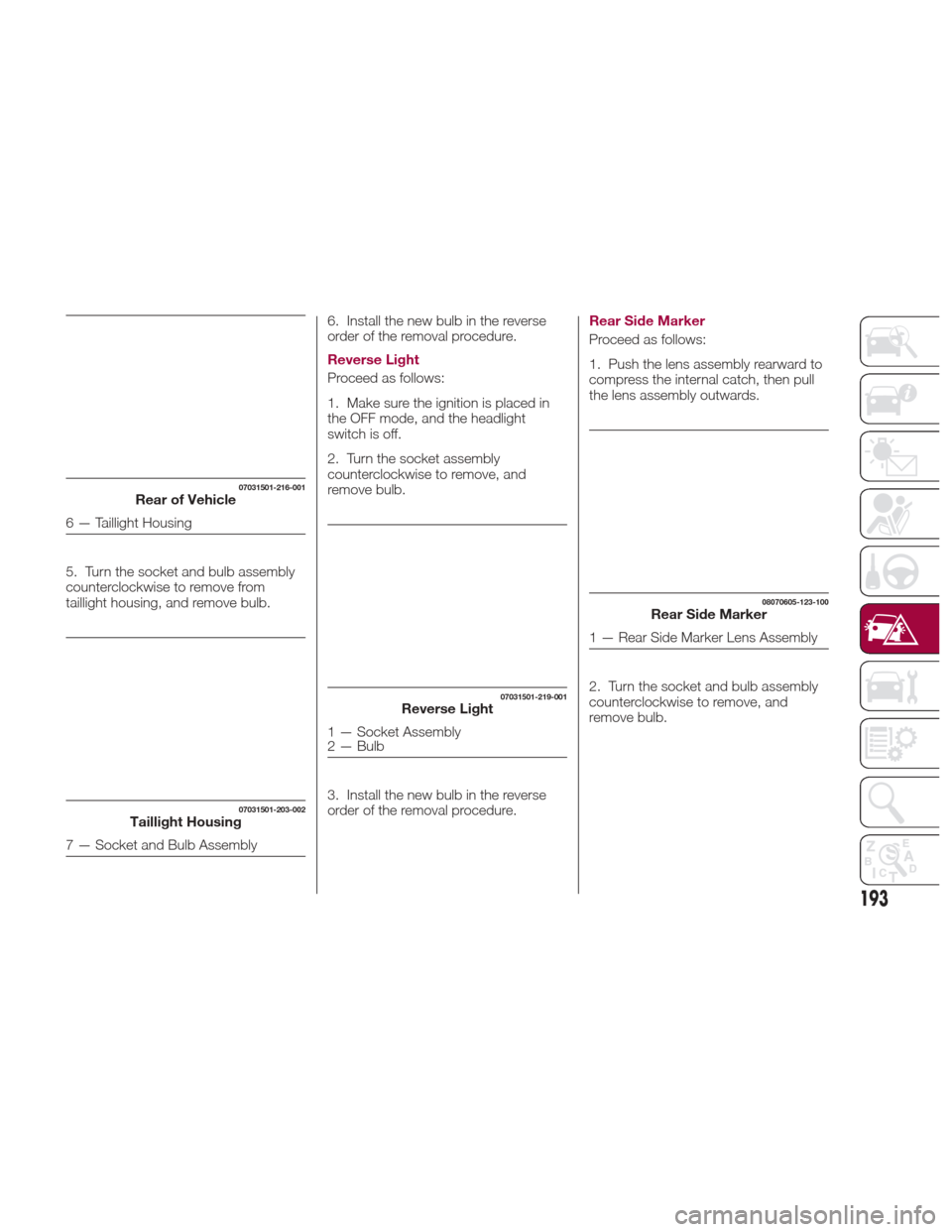
5. Turn the socket and bulb assembly
counterclockwise to remove from
taillight housing, and remove bulb.6. Install the new bulb in the reverse
order of the removal procedure.
Reverse Light
Proceed as follows:
1. Make sure the ignition is placed in
the OFF mode, and the headlight
switch is off.
2. Turn the socket assembly
counterclockwise to remove, and
remove bulb.
3. Install the new bulb in the reverse
order of the removal procedure.Rear Side Marker
Proceed as follows:
1. Push the lens assembly rearward to
compress the internal catch, then pull
the lens assembly outwards.
2. Turn the socket and bulb assembly
counterclockwise to remove, and
remove bulb.
07031501-216-001Rear of Vehicle
6 — Taillight Housing
07031501-203-002Taillight Housing
7 — Socket and Bulb Assembly
07031501-219-001Reverse Light
1 — Socket Assembly
2 — Bulb
08070605-123-100Rear Side Marker
1 — Rear Side Marker Lens Assembly
193
Page 196 of 300
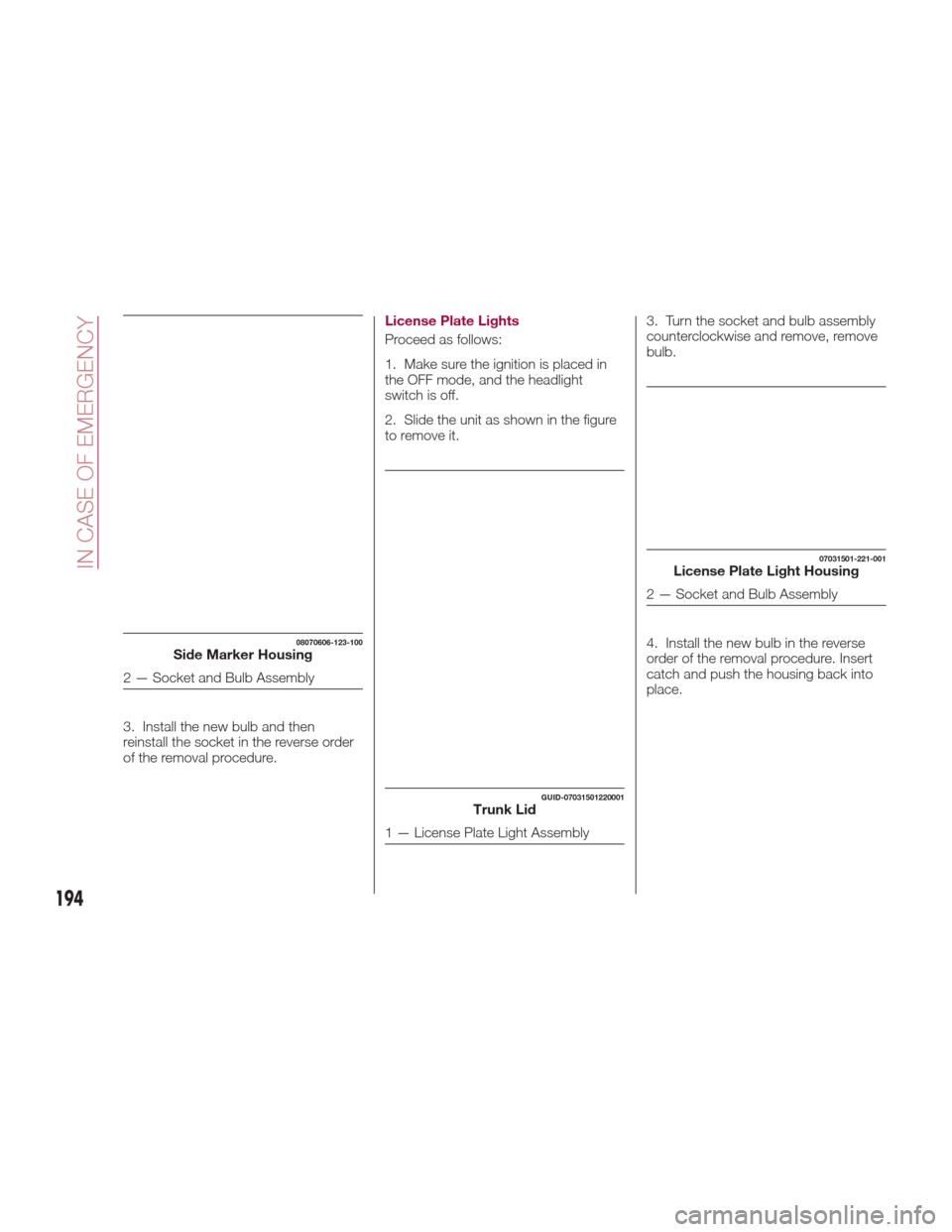
3. Install the new bulb and then
reinstall the socket in the reverse order
of the removal procedure.License Plate Lights
Proceed as follows:
1. Make sure the ignition is placed in
the OFF mode, and the headlight
switch is off.
2. Slide the unit as shown in the figure
to remove it.
3. Turn the socket and bulb assembly
counterclockwise and remove, remove
bulb.
4. Install the new bulb in the reverse
order of the removal procedure. Insert
catch and push the housing back into
place.
08070606-123-100Side Marker Housing
2 — Socket and Bulb Assembly
GUID-07031501220001Trunk Lid
1 — License Plate Light Assembly
07031501-221-001License Plate Light Housing
2 — Socket and Bulb Assembly
194
IN CASE OF EMERGENCY