light FIAT 124 SPIDER 2017 2.G Owner's Manual
[x] Cancel search | Manufacturer: FIAT, Model Year: 2017, Model line: 124 SPIDER, Model: FIAT 124 SPIDER 2017 2.GPages: 300, PDF Size: 121.24 MB
Page 41 of 300
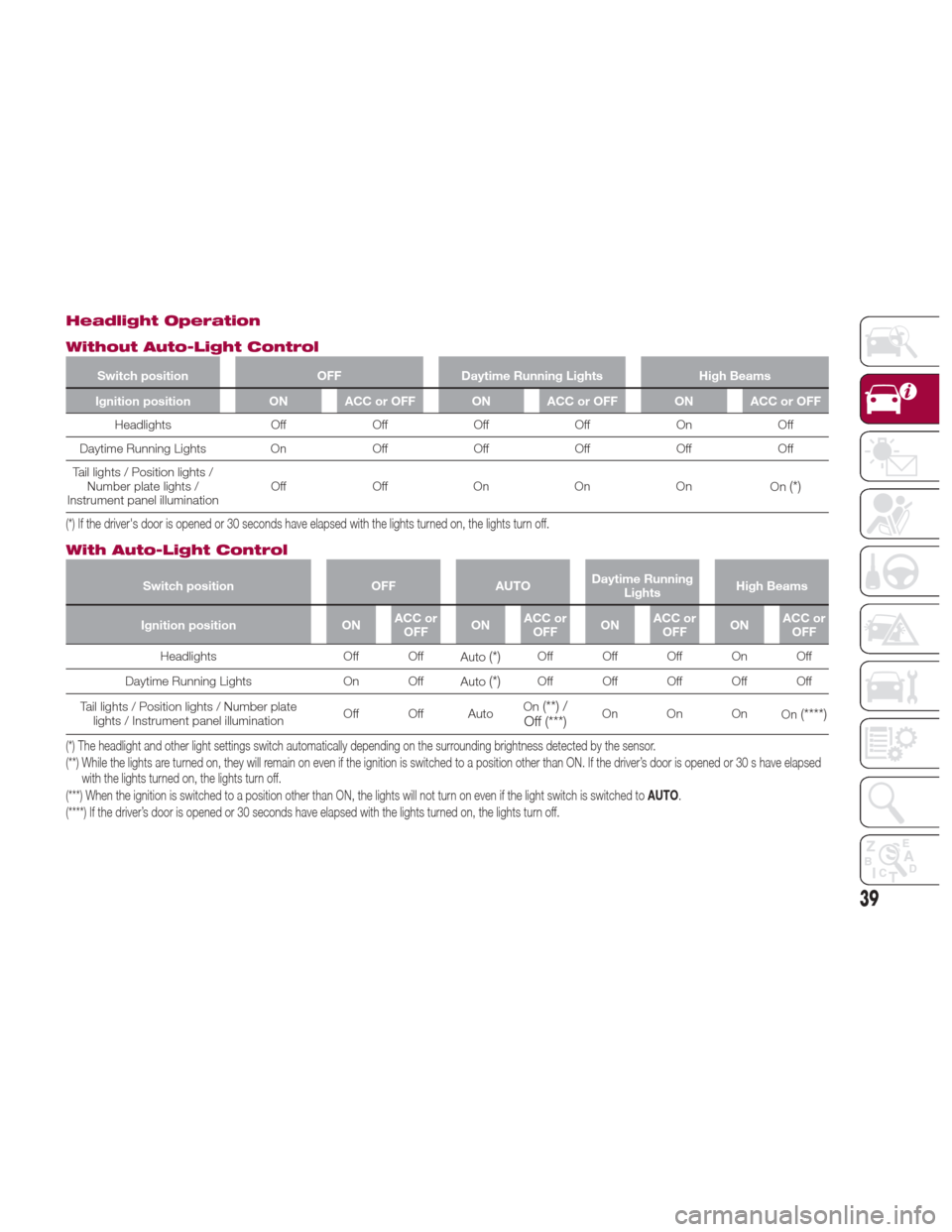
Headlight Operation
Without Auto-Light Control
Switch positionOFFDaytime Running Lights High Beams
Ignition position ON ACC or OFF ON ACC or OFF ON ACC or OFF
Headlights OffOffOffOff On Off
Daytime
Running Lights OnOffOffOff OffOff
Tail lights / Position lights / Number plate lights /
Instrument panel illumination Off
OffOn On On
On
(*)
(*) If the driver's door is opened or 30 seconds have elapsed with the lights turned on, the lights turn off.
With Auto-Light Control
Switch position OFFAUTODaytime Running
Lights High Beams
Ignition position ONACC or
OFF ONACC or
OFF ONACC or
OFF ONACC or
OFF
Headlights Off Off
Auto
(*)Off Off Off On Off
Daytime Running Lights On Off Auto
(*)Off Off Off Off Off
Tail lights / Position lights / Number plate lights / Instrument panel illumination Off Off AutoOn
(**) /
Off (***)On On On On(****)
(*) The headlight and other light settings switch automatically depending on the surrounding brightness detected by the sensor.
(**) While the lights are turned on, they will remain on even if the ignition is switched to a position other than ON. If the driver’s door is opened or 30 s have elapsed
with the lights turned on, the lights turn off.
(***) When the ignition is switched to a position other than ON, the lights will not turn on even if the light switch is switched to AUTO.
(****) If the driver’s door is opened or 30 seconds have elapsed with the lights turned on, the lights turn off.
39
Page 42 of 300
Daytime Running Lights
(DRL)
The daytime running lights turn on
automatically when the vehicle starts
moving.
They turn off when the parking brake is
engaged or the gear selector is shifted
to the Park (P) position (if equipped with
automatic transmission).
Note:In some markets, the daytime
running lights can be deactivated. For
markets that allow deactivation, refer to
“Personalization Features” in “Knowing
Your Instrument Panel” for further
information.
High Beams
The headlights can be switched
between high and low beams by
moving the lever forward or backward.
When the headlight high-beams are on,
the
high beam indicator is
illuminated.
Flash To Pass
You can signal another vehicle with your
headlights by partially pulling the
headlight lever toward the steering
wheel. This will cause the high beam
headlights to turn on until the lever is
released.
The
high beam indicator in the
instrument cluster illuminates
simultaneously.
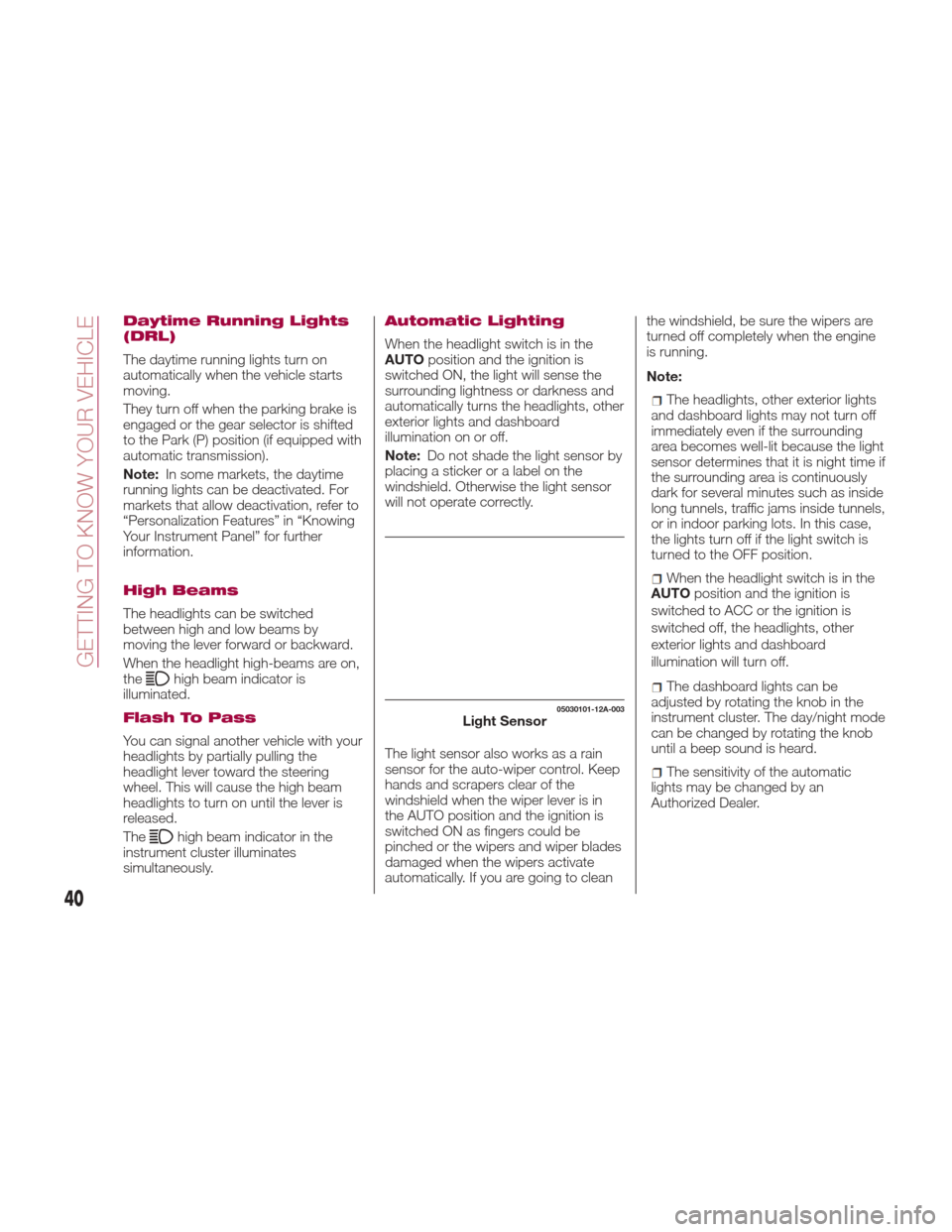
Automatic Lighting
When the headlight switch is in the
AUTO position and the ignition is
switched ON, the light will sense the
surrounding lightness or darkness and
automatically turns the headlights, other
exterior lights and dashboard
illumination on or off.
Note: Do not shade the light sensor by
placing a sticker or a label on the
windshield. Otherwise the light sensor
will not operate correctly.
The light sensor also works as a rain
sensor for the auto-wiper control. Keep
hands and scrapers clear of the
windshield when the wiper lever is in
the AUTO position and the ignition is
switched ON as fingers could be
pinched or the wipers and wiper blades
damaged when the wipers activate
automatically. If you are going to clean the windshield, be sure the wipers are
turned off completely when the engine
is running.
Note:
The headlights, other exterior lights
and dashboard lights may not turn off
immediately even if the surrounding
area becomes well-lit because the light
sensor determines that it is night time if
the surrounding area is continuously
dark for several minutes such as inside
long tunnels, traffic jams inside tunnels,
or in indoor parking lots. In this case,
the lights turn off if the light switch is
turned to the OFF position.
When the headlight switch is in the
AUTO position and the ignition is
switched to ACC or the ignition is
switched off, the headlights, other
exterior lights and dashboard
illumination will turn off.
The dashboard lights can be
adjusted by rotating the knob in the
instrument cluster. The day/night mode
can be changed by rotating the knob
until a beep sound is heard.
The sensitivity of the automatic
lightsmaybechangedbyan
Authorized Dealer.
05030101-12A-003Light Sensor
40
GETTING TO KNOW YOUR VEHICLE
Page 43 of 300
Follow Me Home
The follow me home light system turns
on the headlights (low beams) when the
lever is operated.
System Activation
When the lever is pulled with the ignition
switched to ACC or OFF, the low beam
headlights turn on.
The headlights turn off after a certain
period of time has elapsed after the
doors are closed.
The time until the headlights turn off
after all of the doors are closed can be
changed. If no operations are done for
three minutes after the lever is pulled,
the headlights turn off.
The headlights turn off if the lever is
pulled again while the headlights are on.
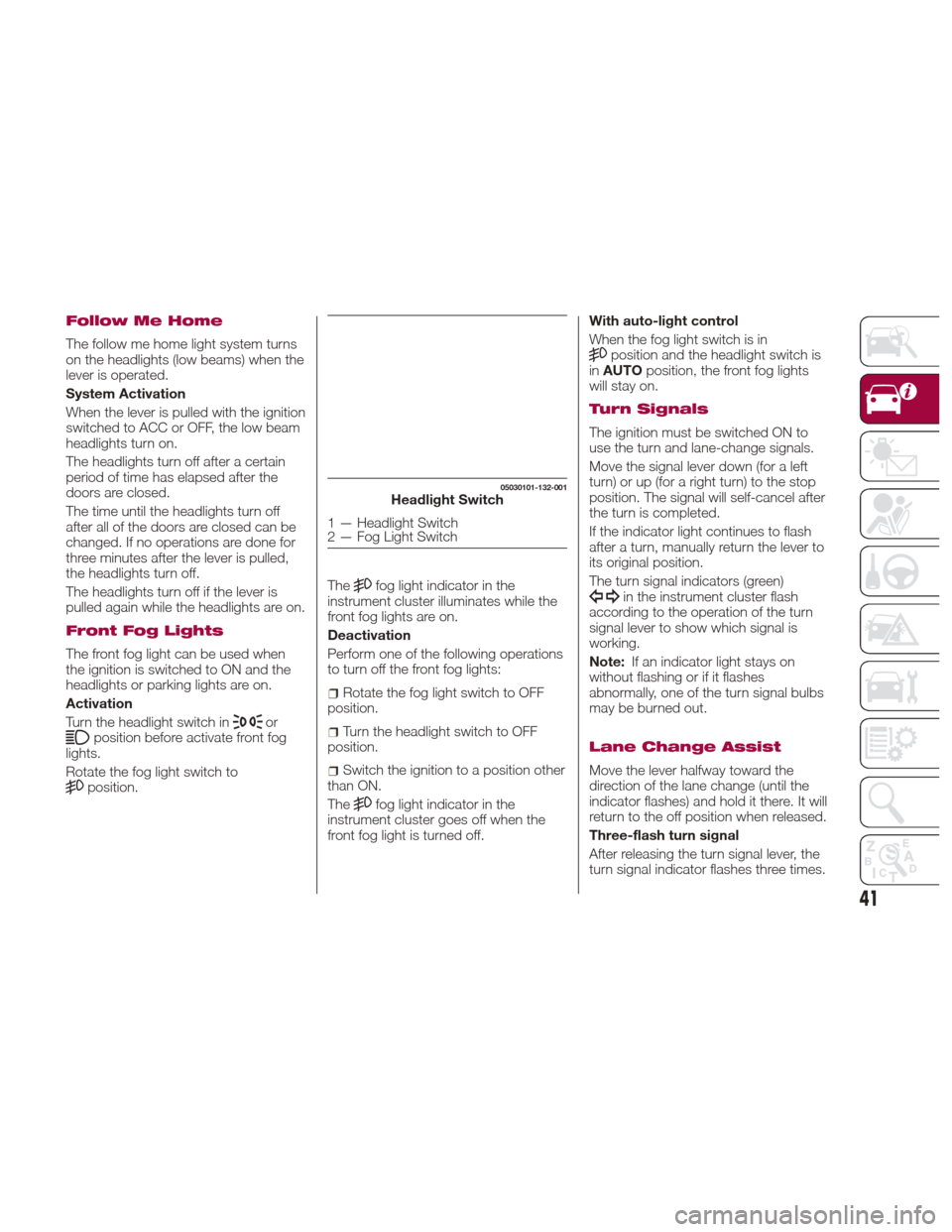
Front Fog Lights
The front fog light can be used when
the ignition is switched to ON and the
headlights or parking lights are on.
Activation
Turn the headlight switch in
orposition before activate front fog
lights.
Rotate the fog light switch to
position. The
fog light indicator in the
instrument cluster illuminates while the
front fog lights are on.
Deactivation
Perform one of the following operations
to turn off the front fog lights:
Rotate the fog light switch to OFF
position.
Turn the headlight switch to OFF
position.
Switch the ignition to a position other
than ON.
The
fog light indicator in the
instrument cluster goes off when the
front fog light is turned off. With auto-light control
When the fog light switch is in
position and the headlight switch is
in AUTO position, the front fog lights
will stay on.
Turn Signals
The ignition must be switched ON to
use the turn and lane-change signals.
Move the signal lever down (for a left
turn) or up (for a right turn) to the stop
position. The signal will self-cancel after
the turn is completed.
If the indicator light continues to flash
after a turn, manually return the lever to
its original position.
The turn signal indicators (green)
in the instrument cluster flash
according to the operation of the turn
signal lever to show which signal is
working.
Note: If an indicator light stays on
without flashing or if it flashes
abnormally, one of the turn signal bulbs
may be burned out.
Lane Change Assist
Move the lever halfway toward the
direction of the lane change (until the
indicator flashes) and hold it there. It will
return to the off position when released.
Three-flash turn signal
After releasing the turn signal lever, the
turn signal indicator flashes three times.
05030101-132-001Headlight Switch
1 — Headlight Switch
2 — Fog Light Switch
41
Page 44 of 300
The operation can be cancelled by
moving the lever in the direction
opposite to which it was operated.
The three-flash turn signal function can
be turned on or off using the
personalization function in the radio.
AFS (Adaptive Front
Lighting System) — If
Equipped
This system directs the main light beam
and adapts it to the driving conditions
around bends/when cornering,
continuously and automatically.
The system directs the light beam to
illuminate the road in the best way,
taking into account the speed of the
car, the bend/corner angle and the
speed of steering.
The adaptive lights are automatically
activated when the vehicle is started.
Leaving Home Light
System
The leaving home light system turns on
the lights when the key fob unlock
button is pushed while away from the
vehicle.
Activation
When the ignition switch is in the OFF
position and the headlight switch is in
orposition, the headlights
will illuminate when the key fob unlock
button is pushed and the vehicle
receives the key fob signal. The headlights turn off after
30 seconds.
The following lights turn on when the
leaving home light system is operated:
low beams/parking lights/taillights/
license lights.
Operation of the leaving home light
system can be turned on or off.
When the key fobbutton is
pushed and the vehicle receives the key
fob signal, the headlights turn off.
When the headlight switch is in a
position other than
or,the
headlights turn off.
Headlamp Leveling
System — If Equipped
Automatic Headlamp Leveling
System
On some models, the angle of the
headlights will be automatically adjusted
when turning on the headlights.
Adjusting The Headlight
When Abroad
Dipped headlights are adjusted for
driving in the country where the vehicle
was originally purchased.
When travelling in countries with
opposite driving direction, to avoid
flashing the drivers on the other side of
the road, you need to cover areas of
the headlight. For this operation contact
an Authorized Dealer.
WINDSHEILD
WIPERS / WASHER
Windshield Wipers
Washer
The ignition must be in the ON position
to use the wipers.
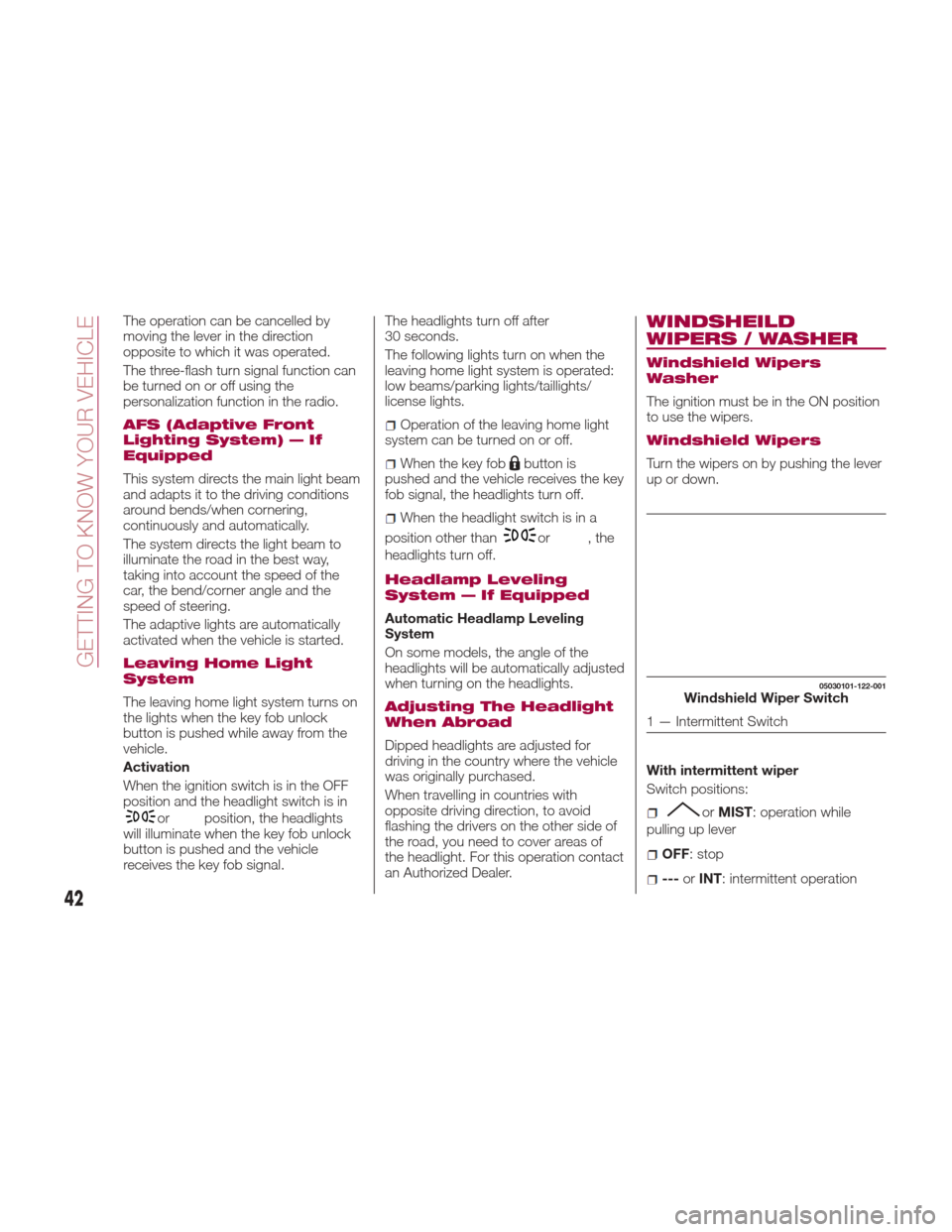
Windshield Wipers
Turn the wipers on by pushing the lever
up or down.
With intermittent wiper
Switch positions:
or MIST: operation while
pulling up lever
OFF: stop
--- orINT: intermittent operation
05030101-122-001Windshield Wiper Switch
1 — Intermittent Switch
42
GETTING TO KNOW YOUR VEHICLE
Page 45 of 300
—orLO: low speed operation
=or HI: high speed operation
Variable-speed intermittent wipers
Set the lever to the intermittent position
and choose the interval timing by
rotating the switch.
With auto-wiper control
Switch positions:
or MIST: operation while
pulling up lever
OFF: stop
AUTO: auto control operation
— orLO: low speed operation
=or HI: high speed operation
Auto-wiper control
When the wiper lever is in the AUTO
position, the rain sensor will sense the
amount of rainfall on the windshield and
turns the wipers on or off automatically
(off/intermittent/low speed/high speed).
Adjusting rain sensor sensitivity
The sensitivity of the rain sensor can be
adjusted by rotating the switch on the
wiper lever.
From the center position (normal),
rotate the switch downward for higher
sensitivity (+) (faster response) or rotate
it upward for less sensitivity (-) (slower
response). Note:
Do not shade the rain sensor by
placing a sticker or a label on the
windshield. Otherwise the rain sensor
will not operate correctly.
When the wiper lever is in the AUTO
position and the ignition is switched
ON, the wipers may move automatically
in the following cases:
If the windshield above the rain
sensor is touched or wiped with a cloth.
If the windshield is struck with a hand
or other object from either outside or
inside the vehicle.
Warning!
Keep hands and scrapers clear of the
windshield when the wiper lever is in the
AUTO position and the ignition is switched
ON as fingers could be pinched or the
wipers and wiper blades damaged when
the wipers activate automatically.
If you are going to clean the windshield,
be sure the wipers are turned off. This
is important when clearing ice and
snow.
Switching the auto-wiper lever from the
OFF to the AUTO position while driving
activates the windshield wipers once,
after which they operate according to
the rainfall amount. The auto-wiper control may not operate
when the rain sensor temperature is
about 14 °F (–10 °C) or lower, or
about185°F(85°C)orhigher.
If the windshield is coated with water
repellent, the rain sensor may not be
able to sense the amount of rainfall
correctly and auto-wiper control may
not operate properly.
If dirt or debris (such as ice or debris
containing salt water) adheres to the
windshield above the rain sensor or if
the windshield is iced, it could cause
the wipers to move automatically.
However, if the wipers cannot remove
this ice, dirt or debris, the auto-wiper
control will stop operation. In this case,
set the wiper lever to the low speed
position or high speed position for
manual operation, or remove the ice,
dirt or debris by hand to restore the
auto-wiper operation.
If the auto-wiper lever is left in the
AUTO
position, the wipers could
operate automatically from the effect of
strong light sources, electromagnetic
waves, or infrared light because the rain
sensor uses an optical sensor.
It is recommended that the auto-wiper
lever be switched to the OFFposition
other than when driving the vehicle
under rainy conditions.
The auto-wiper control functions can be
turned off.
43
Page 46 of 300
Because heavy ice and snow can jam
the wiper blades, the wiper motor is
protected from motor breakdown,
overheating and possible fire by a
circuit breaker. This mechanism will
automatically stop operation of the
blades, but only for about five minutes.
If this happens, turn off the wiper switch
and park off the road and remove the
snow and ice. After five minutes, turn
on the switch and the blades should
operate normally. If they do not resume
functioning, contact an Authorized
Dealer as soon as possible. Drive to the
side of the road and pull off the side of
the road to a safe location. Wait until
the weather clears before trying to drive
with the wipers inoperative.
Windshield Washer
Pull the lever toward you and hold it to
spray washer fluid.
With the wiper lever in theOFFor
intermittent position/ AUTOposition,
the wipers will operate continuously
until the lever is released.
Warning!
Sudden loss of visibility through the
windshield could lead to a collision. You
might not see other vehicles or other
obstacles. To avoid sudden icing of the
windshield during freezing weather, warm
the windshield with defroster before and
during windshield washer use.
If the fluid level is normal and the
washer does not work, contact an
Authorized Dealer.
With headlight washers
When the headlights are on, the
headlight washers operate
automatically once every fifth time the
windshield washer operates.
CLIMATE CONTROL
SYSTEM
Operating Tips
The air conditioning system will only
operate with the engine running.
To prevent the battery from being
discharged while the engine is off, do
not leave the fan control dial on for
extended periods of time.
To improve system efficiency, clear all
obstructions (leaves, snow and ice)
from the hood and the air inlet in the
grille.
Use the air conditioning system to
defog the windows and dehumidify the
air.
Recirculation mode should be used
when driving through tunnels, while in a
traffic jam, or when you would like to
quickly cool the interior by shutting off
the exterior vents.
Use the outside air position for
ventilation or windscreen defrosting.
If the vehicle has been parked in direct
sunlight during hot weather, open the
windows to let warm air escape, and
then run the air conditioning system.
To keep the internal parts lubricated
and the system running smoothly, run
the air conditioner about 10 minutes at
least once a month.
04110109-115-001Windshield Washer Nozzles
44
GETTING TO KNOW YOUR VEHICLE
Page 52 of 300
Outside Air Position: (LED off)
Outside air is allowed to enter the
cabin. Use this mode for ventilation or
windshield defrosting.
Note:
Do not use the Outside Air Position in
cold or rainy weather is dangerous as it
will cause the windows to fog up. Your
vision will be hampered, which could
lead to a serious accident.
6 – A/C Button
Push the A/C Button to turn on the air
conditioner.
The LED on the switch will illuminate
when the Blower Control Knob is in any
position except the OFF position.
Push the button again to turn off the air
conditioner.
Note: The air conditioner may not
function when the outside temperature
approaches 32 °F (0 °C).
Heating
Proceed as follows:
1. Set the Mode Selector Knob to
the
position.
2. Set the Air Recirculation Button to
the outside air position.
3. Set the Temperature Control Dial to
the hot position. 4. Set the Blower Control Knob to the
desired speed.
5. If dehumidified heating is desired,
turn on the air conditioner.
If the windshield fogs up easily, set the
Mode Selector Knob to the
position.
If cooler air is desired at face level, set
the Mode Selector Knob to the
position and adjust the Temperature
Control Knob to maintain comfort.
The floor vents will blow warmer air
while the side air vents will blow cooler
air (except when the temperature
control dial is set at the maximum hot
or cold position).
Cooling (With Air
Conditioner)
Proceed as follows:
1. Set the Mode Selector Knob to
the
position.
2. Set the Temperature Control Knob
to the cold position.
3. Set the Blower Control Knob to the
desired speed.
4. Turn on the air conditioner by
pushing the A/C Button.
5. After cooling begins, adjust the
Blower Control Knob and Temperature
Control Knob as needed to maintain
comfort. Note:
If the air conditioner is used while
driving up large hills or in heavy traffic,
monitor the Engine Coolant
Temperature Warning Light to see if it
is illuminated or flashing. The air
conditioner may cause engine
overheating in these situations. If the
warning light is illuminated or flashing,
turn the air conditioning off
immediately.
When maximum cooling is desired,
set the Temperature Control Knob to
the extreme cold position, push the Air
Recirculation Button to activate the
recirculated air position, and then turn
the fan control dial fully clockwise.
If warmer air is desired at floor level,
set the Mode Selector Knob to the
position, and adjust the
Temperature Control Knob to maintain
comfort.
The floor vents will blow warmer air
while the side air vents will blow cooler
air (except when the temperature
control dial is set at the maximum hot
or cold position).
50
GETTING TO KNOW YOUR VEHICLE
Page 57 of 300
Outside Air Position: (LED Off)
Outside air is allowed to enter the
cabin. Use this mode for ventilation or
windshield defrosting.
Note:
Do not Recirculated Air Position use the
position in cold or rainy weather. Using
the Recirculated Air Position in cold or
rainy weather is dangerous as it will
cause the windows to fog up. Your
vision will be hampered, which could
lead to a serious accident.
6 – A/C Switch
Push the A/C Button to turn on the air
conditioner.
The LED on the switch will illuminate
when the Blower Control Knob is in any
position except the OFF position.
Push the button again to turn off the air
conditioner.
Note: The air conditioner may not
function when the outside temperature
approaches 32 ° F(0°C).Operation Of Automatic
Air Conditioning
Proceed as follows:
1. Set the mode selector dial to the
AUTO position.
2. Set the air intake selector to the
outside air position (indicator light
turned off).
Note:If the recirculated air position is
used for long periods in cold weather or
high humidity, the windshield may fog
up more easily.
3. Set the fan control dial to the AUTO
position.
4. Push the A/C switch to operate the
air conditioning (indicator light on).
5. Set the temperature control dial to
the desired position.
6. To turn off the system, set the fan
control dial to the 0 position.
Setting the temperature to maximum
hot or cold will not provide the desired
temperature at a faster rate.
When selecting heat, the system will
restrict air flow until it has warmed to
prevent cold air from blowing out of the
vents.
For an optimal cabin temperature, set
the temperature close to “77”. Adjust to
the desired temperature if necessary.
Windshield Defrosting
And Defogging
Set the mode selector dial to theposition and turn the fan control
dial to the desired speed.
In this position, the outside air position
is automatically selected, and when the
fan control dial is ON, the air
conditioner automatically turns on. The
air conditioner will directly dehumidify
the air to the front windscreen and side
windows. Air flow amount will be
increased.
Use the temperature control dial to
increase the air flow temperature and
defog the windscreen more quickly.
Warning!
Set the temperature control to the hot or
warm position when defogging (Front
Defrost position). Using the Front Defrost
position with the temperature control set to
the cold position is dangerous as it will
cause the outside of the windscreen to fog
up. Your vision will be hampered, which
could lead to a serious accident.
Sunlight/Temperature
Sensor
The air conditioning system measures
inside and outside temperatures, and
sunlight.
It then sets temperatures inside the
cabin accordingly.
55
Page 58 of 300
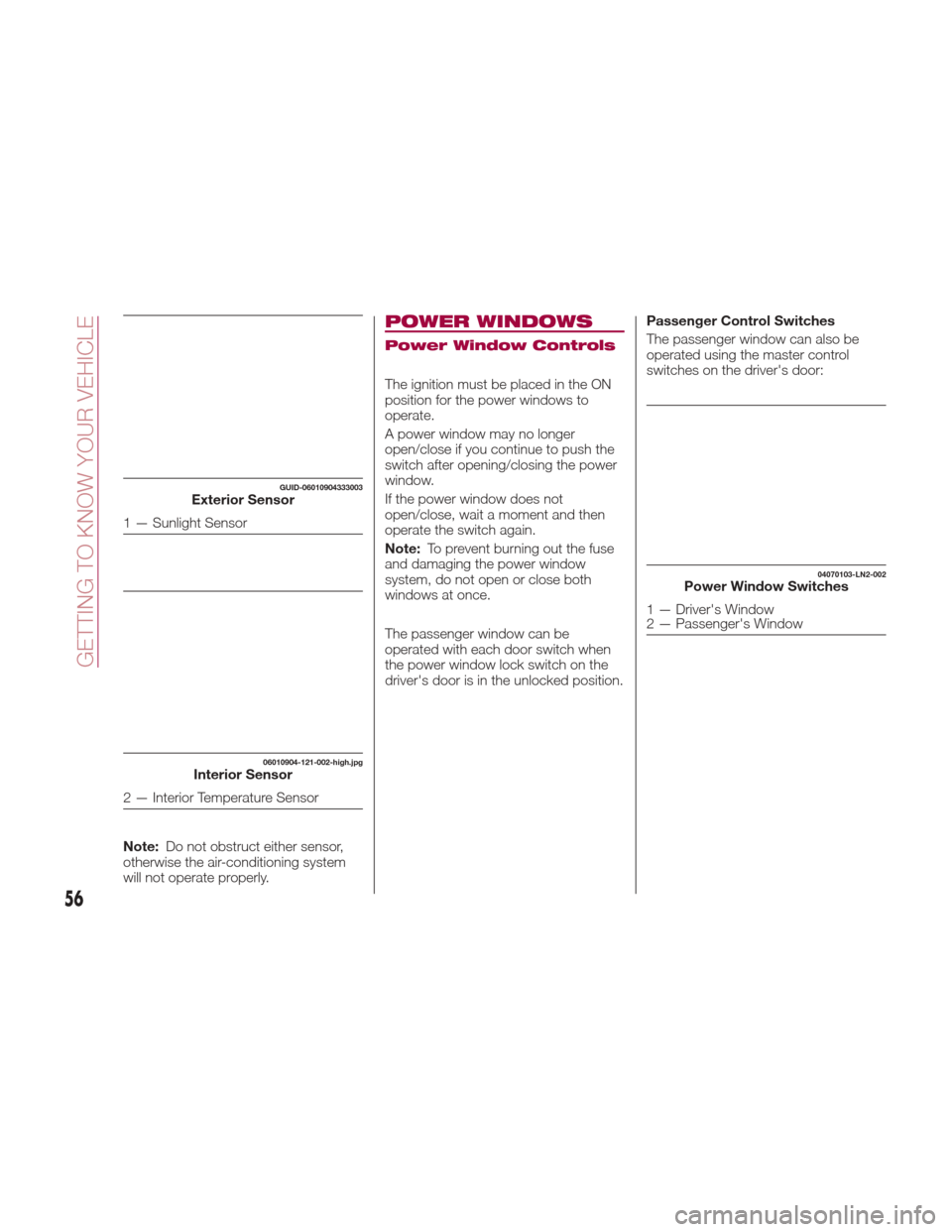
Note:Do not obstruct either sensor,
otherwise the air-conditioning system
will not operate properly.
POWER WINDOWS
Power Window Controls
The ignition must be placed in the ON
position for the power windows to
operate.
A power window may no longer
open/close if you continue to push the
switch after opening/closing the power
window.
If the power window does not
open/close, wait a moment and then
operate the switch again.
Note: To prevent burning out the fuse
and damaging the power window
system, do not open or close both
windows at once.
The passenger window can be
operated with each door switch when
the power window lock switch on the
driver's door is in the unlocked position. Passenger Control Switches
The passenger window can also be
operated using the master control
switches on the driver's door:
GUID-06010904333003Exterior Sensor
1 — Sunlight Sensor
06010904-121-002-high.jpgInterior Sensor
2 — Interior Temperature Sensor
04070103-LN2-002Power Window Switches
1 — Driver's Window
2 — Passenger's Window
56
GETTING TO KNOW YOUR VEHICLE
Page 59 of 300
Opening/Closing Power Windows
Auto-Opening Power Windows
To fully open the window automatically
push the switch completely down. To
stop the window partway pull or push
the switch in the opposite direction and
then release it. The power window
cannot be fully closed while the door is
open.Power Window System Initialization
Procedure
If the battery was disconnected during
vehicle maintenance, or for other
reasons (such as a switch continues to
be operated after the window is
open/closed), the window will not fully
open automatically.
Resetting of the automatic function can
be performed using the master control
switches or each passenger door
switch.
Resetting of the automatic function can
be performed using the master control
switches or each passenger door
switch.
The power window auto function reset
procedure can be done on both door
switches. The power window auto
function will only resume on the power
window that has been reset:
1. Close the doors and the convertible
top.
2. Place the ignition in the ON position.
3. Make sure that the power window
lock switch located on the driver's door
is not depressed.4. Push the switch and fully open the
window.
5. Pull up the switch to fully close the
window and continue holding the
switch for about two seconds after the
window fully closed.
6. Repeat steps four and five for the
passenger power window while seated
in the passenger seat.
7. Make sure that the power windows
operate correctly using the door
switches.
After the system has been re-initialized,
passenger window can be fully opened
automatically using the master control
switches. If the automatic power
window operation does not operate
normally while the doors or convertible
top are opened/closed, reset it using
the above procedures.
Engine-Off Power Window
Operation
The power window can be operated for
about 40 seconds after the ignition has
been cycled from ON to the OFF
position with both doors closed. If any
door is opened, the power window will
stop operating.
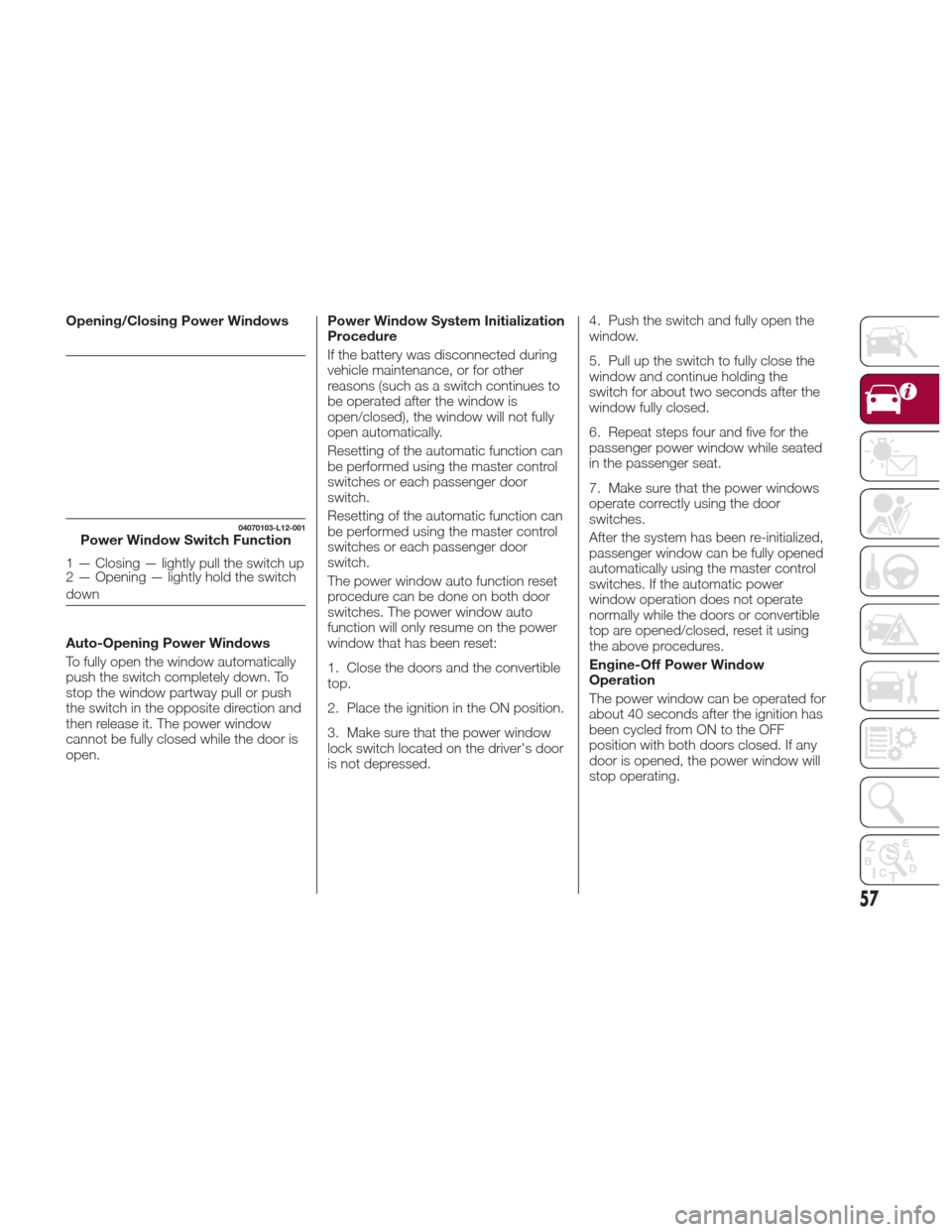
04070103-L12-001Power Window Switch Function
1 — Closing — lightly pull the switch up
2 — Opening — lightly hold the switch
down
57