ignition FIAT 124 SPIDER 2017 2.G Owner's Guide
[x] Cancel search | Manufacturer: FIAT, Model Year: 2017, Model line: 124 SPIDER, Model: FIAT 124 SPIDER 2017 2.GPages: 300, PDF Size: 121.24 MB
Page 60 of 300
For engine-off operation of the power
window, the switch must be held up
firmly throughout window closure
because the auto-closing function will
be inoperable.
Warning!
Never leave children unattended in a
vehicle, and do not let children play with
power windows. Do not leave the key fob
in or near the vehicle, or in a location
accessible to children, and do not leave the
ignition of a vehicle equipped with the
Keyless Entry System in the ACC or
ON/RUN mode. Occupants, particularly
unattended children, can become
entrapped by the windows while operating
the power window switches. Such
entrapment may result in serious injury or
death.
Power Window Lock
Switch
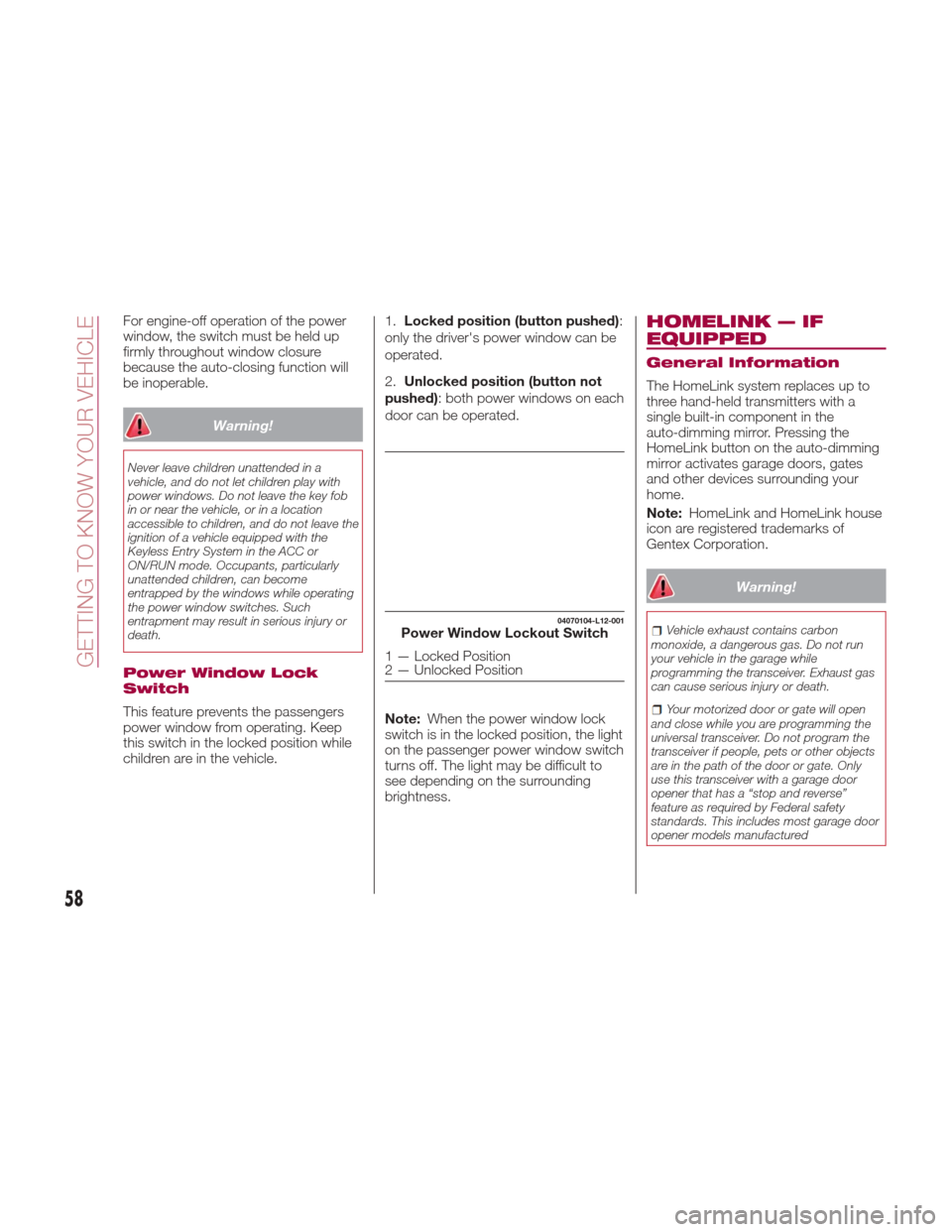
This feature prevents the passengers
power window from operating. Keep
this switch in the locked position while
children are in the vehicle.1.
Locked position (button pushed) :
only the driver's power window can be
operated.
2. Unlocked position (button not
pushed): both power windows on each
door can be operated.
Note: When the power window lock
switch is in the locked position, the light
on the passenger power window switch
turns off. The light may be difficult to
see depending on the surrounding
brightness.
HOMELINK — IF
EQUIPPED
General Information
The HomeLink system replaces up to
three hand-held transmitters with a
single built-in component in the
auto-dimming mirror. Pressing the
HomeLink button on the auto-dimming
mirror activates garage doors, gates
and other devices surrounding your
home.
Note: HomeLink and HomeLink house
icon are registered trademarks of
Gentex Corporation.
Warning!
Vehicle exhaust contains carbon
monoxide, a dangerous gas. Do not run
your vehicle in the garage while
programming the transceiver. Exhaust gas
can cause serious injury or death.
Your motorized door or gate will open
and close while you are programming the
universal transceiver. Do not program the
transceiver if people, pets or other objects
are in the path of the door or gate. Only
use this transceiver with a garage door
opener that has a “stop and reverse”
feature as required by Federal safety
standards. This includes most garage door
opener models manufactured
04070104-L12-001Power Window Lockout Switch
1 — Locked Position
2 — Unlocked Position
58
GETTING TO KNOW YOUR VEHICLE
Page 65 of 300
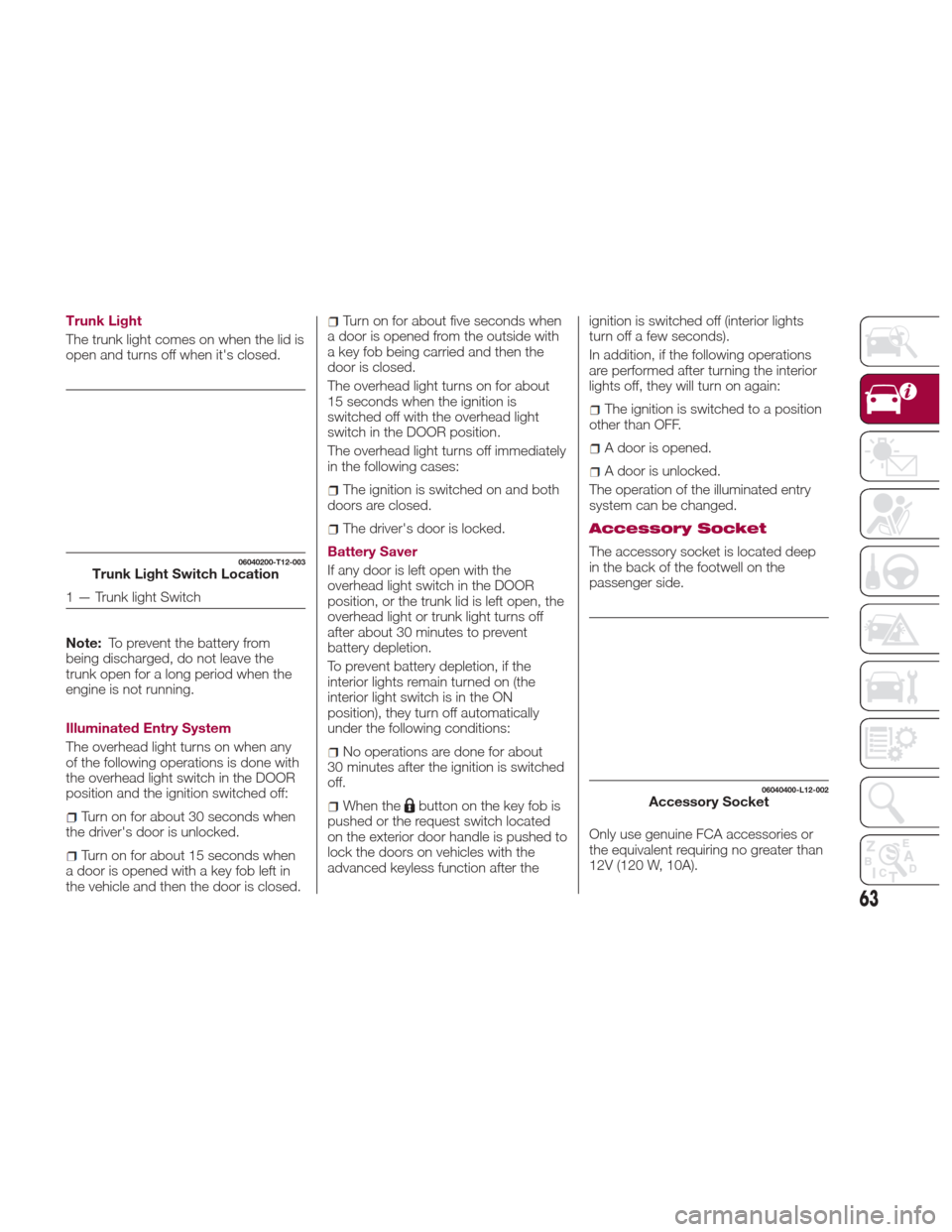
Trunk Light
The trunk light comes on when the lid is
open and turns off when it's closed.
Note:To prevent the battery from
being discharged, do not leave the
trunk open for a long period when the
engine is not running.
Illuminated Entry System
The overhead light turns on when any
of the following operations is done with
the overhead light switch in the DOOR
position and the ignition switched off:
Turn on for about 30 seconds when
the driver's door is unlocked.
Turn on for about 15 seconds when
a door is opened with a key fob left in
the vehicle and then the door is closed.
Turn on for about five seconds when
a door is opened from the outside with
a key fob being carried and then the
door is closed.
The overhead light turns on for about
15 seconds when the ignition is
switched off with the overhead light
switch in the DOOR position.
The overhead light turns off immediately
in the following cases:
The ignition is switched on and both
doors are closed.
The driver's door is locked.
Battery Saver
If any door is left open with the
overhead light switch in the DOOR
position, or the trunk lid is left open, the
overhead light or trunk light turns off
after about 30 minutes to prevent
battery depletion.
To prevent battery depletion, if the
interior lights remain turned on (the
interior light switch is in the ON
position), they turn off automatically
under the following conditions:
No operations are done for about
30 minutes after the ignition is switched
off.
When thebutton on the key fob is
pushed or the request switch located
on the exterior door handle is pushed to
lock the doors on vehicles with the
advanced keyless function after the ignition is switched off (interior lights
turn off a few seconds).
In addition, if the following operations
are performed after turning the interior
lights off, they will turn on again:
The ignition is switched to a position
other than OFF.
A door is opened.
A door is unlocked.
The operation of the illuminated entry
system can be changed.
Accessory Socket
The accessory socket is located deep
in the back of the footwell on the
passenger side.
Only use genuine FCA accessories or
the equivalent requiring no greater than
12V (120 W, 10A).06040200-T12-003Trunk Light Switch Location
1 — Trunk light Switch
06040400-L12-002Accessory Socket
63
Page 66 of 300
The ignition must be switched to ACC
or ON.
To prevent accessory socket damage
or electrical failure, pay attention to the
following:
Do not use accessories that require
more than 12V (120 W, 10A).
Do not use accessories that are not
genuine FCA accessories or the
equivalent.
Close the cover when the accessory
socket is not in use to prevent foreign
objects and liquids from getting into the
accessory socket.
Correctly insert the plug into the
accessory socket.
Do not insert the cigarette lighter into
the accessory socket.
Noise may occur on the audio
playback depending on the device
connected to the accessory socket.
Depending on the device connected
to the accessory socket, the vehicle's
electrical system may be affected,
which could cause the warning light to
illuminate. Disconnect the connected
device and make sure that the problem
is resolved. If the problem is resolved,
disconnect the device from the socket
and switch the ignition off. If the
problem is not resolved, contact an
Authorized Dealership. Note:
To prevent discharging of the
battery, do not use the socket for long
periods with the engine off or idling.
Warning!
To avoid serious injury or death:Only devices designed for use in this
type of outlet should be inserted into any
12 Volt outlet.
Do not touch with wet hands.
Close the lid when not in use and while
driving the vehicle.
If this outlet is mishandled, it may cause
an electric shock and failure.
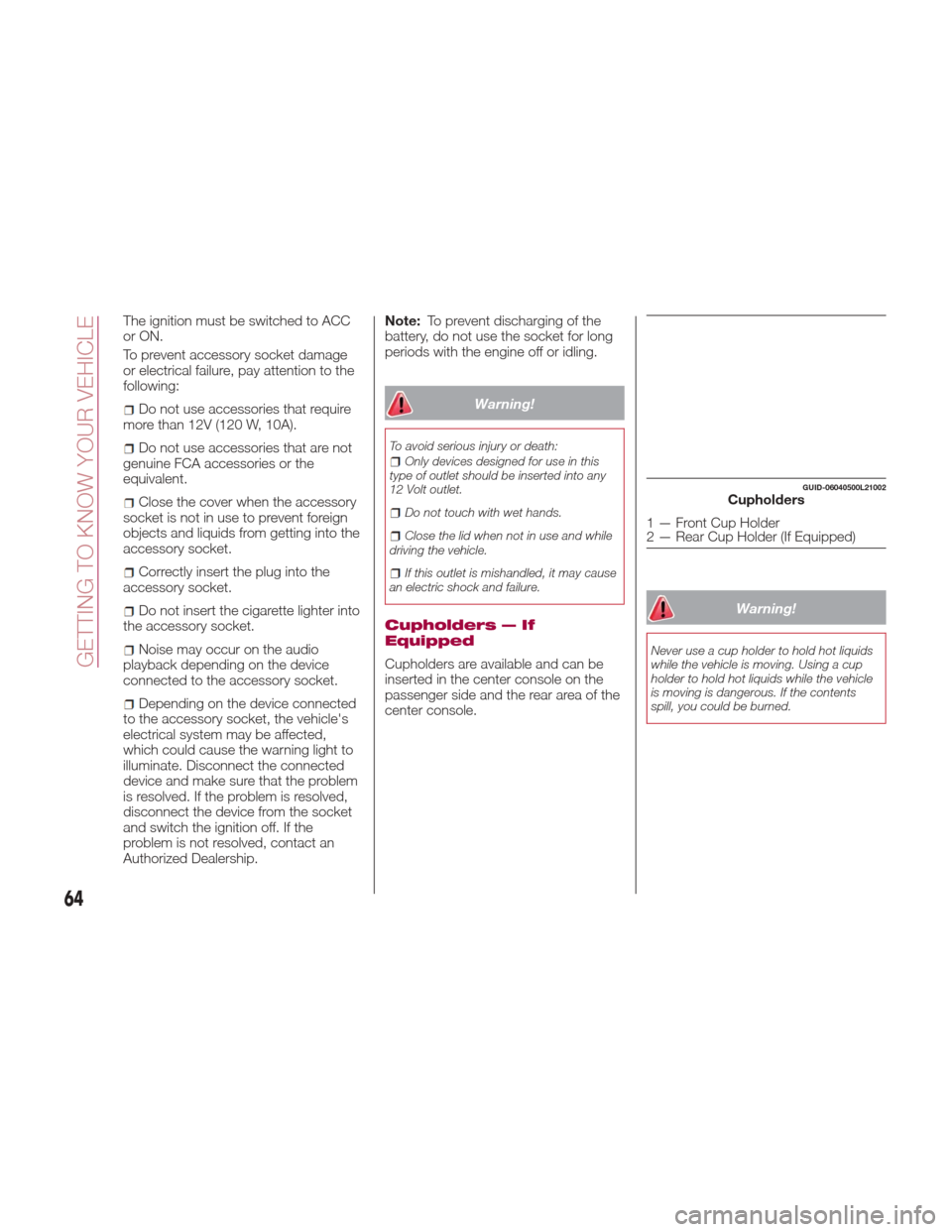
Cupholders — If
Equipped
Cupholders are available and can be
inserted in the center console on the
passenger side and the rear area of the
center console.
Warning!
Never use a cup holder to hold hot liquids
while the vehicle is moving. Using a cup
holder to hold hot liquids while the vehicle
is moving is dangerous. If the contents
spill, you could be burned.
GUID-06040500L21002Cupholders
1 — Front Cup Holder
2 — Rear Cup Holder (If Equipped)
64
GETTING TO KNOW YOUR VEHICLE
Page 68 of 300
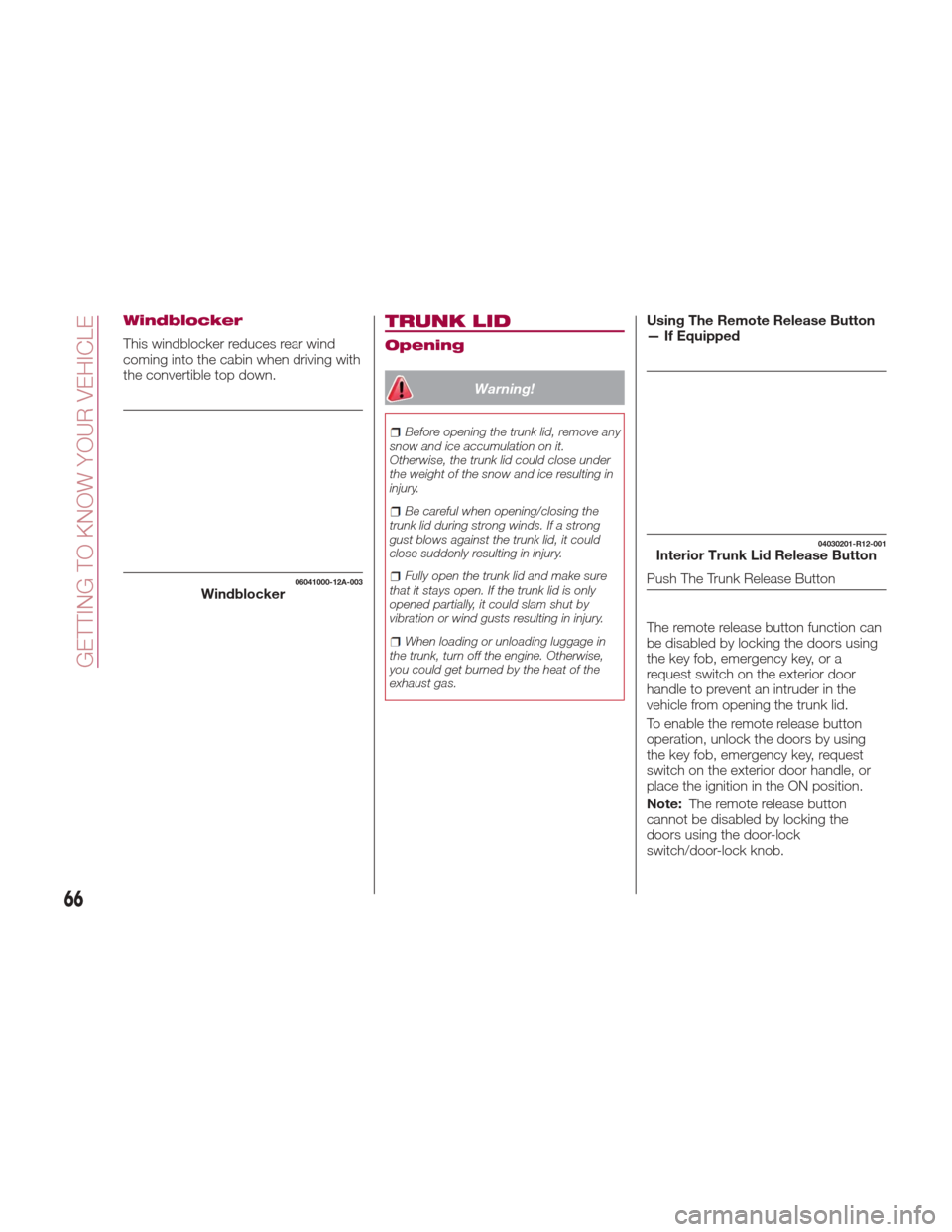
Windblocker
This windblocker reduces rear wind
coming into the cabin when driving with
the convertible top down.
TRUNK LID
Opening
Warning!
Before opening the trunk lid, remove any
snow and ice accumulation on it.
Otherwise, the trunk lid could close under
the weight of the snow and ice resulting in
injury.
Be careful when opening/closing the
trunk lid during strong winds. If a strong
gust blows against the trunk lid, it could
close suddenly resulting in injury.
Fully open the trunk lid and make sure
that it stays open. If the trunk lid is only
opened partially, it could slam shut by
vibration or wind gusts resulting in injury.
When loading or unloading luggage in
the trunk, turn off the engine. Otherwise,
you could get burned by the heat of the
exhaust gas.
Using The Remote Release Button
— If Equipped
The remote release button function can
be disabled by locking the doors using
the key fob, emergency key, or a
request switch on the exterior door
handle to prevent an intruder in the
vehicle from opening the trunk lid.
To enable the remote release button
operation, unlock the doors by using
the key fob, emergency key, request
switch on the exterior door handle, or
place the ignition in the ON position.
Note: The remote release button
cannot be disabled by locking the
doors using the door-lock
switch/door-lock knob.
06041000-12A-003Windblocker
04030201-R12-001Interior Trunk Lid Release Button
Push The Trunk Release Button
66
GETTING TO KNOW YOUR VEHICLE
Page 76 of 300
Caution!
Before opening the convertible top,
make sure the rear window defroster
switch is turned off. Otherwise the heat
generated from the window defroster
could damage the convertible top and the
internal material.
Make sure nothing is on the convertible
top or near the back window when raising
or lowering the convertible top. Even small
objects may interfere and cause damage.
Do not drive through an automatic car
wash; it may damage the convertible top.
Do not raise or lower the convertible top
when the temperature is below 41 °F
(5 °C); this will damage the convertible top
material.
Do not lower the convertible top when
it's wet. If the convertible top dries while
folded, it will deteriorate and mold.
Do not raise or lower the convertible top
in a strong wind as it could damage the
convertible top or cause an unexpected
accident.
ELECTRIC POWER
STEERING
Power Steering
Electric power steering is only operable
when the engine is running.
If the engine is off or if the power
steering system is inoperable, you can
still steer, but it requires more physical
effort.
If the steering feels stiffer than usual
during normal driving or the steering
vibrates, contact your Authorized
Dealer.
The
warning light notifies the driver
of system abnormalities and operation
conditions.
Note: Never hold the steering wheel to
the extreme left or right for more than
five seconds with the engine running.
This could damage the power steering
system.
ENVIRONMENT
PROTECTION
SYSTEMS
Emission Control System
This vehicle is equipped with an
emission control system (the catalytic
converter is part of this system) that
enables the vehicle to comply with
existing exhaust emissions
requirements.
Ignoring the following precautions could
cause lead to accumulate on the
catalyst inside the converter or cause
the converter to get very hot. Either
condition will damage the converter and
cause poor performance:
USE ONLY UNLEADED FUEL.
Do not drive your vehicle with any
sign of engine malfunction.
Do not coast with the ignition off.
Do not descend steep grades in gear
with the ignition off.
Do not operate the engine at high
idle for more than two minutes.
74
GETTING TO KNOW YOUR VEHICLE
Page 81 of 300
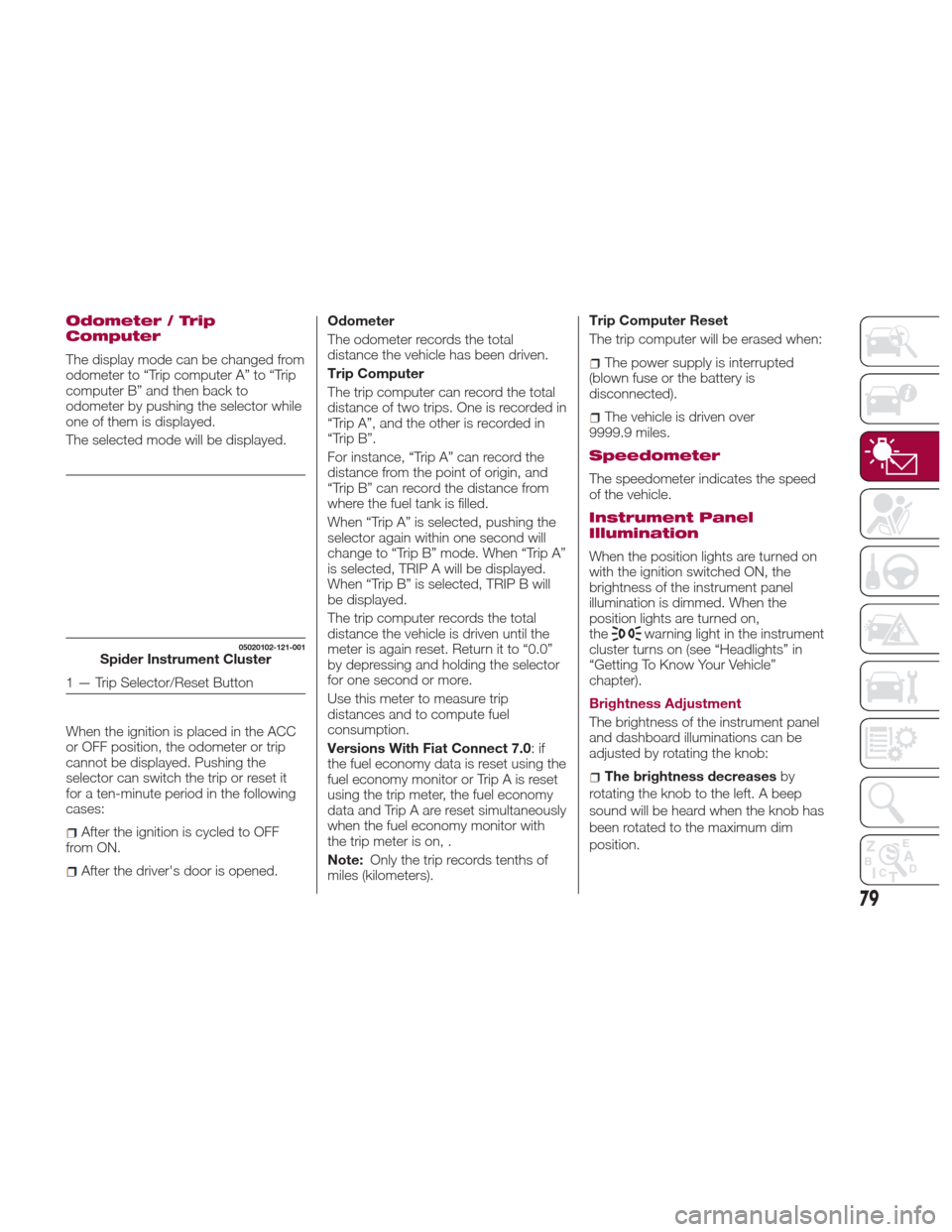
Odometer / Trip
Computer
The display mode can be changed from
odometer to “Trip computer A” to “Trip
computer B” and then back to
odometer by pushing the selector while
one of them is displayed.
The selected mode will be displayed.
When the ignition is placed in the ACC
or OFF position, the odometer or trip
cannot be displayed. Pushing the
selector can switch the trip or reset it
for a ten-minute period in the following
cases:
After the ignition is cycled to OFF
from ON.
After the driver's door is opened. Odometer
The odometer records the total
distance the vehicle has been driven.
Trip Computer
The trip computer can record the total
distance of two trips. One is recorded in
“Trip A”, and the other is recorded in
“Trip B”.
For instance, “Trip A” can record the
distance from the point of origin, and
“Trip B” can record the distance from
where the fuel tank is filled.
When “Trip A” is selected, pushing the
selector again within one second will
change to “Trip B” mode. When “Trip A”
is selected, TRIP A will be displayed.
When “Trip B” is selected, TRIP B will
be displayed.
The trip computer records the total
distance the vehicle is driven until the
meter is again reset. Return it to “0.0”
by depressing and holding the selector
for one second or more.
Use this meter to measure trip
distances and to compute fuel
consumption.
Versions With Fiat Connect 7.0
:if
the fuel economy data is reset using the
fuel economy monitor or Trip A is reset
using the trip meter, the fuel economy
data and Trip A are reset simultaneously
when the fuel economy monitor with
the trip meter is on, .
Note: Only the trip records tenths of
miles (kilometers). Trip Computer Reset
The trip computer will be erased when:
The power supply is interrupted
(blown fuse or the battery is
disconnected).
The vehicle is driven over
9999.9 miles.
Speedometer
The speedometer indicates the speed
of the vehicle.
Instrument Panel
Illumination
When the position lights are turned on
with the ignition switched ON, the
brightness of the instrument panel
illumination is dimmed. When the
position lights are turned on,
the
warning light in the instrument
cluster turns on (see “Headlights” in
“Getting To Know Your Vehicle”
chapter).
Brightness Adjustment
The brightness of the instrument panel
and dashboard illuminations can be
adjusted by rotating the knob:
The brightness decreases by
rotating the knob to the left. A beep
sound will be heard when the knob has
been rotated to the maximum dim
position.
05020102-121-001Spider Instrument Cluster
1 — Trip Selector/Reset Button
79
Page 82 of 300
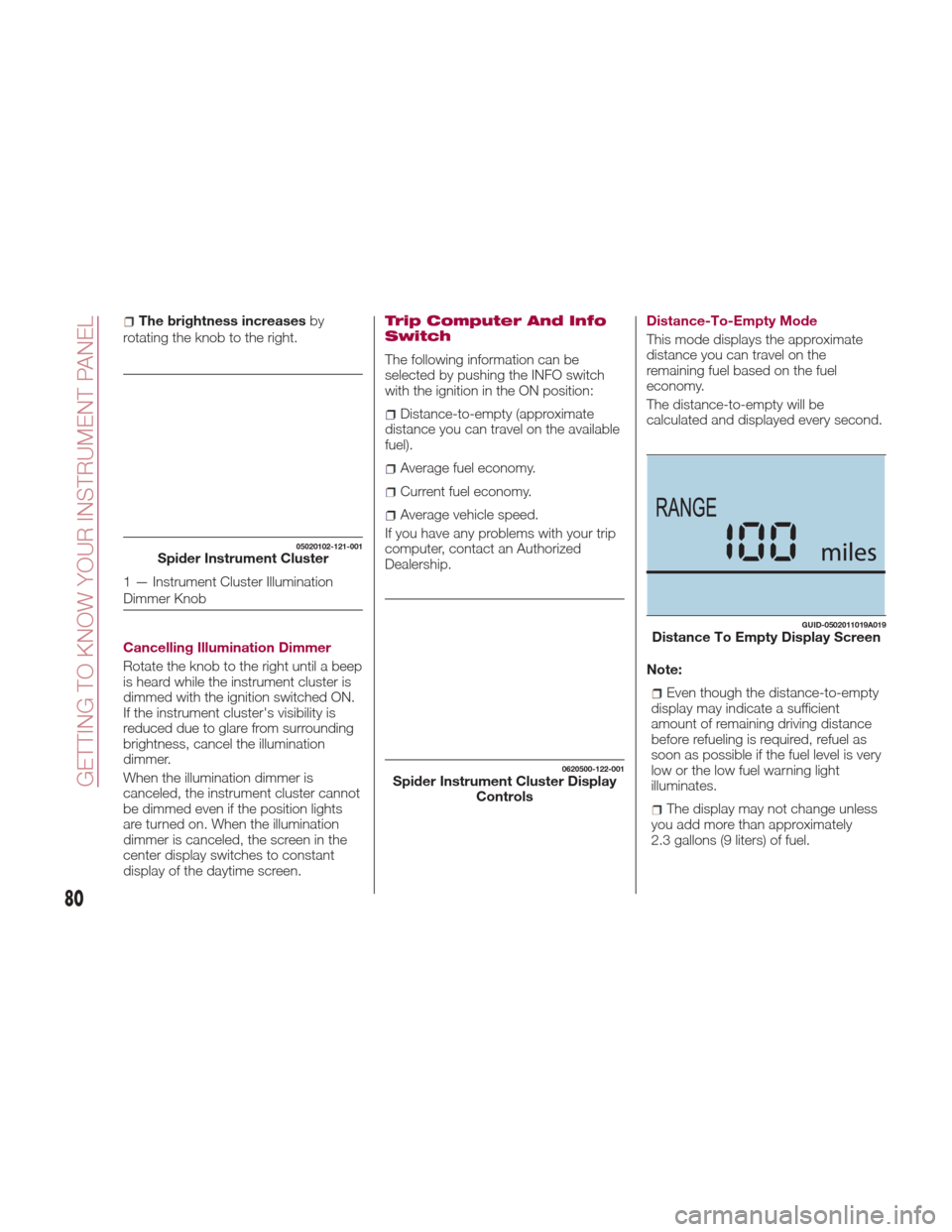
The brightness increasesby
rotating the knob to the right.
Cancelling Illumination Dimmer
Rotate the knob to the right until a beep
is heard while the instrument cluster is
dimmed with the ignition switched ON.
If the instrument cluster's visibility is
reduced due to glare from surrounding
brightness, cancel the illumination
dimmer.
When the illumination dimmer is
canceled, the instrument cluster cannot
be dimmed even if the position lights
are turned on. When the illumination
dimmer is canceled, the screen in the
center display switches to constant
display of the daytime screen.Trip Computer And Info
Switch
The following information can be
selected by pushing the INFO switch
with the ignition in the ON position:
Distance-to-empty (approximate
distance you can travel on the available
fuel).
Average fuel economy.
Current fuel economy.
Average vehicle speed.
If you have any problems with your trip
computer, contact an Authorized
Dealership. Distance-To-Empty Mode
This mode displays the approximate
distance you can travel on the
remaining fuel based on the fuel
economy.
The distance-to-empty will be
calculated and displayed every second.
Note:
Even though the distance-to-empty
display may indicate a sufficient
amount of remaining driving distance
before refueling is required, refuel as
soon as possible if the fuel level is very
low or the low fuel warning light
illuminates.
The display may not change unless
you add more than approximately
2.3 gallons (9 liters) of fuel.
05020102-121-001Spider Instrument Cluster
1 — Instrument Cluster Illumination
Dimmer Knob
0620500-122-001Spider Instrument Cluster Display Controls
GUID-0502011019A019Distance To Empty Display Screen
80
GETTING TO KNOW YOUR INSTRUMENT PANEL
Page 85 of 300
immediately and take appropriate
measures. If the vehicle continues to be
driven, it could cause damage to the
engine.
Fuel Gauge
The fuel gauge 2 shows approximately
how much fuel is remaining in the tank
when the ignition is in the ON position.
We recommend keeping the tank over
1/4 full.
E= Empty
F= Full
If the low fuel warning light illuminates
or the fuel level is very low, refuel as
soon as possible.
Note:
After refueling, it may require some
time for the indicator to stabilize. In
addition, the indicator may deviate
while driving on a slope or curve since
the fuel moves in the tank.
The display indicating a quarter or
less remaining fuel has more segments
to show the remaining fuel level in
greater detail.
The direction of the arrow on the
fuel gauge indicates that the fuel door
lid is on the left side of the vehicle.
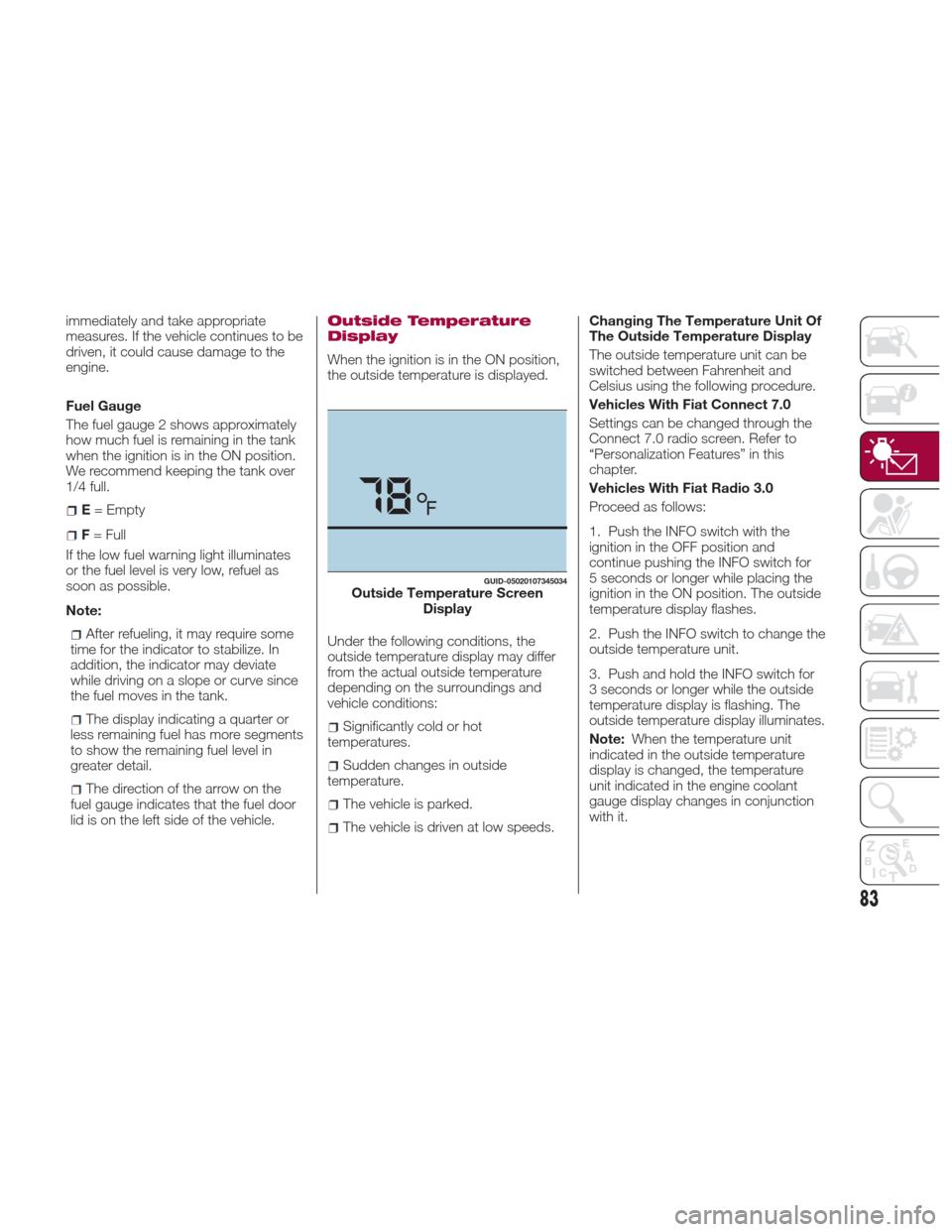
Outside Temperature
Display
When the ignition is in the ON position,
the outside temperature is displayed.
Under the following conditions, the
outside temperature display may differ
from the actual outside temperature
depending on the surroundings and
vehicle conditions:
Significantly cold or hot
temperatures.
Sudden changes in outside
temperature.
The vehicle is parked.
The vehicle is driven at low speeds. Changing The Temperature Unit Of
The Outside Temperature Display
The outside temperature unit can be
switched between Fahrenheit and
Celsius using the following procedure.
Vehicles With Fiat Connect 7.0
Settings can be changed through the
Connect 7.0 radio screen. Refer to
“Personalization Features” in this
chapter.
Vehicles With Fiat Radio 3.0
Proceed as follows:
1. Push the INFO switch with the
ignition in the OFF position and
continue pushing the INFO switch for
5 seconds or longer while placing the
ignition in the ON position. The outside
temperature display flashes.
2. Push the INFO switch to change the
outside temperature unit.
3. Push and hold the INFO switch for
3 seconds or longer while the outside
temperature display is flashing. The
outside temperature display illuminates.
Note:
When the temperature unit
indicated in the outside temperature
display is changed, the temperature
unit indicated in the engine coolant
gauge display changes in conjunction
with it.
GUID-05020107345034Outside Temperature Screen Display
83
Page 87 of 300
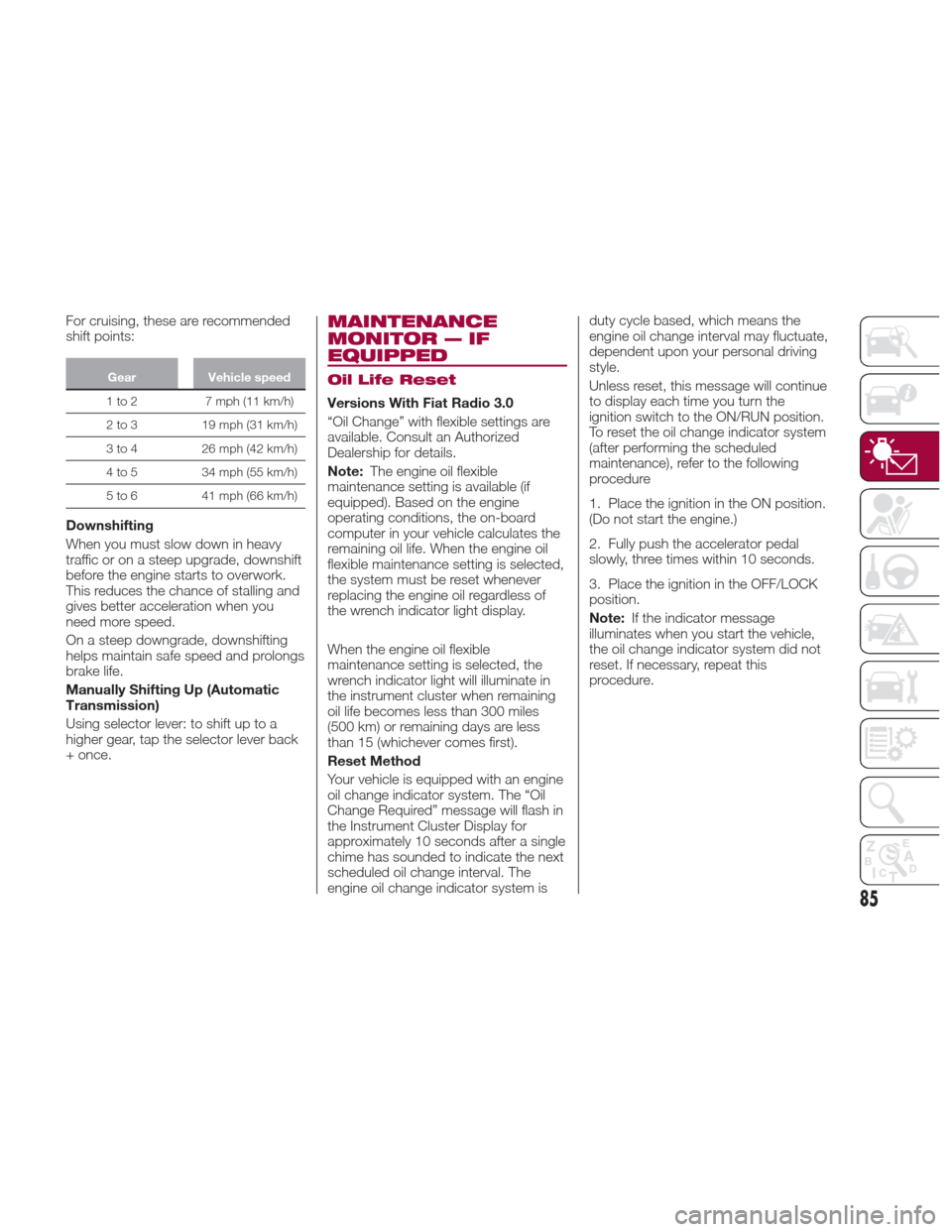
For cruising, these are recommended
shift points:
GearVehicle speed
1to2 7mph(11km/h)
2
to 3 19 mph (31 km/h)
3 to 4 26 mph (42 km/h)
4 to 5 34 mph (55 km/h)
5 to 6 41 mph (66 km/h)
Downshifting
When you must slow down in heavy
traffic or on a steep upgrade, downshift
before the engine starts to overwork.
This reduces the chance of stalling and
gives better acceleration when you
need more speed.
On a steep downgrade, downshifting
helps maintain safe speed and prolongs
brake life.
Manually Shifting Up (Automatic
Transmission)
Using selector lever: to shift up to a
higher gear, tap the selector lever back
+ once.
MAINTENANCE
MONITOR — IF
EQUIPPED
Oil Life Reset
Versions With Fiat Radio 3.0
“Oil Change” with flexible settings are
available. Consult an Authorized
Dealership for details.
Note:The engine oil flexible
maintenance setting is available (if
equipped). Based on the engine
operating conditions, the on-board
computer in your vehicle calculates the
remaining oil life. When the engine oil
flexible maintenance setting is selected,
the system must be reset whenever
replacing the engine oil regardless of
the wrench indicator light display.
When the engine oil flexible
maintenance setting is selected, the
wrench indicator light will illuminate in
the instrument cluster when remaining
oil life becomes less than 300 miles
(500 km) or remaining days are less
than 15 (whichever comes first).
Reset Method
Your vehicle is equipped with an engine
oil change indicator system. The “Oil
Change Required” message will flash in
the Instrument Cluster Display for
approximately 10 seconds after a single
chime has sounded to indicate the next
scheduled oil change interval. The
engine oil change indicator system is duty cycle based, which means the
engine oil change interval may fluctuate,
dependent upon your personal driving
style.
Unless reset, this message will continue
to display each time you turn the
ignition switch to the ON/RUN position.
To reset the oil change indicator system
(after performing the scheduled
maintenance), refer to the following
procedure
1. Place the ignition in the ON position.
(Do not start the engine.)
2. Fully push the accelerator pedal
slowly, three times within 10 seconds.
3. Place the ignition in the OFF/LOCK
position.
Note:
If the indicator message
illuminates when you start the vehicle,
the oil change indicator system did not
reset. If necessary, repeat this
procedure.
85
Page 91 of 300
3. Calculates the average fuel
economy every minute after vehicle
travel begins, and displays it.Note:
The fuel economy data can be reset by
doing the following operation:
Push the reset switch from the
menu screen.
When the function, which
synchronizes the fuel economy monitor
and the trip meter, is on, reset Trip A of
the trip meter.
Delete the average fuel economy
information displayed in the trip
computer.
After resetting the fuel economy data,
“-- -” is displayed while the average fuel
economy is calculated.
Ending Screen Display
If the ending display on the fuel
economy monitor is on when the
ignition is cycled from ON position to
the OFF position, the information
regarding the fuel economy is
displayed.
05240101-36A-004Average Fuel Economy Display Screen
89